

Microsoft's advisory listing for CVE-2026-20958 places the vulnerability squarely in the category security teams take most seriously: a vendor‑acknowledged SharePoint flaw tied to information disclosure that demands immediate patch‑and‑hunt workflows, careful exposure reduction, and post‑patch validation. The public facts are deliberately sparse — Microsoft’s Security Update Guide confirms the CVE identifier but provides limited exploit mechanics in the published entry, which means defenders must act on high‑confidence remediation guidance while treating any uncorroborated PoC claims as provisional.
Microsoft SharePoint remains a critical collaboration platform on many corporate networks, hosting documents, automation, connectors and service accounts. Historically, on‑premises SharePoint flaws that begin life as information disclosure or presentation‑layer bugs have been chained into full remote code execution (RCE) by attackers who combine deserialization, file‑write primitives, or ViewState forgery with post‑exploit key theft. Recent incident clusters demonstrate how quickly these chains can escalate into web shell implants and ransomware staging if internet‑facing farms are left unpatched. National and vendor advisories have repeatedly urged fast patching and coordinated hunting for SharePoint incidents. What makes CVE‑2026‑20958 operationally urgent is not simply the existence of the identifier but the vendor acknowledgement and inclusion in Microsoft’s update guide — the combination that raises the advisory to the highest confidence tier for operational response. At the same time, Microsoft’s public entry for the CVE may not include the low‑level exploit recipe; that omission is intentional and customary, but it forces defenders to rely on established detection playbooks and well‑tested mitigations rather than a vendor‑supplied PoC.
Administrators should act now: verify the MSRC KB mapping for your SharePoint SKUs, apply patches on internet‑facing hosts first, rotate keys, and run the prioritized hunts described above — patching is necessary, but persistent threats only go away when patching is combined with diligent hunting and credential rotation.
Source: MSRC Security Update Guide - Microsoft Security Response Center
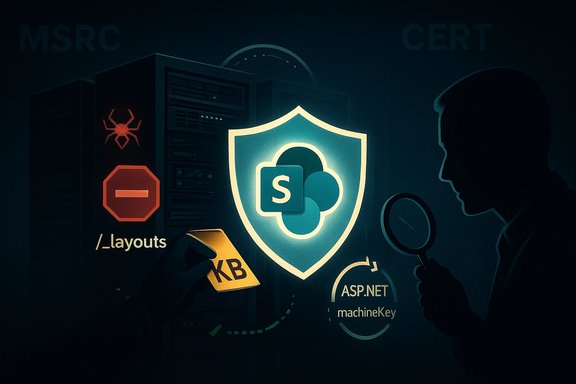 Background / Overview
Microsoft SharePoint remains a critical collaboration platform on many corporate networks, hosting documents, automation, connectors and service accounts. Historically, on‑premises SharePoint flaws that begin life as information disclosure or presentation‑layer bugs have been chained into full remote code execution (RCE) by attackers who combine deserialization, file‑write primitives, or ViewState forgery with post‑exploit key theft. Recent incident clusters demonstrate how quickly these chains can escalate into web shell implants and ransomware staging if internet‑facing farms are left unpatched. National and vendor advisories have repeatedly urged fast patching and coordinated hunting for SharePoint incidents. What makes CVE‑2026‑20958 operationally urgent is not simply the existence of the identifier but the vendor acknowledgement and inclusion in Microsoft’s update guide — the combination that raises the advisory to the highest confidence tier for operational response. At the same time, Microsoft’s public entry for the CVE may not include the low‑level exploit recipe; that omission is intentional and customary, but it forces defenders to rely on established detection playbooks and well‑tested mitigations rather than a vendor‑supplied PoC. What the MSRC entry tells (and does not tell) you
The authoritative signal: vendor acknowledgement
Microsoft’s Security Update Guide entry for CVE‑2026‑20958 functions as the canonical confirmation that the vulnerability exists and that remediation packages or KBs are available; administrators should treat that entry as the single source of truth for mapping CVE → KB → affected SKU. The MSRC listing is the starting point for any operational plan.What’s typically omitted: exploit mechanics
Microsoft frequently withholds exploit recipes and low‑level technical offsets on publicly visible advisory pages. For CVE‑2026‑20958 the same pattern applies: the vendor entry confirms the vulnerability but is terse on precise exploit vectors, parameter names, or PoC payloads. That opacity reduces immediate PoC proliferation but increases the operational burden on defenders who must act conservatively. Treat any third‑party blog or forum post claiming a verified exploit as unconfirmed until corroborated by Microsoft, CISA, or at least two independent technical write‑ups.Technical assessment — likely primitives and impact scenarios
Although MSRC does not show exploit source code publicly, the real‑world pattern for SharePoint on‑premises advisories of this class gives a reliable hypothesis for attackers’ likely approaches. Use these as defensive working assumptions:- Unsafe deserialization / ViewState abuse — attacker‑controlled serialized blobs can trigger gadget chains that execute code during deserialization.
- Layout/portal endpoint write primitives — POSTs to /_layouts/ endpoints or similar can sometimes be coerced into writing ASPX artifacts into TEMPLATE\LAYOUTS, yielding web‑served shells.
- Presentation‑layer spoofing — crafted UI overlays or fake admin dialogs that trick operators into authorizing connectors or runbooks.
- MachineKey and web.config theft — once code runs in the SharePoint worker process (w3wp.exe), attackers often read web.config or memory to extract ASP.NET machineKey material (ValidationKey/DecryptionKey). Possession of machineKey enables signed payload forgery (for example, forged __VIEWSTATE) and stealthy persistence.
- Follow‑on actions: credential harvest, lateral movement, scheduled tasks, and ransomware staging.
Confidence and verification: what “confidence metric” means here
Security teams commonly evaluate newly published CVEs along a three‑tier confidence axis:- Published identifier only (low confidence): CVE exists but no vendor or technical corroboration.
- Corroborated by independent research (medium confidence): third‑party technical analysis points to root cause or exploit primitives.
- Vendor‑acknowledged with updates/patches (high confidence): MSRC/CVE listing plus published KB mappings and vendor guidance.
Immediate risk assessment for operators
- High priority: Internet‑facing on‑premises SharePoint farms (Subscription Edition, SharePoint 2019, SharePoint 2016 where applicable) are at greatest risk because unauthenticated HTTP(S) exposure enables mass scanning and automated exploit attempts.
- Medium priority: Internal SharePoint instances reachable via VPN or reverse proxies, especially when admin consoles (Central Admin) are reachable with weak controls.
- Lower priority: SharePoint Online (Microsoft 365) — cloud tenants are generally isolated from on‑premises exploit chains and are usually not affected by on‑prem CVEs in the same way; confirm vendor guidance for your tenancy.
Actionable playbook: what to do in the next 24–72 hours
The following steps are prioritized for maximum immediate risk reduction. Execute them in order, validating each step with evidence.- Inventory and exposure mapping (minutes–hours)
- Enumerate every on‑prem SharePoint host (Subscription Edition, 2019, 2016) including language packs and auxiliary nodes.
- Use DNS, WAF/CDN logs, firewall ACLs and CMDB/SCCM/WSUS/Intune data to locate internet‑facing endpoints.
- Record exact SKU and installed build numbers — these are essential to pick the correct KB.
- Patch with MSRC‑mapped updates (hours)
- Open Microsoft’s Security Update Guide for CVE‑2026‑20958 and extract the exact KB(s) for each SKU and language pack.
- Apply patches in a staged manner (pilot → validation → full deployment) but prioritize public‑facing and admin nodes first.
- Validate post‑install build/KD numbers in Central Administration or via PowerShell. Do not rely solely on Windows Update summaries.
- If you cannot patch immediately: block exposure (immediate)
- Place public farms behind authenticated gateways (VPN, ZTNA, Azure AD Application Proxy) or remove direct inbound access.
- Deploy WAF rules to block suspicious POST patterns targeting /_layouts/ endpoints and known exploit signatures until hosts are patched.
- Rotate ASP.NET machineKey farm‑wide (immediately after patch)
- Rotate ValidationKey and DecryptionKey across the farm and restart IIS on each node to invalidate stolen keys and any forged signed payloads.
- Use the SharePoint Central Administration machineKey rotation job or Set‑SPMachineKey / Update‑SPMachineKey PowerShell cmdlets for coordinated rotation. Failing to rotate keys leaves open the possibility that attackers will reuse previously exfiltrated keys.
- Enable AMSI / ensure EDR coverage (hours)
- Confirm Antimalware Scan Interface (AMSI) integration and Microsoft Defender/EDR is up to date on all SharePoint hosts.
- AMSI improves detection of in‑process scripts and web shell activity; EDR provides process lineage telemetry crucial for hunts.
- Hunt for compromise artifacts (hours–days)
- Search IIS logs for abnormal POSTs to /_layouts/ or ToolPane.aspx that returned 200/201 responses and included large multipart payloads or unusual header patterns. Save corresponding request bodies.
- Run file‑system integrity checks on TEMPLATE\LAYOUTS and other served directories; flag new or recently modified .aspx files (patterns like spinstall*.aspx have appeared in prior incidents).
- Use EDR to hunt for w3wp.exe spawning cmd.exe, powershell.exe, rundll32.exe or writing unexpected files. Capture memory for w3wp.exe if you suspect active key theft before restarting.
- If compromise is confirmed: isolate, collect, rebuild
- Isolate affected nodes, preserve volatile evidence (memory dumps, IIS logs), rotate all service and admin credentials, and plan rebuilds from known‑good images.
- Patching alone is not sufficient if implants exist; full remediation frequently requires eradication and credential resets.
Detection playbook — prioritized telemetry & hunts
- IIS / SharePoint logs
- Query for POSTs to /_layouts/ or ToolPane.aspx; correlate timestamps with unusual 200/201 responses.
- Look for unusual User‑Agent strings, repeated scanning patterns, or requests with large body sizes.
- File integrity
- Monitor TEMPLATE\LAYOUTS, LAYOUTS and other web‑served folders for new .aspx/.dll files and unexpected file timestamps.
- EDR / process telemetry
- Hunt for w3wp.exe → cmd.exe/powershell.exe process trees and unexpected network egress from SharePoint hosts.
- Flag new scheduled tasks, modified service registrations, and unknown assemblies referenced in applicationHost.config or web.config.
- Memory and configuration artifacts
- If you find web shells or suspect key theft, capture memory and inspect for ValidationKey/DecryptionKey material before restarting processes.
Hardening and post‑remediation validation
After patching and any eradiation, validate and harden to reduce residual risk:- Functional validation
- Confirm normal admin flows, search indexing, and user content rendering still work after patching and key rotation.
- Run automated test suites for critical page renderers and search jobs.
- Least privilege
- Reduce file‑system write access for the IIS worker account and restrict any administrative permissions that are not strictly required.
- Reduce attack surface
- Avoid direct internet exposure of on‑prem SharePoint; front public access with reverse proxies, authenticated gateways, or Azure AD App Proxy.
- Continuous detection
- Implement File Integrity Monitoring (FIM) for served directories and centralize IIS logs for long‑term correlation and hunting.
- Maintain an incident‑ready runbook that includes patch, rotate, hunt, and rebuild steps and practice it periodically.
Critical analysis — strengths, gaps, and residual risks
Strengths in the vendor and community response
- Vendor acknowledgement and KB mapping provide the highest confidence signal defenders need: a patch exists and can be applied. Microsoft’s Security Update Guide is the canonical mapping tool to find exact KB numbers for your SharePoint SKU.
- The repeated community guidance — patch first, then rotate machineKey, enable AMSI, and hunt — is pragmatic and targets the core attacker primitives that have fuelled prior SharePoint campaigns. National CSIRTs and CERTs have reinforced this playbook.
Potential gaps and risks
- Limited public technical detail: Microsoft’s decision to keep exploit mechanics terse helps limit PoC spread but leaves defenders without signatures in the critical early window. This increases reliance on good telemetry and conservative mitigations.
- KB/cve mapping confusion: Historically, mis‑mapping of CVEs to KB numbers across servicing branches and language packs caused under‑patching. Confirm KB installation and build numbers post‑patch in Central Admin.
- Telemetry gaps: Organizations without AMSI integration, EDR, or centralized logging will struggle to detect stealthy signed payloads or web shell implants. These blind spots markedly increase residual risk even after an update is applied.
Unverifiable or cautionary points
- Public forum claims tying specific exploit strings, IP lists, or unique web shell names exclusively to CVE‑2026‑20958 should be treated as observations, not canonical indicators, until validated by Microsoft, CISA, or multiple independent researchers. Where MSRC is terse, community artifacts are useful leads but can be noisy or recycled across campaigns.
Cross‑verification with independent sources
- Microsoft Security Update Guide confirms the CVE listing and is the primary place to obtain KB mappings; administrators must open the MSRC advisory in an interactive browser session (it is JavaScript‑rendered) to capture the exact KB identifiers for their SKU.
- National CERTs and CISA advisories for past SharePoint incidents highlight the same operational threat model and mitigation sequence: patch, rotate keys, enable AMSI/EDR, and hunt — the consensus reduces operational ambiguity even when vendor detail is limited.
- Independent reporting and incident summaries from high‑quality security outlets show that SharePoint on‑premises RCE chains historically produced web shells, machineKey theft, and ransomware staging — reinforcing urgency for public‑facing installations. Use these reports to prioritize hunts and WAF rules while awaiting detailed technical analyses.
Practical remediation checklist (copy/paste)
- Inventory: enumerate all on‑prem SharePoint servers, language packs, and admin nodes.
- Verify: open Microsoft’s Security Update Guide entry for CVE‑2026‑20958 and note the exact KB(s) for each SKU.
- Patch: apply the vendor KBs in a staged rollout (pilot → validation → production).
- Rotate: perform farm‑wide ASP.NET machineKey rotation and restart IIS on each node immediately after patching.
- Block: if you cannot patch within 24 hours, restrict inbound access or place instances behind an authenticated gateway and deploy tuned WAF rules.
- Hunt: search IIS logs for anomalous POSTs to /_layouts/, run FIM on TEMPLATE\LAYOUTS, and use EDR to hunt for w3wp.exe process anomalies.
- If compromised: isolate, preserve memory/IIS logs, rotate credentials and rebuild from known‑good images.
Longer‑term posture and lessons learned
- Avoid direct internet exposure for on‑prem SharePoint wherever possible. Use authenticated gateways, conditional access, and device posture checks for any externally accessible management or authoring endpoints.
- Enforce least privilege for service accounts and IIS processes to reduce blast radius for any successful exploit.
- Institutionalize patch‑and‑hunt: apply MSRC KB mappings quickly, then follow with a coordinated hunt for artifacts rather than trusting patching alone to remove adversary presence.
- Maintain strong telemetry: AMSI integration, up‑to‑date EDR, centralized IIS logging, and FIM are non‑negotiable controls for SharePoint estate resilience.
Conclusion
CVE‑2026‑20958 is a vendor‑tracked SharePoint information disclosure advisory that, by virtue of Microsoft’s listing, demands high operational urgency. The public entry provides the authoritative CVE → KB signal administrators need, but intentionally limited technical detail means defenders must combine vendor guidance with proven SharePoint hunt recipes: patch immediately, rotate ASP.NET machineKey values, harden exposure with WAFs/reverse proxies, enable AMSI and EDR, and conduct targeted hunts for web shells and process anomalies. Treat any unverified PoCs or forum‑level IOCs cautiously and corroborate them against Microsoft, CISA, and reputable independent researchers before operationalizing signatures.Administrators should act now: verify the MSRC KB mapping for your SharePoint SKUs, apply patches on internet‑facing hosts first, rotate keys, and run the prioritized hunts described above — patching is necessary, but persistent threats only go away when patching is combined with diligent hunting and credential rotation.
Source: MSRC Security Update Guide - Microsoft Security Response Center
