

Microsoft’s Security Update Guide lists CVE-2026-20963 as a SharePoint Server remote‑code‑execution (RCE) entry, but the vendor’s public advisory is intentionally terse: the entry confirms the vulnerability class and signals operational urgency without disclosing full exploit mechanics, leaving defenders to act on high‑confidence mitigations and aggressive hunting rather than detailed exploit signatures.
Microsoft SharePoint Server remains a crown‑jewel target for attackers because on‑premises SharePoint farms host documents, workflows, service accounts, and integration points that provide rich avenues for data theft and lateral movement. Historically, the most damaging SharePoint compromises followed a familiar chain: unsafe deserialization or ViewState abuse that leads to a file‑write primitive under layouts/ endpoints, dropping ASPX web shells (commonly observed as variants such as spinstall0.aspx), exfiltrating ASP.NET machineKey material, and using forged, signed payloads to persist or re‑escalate. Multiple recent incident clusters (the “ToolShell” campaigns and others) illustrate that pattern, and those precedents shape how administrators should treat any new SharePoint RCE advisory. The Microsoft Security Response Center (MSRC) uses an explicit confidence metric on Update Guide entries that describes how certain the vendor is about the vulnerability’s existence and how credible the public technical details are. That metric runs on a continuum from “published identifier with little technical detail,” to “corroborated by independent research,” to “vendor‑acknowledged with updates/patches” — and it should be treated as an operational prioritization lever for administrators.
Strengths of the vendor and community posture include a clear, repeatable remediation recipe (patch + rotate + hunt) and the availability of authoritative KB mappings in the SUG; gaps include minimal public exploit detail and the practical reality that many enterprises lack the telemetry coverage to detect sophisticated persistence. Where claims in community posts or early write‑ups make precise exploit claims, treat them as provisional and validate against Microsoft’s KB diffs and high‑quality vendor analyses before operationalizing detection rules.
Practical bottom line: for any organization running on‑prem SharePoint, assume elevated risk until the specific KBs for CVE‑2026‑20963 are applied to every affected SKU and machineKey rotation plus a thorough forensic hunt are complete. Failure to combine patching with active telemetry-based hunting risks leaving latent persistence in place — and in the current threat landscape, that’s the most dangerous outcome.
Source: MSRC Security Update Guide - Microsoft Security Response Center
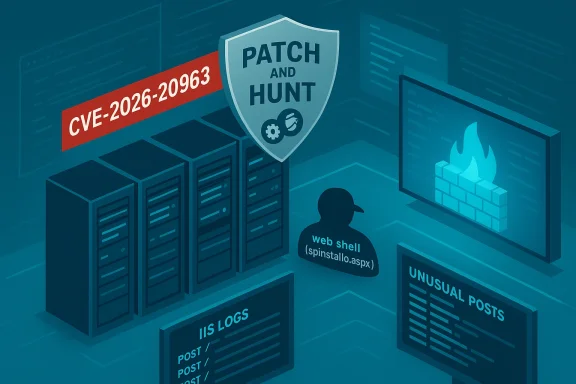 Background
Microsoft SharePoint Server remains a crown‑jewel target for attackers because on‑premises SharePoint farms host documents, workflows, service accounts, and integration points that provide rich avenues for data theft and lateral movement. Historically, the most damaging SharePoint compromises followed a familiar chain: unsafe deserialization or ViewState abuse that leads to a file‑write primitive under layouts/ endpoints, dropping ASPX web shells (commonly observed as variants such as spinstall0.aspx), exfiltrating ASP.NET machineKey material, and using forged, signed payloads to persist or re‑escalate. Multiple recent incident clusters (the “ToolShell” campaigns and others) illustrate that pattern, and those precedents shape how administrators should treat any new SharePoint RCE advisory. The Microsoft Security Response Center (MSRC) uses an explicit confidence metric on Update Guide entries that describes how certain the vendor is about the vulnerability’s existence and how credible the public technical details are. That metric runs on a continuum from “published identifier with little technical detail,” to “corroborated by independent research,” to “vendor‑acknowledged with updates/patches” — and it should be treated as an operational prioritization lever for administrators. What the MSRC entry for CVE‑2026‑20963 actually tells you
- The entry exists in Microsoft’s Security Update Guide and is classified as a SharePoint Server RCE class vulnerability.
- Public technical details on the MSRC page are limited; Microsoft’s approach in high‑impact SharePoint advisories is often to confirm impact and remediation mapping but to withhold low‑level exploit data until fixes are widely deployed. Administrators must therefore rely on vendor KB mappings and established playbooks rather than on a public proof‑of‑concept.
- Because MSRC pages render client‑side, critical KB→SKU mappings must be verified interactively via the Security Update Guide or the Microsoft Update Catalog to ensure you fetch the correct patch for each SharePoint SKU and language pack. Do not assume a single KB covers all builds.
Technical overview and reasonable inferences
Microsoft’s terse disclosure model does not mean defenders are blind. Based on past SharePoint RCE incidents and the types of primitives Microsoft typically addresses in this class, defenders should assume a short list of likely root causes and attack primitives while treating them as probable rather than proven unless corroborated:- Unsafe deserialization / ViewState abuse. SharePoint processes serialized objects and ViewState; legacy .NET serializers (BinaryFormatter/SoapFormatter or poorly validated XmlSerializer flows) can be abused to instantiate gadget chains that execute code in the w3wp.exe context. This class has repeatedly resulted in web‑shell drops.
- Layout endpoint file‑write primitives. POSTs to _layouts/ endpoints or other management endpoints have historically been abused to write ASPX artifacts into TEMPLATE\LAYOUTS, providing command execution under the web process identity.
- MachineKey theft and forged payloads. Exfiltrated ASP.NET machineKey material (ValidationKey / DecryptionKey) lets attackers craft legitimately signed __VIEWSTATE blobs and tokens to re‑trigger execution or to bypass partial mitigations, making key rotation a high‑priority remediation step.
- Spoofing/presentation‑layer attacks. Some SharePoint advisories in 2025 showed attackers abusing UI spoofing to harvest credentials or coerce admin actions; these can precede deeper execution chains. Treat spoofing as an amplification vector rather than a standalone triviality.
Real‑world impact scenarios (what an exploited CVE like this enables)
When weaponized, a SharePoint on‑premises RCE produces predictable and severe operational consequences:- Data access and exfiltration. SharePoint libraries routinely store legal, HR, finance, and sensitive operational documents — all accessible to a successful web process compromise.
- Credential and key theft. Attackers can steal machineKey and service‑account secrets and reuse them to forge tokens or move laterally inside the estate.
- Persistence and supply‑chain amplification. Web shells, scheduled tasks, and tampered update catalogs enable long‑lived persistence and can be used to distribute ransomware or malicious updates. Recent incidents in 2025 show this pattern ending in ransomware deployment for dozens of victims.
- High remediation cost. Internet‑facing farms that remained unpatched often required full rebuilds and credential rotations; mere patching without deep hunting frequently left latent persistence.
Detection and hunting: prioritized telemetry and IOCs
If your farm was internet‑facing during the window this vulnerability was public, assume possible compromise and prioritize detection across three telemetry families:- Web logs (IIS/SharePoint):
- Unusual POSTs to /_layouts/, ToolPane.aspx, or other management endpoints returning 200/201 when no file‑creation is expected.
- Requests containing atypical multipart payloads, serialized blobs, or suspicious User‑Agent strings.
- File system integrity:
- Newly created/modified .aspx files in TEMPLATE\LAYOUTS, particularly names like spinstall0.aspx or variants.
- Unexpected .dlls or assemblies under SharePoint folders or custom modules referenced in applicationHost.config/web.config.
- Endpoint/EDR signals:
- w3wp.exe spawning cmd.exe, powershell.exe, or rundll32.exe shortly after web requests.
- Unexpected network connections from SharePoint hosts to unusual IPs or domains.
- Memory artifacts that show machineKey material or other secrets being read and exfiltrated.
- Search IIS logs for anomalous POSTs to layout endpoints and for 201/200 responses tied to file writes.
- Run file integrity validation on TEMPLATE\LAYOUTS and compare against baselines; isolate and hash suspicious files.
- Use EDR to query for process trees w3wp.exe → cmd/powershell and correlate to network connections.
- Capture volatile memory on suspected nodes to search for machineKey material or web shell strings before rebooting.
Immediate remediation and prioritized actions (operational playbook)
Apply these steps in order — each reduces attack surface or invalidates attacker persistence. Combine patching with hunting; patching alone can be insufficient if the farm is already compromised.- Inventory and exposure mapping (minutes–hours)
- Enumerate every SharePoint host (Subscription Edition, 2019, 2016) and mark internet‑facing endpoints. Use DNS, CDN, WAF logs, and firewall rules to locate exposed nodes.
- Patch now (hours–days)
- Consult Microsoft’s Security Update Guide to map CVE‑2026‑20963 to the exact KB(s) for each SKU and language pack; download and apply the correct updates after testing on a staging node. Do not assume a single KB or cumulative covers all builds. Verify installation via Central Administration and Programs & Features.
- Rotate ASP.NET machineKey farm‑wide (immediately after patching)
- Rotate ValidationKey and DecryptionKey across the farm and restart IIS on each node to invalidate any stolen keys. Use the Central Administration machineKey rotation job or the SharePoint cmdlets Set‑SPMachineKey / Update‑SPMachineKey. This step prevents reuse of forged __VIEWSTATE payloads.
- Enable AMSI and ensure up‑to‑date endpoint protection
- Configure Antimalware Scan Interface (AMSI) integration and ensure Microsoft Defender / EDR signatures are current on SharePoint servers to disrupt script‑based shells and common post‑exploit tooling.
- Deploy WAF rules and restrict exposure (temporary)
- Put internet‑facing SharePoint servers behind VPNs or authenticated reverse proxies, and apply WAF rules to block suspicious POST patterns targeting _layouts/ endpoints until all hosts are patched. If immediate patching is impossible, restrict inbound access to known IPs or take the endpoint offline.
- Hunt and remediate (days)
- Conduct a full forensic review of potentially compromised servers: search for web shells, scheduled tasks, unusual assemblies, and traces of credential harvesting. If compromise is confirmed, isolate systems, preserve forensic evidence (memory, IIS logs), rotate secrets for service accounts, and consider full rebuilds from known‑good images. Engage incident response.
- Post‑remediation validation (weeks)
- Validate that forged payloads are rejected, normal workflows function, and continuous integrity monitoring is active for served directories and configuration files. Share telemetry with vendors and CERTs if exploitation is observed.
Critical analysis: vendor response, strengths and gaps
Strengths- Authoritative CVE→KB mapping: Microsoft’s Security Update Guide remains the definitive source to map CVEs to specific update packages and SKUs — when used correctly it avoids mis‑patching mistakes that historically led to false assurance.
- Actionable mitigation playbook: The repeated public emphasis on patch + rotate machineKey + enable AMSI + hunt is pragmatic and directly undermines the core attacker primitives observed in past SharePoint incidents. That sequence is operational and implementable across most estates.
- Limited public technical detail: Microsoft’s terse advisory model protects some defenders by not publishing exploit recipes, but it also leaves incident responders without granular signatures and increases reliance on vendor KBs and third‑party telemetry. When an advisory is short on detail, defenders must act conservatively but may incur operational disruption.
- CVE→KB mapping confusion: Historically, transposed CVE labels and multiple KBs across servicing branches produced mis‑mappings that caused under‑patching. Every deployment must validate KB numbers against MSRC and Central Admin post‑install.
- Telemetry and EDR gaps: Many estates lack AMSI/EDR integration or centralized logging for SharePoint; where these gaps exist, attackers can operate longer before detection. The absence of robust telemetry materially increases residual risk even after patching.
- Some community posts claim detailed exploit strings, IP lists, or specific web shell names tied uniquely to CVE‑2026‑20963. Treat those as TTP observations rather than canonical facts unless confirmed by Microsoft, CISA, or multiple independent technical analyses. Public forum artifacts are useful leads but can be noisy or recycled across campaigns.
Longer‑term defensive posture and lessons learned
- Reduce internet exposure: Avoid direct internet reachability of on‑premises SharePoint. Use authenticated gateways (VPN, Azure AD Application Proxy), reverse proxies, or WAFs to reduce scanning surface and block unauthenticated requests to management endpoints.
- Least‑privilege service accounts: Remove unnecessary file‑system write permissions from IIS process accounts and run services with restricted privileges. Decreasing the blast radius reduces the payoff for attackers if RCE is achieved.
- Continuous integrity monitoring: Implement FIM for served directories and critical configuration files (applicationHost.config, web.config) to detect unauthorized .aspx/.dll writes faster than periodic checks.
- Incident‑ready playbook: Maintain a tested runbook for SharePoint incidents that includes immediate isolation, machineKey rotation, memory capture, credential rotation, and rebuild procedures. Practice it. Recent campaigns show that patching without a hunt seldom eradicates persistence.
Practical checklist for administrators (one‑page, actionable)
- Inventory: enumerate SharePoint hosts and mark internet‑facing nodes.
- Verify: open Microsoft’s Security Update Guide and retrieve the exact KB(s) mapped to CVE‑2026‑20963 for each SKU.
- Patch: apply updates in test → staging → prod order, prioritizing internet‑exposed servers. Reboot where required.
- Rotate keys: rotate ASP.NET machineKey farm‑wide and restart IIS on each node.
- Lock down: place unpatched public nodes behind VPN/reverse proxy; deploy WAF rules for layout endpoint patterns.
- Hunt: search IIS logs for suspicious POSTs; scan TEMPLATE\LAYOUTS for new .aspx files; run EDR hunts for w3wp→cmd/powershell.
- Remediate: if intrusion is confirmed — isolate, preserve evidence, perform credential rotation and rebuild from known‑good images.
Why the MSRC “confidence” metric matters — and how to use it
The MSRC confidence indicator is not an academic label; it is an operational switch:- If MSRC marks high/vetted confidence and publishes KBs, treat the CVE as vendor‑confirmed and prioritize immediate patch deployment and hunting.
- If MSRC shows low/uncorroborated confidence, monitor for corroborating research while preparing compensating controls for critical, internet‑facing systems.
- When MSRC provides medium (corroborated by independent research) treat the CVE as actionable: accelerate lab tests, staged patching, and targeted telemetry hunts.
Final assessment and conclusion
CVE‑2026‑20963’s presence in Microsoft’s Security Update Guide is an unequivocal operational signal: treat it as an urgent patch‑and‑hunt item for any on‑premises SharePoint Server. The vendor’s choice to provide limited public technical detail is deliberate and preserves short‑term defensive advantage, but it transfers the immediate burden to administrators: map CVE→KB precisely, patch quickly, rotate machineKey values, enable AMSI/EDR, and conduct aggressive hunts for web shells and token exfiltration.Strengths of the vendor and community posture include a clear, repeatable remediation recipe (patch + rotate + hunt) and the availability of authoritative KB mappings in the SUG; gaps include minimal public exploit detail and the practical reality that many enterprises lack the telemetry coverage to detect sophisticated persistence. Where claims in community posts or early write‑ups make precise exploit claims, treat them as provisional and validate against Microsoft’s KB diffs and high‑quality vendor analyses before operationalizing detection rules.
Practical bottom line: for any organization running on‑prem SharePoint, assume elevated risk until the specific KBs for CVE‑2026‑20963 are applied to every affected SKU and machineKey rotation plus a thorough forensic hunt are complete. Failure to combine patching with active telemetry-based hunting risks leaving latent persistence in place — and in the current threat landscape, that’s the most dangerous outcome.
Source: MSRC Security Update Guide - Microsoft Security Response Center
