

Microsoft and multiple security vendors confirm that a long-known Windows shortcut (.lnk) vulnerability tracked as CVE-2025-9491 is being actively weaponized in targeted espionage campaigns — and, as of the latest reports, there is no Microsoft patch available to close the hole.
CVE-2025-9491 is a Windows LNK file UI misrepresentation remote code execution vulnerability first publicly cataloged in late August 2025. The bug allows specially crafted .lnk (shortcut) files to hide dangerous content from Windows’ file UI, enabling user-activated but stealthy execution of attacker-supplied commands. Public vulnerability trackers record the vulnerability with a base CVSS v3 score in the High range (around 7.0), and vendor advisories describe the attack vector as requiring user interaction (clicking or otherwise activating a shortcut). Security vendors have observed operational exploitation of this class of LNK manipulation since at least 2017, but the current wave — described by several researchers as coordinated and focused on diplomatic targets — uses modern obfuscation and multi-stage deployment techniques that culminate in a remote-access trojan (RAT) payload known as PlugX. Independent incident reports and vendor write-ups corroborate the same attack chain and payload family.
Source: Forbes New Warning As Microsoft Windows Attacks Confirmed — No Fix Available
 Background
CVE-2025-9491 is a Windows LNK file UI misrepresentation remote code execution vulnerability first publicly cataloged in late August 2025. The bug allows specially crafted .lnk (shortcut) files to hide dangerous content from Windows’ file UI, enabling user-activated but stealthy execution of attacker-supplied commands. Public vulnerability trackers record the vulnerability with a base CVSS v3 score in the High range (around 7.0), and vendor advisories describe the attack vector as requiring user interaction (clicking or otherwise activating a shortcut). Security vendors have observed operational exploitation of this class of LNK manipulation since at least 2017, but the current wave — described by several researchers as coordinated and focused on diplomatic targets — uses modern obfuscation and multi-stage deployment techniques that culminate in a remote-access trojan (RAT) payload known as PlugX. Independent incident reports and vendor write-ups corroborate the same attack chain and payload family. Overview of the current attacks
- Attack vector: spear-phishing emails with embedded or linked content that leads victims to download and execute weaponized .lnk files.
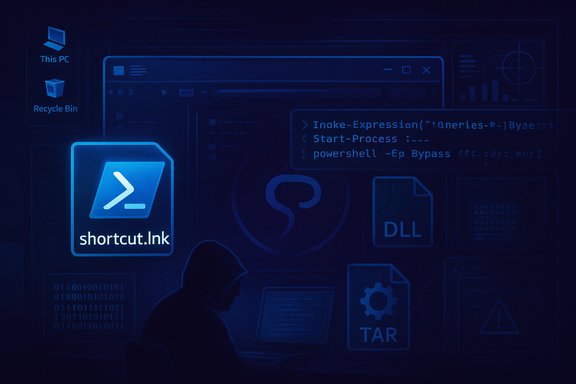
- Exploit mechanics: a malformed LNK that appears benign to the Windows Explorer UI but contains crafted data that triggers hidden command execution, often invoking obfuscated PowerShell to pull additional stages.
- Payload: multi-stage malware chain that may use TAR archives, RC4-encrypted components, DLL sideloading, and final payloads such as PlugX (a persistent remote access trojan used historically in espionage campaigns).
- Observed targets: diplomatic and governmental organizations in multiple European countries; telemetry suggests a focus on high-value intelligence targets but also indicates the technique could be opportunistically reused elsewhere.
Technical anatomy: how the LNK attack works
What a .lnk file normally does
A .lnk shortcut is a small binary structure Windows uses to point to executables, documents, or UNC paths. When a user double-clicks a LNK, Explorer resolves the shortcut’s target and launches it, often without exposing the raw structure to the user.Where the vulnerability lies
The vulnerability abuses how Windows presents and resolves certain fields inside the LNK binary structure. Attackers can craft values that hide or misrepresent the command-line arguments or target path in Explorer’s UI, making a malicious LNK look harmless even while it invokes a concealed command chain. In practice, that enables the LNK to call PowerShell (or another interpreter) with obfuscated payloads that fetch and unpack subsequent stages.Packaging and evasion techniques used in the wild
- RC4-encrypted binaries kept inert until final unpack to avoid static detection.
- TAR archives extracted by a small bootstrapper invoked by the LNK.
- DLL sideloading to run attacker-supplied DLLs under the context of a legitimate, signed executable — a common evasion technique that bypasses signature-based allowlists if not carefully monitored.
- Use of decoy PDFs or authentic-looking meeting agendas to lure targets and provide plausible deniability for the user who opens the accompanying file.
Evidence, attribution, and what “China‑aligned” means here
Multiple vendors and reporting outlets link the observed campaign to groups whose tooling and tradecraft have historic overlap with Chinese state‑aligned espionage clusters. Security vendors often use internal cluster names (e.g., UNC‑6384, Mustang Panda, Mustang Panda overlap clusters) to categorize activity; these names are not formal nation-state attributions but represent behavior- and tooling-based groupings. Vendor telemetry and cluster linkage led Arctic Wolf and others to describe the operators as China‑aligned, but such attributions are based on a combination of indicators rather than a single smoking gun. Reported attribution and cluster linkages are consistent across multiple vendors but should be read as vendor-assigned clustering rather than a definitive legal attribution. Note: Attribution in cyber incidents is inherently probabilistic. Public reporting ties the operational patterns and shared toolchains to groups often associated with Chinese intelligence services, but independent confirmation beyond vendor telemetry is rare in public disclosures. Treat attribution language in vendor reports as informed analysis, not absolute proof.Why there is no patch (yet) and what Microsoft has said
At the time of reporting, Microsoft has not published a dedicated security update that lists CVE‑2025‑9491 in the Security Update Guide as a remediated entry, and public coverage from major outlets states that Microsoft has not yet released a fix. Security editors and vendor advisories explicitly note no patch availability and emphasize mitigations instead of a vendor fix. The absence of a patch means defenders must rely on compensating controls and detection until a corrective update is shipped by Microsoft. Caveat: Microsoft’s public advisories can lag internal fixes or emergency updates for some configurations; defenders should monitor the Microsoft Security Response Center (MSRC) and apply any patches immediately when they are published.Confirmed technical details and validation
- Published vulnerability entry: CVE‑2025‑9491 was publicly recorded in late August 2025 and is tracked by vulnerability databases with a High severity rating (CVSS ~7.0).
- Exploitation in the wild: Multiple independent vendors reported observed exploitation targeting European diplomatic entities, and technical write-ups describe the exact LNK manipulation and PlugX deployment chain.
- No Microsoft fix yet: Public reporting and vendor advisories note there is no patch as of the last updates; mitigation guidance has been published instead.
Immediate mitigations: what to do right now
Because exploitation requires user interaction (opening or launching a .lnk), the most effective defenses reduce or block the attack surface and increase detection. The following layered mitigations reflect vendor guidance and practical hardening steps for both home users and enterprise administrators.Quick actions for all Windows users (low friction)
- Block or quarantine .lnk files at the email gateway and web download filters. Treat LNK files as high-risk attachments.
- Disable the Explorer preview pane and turn off automatic file previews in email clients (Outlook preview pane) to reduce the chance that a malicious file will be executed simply by viewing.
- Do not open attachments or click links from unsolicited or unexpected emails; confirm attachments via an out‑of‑band channel (e.g., separate message, phone call). Use a zero‑trust mindset for diplomatic or sensitive content.
Immediate steps for administrators (recommended)
- Block or remove .lnk handling from untrusted paths:
- Configure Group Policy to prevent Explorer from resolving LNKs from the Downloads folder, untrusted network shares, or temporary directories where email gateways or browsers save attachments.
- At a minimum, block execution of .lnk files originating from the internet zone.
- Apply application control and hardening:
- Enable Smart App Control and Attack Surface Reduction (ASR) rules in Microsoft Defender where possible.
- Implement WDAC or AppLocker to restrict which processes and signed binaries can run on high‑value endpoints.
- Hardening for DLL sideloading:
- Monitor image load events and enforce policies to prevent executables from loading DLLs from user-writable locations. Record and inspect Sysmon ImageLoad (Event ID 7) and parent/child process relationships for Explorer → PowerShell chains.
- Detection and telemetry:
- Centralize logs, enable EDR telemetry, and hunt for PowerShell invocations with obfuscated flags, suspicious tar extraction behavior, and network connections to rare or newly observed domains.
Tactical steps that help immediately (medium effort)
- Convert critical users to managed devices with strict WDAC policies and remove local admin rights.
- Apply email gateway rules to strip or quarantine .lnk attachments and rewrite archive content to safer formats.
- Deploy or update endpoint rules to block execution of PowerShell from Explorer without a signed parent process or execution policy exceptions.
Detection guidance and hunt priorities
- Hunt for Explorer spawning PowerShell with base64 or heavily obfuscated command-line arguments.
- Search EDR/SIEM for sudden TAR extraction or new files appearing in %TEMP% with immediate DLL loads.
- Look for unsigned DLLs loaded by signed executables from Downloads, USB mounts, or user profile paths.
- Collect volatile memory if infection is suspected to extract in‑memory PlugX artifacts and indicators.
Risk assessment: who should worry most?
- High-value, high-information-density targets (diplomatic missions, foreign-affairs desks, treaty negotiators) face the highest risk because the attackers appear to be collecting intelligence rather than running commodity crime operations.
- Organizations with lax email controls, permissive attachment handling, or users with local admin rights have elevated risk because the attack depends on user interaction and execution of secondary stages.
- Home users are at lower but non‑zero risk; commodity infection is less likely than targeted spear-phishing, but the same mitigations (don’t open suspicious attachments, maintain updated AV/EDR, disable preview panes) apply.
Strategic implications and longer-term lessons
- The LNK family of attacks illustrates how legacy convenience features (file shortcuts and automatic resolution) remain an attractive vector for attackers. Even well-known attack classes can be resurfaced and modernized with obfuscation and chaining techniques.
- Reliance on reputation-based defenses (SmartScreen, Smart App Control) can be undermined by techniques that remove origin metadata or exploit UI misrepresentation; defense-in-depth and behavioral detection are essential.
- The need for rigorous email hygiene, gateway filtering, and application control policies at diplomatic and government entities is reinforced; patching alone is insufficient against social-engineered, user-driven attacks.
- Organizations should treat missing vendor fixes as operational realities: when a patch is unavailable, faster mitigation calls for targeted policy changes (blocking specific file types, enforcing ASR rules) and prioritized telemetry for high-risk groups.
Recommended checklist for the next 72 hours
- Quarantine all incoming .lnk files at mail gateways and configure the gateway to rewrite or block LNK-containing archives.
- Disable preview panes in Outlook and Windows Explorer for all users and instruct staff not to use quick‑view features for attachments.
- Enable ASR rules in Microsoft Defender, including controls that block Office and Explorer spawning PowerShell and block obfuscated scripts.
- Force an enterprise-wide reduction of local admin rights on workstations used by sensitive personnel.
- Deploy or update EDR rules to look for Explorer → PowerShell chains, TAR extraction, and DLL sideloading behaviors; prepare IR playbooks for PlugX-style incidents.
What we still don’t know (and what to watch for)
- Microsoft’s remediation timeline for CVE‑2025‑9491: public reporting indicates no available patch yet, but Microsoft could issue an out‑of‑band update — watch MSRC and the Security Update Guide.
- Full scope of affected SKUs and whether older, unsupported Windows versions are exploitable in the same way; vendor advisories and Microsoft entries typically enumerate affected builds precisely once a patch is released. Until then, assume modern Windows 10/11 and many Server SKUs could be affected based on LNK handling commonality.
- Whether the campaign will broaden from targeted diplomatic espionage to wider opportunistic abuse. Historically, once a reliable exploit is publicized or an effective weaponized kit circulates, we see broader reuse by other actors. Treat the capability as reusable and urgent.
Conclusion
CVE‑2025‑9491 is a high‑impact, user‑interaction LNK vulnerability being actively weaponized in espionage-style campaigns that deploy PlugX via multilayered LNK → PowerShell → DLL sideloading chains. Multiple independent vendor analyses corroborate the attack pattern and target profile, and public reporting confirms there is no Microsoft fix available at the time of writing — leaving defenders to rely on mitigations, detection, and policy hardening. The practical takeaway is blunt: until Microsoft issues a patch, treat .lnk files as a first-class threat, lock down execution of shortcuts from untrusted sources, tighten email and gateway filtering, harden endpoints with AppLocker/WDAC and ASR rules, and hunt for the distinct multi-stage behaviors described above. Organizations that act now to remove the obvious attack vectors and increase telemetry will materially reduce their exposure to an exploit class that is stealthy, effective, and presently unpatched.Source: Forbes New Warning As Microsoft Windows Attacks Confirmed — No Fix Available
