

Chromium’s recent CVE-2026-0907 — described as an incorrect security UI in Split View — is a low-severity but important reminder of how upstream open‑source fixes propagate into downstream browsers and why Microsoft lists Chromium CVEs in its Security Update Guide: to tell administrators and users exactly when Microsoft Edge (the Chromium‑based build) has ingested the upstream patch and is no longer vulnerable. This article explains what CVE‑2026‑0907 is at a practical level, why it appears in Microsoft’s advisory database, how to verify whether your browser is patched (both for individual users and IT fleets), and the operational implications for security teams and enterprises.
Chromium is the open‑source engine that powers Google Chrome and a large number of other browsers, including Microsoft Edge. When the Chromium project or Google assigns a CVE and releases a fix, downstream vendors — Microsoft among them — pull that change into their own builds, perform testing, and then ship vendor‑specific updates. The lag between the upstream Chromium fix and the downstream vendor release is where operational confusion can occur.
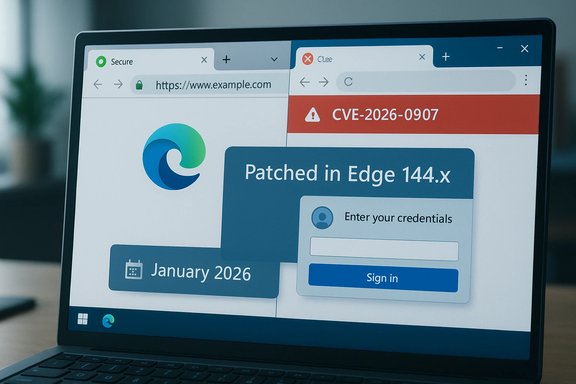
CVE‑2026‑0907 was published as part of a Chromium/Chrome security update class that was rolled into Chrome 144. The bug is categorized as an incorrect security UI issue specific to Split View, a user interface feature that presents web content side‑by‑side. In blunt operational terms, this class of bug means the browser UI might present misleading security information to the user — for example, mislabeling which origin or credential is in use, or failing to show a security indicator when it should. Those UI inconsistencies can be exploited for phishing or spoofing scenarios because they rely on user trust in the browser chrome.
Microsoft documents this Chromium CVE in its Security Update Guide to state when Microsoft Edge has incorporated the Chromium fix. In practice, the Security Update Guide entry functions as the downstream authoritative record for enterprises that must demonstrate compliance or prove a vulnerability has been remediated in the Microsoft Edge channel they manage.
CVE‑2026‑0907 is not a dramatic code‑execution zero‑day — it is a UI problem with real risks to user decision‑making. The practical response is straightforward: confirm your Edge or Chrome build is at the patched level and, if not, update. For larger organizations, map, verify, and document the remediation across the fleet so that auditors, incident responders, and security teams can all show the same proof: the installed browser build is equal to or later than the vendor “fixed in” build. That is the exact operational purpose of listing Chromium CVEs in Microsoft’s Security Update Guide.
Source: MSRC Security Update Guide - Microsoft Security Response Center
 Background / Overview
Chromium is the open‑source engine that powers Google Chrome and a large number of other browsers, including Microsoft Edge. When the Chromium project or Google assigns a CVE and releases a fix, downstream vendors — Microsoft among them — pull that change into their own builds, perform testing, and then ship vendor‑specific updates. The lag between the upstream Chromium fix and the downstream vendor release is where operational confusion can occur.CVE‑2026‑0907 was published as part of a Chromium/Chrome security update class that was rolled into Chrome 144. The bug is categorized as an incorrect security UI issue specific to Split View, a user interface feature that presents web content side‑by‑side. In blunt operational terms, this class of bug means the browser UI might present misleading security information to the user — for example, mislabeling which origin or credential is in use, or failing to show a security indicator when it should. Those UI inconsistencies can be exploited for phishing or spoofing scenarios because they rely on user trust in the browser chrome.
Microsoft documents this Chromium CVE in its Security Update Guide to state when Microsoft Edge has incorporated the Chromium fix. In practice, the Security Update Guide entry functions as the downstream authoritative record for enterprises that must demonstrate compliance or prove a vulnerability has been remediated in the Microsoft Edge channel they manage.
What CVE‑2026‑0907 actually is (technical but practical)
What the label “Incorrect security UI in Split View” means
- Incorrect security UI: The browser’s interface that communicates security state — lock icons, origin text, credential prompts, or site identity details — may be inaccurate or incomplete. These mistakes do not necessarily give code execution to an attacker, but they can materially increase the chance that a user is tricked into taking an unsafe action.
- Split View: A rendering/interaction mode that shows multiple panes or frames side‑by‑side. Split View can appear in side panels, developer-only toggles, or multitasking interfaces that embed separate content regions. Problems unique to multi-pane scenarios sometimes arise because UI state, focus, or origin indicators aren’t synchronized across panes.
Severity and real‑world risk
- The CVE is rated low severity. That rating is consistent with a user‑interface/information problem rather than a memory‑corruption bug that allows remote code execution.
- The immediate attack surface is social engineering and spoofing. An attacker exploiting a security UI inconsistency could make a malicious pane appear more trusted than it is, increasing the likelihood a user will disclose credentials or approve an action.
- There is no public evidence that CVE‑2026‑0907 has been exploited in active campaigns at the time of this update. The absence of exploitation reports is not a guarantee of safety; it’s a timing snapshot that can change, so timely patching remains standard practice.
Why Microsoft includes Chromium CVEs in the Security Update Guide
Microsoft’s Security Update Guide is the canonical downstream record for Microsoft products. When Edge uses Chromium code, Microsoft lists relevant Chromium CVEs for three operational reasons:- Downstream confirmation: The Guide and Microsoft’s Edge release notes identify the specific Edge build number that ingests the Chromium fix. This is how administrators confirm their Edge installations are no longer vulnerable — by matching local Edge version ≥ the “fixed in” Edge build.
- Audit and compliance: Enterprises require vendor statements showing a vulnerability has been fixed in the vendor’s product. A Chromium CVE matters to Edge customers; Microsoft documents it to support compliance and forensic timelines.
- Operational clarity for mixed fleets: Many organizations run both Chrome and Edge (or forks and embedded Chromium runtimes). Listing upstream CVEs with the Edge “fixed in” build creates a single reference point for patching decisions across that mixed environment.
Timeline and mapping (concrete version numbers and dates)
- The Chromium/Chrome update that fixed CVE‑2026‑0907 was shipped as part of Chrome 144, promoted to Stable on January 13, 2026. Desktop builds for Windows/macOS and Linux are referenced as 144.0.7559.59/60 (platform packaging differences can lead to the .59/.60 variants).
- Microsoft’s Edge release notes show a Stable Channel entry dated January 14, 2026 that indicates Edge Stable moved to a 144.x build which incorporates the latest Chromium security updates. That means a matching Edge Stable build (version 144.x.x.x or later) should contain the upstream fix.
- Edge stable builds prior to that (for example, 143.0.3650.139 published earlier in January) would not necessarily include the Chromium 144 ingestion until Microsoft published the 144.x Stable build.
How to check the browser version — simple steps for users
Every user can confirm whether their browser has been updated in a few clicks.- Microsoft Edge (desktop):
- Open Edge.
- Navigate to the address bar and type: edge://settings/help and press Enter.
- Or click the three‑dot menu → Help and feedback → About Microsoft Edge.
- The About page shows the full Edge version string and automatically checks for updates; if an update is available, it downloads and will prompt you to restart.
- Google Chrome (desktop):
- Open Chrome.
- Menu → Help → About Google Chrome, or go to chrome://settings/help.
- Chrome displays the full version and will automatically check for and apply updates; restart to finish updating.
- For a more detailed readout (shows the underlying Chromium revision), use:
- edge://version in Edge
- chrome://version in Chrome
How to check the browser version — command line and enterprise-friendly methods
For help desks and administrators who need to inventory many machines or automate checks, use these approaches.- Quick command:
- Open Command Prompt or PowerShell and run:
- msedge --version
- chrome --version
- This prints the visible version string (e.g., “Microsoft Edge 144.0.xxxx.x” or “Google Chrome 144.0.7559.59”).
- PowerShell: read executable file version metadata (useful for scripted checks)
- Edge (typical install path):
- (Get-Item "C:\Program Files (x86)\Microsoft\Edge\Application\msedge.exe").VersionInfo.FileVersion
- Chrome (typical install path):
- (Get-Item "C:\Program Files\Google\Chrome\Application\chrome.exe").VersionInfo.FileVersion
- Registry key (client agent and inventory):
- Microsoft Edge sets a version key under BLBeacon that’s useful for remote reads:
- (Get-ItemProperty -Path HKCU:\Software\Microsoft\Edge\BLBeacon -Name version).version
- Or use the reg query equivalent for scripting: reg query HKCU\Software\Microsoft\Edge\BLBeacon /v version
- WMI / remote inventory:
- Use remote PowerShell or WMI calls to read the msedge.exe file info on remote systems; this avoids issues with multiple install paths or per‑user installs.
What administrators should do now — prioritized checklist
- Inventory: gather full version strings for Edge and Chrome across the fleet.
- Compare: match installed versions against the vendor “fixed in” build (Edge Stable 144.x or Chrome 144.0.7559.59/60).
- Patch: for machines with older builds, schedule update windows and apply the official Edge or Chrome updates; ensure users restart the browser to activate patches.
- Compensating controls (if immediate patching is impossible):
- Apply web filtering to block high‑risk sites or malicious content.
- Restrict admin users’ browsing to managed sites only.
- Use endpoint detection tools to monitor for anomalous renderer crashes or suspicious processes.
- Embedded Chromium runtimes: identify Electron apps, kiosks, and internal tools that embed Chromium and work with vendors to obtain patched runtime versions.
- Verify: after patch deployment, re‑scan and confirm the version strings are at or above the fixed builds.
Why security UI bugs matter even when the severity is low
- Phishing amplification: most successful browser-based attacks rely on some form of deception. If the browser fails to clearly show the origin or mislabels credentials in Split View, attackers can weaponize that ambiguity.
- User trust erosion: frequent minor UI inconsistencies can desensitize users to security indicators, reducing the effectiveness of visual cues over time.
- Enterprise risk surface: in tightly controlled environments where users are allowed to view multiple tenants or dashboards side‑by‑side, Split View is common. A UI inconsistency in those contexts can lead to cross‑tenant confusion or accidental data disclosure.
- Audit and forensics: when an incident occurs, having a vendor statement that the UI bug existed and when it was fixed is critical. That’s exactly why Microsoft records Chromium CVEs in its Security Update Guide.
Common points of confusion — clarified
- “If Chromium fixed it, why do I see it in Microsoft’s Security Update Guide?”
Because Edge consumes Chromium. The presence of the CVE in Microsoft’s Guide is Microsoft’s downstream confirmation that Edge is affected and to record the Edge build where the fix was ingested. - “Does the CVE mean Edge introduced the bug?”
No. The CVE was assigned upstream to Chromium/Chrome. Microsoft is simply documenting the downstream remediation state for Edge. - “Which exact Edge version do I need?”
Look for the Edge build marked as incorporating the Chromium 144 security updates. As of January 14, 2026, Microsoft has an Edge Stable release in the 144.x channel that includes the Chromium ingestion. Match your Edge version string against the Edge release notes or Security Update Guide entry to confirm. - “Is Chrome automatically safer because it fixed first?”
Chrome 144 includes the upstream patch. If Edge has not yet ingested that specific Chromium build, Chrome may be the first to contain the fix. But operations should focus on whichever browser is used in the environment — both must be at patched versions.
Enterprise caveats and lifecycle considerations
- Channel differences: Chromium fixes flow into vendor channels on their own cadence. Chrome Stable, Edge Beta, Edge Stable, and Extended Stable channels may all carry different Chromium revisions at the same time. Maintain a channel policy for your fleet and document upgrade windows.
- Packaging offsets: vendor rebuilds or packaging differences can cause slight offsets in the upstream Chromium patch numbers. Do not rely solely on upstream Chromium revision numbers; use the vendor’s declared “fixed in” Edge/Chrome build.
- Embedded runtimes and OEMs: kiosks, specialized apps, and OEM images that embed older Chromium runtimes are common blind spots. Inventory and vendor coordination are required.
- Compliance proof: for auditors, capture the vendor SUG or release note entry that shows the CVE and the fixed build number or date. Keep those artifacts in your patch evidence repository.
Practical examples (commands and output you can use today)
- Check Edge version interactively:
- In Edge: edge://settings/help
- More detailed: edge://version
- Quick CLI:
- msedge --version
- chrome --version
- PowerShell file version check:
- Edge:
- (Get-Item "C:\Program Files (x86)\Microsoft\Edge\Application\msedge.exe").VersionInfo.ProductVersion
- Chrome:
- (Get-Item "C:\Program Files\Google\Chrome\Application\chrome.exe").VersionInfo.ProductVersion
- Registry read (user-level):
- reg query HKCU\Software\Microsoft\Edge\BLBeacon /v version
Strengths and benefits of Microsoft’s approach
- Single authoritative downstream record: Security Update Guide centralizes CVE handling for Microsoft products and any third‑party code that impacts them, which simplifies enterprise reporting.
- Clear operational action: By recording the Edge build that ingests an upstream fix, Microsoft enables deterministic decisions — if installed Edge version ≥ fixed build, the endpoint is remediated.
- Better coordination for mixed fleets: IT teams that run Edge, Chrome, and other Chromium‑based browsers can use Microsoft’s statement as one of several synchronization points when coordinating patch windows.
Risks, limitations and things to watch
- Timing and rollout differences: upstream fixes may appear in Chrome before downstream vendors ship their build. This creates a small window where Chrome is updated but Edge is not, which is operationally important.
- Ambiguity for nontechnical users: CVE entries listing upstream components can confuse users who expect the vendor to have direct ownership of the vulnerability. Clear internal communication is essential.
- Incomplete disclosure for UI bugs: vendors often withhold exploit details until the majority of users are patched. That’s responsible, but it can frustrate security engineers who want technical IOCs for telemetry hunts.
- Embedded Chromium runtimes: many enterprise tools embed Chromium outside the browser update pipeline (Electron apps, third‑party kiosks). These runtimes often lag behind and create unpatched island risks.
Final recommendations — a short, actionable playbook
- For home and small‑business users:
- Check About in Edge/Chrome and update immediately. Restart the browser to apply patches.
- For helpdesks and small IT teams:
- Run a scripted inventory that captures full browser version strings and the Chromium revision where available.
- Patch in prioritized waves: admins first, high‑risk desktops next, then general users.
- For enterprise security and compliance teams:
- Use SCCM/Intune or your EDR + CMDB to map installed versions to the Edge/Chrome builds that contain the Chromium 144 ingestion.
- Validate remediation by sampling endpoints for file version metadata, registry BLBeacon values, and by reviewing the vendor release notes and the Microsoft Security Update Guide record.
- Identify and triage embedded Chromium runtimes and request patched builds from vendors or deploy compensating controls until fixes are available.
CVE‑2026‑0907 is not a dramatic code‑execution zero‑day — it is a UI problem with real risks to user decision‑making. The practical response is straightforward: confirm your Edge or Chrome build is at the patched level and, if not, update. For larger organizations, map, verify, and document the remediation across the fleet so that auditors, incident responders, and security teams can all show the same proof: the installed browser build is equal to or later than the vendor “fixed in” build. That is the exact operational purpose of listing Chromium CVEs in Microsoft’s Security Update Guide.
Source: MSRC Security Update Guide - Microsoft Security Response Center
