

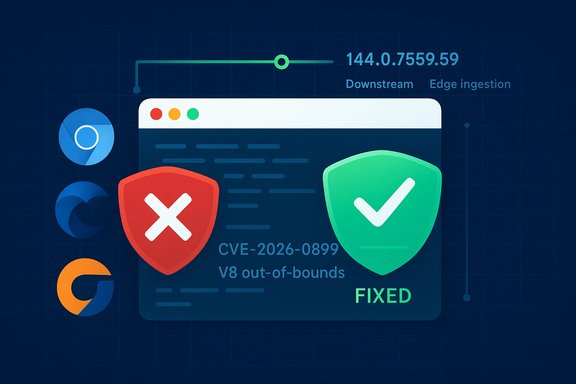
Title: Why CVE-2026-0899 (V8 out‑of‑bounds) shows up in Microsoft’s Security Update Guide — and how to check whether your browser is patched
Summary
- CVE-2026-0899 is an out‑of‑bounds memory access bug in the V8 JavaScript engine that was fixed upstream in Chrome 144. Google started rolling the fix on January 13, 2026.
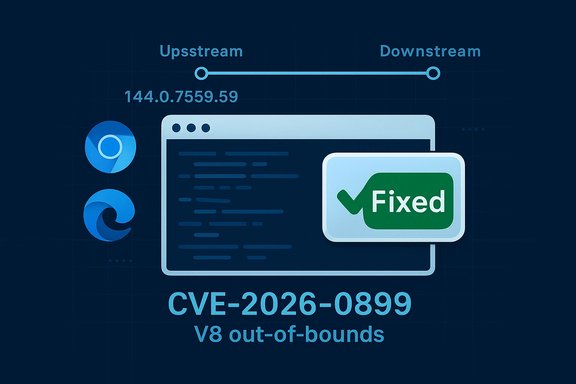
- Microsoft documents Chromium‑assigned CVEs in its Security Update Guide (SUG) because Microsoft Edge (Chromium‑based) consumes Chromium OSS; the SUG entry is Microsoft’s downstream statement that a given Edge build includes the upstream remediation. See Microsoft’s MSRC blog on why SUG lists industry‑assigned CVEs.
- To know whether your local browser is protected you must: (1) check your browser’s version/chromium baseline, and (2) compare that version to the fixed build listed by Chrome or to the Edge build that Microsoft marks as remediated in SUG or the Edge release notes. This article explains how to do that for Chrome, Edge and common Linux package managers, and shows practical examples.
Short version: Microsoft ships a downstream product (Edge) that is built from upstream Chromium code. When Chromium/Chrome assigns a CVE and publishes a fix, Google’s Chrome release is the upstream remediation. Downstream projects — Microsoft Edge among them — must ingest that upstream fix, run their own validation and tests, and then ship an Edge release that contains the same fix. Microsoft uses the Security Update Guide to publish the downstream status for Edge: whether an Edge build has ingested the Chromium fix and is therefore “no longer vulnerable.” Why that matters in practice
- There can be a short time window between Google shipping a Chrome update and Microsoft shipping the corresponding Edge build that contains the same Chromium commit. During that window Chrome may be patched but Edge not yet. SUG fills that visibility gap for enterprise and compliance teams by giving a canonical Microsoft statement about Edge’s exposure status.
- The SUG entry is not an accusation that Microsoft introduced the bug. It’s an operational record: “Chromium had a vulnerability; here’s the Edge build that ingests the remediation.” This is important for audits, ticketing, and automated vulnerability trackers used by security operations centers (SOCs).
- Chrome (Chromium) fixed a V8 out‑of‑bounds memory access bug as part of the Chrome 144 stable updates. Google’s Stable Channel update announcement (January 13, 2026) lists CVE‑2026‑0899 as a “High” V8 fix and identifies the Chrome build(s) that fixed it. In short: Chrome 144.0.7559.59 (and the matching Windows/Mac builds) includes the remediation.
- Linux distributions and downstream packagers began packaging that fixed Chromium 144.x shortly after Google’s release — for example, Debian accepted chromium 144.0.7559.59 into unstable on January 13, 2026. That shows the upstream remediation and downstream ingestion in practice across the ecosystem.
- Vulnerability scanners and feed providers have already added detection and advisory content for CVE‑2026‑0899 (for example, Tenable/Nessus and other vulnerability databases). Use those feeds for inventory and bulk scanning, but always verify locally with the browser’s About/version page.
Below are concise, reliable ways to check the version and the embedded Chromium baseline for the most common desktop scenarios. Always use the browser’s built‑in About/Version page (or your distribution’s package manager) for definitive local evidence.
1) Google Chrome (Windows / macOS / Linux — desktop)
- Open Chrome.
- Go to the menu (three vertical dots) → Help → About Google Chrome.
- The About page will show the full Chrome version (for example, “Google Chrome 144.0.7559.59”) and will trigger an auto‑check for updates. Alternatively, open chrome://version in the address bar to see the full version string and the precise “Chromium” revision lines used by Chrome.
2) Microsoft Edge (Windows / macOS / Linux — desktop)
- Open Edge.
- Menu (three dots) → Help and feedback → About Microsoft Edge.
- Or open edge://version to see both the Edge build and the embedded Chromium baseline (Edge’s About page will also auto‑check for updates). If the “Chromium” field shows a Chromium build number equal to or newer than the Chromium build that fixed the CVE, Edge has effectively ingested the fix.
- These vendors have their own About pages or “Help → About” flows (or chrome://version equivalent). The same rule applies: check the vendor’s release notes or advisories to find the Chromium build that contains the fix, then compare to the “Chromium” baseline shown in chrome://version (or equivalent). If the vendor’s build is equal to or newer than the fixed build, you’re protected. (Note: vendors may not publish SUG‑style downstream entries; consult vendor release notes or security advisories.
- On Debian/Ubuntu: dpkg -l | grep chromium or apt policy chromium‑browser (package name varies by distro) to see installed version. Compare to distribution packages: Debian/Ubuntu security advisories and package changelogs will show when the fixed build is available. Debian accepted 144.0.7559.59 into unstable on January 13, 2026 as an example.
- On Red Hat / Fedora derivatives: rpm -qa | grep chromium or dnf list installed chromium; check distro CVE trackers or advisories.
- On systems managed by configuration management tools, query the package inventory/CMDB for the installed chromium/chrome package version and confirm it is at or above the patched build listed by the vendor.
- Chromium/Chrome/Edge version strings are usually Major.Minor.Build.Patch (e.g., 144.0.7559.59). The major version (144) is useful but insufficient: you must compare the full build/patch numbers. If Chrome fixed the issue in 144.0.7559.59, then any 144.x.y where x.y >= 0.7559.59 (i.e., the build and patch components are equal or newer) counts as fixed upstream. For Edge, check the Edge build number and the embedded Chromium baseline in edge://version; Microsoft’s SUG or release notes will tell you which Edge build ingested the Chromium commit.
- Open the SUG CVE entry for CVE‑2026‑0899 (the user‑provided MSRC page is the right place). SUG will show an explanation and — when Microsoft has shipped an Edge build that ingests the Chromium remediation — the SUG entry will contain the Edge build or a “fixed” entry saying which Edge build is no longer vulnerable. Microsoft’s MSRC blog explains why SUG records industry‑assigned CVEs in this way.
- If SUG lists a “fixed” Edge build number, compare that build to your local edge://version. If your Edge build is equal or newer, you are remediated. If SUG does not yet list a fixed Edge build, treat Edge as potentially vulnerable until an Edge update ships and SUG reflects it.
- Upstream: Google’s Chrome Releases announcement (January 13, 2026) lists CVE‑2026‑0899 as fixed in Chrome 144.0.7559.59 as part of Chrome 144’s security update. If you run Chrome 144.0.7559.59 or newer you have the upstream fix.
- Downstream (Edge): Microsoft will record the Edge build that ingests that Chromium fix inside SUG. Check the SUG CVE page to find the Edge build Microsoft marks as remediated; then compare to edge://version on each machine. If the SUG entry shows that Microsoft Edge Stable build X (for example, a hypothetical 144.something) is fixed, and your installed Edge build is that number or greater, you’re good. If not, update Edge.
- Inventory automation: use endpoint management tools to query edge://version or the installed package version (registry for Windows, dpkg/rpm for Linux, homebrew/choco for macOS/Windows) and compare against the fixed build in SUG or Chrome release notes.
- Patch windows: prioritize rapid update for high‑severity V8 and Blink vulnerabilities because successful exploitation can lead to arbitrary code execution (visit to a specially crafted page is typical attack vector). Several vulnerability feeds (scanner plugins, distro trackers) already flag CVE‑2026‑0899 as relevant; use those for triage but rely on local About/version evidence for confirmation.
- Embedded Chromium runtimes: remember that many other apps (Electron apps, embedded runtimes) can embed vulnerable Chromium/V8 builds. Inventory your environment for Electron/embedded browsers and verify their Chromium baseline separately.
- Desktop users: trigger the update flow (About page) and restart the browser to activate the patch. Chrome/Edge typically auto‑update, but About forces an immediate check and install.
- Linux servers or controlled images: update the distro package or rebuild images with the updated chromium package (e.g., Debian packaged 144.0.7559.59 on January 13, 2026). If your distro hasn’t published an updated package yet, consider mitigations such as disabling JavaScript for risky sites or using a managed browsing solution until you can apply the patch.
- Enterprise: schedule an out‑of‑band update for exposed hosts if SUG/Chrome indicates high severity and you have older builds; run network‑wide scans to find hosts with versions older than the remediated build.
- Chrome Releases: “Stable Channel Update for Desktop” — Chrome 144 announcement, January 13, 2026 (lists CVE‑2026‑0899 in V8). This is the upstream canonical fix announcement.
- Microsoft MSRC blog: “Security Update Guide Supports CVEs Assigned by Industry Partners” — explains why SUG lists industry‑assigned CVEs and how Microsoft uses SUG to show downstream remediation for third‑party components. (Published January 13, 2021; still the basis for SUG behavior.
- Debian packaging change log: chromium 144.0.7559.59 accepted into Debian unstable on January 13, 2026 — demonstrates downstream packaging/ingestion for Linux distros. Useful when checking distro packages for the fix.
- Tenable/Nessus advisory and other scanner feeds: these vendors added detection content for CVE‑2026‑0899; useful for scanning and triage in large environments. (Scanner feeds are not a substitute for local version checks.
- Forum / community explainers (WindowsForum posts): practical, community‑oriented explanations of how to interpret Chromium CVEs in SUG and how to match Edge/Chromium builds when confirming remediation status. These are helpful for step‑by‑step guidance in operations workflows.
- Open your browser and check the About/version page:
- Chrome → Help → About Google Chrome or chrome://version.
- Edge → Help and feedback → About Microsoft Edge or edge://version.
- Note the full version string and the Chromium baseline.
- Check Chrome Releases (upstream) to see the Chromium build where CVE‑2026‑0899 is fixed (Chrome 144.0.7559.59 on January 13, 2026).
- Check Microsoft’s Security Update Guide (SUG) CVE entry for CVE‑2026‑0899 and/or Edge release notes to find the exact Edge build that Microsoft lists as remediated. If SUG lists an Edge build as “fixed,” compare that to your installed Edge build.
- If your browser is older than the fixed build, update immediately and restart; if you cannot update right away, apply compensating controls and prioritize updating for high‑risk endpoints.
- Look up the exact SUG entry for CVE‑2026‑0899 and extract the Edge build Microsoft lists as “fixed” right now, and then give step‑by‑step instructions to map that to your Edge/chrome version string.
- Generate a one‑page checklist or command set you can run across an endpoint fleet (PowerShell for Windows, shell commands for Linux) to report the browser version and Chromium baseline for auditing.
Source: MSRC Security Update Guide - Microsoft Security Response Center
Attachments
Last edited:
