

Google’s recent CVE-2026-1504 — an “inappropriate implementation” in the Background Fetch API that could allow cross‑origin data leakage — has been patched upstream in Chrome, and Microsoft documents that same CVE in its Security Update Guide because Microsoft Edge (Chromium‑based) consumes Chromium code. The short operational takeaway for Windows users and administrators: check your browser’s version (Chrome or Edge), confirm you have a build whose Chromium baseline includes the January 2026 fixes, and update immediately if you do not.
Modern browsers are built in layers. The open‑source Chromium project (which contains Blink, V8 and other core components) is the upstream engine. Google builds Chrome binaries from that upstream tree and assigns CVE identifiers when security issues are discovered. Several downstream browsers — most notably Microsoft Edge (Chromium‑based), Brave, Opera and many embedded runtimes — ingest Chromium code on a cadence that lags the upstream releases by an integration and testing window. Because those downstream products ship Chromium code inside their binaries, an upstream Chromium CVE is operationally relevant to every downstream consumer until each vendor ingests and ships the patch. Microsoft’s Security Update Guide (SUG) exists precisely to record that downstream ingestion status for Microsoft products.
Put simply: Google fixes the problem in Chromium/Chrome; downstream vendors (including Microsoft) must pull the fix, test and ship a new release. Microsoft lists the Chromium CVE in SUG to tell Edge administrators whether a particular Edge build has already ingested the upstream fix and is therefore no longer vulnerable. That SUG entry is a downstream status statement — not an admission that Microsoft introduced the bug.
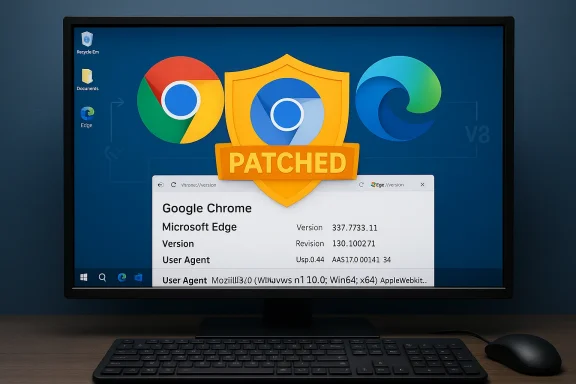
If you need an actionable check now, run edge://version or chrome://version and copy the version string here — I will map it against the known fixed thresholds and tell you whether that build is past the patched Chromium baseline.
Source: MSRC Security Update Guide - Microsoft Security Response Center
 Background / Overview
Modern browsers are built in layers. The open‑source Chromium project (which contains Blink, V8 and other core components) is the upstream engine. Google builds Chrome binaries from that upstream tree and assigns CVE identifiers when security issues are discovered. Several downstream browsers — most notably Microsoft Edge (Chromium‑based), Brave, Opera and many embedded runtimes — ingest Chromium code on a cadence that lags the upstream releases by an integration and testing window. Because those downstream products ship Chromium code inside their binaries, an upstream Chromium CVE is operationally relevant to every downstream consumer until each vendor ingests and ships the patch. Microsoft’s Security Update Guide (SUG) exists precisely to record that downstream ingestion status for Microsoft products.Put simply: Google fixes the problem in Chromium/Chrome; downstream vendors (including Microsoft) must pull the fix, test and ship a new release. Microsoft lists the Chromium CVE in SUG to tell Edge administrators whether a particular Edge build has already ingested the upstream fix and is therefore no longer vulnerable. That SUG entry is a downstream status statement — not an admission that Microsoft introduced the bug.
What CVE‑2026‑1504 is (technical summary)
- Component affected: Background Fetch API implementation in Chromium/Chrome.
- Issue description (public): Inappropriate implementation in Background Fetch API in Google Chrome prior to 144.0.7559.110 allowed a remote attacker to leak cross‑origin data via a crafted HTML page. This is the description on NVD and other canonical trackers.
- Upstream fixed build: Chrome 144 stable channel updates produced on January 2026 include the fix; Google’s release notes call out the CVE and list the stable builds 144.0.7559.109/.110 and credit the external reporter. Some trackers and packaging metadata identify 144.0.7559.110 as the fixed threshold. Administrators should therefore require Chrome 144.0.7559.110 or later (or an Edge build that ingested Chromium 144.x) to be considered remediated upstream.
Why Microsoft includes this Chrome CVE in the Security Update Guide
The Microsoft Security Update Guide (SUG) serves enterprise administrators and compliance teams by being the canonical downstream record of whether Microsoft products are affected by known vulnerabilities and whether fixes have been distributed. When a CVE is assigned to Chromium/Chrome and the bug can affect Edge, Microsoft adds the CVE to SUG and annotates which Edge builds have ingested the upstream fix so administrators can:- Confirm whether their Edge installs are still vulnerable,
- Schedule and validate remediation across managed fleets,
- Produce audit evidence showing the date and product build when Microsoft declared remediation downstream.
How to check your browser version — step‑by‑step (practical)
The single most reliable verification step is to read the browser’s full version string and, for Edge, the embedded Chromium baseline. Then compare that value to the upstream fixed build or Microsoft’s SUG/Edge release notes.Microsoft Edge (desktop — Windows, macOS, Linux)
- Open Microsoft Edge.
- In the address bar type: edge://version and press Enter. This shows:
- The full Edge product version string.
- The underlying Chromium revision and V8 version used inside Edge.
- Or: Menu (three dots) → Help and feedback → About Microsoft Edge — this page displays the full version and triggers an update check.
Google Chrome (desktop)
- Open Chrome.
- Type chrome://version in the address bar and press Enter — this reveals the full Chrome version string and underlying Chromium and V8 revisions.
- Or: Menu → Help → About Google Chrome (or chrome://settings/help). This forces an update check and displays the current version.
Mobile (Android / iOS)
- Edge on Android or iOS: Edge app → Settings → About or check the app listing in the Play Store / App Store for the installed version. Mobile release numbers can lag and use different packaging; consult vendor mobile release notes for precise mapping.
- Chrome on Android/iOS: Chrome → Settings → About Chrome (Android) or use the app store listing. Mobile builds are updated via the store and sometimes have separate change windows.
Linux / Packaged Chromium
If you’re using a distribution package (Debian/Ubuntu, Fedora, etc.), check the package metadata:- Debian/Ubuntu: sudo apt policy chromium‑browser OR apt list --installed | grep chromium.
- Red Hat / Fedora: rpm -qa | grep chromium OR dnf list installed | grep chromium.
Quick checks and commands for administrators
- Edge: Open edge://version and copy the Chromium baseline.
- Chrome: Open chrome://version and copy the Chrome/Chromium version.
- PowerShell (Windows) quick sample to read installed Edge version from a user’s registry (example pattern — adapt to your environment):
- Get-ItemPropertyValue -Path 'HKCU:\SOFTWARE\Microsoft\Edge\BLBeacon' -Name "version"
- Or read msedge.exe file version via remote inventory tools used by your organization.
- Use your management tooling (Intune, SCCM, WSUS, Jamf, MDM) to collect and assert the version across fleets. Export the version list and compare against the SUG entry for CVE‑2026‑1504.
Recommended remediation steps
- Update immediately: open Chrome or Edge → About → allow the browser to download the latest patch and restart the browser. Upstream Chrome releases are already rolling; update to Chrome 144.0.7559.110+ or an Edge build that SUG lists as remediated.
- For enterprise fleets: schedule accelerated deployment via your patch management system and prioritize high‑risk endpoints and user groups first (admin accounts, high‑privilege users).
- For embedded Chromium runtimes (Electron apps, internal kiosk systems, WebView2 hosts): contact the vendor or rebuild the product with an updated Chromium runtime — embedded apps do not automatically inherit browser updates and are often forgotten attack vectors.
- If immediate patching is impossible: apply compensating controls:
- Enforce phishing‑resistant MFA for sensitive services.
- Use secure web gateways or URL reputation filters to block access to suspicious domains.
- Limit or sandbox browsing on high‑value endpoints until patches can be applied. Note: these are stopgaps, not fixes.
Risk assessment and disclosure policy
- Severity: public trackers list the issue as High / Medium depending on the scoring source; NVD describes the vulnerability as allowing cross‑origin data leakage — a significant but not immediately remote code execution risk by itself. Whether a given CVE is scored as Medium or High depends on the specific CVSS calculus and vendor classification. Treat this as a high priority patch because web‑reachable engine issues are easy to trigger at scale via crafted pages.
- Exploit details: Google’s Chrome Releases notes indicate they may restrict access to bug details and links until a majority of users are updated — a standard practice to limit weaponization windows. That means public writeups may be intentionally terse for a short period, and you should rely on the vendor’s fixed‑in build numbers rather than public exploit PoCs when deciding remediation cadence.
- Real‑world threat: a cross‑origin data leak can be weaponized in targeted phishing or malvertising campaigns to exfiltrate tokens, session information or other sensitive artefacts accessible through a browser tab. For enterprises this is material because stolen cookies, SSO tokens or SAML artifacts can lead to account takeover. Prioritize patching accordingly.
Cross‑reference: independent confirmation
To avoid single‑source reliance, confirm the upstream and downstream statements in at least two independent trackers:- Google Chrome Releases (official announcement) lists the January 27, 2026 stable channel update that highlights CVE‑2026‑1504 and the rewarded reporter; it explicitly marks the stable builds 144.0.7559.109/.110. Use that to determine the upstream patched builds.
- NVD (National Vulnerability Database) records the CVE description and notes the vulnerability existed in Chrome prior to 144.0.7559.110. Use NVD to confirm public CVE metadata.
- Debian and other distribution trackers list which packaged chromium versions are vulnerable or fixed, which helps if you deploy packaged Chromium on Linux hosts.
Notable strengths and remaining risks (critical analysis)
Strengths
- Vendor coordination: Google patched Chromium quickly and credited the reporter; Chrome Releases identified the affected build numbers and exercised disclosure restraint to limit mass exploitation before users updated. That coordination reduced the window of exposure.
- Downstream visibility: Microsoft’s inclusion of Chromium CVEs in the Security Update Guide and Edge release notes provides enterprises a single authoritative downstream reference to confirm remediation status, which simplifies compliance and auditing.
Risks and caveats
- Patch lag for downstream and embedded consumers: even though Chrome is patched, downstream consumers (Edge, Electron apps, embedded WebViews, packaged distribution builds) may take days to weeks to release updates. Attackers monitor that window. Administrators must verify both the browser product version and the underlying Chromium baseline (edge://version / chrome://version).
- Incomplete public technical detail: restricted disclosure reduces immediate exploit publication risk but forces defenders to rely on version mapping instead of detailed indicators of compromise. That’s operationally fine for patching, but complicates retrospective forensic analysis if an organization was potentially targeted during the disclosure window.
- Embedded runtimes and legacy devices: Electron apps, kiosk systems, smart appliances and other non‑browser Chromium embedders are often fixed more slowly. These environments are frequently overlooked during patch runs and can remain vulnerable long after desktop browsers are updated.
Practical decision matrix for administrators
- Do you run Microsoft Edge (Chromium‑based)?
- Yes: open edge://version, note the product build and the Chromium baseline, and compare to Microsoft SUG or Edge release notes that list the Edge build which “incorporates the Chromium 144 security fixes.” If your Edge build is older, update using your managed update channel.
- Do you run Google Chrome?
- Yes: open chrome://version and ensure Chrome is 144.0.7559.110 or later (or the latest stable). If not, update now.
- Do you run Electron apps or other embedded Chromium runtimes?
- Contact the vendor or rebuild the product with a patched Chromium runtime. These apps often do not update automatically with system browsers.
- Are you on Linux using distro packages?
- Check your distro’s package tracker and confirm the patched package build; do not assume upstream Chrome numbers map directly to your package without verifying the distro’s repackaging.
Quick checklist (copy/paste for operations runbook)
- Open browser → type chrome://version or edge://version → copy full version string.
- Confirm Chrome ≥ 144.0.7559.110 OR Edge’s embedded Chromium baseline ≥ Chromium 144.0.7559.110.
- If below threshold — run standard update flow and restart browser; on managed endpoints, push the vendor update via your patch system.
- For fleets: inventory versions via Intune/SCCM/Jamf and schedule emergency rollout. Use MDM/PowerShell scripts to collect and report version telemetry.
Conclusion
CVE‑2026‑1504 is a Chromium/Chrome vulnerability in the Background Fetch API that upstream Google patched in the January 2026 Chrome 144.x stable updates. Microsoft documents this CVE in its Security Update Guide because Edge is Chromium‑based; the SUG entry tells Edge administrators whether their Edge builds have ingested the upstream fix and therefore whether those installs are still vulnerable. The corrective action is straightforward: check your browser’s full version (chrome://version or edge://version), confirm it meets or exceeds the patched Chromium baseline (Chrome 144.0.7559.110 or Edge builds that Microsoft lists as remediated), and deploy updates across your fleet immediately if not. Use Microsoft’s SUG entries and Chrome Releases as the authoritative downstream and upstream references for mapping, and treat embedded Chromium runtimes as a separate, high‑priority remediation track.If you need an actionable check now, run edge://version or chrome://version and copy the version string here — I will map it against the known fixed thresholds and tell you whether that build is past the patched Chromium baseline.
Source: MSRC Security Update Guide - Microsoft Security Response Center
