

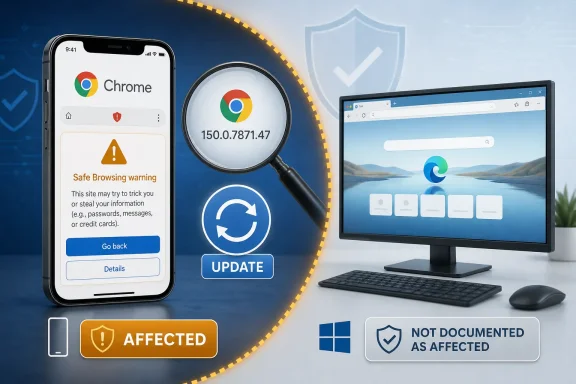
CVE-2026-13912 is a medium-severity Safe Browsing interface flaw documented in Chrome on iOS versions before 150.0.7871.47. According to the Chrome-supplied description in the National Vulnerability Database, a remote attacker could use a crafted HTML page to perform user-interface spoofing after the user interacts with the content.Affected: Chrome on iOS before 150.0.7871.47.
Not documented as affected: Chrome on Windows or Microsoft Edge.
Action: Update Chrome on affected iPhones and validate mobile inventory.
The record does not describe code execution, automatic device compromise, direct data theft, or loss of availability. Its documented impact is narrower: attacker-controlled content may misrepresent security-related information that a user relies on when deciding what to trust.
For WindowsForum readers, the most important conclusion is the platform boundary. NIST’s affected-software configuration combines a vulnerable Google Chrome version with Apple’s iPhone operating system through an AND relationship. That means the current record describes Chrome running on iOS, not Chrome running on Windows.
Chrome on iOS versions before 150.0.7871.47 are documented as affected; 150.0.7871.47 is the first version outside that affected range.
 A Medium-Rated Bug Targets the Browser’s Most Human Security Boundary
CVE-2026-13912 is titled “Incorrect security UI in Safe Browsing.” Google’s description characterizes it as an inappropriate implementation in Chrome on iOS that could permit UI spoofing through a crafted HTML page.That wording defines a specific class of problem. This is not described as a memory-corruption vulnerability that silently escapes a browser sandbox, and it does not give an attacker direct control over the iPhone. Instead, the flaw affects how security-relevant information may appear to the person using the browser.
Browsers depend on a distinction between interface controlled by the browser and content controlled by a website. Address information, permission requests, download warnings, certificate indicators, and Safe Browsing notices are valuable because users are expected to recognize them as browser-generated signals rather than ordinary page content.
A UI-spoofing flaw can weaken that distinction. If hostile content can create a misleading representation of trusted security information, a user may misunderstand what the browser is communicating and make an unsafe decision.
That explains both the issue’s practical relevance and its limited severity. The vulnerability requires user interaction, and its documented direct impact is low integrity impact. The public record does not establish confidentiality loss, service disruption, or complete control of the browser or operating system.
The flaw could potentially contribute to a broader deceptive campaign, but those downstream outcomes should not be treated as impacts proven by this CVE. The supplied description does not document a specific credential-theft operation, fraudulent authorization attempt, enrollment scheme, or other campaign using CVE-2026-13912.
The Desktop-Looking Reference Does Not Make This a Windows Vulnerability
The vendor reference associated with CVE-2026-13912 can encourage an overly broad interpretation because it points readers toward a Chrome release listing presented in a desktop context. That reference alone does not establish that this particular vulnerability affects every desktop platform covered by the broader release material.The CVE description explicitly identifies Chrome on iOS. More importantly, NIST’s affected-software configuration expresses the platform requirement as an AND relationship:
- A Google Chrome version below 150.0.7871.47 must be present.
- Apple’s iPhone operating system must also be present.
This is the strongest evidence for correcting the likely mistaken desktop interpretation. The iPhone operating-system entry is not an independent assertion that iOS itself contains the vulnerable Chrome code. It qualifies the Chrome application entry by identifying the platform on which the affected application is running.
The supplied record therefore does not support presenting CVE-2026-13912 as a confirmed Chrome-for-Windows vulnerability. It also does not identify Microsoft Edge as affected.
The shared Chromium lineage is not enough to expand the scope. A vulnerability can exist in a platform-specific interface, integration layer, or product implementation even when multiple browsers share substantial underlying code. Product and platform scope must be taken from the documented affected configuration or a separate vendor statement, not inferred from the Chromium name.
| Deployment or version state | Documented status | Reason |
|---|---|---|
| Chrome on iOS before 150.0.7871.47 | Affected | Matches the vulnerable version range and required iPhone OS condition |
| Chrome on iOS 150.0.7871.47 or later | Outside the documented affected range | 150.0.7871.47 is the first version not included in the affected range |
| Chrome on Windows | Not documented as affected | The documented configuration requires Apple’s iPhone operating system |
| Microsoft Edge on Windows | Not documented as affected | The record does not name Edge or Microsoft Windows as affected products |
| Other desktop Chromium browsers | Not established by the supplied record | A shared code family does not prove that a platform-specific implementation is affected |
The Attack Needs Crafted Content and User Interaction
CISA’s Authorized Data Publisher enrichment assigns CVE-2026-13912 a CVSS 3.1 base score of 4.3, classified as medium severity. The vector isCVSS:3.1/AV:N/AC:L/PR:N/UI:R/S:U/C:N/I:L/A:N.The vector describes an attack that is reachable over a network, has low attack complexity, requires no prior attacker privileges, and depends on user interaction. Scope is unchanged, confidentiality impact is rated none, integrity impact is low, and availability impact is none.
In practical terms, the attacker can provide the crafted HTML remotely, but the record does not describe a zero-click attack. The victim must encounter and interact with the content before the spoofing condition can have its intended effect.
The low integrity rating reflects a limited ability to influence security-relevant information or the user’s interpretation of it. The score does not claim that the vulnerability itself exposes confidential information, crashes the browser, installs software, or provides arbitrary code execution.
This distinction should prevent two common reporting errors. The first is exaggerating UI spoofing into remote takeover. The second is dismissing the issue because it depends on a user action. The appropriate reading is narrower: the vulnerability can make attacker-controlled content more misleading, but the public record does not establish a complete compromise chain.
CISA maps the issue to CWE-451, “User Interface (UI) Misrepresentation of Critical Information.” The weakness name identifies the security property involved: information needed for a security decision may be represented inaccurately.
The word “critical” in the CWE title does not mean the vulnerability has a critical severity rating. Chromium classifies the issue as medium, and CISA’s CVSS calculation is 4.3. The CWE title refers to the importance of the information being represented, not the overall CVE severity.
Safe Browsing and Interface Trust Are Related but Distinct
The phrase “Safe Browsing vulnerability” can suggest a complete bypass of every protection associated with the service. The published description does not make that claim. It identifies incorrect security UI and the possibility of spoofing.A browser’s internal security decision and the way that decision is shown to the user are related but distinct. Security logic may identify a dangerous condition correctly while the surrounding interface fails to communicate that condition reliably. A hostile page may also imitate the appearance of a browser warning without changing the browser’s underlying security verdict.
Modern browsers attempt to separate privileged browser interface from untrusted webpage content. The separation matters because a website can control most of what appears inside its own content area. Users need a dependable way to distinguish that content from messages carrying the browser’s authority.
CVE-2026-13912 concerns that human-facing boundary. The public record does not disclose enough technical detail to reconstruct the exact visual treatment, interaction sequence, or page layout involved. Specific demonstrations of what the spoof looked like would therefore be speculative unless Google releases additional technical information.
This limitation also affects detection guidance. Defenders can act on the application version and platform boundary, but they do not currently have enough public exploit detail to build a dependable CVE-specific content signature. General monitoring for deceptive browser messages may still be useful, but it should not be described as a validated detector for CVE-2026-13912.
The 4.3 Score Defines a Proportionate Response
CISA’s 4.3 score provides a reasonable basis for prioritization. The flaw is remotely reachable and does not require the attacker to hold an account or existing privileges. At the same time, exploitation requires user interaction and has a constrained documented technical impact.That places CVE-2026-13912 below vulnerabilities that enable silent code execution, sandbox escape, direct information disclosure, or broad service disruption. Finding an older Chrome version on an iPhone does not by itself prove that the device has been compromised.
It still warrants remediation. Chrome on iOS below 150.0.7871.47 remains inside the documented affected range, and updating removes that known exposure. For most organizations, this belongs in normal accelerated browser and mobile-application maintenance rather than an emergency isolation process.
CISA’s Stakeholder-Specific Vulnerability Categorization data records exploitation as “none,” automatable as “no,” and technical impact as “partial” in the supplied assessment.
“Exploitation: none” describes the state recorded by that assessment. It should not be restated as a guarantee that exploitation is impossible or that the status can never change.
“Automatable: no” is consistent with required user interaction. Delivery of a malicious page may be automated, but the documented security effect depends on how a person responds to the misleading interface.
“Technical impact: partial” aligns with the constrained integrity impact. The vulnerability is not described as granting total control over Chrome, iOS, or the user’s protected resources.
The proportionate response is therefore straightforward: identify affected installations, update them, verify the installed version, and preserve evidence that managed devices have moved outside the affected range.
The Version Boundary Is More Actionable Than the Exploit Details
The most useful operational fact is the affected-version boundary. Chrome on iOS versions before 150.0.7871.47 are documented as affected. Version 150.0.7871.47 is the first release outside that affected range.That formulation is more precise than saying that Google has universally “fixed” the vulnerability. It reports what the affected-version data establishes without making broader assumptions about other release channels, products, or implementation branches.
Organizations do not need a public proof of concept to determine whether an installed application matches the documented range. They need mobile inventory that identifies:
- The application as Google Chrome.
- The operating system as iOS on an iPhone.
- The installed Chrome version.
- Whether that version is below 150.0.7871.47.
- Whether remediation has completed rather than merely been requested.
The reverse is also important. Administrators should not treat a Chrome installation on Windows as affected merely because its version number is below the numerical boundary in the CVE description. The version condition appears inside a platform-qualified configuration. The Chrome and iPhone OS conditions must be evaluated together.
Mobile application visibility can vary significantly among organizations. Some management systems provide detailed application versions, while others provide only application presence, delayed inventory, or incomplete information for personally owned devices. Administrators should document what their management platform can actually verify.
Action checklist for admins
- Identify managed iPhones on which Google Chrome is installed.
- Identify permitted personally owned iPhones where organizational policy requires Chrome or allows it to access business services.
- Check whether Chrome on those devices is earlier than 150.0.7871.47.
- Treat 150.0.7871.47 as the first version outside the documented affected range.
- Ask affected users to update Chrome manually:
- Open the App Store.
- Tap the account or profile icon.
- Locate Available Updates.
- Tap Update next to Chrome.
- Reopen Chrome after the update completes.
- Confirm the installed Chrome version through available mobile inventory or application-management reporting.
- Recheck devices that were offline, had insufficient storage, or did not return updated inventory after remediation was requested.
- Record devices for which the installed application version cannot be verified.
- Keep Chrome-on-iOS reporting separate from Chrome-on-Windows compliance data.
- Do not assign the CVE to Microsoft Edge or desktop Chrome without additional product-specific evidence.
- Tell users to report security messages that appear suspicious or remain visible only within a particular webpage.
- Collect the Chrome version, device type, screenshot, and route to the page when investigating a report.
Where direct enforcement is unavailable, the operational procedure should combine user instructions, repeated inventory checks, compliance notifications, and access controls appropriate to the organization’s risk policy.
The Disclosure Record Became More Precise Over Time
The supplied record shows how different organizations contributed separate parts of the vulnerability picture. Chrome provided the description and affected-version statement. CISA added CVSS, weakness, and decision-support data. NIST added the formal product-and-platform configuration.Timeline
June 30, 2026 — Chrome submitted the CVE information identifying incorrect Safe Browsing security UI in Chrome on iOS and documenting versions before 150.0.7871.47 as affected.June 30, 2026 — The National Vulnerability Database published the CVE record.
July 1, 2026 — CISA’s Authorized Data Publisher enrichment supplied the CVSS 3.1 vector and 4.3 medium score, mapped the issue to CWE-451, and added SSVC information.
July 6, 2026 — NIST’s initial analysis added the affected-software configuration combining vulnerable Google Chrome versions with Apple’s iPhone operating system through an AND relationship.
This sequence matters because the later NIST configuration made an already stated iOS limitation more explicit and machine-readable. The original description identified Chrome on iOS, while the AND configuration clarified how an application CPE and an operating-system CPE work together to express “Chrome on this platform.”
The appropriate administrative response is to validate alerts against that complete relationship. Product-name matching alone is not enough. A finding must include the documented Chrome version condition and the iPhone OS platform condition before it can be treated as a match for CVE-2026-13912.
This does not make vulnerability metadata infallible. Records can be revised as vendors or analysts provide additional evidence. It does mean that expanding the present scope to Windows, Edge, or every Chromium-derived browser would require new evidence rather than inference.
Missing NIST Scores Do Not Mean Missing Risk Information
In the referenced record, NIST had not supplied its own CVSS 4.0, CVSS 3.x, or CVSS 2.0 assessment. CISA’s Authorized Data Publisher enrichment nevertheless provides a CVSS 3.1 assessment with a base score of 4.3.Attribution matters here. It is more accurate to say that CISA scored the vulnerability at 4.3 than to say that NIST or “NVD” assigned that score. The NVD displays information from multiple sources, and not every displayed assessment was authored by NIST.
The lack of a NIST-authored score should not block remediation. Defenders already have the affected product, platform requirement, version boundary, attack description, user-interaction requirement, weakness classification, and contributed CVSS and SSVC data.
Nor should a missing CVSS 4.0 field be interpreted as evidence of hidden critical severity. “Not provided” means that an assessment from that authority is absent. It does not override the technical characteristics that are already documented.
Security dashboards sometimes flatten these distinctions, displaying a contributed score as if it came from NIST or highlighting an empty NIST field while overlooking the available CISA assessment. Human review should preserve the source of each element when recording a risk decision.
Windows Administrators Should Care Without Pretending Windows Is Vulnerable
The Windows angle is operational, not a claim that Windows contains the affected code.Many Windows-centered organizations also manage Microsoft identities, cloud applications, email, collaboration services, and access policies used from iPhones. A mobile-browser vulnerability can therefore concern the same users and business resources as the Windows environment even when the vulnerable application runs only on iOS.
That shared environment does not change the CVE’s platform scope. It changes which teams may need to participate in remediation and investigation.
Mobile administrators should identify and update affected Chrome installations. Identity and messaging teams can review reports involving deceptive links or suspicious browser messages. Help desks can collect screenshots and application versions. Windows endpoint teams should ensure that desktop vulnerability findings are not incorrectly generated from an iOS-only application-and-platform condition.
User guidance should focus on provenance rather than visual appearance. A webpage can draw convincing dialogs, logos, warnings, and buttons inside its own content. A polished message is not proof that the browser or operating system generated it.
Training is a secondary control, not a replacement for updating. Users cannot reliably compensate for an implementation flaw that makes an untrusted presentation more convincing. The primary action remains moving Chrome on affected iPhones to version 150.0.7871.47 or later and verifying that the update actually completed.
Help desks investigating a suspicious page should collect:
- A screenshot or screen recording, if safe and permitted.
- The installed Chrome version.
- The iPhone and iOS version.
- The link or application that led the user to the page.
- Whether the message disappeared when the tab was closed.
- Whether the same message appeared outside Chrome or on another device.
- Any action the user took in response.
The Practical Lesson Is Accurate Scope and Verifiable Mobile Patching
CVE-2026-13912 is not a documented Windows vulnerability. It is a Chrome-on-iOS security-interface flaw affecting versions before 150.0.7871.47, with 150.0.7871.47 as the first version outside the affected range.Its 4.3 score and required user interaction support a measured response rather than panic. Its Safe Browsing context still makes remediation worthwhile because browser security depends not only on internal checks but also on communicating trustworthy information to the user.
The larger vulnerability-management lesson is equally important. A desktop-oriented reference, a shared Chromium codebase, or a Chrome version number is not enough to establish platform scope. In this case, the documented AND relationship is decisive: vulnerable Chrome version and Apple iPhone OS.
Windows administrators should correct any desktop misclassification, coordinate with the team responsible for mobile applications, and validate actual Chrome versions on affected iPhones. The near-term task is simple: update Chrome, confirm that managed inventory reports 150.0.7871.47 or later, and follow up wherever version evidence is missing.
The forward-looking lesson is that mobile browsers must be managed as part of the same identity and application environment as Windows endpoints—but platform-specific CVEs must still be reported with precision. Cross-device operations require coordination; they do not justify turning an iOS-only affected configuration into an unsupported Windows alert.
References
- Primary source: NVD / Chromium
Published: 2026-07-11T15:40:23-07:00
NVD - CVE-2026-13912
 nvd.nist.gov
- Security advisory: MSRC
Published: 2026-07-11T15:40:23-07:00
Original feed URL
Security Update Guide - Microsoft Security Response Center
 msrc.microsoft.com
- Related coverage: security.paloaltonetworks.com
PAN-SA-2026-0010 Chromium and Prisma Browser: Monthly Vulnerability Update (July 2026)
Palo Alto Networks Security Advisory: PAN-SA-2026-0010 Chromium and Prisma Browser: Monthly Vulnerability Update (July 2026) Palo Alto Networks incorporated the following Chromium security fixes into our products: *... security.paloaltonetworks.com
- Related coverage: mindray.com
- Related coverage: bleepingcomputer.com
- Related coverage: mindbreeze.com
Chromium Security Update (MINDBREEZE39071) | Mindbreeze InSpire
ID: MINDBREEZE39071 Affected Components: Mindbreeze InSpire, Mindbreeze InSpire SaaS Severity: 6.8 Medium Status: Final First published: February 5, 2026www.mindbreeze.com
- Related coverage: linuxcompatible.org
openSUSE-SU-2021:1339-1: important: Security update for chromium
A chromium security update has been released for SUSE Linux Enterprise 15 SP3.openSUSE Security Update: Security update for chromium ______________________________________________________________________________ Announcement ID: openSUSE-SU-2021:1339-1 Rating: important References: #1190765...www.linuxcompatible.org - Related coverage: cve.circl.lu
Vulnerability-Lookup
Vulnerability-Lookup - Fast vulnerability lookup correlation from different sources.cve.circl.lu - Related coverage: edelivery.windriver.com