

Google fixed CVE-2026-13913 in Chrome for iOS 150.0.7871.47, closing a Medium-severity Autofill policy flaw that could let a remote attacker leak data across web-origin boundaries after persuading a user to perform specific interface gestures on a crafted HTML page. The vulnerability is not described as a drive-by or zero-click compromise, and CISA-ADP records no known exploitation in its enrichment data. Nevertheless, the contributed CVSS assessment assigns a high confidentiality impact. Chrome installations on iPhones and iPads running a version earlier than 150.0.7871.47 should be updated.
For WindowsForum readers, the scoping point is simple: the supplied vulnerability record identifies Chrome on iOS only. Do not create a Windows Chrome remediation ticket solely for CVE-2026-13913. Instead, identify managed iPhones and iPads running Chrome below 150.0.7871.47 and update them.
This is a narrowly scoped vulnerability with a broader lesson. Autofill operates where browser convenience meets personal information. If the browser does not correctly enforce which web origin may receive a value, an apparently ordinary user action can result in an unintended disclosure.
According to the National Vulnerability Database record, CVE-2026-13913 is an insufficient policy-enforcement vulnerability in Autofill affecting Google Chrome on iOS before version 150.0.7871.47. A remote attacker must place the victim on a crafted HTML page and convince that person to perform specific user-interface gestures.
That interaction requirement means the public description does not characterize the vulnerability as automatic data theft. The attacker cannot exploit a phone merely by sending network traffic to it; a person must interact with the crafted page in the required manner.
The record describes the consequence as cross-origin data leakage. Web origins are a fundamental part of the browser security model, separating one site context from another. An origin-validation or policy-enforcement failure can allow information to reach a context that should not receive it.
CISA-ADP maps the vulnerability to CWE-346, Origin Validation Error. That classification supports the limited conclusion that Chrome did not adequately preserve an origin-based trust boundary during the affected Autofill interaction.
The public record does not identify the specific Autofill fields involved. It does not establish that passwords, payment-card details, addresses, identity documents, or any other particular category would be exposed in every successful attack. Those examples should not be presented as confirmed impact unless Google publishes additional technical information.
What is established is narrower but still significant: under the required conditions, a crafted page could cause Autofill data to leak across origins. The contributed CVSS assessment rates the potential confidentiality effect as high, which is why the overall Medium rating should not be read as meaning that the flaw can be safely ignored.
The vector indicates that the attack is network-accessible, has low attack complexity, requires no existing privileges, and depends on user interaction. That last requirement is relevant because exploitation cannot proceed as an unattended attack against every reachable installation. It should be stated once, however, rather than repeatedly treated as proof of a particular phishing campaign or delivery method.
The vector assigns high confidentiality impact but no integrity or availability impact. The published assessment therefore does not claim that CVE-2026-13913 modifies protected information, executes arbitrary code, damages the browser, or prevents the device from operating.
CISA-ADP’s Stakeholder-Specific Vulnerability Categorization data lists exploitation as none, automatable as no, and technical impact as partial. “Exploitation: none” means the contributed data did not record known exploitation at that time; it is not a guarantee that exploitation could never occur. “Automatable: no” is consistent with the need for specific user-interface gestures, while “technical impact: partial” reflects the limited published consequence rather than a complete device compromise.
The practical interpretation is straightforward: this is a remote, interaction-dependent information-disclosure flaw with no known exploitation in the supplied record. The fixed version should still be deployed because the vulnerable component handles information intended to remain within browser-enforced trust boundaries.
The record does not identify Chrome on Windows, macOS, Android, Linux, or ChromeOS as affected by CVE-2026-13913. Administrators should not expand the vulnerability’s scope merely because Chrome shares branding and components across several operating systems.
NVD lists a Chrome release-notes or vendor-advisory reference, but the supplied material does not reproduce the page’s contents. It is therefore not appropriate to claim that the page includes CVE-2026-13913 in a particular security-fix inventory or independently labels the issue Medium. The reference establishes that a vendor release page is associated with the record; it does not, by itself, establish every detail allegedly present on that page.
The linked Chromium issue is permission-restricted. That prevents the public record from answering detailed questions about the affected HTML arrangement, the precise gesture sequence, the internal Autofill decision, or the amount of information that could be disclosed in one interaction.
Those gaps should remain gaps. There is no need to invent frame layouts, payment-service relationships, browser-policy objectives, delivery channels, or exploit artifacts to justify remediation. The affected product, fixed version, interaction requirement, cross-origin disclosure consequence, contributed risk metrics, and absence of known exploitation are sufficient to support an update recommendation.
A user may operate Chrome on both Windows and iOS, but that does not transfer the CVE’s affected-platform designation from one device to another. The iPhone or iPad installation requires attention if it is below the fixed version; the Windows installation is not documented as vulnerable to this specific issue.
The absence of a sourced in-app path does not change the update procedure. If the App Store offers Update, install it. If the listing instead indicates that the current release is already installed, document that result and use whatever reliable inventory capability is available to confirm the version where policy requires exact evidence.
This is an application update, not a Windows browser-policy change. There is no need to modify Windows Group Policy, rebuild desktop Chrome packages, or treat Windows endpoints as vulnerable solely because CVE-2026-13913 contains the Chrome product name.
Updating is the documented way to leave the affected version range. If an organization cannot verify application versions on personally owned or partially managed devices, it should communicate the App Store update procedure directly to users rather than implying that a central management console can always inspect and enforce the exact Chrome build.
Organizations should also avoid substituting generic conditional-access advice for the patch action. Access policy can be valuable in a broader mobile-security program, but the supplied CVE record does not establish a CVE-specific conditional-access rule, detection, or workaround. The direct response is to install Chrome 150.0.7871.47 or later on affected iPhones and iPads.
It establishes the following points:
It also does not establish that defenders can detect exploitation with a particular browser log, URL pattern, network signature, endpoint alert, or forensic artifact. Those may be general investigative possibilities for web activity, but they are not documented CVE-specific indicators in the supplied facts.
The lack of public mechanics has two consequences. First, reporting should remain disciplined and avoid turning plausible browser behavior into confirmed exploit details. Second, administrators should emphasize version-based prevention rather than waiting for a detection rule that the public information does not support.
There is likewise no basis in the supplied record for attributing the Chromium issue’s restricted status to a particular Google disclosure policy or security rationale. It is enough to say that access is restricted and that the missing issue details limit public analysis.
Chrome is identified as the source of the vulnerability description. NVD presents the record and affected-product information. CISA-ADP supplies the CVSS 3.1 assessment, CWE mapping, and SSVC data described in the provided material. NVD had not issued its own CVSS assessment there.
The dates previously attached to individual submission, publication, enrichment, and modification events have been removed because the supplied facts available for this revision do not independently confirm those exact calendar dates and timestamps. Removing unsupported dates is preferable to preserving a detailed-looking timeline that cannot be verified.
CISA-ADP enrichment stage — CISA-ADP added the CVSS 3.1 score and vector, mapped the issue to CWE-346, and supplied SSVC values for exploitation, automation, and technical impact.
NVD analysis stage — NVD presented the affected configuration and associated reference types. In the supplied material, NVD had not provided its own CVSS assessment.
Remediation stage — Chrome for iOS 150.0.7871.47 defines the fixed threshold in the record. Devices running an earlier release remain within the affected range and should be updated.
This staged view explains why security products may display different labels or incomplete fields. One interface may show CISA-ADP’s 6.5 score, another may emphasize the vendor’s severity wording, and another may state that no NVD score is available.
Those displays are not interchangeable. A remediation report should identify the metric as CISA-ADP CVSS 3.1: 6.5 Medium, not simply “NVD score 6.5.” It should also preserve the high confidentiality rating rather than reducing the entire decision to the Medium label.
For CVE-2026-13913, a scanner or ticketing rule that sees “Google Chrome” may attempt to assign the issue to the desktop browser team. The supplied affected configuration does not support that assignment for Windows endpoints.
A Windows-focused administrator should instead determine whether the organization also manages iPhones or iPads. If it does, the ticket should be routed to the mobile-device or application-management owner with the fixed version clearly stated.
If the organization does not manage mobile devices, the appropriate response may be a user communication instructing employees who use Chrome on iOS to update it through the App Store. The advisory should not claim that the organization can centrally verify personal-device versions unless it actually has that visibility.
A defensible WindowsForum ticket note could read:
Users cannot reasonably be expected to understand an undisclosed browser-policy failure before tapping a form control. The interaction requirement lowers the vulnerability’s automation potential, but the browser still bears responsibility for enforcing the security boundary correctly after the user acts.
The response should therefore remain practical and proportionate. There is no known exploitation in the supplied CISA-ADP data, no claimed code execution, and no documented Windows impact. There is, however, a high potential confidentiality effect within the contributed CVSS vector and a clearly defined fixed release.
For WindowsForum readers, the final takeaway is concise: do not turn CVE-2026-13913 into an unsupported Windows Chrome emergency. Treat it as a Chrome-on-iOS application update. Open the App Store on affected iPhones and iPads, search for Google Chrome, select Update, reopen the browser, and verify version 150.0.7871.47 or later through a reliable version source where one is available.
Future technical disclosures may clarify the affected Autofill data, exact trigger conditions, or exploitability. Until then, the responsible course is to preserve the published scope, attribute the metrics correctly, avoid invented mechanics, and move every vulnerable iOS installation past the fixed-version threshold.
For WindowsForum readers, the scoping point is simple: the supplied vulnerability record identifies Chrome on iOS only. Do not create a Windows Chrome remediation ticket solely for CVE-2026-13913. Instead, identify managed iPhones and iPads running Chrome below 150.0.7871.47 and update them.
This is a narrowly scoped vulnerability with a broader lesson. Autofill operates where browser convenience meets personal information. If the browser does not correctly enforce which web origin may receive a value, an apparently ordinary user action can result in an unintended disclosure.
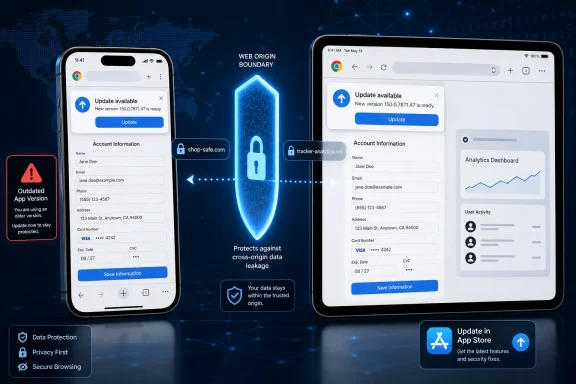 A Medium Rating Hides a High-Value Security Boundary
According to the National Vulnerability Database record, CVE-2026-13913 is an insufficient policy-enforcement vulnerability in Autofill affecting Google Chrome on iOS before version 150.0.7871.47. A remote attacker must place the victim on a crafted HTML page and convince that person to perform specific user-interface gestures.That interaction requirement means the public description does not characterize the vulnerability as automatic data theft. The attacker cannot exploit a phone merely by sending network traffic to it; a person must interact with the crafted page in the required manner.
The record describes the consequence as cross-origin data leakage. Web origins are a fundamental part of the browser security model, separating one site context from another. An origin-validation or policy-enforcement failure can allow information to reach a context that should not receive it.
CISA-ADP maps the vulnerability to CWE-346, Origin Validation Error. That classification supports the limited conclusion that Chrome did not adequately preserve an origin-based trust boundary during the affected Autofill interaction.
The public record does not identify the specific Autofill fields involved. It does not establish that passwords, payment-card details, addresses, identity documents, or any other particular category would be exposed in every successful attack. Those examples should not be presented as confirmed impact unless Google publishes additional technical information.
What is established is narrower but still significant: under the required conditions, a crafted page could cause Autofill data to leak across origins. The contributed CVSS assessment rates the potential confidentiality effect as high, which is why the overall Medium rating should not be read as meaning that the flaw can be safely ignored.
The CVSS Vector Describes the Risk
CISA-ADP assigned CVE-2026-13913 a CVSS 3.1 base score of 6.5, rated Medium, with the vectorCVSS:3.1/AV:N/AC:L/PR:N/UI:R/S:U/C:H/I:N/A:N. The supplied record states that NVD had not provided its own CVSS assessment, so the 6.5 score must be attributed to CISA-ADP rather than to NVD or NIST.The vector indicates that the attack is network-accessible, has low attack complexity, requires no existing privileges, and depends on user interaction. That last requirement is relevant because exploitation cannot proceed as an unattended attack against every reachable installation. It should be stated once, however, rather than repeatedly treated as proof of a particular phishing campaign or delivery method.
The vector assigns high confidentiality impact but no integrity or availability impact. The published assessment therefore does not claim that CVE-2026-13913 modifies protected information, executes arbitrary code, damages the browser, or prevents the device from operating.
CISA-ADP’s Stakeholder-Specific Vulnerability Categorization data lists exploitation as none, automatable as no, and technical impact as partial. “Exploitation: none” means the contributed data did not record known exploitation at that time; it is not a guarantee that exploitation could never occur. “Automatable: no” is consistent with the need for specific user-interface gestures, while “technical impact: partial” reflects the limited published consequence rather than a complete device compromise.
The practical interpretation is straightforward: this is a remote, interaction-dependent information-disclosure flaw with no known exploitation in the supplied record. The fixed version should still be deployed because the vulnerable component handles information intended to remain within browser-enforced trust boundaries.
The Published Scope Is Chrome on iOS
The supplied NVD record identifies Google Chrome on iOS before 150.0.7871.47 as affected. Its affected-software configuration combines vulnerable Chrome versions with Apple’s iPhone operating system, reinforcing the mobile-platform scope.The record does not identify Chrome on Windows, macOS, Android, Linux, or ChromeOS as affected by CVE-2026-13913. Administrators should not expand the vulnerability’s scope merely because Chrome shares branding and components across several operating systems.
NVD lists a Chrome release-notes or vendor-advisory reference, but the supplied material does not reproduce the page’s contents. It is therefore not appropriate to claim that the page includes CVE-2026-13913 in a particular security-fix inventory or independently labels the issue Medium. The reference establishes that a vendor release page is associated with the record; it does not, by itself, establish every detail allegedly present on that page.
The linked Chromium issue is permission-restricted. That prevents the public record from answering detailed questions about the affected HTML arrangement, the precise gesture sequence, the internal Autofill decision, or the amount of information that could be disclosed in one interaction.
Those gaps should remain gaps. There is no need to invent frame layouts, payment-service relationships, browser-policy objectives, delivery channels, or exploit artifacts to justify remediation. The affected product, fixed version, interaction requirement, cross-origin disclosure consequence, contributed risk metrics, and absence of known exploitation are sufficient to support an update recommendation.
| Deployment state | Chrome version | Published CVE status | Practical response |
|---|---|---|---|
| Chrome on an iPhone or iPad below the fixed threshold | Earlier than 150.0.7871.47 | Affected | Update through the App Store |
| Chrome on an iPhone or iPad at the fixed threshold | 150.0.7871.47 | Outside the affected version range | Confirm the update completed |
| Chrome on an iPhone or iPad above the fixed threshold | Later than 150.0.7871.47 | Outside the affected version range | Continue normal update maintenance |
| Chrome on Windows | Not identified as affected by this CVE | Outside the supplied iOS scope | Do not open a Windows remediation ticket solely for CVE-2026-13913 |
| Chrome on other operating systems | Not identified as affected by this CVE | Outside the supplied iOS scope | Track separate advisories for those platforms |
Update Chrome Through the iOS App Store
The immediate corrective action is to update the Chrome application on the affected iPhone or iPad:- Open the App Store.
- Search for Google Chrome.
- Open the Chrome listing and select Update if that option is shown.
- Allow the update to finish.
- Reopen Chrome.
- Confirm that the installed release is 150.0.7871.47 or later if the device exposes a reliable version display.
The absence of a sourced in-app path does not change the update procedure. If the App Store offers Update, install it. If the listing instead indicates that the current release is already installed, document that result and use whatever reliable inventory capability is available to confirm the version where policy requires exact evidence.
This is an application update, not a Windows browser-policy change. There is no need to modify Windows Group Policy, rebuild desktop Chrome packages, or treat Windows endpoints as vulnerable solely because CVE-2026-13913 contains the Chrome product name.
iOS Fleet Management Is an Inventory and Update Task
For enterprise IT, CVE-2026-13913 belongs in the mobile-application update queue. The organization needs to answer two concrete questions:- Which managed iPhones and iPads have Google Chrome installed?
- Which of those installations are older than 150.0.7871.47?
Updating is the documented way to leave the affected version range. If an organization cannot verify application versions on personally owned or partially managed devices, it should communicate the App Store update procedure directly to users rather than implying that a central management console can always inspect and enforce the exact Chrome build.
Organizations should also avoid substituting generic conditional-access advice for the patch action. Access policy can be valuable in a broader mobile-security program, but the supplied CVE record does not establish a CVE-specific conditional-access rule, detection, or workaround. The direct response is to install Chrome 150.0.7871.47 or later on affected iPhones and iPads.
Action checklist for admins
- Inventory managed iPhones and iPads that have Google Chrome installed.
- Identify installations earlier than 150.0.7871.47 where reliable version inventory is available.
- Instruct affected users to open the App Store, search for Google Chrome, and select Update.
- Reopen Chrome after the update completes.
- Confirm version 150.0.7871.47 or later through a trustworthy version display or application-inventory source where available.
- Do not invent an in-app version-checking path if the organization has not validated it.
- Do not create a Windows Chrome remediation ticket solely for CVE-2026-13913.
- Do not mark Android, macOS, Linux, or ChromeOS installations vulnerable based only on the shared Chrome name.
- Record devices whose Chrome version cannot be verified and follow up with their users.
- Continue monitoring official vulnerability and vendor information for changes to exploitation status or affected-product scope.
The Public Record Is Precise About Scope but Thin on Mechanics
The supplied record provides enough information to make a remediation decision but not enough to reconstruct an exploit.It establishes the following points:
- The affected product is Google Chrome on iOS.
- Versions before 150.0.7871.47 are affected.
- The component is Autofill.
- The weakness involves insufficient policy enforcement and an origin-validation error.
- A remote attacker must use a crafted HTML page.
- Successful exploitation requires specific user-interface gestures.
- The consequence is cross-origin data leakage.
- CISA-ADP assigned a CVSS 3.1 score of 6.5.
- CISA-ADP rated confidentiality high, with no integrity or availability impact.
- CISA-ADP recorded exploitation as none, automatable as no, and technical impact as partial.
- The associated Chromium issue is permission-restricted.
- NVD had not supplied its own CVSS assessment in the provided material.
It also does not establish that defenders can detect exploitation with a particular browser log, URL pattern, network signature, endpoint alert, or forensic artifact. Those may be general investigative possibilities for web activity, but they are not documented CVE-specific indicators in the supplied facts.
The lack of public mechanics has two consequences. First, reporting should remain disciplined and avoid turning plausible browser behavior into confirmed exploit details. Second, administrators should emphasize version-based prevention rather than waiting for a detection rule that the public information does not support.
There is likewise no basis in the supplied record for attributing the Chromium issue’s restricted status to a particular Google disclosure policy or security rationale. It is enough to say that access is restricted and that the missing issue details limit public analysis.
The Record’s Enrichment Should Be Read by Source
The vulnerability record contains information contributed by more than one organization. That provenance matters.Chrome is identified as the source of the vulnerability description. NVD presents the record and affected-product information. CISA-ADP supplies the CVSS 3.1 assessment, CWE mapping, and SSVC data described in the provided material. NVD had not issued its own CVSS assessment there.
The dates previously attached to individual submission, publication, enrichment, and modification events have been removed because the supplied facts available for this revision do not independently confirm those exact calendar dates and timestamps. Removing unsupported dates is preferable to preserving a detailed-looking timeline that cannot be verified.
Record timeline
Vendor disclosure stage — Chrome supplied the core description, including the affected platform, vulnerable version range, Autofill component, crafted-page requirement, necessary user-interface gestures, and cross-origin data-leakage consequence.CISA-ADP enrichment stage — CISA-ADP added the CVSS 3.1 score and vector, mapped the issue to CWE-346, and supplied SSVC values for exploitation, automation, and technical impact.
NVD analysis stage — NVD presented the affected configuration and associated reference types. In the supplied material, NVD had not provided its own CVSS assessment.
Remediation stage — Chrome for iOS 150.0.7871.47 defines the fixed threshold in the record. Devices running an earlier release remain within the affected range and should be updated.
This staged view explains why security products may display different labels or incomplete fields. One interface may show CISA-ADP’s 6.5 score, another may emphasize the vendor’s severity wording, and another may state that no NVD score is available.
Those displays are not interchangeable. A remediation report should identify the metric as CISA-ADP CVSS 3.1: 6.5 Medium, not simply “NVD score 6.5.” It should also preserve the high confidentiality rating rather than reducing the entire decision to the Medium label.
What Windows Administrators Should and Should Not Do
Windows administrators frequently receive alerts that are matched primarily by vendor and product name. That can create unnecessary work when a vulnerability affects only one operating-system variant.For CVE-2026-13913, a scanner or ticketing rule that sees “Google Chrome” may attempt to assign the issue to the desktop browser team. The supplied affected configuration does not support that assignment for Windows endpoints.
A Windows-focused administrator should instead determine whether the organization also manages iPhones or iPads. If it does, the ticket should be routed to the mobile-device or application-management owner with the fixed version clearly stated.
If the organization does not manage mobile devices, the appropriate response may be a user communication instructing employees who use Chrome on iOS to update it through the App Store. The advisory should not claim that the organization can centrally verify personal-device versions unless it actually has that visibility.
A defensible WindowsForum ticket note could read:
That wording keeps the platform boundary clear while ensuring the Chrome product name does not cause the mobile exposure to be overlooked.CVE-2026-13913 is documented in the supplied record as affecting Google Chrome on iOS before version 150.0.7871.47. Windows Chrome is not identified as affected. No Windows remediation is required solely for this CVE. Managed iPhones and iPads should be checked and Chrome updated through the App Store.
The Real Boundary Is Browser-Enforced Trust
CVE-2026-13913 is not evidence that every Autofill operation is unsafe, nor does the public record justify claims that every category of stored information was exposed. It shows that Autofill policy enforcement can become a security boundary when the browser decides whether information may move between web origins.Users cannot reasonably be expected to understand an undisclosed browser-policy failure before tapping a form control. The interaction requirement lowers the vulnerability’s automation potential, but the browser still bears responsibility for enforcing the security boundary correctly after the user acts.
The response should therefore remain practical and proportionate. There is no known exploitation in the supplied CISA-ADP data, no claimed code execution, and no documented Windows impact. There is, however, a high potential confidentiality effect within the contributed CVSS vector and a clearly defined fixed release.
For WindowsForum readers, the final takeaway is concise: do not turn CVE-2026-13913 into an unsupported Windows Chrome emergency. Treat it as a Chrome-on-iOS application update. Open the App Store on affected iPhones and iPads, search for Google Chrome, select Update, reopen the browser, and verify version 150.0.7871.47 or later through a reliable version source where one is available.
Future technical disclosures may clarify the affected Autofill data, exact trigger conditions, or exploitability. Until then, the responsible course is to preserve the published scope, attribute the metrics correctly, avoid invented mechanics, and move every vulnerable iOS installation past the fixed-version threshold.
References
- Primary source: NVD / Chromium
Published: 2026-07-11T15:40:24-07:00
Loading…
nvd.nist.gov - Security advisory: MSRC
Published: 2026-07-11T15:40:24-07:00
Original feed URL
Loading…
msrc.microsoft.com - Related coverage: chromium.googlesource.com
Loading…
chromium.googlesource.com - Related coverage: blog.google
Chrome and Wallet bring advanced autofill to your phone
We’re extending Chrome autofill to iOS and Android users. Get passport details, payment info and more, at your fingertips.blog.google - Related coverage: developer.chrome.com
Control browser features with Permissions Policy | Privacy & Security | Chrome for Developers
Manage how your page and embedded third-party iframes access to browser features. developer.chrome.com
- Related coverage: chromeenterprise.google
Loading…
chromeenterprise.google
- Related coverage: security.snyk.io
Loading…
security.snyk.io