

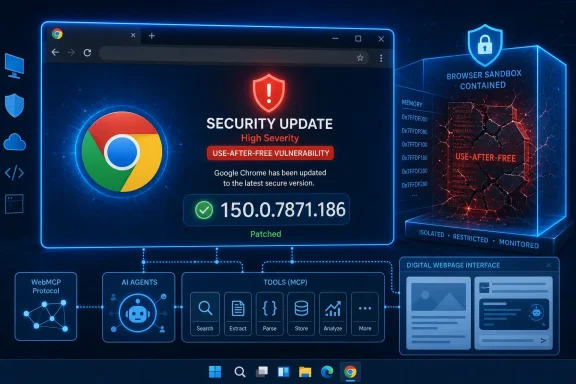
The fixed desktop builds are Chrome 150.0.7871.186 for Linux and Chrome 150.0.7871.186/.187 for Windows and macOS. Any Google Chrome release earlier than 150.0.7871.186 should be considered vulnerable and updated immediately.
This is not currently described as a sandbox escape, a full operating-system compromise, or confirmed in-the-wild exploitation. Those distinctions matter. But it remains a serious browser vulnerability: successful code execution in a renderer sandbox can expose web-session data, create a foothold for chained attacks, and become far more dangerous when paired with another browser or local privilege-escalation flaw.
Overview: What CVE-2026-16806 Means for Chrome Users
CVE-2026-16806 affects WebMCP, short for the Web Model Context Protocol. WebMCP is a Chrome initiative intended to let websites expose structured tools to AI agents operating in the browser. Rather than forcing an AI agent to infer every possible action from buttons, forms, and page text, a site can define a more explicit interface for agent-driven tasks.
That promise is significant. A travel site, for example, could expose a structured search or booking tool. A business application could expose approved actions such as retrieving account information, generating a report, or drafting an update. The browser becomes a bridge between a web application and an AI agent working on the user’s behalf.
The security concern is equally clear: new browser APIs create new code paths, new object lifetimes, and new places where a hostile webpage may probe for implementation errors. CVE-2026-16806 is one of those implementation-level failures.
Chrome classifies the issue as High severity. The public vulnerability description states that a crafted HTML page could trigger a use-after-free in WebMCP, resulting in arbitrary code execution within the sandbox.
The currently published CVSS v3.1 assessment assigns the issue a score of 8.8 out of 10, categorized as High. Its vector indicates:
- Network-based attack surface
- Low attack complexity
- No privileges required
- User interaction required
- Potentially high impact to confidentiality, integrity, and availability within the affected security scope
The most important practical detail is the user-interaction requirement. An attacker would generally need a target to visit a malicious page, whether through a deceptive link, compromised website, malicious advertisement, phishing campaign, or another browser-based delivery method.
That does not make the problem minor. Browsers are routinely exposed to untrusted web content, and convincing a user to open a page is one of the most common attack preconditions in the threat landscape.
The Affected Chrome Versions
Google’s Stable channel update on July 23 delivered the fix alongside three additional high-severity Chrome vulnerabilities. For CVE-2026-16806, the fixed versions are specific to desktop platforms:
| Platform | Fixed Chrome Version |
|---|---|
| Windows | 150.0.7871.186 or 150.0.7871.187 |
| macOS | 150.0.7871.186 or 150.0.7871.187 |
| Linux | 150.0.7871.186 |
The version split between Windows/macOS and Linux is normal for Chrome releases. What matters is that the installed version is not earlier than 150.0.7871.186.
Chrome updates are staged, so not every device receives the release at precisely the same moment. In a security event involving a remotely reachable memory-corruption flaw, waiting for the background updater to catch up is unnecessary risk. Users should check manually.
How to Verify the Installed Chrome Version on Windows
- Open Google Chrome.
- Select the three-dot menu in the upper-right corner.
- Choose Help.
- Select About Google Chrome.
- Allow Chrome to check for and download available updates.
- Relaunch the browser when prompted.
- Confirm that the version displayed is 150.0.7871.186, 150.0.7871.187, or a newer release.
In managed Windows environments, administrators should verify version compliance through their endpoint-management platform rather than relying solely on user-driven updates. Devices that have been offline, rarely rebooted, or locked into restrictive update policies deserve special attention.
Understanding the Use-After-Free Bug
A use-after-free vulnerability occurs when software continues trying to use an object, memory region, or resource after it has already been released. In safely managed software, once an object is no longer valid, it should not be reachable by active code. In a complex browser, however, many components communicate across asynchronous tasks, event handlers, renderer processes, and API boundaries.
When the timing and state management go wrong, a stale reference may point to memory that has since been reassigned. An attacker may then attempt to influence what occupies that memory and steer the browser into reading or executing unintended data.
This category of defect is especially important in browsers because browsers process an extraordinary amount of attacker-controlled content:
- HTML and CSS
- JavaScript and WebAssembly
- Image, font, audio, and video files
- Canvas and graphics operations
- Embedded frames
- Browser extension interactions
- Experimental and emerging web APIs
The public CVE information identifies the weakness as CWE-416: Use After Free. That classification describes the root bug category, but it does not reveal the exact vulnerable code path or a working exploit technique.
That lack of detail is deliberate and appropriate. Chrome commonly restricts bug details until a sufficient share of users have received the patched build. Publishing deep technical material too early could help attackers target machines that remain unpatched.
Why Arbitrary Code Execution “Inside a Sandbox” Still Matters
The phrase “inside a sandbox” is easy to misread. Chrome’s sandbox is designed to isolate untrusted web content from the broader operating system. A renderer compromise is therefore not automatically equivalent to unrestricted Windows code execution.
Still, sandboxed arbitrary code execution is a serious foothold.
A compromised renderer process may have access to the active web origin, loaded page content, cookies and tokens available to that session, browser-rendering data, and other information that can be valuable to an attacker. Depending on the attack scenario, it may also permit surveillance or manipulation of a session within the victim’s browser context.
The sandbox limits damage; it does not erase it.
For a complete compromise of the Windows device, an attacker would generally need an additional exploit capable of escaping Chrome’s sandbox or escalating privileges elsewhere in the system. Security researchers and sophisticated attackers often chain vulnerabilities in this way, combining a renderer bug with a second flaw to break out of browser containment.
That is why browser vendors treat high-severity renderer memory-safety vulnerabilities as patch-now events even when the published advisory does not claim a sandbox escape.
WebMCP: A New Surface in the Agentic Web
WebMCP is designed around a simple idea: websites can expose structured tools to AI agents running within the browser. Instead of treating every site as a visual interface that must be interpreted through the Document Object Model, an agent can work with operations deliberately published by the site.
A site might expose tools conceptually similar to:
- Searching an inventory
- Looking up order status
- Adding an item to a cart
- Retrieving a customer-support case
- Posting a comment
- Scheduling an appointment
- Generating a report
This approach can make browser-based AI agents more reliable and less dependent on fragile screen scraping. It can also allow sites to define stronger guardrails around what actions are available, what inputs are accepted, and when explicit user confirmation is required.
Those are genuine advantages. Structured interfaces can be safer than an AI agent blindly clicking through a complex website. They can reduce ambiguity, make actions more auditable, and give website developers clearer control over which capabilities are exposed.
But WebMCP also brings the browser into a sensitive intersection of AI agent behavior, web permissions, cross-origin boundaries, extensions, and user data. Every one of those areas has security implications.
Security Challenges Beyond Memory Corruption
CVE-2026-16806 is a traditional software-security failure: a memory-lifetime bug in Chrome’s implementation. It should not be conflated with the broader AI-specific security risks associated with agentic systems.
WebMCP’s own security guidance highlights the challenge of indirect prompt injection, where malicious instructions hidden in web content attempt to influence an AI system’s behavior. An AI agent may process page text, user-generated content, tool output, and instructions in ways that are not always cleanly separable.
For example, an untrusted text field may try to manipulate an agent into:
- Revealing private information
- Calling a tool with harmful parameters
- Sending data to an untrusted destination
- Ignoring the user’s intended task
- Making changes without adequate confirmation
These are distinct from CVE-2026-16806. One is a browser memory-safety vulnerability; the other is an application and AI-agent trust problem. Yet both demonstrate why new agent-facing browser capabilities need strong design, careful permissions, disciplined implementation, and rapid patching.
Default Boundaries Are Important
WebMCP is designed so that tools are not casually exposed across sites by default. Cross-origin access is intended to require explicit configuration, and tools can be exposed only to specifically trusted secure origins.
That is a positive security design decision. It recognizes that a tool capable of reading data or acting on behalf of a user should not be broadly available to arbitrary embedded content.
However, no permission model eliminates the danger of an underlying memory-corruption flaw. CVE-2026-16806 concerns the browser’s handling of WebMCP itself, not merely a website developer’s configuration choices. Even carefully designed web applications still rely on Chrome to enforce memory safety and process isolation correctly.
Severity, Exploitability, and What Is Still Unknown
The available record carries a High rating and a CVSS v3.1 score of 8.8, but the vulnerability is still undergoing enrichment. That means some details remain incomplete or may be updated as more analysis becomes available.
Several points should be handled cautiously.
No Public Confirmation of Active Exploitation
The available government vulnerability assessment lists exploitation as none at the time of review. This should be read narrowly: there is no public indication in the record that exploitation has been confirmed.
It does not mean exploitation is impossible, that threat actors are unaware of the issue, or that organizations should defer patching. Public indicators often lag behind real-world campaigns, particularly when attackers use vulnerabilities selectively.
The safest conclusion is straightforward: there is no confirmed public evidence of active exploitation, but the flaw is serious enough to justify immediate updating.
No Public Proof of a Full Sandbox Escape
The vulnerability description states that arbitrary code execution occurs inside a sandbox. It does not claim that CVE-2026-16806 independently escapes Chrome’s sandbox or grants system-level code execution on Windows.
That distinction reduces the likelihood of a one-bug, complete-host compromise. It should not be treated as a reason to delay remediation. Sandboxed execution can still put browser sessions, data, and enterprise workflows at risk, while offering attackers a valuable first stage in a multi-bug chain.
Detailed Exploit Mechanics Remain Restricted
Chrome’s issue tracker entry is not publicly detailed. That is common for recently patched security bugs. The restriction protects users while Chrome’s updated version reaches a broader installed base.
As a result, administrators should avoid relying on assumptions about whether WebMCP is actively used in their organization. The vulnerable component may be part of the Chrome codebase even where employees do not intentionally use AI agents or WebMCP-enabled sites.
The appropriate operational response is to patch the browser, not to attempt to determine whether a particular employee has interacted with WebMCP.
Why Windows Organizations Should Treat This as an Immediate Patch
Windows remains one of the most important Chrome deployment platforms in consumer, education, and enterprise environments. Chrome frequently carries authenticated sessions for email, cloud storage, internal dashboards, customer-management systems, collaboration platforms, and financial services.
A compromised browser tab may be sandboxed, but it is not harmless. It can still run in the context of a browser session where sensitive information is visible and valuable actions are possible.
For organizations, the risk is amplified by several realities:
- Employees regularly open links from email, chat, documents, and ticketing systems.
- Browser sessions often remain authenticated for long periods.
- Business web applications increasingly contain sensitive records and privileged workflows.
- Users may confuse a malicious page with a trusted service after a phishing redirect.
- Browser update delays are common on devices that are rarely restarted or disconnected from management infrastructure.
CVE-2026-16806 also arrived in a Chrome update that addresses four high-severity vulnerabilities, not one isolated flaw. The other issues involve memory corruption in areas including Codecs, Blink, and Input. Even if an organization considers WebMCP experimental or irrelevant to its normal workflows, the complete Chrome update remains essential.
Recommended Enterprise Actions
For Windows administrators, the priority is version enforcement.
- Identify endpoints below Chrome 150.0.7871.186.
Use endpoint inventory, software metering, vulnerability scanning, or Chrome Browser Cloud Management to locate devices that have not received the update. - Trigger or approve the Stable-channel update.
Check update policies, proxy rules, maintenance windows, and installation restrictions that may prevent Chrome from updating normally. - Require a browser relaunch.
Downloading an update is not enough. Chrome needs to restart to replace the running vulnerable code. - Review devices using Extended Stable policies.
Extended release cadence can be useful operationally, but it creates risk if critical security fixes have not been backported or deployed through the chosen policy channel. - Check unmanaged and BYOD endpoints.
Corporate access controls are only as strong as the browser versions permitted to access sensitive resources. - Maintain layered protections.
Email filtering, phishing-resistant authentication, least-privilege access, browser isolation, endpoint detection, and rapid incident response remain important even after patching.
The patch is the primary mitigation. Layered controls reduce exposure during the rollout window and help limit impact if a user encounters a malicious webpage before every device is updated.
Guidance for Individual Windows Users
For individual users, the most effective response takes only a few minutes: update Chrome and relaunch it.
Do not assume that Chrome’s automatic updates have already finished. A laptop that has been sleeping, running for weeks without a browser restart, or operating behind a restrictive network may remain on an older build.
After updating, it is good practice to close and reopen Chrome completely. If the browser reports that it is managed by an organization, the update schedule may be controlled by an administrator. In that case, verify the version number and contact the relevant IT team if the system remains below the fixed release.
Users should also be wary of pop-ups or websites claiming to offer a “Chrome security update.” Legitimate Chrome updates should be initiated from Chrome’s built-in About Google Chrome page, the official app-management channel, or an organization’s approved software portal. Fake browser-update prompts are a longstanding malware-delivery tactic.
The Broader Lesson: Innovation Needs Defensive Engineering
WebMCP reflects a major direction for modern browsers: supporting AI agents that can work with web applications through structured actions rather than merely observing page content. Done well, that model could make AI-assisted browsing more capable, accessible, and controllable.
The upside is real:
- More reliable AI interactions with web services
- Clearer application-defined actions
- Better opportunities for consent prompts
- Reduced dependence on brittle visual automation
- Improved auditability for agent-driven workflows
But the risks are equally real:
- New complex code paths inside a vast browser attack surface
- New interactions between web pages, extensions, agents, and user sessions
- More value concentrated in browser-resident identities and authenticated state
- AI-specific manipulation risks such as indirect prompt injection
- The persistent danger of memory-safety bugs in low-level browser components
CVE-2026-16806 does not prove that WebMCP is inherently unsafe. It does show that every ambitious browser feature must meet the same uncompromising security standard as Chrome’s older, heavily attacked components.
Security is not simply a matter of designing good permissions or asking users for consent at the right moment. It also depends on robust memory management, disciplined lifecycle handling, strong process isolation, aggressive fuzzing, timely disclosure, and a patching ecosystem capable of moving quickly.
Conclusion
CVE-2026-16806 is a high-severity Chrome vulnerability that Windows users and administrators should patch without delay. The flaw affects Chrome versions earlier than 150.0.7871.186 and can be triggered through a crafted HTML page to achieve arbitrary code execution inside Chrome’s sandbox.
There is no public confirmation that the vulnerability is being exploited in the wild, and the advisory does not describe a standalone sandbox escape. Those facts provide useful context, but they do not reduce the need for prompt action.
The immediate fix is clear: update Google Chrome to 150.0.7871.186/.187 on Windows or any newer Stable release, then restart the browser. As WebMCP and other AI-driven browser technologies mature, fast browser patching will remain one of the most important defenses against both established memory-corruption threats and the new risks emerging from the agentic web.