

Microsoft’s Security Update Guide has recorded CVE-2026-20841 as a Remote Code Execution (RCE) vulnerability affecting the Windows Notepad app, and the vendor’s terse advisory combined with its “report confidence” metadata demands immediate, measured action from system administrators and security teams. view
Windows Notepad has evolved from a one‑line plain‑text utility into a modern inbox app that now supports tabs, Markdown preview, and optional cloud‑backed AI actions in recent Windows builds. That evolution increases Notepad’s attack surface beyond simple text parsing and shifts how we must think about vulnerabilities in this component: inbox apps are updated through the OS servicing pipeline, run in many user contexts, and may interact with other subsystems in surprising ways.
Microsoft classifies*Remote Code Execution* issue for the Notepad app. The critical operational signal inside the MSRC entry is the vendor’s report confidence metric — a short metadata field that communicates how certain Microsoft is that the vulnerability exists and how much technical detail is being published. This metric is not mere bureaucracy: it changes how defenders should triage, how quickly they should deploy patches, and how much they should rely on public researcher write‑ups when planning mitigations.
This article unpacks what Microsoft’s advithe practical differences between confirmed, corroborated, and suspected* report confidence levels, analyzes likely exploitation models for Notepad (with explicit caveats where we are inferring rather than repeating vendor facts), and gives a concrete, prioritized remediation and detection playbook that administrators can implement immediately.
For enterprises: standardize update flows through managed channels (WSUS, Microsoft Endpoint Manager), restrict developer workstation privileges for software installs, and audit any local installer activity in privileged networks. These controls reduce the chance that a trojanized installer or manipulated manifest becomes the cause of an RCE on a user box.
Source: MSRC Security Update Guide - Microsoft Security Response Center
Windows Notepad has evolved from a one‑line plain‑text utility into a modern inbox app that now supports tabs, Markdown preview, and optional cloud‑backed AI actions in recent Windows builds. That evolution increases Notepad’s attack surface beyond simple text parsing and shifts how we must think about vulnerabilities in this component: inbox apps are updated through the OS servicing pipeline, run in many user contexts, and may interact with other subsystems in surprising ways.
Microsoft classifies*Remote Code Execution* issue for the Notepad app. The critical operational signal inside the MSRC entry is the vendor’s report confidence metric — a short metadata field that communicates how certain Microsoft is that the vulnerability exists and how much technical detail is being published. This metric is not mere bureaucracy: it changes how defenders should triage, how quickly they should deploy patches, and how much they should rely on public researcher write‑ups when planning mitigations.
This article unpacks what Microsoft’s advithe practical differences between confirmed, corroborated, and suspected* report confidence levels, analyzes likely exploitation models for Notepad (with explicit caveats where we are inferring rather than repeating vendor facts), and gives a concrete, prioritized remediation and detection playbook that administrators can implement immediately.
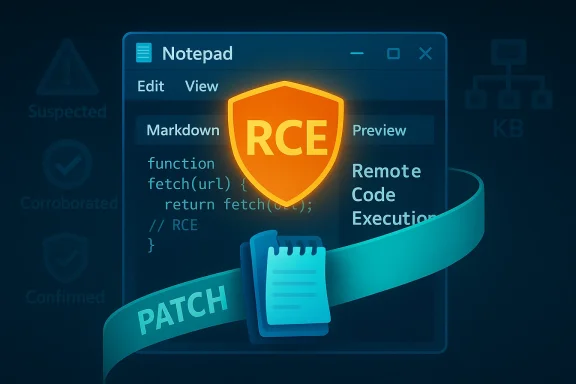 What the MSRC “report confidence” metric actually signals
The three practical states
Microsoft’s advisory framework and the Security Update Guide use a simple, operationally useful three‑state confidence model:- Suspected / Low confidence — Microsoft has an initial report or tip, but corroborating telemetry or technical detail is missing. Public wording will be intentionally minimal. Treat this as a watchlist item and gather telemetry.
- Corroborated / Medium confidence — Independent researche or vendor triage supports the issue, but low‑level exploit mechanics remain incomplete. This raises urgency because public details may allow accelerated weaponization.
- Confirmed / High confidence — Vendor testing, a published patch, or an explicilidates the vulnerability and remediation. This is the action required now state.
Why the metric matters more than a CVE headline
A CVE headline like “Remote Code Execution” communicates the worst‑case consequence, but it does not spell out exploit mechanics. CVSS vectors and the MSRC confidence label together form the operational picture: a high‑confidence RCE with network vector is an emergency; a high‑confidence RCE with local execution required is still high‑priority but has a different mitigation playbook. Vendors frequently use terse advisory language and rely on the update catalog mapping (CVE → KB → SKU) to deliver exact remediation instructions — so the canonical source for patching is the vendor’s KB mapping, not a summary headline.What we know about CVE‑2026‑20841 (vendor facts and confirmed elements)
- Microsoft has recorded CVE‑2026‑20841 in its and classifies the impact as Remote Code Execution in the Windows Notepad app. The presence of the entry in MSRC is the authoritative confirmation that Microsoft recognizes and is addressing the vulnerability.
- Microsoft’s public advisory text for inbox components is often compact and may intentionally omit low‑level exploit mechanics to reduce short‑term wn an MSRC entry exists, the recommended operational step is to identify the KB(s) that Microsoft maps to your specific OS build and deploy them through your established patch channels.
- At the time of Microsoft’s advisory, technical detail in the public record may be limited. Independent vendor trackers and community patch summaries commonly add SKU-leveres, but defenders should rely on Microsoft’s update mapping for exact KB numbers before declaring hosts remediated.
Likely exploitation models for a Notepad app RCE — technical analysis and guarded inferences
Windows Notepad historically handled plain text, but modern variants and the inbox Notepad app have added feature preview, cloud actions, third‑party content integration) that broaden the attack surface. Based on historical patterns for desktop app RCEs and the way MSRC frames RCE advisories, the following exploitation pathways are plausible — but not confirmed for CVE‑2026‑20841 unless vendor technical detail states otherwise. Treat these as analyst inferences intended to help defenders prioritize mitigations.Plausible vectors (ranked by historical precedence)
- Crafted file or preview content (remote delivery, local execution)
Many desktop RCEs arise when an application parses untrusted files or embedded content. If Notepad’s atting support, or image/metadata parsing is involved, a specially crafted file delivered by email, cloud share, or web download could trigger execution when the user opens or previews it. This pattern — remote delivery followed by local parsing — is a common reason CVEs carry RCE headlines even if CVSS indicates AV:L. - Handler or protocol association attack
If Notepad registers a handler for certain file types or URIs, an attacker might coerce the OS into opening a malicious input in Notepad (for example via a link or automatic download), especially in contexts thumbnail generation auto‑invoke parsing. Historically, inbox components that register shell extensions or preview handlers have been attack vectors. - Update/installer chain or supply‑chain manipulation (less likely for inbox Notepad, but important context)
Third‑party editors like Notepad++ suffered supply‑chain update hijacks in 2025; while the Notepad inbox app is distributed differently (through OS servicing chansson holds: update and installer trust is a prized target. Any recommendations that involve updating Notepad should insist on vendor KBs and OS servicing controls rather than direct executable downloads. - Interacted component chaining (DLL load/search path, auxiliary processes)
If Notepad calls into other system components (e.g., a rendering or previewer DLL) and those components contain search‑path weaknesses or insecure loads, an attacker may place a malicious artifact in a writable path This class of attack is common where user‑level code interacts with privileged or signed components indirectly.
Why modern exploit mitigations change the calculus
Address Space Layout Randomization (ASLR), Control Flow Guard (CFG), and Data Execution Prevention (DEP) raise the bar for turning parser bugs into reliable RCEs, but do not make the underlying vulnerability safe. Skilled exploit authors and targeted attackers routin‑disclosure primitives, heap feng shui, and EoP gadgets to bypass mitigations — particularly in tailored attacks. Therefore, even when an exploit is nontrivial, the presence of a vendor‑recognized RCE must be treated as high priority.Operational urgency: how to triage and prioritize in your environment
If MSRC labels CVE‑2026‑20841 as confirmed
- Move to immediate patching posture for all impacted SKUs: map CVE → KB → build and schedule rapid deployment. Confirm installation with your patch management tooling and require reboots where the KB demands them. V the strongest possible signal; treat it as actionable order.
If the advisory is corroborated or suspected
- Prioritize the highest‑value assets first: administrator workstations, VDI / RDS hosts, document‑processing servers, and systems that automatically preview attachments (mail servers, web file processors).
- Implement short‑term compensating controls while you plan patches:
- Disable automatic file previews ndpoint clients.
- Enforce Protected View / Application Guard policies for document handling where available.
- Block or quarantine suspicious file types at the SMTP/edge gateway and inspect attachments with layered scanners.
Always follow the vendor KB mapping
- The single most reliable immediate action is mapping CVE → KB → SKU via Microsoft’s Update Guide or Update Catalog. Do not assume a generic cumulative update will suffice — verify the exact KB for each OS build before marking assets remediated.
Detection and hunting guidance (practical, prioritized)
Begin hunts focused on exploitatiioral symptoms rather than fragile signature matching. Use EDR and logging to look for:- Unusual Notepad process behavior: Notepad spawning child processes, creating network connections, or dynamically loading unexpected DLLs. These are classic signs of an exploited inbox app.
- Unexata% or %TEMP% by Notepad or Notepad‑adjacent processes. Many trojanized installers and implant loaders drop files in user writeable locations.
- Abnormal file‑creation patterns following email receipt or file downloads (for example, NSIS installer files appearing where plain text files should be). Rapid7’s analysis of a Notepad++ supply chain incident shows attackers often rely on installers andsimilar signals are useful hunting indicators in the Notepad context too.
- Correlated gateway logs: anomalous or unexpected downloads of .exe/.msi files from the Microsofte or from unexpected hosts in the enterprise environment. If your environment permits software installs without admin sign‑off, watch for installations immediately following Notepad use.
- Alert: Notepad.exe creates a child process that is not mshta.exe or a known benign helper.
- Alert: Notwork I/O (unexpected for plain text editing).
- Hunt query: Files created under %TEMP% with recent creation times that match recent Office/Edge/Email activity for the same user.
Remediation playbook — prioritized, checklist style
- Confirm MSRC state and obtain KB mapping for CVE‑2026‑20841 using Microsoft’s Update Guide or your enterprise patch catalog. Do not assume a single monolithic LCU will cover all affected builds.
- Patch: deploy the KB(s) to a pilot group of non‑production hosts first, validate behavior, then roll out across the fleet in prioritized waves (identity endpoints, admin boxes, document servers). Verify installation with inventory tools.
- Harden: temporarily disable auto‑preview and automatic file execution for email attachments and web downloads. Enforce Protected View and sandboxing where available.
- Contain: if you detect suspicious Notepad activity or IoCs, isolate affected hosts, capture fory, relevant file system items), and escalate to incident response. Consider rebuilding suspected hosts from trusted images.
- Apply application control: use AppLocker or Windows Defender Application Control (WDAC) to restrict execution to as on high‑value endpoints. This reduces the risk of trojanized installers or sideloaded DLLs being executed.
- Monitor and hunt: deploy the detection rules above and ruely monitored window after patch rollout to confirm no post‑patch exploitation activity persists.
Strengths and limitations of the public record — where caution is required
- Strength: Microsoft’s Security Update Guide is the canonical → SKU mappings. When MSRC lists a CVE, the vendor has confirmed an issue exists and has (or will) map fixes. That vendor confirmation is the most authoritative signal defenders can use.
- Limitation: MSRC advisories are frequently deliberately tersxploit mechanics, sample code, and low‑level root cause until after patches are broadly available. That reduces short‑term weaponization but leaves defenders needing to infer likely ement layered protections during rollout.
- Corroboration need: When public third‑party analyses appear, they often add valuable SKU, exploitability, and PoC detail — but they can also accelerate weaponization if published before patches are broadly deployed. Use independent analyses judiciously and always cross‑check KB mappings against Microsoft’s Upd public record is silent, be conservative: assume the worst‑case impact (full RCE under user context, chaining to EoP) and prioritize remediations accordingly.
Broader context: supply chain incidents and why they change how we patch
Recent supply‑chain incidents (for example, compromises of third‑party editors’ update ittackers will exploit both code bugs and trust in distribution mechanisms to achieve code execution. Even though CVE‑2026‑20841 targets the inbox Notepad app and not an external third‑party updater, the Notepad++ campaign is a reminder that update and installer trust matters: always validate update provenance, rely on vendorlling unsigned binaries from untrusted sources.For enterprises: standardize update flows through managed channels (WSUS, Microsoft Endpoint Manager), restrict developer workstation privileges for software installs, and audit any local installer activity in privileged networks. These controls reduce the chance that a trojanized installer or manipulated manifest becomes the cause of an RCE on a user box.
Final assessment — risk, confidence, and recommended timeline
- If Microsoft’s MSRC entry for CVE‑2026‑20841 is labeled confirmed, treat this as an immediate remediation priority: patch within your organization’s standard accelerated timeline for RCEs (hours to days depending on operational risk) and verify KB installation on all afhe entry is corroborated, patch quickly and implement the compensating controls listed above while rolling fixes. Expect third‑party technical write‑ups to follow; prepare to harden and hunt proactively before PoCs proliferate.
- If the entry is suspected, triage based on asset criticality and prioritize protective controls for high‑value systems (drce application control, and increase detection coverage). Treat any inbox‑app RCE as high risk until proven otherwise.
- Within 0–24 hours: Confirm MSRC confidence level and obtain KB mapping; implement immediate mitigations on high‑value hosts (disable previews, enforce WDAC/AppLocker).
- Within 24–72 hours: Pilot ann a representative subset of hosts. Begin phased enterprise rollout based on criticality.
- Within 1–2 weeks: Complete patching for all reachable devices, perform intensive EDR hunts for post‑patch anomalies, and validate rollback/recovConclusion
Source: MSRC Security Update Guide - Microsoft Security Response Center
