

Microsoft has recorded CVE-2026-20877 as an elevation‑of‑privilege vulnerability tied to Windows Management Services (WMS), and the vendor’s sparse public advisory — coupled with Microsoft’s “confidence” metric — demands immediate, measured attention from administrators responsible for management hosts and privileged endpoints.
Windows Management Services (WMS) is a privileged management plane in Windows that exposes administrative APIs and workflows used by administrators, automation tooling, and remote management features. Because WMS routinely runs with high privileges and mediates operations on behalf of trusted automation, an elevation‑of‑privilege (EoP) bug in this component is more than a single‑host problem — it is a high‑value operational risk that attackers can rapidly convert into persistence, credential theft, or lateral movement.
Microsoft uses a compact “confidence / exploitability” metric in its Security Update Guide to communicate two things at once: (1) the vendor’s degree of certainty that the vulnerability is real and actionable, and (2) how much technical detail Microsoft is prepared to publish publicly. When Microsoft marks a vulnerability with high confidence (acknowledged and corroborated), defenders should treat the advisory as urgent. When the vendor shows lower confidence or intentionally terse disclosure, it usually means the issue is acknowledged but the vendor is withholding granular exploit mechanics while fixes are staged and distributed. This disclosure posture reduces short‑term weaponization risk but increases the operational burden on defenders to act quickly and carefully.
Important caveat: for CVE‑2026‑20877 specifically, Microsoft’s published advisory is compact. No vendor‑published patch diff or authoritative researcher analysis has yet disclosed which of the above is the exact root cause for this CVE; any specific exploit chain described outside Microsoft’s own KB notes should be treated as speculative until corroborated.
Key SEO phrases used naturally in this feature: Windows Management Services vulnerability, CVE‑2026‑20877, elevation of privilege, MSRC confidence metric, patching guidance, management host hardening, privileged escalation detection, and KB mapping.
Source: MSRC Security Update Guide - Microsoft Security Response Center
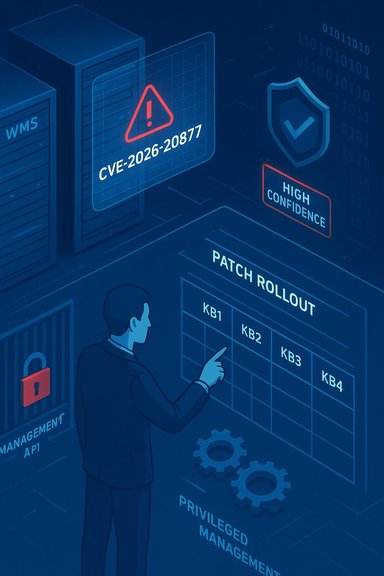 Background / Overview
Windows Management Services (WMS) is a privileged management plane in Windows that exposes administrative APIs and workflows used by administrators, automation tooling, and remote management features. Because WMS routinely runs with high privileges and mediates operations on behalf of trusted automation, an elevation‑of‑privilege (EoP) bug in this component is more than a single‑host problem — it is a high‑value operational risk that attackers can rapidly convert into persistence, credential theft, or lateral movement.Microsoft uses a compact “confidence / exploitability” metric in its Security Update Guide to communicate two things at once: (1) the vendor’s degree of certainty that the vulnerability is real and actionable, and (2) how much technical detail Microsoft is prepared to publish publicly. When Microsoft marks a vulnerability with high confidence (acknowledged and corroborated), defenders should treat the advisory as urgent. When the vendor shows lower confidence or intentionally terse disclosure, it usually means the issue is acknowledged but the vendor is withholding granular exploit mechanics while fixes are staged and distributed. This disclosure posture reduces short‑term weaponization risk but increases the operational burden on defenders to act quickly and carefully.
What we can verify about CVE‑2026‑20877
- Microsoft has an entry point for CVE‑2026‑20877 in the Security Update Guide, which is the canonical mapping for CVE→KB→affected builds. The MSRC page front ends this record through an interactive UI that may require JavaScript to render fully. That interface confirms the CVE registration and vendor classification but typically provides only compact technical text for inbox components.
- Independent, in‑depth technical write‑ups or publicly available proof‑of‑concept (PoC) exploit code for CVE‑2026‑20877 are not broadly mirrored in major public aggregators or vendor trackers at the time of writing. This absence is consistent with Microsoft’s conservative disclosure practices for management‑plane EoP issues: vendor acknowledgement without full exploit primitives. Treat the CVE as high‑confidence in existence, but treat specific exploitation narratives found in informal sources as provisional until corroborated.
- Historical context matters: recent WMS and other privileged Windows component advisories in 2024–2025 frequently fell into a small set of defect classes — race conditions (TOCTOU), use‑after‑free (UAF), uninitialized resource leaks, and unsafe deserialization — each of which maps cleanly to elevation‑of‑privilege outcome patterns. Those precedents are the most reliable lens for conservative threat modelling while vendor patch diffs and independent analyses remain limited.
Why management‑plane EoP bugs are high‑value targets
Windows management hosts and WMS endpoints are attractive to attackers for operational reasons:- High privilege by design — management services commonly run as SYSTEM or a highly privileged service account, so a local EoP converts a small foothold into powerful primitives.
- Trusted automation channels — compromised management services can act as pivots to spread malicious payloads or to tamper with orchestration and update flows. Past incidents demonstrate that attackers weaponize management surfaces to deliver later stages of attacks.
- Broad reach — these components are often installed on jump hosts, bastions, and admin workstations that touch many systems; a single exploited management host can escalate into domain‑scale consequences.
Technical anatomy — plausible root causes and exploitation models
Microsoft’s brief description for WMS EoP vulnerabilities intentionally omits low‑level exploit mechanics for many inbox components. Nonetheless, conservative defenders should reason from the set of defect classes that repeatedly produced EoP in recent Windows advisories:Race conditions / TOCTOU (CWE‑362)
A privileged thread checks security or path properties, then an attacker alters a file, handle, or resource in the window between check and use. Exploit primitives include privileged writes to protected locations, hijacked load paths, and forced use of attacker‑controlled binaries. Recent WMS CVEs used TOCTOU windows to escalate local privileges.Use‑after‑free (CWE‑416)
A freed object remains referenced and later dereferenced by privileged code. Attackers can craft allocation patterns or timing to convert a UAF into a write‑what‑where or code execution primitive. Use‑after‑free defects in inbox services historically led to SYSTEM context elevation.Unsafe deserialization / command parsing (CWE‑502)
When privileged endpoints deserialize attacker‑controlled payloads without strict type restrictions, attacker gadget chains can execute inside the privileged process. Past deserialization RCEs (for example, WSUS reporting vulnerabilities) demonstrate how unauthenticated network vectors can become critical. While WMS EoP entries often require local access, deserialization defects have reversed that assumption in other management components.Improper authorization / access control
Management services that accept user artifacts or commands without rigorous caller verification can allow unprivileged users to trigger privileged operations. These logic flaws are a common path to escalation when combined with benign‑looking workflows that perform privileged actions.Important caveat: for CVE‑2026‑20877 specifically, Microsoft’s published advisory is compact. No vendor‑published patch diff or authoritative researcher analysis has yet disclosed which of the above is the exact root cause for this CVE; any specific exploit chain described outside Microsoft’s own KB notes should be treated as speculative until corroborated.
Evidence, confidence and what the MSRC metric actually signals
Microsoft’s confidence metric offers a pragmatic triage signal:- High confidence: vendor has validated the defect, shipped or staged fixes, and is comfortable describing the impact and exploitability. This usually implies patch mapping (CVE→KB) is available.
- Lower or limited confidence: vendor acknowledges existence but intentionally withholds exploit primitives. This reduces immediate weaponization risk but increases the burden on defenders to respond via controls, testing, and telemetry.
Immediate operational guidance (0–72 hours)
When an MSRC entry for a WMS EoP appears, follow a concise, aggressive playbook that balances speed with safety.1. Confirm applicability and exact KB mapping (first action)
- Use Microsoft’s Security Update Guide and the Microsoft Update Catalog to retrieve the precise KB→SKU mapping for CVE‑2026‑20877. Do not rely solely on CVE strings in scanners or third‑party feeds; automated tools sometimes mis‑map KBs for inbox components.
2. Pilot patches in a representative ring
- Stage the vendor fix in a pilot ring that includes jump hosts, bastion servers, and representative admin workstations.
- Validate management workflows, scheduled tasks, and backup/restore flows before broad deployment.
- Confirm successful reboot and post‑patch functional checks before escalating the rollout.
3. Prioritize high‑value and internet‑facing hosts
- Jump hosts, remote management servers, VDI pools, and any host that stores credentials or runs privileged scheduled jobs should be first in line for patching. These hosts present the largest blast radius if exploited.
4. Apply compensating controls if immediate patching is impossible
- Restrict network access to management endpoints via host or network firewalls.
- Remove or restrict the WMS feature where practical until patched.
- Tighten local user privileges: remove local admin rights from standard users and enforce least privilege.
5. Tune telemetry, hunt for indicators, and collect evidence
- Hunt for process creation chains where a low‑privilege process spawns a SYSTEM process, or where management processes load modules from user‑writable paths.
- Look for Service Control Manager events indicating crashes or unexpected restarts of management services; sudden restarts followed by SYSTEM context actions are high‑value indicators.
- If you suspect exploitation, capture memory snapshots and volatile evidence before reboot for forensic fidelity.
Detection recipes and concrete telemetry to hunt
Behavioral detection is essential while artifact‑level IoCs remain scarce.- EDR rule example: low‑privilege process writes to management directory → within 60 seconds, a child process starts under SYSTEM. This sequence is a high‑confidence indicator-of-abuse.
- SIEM correlation: spikes in Service Control Manager events (service creation, unexpected restarts) correlated with user session activity that invoked management operations.
- File system monitoring: new or modified DLLs or binaries in ProgramData, Temp, or other nonstandard module paths used by management services. Flag non‑signed or unsigned module loads for investigation.
- Network IDS: suspicious POST or RPC calls aimed at local management endpoints or unusual outbound connections initiated by management processes. While WMS EoP bugs are often local, anomalous network behavior post‑escalation can reveal pivot activity.
Strengths and weaknesses in the vendor response
Notable strengths
- Microsoft’s Security Update Guide remains the canonical authority for CVE→KB mappings; listing the CVE there is the strongest available confirmation that the vendor recognizes and is addressing the issue. This enables enterprise patch pipelines to map fixes accurately once KBs are published.
- The vendor’s conservative disclosure strategy — acknowledging a vulnerability while withholding exploit mechanics until patches are widely available — effectively reduces short‑term opportunistic weaponization. This is a defensible trade‑off for high‑impact inbox components.
Potential risks and weaknesses
- Sparse public technical detail impedes the creation of precise detection rules. Without function names, IOCTLs, or patch diffs, defenders must rely on behavioral detection, which can be noisier and more operationally expensive.
- Patch mapping friction: Microsoft’s interactive Update Guide UI sometimes requires JavaScript rendering, and third‑party mirrors may lag or misassociate KBs. Automated patch systems that rely on a single CVE identifier can misapply or miss the correct KB for a given build. Always confirm KB IDs manually against Microsoft’s catalog.
- Post‑patch diffing risk: where vendor patch notes are terse, attackers and researchers can reverse the patch to create PoCs. The period immediately after patch publication is therefore one of higher risk; defenders should accelerate deployment and detection during that window.
How to validate you applied the correct fix
- Consult Microsoft’s Security Update Guide or the Microsoft Update Catalog and record the exact KB number(s) for each OS build that your estate runs. The SKU mapping varies by Windows build and channel.
- Verify patch presence through local patch history or management tools (WSUS/SCCM/Intune). Cross‑check that the installed KBs match the vendor mapping before marking hosts as remediated.
- Reboot where required — many of these fixes bundle Servicing Stack Updates (SSUs) and LCUs that require a reboot to complete install. Do not skip this step.
- Post‑patch validation: monitor telemetry for the same indicators you used to hunt pre‑patch. Sudden disappearance of anomalous sequences is a good sign; persistent anomalies require investigation.
Critical analysis — what defenders too often miss
- Overreliance on CVE strings: Many enterprise automation systems patch by CVE identifier only. For inbox Windows components, CVE→KB mapping can be one‑to‑many across SKUs, and incorrect mapping can leave hosts unprotected. Manual verification of KB numbers is a non‑negotiable operational step.
- Under‑prioritizing management hosts: Organizations frequently patch client endpoints first and treat management planes as lower urgency because they are less numerous. This is the wrong posture for WMS EoP bugs: management hosts are high‑value targets and deserve the earliest pilot and rollout windows.
- Blind faith in absence of public PoC: The absence of widely published exploit code does not equate to low risk. Historically, weaponization and PoC releases often follow rapidly after patch diffs are available; assume an exploit is feasible and plan accordingly.
Practical checklist for IT and security teams
- Immediately: Confirm whether CVE‑2026‑20877 applies to any host in your estate by querying the Microsoft Security Update Guide and Update Catalog.
- Within 24–48 hours: Stage the vendor fix in an isolated pilot ring that includes bastions and jump hosts; validate all management workflows.
- Within 72 hours: Roll out the fix to prioritized management hosts, apply reboots as required, and confirm KB installation. Use compensating controls where patching must be delayed.
- Ongoing: Tune telemetry, run EDR hunts for the behavioral indicators listed above, and capture forensic artifacts from any host that shows suspicious signs before performing remediating reboots.
Flagging unverifiable claims
Any public write‑up, social post, or informal feed that claims to describe a working exploit for CVE‑2026‑20877 should be treated with caution until confirmed by at least two independent, reputable sources (for example, Microsoft KB notes plus a respected vendor technical analysis), or until a vendor incident report documents observed exploitation. The vendor’s compact advisory posture means many technical assertions circulating in the first 24–72 hours are unverified inference or reverse‑engineered patch diffs. Mark such claims explicitly as unverified in internal triage channels and do not base remediation decisions solely on uncorroborated technical narratives.Conclusion
CVE‑2026‑20877 is a vendor‑acknowledged elevation‑of‑privilege vulnerability affecting Windows Management Services; Microsoft’s Security Update Guide confirms the record while the vendor’s compact disclosure leaves low‑level exploit mechanics withheld. That combination — an authoritative vendor confirmation plus limited public detail — is precisely the scenario where defenders should act fastest: confirm exact KB→SKU mappings, pilot and prioritize patches on management hosts, apply compensating controls where immediate patching is impractical, and tune detection to behavioral indicators that reveal post‑compromise escalation. Treat any unverified public exploit claims with skepticism and rely on vendor KBs and reputable technical analyses when they become available. In short: assume the vulnerability is actionable, patch with care and speed, and hunt aggressively for telltale behavioral artifacts until all high‑value management hosts are confirmed remediated.Key SEO phrases used naturally in this feature: Windows Management Services vulnerability, CVE‑2026‑20877, elevation of privilege, MSRC confidence metric, patching guidance, management host hardening, privileged escalation detection, and KB mapping.
Source: MSRC Security Update Guide - Microsoft Security Response Center
