

Microsoft’s Security Update Guide now records CVE-2026-20924 as an Elevation of Privilege affecting Windows Management Services, and the entry’s confidence indicator — the vendor’s measure of how certain the issue is and how detailed the technical data are — is the single most important signal for security teams triaging the risk.
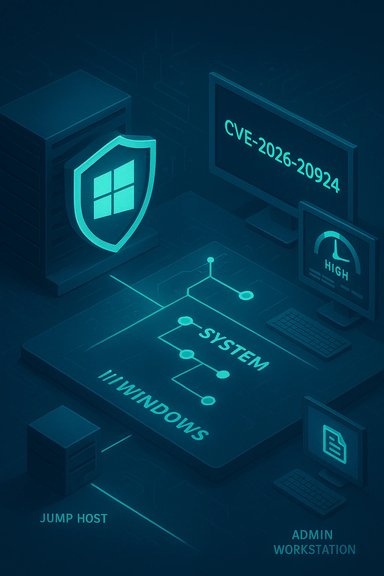
Windows Management Services (WMS) is a management-plane surface used by Windows for various administrative functions. Management-plane components are high-value targets: they often run with elevated privileges, act as orchestration surfaces for other systems, and are commonly installed on jump boxes, bastions, and admin workstations. That combination — privileged execution plus broad reach — is why WMS advisories are treated as urgent even when they are local-only in their attack vector.
Microsoft’s “confidence” metric is explicitly intended to help defenders prioritise: a vendor-confirmed and patched CVE is higher urgency than an uncorroborated report, and a mid‑confidence report (corroborated by independent researchers but not yet fully patched) demands a different operational posture than an early, single-source claim. The vendor page for CVE-2026-20924 is delivered via Microsoft’s Security Update Guide application shell (which requires JavaScript to render the full advisory), so the canonical record exists but may not immediately show a full plain‑text technical disclosure in every automated fetch.
While the vendor’s terse disclosure means low‑level exploit technicals are not yet widely available, historical patterns from the Windows management-plane advisories (race conditions, access‑control bypasses, memory‑safety defects and TOCTOU updater gaps) give a grounded model for likely exploitation vectors and detection logic. Security teams should assume a high-impact, local post‑compromise scenario is realistic and coordinate patch testing, prioritized rollout, and focused hunting accordingly.
Source: MSRC Security Update Guide - Microsoft Security Response Center
 Background
Windows Management Services (WMS) is a management-plane surface used by Windows for various administrative functions. Management-plane components are high-value targets: they often run with elevated privileges, act as orchestration surfaces for other systems, and are commonly installed on jump boxes, bastions, and admin workstations. That combination — privileged execution plus broad reach — is why WMS advisories are treated as urgent even when they are local-only in their attack vector.Microsoft’s “confidence” metric is explicitly intended to help defenders prioritise: a vendor-confirmed and patched CVE is higher urgency than an uncorroborated report, and a mid‑confidence report (corroborated by independent researchers but not yet fully patched) demands a different operational posture than an early, single-source claim. The vendor page for CVE-2026-20924 is delivered via Microsoft’s Security Update Guide application shell (which requires JavaScript to render the full advisory), so the canonical record exists but may not immediately show a full plain‑text technical disclosure in every automated fetch.
What the record actually says (and what it does not)
- Microsoft’s Update Guide lists CVE-2026-20924 under Windows Management Services and classifies the impact as Elevation of Privilege. That alone makes the record actionable for defenders because MSRC is the canonical KB→SKU mapping authority for Microsoft fixes.
- The public advisory text is deliberately terse. Microsoft often withholds exploit-level details during coordinated disclosure cycles to reduce short‑term weaponization risk; the Update Guide entry confirms existence and impact but does not always publish patch‑diffs, PoCs, or low‑level exploitation primitives in the initial public view. Treat any more granular technical claims from non‑vendor sources as provisional until corroborated.
- At the time of writing, there is limited independent technical analysis publicly available explaining precise exploit mechanics for CVE‑2026‑20924. That gap is meaningful but not exceptional — previous WMS disclosures followed the same pattern: vendor confirmation first, independent analysis or PoC later. Security teams must plan on assume‑bad (i.e., that the issue is exploitable in meaningful local post‑compromise scenarios) until proven otherwise.
Why management-plane EoP matters: practical threat model
Management-plane privilege escalation is not an abstract bug; it is an enterprise multiplier.- High privilege by design — WMS components typically run with SYSTEM or similar high-level privileges, so a successful exploit yields powerful primitives immediately.
- Trusted automation channels — Management hosts are often integrated with automation, update pipelines, and credential stores; compromised management hosts are ideal pivots for lateral movement and supply‑chain style abuse.
- Concentrated value — Admin workstations, bastions and jump servers often hold tokens, cached credentials, or service accounts that provide access far beyond a single host.
Plausible technical root causes — conservative, evidence‑based reasoning
Microsoft’s high-level descriptor — Elevation of Privilege in Windows Management Services — maps, historically, to a short list of recurring defect classes that reliably produce EoP in privileged services:- Race conditions / TOCTOU (CWE‑362): A check is performed and then an attacker replaces or modifies the resource before use (file replacement, DLL search‑order hijack, updater TOCTOU). Prior WMS CVEs were explicit about concurrent‑execution weaknesses.
- Use‑after‑free / memory corruption (CWE‑416): A stale pointer is dereferenced in privileged context, enabling write‑what‑where or arbitrary code execution if an attacker controls allocation patterns. Memory-safety defects in privileged services frequently yield SYSTEM.
- Improper access control / authorization bypass (CWE‑284): Management components sometimes accept local requests or artifacts without sufficient caller validation; an authenticated but low‑privileged actor can trigger a privileged operation. Several recent Microsoft advisories have been categorized under improper access control for that reason.
- Signed artifact verification flaws / updater logic gaps: Attacks that substitute signed scripts or replace DLLs in the window between signature verification and use (a TOCTOU variant) have been observed in management‑plane exploit chains. These are plausible when an updater or extension loader validates one artifact and then loads another from a writable location.
What defenders should verify first (practical, step‑by‑step)
- Confirm the vendor mapping: open Microsoft’s Security Update Guide and retrieve the exact KB numbers and SKU mappings associated with CVE‑2026‑20924 for each Windows build you run. Do not rely solely on CVE strings in third‑party scanners — MSRC is the canonical mapping.
- Inventory affected assets:
- Identify jump hosts, bastion servers, admin workstations, VDI pools, build servers, and any host running management tooling that may include WMS.
- Map each host to the exact OS build so you can apply the correct KB package.
- Stage and test:
- Apply the Microsoft KB in a small pilot ring (representative jump hosts and admin machines).
- Validate management workflows, backup/restore, authentication flows, and update processes before broad deployment.
- Patch deployment:
- Prioritize high‑value hosts (jump hosts, domain controllers reachable from management servers, WSUS/ConfigMgr hosts if they interact with WMS components).
- Apply the vendor patch per KB and follow any Servicing Stack Update (SSU) or reboot guidance Microsoft lists.
- If immediate patching is impossible, apply compensating controls:
- Lock down local write permissions for directories used by management components and updaters.
- Restrict access to management hosts using network segmentation and host firewall rules.
- Enforce least privilege for users on management hosts: remove persistent local admin from interactive accounts where possible.
- Hunting and detection:
- Tune EDR/SIEM to look for anomalous local privilege escalation patterns: unexpected SYSTEM process creation, scheduled tasks created by non‑admin accounts, sudden service installs, or processes loading unsigned DLLs.
- Alert on service crashes and restarts of WMS-related processes that precede suspicious activity.
- Collect volatile memory and event logs for hosts suspected of compromise before remediation steps that may overwrite forensic evidence.
Detection signatures and telemetry to prioritize
- Windows Event Logs: Service Control Manager (SCM) events showing unexpected service creation or failure; application crashes tied to management components; and audit events where local process accounts attempt privileged operations.
- EDR signals:
- Token duplication attempts or suspicious calls to LSASS-related APIs from low‑privileged processes.
- Non‑admin processes spawning SYSTEM‑context processes or creating new scheduled tasks/services.
- Modules loaded from user‑writable directories into privileged processes.
- File system telemetry:
- Changes to directories where management extensions, updaters, or signed artifacts are stored.
- Newly created or replaced DLLs in search‑path locations used by privileged services.
- Network telemetry:
- Unexpected outbound connections from admin hosts shortly after local crashes or service restarts.
- Management hosts connecting to previously unseen update sources.
Cross‑checking the record — independent corroboration and verification status
- Vendor canonical record: Microsoft’s Security Update Guide shows the CVE entry, confirming vendor acknowledgement and giving you the authoritative KB→SKU mapping location — even if the MSRC page presents via a JavaScript interface that an automated fetch may not fully render.
- Industry trackers: Community databases and vendor trackers (Rapid7, cvefeed and others) historically capture WMS-related CVEs and the kinds of defect classes they represent; those prior entries provide context for likely exploitation patterns and why management-plane EoP is urgent. Use these sources to inform detection and mitigation strategy, but always map the CVE to Microsoft KBs before mass deployment.
- Media and incident history: Recent high‑profile Windows server vulnerabilities (for example, the WSUS unsafe‑deserialization RCE in 2025) demonstrate the real-world consequences of vulnerabilities in core update and management components — including active exploitation, out‑of‑band patches, and national CERT advisories urging immediate remediation. These historical incidents illustrate why prompt, careful action is required for any management‑plane EoP.
Strengths in Microsoft’s disclosure model — and where defenders must compensate
What Microsoft does well in this case:- The Security Update Guide provides the authoritative KB→SKU mapping needed for accurate remediation and patch orchestration.
- The vendor’s confidence metric helps defenders prioritise resources: confirmed, vendor‑patched entries should be pushed faster than low‑confidence reports.
- The vendor’s intentionally concise advisories delay detailed exploit descriptions. That strategy reduces rapid mass weaponization but shifts more burden to defenders to assume worst‑case exploitation patterns until proven otherwise.
- Automated scanners and some third‑party feeds sometimes mis-map CVE→KB relationships; always confirm against MSRC before mass update jobs. This has been a recurring source of mispatching in prior Microsoft advisories.
Recommended timeline and playbook (0–72 hours, then 72+ hours)
0–24 hours- Immediately confirm the MSRC KB mapping for CVE‑2026‑20924 for each affected OS build. If MSRC’s interactive UI does not fully render in your tooling, open the Update Guide in a browser or use the Microsoft Update Catalog for the KB list.
- Inventory high‑value management hosts and prioritize them for the patch pilot ring.
- Apply the fix in a controlled pilot: update jump hosts, admin workstations, bastions and any management servers first.
- Validate critical management workflows (remote admin, scripted maintenance, backup and restore) after patching.
- Harden interim controls on unpatched hosts: restrict access, lock down writable directories used by management components, and increase EDR/SIEM telemetry.
- Execute broad rollout following successful pilot validation.
- Continue active hunting for indicators of compromise on hosts that were unpatched during the disclosure window.
- Conduct a post‑patch review: confirm reboots, SSU application where required, and validate that management services function as expected.
Practical mitigation details — configuration hardening checklist
- Enforce least privilege on management hosts; remove persistent local administrative rights where possible.
- Restrict NTFS write permissions on common extension and updater directories to SYSTEM and trusted install accounts only.
- Ensure EDR solutions are set to capture process creation with parent/child relationships, command‑line parameters, and module load events.
- Segment management hosts so they are not directly reachable from broad internal networks or the internet.
- If patching must be delayed, restrict inbound connectivity to management hosts to a narrowly defined admin subnet and require jump hosts for remote administration.
- Maintain an incident response posture that presumes compromise if suspicious activity coincides with the vulnerability window — collect memory and event logs before patching if you suspect active exploitation.
Risk calculus: how urgent is CVE‑2026‑20924?
- If Microsoft’s entry for CVE‑2026‑20924 is vendor‑confirmed and a patch is available, treat remediation as high priority for management hosts. Vendor confirmation increases urgency because adversaries commonly weaponize patch diffs and public disclosure quickly.
- If the entry is vendor‑noted but no KB is yet published, maintain an elevated posture: accelerate inventory, tighten isolation, and prepare for fast rollout once the KB appears.
- If independent PoCs appear publicly, escalate to emergency patching and hunting as the risk of broad exploitation rises steeply (as seen with prior WSUS and other management‑plane vulnerabilities). Historical precedent shows PoCs materially increase exploitation risk and can prompt out‑of‑band Microsoft updates.
Red flags and unverifiable claims to watch for
- Any publicly posted exploit code that claims to work remotely without vendor confirmation should be treated with caution; confirm the exact affected SKU/build and test in a lab before treating it as an operational detection signature.
- Third‑party CVE mirrors sometimes misassociate KB numbers or mislabel affected SKUs. Always validate any KB you plan to deploy against Microsoft’s Update Guide.
- Vendor terse descriptions that omit exploit mechanics are not indicators that exploitation is impossible; they are a disclosure policy choice designed to protect customers while patches are rolled out. Plan as if the vulnerability is exploitable in common post‑compromise chains until proven otherwise.
Conclusion
CVE‑2026‑20924’s presence in Microsoft’s Security Update Guide makes it an immediate operational item for enterprises with Windows Management Services on their jump hosts and admin surfaces. The vendor’s confidence indicator — and the brief, controlled advisory text — require defenders to act with both speed and discipline: confirm the KB→SKU mapping from the Update Guide, prioritize patching for management hosts, and apply compensating isolation and telemetry where patching must be delayed.While the vendor’s terse disclosure means low‑level exploit technicals are not yet widely available, historical patterns from the Windows management-plane advisories (race conditions, access‑control bypasses, memory‑safety defects and TOCTOU updater gaps) give a grounded model for likely exploitation vectors and detection logic. Security teams should assume a high-impact, local post‑compromise scenario is realistic and coordinate patch testing, prioritized rollout, and focused hunting accordingly.
Source: MSRC Security Update Guide - Microsoft Security Response Center
