

Chromium’s CVE-2026-2322 is showing up in Microsoft’s Security Update Guide because Microsoft Edge (the Chromium‑based browser) consumes Chromium’s open‑source engine — Microsoft records upstream Chromium CVEs in the guide to tell Edge users when the upstream fix has been ingested and shipped in an Edge build, and to provide the definitive statement that the current Edge release is no longer vulnerable. erview
Chromium is the open‑source project that supplies Blink, V8 and many other components used by a family of browsers including Google Chrome and Microsoft Edge. When a security flaw is discovered and patched in Chromium, downstream vendors such as Microsoft must merge (ingest) those upstream commits into their product branches, run their own quality and security verification, and then ship updated builds. Microsoft uses the Security Update Guide (SUG) to document both the original upstream CVE and the status of that CVE with respect to Microsoft Edge so administrators and end users can know, with vendor confirmation, whether their installed Edge build is protected.
Important note about the CVE you referenced: there’s a mismatch between the short label you supplied and the published record. CVE‑2026‑2322 is not described in vendor records as a heap buffer overflow in Codecs; it has been documented by Chromium/NVD and industry trackers as an inappropriate implementation in the File input control that can enable UI spoofing in Chrome prior to the Chrome 145.x patch line. That description — and the patched Chrome version — are published in authoritative release advisories and vulnerability databases. If you have a different listing claiming “Codecs heap overflow,” that appears to be a separate CVE and should be handled independently. Always verify the CVE description against Chromium’s release notes and NVD before making remediation decisions.
These programmatic checks let you build inventory reports and feed SIEM / patch dashboards. Always compare the reported build to vendor advisories rather than to general web posts.
Industry trackers list the CVSS around Medium (about 5.4), and several certs and vendors categorize it as Low/Medium depending on their scoring methodology. It’s important to treat UI spoofing seriously — it’s a common vector for phishing and credential theft — but the technical severity and the presence or absence of active exploitation influence operational urgency.
CVE‑2026‑2322 is a useful reminder of the interdependence between open‑source upstream projects and downstream vendor products. Microsoft’s inclusion of Chromium CVEs in the Security Update Guide is not an error; it is a deliberate, operationally useful signal to Edge customers that the upstream fix has been tracked, merged and shipped — but it is only one step in the verification process. The final, authoritative confirmation that your endpoint is protected remains the browser’s About/version evidence combined with your organization’s patch‑management telemetry.
Source: MSRC Security Update Guide - Microsoft Security Response Center
Chromium is the open‑source project that supplies Blink, V8 and many other components used by a family of browsers including Google Chrome and Microsoft Edge. When a security flaw is discovered and patched in Chromium, downstream vendors such as Microsoft must merge (ingest) those upstream commits into their product branches, run their own quality and security verification, and then ship updated builds. Microsoft uses the Security Update Guide (SUG) to document both the original upstream CVE and the status of that CVE with respect to Microsoft Edge so administrators and end users can know, with vendor confirmation, whether their installed Edge build is protected.
Important note about the CVE you referenced: there’s a mismatch between the short label you supplied and the published record. CVE‑2026‑2322 is not described in vendor records as a heap buffer overflow in Codecs; it has been documented by Chromium/NVD and industry trackers as an inappropriate implementation in the File input control that can enable UI spoofing in Chrome prior to the Chrome 145.x patch line. That description — and the patched Chrome version — are published in authoritative release advisories and vulnerability databases. If you have a different listing claiming “Codecs heap overflow,” that appears to be a separate CVE and should be handled independently. Always verify the CVE description against Chromium’s release notes and NVD before making remediation decisions.
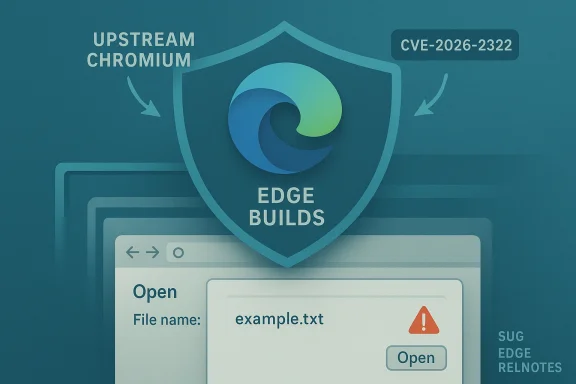 What the public disclosures say about CVE‑2026‑2322
- The vulnerability is described in Chromium advisories and industry CVE aggregators as an “inappropriate implementation in File input” that could be abused by an attacker who tricks a user into performing specific UI gestures, enabling UI spoofing (a form of visual trickery where the attacker makes the browser UI appear to be something it isn’t). The Chromium security severity is listed as Low; several trackers report a CVSS around 5.4 (Medium).
- Google’s Chrome Stable channel and Chrome Releases blog entries show the 145.x release cycle that carries a group of security fixes released in February 2026. The Chrome Release notes and security advisories identify the Chrome builds (Chrome 145.x) that include fixes for the February batch of CVEs. Because Chromium's release process stages builds across platforms and channels, the precise build point may be listed slightly differently depending on platform and timing.
- Linux distribution security advisories and vendor security trackers (for example Debian’s DSA) list the same CVE in their Chromium security updates and indicate the patched package versions where the Chromium fix has been packaged for those distributions. Those vendor pages are useful when you run Chromium or packaged Chromium (e.g., the distribution’s chromium package) rather than Google Chrome or Microsoft Edge.
Why Microsoft lists Chromium CVEs in the Security Update Guide
Microsoft’s Security Update Guide entry for an upstream Chromium CVE serves several operational functions:- It is the official, vendor‑level signting in Chromium has been addressed in a Microsoft product — primarily Microsoft Edge (Chromium‑based). Edge consumes Chromium OSS; once Microsoft ingests the upstream fix and ships an Edge build that contains the fix, Microsoft documents that CVE in the SUG so administrators have a single place to check Edge’s exposure status.
- The SUG entry helps enterprises and security teams map a Chromium CVE to the exact Microontains the fix, which is essential for patch‑management workflows, vulnerability scanning, and compliance reporting. Without that downstream mapping, teams would need to infer Edge status from Chromium release notes alone — an error‑prone process when vendors rebase, backport, or delay merges for testing.
- Microsoft also uses the SUG to clarify platform differences (Windows desktop, macOS, Android, ChromeOS, Linux) and to supply any Microsoft‑specific mitigations or defense‑in‑depth commentary that helps enterprise defenders prioritize rollout. This is why you will frequently see Chromium CVEs mirrored in Microsoft’s SUG even though the original fix was authored upstream.
How to check whether your browser is vulnerable — quick, reliable checks
If you want to confirm whether your installation of Microsoft Edge or Google Chrome contains the CVE‑2026‑2322 fix, the most reliable method is to check the browser’s version/build string and compare it against the patched build numbers published by Chromium and by Microsoft.Microsoft Edge (desktop: Windows / macOS)
- Open Micrettings and more (three dots) → Help and feedback → About Microsoft Edge.
- The About page automatically checks for updates and displays the full product version (for example: 145.0.3800.58). If the displayed version is equal to or newer than the Edge build that Microsoft lists as containing the Chromium 145.x fixes, the browser has the upstream fix. If it’s older, update immediately.
Google Chrome (desktop)
- Open Chrome.
- Click the three-dot menu → Help → About Google Chrome.
- Chrome will check for updates and display a version string such as 145.0.7632.45 (or a later point release). Chrome’s release notes identify the specific point release that includes the fix. Confirm that your installation is at or above the patched Chrome point release.
Edge / Chrome on mobile
- On Android, open the Play Store (or the device’s app store), find the browser, and confirm the app version in the “About” or “App details” section.
- On iOS, check the App Store listing for the installed app version.
Command line / automation
For large fleets and automation, query the installed binary’s file version:- dge): (Get-Item 'C:\Program Files (x86)\Microsoft\Edge\Application\msedge.exe').VersionInfo.FileVersion
- Windows PowerShell (Chrome): (Get-Item 'C:\Program Files\Google\Chrome\Application\chrome.exe').VersionInfo.FileVersion
These programmatic checks let you build inventory reports and feed SIEM / patch dashboards. Always compare the reported build to vendor advisories rather than to general web posts.
Mapping Chrome builds to Edge builds — what security teams must know
Chromium’s major/minor build numbers (for example, Chrome 145.0.7632.45) are the upstream canonical identifiers. Microsoft Edge uses a different product versioning scheme (for example, Edge 145.0.3800.58) that corresponds to a Chromium major number but carries a vendor‑specific build suffix. In practice:- If Chromium is patched in the Chrome 145.x branch, Microsoft will ingest those fixes and then ship correspond after testing. The Edge build number will often include the Chromium major (145) but not always match point‑for‑point the Chrome point release. Confirming protection therefore requires checking the Microsoft SUG/Edge release notes or the Edge About page.
- Because vendors may stage and backport fixes differently, you cannot assume that “Chrome 145.0.7632.45 = Edge 145.something” equates to instantaneous parity. Microsoft’s SUG entry or Edge release notices are the authoritative mapping.
Practical steps to protect users and reduce exposure
- Update now: Use the browser’s About page (edge://settings/help or chrome://settings/help) to force a version check and accept the update. Restart to complete the update.
- Enforce automatic updates where possible: For managed fleets, configure Microsoft Edge update policies or Chrome Enterprise policies so that updates apply automatically and without user intervention. These policies minimize windows of exposure caused by delayed user action.
- Patch management: Add the vendor‑documented Edge build numbers (from SUG or Microsoft relnotes) to your vulnerability tracking. Use your asset inventory to identify machines that are still on older builds and schedule out‑of‑band updates for critical targets.
- Reduce risk from UI spoofing:
- Disable automatic opening of downloads or file input auto‑fill features where possible.
- Train users to verify the browser chrome (URL bar, lock icon) before entering credentials or performing sensitive actions.
- Use enterprise browser controls (e.g., site allow/deny lists, extension policies) to limit exposure to untrusted sites.
- Monitor indicators: Keep an eye on vendor advisories and the SUG for disclosure of exploit activity. While CVE‑2026‑2322 has not been publicly flagged as “exploited in the wild” in major advisories at the time of writing, CVE status can change rapidly; automation and patching reduce the attack surface.
Why timelines vary and what that means for defenders
There are several reasons a CVE originating in Chromium may show different dates and build numbers across sources:- Google stages Chrome releases across channels (Canary → Dev → Beta → Stable) and across platforms (Windows, macOS, Linux, Android). The point release that first carries the fix may be an “early Stable” for a small slice of users before the more widely rolled release.
- Downstream vendors (Microsoft, Opera, Vivaldi, Brave) need to merge upstream changes, run regression testing, apply their own branding or telemetry adjustments, and then ship their own builds. That process can introduce a lag between a Chrome point release and the downstream vendor’s availability of the same fix. Microsoft signals ingestion and availability via SUG and Edge relnotes.
- Linux distributions that package Chromium (Debian, Ubuntu, Fedora) may need to rebuild packages, run distribution‑level QA and then publish DSA advisories. Those packaged versions often use the distribution’s own versioning and release cadence, so distro security advisories (e.g., Debian DSA) are the authoritative source for system packages.
- Upstream Chromium/Chrome release notes (Chrome Releases).
- Downstream vendor advisories (Microsoft SUG, Edge relnotes, distribution DSAs).
- Local inventory/patch status (About pages, package lists, binary file versions).
Technical note on impact and exploitability
CVE‑2026‑2322 has been characterized as an inappropriate implementation in File input, enabling UI spoofing under very specific user interactions. UI spoofing is an integrity and deception issue — an attacker can create content t’s UI appear to display something different from reality (e.g., fake file pickers or dialog text). The exploitation path requires user interaction, which reduces remote exploitability compared with memory‑corruption flaws that can be chained into remote code execution without user action.Industry trackers list the CVSS around Medium (about 5.4), and several certs and vendors categorize it as Low/Medium depending on their scoring methodology. It’s important to treat UI spoofing seriously — it’s a common vector for phishing and credential theft — but the technical severity and the presence or absence of active exploitation influence operational urgency.
Common questions and clarifications
- “If Microsoft lists the Chromium CVE, does that mean my Edge is definitely patched?”
Not automatically. Microsoft lists the CVE to announce the ingestion and to map which Edge builds contain the fix. You still must check your local Edge build (About page) and ensure it equals or exceeds the Edge build that Microsoft identifies as patched. - “Why do Chrome and Edge versions look different for the same Chromium fix?”
Edge and Chrome use different vendor build suffixes and packaging. The Chromium major (145) is the common reference; the downstream product’s full version string should be compared against the vendor’s advisory. Use SUG + About pages for certainty. - “My distribution’s chromium package still shows unpatched. What should I do?”
Distribution packages are maintained independently; follow your distro’s security advisories (DSA) and apply the distro’s packaged updates. In some cases you may choose to install Google Chrome or the vendor’s official package if faster updates are required, but that has policy and support implications.
Risk assessment and recommended priority
CVE‑2026‑2322 is a UI spoofing bug with Medium-ish scoring in public trackers. For most organizations:- High priority: Desktop browsers used by high‑value targets (admins, finance, executives), kiosk or public browsing stations, and systems where users routinely accept file uploads or use sensitive web services. These controls are often chosen by attackers for targeted phishing attempts.
- Medium priority: General user desktops and laptops outside critical roles, if automatic updates are enabled and monitored — but don’t delay patching; roll updates out within normal testing windows.
- Low priority: Systems without network access or where browsers are heavily restricted, but still apply mitigations to minimize future attack paths.
Final checklist for administrators and power users
- Check your browser’s About page now: edge://settings/help or chrome://settings/help. Confirm the build is patched.
- If using Microsoft Edge, consult Microsoft’s Security Update Guide or Edge relnotes for the Edge build that Microsoft lists as containing the Chromium 145.x fixes. Treat the SUG entry as the authoritative downstream mapping.
- For Linux/distribution Chromium packages, consult your distro’s DSA or security‑tracker entry and apply the packaged update (for example, Debian DSA that references the 145.x point releases).
- Enforce or enable automatic update policies where possible; use enterprise update tooling for staged rollouts and compliance reporting.
- Educate users about phishing and UI spoofing: don’t accept unexpected file dialogs, verify URL and certificate lock icons, and be skeptical of prompts requiring rapid file selection or multiple gestures.
CVE‑2026‑2322 is a useful reminder of the interdependence between open‑source upstream projects and downstream vendor products. Microsoft’s inclusion of Chromium CVEs in the Security Update Guide is not an error; it is a deliberate, operationally useful signal to Edge customers that the upstream fix has been tracked, merged and shipped — but it is only one step in the verification process. The final, authoritative confirmation that your endpoint is protected remains the browser’s About/version evidence combined with your organization’s patch‑management telemetry.
Source: MSRC Security Update Guide - Microsoft Security Response Center
