

The short answer is: Microsoft lists CVE‑2026‑2441 in the Security Update Guide because the flaw was fixed upstream in Chromium and Microsoft needs to tell Edge administrators whether the Chromium fix has been ingested into Microsoft Edge (Chromium‑based). To determine whether your browser is protected you must read the browser’s full version string and compare it to the fixed build numbers published by Chromium/Chrome and Microsoft’s Security Update Guide. gleblog.com](Stable Channel Update for Desktop))
Chromium is an open‑source web engine maintained by Google. Many browsers — including Google Chrome and Microsoft Edge (the Chromium‑based Edge) — are built on Chromium. When Chromium developers discover and patch a vulnerability, Google publishes the upstream fix and Chrome release notes; downstream vendors (like Microsoft) then absorb those upstream changes into their own product builds on their own cadence.
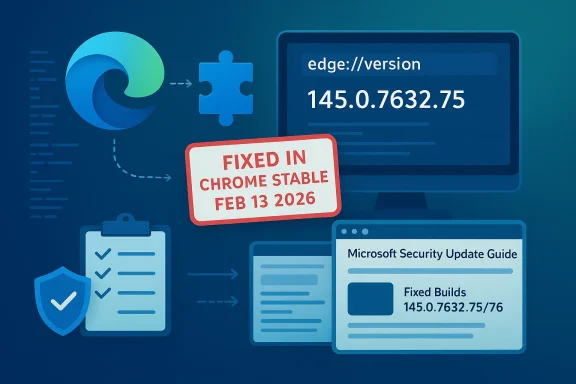
CVE‑2026‑2441 is a use‑after‑free bug in the browser’s CSS rendering component that Google patched in the February 13, 2026 Stable channel updates for Chrome. Google labelled the issue High severity and acknowledged that an exploit exists in the wild; the fix was published in Chrome Stable builds (Windows/macOS builds 145.0.7632.75/76 and Linux 144.0.7559.75). (chromereleases.googleblog.com)
Because Microsoft Edge ingests Chromium, Microsoft records Chromium‑assigned CVEs in its Security Update Guide to communicate to Edge customers whether the Edge builds they run are still vulnerable or have already ingested the upstream Chromium patch. The Secerefore functions as the downstream, vendor‑specific status page for Microsoft customers: it lists the CVE, explains that the issue originates in Chromium OSS, and shows whether the latest Edge release includes the upstream fix.
CVE‑2026‑2441 is a timely reminder of how modern browsers and the open‑source supply chain interact: an upstream fix matters, but downstream ingestion and timely patching are what protect deployed systems. The simple practical takeaway for users and administrators is this: check edge://version (or chrome://version), compare the full version string to vendor advisories, and update without delay when the remediation build is available.
Source: MSRC Security Update Guide - Microsoft Security Response Center
 Background / Overview
Chromium is an open‑source web engine maintained by Google. Many browsers — including Google Chrome and Microsoft Edge (the Chromium‑based Edge) — are built on Chromium. When Chromium developers discover and patch a vulnerability, Google publishes the upstream fix and Chrome release notes; downstream vendors (like Microsoft) then absorb those upstream changes into their own product builds on their own cadence.CVE‑2026‑2441 is a use‑after‑free bug in the browser’s CSS rendering component that Google patched in the February 13, 2026 Stable channel updates for Chrome. Google labelled the issue High severity and acknowledged that an exploit exists in the wild; the fix was published in Chrome Stable builds (Windows/macOS builds 145.0.7632.75/76 and Linux 144.0.7559.75). (chromereleases.googleblog.com)
Because Microsoft Edge ingests Chromium, Microsoft records Chromium‑assigned CVEs in its Security Update Guide to communicate to Edge customers whether the Edge builds they run are still vulnerable or have already ingested the upstream Chromium patch. The Secerefore functions as the downstream, vendor‑specific status page for Microsoft customers: it lists the CVE, explains that the issue originates in Chromium OSS, and shows whether the latest Edge release includes the upstream fix.
Why Microsoft documents Chromium CVEs in the Security Update Guide
- Microsoft Edge is built on Chromium, which means many security bugs originate in the Chromium codebase, not in Microsoft’s own code. Documenting Chromium CVEs in the Security Update Guide prevents ambiguity for administrators who must know whether their Edge builds include a fix.
- The Security Update Guide provides a single, authoritative place to learn whether d a patched Edge build that contains the upstream fix. Without this, admins would need to manually correlate Chrome/Chromium release notes with the Edge release cadence — a time‑consuming and error‑prone task.
- When a CVE is actively exploited in the wild, vendors commonly withhold exploit details temporarily and push fixes quickly; the SUG entry tells customers the remediation status (e.g., "Edge not vulnerable" once Microsoft ships the ingestion). For CVE‑2026‑2441 Google explicitly warned of in‑the‑wild exploitation and published patch builds on Feb 13, 2026. (chromereleases.googleblog.com)
How to check your browser version (quick practical guide)
The most reliable step in determining whether you are protected against CVE‑2026‑2441 is to get the browser’s exact version string and compare it against the fixed builds listed by Chromium/Chrome and the Microsoft Security Update Guide. Below are copy‑friendly, platform‑specific ways to retrieve that insoft Edge (desktop: Windows, macOS, Linux)- Fastest: In the address bar type edge://version and press Enter. This page shows the full Edge product version and the underlying Chromium build (and other metadata). Use the copy button or select the text to capture the exact string.
- Alternate GUI: Menu (three dots …) → Help and feedback → About Microsoft Edge (or open edge://settings/help). This page shows the Edge version and triggers an update check.
- Why this matters: Edge reports both the Edge product version and the Chromium revision; you need the full numeric version to map ingestion of upstream fixes. Community and vendor guidance consistently recommend edge://version or the About page as the canonical checks.
Google Chrome (desktop)
- Type chrome://version in the address bar, or chrome://settings/help to fetch About Chrome. The page contains the precise Chrome version used and the underlying Chromium component numbers. Compare that to the patched Chrome versions published on Feb 13, 2026 if you run Chrome rather than Edge. (chromereleases.googleblog.com)
Edge / Chrome on mobile (Android / iOS)
- Edge (Android / iOS): Menu → Settings → About this app (or About Microsoft Edge). The mobile app’s About screen shows the app version (note: mobile version numbers are vendor‑specific and mapping to upstream Chromium revisions may not be 1:1).
- Chrome (Android / iOS): Settings → About Chrome or check the app store listing for version history if needed.
Enterprise / fleet checks (recommended for admins)
- Lightweight: Have users copy the output of edge://version or chrome://version and paste it to your help desk ticket — the s verification artifact.
- Scripted inventory: Use your patch and configuration management tooling to query installed package metadata. For example, some Windows admins use Get‑AppxPackage (for Store/packaged installs) or query MSI/Win32 installer registry entries to extract the installed Edge version. Use your management console (SCCM/Intune/WSUS/third‑party) to report exact builds at scale. Exact commands and registry keys depend on how Edge was deployed in your environment.
- Note for air‑gapped or restricted environments: If auto‑update is disabled, an admin must compare the reported version string to the fixed build numbers and then stage an update via your chosen update mechanism.
Mapping the version string to the CVE‑fix (what to compare)
- Obtain your browser’s full version string (edge://version or chrome://version).
- Consult the upstream Csts CVE‑2026‑2441: Google patched it in the Stable channel on Feb 13, 2026 (Chrome Stable builds 145.0.7632.75/76 for Windows/macOS; Linux 144.0.7559.75). (chromereleases.googleblog.com)
- Consult Microsoft’s Security Update Guide entry for CVE‑2026‑2441 to confirm whetted an Edge build that includes the Chromium ingestion. The SUG entry is the downstream authority for Edge customers; it will state whether Edge versions are vulnerable or remediated.
- If your Edge product version is equal to or greater than the Microsoft‑listed remediation build (or if Microsoft states that the latest Edge is no longer vulnerable), you can treat Edge as remediated for that specific CVE. If Microsoft has not yet published an ingestion/build, treat Edge as potentially vulnerable until the patched Edge build is available.
Step‑byrpret (desktop, a practical checklist)
- Open Microsoft Edge.
- Type edge://version in the address bar and press Enter.
- Copy the full version string shown (for example: “Microsoft Edge 145.0.7632.80 (Official build) (64‑bit)” — exact numbers will vary).
- Open the Microsoft Security Update Guide entry for CVE‑2026‑2441 (use the SUG search for the CVE). Read the Remediation or Affected Products section to find the Edge build that Microsoft lists as containing the ingestion.
- If your reported Edge version is equal to or newer than the Microsoft remediation build, you're in the safe window for this CVE (for that Edge build). If it's older, update Edge and re‑check. If Microsoft has not yet reported ingestion, follow defensive steps (see next section).
If your browser is vulnerable — immediate mitigation steps
- Update first: For most consumers, enabling auto‑update and relaunching the browser will be sufficient. Chrome and Edge normally update themselves and will apply the stable channel patch once it becomes available to the channel you use. (chromereleases.googleblog.com)
- Enterprise: Stage the vendor‑approved Edge/Chrome builds through your update pipeline (SCCM/Intune/WSUS or third‑party management). Don’t ad‑hoc install random binaries.
- Temporary mitigations: If you must hold an older build for compatibility reasons, reduce exposure by restricting browsing to trusted sites, enforcing stricter Content Security Policies, and applying network‑level protections (web filters, advanced threat protection) to block or quarantine suspicious content. Remember that CVE‑2026‑2441 is exploitable via crafted web content — reducing untrusted browsing is a practical risk reduction step.
- Monitor: Watch Microsoft’s Security Update Guide for the SUG entry to change to “remediated” for specific Edge builds; also watch Chrome Releases and NVD entries for any additional guidance. (chromereleases.googleblog.com)
How vendors coordinate: upstream fixes, downstream ingestion, and disclosure timelines
- Upstream (Chromium/Google): A researcher or intbug; the Chromium team patches it and Chrome release notes record the CVE and the fixed builds. For CVE‑2026‑2441, Google’s Chrome Releases post on Feb 13, 2026 lists the fix and notes that Google is aware of in‑the‑wild exploitation. (chromereleases.googleblog.com)
- Downstream (Microsoft and others): Microsoft picks up the new Chromium revision, integrates it into an Edge build, does its own quality and compatibility work, and then publishes a Security Update Guide entry to reflect whether the Edge builds in the field are remediated. Because Microsoft’s release cadence differs from Google’s, there can be a window where Chrome is patched but Edge may still be awaiting ingestion — exactly the scenario the Security Update Guide was designed to make transparent.
- Why vendors withhold exploit details: When a CVE is actively exploited, both upstream and downstream vendors often restrict technical details for a short period to prevent copycat exploitation before most users have updated. This is why the SUG/Chrome release notes may include limited technical details alongside urgent update guidance. (chromereleases.googleblog.com)
The risks and realities: what this CVE actually means for users
- Impact description: CVE‑2026‑2441 is a use‑after‑free vulnerability in the CSS/path that can lead to arbitrary code execution inside the browser sandbox via a crafted HTML page. In practical exploitation scenarios, attackers lure users to a malicious page or content and weaponize the memory corruption. If an attacker can combine this with a separate sandbox escape, the result could be higher‑privileged compromise; even by itself, in‑sandbox code execution is a serious foothold.
- Active exploitation: Multiple security advisories and vulnerability trackers reported that CVE‑2026‑2441 is being exploited in the wild at the time of initial disclosure, increasing the urgency to update. Treat active exploitation as a higher risk than an unexploited vulnerability of similar severity. (cybersecurity-help.cz)
- Realist targeted browser exploitation relies on social engineering (malicious link, booby‑trapped ad, drive‑by page). Users who limit exposure to unknown or untrusted web content reduce their chance of exploitation. However, because exploits can be encountered passively (e.g., malicious advertisement networks), the most effective countermeasure is to apply the vendor patch. (chromereleases.googleblog.com)
How to verify and cross‑check (best practices for admins and savvy users)
- Cross‑reference at least two independent sources: use Chrome Releases for Google’s fixed build numbers and NVD (or trusted CERT bulletins) for CVE details and scoring. For CVE‑2026‑2441, Chrome Releases documents the patch and NVD documents the CVE metadata. ([chromereleases.googleblog.comses.googleblog.com/2026/02/stable-channel-update-for-desktop_13.html))
- Always consult Microsoft’s Security Update Guide for Edge status: the SUG entry reflects Microsoft’s downstream ingestion and remediation status for Edge customers. If Microsoft states the latest Edge is “not vulnerable,” your Edge updates should reflect that status.
- Keep a reproducible audit trail: capture the output of edge://version (or chrome://version) and retain it as part of your ticketing or change control record when you patch and validate remediation.
Recommended actions (concise checklist)
- Immediately check your browser version using edge://version or chrome://version.
- Compare the version to Google’s published fixed builds (Chrome Stable 145.0.7632.75/76 Windows/macOS; Linux 144.0.7559.75) and the Microsoft Security Update Guide entry for CVE‑2026‑2441. (chromereleases.googleblog.com)
- If your browser is older than the fixed builds, update immediately via the browser’s About page or your enterprise patching mechanism. (chromereleases.googleblog.com)
- If you manage fleets, run a scripted inventory that reports browser product versions and schedule staged patching.
- If you cannot update immediately, reduce browser exposure (block untrusted content, restrict web access to trusted domains, enable network filtering) until the patch is deployed.
Closing analysis: strengths, gaps, and what to watch next
- Strengths: Microsoft’s inclusion of Chromium CVEs in the Security Update Guide is a pragmatic, transparency‑focused approach. It reduces confusion for Edge administrators by providing a single downstream status indicator for Chromium‑origin CVEs. The Chrome Releases announcement for CVE‑2026‑2441 was timely and clear about fixed builds and in‑the‑wild exploitation, which helps defenders prioritize.
- Gaps and risks: There is an inevitable time lag between an upstream Chromium patch and downstream vendor ingestion. That window — especially with active exploitation — creates real risk for consumers of downstream builds. Administrators must therefore maintain rapid update workflows and monitoring; reliance on a single channel without cross‑checking could leave fleets exposed. Also, some mobile or embedded Chromium derivatives may not receive the same cadence of fixes; treat non‑Chrome/Edge Chromium consumers as “potentially vulnerable” until their vendor explicitly confirms a remediation.
- What to watch next: Monitor three sources: Google’s Chrome Releases for upstream fixes, Microsoft’s Security Update Guide for Edge ingestion, and NVD/CERT advisories for metadata and scoring updates. If you run third‑party Chromium browsers (or older Edge channels like Extended Stable), check vendor bulletins closely because ingestion timing varies by channel and vendor. (chromereleases.googleblog.com)
CVE‑2026‑2441 is a timely reminder of how modern browsers and the open‑source supply chain interact: an upstream fix matters, but downstream ingestion and timely patching are what protect deployed systems. The simple practical takeaway for users and administrators is this: check edge://version (or chrome://version), compare the full version string to vendor advisories, and update without delay when the remediation build is available.
Source: MSRC Security Update Guide - Microsoft Security Response Center
