

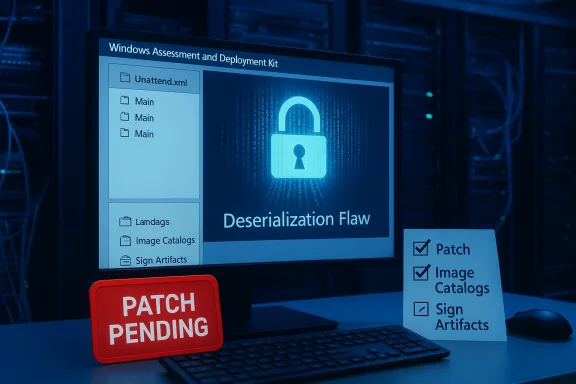
Microsoft has added CVE‑2026‑25166 to its Security Update Guide for the Windows Assessment and Deployment Kit (ADK), identifying a deserialization flaw in Windows System Image Manager (WSIM) that can lead to remote code execution — in practice, a local attacker with low‑privilege access can execute arbitrary code by feeding crafted data to WSIM. (msrc.microsoft.com) (feedly.com)
Windows System Image Manager is a core tool within the Windows Assessment and Deployment Kit (ADK) used by IT teams to create and validate unattended installation answer files (Unattend.xml), to author Windows image catalogs, and to automate large-scale deployments. Because of WSIM’s role in imaging and provisioning, it runs on build and deployment workstations and is commonly used in controlled administrative environments. Microsoft has recorded the issue as CVE‑2026‑25166 and assigned a High severity rating (CVSS v3.1 base score reported as 7.8 by multiple vulnerability feeds). (feedly.com)
The vendor advisory summarizes the impact succinctly: a deserialization vulnerability in WSIM permits an authorized actor to execute code locally. Microsoft’s Security Update Guide entry for the CVE is the canonical record of the patch and technical metadata. (msrc.microsoft.com)
Community reporting indicates Microsoft released the fix as part of the March 2026 security update cycle; several security news outlets and patch trackers cataloged the patch and labeled the issue as "Important" with a high‑7 CVSS score. Organizations should treat vendor‑supplied update metadata and KB mappings as authoritative for patch deployment.
For most organizations the highest‑impact steps are straightforward: treat ADK and WSIM hosts as high‑value, apply the Microsoft update, and harden the imaging pipeline to reduce the chance that an attacker with local access can deliver a systemic compromise. Short‑term mitigations (segmentation, least privilege, application control) and rigorous image validation practices provide practical risk reduction while patch deployments are scheduled and executed. Finally, defenders should assume adversaries will examine any vendor advisory for exploitation opportunities and maintain an active detection and response posture on deployment infrastructure. (learn.microsoft.com)
In the weeks after vendor disclosure, security teams should watch for follow‑on technical writeups, proof‑of‑concepts, and exploit activity — but they should not wait: the confirmed vendor fix is available and the operational risk of compromised imaging hosts justifies immediate remediation. (msrc.microsoft.com)
Source: MSRC Security Update Guide - Microsoft Security Response Center
 Background / Overview
Windows System Image Manager is a core tool within the Windows Assessment and Deployment Kit (ADK) used by IT teams to create and validate unattended installation answer files (Unattend.xml), to author Windows image catalogs, and to automate large-scale deployments. Because of WSIM’s role in imaging and provisioning, it runs on build and deployment workstations and is commonly used in controlled administrative environments. Microsoft has recorded the issue as CVE‑2026‑25166 and assigned a High severity rating (CVSS v3.1 base score reported as 7.8 by multiple vulnerability feeds). (feedly.com)The vendor advisory summarizes the impact succinctly: a deserialization vulnerability in WSIM permits an authorized actor to execute code locally. Microsoft’s Security Update Guide entry for the CVE is the canonical record of the patch and technical metadata. (msrc.microsoft.com)
Technical summary: what the vulnerability is and why it matters
The vulnerability class — deserialization of untrusted data
Deserialization flaws occur when software converts serialized input (objects, structures, data blobs) into in‑memory objects without properly validating or constraining types and values. If the deserialization logic can be influenced by an attacker, crafted data can cause the runtime to instpes or call dangerous code paths. In Windows components this often translates to arbitrary code execution in the context of the process that performs the deserialization. Security researchers have repeatedly observed object injection patterns leading to RCE across multiple ecosystems; WSIM’s vulnerability follows that familiar pattern. (feedly.com)Exploitation model and required privileges
Microsoft’s advisory and current community reporting indicate exploitation requires local access and some form of authorization: the attacker must be able to run code or place crafted data on the system where WSIM runs. In practical terms that means:- The flaw is not trivially exploitable over the internet against a default, unmodified system that does not expose WSIM to remote users.
- An attacker with an account on the machine (for example, a low‑privilege Windows user, a compromised service account, or an administrator of a shared imaging workstation) could trigger code execution locally by supplying malicious serialized input to WSIM.
Affected components and platforms
Community consolidations and Microsoft’s metadata list WSIM and the ADK as the affected components. Reporting across feeds identifies the following systems as typically within scope of WSIM usage (product families that rely on ADK tooling):- Windows 10 and Windows 11 builds supported by the ADK release dates referenced in the advisory.
- Imaging and deployment workstations where the ADK and WSIM are installed — including engineering and build servers used by IT teams.
Microsoft’s official advisory is the authoritative source for per‑SKU mappings; defenders should consult the Security Update Guide entry for precise KB and update mappings for their exact ADK and OS builds. (msrc.microsoft.com)
What Microsoft says and how the update is delivered
Microsoft has published an advisory entry in the Security Update Guide for CVE‑2026‑25166. That entry constitutes vendor confirmation of the flaw and indicates that a remediation is available as a security update distributed through Microsoft’s normal channels. Security feeds picked up Microsoft’s advisory and published CVE metadata and severity ratings shortly after the vendor entry appeared. (msrc.microsoft.com) (feedly.com)Community reporting indicates Microsoft released the fix as part of the March 2026 security update cycle; several security news outlets and patch trackers cataloged the patch and labeled the issue as "Important" with a high‑7 CVSS score. Organizations should treat vendor‑supplied update metadata and KB mappings as authoritative for patch deployment.
Why this vulnerability is operationally important
Imaging workstations are high‑value targets
Although WSIM itself is not a network service, imaging and deployment workstations often have privileged access to images, driver packages, signing material, scripts, and network shares. A compromised imaging host can be a staging point for:- Injecting malicious code into images that will be deployed broadly.
- Exfiltrating build artifacts or credentials used by provisioning systems.
- Obtaining escalated privileges by abusing automation and scheduled tasks that run elevated operations tied to imaging workflows.
Realistic exploitation pathways
There are several realistic attack chains that make this WSIM vulnerability worth urgent attention, despite the local‑access requirement:- Phishing or credential theft leads to a low‑privilege account being able to run processes on a shared deployment workstation.
- A misconfigured remote desktop or build automation agent exposes an imaging machine to network access.
- Supply‑chain access: an attacker with access to an enterprise CI/CD or imaging pipeline can place crafted catalogs or image files that later get processed by WSIM.
Patching, mitigation, and immediate steps for defenders
Apply Microsoft’s update as the primary action
The definitive remediation is the Microsoft security update listed in the Security Update Guide entry for CVE‑2026‑25166. Administrators should:- Identify all systems where the ADK and WSIM are installed, including build servers, imaging workstations, and automation hosts.
- Map each host to the correct KB/security update as published in Microsoft’s advisory, and verify the patch level.
- Prioritize patching imaging hosts and any systems that perform unattended image creation or automated provisioning.
Short‑term mitigations where patching is delayed
If immediate patch deployment is not possible, take layered mitigations to reduce likelihood and impact:- Remove or restrict WSIM/ADK from non‑trusted build workstations; install ADK only on systems that require it.
- Enforce least privilege: ensure imaging and deployment workstations do not run unnecessary services, and limit who can log on interactively to those hosts.
- Isolate build and provisioning infrastructure in segmented management VLANs or dedicated jump hosts; do not expose imaging hosts to general user networks.
- Audit scheduled tasks, automation agents, and service accounts that can create or modify answer files and catalogs.
- Where feasible, employ application control (Windows Defender Application Control, AppLocker) to constrain which binaries and scripts can execute on imaging hosts.
Detection and hunting: indicators and logs to review
Detections will be centered on anomalous WSIM process activity and unexpected file operations involving image catalogs and unattended answer files:- Monitor process creation and behavior for Windows System Image Manager (WSIM.exe or related ADK tooling) that reads serialized catalog or answer files.
- Look for unexpected file writes or DLL loads following WSIM execution.
- Review authentication and interactive logon events on build hosts; prioritize alerts for non‑admin accounts performing image‑authoring activities.
- Check audit trails and source control systems for unexpected changes to Unattend.xml files, component catalogs, or image signing artifacts.
Attack surface reduction and longer‑term recommendations
- Reduce the number of machines with ADK installed. Treat ADK/WSIM as privileged tooling and centralize imaging to a small set of hardened hosts.
- Adopt ephemeral build and imaging hosts where feasible, provisioning fresh build workers from secure golden images and destroying them after use.
- Harden administrative workstations with strong MFA, endpoint protection, and application control to limit post‑compromise operations.
- Monitor supply‑chain and CI systems that store or produce image artifacts and enforce integrity checking (signing and validation of images prior to deployment).
- Add Catalog and Unattend file scanning into CI pipelines: flag unexpected changes and enforce cryptographic checks.
Risk analysis: strengths of Microsoft’s response and residual concerns
Strengths
- Vendor acknowledgment: Microsoft’s Security Update Guide entry provides a confirmed, vendor‑of‑record advisory and a patched remediation, which shortens the defender’s window of uncertainty and facilitates coordinated patching. (msrc.microsoft.com)
- Cross‑industry tracking: multiple independent trackers and security outlets cataloged the CVE and its severity quickly, offering analysts a shared situational awareness and patch prioritization signals. (feedly.com)
Residual concerns and risk vectors
- Local‑access requirement can lull teams into complacency. Although the issue needs local code execution to trigger, attackers frequently obtain such footholds via phishing, cached credentials, exposed RDP, or compromised developer/build accounts — making the “local” requirement less protective than it appears.
- Imaging hosts are high‑impact assets. Even a single local compromise before patching can have outsized consequences if images are published or circulated widely.
- Limited public technical detail in initial advisories can slow defensive rule‑making. Vendor advisories sometimes omit low‑level exploitation primitives; while this reduces attacker playbooks in the wild, it also constrains defenders’ ability to write immediate detection signatures. For CVE‑2026‑25166, security feeds reported no public proof‑of‑concept at the time of initial listing — that condition should be treated as temporary and not a reason to delay patching. (feedly.com)
Practical playbook (step‑by‑step)
- Inventory: Locate all hosts with ADK and WSIM installed, including CI/CD runners, build boxes, imaging VMs, and administrative workstations.
- Patch mapping: Use Microsoft’s Security Update Guide entry to determine the exact update or KB for each ADK/OS combination and schedule immediate deployment for imaging hosts. (msrc.microsoft.com)
- Isolate: If patching cannot be immediate, isolate affected workstations from production networks and remove them from shared administrative groups.
- Harden: Implement application control, restrict interactive logon rights, and enforce MFA for accounts used on imaging hosts.
- Detect: Enable process and file auditing for WSIM activity, and establish alerts for unexpected changes to Unattend.xml or image catalogs.
- Validate images: Before deploying images created between the vulnerability disclosure and patch deployment, validate image integrity against known good hashes and, where possible, rebuild images on patched systems.
- Post‑incident readiness: Prepare IR runbooks specific to imaging systems; include steps for image verification, revocation/rotation of signing credentials, and forensic capture of compromised build hosts.
What defenders should not assume
- Do not assume "local only" equals "low priority." Local exploits can be chained into high‑impact compromises.
- Do not assume the absence of a public proof‑of‑concept means the vulnerability is not beinicated actors. Vendor confirmation plus a public CVE is sufficient reason to prioritize remediation.
- Do not rely solely on network controls — hardening the host and control over who can run WSIM is the most effective mitigation.
Closing assessment
CVE‑2026‑25166 is a classic example of an initially understated but operationally dangerous class of vulnerability: a deserialization flaw in a privileged tooling component. Microsoft’s advisory confirms the issue and provides the vendor‑backed patch that every affected organization should deploy without delay. Independent tracking sources and security outlets have labeled the issue Important/High and assigned a CVSS score near 7.8, reinforcing the need for prioritized action. (msrc.microsoft.com) (feedly.com)For most organizations the highest‑impact steps are straightforward: treat ADK and WSIM hosts as high‑value, apply the Microsoft update, and harden the imaging pipeline to reduce the chance that an attacker with local access can deliver a systemic compromise. Short‑term mitigations (segmentation, least privilege, application control) and rigorous image validation practices provide practical risk reduction while patch deployments are scheduled and executed. Finally, defenders should assume adversaries will examine any vendor advisory for exploitation opportunities and maintain an active detection and response posture on deployment infrastructure. (learn.microsoft.com)
In the weeks after vendor disclosure, security teams should watch for follow‑on technical writeups, proof‑of‑concepts, and exploit activity — but they should not wait: the confirmed vendor fix is available and the operational risk of compromised imaging hosts justifies immediate remediation. (msrc.microsoft.com)
Source: MSRC Security Update Guide - Microsoft Security Response Center
