

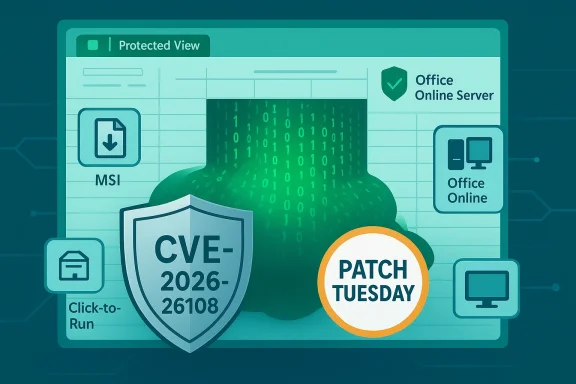
Microsoft’s March 10, 2026 security release patched a high‑impact vulnerability in Microsoft Excel tracked as CVE‑2026‑26108 — a heap‑based buffer‑overflow that can allow an attacker to execute code in the context of the current user when a crafted Excel file is opened. The patch is part of a broader Patch Tuesday bundle that fixed dozens of Office and Windows issues; Microsoft published update packages targeted at different Office editions and server products, and explicitly instructs customers to install all updates that apply to the software on their systems (if multiple packages match, they can be installed in any order). This article explains what CVE‑2026‑26108 is, who it affects, why Microsoft ships multiple update packages, how the vulnerability can be mitigated and detected, and how IT teams should prioritize and deploy fixes in production environments.
CVE‑2026‑26108 is described by Microsoft as a heap‑based buffer overflow in Microsoft Office Excel that can result in remote code execution (RCE) in practice — though Microsoft’s advisory and vulnerability trackers classify the attack vector as local with user interaction required (an attacker must convince a user to open a specially crafted Excel file). The vulnerability received a CVSS v3.1 base score in the high range, reflecting the potential impact to confidentiality, integrity and availability if successfully exploited.
This fix appears in Microsoft’s March 10, 2026 security updates for Excel and related Office components. At a minimum, Microsoft published standalone update packages for desktop editions such as Excel 2016 and for server products such as Office Online Server; Enterprise deployments will likely see multiple update packages appear in the Security Update table, reflecting platform, architecture, and servicing branch differences.
Key technical points you need to know right away:
High‑value telemetry to collect and monitor:
Practical deployment advice:
Points to weigh:
Prioritize a combined approach:
Source: MSRC Security Update Guide - Microsoft Security Response Center
 Background / Overview
CVE‑2026‑26108 is described by Microsoft as a heap‑based buffer overflow in Microsoft Office Excel that can result in remote code execution (RCE) in practice — though Microsoft’s advisory and vulnerability trackers classify the attack vector as local with user interaction required (an attacker must convince a user to open a specially crafted Excel file). The vulnerability received a CVSS v3.1 base score in the high range, reflecting the potential impact to confidentiality, integrity and availability if successfully exploited.This fix appears in Microsoft’s March 10, 2026 security updates for Excel and related Office components. At a minimum, Microsoft published standalone update packages for desktop editions such as Excel 2016 and for server products such as Office Online Server; Enterprise deployments will likely see multiple update packages appear in the Security Update table, reflecting platform, architecture, and servicing branch differences.
Key technical points you need to know right away:
- The underlying bug is a heap‑based buffer overflow (CWE‑122); memory corruption of this type can enable execution of attacker‑controlled code when exploited successfully.
- Microsoft’s advisory indicates user interaction is required — typically opening or previewing a malicious spreadsheet — which reduces but does not eliminate the real‑world exploitation risk.
- The vulnerability carries a high severity rating (CVSS ~7.8), making it a high patch‑priority for most organizations.
- Microsoft’s practical guidance for administrators: apply all updates that match products you have installed; if multiple updates apply, install all of them — the packages may be independent, and installation order is not important.
Why multiple update packages exist (and what they mean for you)
If you open Microsoft’s Security Updates table for a given Patch Tuesday release you often see several rows that look very similar. That’s normal — Microsoft ships different package types and channels to cover the variety of Office installations in the real world. Here’s why you might see more than one update listed for the same vulnerability:- Different Office editions and servicing channels:
- MSI (Windows Installer) editions (traditional installed Office) vs Click‑to‑Run (C2R) editions (the modern streaming installer used by Microsoft 365 Apps). These are updated with different package formats.
- Multiple product components:
- Desktop Excel updates, Office Online Server (server‑side rendering/preview), and other Office components may each require their own package.
- Architecture differences:
- 32‑bit vs 64‑bit builds of Office get separate installers and hashes.
- Version and build differences:
- Older product builds and supported servicing branches receive distinct packages tailored to the exact binary set the customer is running.
- Server vs client:
- Server products such as Office Online Server or web‑view rendering components require server‑specific packages that address the same underlying bug in a different binary.
Technical analysis: how CVE‑2026‑26108 can be abused
Heap overflows are a classic memory‑corruption class and, when present in document parsers, are particularly attractive to attackers because:- Document formats are widely exchanged and often automatically processed or previewed by clients.
- Exploit chains can be simple: a malicious file triggers a memory corruption, which an attacker uses to redirect execution to a payload, giving code execution in the victim’s user context.
- Even when exploitation requires user interaction, social engineering (phishing) is a highly effective delivery vector.
- The vulnerability manifests when Excel processes crafted spreadsheet content and overruns a heap buffer, allowing attackers to overwrite memory and potentially control program flow.
- The attack vector is recorded as local with user interaction required, meaning the attacker needs a way to deliver the file to the victim and the user must open or preview the file. However, the practical exploitation risk is still significant because opening files from email or shared storage remains common.
- In realistic attack scenarios, the malicious Excel file could be attached to phishing emails, dropped on file shares, or loaded via web downloads. If a victim opens the file in Excel (or in some cases previews it), the vulnerability could allow code execution at the user privilege level.
Immediate mitigation and hardening steps (before and after patching)
If you cannot immediately patch every affected endpoint and server, apply layered mitigations that reduce the practical attack surface:- Enforce Protected View and Safe Documents:
- Ensure Office is configured to open files from the internet, email attachments and untrusted locations in Protected View by default. Protected View renders content read‑only and isolates it from many active behaviors.
- Enable Safe Documents / cloud document scanning for Microsoft 365 Apps for Enterprise where available to have documents inspected before fully opening.
- Deploy Attack Surface Reduction (ASR) rules:
- Turn on ASR rules that block Office applications from creating child processes or from creating executable content where feasible. These rules frequently block the post‑exploit payload stages (e.g., Office launching PowerShell or cmd) and have proven effective in past Office exploitation chains.
- Disable or restrict preview panes for email clients:
- Where possible, disable automatic preview in mail clients that render Office documents, or block previewing of potentially‑risky file types.
- Harden mail and gateway controls:
- Ensure email gateways scan and strip or block suspicious attachments; use attachment‑sandboxing to detonate files in secure environments.
- Principle of least privilege:
- Limit users’ local administrative rights. Code executed at the user level is less dangerous if the account has minimal privileges.
- User awareness:
- Remind users not to open attachments from untrusted senders, and to verify unexpected spreadsheets that request enabling editing or macros.
Detection and incident hunting recommendations
A sensible detection strategy looks for behaviors commonly associated with weaponized document exploitation and post‑exploit activity.High‑value telemetry to collect and monitor:
- Office process activity: Excel spawning suspicious child processes (e.g., cmd.exe, powershell.exe, wscript.exe, rundll32.exe) shortly after a document open or preview event.
- Unusual ddns or network egress from workstations that opened Office documents, especially to unknown IPs or newly registered domains.
- New or unexpected scheduled tasks, services, or persistence artifacts on hosts that recently opened Excel documents.
- Exploit artifacts: application crash dumps or Windows Event logs with Office module faults; heap corruption often manifests as abnormal exceptions or crashes in office process logs.
- File indicators: unusually structured or obfuscated workbook files, Excel files containing embedded OLE objects or anomalous XML streams.
- Alert when WINWORD.EXE, EXCEL.EXE or POWERPNT.EXE spawn PowerShell or cmd within a short time window.
- Flag workstations that have both an Office process crash and immediate outbound connections to rare domains.
- Search telemetry for newly written scheduled tasks or persistent services created by non‑admin users coinciding with document opens.
- Monitor for users marking documents as “trusted” or disabling Protected View shortly after receiving mail from unknown senders.
Patch deployment guidance — desktops, servers, and managed environments
Microsoft’s security updates for March 10, 2026 include multiple packages that address CVE‑2026‑26108 across different products and editions. Administration teams must reconcile the product inventory and pick the exact packages that match each target.Practical deployment advice:
- Inventory and map affected products:
- Identify which Excel/Office editions are present: MSI vs Click‑to‑Run, 32‑bit vs 64‑bit, Office Online Server or web‑rendering hosts.
- For server workloads (Office Online Server, web apps that render Office documents), include the server‑specific KB in patch plans.
- Use your existing update channels:
- For enterprise: deploy via WSUS, SCCM/ConfigMgr, Microsoft Endpoint Manager (Intune) or your chosen patch management system.
- For unmanaged or ad‑hoc systems: Microsoft Update and Microsoft Update Catalog provide standalone packages.
- Test before broad rollout:
- Stage the update on a representative sample of systems and monitor for application compatibility regressions — particularly for legacy macros, add‑ins, or automation tooling that interacts with Excel.
- Order and prerequisites:
- Microsoft states multiple applicable updates can be installed in any order; however, check for Servicing Stack Updates (SSUs) and prerequisite packages for Windows in your patch sequence, and confirm whether the Office update requires a specific build baseline.
- Verification:
- After deployment, confirm installation using inventory queries (Get‑HotFix, patch management reports, or the Update Compliance dashboard) and verify application behavior and user reports.
- Rollback plan:
- Maintain documented rollback procedures and tested system backups in case an update introduces unacceptable compatibility problems. Some update types (e.g., SSUs) are not removable — plan accordingly.
- Map Office installs and classify by edition (MSI/C2R), architecture, and product build.
- Download the specific KB packages that match each target and stage them in a test ring.
- Run functional tests for critical line‑of‑business macros and add‑ins during the pilot.
- Deploy across the organization in progressive rings with monitoring.
- Validate with endpoint telemetry and user feedback; remediate any regressions.
Risk assessment: balancing urgency with operational stability
CVE‑2026‑26108 is high severity and should be prioritized, but real‑world patch programs must balance the urgency of security fixes against the risk of breaking critical workflows.Points to weigh:
- Attack feasibility: the vulnerability requires user interaction, which reduces immediate remote mass‑exploitation risk but does not eliminate targeted attacks or opportunistic mass phishing.
- Exposure surface: organizations with high volumes of inbound documents, public‑facing file shares, or users prone to enabling editing are higher risk.
- Downstream impact: code executed at user privilege can be used to stage privilege escalation, lateral movement, or ransomware. In modern attack chains, a single document‑triggered foothold is frequently the first step to severe compromise.
- Compatibility risk: older line‑of‑business Office automation scripts, COM add‑ins, or specialized macros may misbehave or break after updates. This makes staged rollouts and quick rollback procedures important.
- Patch public‑facing servers and any server components that render or preview Office documents immediately.
- Patch critical business desktops with elevated exposure (mail admins, finance, executive teams, users who frequently open external documents).
- Roll out to the remaining fleet in controlled rings, while keeping mitigations such as ASR rules and Protected View enabled enterprise‑wide.
What administrators should do now — an action plan
- Immediately identify all systems with Microsoft Excel, Office Online Server, or Office components that appear in the Security Updates table for March 10, 2026.
- Download and stage the relevant KB packages for your MSI or C2R editions and for server products — install all updates that apply to your systems.
- While staging, enable or retain these mitigations across the enterprise:
- Protected View and Safe Documents
- Relevant Attack Surface Reduction rules (block Office from creating child processes)
- Disable document preview panes in mail clients where practical
- Monitor telemetry for the hunting indicators described earlier and raise alerts for suspicious Office process behavior.
- Run the patch rollout in rings: pilot → broader test ring → full deployment; verify each stage and be prepared to pause if compatibility issues arise.
- Communicate with users: warn them about malicious attachments and provide guidance on safe document handling.
Strengths and limitations of Microsoft’s approach
Microsoft’s handling of CVE‑2026‑26108 shows several strengths:- Timely patching: the bug was addressed as part of a coordinated monthly security release that included fixes for multiple Office and Windows issues.
- Granular packaging: distinct update packages allow administrators to patch precisely the components installed in their environment.
- Clear operational guidance: Microsoft’s explicit instruction to install all applicable updates simplifies decision making for admins managing multiple product editions.
- The multiplicity of packages increases operational complexity for large enterprises that must correctly map each package to installed variants (MSI vs C2R, server vs client).
- Some mitigation controls, like ASR rules, can cause legitimate enterprise workflows to fail (Office automation, legacy macros), which forces tradeoffs between security and functionality.
- If organizations delay patching due to compatibility testing, they remain exposed. Attackers often weaponize document parser bugs quickly, so mitigation layers and staged patching must be used to reduce risk during the window.
Final assessment and closing recommendations
CVE‑2026‑26108 is a high‑severity heap‑overflow in Microsoft Excel that presents a credible risk when malicious spreadsheets are opened. Microsoft’s updates (released March 10, 2026) cover both desktop and server components; administrators must install every update that applies to the software on their systems, including separate packages for different Office editions. While user interaction is required to exploit the vulnerability, that requirement is not a reliable safeguard — threats routinely use phishing and other social engineering to deliver malicious documents.Prioritize a combined approach:
- Deploy Microsoft’s patches promptly using your standard patch management process.
- Use Protected View, Safe Documents, and Attack Surface Reduction rules to reduce the window of exposure while updates are staged.
- Hunt for suspicious Office process behavior and be prepared to respond to indicators of compromise.
- Test updates in representative environments and maintain rollback and communication plans to manage functional regressions.
Source: MSRC Security Update Guide - Microsoft Security Response Center
