

Werkzeug’s safe_join() has a new Windows‑specific wrinkle: a recently assigned CVE shows the function can still resolve paths that end with legacy Windows device names when those names are embedded inside multi‑segment paths, allowing a remote request handled by send_from_directory() to open a device and hang the worker — a denial‑of‑service vector patched in Werkzeug 3.1.6. (github.com)
Werkzeug is the WSGI utility library that underpins many Python web frameworks and applications. Its safe_join() helper is intended to safely combine a trusted base directory with one or more untrusted path segments supplied by users (for example, when serving static files via send_from_directory()). On Windows, however, the operating system exposes a long‑standing quirk: a set of reserved device names such as CON, PRN, AUX, NUL and COM1 that are valid device handles in every directory. Requests that result in opening these names do not operate like normal file reads and can block or behave unexpectedly.
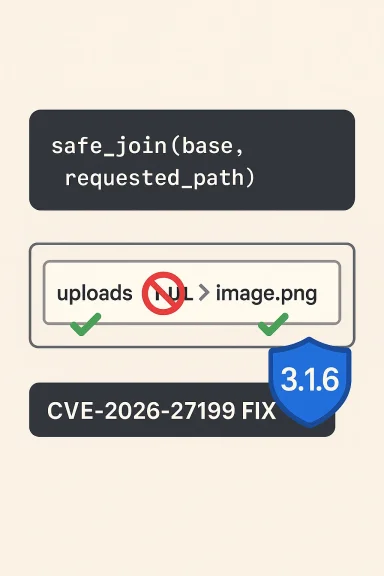
CVE‑2026‑27199 (the issue at hand) documents a subtle bypass: previous hardening that blocked direct requests for device names left a gap where device names embedded as the last segment of a multi‑segment path (for example, "uploads/NUL") were still treated as regular files by safe_join(). When send_from_directory() subsequently attempts to open and read that path on a Windows host, the OS opens the device handle and read operations can hang indefinitely — effectively producing a remote denial‑of‑service against the worker thread or process handling that request. The problem was fixed in Werkzeug 3.1.6; affected releases are versions earlier than 3.1.6.
Community reporting and securi ring of device‑name related fixes for safe_join(): earlier advisories (for example in late 2025 and early 2026) patched other permutations of the same theme, but the multi‑segment case surfaced as a bypass of those mitigations. The issue has attracted proof‑of‑concept code and public discussion in multiple security feeds and community forums.
Community discussion and previous advisories show this class of issue has recurred in multiple forms, so teams should assume future variants are possible and include explicit unit tests that mimic real request patterns (multi‑segment, extensions, trailing spaces) as part of security regression testing.
Conclusion
Werkzeug’s safe_join() multi‑segment device‑name bypass (CVE‑2026‑27199) is a reminder that legacy OS behavior can become an application security problem when combined with permissive path handling. The fix is available in Werkzeug 3.1.6; upgrading and following the layered mitigations above will remove the immediate risk. Operationally, treat all Windows‑hosted web apps that accept user paths as high‑priority for this update and add path‑segment validation as a permanent defensive practice. (github.com)
Source: MSRC Security Update Guide - Microsoft Security Response Center
 Background / Overview
Werkzeug is the WSGI utility library that underpins many Python web frameworks and applications. Its safe_join() helper is intended to safely combine a trusted base directory with one or more untrusted path segments supplied by users (for example, when serving static files via send_from_directory()). On Windows, however, the operating system exposes a long‑standing quirk: a set of reserved device names such as CON, PRN, AUX, NUL and COM1 that are valid device handles in every directory. Requests that result in opening these names do not operate like normal file reads and can block or behave unexpectedly.CVE‑2026‑27199 (the issue at hand) documents a subtle bypass: previous hardening that blocked direct requests for device names left a gap where device names embedded as the last segment of a multi‑segment path (for example, "uploads/NUL") were still treated as regular files by safe_join(). When send_from_directory() subsequently attempts to open and read that path on a Windows host, the OS opens the device handle and read operations can hang indefinitely — effectively producing a remote denial‑of‑service against the worker thread or process handling that request. The problem was fixed in Werkzeug 3.1.6; affected releases are versions earlier than 3.1.6.
Community reporting and securi ring of device‑name related fixes for safe_join(): earlier advisories (for example in late 2025 and early 2026) patched other permutations of the same theme, but the multi‑segment case surfaced as a bypass of those mitigations. The issue has attracted proof‑of‑concept code and public discussion in multiple security feeds and community forums.
What exactly goes wrong: technical summary
Windows device names are special
- Windows historically treats a small set of names (CON, PRN, AUX, NUL, COM1, LPT1, etc.) as special device files that are addressable from any directory.
- These names are not regular files; opening or reading them invokes device semantics and may block, return device‑specific responses, or behave unpredictably depending on the device and API used.
safe_join’s intended purpose
- safe_join(directory, *path_segments) is a sanitization helper: it normalizes and verifies that the final resolved path does not escape the trusted base directory.
- It must detect absolute paths, path traversal (".."), backslashes on Windows, and pathological segments that could map to devices.
The bypass
- A previous fix disallowed plain device names and attempted to sanitize common tricky forms (extensions, trailing spaces).
- However, safe_join accepted multi‑segment inputs where the final segment is a device name. Example: posix‑style request path "images/NUL" — safe_join normalized and returned a path under the base directory that resolved to the device name on Windows.
- The server code (e.g., send_from_directory()) then opened the path and attempted to read it. Because it was a device, the read call hung, blocking the worker and producing a DoS condition — exploitable from networked clients if the endpoint accepts the path anonymously.
Why this matters to Windows‑deployed Python apps
- Platform specificity
- The vulnerability only manifests on Windows hosts because only NT‑derived platforms expose those implicit device names. Applications running on Linux, macOS, or container images based on non‑NT kernels are not affected by this particular device‑name semantics.
- Realistic attack surface
- Any web endpoint that:
- uses Werkzeug’s safe_join() or send_from_directory() to serve user‑controlled paths, and
- runs on Windows,
- may be reachable over the network and therefore exposed to unauthenticated requests,
is potentially at risk. Many small websites and internal tools still use development server patterns or serve static content via these helpers, increasing the practical exposure. - Impact class: Denial of Service
- The core impact is availability: worker threads or processes can hang or block indefinitely. With enough concurrent requests an attacker can exhaust worker pools, causing service disruption or outages.
- The exploit does not change file contents or leak data in the general case — its primary effect is to tie up resources (A:L in many CVSS assessments). Several trackers labeled the issue as medium to high depending on contets.
- Bypass of prior mitigations
- This CVE is a variant of earlier device‑name fixes (a prior CVE was addressed in 3.1.4 / 3.1.5). The persistence of new permutations underscores the difficulty of exhaustively sanitizing platform‑specific path semantics. Community threads and advisories noted the recurrence and the importance of comprehensive segment‑level checks.
Confirmed facts (what we can verify)
- Affected versions: Werkzeug versions prior to 3.1.6 were vulnerable to the multi‑segment device‑name bypass. This is explicitly listed in NVD and in the official commit merged by the maintainers.
- Fixed version: 3.1.6 contains the patch that checks subpath segments and disallows Windows device names in multi‑segment inputs. The commit message and release notes record this fix. (github.com)
- Exploitation result: On Windows, reading an opened device handle for these names can cause the operation to block/hang, producing a worker‑blocking Denial‑of‑Service. This behavior is documented in advisories and reproduced in community proof‑of‑concepts.
- Platform limitation: The issue is platform‑specific to Windows. Non‑NT systems are not affected in the same way.
Risk analysis: who should worry most
- Publicly accessible web apps that serve static files using Werkzeug helpers and run on Windows are highest priority.
- Multi‑tenant hosting platforms or automated static file endpoints that accept arbitrary user paths without additional filtering.
- Development/test instances left exposed to the internet — common with Flask’s convenience patterns that rely on Werkzeug helpers — can be trivially targeted.
- Enterprise deployments that use Windows containers or Windows Server for hosting Python web services.
- Services that do not use send_from_directory() or any code paths that call safe_join(), or that run on Linux/macOS.
- Hardened deployments using WAFs that already block suspicious path tokens and device names may have partial mitigation, but not every WAF ruleset checks for multi‑segment device names.
Practical mitigation and remediation steps (tested sequence)
- Immediate remedial action (recommended for all affected deployments)
- Upgrade Werkzeug to 3.1.6 or later and restart all application processes and workers. This is the single most effective remediation. Verify package versions with pip or your dependency management tooling. (github.com)
- If you cannot immediately upgrade, implement server‑level request filtering to reject URL path segments that match Windows device names (case‑insensitive, strip trailing spaces and ignore dot‑extensions in the same way the attacker can obfuscate names).
- Short‑term hardening (if upgrade is delayed)
- Disable use of send_from_directory() in code paths that accept user input; instead, serve static files through a dedicated static file server or reverse proxy that does not run on Windows.
- Add application logic that rejects any path where any path segment, after normalization, equals a Windows device name (e.g., check each component against a canonical list of reserved names).
- Add WAF rules to block requests containing suspicious segments like "/CON", "/NUL", "/COM1" in any position.
- Validation and testing steps (post‑patch)
- Run unit/integration tests to ensure safe_join() behavior: attempt to join base + "subdir/NUL" and confirm the function returns None or raises as expected (patched behavior).
- Exercise send_from_directory() endpoints with known device names to confirm the server rejects or responds in a controlled way rather than hanging.
- Monitor logs for repeated requests targeting device names (recon activity).
- Long‑term measures
- Avoid serving user‑specified arbitrary filesystem paths where possible.
- Prefer canonical static file pipelines (CDNs, Nginx/IIS static serving) and keep application logic minimal.
- Educate developers on platform‑specific filesystem semantics; reserved device names are an OS quirk that requires explicit handling.
- 1) Upgrade to Werkzeug >= 3.1.6. (github.com)
- 2) Restart all services and workers.
- 3) Audit code for direct use of safe_join/send_from_directory.
- 4) Add path‑segment validation and WAF rules.
- 5) Monitor for exploit attempts.
Developer‑level technical notes
- The merged patch for 3.1.6 normalizes each untrusted path segment with posixpath.normpath(), then iterates the split subparts (splitting on "/"), checking whether any partition (p.partition(".")[0].strip().upper()) appears in a curated list of Windows device names. If any segment matches, the function returns None (denying the join). This differs from the prior approach that only examined the overall provided filename, leaving multi‑segment forms unchecked. The maintainer's commit message and tests explicitly cover cases like "b/CON" to prevent circumvention by embedding device names inside nested paths. (github.com)
- The patch also adjusted ancillary normalization behavior and added tests to capture the previously missed corner cases. The commit references an external device‑names reference list to ensure completeness. Developers should treat that list as authoritative when implementing their own sanitizers. (github.com)
- Note: relying on ntpath.isabs or Python’s built‑in path checks is insufficient across Python versions — some older Python versions have subtle differences in isabs behavior on NT, so the Werkzeug fix includes explicit checks that are independent of Python's ntpath quirks.
Operational detection and indicators
- Look for bursty requests to static endpoints with path segments like:
- /static/CON
- /files/uploads/NUL
- /assets/anything/COM1
- Watch server thread metrics and request latencies: an increase in long‑running requests servicing static endpoints on Windows strongly suggests attempts to trigger a hang.
- Log patterns: repeated failed reads followed by thread timeouts or worker restarts. Correlate with processes that open file handles for device names.
Wider lessons and risks
- Platform quirks matter: filesystem semantics and legacy device‑name behavior are platform‑level issues that surface in application code that assumes POSIX‑style path properties. Cross‑platform libraries must explicitly and exhaustively handle these platform specifics.
- Patch regressions and bypass families: this CVE is a classic "fix/patch bypass" category — a previous fix closed a class of obvious cases, but attackers and researchers discovered alternate encodings (multi‑segment names, obfuscated extensions, trailing spaces) that slipped through. Maintain defensive depth: layered checks, unit tests for edge cases, and aggressive fuzzing of path handling are essential.
- Operational risk: small web apps, development servers, and Windows‑hosted microservices are all realistic targets because many teams deploy convenience patterns without considering host OS quirks.
What to tell your team (short briefing)
- If you run Python web apps on Windows and use Werkzeug, upgrade to 3.1.6 immediately and restart services. This is the canonical fix. (github.com)
- If you cannot upgrade now, block requests containing Windows device names at the edge and remove any usage of send_from_directory() that accepts user input.
- Audit your codebase for safe_join(), send_from_directory(), and any manual path‑joining logic that might cases.
- Monitor for exploitation attempts and validate mitigations in your staging environment.
Final assessment
CVE‑2026‑27199 is not a remote code execution bug or a data‑exfiltration vulnerability — its impact is availability focused — but that does not make it low priority. Denial of service against production workers can have immediate business impact, and the vulnerability is both easy to understand and easy to exploit where the prerequisites exist (Windows host + reachable path‑serving endpoint). The maintainers’ response (the 3.1.6 patch) was targeted and correct: the fix enforces segment‑level device name checks and adds tests to prevent regressions. Deploy the patch, adjust defensive layers (WAF, reverse proxy, static-serving strategy), and treat filesystem semantics as a first‑class security consideration in code reviews.Community discussion and previous advisories show this class of issue has recurred in multiple forms, so teams should assume future variants are possible and include explicit unit tests that mimic real request patterns (multi‑segment, extensions, trailing spaces) as part of security regression testing.
Conclusion
Werkzeug’s safe_join() multi‑segment device‑name bypass (CVE‑2026‑27199) is a reminder that legacy OS behavior can become an application security problem when combined with permissive path handling. The fix is available in Werkzeug 3.1.6; upgrading and following the layered mitigations above will remove the immediate risk. Operationally, treat all Windows‑hosted web apps that accept user paths as high‑priority for this update and add path‑segment validation as a permanent defensive practice. (github.com)
Source: MSRC Security Update Guide - Microsoft Security Response Center
