

A newly disclosed vulnerability in Vim’s built‑in file‑browser plugin, netrw, can be used to inject and execute shell commands when a user opens a specially crafted remote URL (for example, using the scp:// protocol). The bug, tracked as CVE‑2026‑28417, affects Vim releases prior to 9.2.0073 and has been fixed in the 9.2.0073 patch; the upstream advisory and patch details show the weakness, the attack surface, and the exact fix implemented. (github.com)
Vim is one of the most widely used terminal text editors in the developer and systems‑administration communities. The editor ships with the netrw plugin as a standard runtime component; netrw provides remote file browsing and transfer support over several protocols (scp, ftp and others) and is commonly used to open, edit, and save remote files from the comfort of a local Vim session.
Because netrw must build and execute shell commands (for example, to list remote directories or to transfer files using scp/ssh), it necessarily accepts strings that come from URLs and hostnames and interpolates those into shell invocations. That interpolation is what this vulnerability takes advantage of: insufficient hostname validation allowed attacker‑controlled data to include shell meta‑characters that were later passed to the shell. (github.com)
For defenders and maintainers, the lesson is longstanding: apply defense‑in‑depth. Validation alone is good; validation plus proper escaping is better; and limiting privileges and attack surface adds another layer of protection.
Source: MSRC Security Update Guide - Microsoft Security Response Center
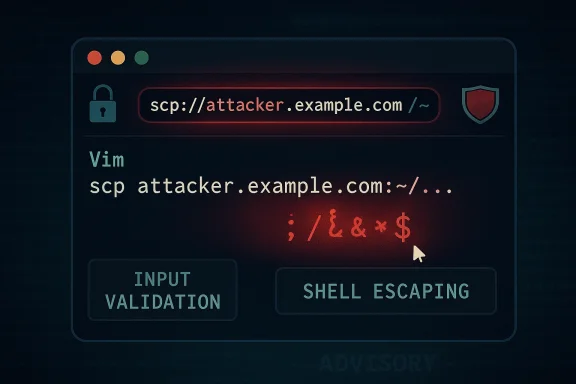 Background
Vim is one of the most widely used terminal text editors in the developer and systems‑administration communities. The editor ships with the netrw plugin as a standard runtime component; netrw provides remote file browsing and transfer support over several protocols (scp, ftp and others) and is commonly used to open, edit, and save remote files from the comfort of a local Vim session.Because netrw must build and execute shell commands (for example, to list remote directories or to transfer files using scp/ssh), it necessarily accepts strings that come from URLs and hostnames and interpolates those into shell invocations. That interpolation is what this vulnerability takes advantage of: insufficient hostname validation allowed attacker‑controlled data to include shell meta‑characters that were later passed to the shell. (github.com)
What the vulnerability is — technical summary
- A hostname‑validation routine in netrw was too permissive: the function originally checked only that a hostname began with an alphanumeric character, and did not ensure the remainder of the hostname string contained only safe characters. This allowed shell metacharacters (such as
;,|,$(...), backticks, etc.) to be embedded into what netrw believed was a hostname. (github.com) - Netrw builds shell commands from user‑supplied remote URL components and ultimately invokes the shell via commands like
:r!(Vim’s Ex command to run external shell commands and read output). A maliciously crafted hostname can therefore become part of the shell command line and cause arbitrary command execution, running with the privileges of the running Vim process. (github.com) - The concrete exploitation vector described by the advisory is simple in principle: induce a user to open a crafted URL (for example,
scp://attacker.example.com/…where the hostname actually contains injection payload). Because the hostname is visible to the user when opening a URL interactively, the advisory rates the severity as moderate and notes that exploitation requires user interaction. (github.com) - The issue was fixed in Vim 9.2.0073 by tightening hostname validation and by safely escaping the hostname when constructing shell commands. The upstream patch both enforces stricter patterns for hostname/user@hostname and uses shell‑escaping when inserting the hostname into command templates. (github.com)
Verified technical details (what the patch changed)
To evaluate the scope and correctness of the fix, we inspected the upstream patch committed for this release. The patch contains two complementary changes:- Stricter hostname validation — The new implementation builds explicit patterns for an optional username, a constrained hostname pattern (1–64 characters, alphanumeric with dots and hyphens; no underscores; no leading or trailing dot/hyphen), and IPv4/IPv6 patterns. The validation now accepts only user@hostname, IPv4, or IPv6 forms that match those patterns; it rejects the earlier looser check that only ensured the first character was alphanumeric. This eliminates the ability to smuggle shell metacharacters into the hostname field. (github.com)
- Shell escaping when building commands — When netrw constructs the ssh/scp command string, it now calls the editor’s shell‑escape helper to escape the hostname before substituting it into the command template. This means that even if unusual characters were present, they would be passed to the shell as a literal string rather than being interpreted as additional commands. The patch shows the code path where the variable used to represent the remote machine is wrapped with a shell‑escape call before being substituted into the final command. (github.com)
Affected versions, CVE metadata and severity
- CVE identifier: CVE‑2026‑28417. (github.com)
- Affected versions: Vim releases prior to 9.2.0073 (the advisory lists affected: < 9.2.0072, patched in 9.2.0073). (github.com)
- Upstream fix: Vim 9.2.0073 (patch release containing the netrw update). (github.com)
- CVSS v3.1 vector published with the advisory: AV:L/AC:L/PR:N/UI:R/S:U/C:L/I:L/A:N with an overall score reported as 4.4 (Moderate) — this reflects a local attack vector that requires user interaction, but which does not require prior privileges. The advisory explicitly calls out the visibility of the malicious hostname and the user‑interaction requirement as reasons for the moderate rating. (github.com)
Exploitation scenarios and practical risk
Understanding how realistic exploitation is requires separating the mechanics of the bug from the attack surface:- The technical mechanism (command injection via hostname) is straightforward and reliable if an attacker can get netrw to use a crafted hostname string that reaches the shell. That makes this a classic command‑injection weakness in software that builds shell commands from untrusted input. (github.com)
- The practical exploitability is limited by two important conditions:
- User interaction is required. The user must open the crafted URL in a Vim session — the attack cannot be carried out entirely silently without any local action. The advisory calls this out and rates the issue accordingly. (github.com)
- The malicious hostname is likely visible. Because netrw shows the connection string, a user may notice unfamiliar hostnames. The advisory reasons that this visibility reduces the likelihood of silent, large‑scale exploitation. (github.com)
- However, those constraints do not make the issue harmless:
- Attackers commonly use social‑engineering vectors that can convince even technical users to click or follow a link (for example, through targeted phishing, malicious project files that include scp:// links, or malicious shortcuts in documents or bug trackers).
- If an instance of Vim is running with elevated privileges (for example, a root or administrator terminal where Vim is intentionally run as a privileged user), the consequences escalate significantly: arbitrary command execution under the elevated account can lead directly to full system compromise.
- Some automated workflows or misconfigured tools might open URLs or run editors on behalf of a user — any such automation could remove the protective "human notice" property and make exploitation easier.
Detection and immediate mitigations
If you manage systems or developer workstations, here are immediate, practical measures you should take:- Update Vim to 9.2.0073 (or later) as soon as possible. This is the upstream fix that both tightens validation and performs shell escaping. Patch management for editors is often overlooked; apply the updated package from your distribution/vendor or rebuild Vim from upstream source if necessary. (github.com)
- If you cannot immediately patch, reduce exposure:
- Avoid opening remote URLs with netrw (scp://, ftp://, etc.) unless you trust the source.
- Consider disabling netrw’s network protocols in environments where remote editing is not needed. (For many users, a local‑only configuration is acceptable.) The exact configuration knob depends on your Vim runtime and distribution; consult your Vim configuration and plugin settings for netrw controls.
- Never run Vim as root or an administrator unless absolutely needed. Prefer editing with user‑level privileges and use privilege escalation tools for specific tasks rather than launching a full editor as root. This is one of the simplest ways to limit the blast radius of editor vulnerabilities.
- Monitor for indicators of suspicious activity that could signal exploitation:
- Look for unexpected child processes of Vim that invoke scp/ssh or shell sequences.
- Inspect shell history, system command logs, and audit logs for unusual commands that reference network files or remote hosts.
- On multiuser systems, check recent login sessions and active processes for instances of Vim running from locations or by users that shouldn’t be using remote URL features.
- Harden input surfaces: Where possible in your environment, restrict which protocols or custom URL handlers can launch programs, and teach users to hover and verify before following protocol links in chat apps, project trackers, emails, and web pages. Social engineering remains the most likely route for this class of vulnerability. (github.com)
Remediation: how to update and verify the fix
- Check your Vim version:
- Run
vim --version(orgvim --versionon GUI builds) and examine the patchlevel number. Confirm the version string contains 9.2.0073 or later before considering a host safe. (github.com) - If you use a distribution package:
- Use the OS/package manager to upgrade to the patched package. Most major distributions will release updated Vim packages following the upstream fix; check your distro’s security advisory feed or package metadata for the updated release.
- If you maintain custom builds:
- Pull the upstream tag/commit that contains the patch (the upstream commit ID referenced in the advisory is included in the patch release) and rebuild using your usual build process. The upstream change is small and isolated to the netrw runtime file. (github.com)
- Verification:
- After updating, repeat
vim --versionto confirm the patched release is installed. - Optionally inspect the
runtime/pack/dist/opt/netrw/autoload/netrw.vimfile in the installed runtime to confirm the presence of the stricter hostname validation and the shellescape call.
Why this matters — context from history
Netrw and Vim have been targeted by security researchers and exploiters before. Historically, netrw has been involved in earlier vulnerabilities that allowed command execution or path traversal when handling remote or archive content; this CVE is the latest in a pattern where input handling and interaction with shell commands present recurring risk in file‑manipulation plugins. The pattern is familiar: plugins that accept untrusted filenames or remote hostnames and then hand strings to shells are intrinsically high‑risk unless input validation and escaping are carefully applied.For defenders and maintainers, the lesson is longstanding: apply defense‑in‑depth. Validation alone is good; validation plus proper escaping is better; and limiting privileges and attack surface adds another layer of protection.
Practical recommendations for WindowsForum readers
Many Windows users rely on gVim or WSL installations of Vim. Consider the following practical steps:- gVim / Vim on Windows: install the patched gVim/Vim 9.2.0073 package for Windows from your distribution channel, or install an updated package via your Windows package manager if available. Verify the patchlevel in the program’s version output. (github.com)
- WSL / Linux on Windows: update the Linux distribution’s Vim package inside the WSL instance. Use your normal distribution package manager (apt, dnf, pacman, etc.). If you compiled Vim inside WSL, recompile from the patched upstream tag. (github.com)
- Avoid editing files that originate from untrusted networks in an unpatched editor. If you must examine remote content, prefer tools that do not invoke shells (or sandbox the editor session), or open files in a containerized environment where privilege escalation impact is limited.
- Educate team members to be wary of clickable scp:// or similar protocol links in bug trackers, pull requests, chat messages or email. Even technical staff are commonly the target of subtle social engineering.
Detection and incident response playbook (recommended steps)
If you suspect exploitation or want to audit systems for potential misuse:- Inventory: enumerate all machines with Vim installed and record versions. Target machines with old versions for immediate patching.
- Process audit: use
ps,tasklist, or monitoring tools to find instances of Vim processes and examine their child processes for scp/ssh invocations. On Linux:ps -ef | grep vimthenpstree -p <vimpid>andlsof -p <vimpid>. - Command‑history review: check
~/.bash_history,~/.zsh_history, PowerShell transcript logs, and similar for unusual commands executed around the time Vim ran. - Log analysis: look for indications of remote file transfers initiated by users or uncanny scp/ssh command lines originating from unusual hosts.
- Containment: if compromise is confirmed or suspected, isolate the machine from the network, collect memory/disk snapshots for forensic analysis, rotate credentials used on the host, and rebuild the host if appropriate. Because an exploited Vim process executes commands as the user, treat local credentials and possibly SSH keys as compromised until proven otherwise.
- Notification and patching: patch all systems, and if you administer multiuser systems, communicate the incident and remediation steps to all users and administrators.
Critical appraisal of upstream handling
- Strengths:
- The Vim project responded quickly with a minimal, well‑scoped patch that follows standard secure‑coding practices: input validation plus safe escaping. The fix is easy to reason about and is limited to the netrw runtime code that builds remote command strings. (github.com)
- The advisory clearly documents the attack vector, the affected versions, and the required user interaction — useful context for system administrators assessing risk. (github.com)
- Caveats and residual risks:
- The vulnerability class (command injection) is high‑impact by nature in scenarios where editors run with elevated privileges, so even "moderate" CVSS scores can understate the impact for misconfigured systems.
- The fix relies on both validation and escaping; while that is an appropriate two‑pronged approach, it assumes the pattern lists (host regexes) and escaping function behavior remain correct across all shells and platforms. Historically, subtle differences in shell escaping and how shell interpreters behave in different environments (Windows, various Unix shells, platform‑specific scp implementations) can create edge cases. That means downstream packagers and platform maintainers should validate the patch in their target environments. (github.com)
- Final note: The advisory and patch are high quality and proportional to the issue. The remaining operational risk mostly comes from where Vim is run (privileged contexts) and how users are trained to interact with remote links.
Takeaway and final recommendations
- Treat CVE‑2026‑28417 as an actionable risk: update to Vim 9.2.0073 or a later release without delay. The upstream fix is explicit and small, and package maintainers should release updated builds quickly. (github.com)
- In the short term, avoid opening untrusted remote URLs with netrw, and never run Vim as an administrator or root in routine workflows.
- Add editor versions to your endpoint inventory and ensure patch pipelines include text editors and development tooling — these are often overlooked but are legitimate attack vectors when they interface with network resources or shells.
- Finally, educate your team on the phishing + protocol‑link attack pattern: even technical users should be suspicious of scp:// or other protocol links prompted from emails, web pages, or chat messages.
Source: MSRC Security Update Guide - Microsoft Security Response Center
