

Microsoft has recorded CVE-2026-33118 as a Microsoft Edge (Chromium-based) spoofing vulnerability, and the key question for defenders is not simply whether the bug exists, but how much confidence Microsoft has in the underlying technical details. In Microsoft’s own vulnerability model, that confidence metric is used to express whether a flaw is merely suspected, corroborated by research, or confirmed through vendor acknowledgment—an important distinction because certainty affects both urgency and the quality of attacker knowledge available. Historically, spoofing flaws in Edge and other Microsoft browsers have tended to involve deceptive content rendering or HTTP parsing issues, and Microsoft has repeatedly treated that class as serious because even “non-execution” browser bugs can still be used to trick users into trusting malicious pages. osoft’s Security Update Guide has long used vulnerability entries to do more than just name bugs. It also communicates practical risk signals: whether a vulnerability is publicly disclosed, whether exploit activity is known, and how confident Microsoft is in the report itself. That confidence measure matters because a confirmed vulnerability creates a different response posture than a vague report or a claim that has not been fully validated. In other words, the label is not just metadata; it is a shorthand for how far security teams can trust the technical narrative behind the advisory.
For Microsoft Edge,ties are a familiar class. Microsoft’s own historical guidance for Edge and other Microsoft browsers has repeatedly described spoofing bugs as problems in parsing HTTP responses or rendering content, allowing an attacker to make a malicious page look legitimate. In past advisories, Microsoft explained that these attacks typically require user interaction, such as clicking a specially crafted URL, but that they can still be operationally dangerous because they undermine trust in the browser UI and can help chain other attacks.
The Chromium-based Edge architecture makes this even more relevant. Edge inherits a large portion of its browser engine security posture from Chromium, meaning Microsoft’s browser team often has to track upstream Chromium disclosures and then expose them in the Security Update Guide so administrators know when the downstream Edge build has consumed the fix. That downstream visibility is one of the quiet but essential benefits of Microsoft’s current disclosure model: it helps enterprises map Chrome-era vulnerabilities to Edge exposure without having thip themselves.
This is why a CVE such as CVE-2026-33118 should be read in context, not isolation. A spoofing flaw in a browser is not necessarily a remote-code-execution catastrophe, but it can still be a high-value social engineering primitive, especially in enterprise environments where trust decisions happen quickly and users are trained to authenticate into Microsoft and partner services through the browser. The practical impact is often less about technical compromise of the browser process and more about user deception, credential theft, and workflow abuse.
Microsoft’s long history with Edge spoofing disclosures also helps explain why this class of issue keeps drawing attention. Older Edge and Microsoft browser advisories repeatedly framed these bugs as opportunities to “spoof content” or pivot into broader attack chains, which is another way of saying that browser trust can be weaponized even when the exploit does not directly crash or own the machine. That makes confidence in the vulnerability’s existence especially important: if the flaw is real and reproducible, threat actors can build reliable lures around it much faster.
The first thing to understand is that Microsoft’s confidence metric is not a severity score. It does not tell you whether the impact is critical, important, or low; instead, it tells you how certain Microsoft is that the described weakness really exists and how credible the known details are. That difference matters because a highly certain vulnerability can be ar urgency, while a low-confidence report may warrant monitoring, validation, and parallel defense measures rather than immediate fleet-wide disruption.
In the browser world, this distinction is especially useful because many flaws are discovered in the process of hardening UI paths, content parsing, or policy enforcement. Some of those issues are publicly acknowledged only after research corroborates the behavior, while others are fully confirmed by the vendor. That p to evidence to vendor acknowledgment is exactly the kind of lifecycle the Microsoft metric tries to capture.
That also explains why this kind of metadata should not be treated as bureaucracy. Security operations teams often have to prioritize limited patch windows, endpoint restarts, application compatibility testing, and user communication. A confidence metric gives those teams a way to weigh evidence quality along with exploitability and business impact, which is especiallrise fleets where browser updates can have wide collateral effects.
Historically, Microsoft has described these bugs as capable of spoofing content or serving as a pivot to chain with other vulnerabilities in web services. That phrasing is important because it reveals the likely attacker logic: use the browser flaw to establish credibility, then use social engineering or follow-on payloads to get the real prize. In enterprise environments, that can mean identity theft, session hijacking, or credential replay rather than direct system compromise.
Browser hardening has improved a great deal over the years, but user-interface attacks remain stubbornly effective because they exploit human assumptions rather than memory safety. That is why Microsoft and other vendors keep fixing these issues even when they do not look as dramatic as a kernel exploit. A spoofing bug may not sound like a headline-grabber, but in the wrong hands it can be a reliable component in a much larger intrusion chain. ([msrc.microsoft.com](Microsoft Security Response Center Blog Dependency
Microsoft Edge’s Chromium foundation is a strategic advantage and a security dependency at the same time. On one hand, Edge benefits from a massive upstream codebase, regular Chromium security fixes, and a large ecosystem of shared hardening work. On the other hand, it also inherits the browser engine’s exposure profile, which means Microsoft must continuously translate Chromium bugs into Edge guidance for its own customer base.
The practical benefit is straightforward: organizations running Edge do not have to guess whether a Chrome patch also applies to them. Microsoft’s advisory model gives them a bridge between upstream browser-engine disclosures and the actual build numbers they deploy. That is especially useful in mixed environments where Chrome and Edge coexist and patch timing can differ by channel, platform, and enterprise policy.
That is why browser administrators increasingly treat Edge security advisories as operational intelligence, not just release notes. A Chromium-based browser is only as secure as the speed and clarity of its downstream update path, and Microsoft’s documentation is part of that path. CVE-2026-33118 belongs to that same ecosystem, where the label matters as much for mapping exposure as for describing the defect itself.
If the advisory remains sparse on technical detail, that may rer tradeoff: disclose enough to warn customers without handing attackers a step-by-step reproduction guide. For defenders, the absence of deep public detail does not mean the issue is unimportant; in fact, it often means the vendor wants to reduce the chance that the flaw’s exact mechanics become an attacker playbook. That restraint is usually intentional.
Because Microsoft classifies the advisory under browser security rather than a broader platform component, it is also likely that the fix is delivered through the normal Edge update channel rather than a Windows kernel or OS patch. That makes browser update hygiene the primary mitigation lever. Enterprises should assume that standard patch-management discipline is enough only if it is fast enough.
The company has also consistently said that it had no mitigating factors or workarounds for some of these earlier spoofing vulnerabilities. That pattern matters because it shows how browser spoofing often leaves defenders with only one real answer: update the browser promptly and reduce exposure through user training and web filtering. There is rarely a clever bypass for a trust bug if the browser itself is the trust surface.
This is also why spoofing bugs often get underestimated. They do not always produce immediate compromise, but they frequently sit at the start of a chain that ends in credential theft, session abuse, or social-engineering success. Microsoft’s repeated handli suggests that the company sees the same thing defenders do in practice: browser trust failures remain among the most useful attacks in the wild.
Administrators should then prioritize machines used for high-risk browsing tasks. Helpdesk staff, finance teams, executives, identity administrators, and remote workers using cloud apps are disproportionately exposed to browser spoofing lures. If an attacker is trying to fake a login page, those groups are likely to be the first targets.
It also reinforces Edge’s positioning inside Microsoft 365-heavy shops. If the browser is already a core endpoint for Entra ID, Office web apps, and SaaS access, then Microsoft’s ability to provide coordinated vulnerability guidance becomes a differentiator. The browser is no longer just a rendering engine; it is part of the enterprise control plane.
For rival browsers and security vendors, that shared risk opens a market for hardening tools, telemetry, policy enforcement, and phishing protection. But it also means that the fastest way to reduce exposure is still boring: keep browsers current, restrict risky web behavior, and make users more skeptical of lookalike pages. In browser security, the obvious answer is often the best one.
A final risk is overconfidence in the Chromium update pipeline. Because Edge inherits fixes from upstream, teams sometimes assume exposure disappears automatically. In practice, the security benefit only arrives when the downstream browser build is updated, deployed, and confirmed across the fleet. Assumption is not remediation.
The most realistic near-term response is to patch, verify, and reinforce anti-phishing habits. If Microsoft Edge customers treat spoofing bugs as trust-compromise events rather than mere browser nuisances, they will be better positioned to stop the follow-on abuse that usually matters most. The advisory’s confidence signal is therefore not just a technical footnote; it is a reminder that certainty raises urgency, and urgency is exactly what browser security often requires.
CVE-2026-33118 should be viewed through that lens: a browser spoofing issue is only one line in a security bulletin, but it can still become the first move in a successful intrusion. Microsoft’s confidence metric tells defenders how seriously to take the claim, and the long history of Edge spoofing advisories tells us why that claim deserves immediate operational attention. In browser security, the easiest exploit is often the one that convinces the user they are already safe.
Source: MSRC Security Update Guide - Microsoft Security Response Center
For Microsoft Edge,ties are a familiar class. Microsoft’s own historical guidance for Edge and other Microsoft browsers has repeatedly described spoofing bugs as problems in parsing HTTP responses or rendering content, allowing an attacker to make a malicious page look legitimate. In past advisories, Microsoft explained that these attacks typically require user interaction, such as clicking a specially crafted URL, but that they can still be operationally dangerous because they undermine trust in the browser UI and can help chain other attacks.
The Chromium-based Edge architecture makes this even more relevant. Edge inherits a large portion of its browser engine security posture from Chromium, meaning Microsoft’s browser team often has to track upstream Chromium disclosures and then expose them in the Security Update Guide so administrators know when the downstream Edge build has consumed the fix. That downstream visibility is one of the quiet but essential benefits of Microsoft’s current disclosure model: it helps enterprises map Chrome-era vulnerabilities to Edge exposure without having thip themselves.
This is why a CVE such as CVE-2026-33118 should be read in context, not isolation. A spoofing flaw in a browser is not necessarily a remote-code-execution catastrophe, but it can still be a high-value social engineering primitive, especially in enterprise environments where trust decisions happen quickly and users are trained to authenticate into Microsoft and partner services through the browser. The practical impact is often less about technical compromise of the browser process and more about user deception, credential theft, and workflow abuse.
Microsoft’s long history with Edge spoofing disclosures also helps explain why this class of issue keeps drawing attention. Older Edge and Microsoft browser advisories repeatedly framed these bugs as opportunities to “spoof content” or pivot into broader attack chains, which is another way of saying that browser trust can be weaponized even when the exploit does not directly crash or own the machine. That makes confidence in the vulnerability’s existence especially important: if the flaw is real and reproducible, threat actors can build reliable lures around it much faster.
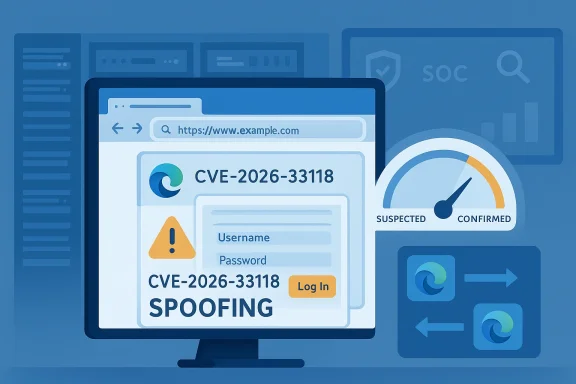 What the Confidence Metric Means
The first thing to understand is that Microsoft’s confidence metric is not a severity score. It does not tell you whether the impact is critical, important, or low; instead, it tells you how certain Microsoft is that the described weakness really exists and how credible the known details are. That difference matters because a highly certain vulnerability can be ar urgency, while a low-confidence report may warrant monitoring, validation, and parallel defense measures rather than immediate fleet-wide disruption.Certainty vs. severity
A vulnerability can be severe and still be poorly understood, or it can be modest in impact but well documented and trivial to exploit. Microsoft’s confidence framework helps separate those two dimensions. For defenders, that means the “degree of confidence” becomes an operational signal: it inrity teams treat the issue as a likely patch-now item, a watch-list item, or a candidate for deeper analysis before broad rollout.In the browser world, this distinction is especially useful because many flaws are discovered in the process of hardening UI paths, content parsing, or policy enforcement. Some of those issues are publicly acknowledged only after research corroborates the behavior, while others are fully confirmed by the vendor. That p to evidence to vendor acknowledgment is exactly the kind of lifecycle the Microsoft metric tries to capture.
Why attackers care
Attackers benefit from certainty. If a spoofing flaw is confirmed and the failure mode is well understood, it becomes easier to create convincing phishing pages or fake update flows that exploit user trust at scale. In contrast, a fuzzy report with unclear technical details may deter opportunistic abuse because the attacker cannot reliably reproduce the effect. Miefore doubles as a proxy for how actionable the vulnerability is for would-be attackers.That also explains why this kind of metadata should not be treated as bureaucracy. Security operations teams often have to prioritize limited patch windows, endpoint restarts, application compatibility testing, and user communication. A confidence metric gives those teams a way to weigh evidence quality along with exploitability and business impact, which is especiallrise fleets where browser updates can have wide collateral effects.
Why Edge Spoofing Bugs Matter
Browser spoofing is one of those vulnerability classes that sounds narrow until you consider how people actually use the web. Users authenticate into cloud services, sign documents, approve payments, join meetings, and manage devices through the browser every day. If an attacker can make a malicious page look authentic enough, the attack no longer needs a memory corruption exploit to be effective.Trust is the real target
The browser UI is part of the security boundary. Address bars, page identities, file download prompts, and security indicators are all meant to help users make trust decisions. A spoofing flaw undermines those cues and can cause a user to enter credentials, approve MFA prompts, or accept unsafe actions on the wrong site. That is why spoofing vulnerabilities remain relevant even in a world dominated by sandboxing and exploit mitigations.Historically, Microsoft has described these bugs as capable of spoofing content or serving as a pivot to chain with other vulnerabilities in web services. That phrasing is important because it reveals the likely attacker logic: use the browser flaw to establish credibility, then use social engineering or follow-on payloads to get the real prize. In enterprise environments, that can mean identity theft, session hijacking, or credential replay rather than direct system compromise.
Enterprise and consumer impact differ
For consumers, the main risk is often a convincing phishing page or a fake sign-in portal that looks close enough to the real thing. For enterprises, the stakes are higher because spoofed internal portals, helpdesk pages, and third-party SSO flows can all be used as entry points into managed identities and business systems. That makes browser spoofing bugs disproportionately valuable to attackers who focus on identity rather than malware.Browser hardening has improved a great deal over the years, but user-interface attacks remain stubbornly effective because they exploit human assumptions rather than memory safety. That is why Microsoft and other vendors keep fixing these issues even when they do not look as dramatic as a kernel exploit. A spoofing bug may not sound like a headline-grabber, but in the wrong hands it can be a reliable component in a much larger intrusion chain. ([msrc.microsoft.com](Microsoft Security Response Center Blog Dependency
Microsoft Edge’s Chromium foundation is a strategic advantage and a security dependency at the same time. On one hand, Edge benefits from a massive upstream codebase, regular Chromium security fixes, and a large ecosystem of shared hardening work. On the other hand, it also inherits the browser engine’s exposure profile, which means Microsoft must continuously translate Chromium bugs into Edge guidance for its own customer base.
Upstream fix, downstream visibility
That downstream visibility is exactly why the Security Update Guide exists for Edge. Microsoft uses it to tell administrators when a Chromium issue has been folded into Edge builds and when the browser should no longer be considered vulnerable. Several recent Edge security notes have followed this pattern, documenting Chromium CVEs and linking them to the specific Edge stable or extended stable releases that absorbed the fixes.The practical benefit is straightforward: organizations running Edge do not have to guess whether a Chrome patch also applies to them. Microsoft’s advisory model gives them a bridge between upstream browser-engine disclosures and the actual build numbers they deploy. That is especially useful in mixed environments where Chrome and Edge coexist and patch timing can differ by channel, platform, and enterprise policy.
The downside of shared code
The downside is that Chromium’s vulnerability cadence becomes Edge’s vulnerability cadence. Even if Microsoft is not the original author of a bug, it still has to inherit, validate, package, and communicate the fix downstream. This can create a brief but meaningful window in which enterprise teams must track both Google’s disclosure and Microsoft’s ingestion timing to know exactly when protection is available.That is why browser administrators increasingly treat Edge security advisories as operational intelligence, not just release notes. A Chromium-based browser is only as secure as the speed and clarity of its downstream update path, and Microsoft’s documentation is part of that path. CVE-2026-33118 belongs to that same ecosystem, where the label matters as much for mapping exposure as for describing the defect itself.
Interpreting CVE-2026-33118
CVE-2026-33118 is categorized by Microsoft as a spoofing vulnerability in Mic-based), which is already enough to tell defenders the likely attack style even when the technical root cause is not fully exposed. The advisory framing suggests a trust-manipulation issue rather than a memory corruption bug, and that changes how you think about both exploitability and remediation.What can be inferred
Because Microsoft’s historical Edge spoofing advisories repeatedly center on HTTP parsing, deceptive content rendering, or misleading browser presentation, it is reasonable to infer that CVE-2026-33118 likely affects how Edge presents or interprets web content in a way that can mislead users. That is an inference, not a published root-cause statement, but it fits Microsoft’s documented pattern for browser spoofing flaws.If the advisory remains sparse on technical detail, that may rer tradeoff: disclose enough to warn customers without handing attackers a step-by-step reproduction guide. For defenders, the absence of deep public detail does not mean the issue is unimportant; in fact, it often means the vendor wants to reduce the chance that the flaw’s exact mechanics become an attacker playbook. That restraint is usually intentional.
What it likely means operationally
A spoofing issue in Edge usually means users could be tricked into believing they are interacting with a legitimate page, dialog, or security indicator. Depending on the specific weakness, that could involve a fake login experience, an illegitimate download prompt, or a page that appears to originate from a trusted domain. The security consequence is not just visual deception; it is the erosion of browser-mediated trust.Because Microsoft classifies the advisory under browser security rather than a broader platform component, it is also likely that the fix is delivered through the normal Edge update channel rather than a Windows kernel or OS patch. That makes browser update hygiene the primary mitigation lever. Enterprises should assume that standard patch-management discipline is enough only if it is fast enough.
Historical Pattern of Edge Spoofing
Microsoft has been dealing with browser spoofing issues for years, and the language around those advisories has not changed dramatically because the threat model has not changed dramatically. Attackers still want to impersonate trusted web properties, and users still rely on subtle browser cues to determine whether a page is safe. That continuity makes spoofing one of the most durable browser threat categories.Repeated themes in Microsoft advisories
The recurring themes are simple but important. Microsoft has often described these flaws as enabling a specially crafted website to spoof content or redirect a user to malicious content, and in some cases the attacker needs only to persuade the victim to click a link. That is a low-friction attack path compared with full exploit chains, which is why these bugs remain operationally attractive.The company has also consistently said that it had no mitigating factors or workarounds for some of these earlier spoofing vulnerabilities. That pattern matters because it shows how browser spoofing often leaves defenders with only one real answer: update the browser promptly and reduce exposure through user training and web filtering. There is rarely a clever bypass for a trust bug if the browser itself is the trust surface.
Why the old lessons still apply
Even in modern Chromium-based Edge, the old lessons still apply because the browser remains the front door to identity systems. Authentication flows, device management consoles, and cloud portals all depend on users seeing and trusting the right page at the right time. A spoofing flaw can therefore be more damaging than its “medium” appearance suggests, especially if it lands in the middle of a phishing campaign.This is also why spoofing bugs often get underestimated. They do not always produce immediate compromise, but they frequently sit at the start of a chain that ends in credential theft, session abuse, or social-engineering success. Microsoft’s repeated handli suggests that the company sees the same thing defenders do in practice: browser trust failures remain among the most useful attacks in the wild.
Patch Management Implications
For IT teams, the biggest question is not whether Edge has a vulnerability entry; it is how quickly the update can be validated and deployed without breaking critical workflows. Browser patches are usually lower risk than OS changes, but they are still enterprise software updates that can affect extensions, single sign-on, legacy web apps, and managed profiles. That means a “simple” spoofing fix still deserves disciplined rollout planning.What administrators should do
A sensible response starts with confirming which Edge channel is in use. Stable, Extended Stable, and managed enterprise channels may ingest security fixes on different schedules, and the Security Update Guide is useful precisely because it maps advisories to the build state that matters operationally. The goal is to verify exposure, not merely to know that a patch exists somewhere upstream.Administrators should then prioritize machines used for high-risk browsing tasks. Helpdesk staff, finance teams, executives, identity administrators, and remote workers using cloud apps are disproportionately exposed to browser spoofing lures. If an attacker is trying to fake a login page, those groups are likely to be the first targets.
A practical response sequence
- Confirm whether the Edge build in your environment has already ingested the fix.
- Test the patch in a controlled pilot group, especially if you rely on custom extensions or policy-managed browsing profiles.
- Push the update to users who routinely handle authentication, payments, or admin consoles.
- Reinforce phishing awareness around lookalike docues.
- Monitor for suspicious login attempts or unusual consent prompts after rollout.
Competitive and Market Impact
Edge spoofing vulnerabilities matter beyond Microsoft because they influence how enterprises compare browser ecosystems. Chrome, Edge, and other Chromium-based browsers often inherit the same engine-level problems, so security teams evaluate not only the bug itself but the speed and transparency of the vendor’s response. That makes Microsoft’s documentation strategy part of the competitive story.Microsoft’s advantage
Microsoft’s advantage is that it can wrap upstream Chromium fixes in enterprise-friendly guidance. A browser security fix is more useful when customers know exactly which Edge build contains it, which channel it applies to, and whether the downstream browser is still exposed. That reduces uncertainty and gives Microsoft an enterprise-security credibility boost that generic upstream notes cannot always match.It also reinforces Edge’s positioning inside Microsoft 365-heavy shops. If the browser is already a core endpoint for Entra ID, Office web apps, and SaaS access, then Microsoft’s ability to provide coordinated vulnerability guidance becomes a differentiator. The browser is no longer just a rendering engine; it is part of the enterprise control plane.
The broader Chromium dilemma
The broader market implication is that Chromium dominance creates shared risk. When a browser engine flaw is fixed upstream, every downstream vendor must react quickly or risk leaving users exposed. That makes browser security less about who discovered the bug and more about who can communicate and deploy the fix most effectively.For rival browsers and security vendors, that shared risk opens a market for hardening tools, telemetry, policy enforcement, and phishing protection. But it also means that the fastest way to reduce exposure is still boring: keep browsers current, restrict risky web behavior, and make users more skeptical of lookalike pages. In browser security, the obvious answer is often the best one.
Strengths and Opportunities
Microsoft’s handling of Edge security advisories offers several strengths that defenders should appreciate. The company has a mature process for surfacing Chromium-origin issues to downstream customers, and that process helps close visibility gaps that would otherwise slow patching. It also gives enterprises a consistent framework for deciding when a browser fix is actually present in their fleet.- Clear downstream mapping between Chromium fixes and Edge builds.
- Better enterprise visibility into when a browser is safe to rebaseline.
- Reduced ambiguity for mixed Chrome/Edge environments.
- Improved patch prioritization when a vulnerability class is likely phishing-relevant.
- Stronger user-protection messaging around browser trust cues.
- A mature update channel that can push fixes quickly once validated.
- Security communication consistency that helps SOC and endpoint teams align their response.
Risks and Concerns
The biggest concern with spoofing vulnerabilities is that they are easy to underestimate. They do not always look catastrophic on a vulnerability dashboard, yet they directly target the human layer where trust decisions happen. In a world of MFA fatigue, credential harvesting, and SaaS sprawl, that makes them more dangerous than their label may suggest.- User deception remains highly effective even when technical impact is modest.
- Credential theft risk can be substantial if fake login pages succeed.
- Enterprise SSO flows can be abused by convincing impostor pages.
- Patch lag can create a window of exposure across managed fleets.
- Channel fragmentation may leave some Edge installations behind.
- Low-detail advisories can slow local triage if teams lack context.
- Security fatigue may cause organizations to ignore “just spoofing” findings.
A final risk is overconfidence in the Chromium update pipeline. Because Edge inherits fixes from upstream, teams sometimes assume exposure disappears automatically. In practice, the security benefit only arrives when the downstream browser build is updated, deployed, and confirmed across the fleet. Assumption is not remediation.
What to Watch Next
The most important thing to watch next is whether Microsoft expands the advisory with more technical detail, including exploitability context, affected build ranges, and any mitigation notes. If the company keeps the entry sparse, that likely means the guidance is meant mainly as a patch signal rather than a full disclosure of the underlying bug. Either way, the advisory should be treated as live security intelligence, not static documentation.Key developments to monitor
- Whether Microsoft publishes a fuller advisory or revision history for CVE-2026-33118.
- Whether the Edge release notes identify the exact build that contains the fix.
- Whether other Chromium-based vendors surface the same issue in their own channels.
- Whether phishing kits or lure campaigns begin referencing similar browser trust tricks.
- Whether Microsoft adds any mitigations, workarounds, or hardening guidance.
- Whether the bug is later tied to a specific parsing or UI presentation flaw.
- Whether enterprise security toolslike or spoofing patterns more aggressively.
The most realistic near-term response is to patch, verify, and reinforce anti-phishing habits. If Microsoft Edge customers treat spoofing bugs as trust-compromise events rather than mere browser nuisances, they will be better positioned to stop the follow-on abuse that usually matters most. The advisory’s confidence signal is therefore not just a technical footnote; it is a reminder that certainty raises urgency, and urgency is exactly what browser security often requires.
CVE-2026-33118 should be viewed through that lens: a browser spoofing issue is only one line in a security bulletin, but it can still become the first move in a successful intrusion. Microsoft’s confidence metric tells defenders how seriously to take the claim, and the long history of Edge spoofing advisories tells us why that claim deserves immediate operational attention. In browser security, the easiest exploit is often the one that convinces the user they are already safe.
Source: MSRC Security Update Guide - Microsoft Security Response Center
