
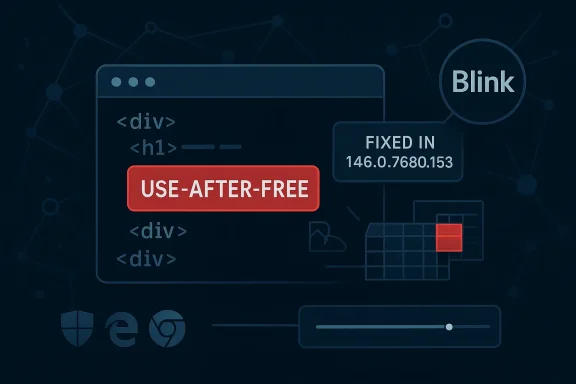
Google has identified CVE-2026-4449 as a use-after-free in Blink affecting Chrome prior to 146.0.7680.153, and the bug can let a remote attacker potentially trigger heap corruption through a crafted HTML page. Microsoft’s Security Update Guide records the same issue for downstream visibility, and its entry mirrors the Chrome advisory and the linked Chromium issue tracker so administrators can map the upstream fix to their own browser patch status. The practical takeaway is simple but urgent: this is a browser-engine memory-safety flaw in one of the most exposed parts of the modern web stack, and it belongs in the same “patch now” category as other high-severity Chromium memory bugs. mium’s Blink engine sits at the center of the web rendering pipeline, turning HTML, CSS, JavaScript, and DOM activity into the interactive pages users see every day. Because Blink processes attacker-controlled content at scale and with enormous complexity, memory-safety defects in this layer are especially consequential. A use-after-free bug means code may access memory after it has been released, which can lead to crashes, information disclosure, or in the worst case exploitable corruption when the attacker can steer memory reuse.
That risk profile is why browser vendors treat Blink memory issues as high priority, even when the initial disclosure looks narrow. A crafted HTML page sounds ordinary, but in browser-security terms that’s exactly the point: the attacker needs only a page load, not a plugin, not local access, and not elevated privileges. The CVSS 3.1 vector shown in Microsoft’s record reflects that exposure: network attack, low complexity, no privileges, and user interaction required, but with potentially severe confidentiality, integrity, and availability consequences.
Google’s Chrome relthe broader pattern. Chrome’s March 2026 stable-channel updates included a long list of security fixes, and the company repeatedly warns that bug details may remain restricted until most users are protected. That disclosure model is standard across Chromium security work: the vendor fixes first, then limits public technical specifics until the update has reached enough systems to reduce active exploitation risk.
The result is a familiar but still important ecosystem dynamic. Google patches Chromium upstream, Microsoft records the same CVE for Edge consumers in its Security Update Guide, and enterprise administrators must then decide how quickly to move browser builds through their own rings. The chain matters because Chrome and Edge are no longer separate security uniled products riding on the same engine base.
In the broader context of 2026, this CVE is also part of a longer run of browser memory-safety disclosures. Chrome’s release archive for the year already shows multiple use-after-free and heap-related issues across Blink, WebView, Extensions, and other components. That pattern tells us two things at once: the Chromium codebase is heavily scrutinized, and the attack surface remains large enough that even mature engineering processes cannot eliminate memory corruption bugs entirely.
Blink is not a single subsystem so much as a large execution surface that touches parsing, layout, scripting, rendering, and event handling. Every one of those areas involves object lifetime management, asynchronous behavior, and interactions with JavaScript, which makes lifetime bugs hard to eliminate permanently. The recurring theme is not negligence; it is complexity.
Google’s public Chrome update for the stable desktop channel states that Chrome 146.0.7680.153 is the fixed version boundary for the issue, and Microsoft’s advisory mirrors that threshold for its own guidance. That version floor is critical for patch management because it gives defenders a concrete compliance marker rather than a vague “update Chrome” instruction. It also means that any build should be treated as exposed until proven otherwise.
The presence of the bug in Microsoft’s Security Update Guide is not a sign that Microsoft independently created the vulnerability. Instead, it reflects the way Edge inherits security state from Chromium upstream, which is a standard practice Microsoft uses for Chromium-origin CVEs. In practical terms, MSRC is telling administrators whether the Chromium fix has made it into the Edge build they deploy.
The severity here is also worth parsing carefully. Chromium labels it High, and the CISA-ADP CVSS 3.1 score shown in Microsoft’s record is 8.8. That is consistent with a browser exploit class that can lead to serious compromise, but it still depends on user interaction, which means delivery via social engineering, poisoned links, or malicious advertising remains part o
The broader lesson is that browser patching has become a supply-chain exercise. Enterprise teams do not just patch “Chrome” or “Edge”; they patch a moving upstream codebase, wait for downstream vendor integration, and verify whether their management tooling confirms the new version. That operational reality is one reason Chromium CVEs show up so prominently in Windows security monitoring circles.
The web engine environment makes this class of bug especially tricky. Blink is constantly creating, destroying, and reusing objects as pages change state, JavaScript runs, or the DOM mutates. Those conditions make race-like lifetime errors hard to reason about and harder still to prove absent across millions of lines of code. That is why browser teams invest heavily in sanitizers and fuzzers, as Google itself notes in its release posts.
The important security implication is that the fix is not merely about eliminating a crash. It is about cutting off the possibility that a rendering bug becomes a stepping stone to a larger compromise path.
The important thing for administrators is that the release channel and version number are not mere trivia. Browser updates often arrive quickly but do not instantly equalize across fleets, especially where enterprise policies delay auto-update or where managed endpoints need staged validation. A version floor creates a measurable benchmark for both software inventory and compliance reporting.
It also improves incident response. If threat intel or detection telemetry suggests exploitation, defenders can search for any machine still below the fixed version and prioritize containment immediately.
This matters operationally because many enterprises run both Chrome and Edge side by side. Even when both browsers share the Chromium base, patch timing can differ, and a Chromium CVE may be fixed in Google’s release line before the corresponding Edge update reaches all environments. The Security Update Guide helps bridge that visibility gap.
Microsoft has steadily expanded the Security Update Guide and related disclosure mechanisms precisely because enterprise customers want a central place to map vulnerability state across products. The same transparency strategy is reflected in Microsoft’s broader work on CVE guidance, CWE adoption, and machine-readable vulnerability data.
What makes Blink bugs especially sensitive is not just the number of users affected, but the diversity of contexts in which Blink runs. Chrome and Edge are the obvious targets, but Chromium code also appears in embedded webviews, enterprise shell experiences, and other products that inherit browser rendering behavior. That is why a “browser” issue can quickly become a platform issue.
That is why enterprise training and content filtering remain relevant, even when patching is the primary mitigation.
This is especially important in organizations that rely on browser-based SaaS, internal web apps, or identity portals. A high-severity browser flaw can put not only productivity apps but also SSO flows, admin consoles, and line-of-business systems at risk. In other words, the browser is not a side application anymore; it is part of the control plane.
It also means browser version drift should be monitored alongside operating-system patching. A fully patched Windows endpoint can still be exposed if its browser version is lagging behind the fixed Chromium build.
There is also a practical privacy angle. Memory-safety bugs in browsers are frequently used as stepping stones to steal session data, cookies, tokens, or other browser-resident secrets. Even if the initial bug does not directly disclose data, compromising the browser can make the rest of a user’s online life much easier to target.
The broader pattern suggests more Chromium CVEs will continue to surface throughout the year. Chrome’s 2026 release notes already show a steady stream of memory-safety and logic flaws, which is exactly what you would expect from a large, fast-moving browser engine under heavy scrutiny. Security teams should plan for that cadence rather than treating each disclosure as an isolated surprise.
Source: NVD / Chromium Security Update Guide - Microsoft Security Response Center
That risk profile is why browser vendors treat Blink memory issues as high priority, even when the initial disclosure looks narrow. A crafted HTML page sounds ordinary, but in browser-security terms that’s exactly the point: the attacker needs only a page load, not a plugin, not local access, and not elevated privileges. The CVSS 3.1 vector shown in Microsoft’s record reflects that exposure: network attack, low complexity, no privileges, and user interaction required, but with potentially severe confidentiality, integrity, and availability consequences.
Google’s Chrome relthe broader pattern. Chrome’s March 2026 stable-channel updates included a long list of security fixes, and the company repeatedly warns that bug details may remain restricted until most users are protected. That disclosure model is standard across Chromium security work: the vendor fixes first, then limits public technical specifics until the update has reached enough systems to reduce active exploitation risk.
The result is a familiar but still important ecosystem dynamic. Google patches Chromium upstream, Microsoft records the same CVE for Edge consumers in its Security Update Guide, and enterprise administrators must then decide how quickly to move browser builds through their own rings. The chain matters because Chrome and Edge are no longer separate security uniled products riding on the same engine base.
In the broader context of 2026, this CVE is also part of a longer run of browser memory-safety disclosures. Chrome’s release archive for the year already shows multiple use-after-free and heap-related issues across Blink, WebView, Extensions, and other components. That pattern tells us two things at once: the Chromium codebase is heavily scrutinized, and the attack surface remains large enough that even mature engineering processes cannot eliminate memory corruption bugs entirely.
 Why Blink flaws keep recurring
Blink is not a single subsystem so much as a large execution surface that touches parsing, layout, scripting, rendering, and event handling. Every one of those areas involves object lifetime management, asynchronous behavior, and interactions with JavaScript, which makes lifetime bugs hard to eliminate permanently. The recurring theme is not negligence; it is complexity.- Blink receives attacker-controlled input at web scale.
- Renderers juggle many objects with different lifetimes.
- Asynchronous callbacks increase the odds of stale references.
- Security fixes can close one path while adjacent code paths remain fragile.
- Fuzzing helps, but it does not prove the absence of exploitable states.
Overview
The specific wording attached to CVE-2026-4449 is important: use after free in Blink allowing a remote attacker to potentially exploit heap corruption via a crafted HTML page. That combination of terms usually signals a bug that is more than a crash report but not automatically a fully weaponized remote-code-execution primitive. It is the kind of vulnerability that security teams move on quickly because the line between “potential” andn once an attacker understands allocator behavior and trigger conditions.Google’s public Chrome update for the stable desktop channel states that Chrome 146.0.7680.153 is the fixed version boundary for the issue, and Microsoft’s advisory mirrors that threshold for its own guidance. That version floor is critical for patch management because it gives defenders a concrete compliance marker rather than a vague “update Chrome” instruction. It also means that any build should be treated as exposed until proven otherwise.
The presence of the bug in Microsoft’s Security Update Guide is not a sign that Microsoft independently created the vulnerability. Instead, it reflects the way Edge inherits security state from Chromium upstream, which is a standard practice Microsoft uses for Chromium-origin CVEs. In practical terms, MSRC is telling administrators whether the Chromium fix has made it into the Edge build they deploy.
The severity here is also worth parsing carefully. Chromium labels it High, and the CISA-ADP CVSS 3.1 score shown in Microsoft’s record is 8.8. That is consistent with a browser exploit class that can lead to serious compromise, but it still depends on user interaction, which means delivery via social engineering, poisoned links, or malicious advertising remains part o
The broader lesson is that browser patching has become a supply-chain exercise. Enterprise teams do not just patch “Chrome” or “Edge”; they patch a moving upstream codebase, wait for downstream vendor integration, and verify whether their management tooling confirms the new version. That operational reality is one reason Chromium CVEs show up so prominently in Windows security monitoring circles.
The attacker’s path
A crafted HTML page is a classic browser exploit delivery vehicle because it lowers the barrier to entry. The attacker can host the page, embed it in another site, or lure a victim through email, chat, or drive-by content where browser behavior is enough to trigger the bug.- The payload can be delivered over ordinary web traffic.
- The victim only needs to render the malicious page.
- No local foothold is required.
- The exploit may target stability first and code execution later.
- Defensive controls like sandboxing still matter, but they are not a substitute for patching.
How Use-After-Free Bugs Become Exploitable
Use-after-free vulnerabilities are dangerous because freed memory can be reused in ways the original code did not expect. If an attacker can influence timing, object layout, or allocator state, they may be able to turn a stale pointer into a controlled read or write. In browser engines, that can be enough to corrupt structured data or pave the way for code execution.The web engine environment makes this class of bug especially tricky. Blink is constantly creating, destroying, and reusing objects as pages change state, JavaScript runs, or the DOM mutates. Those conditions make race-like lifetime errors hard to reason about and harder still to prove absent across millions of lines of code. That is why browser teams invest heavily in sanitizers and fuzzers, as Google itself notes in its release posts.
Why heap corruption matters
Heap corruption is not synonymous with immediate compromise, but it is the condition exploit developers often want. Once memory metadata or adjacent objects are corrupted, the attacker may aim for control-flow hijacking, arbitrary read/write, or sandbox escape chains. In a browser, that often means one bug is only the first stage of a broader exploit chain.The important security implication is that the fix is not merely about eliminating a crash. It is about cutting off the possibility that a rendering bug becomes a stepping stone to a larger compromise path.
Why HTML is enough
The “crafted HTML page” detail sounds almost mundane, but it is a reminder that the browser trust boundary begins at the page itself. HTML can drive script execution, trigger layout transitions, and create the object churn that memory lifetime bugs depend on. That makes the exploit surface enormous and explains why browsers are such a rich target for advanced attackers.- HTML is executable attack input in browser security terms.
- DOM churn can influence object lifecycle.
- JavaScript can amplify timing conditions.
- Renderer corruption can be chained with other weaknesses.
- Users often underestimate how little interaction is needed.
Google’s Release Cadence and the Fix Boundary
Google’s stable-channel release posts are the authoritative signal for when a Chromium issue moves from vulnerable to fixed. In this case, the advisory ties CVE-2026-4449 to Chrome versions prior to 146.0.7680.153, making that build the line defenders should target for remediation. The structure is consistent with Chrome’s established update workflow: announce the update, list the security fixes, and constrain details while the patch rolls out.The important thing for administrators is that the release channel and version number are not mere trivia. Browser updates often arrive quickly but do not instantly equalize across fleets, especially where enterprise policies delay auto-update or where managed endpoints need staged validation. A version floor creates a measurable benchmark for both software inventory and compliance reporting.
Why version floors matter
Version floors help security teams answer a binary question: patched or not patched. That is useful because browser vulnerabilities are often invisible to users and sometimes invisible even to endpoint tools until inventory systems are aligned. A hard build number reduces ambiguity.It also improves incident response. If threat intel or detection telemetry suggests exploitation, defenders can search for any machine still below the fixed version and prioritize containment immediately.
Why Google keeps details limited
Google’s note that bug details may stay restricted until enough users are updated is a balancing act between transparency and exposure. Releasing too much technical detail too early can help attackers reverse-engineer a working exploit. Releasing too little for too long can frustrate defenders, but the browser-vendor practice is designed to keep the risk window narrow.Microsoft Edge and the Downstream Security Model
Microsoft’s Security Update Guide entry for CVE-2026-4449 exists because Edge is Chromium-based, and that makes Microsoft a downstream consumer of upstream browser-engine fixes. The entry gives Windows administrators a Microsoft-native place to track whether the Edge build in their environment has absorbed the upstream Chromium patch. That is especially useful in managed environments where Edge may be distributed and updated through Microsoft tooling rather than direct Chrome management.This matters operationally because many enterprises run both Chrome and Edge side by side. Even when both browsers share the Chromium base, patch timing can differ, and a Chromium CVE may be fixed in Google’s release line before the corresponding Edge update reaches all environments. The Security Update Guide helps bridge that visibility gap.
Edge versus Chrome in the enterprise
For consumer users, the advice is straightforward: update the browser and let auto-update do the rest. For enterprises, the situation is more nuanced because browser deployment often passes through software packaging, update approval rings, virtualization layers, or image management workflows. That means the same CVE can appear resolved on one browser but still linger in another.Microsoft has steadily expanded the Security Update Guide and related disclosure mechanisms precisely because enterprise customers want a central place to map vulnerability state across products. The same transparency strategy is reflected in Microsoft’s broader work on CVE guidance, CWE adoption, and machine-readable vulnerability data.
What administrators should check
The practical verification steps are familiar, but they matter more than ever in a shared-engine ecosystem:- Confirm the installed Chrome or Edge version on managed endpoints.
- Compare it to the fixed boundary of 146.0.7680.153 for Chrome.
- Check whether Edge has ingested the relevant Chromium branch update.
- Validate browser auto-update policy and ring progression.
- Review any temporary mitigations or web filtering controls still in place.
Threat Model and Attack Surface
The threat model for CVE-2026-4449 is broad because browsers are universal execution environments. A remote attackero visit a malicious page may be able to trigger the flaw without needing credentials or local access. The need for user interaction does lower the bar for defenders somewhat, but browser exploitation campaigns routinely rely on exactly that kind of interaction.What makes Blink bugs especially sensitive is not just the number of users affected, but the diversity of contexts in which Blink runs. Chrome and Edge are the obvious targets, but Chromium code also appears in embedded webviews, enterprise shell experiences, and other products that inherit browser rendering behavior. That is why a “browser” issue can quickly become a platform issue.
Delivery channels
Attackers do not need elaborate infrastructure to use a Blink exploit. They can distribute links through email, messaging, malvertising, QR code campaigns, or compromised websites. They can also chain a browser bug with a phishing lure that appears normal enough to bypass casual inspection.- Malicious links remain the most common delivery path.
- Compromised sites can serve exploit pages directly.
- Ad networks can become involuntary delivery infrastructure.
- Social engineering can defeat even cautious users.
- Webviews and embedded browsers may widen exposure beyond the browser icon.
Why user interaction still matters
User interaction requirements are often misunderstood as a minor footnote. In reality, they mainly describe the last step in the attack chain, not the hardest one. If the attacker can persuade a user to visit a page, click a link, or open a document preview that invokes Chromium rendering, the “UI:R” condition is no longer much of a barrier.That is why enterprise training and content filtering remain relevant, even when patching is the primary mitigation.
Enterprise Impact
For enterprises, the impact of CVE-2026-4449 is less about headline severity and more about fleet consistency. Browser vulnerabilities are notoriously easy to miss incause users update independently, browsers may update out of band, and some environments suppress automatic restarts. If the vulnerability is exploitable through ordinary web content, any lag in patch deployment keeps an attack window open.This is especially important in organizations that rely on browser-based SaaS, internal web apps, or identity portals. A high-severity browser flaw can put not only productivity apps but also SSO flows, admin consoles, and line-of-business systems at risk. In other words, the browser is not a side application anymore; it is part of the control plane.
Patch management implications
Security teams should treat browser updates as part of their critical patch process, not as soft convenience updates. The presence of a high-severity CVE in Blink means the risk extends across the entire session environment, including pages users trust more than they should. In managed Windows fleets, that puts pressure on patch rings, maintenance windows, and change-control approvals.It also means browser version drift should be monitored alongside operating-system patching. A fully patched Windows endpoint can still be exposed if its browser version is lagging behind the fixed Chromium build.
Risk to line-of-business workflows
Many enterprise workflows now happen entirely in the browser, from finance dashboards to HR portals and IT admin panels. If a user is browsing a malicious page in one tab while authenticated to internal systems in another, the browser becomes a high-value compromise point. That is why exploitability in Blink is not a niche developer issue; it is a business continuity issue.- Identity sessions may be at risk if the browser is compromised.
- SaaS dashboards can expose sensitive operational data.
- Internal apps often trust the browser too much.
- Remote work amplifies the attack surface.
- Delayed patching increases blast radius across the fleet.
Consumer Impact
For consumers, the message is simpler but no less important: update immediately and let the browser restart if needed. The average home user may not think of themselves as a high-value target, but chains are often designed for scale, not selectivity. A vulnerability in a widely deployed browser engine can be monetized through broad phishing campaigns, commodity malware staging, or opportunistic drive-by attacks.There is also a practical privacy angle. Memory-safety bugs in browsers are frequently used as stepping stones to steal session data, cookies, tokens, or other browser-resident secrets. Even if the initial bug does not directly disclose data, compromising the browser can make the rest of a user’s online life much easier to target.
What regular users should do
- Check that Chrome is on 146.0.7680.153 or later.
- Restart the browser after updating.
- Keep automatic updates enabled.
- Treat unexpected login prompts and page reloads cautiously.
- Avoid visiting unfamiliar links from email, SMS, or social feeds.
Why home systems still matter
Home PCs often become pivot points for wider attacks because they hold personal email, cloud logins, password managers, and recovery channels. If the browser is compromised on a home machine, the attacker may gain access to accounts that can be abused later in a work context. That is another reason browser CVEs belong on both consumer and enterprise patch lists.Strengths and Opportunities
This disclosure also highlights some real strengths in the Chromium security model. The upstream/downstream patch flow is transparent enough that defenders can usually determine the fixed version quickly, and Google’s release notes, along with Microsoft’s tracking in the Security Update Guide, give security teams two authoritative viewpoints on the same issue. That makes remediation more actionable than in ecosystems where browser provenance is opaque.- Clear fixed version boundary makes compliance checks straightforward.
- Upstream patching reduces duplication of vulnerability research.
- Downstream tracking helps Edge administrators verify their state.
- High-severity labeling encourages rapid prioritization.
- Broad vendor visibility supports enterprise monitoring tools.
- Security release discipline keeps the attack window shorter.
- Shared Chromium ecosystem means one fix can protect many products.
Risks and Concerns
The biggest concern is that use-after-free bugs can be highly exploitable once a trigger is understood, even if the initial public description sounds abstract. Browser memory-corruption issues often move from “potential” to “weaponized” quickly, especially if they sit in widely reachable code like B of remote delivery, crafted HTML, and high-severity classification makes this a vulnerability defenders should assume will attract attacker attention.- Exploitation may be practical if memory layout can be manipulated.
- User interaction still leaves room for phishing-based delivery.
- Patch lag across fleets can preserve exposure for days or weeks.
- Multiple Chromium-based products may share the same risk window.
- Social engineering can make even cautious users vulnerable.
- Exploit chaining could turn a browser bug into broader compromise.
- Enterprise update delays can create a false sense of safety.
Looking Ahead
What happens next will depend less on the existence of the fix than on how quickly organizations absorb it. Chrome users on auto-update should move faster, but managed environments will still need to prove that their browsers have crossed the 146.0.7680.153 threshold and that Edge has ingested the corresponding Chromium changes. That verification step is where many real-world patch failures occur.The broader pattern suggests more Chromium CVEs will continue to surface throughout the year. Chrome’s 2026 release notes already show a steady stream of memory-safety and logic flaws, which is exactly what you would expect from a large, fast-moving browser engine under heavy scrutiny. Security teams should plan for that cadence rather than treating each disclosure as an isolated surprise.
- Confirm browser versions against the fixed build number.
- Validate Edge update ingestion in managed Windows fleets.
- Keep browser auto-update enabled wherever policy allows.
- Monitor for suspicious links or pages that prompt browser activity.
- Review incident-response playbooks for browser exploit alerts.
Source: NVD / Chromium Security Update Guide - Microsoft Security Response Center
