

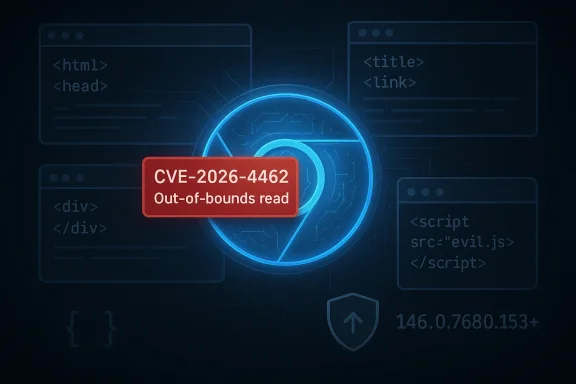
Google has disclosed a new high-severity Chromium flaw, CVE-2026-4462, affecting Blink in Google Chrome versions prior to 146.0.7680.153. The bug is described as an out-of-bounds read that a remote attacker could trigger through a crafted HTML page, which means the vulnerable path is reachable from ordinary web content and not just obscure local actions. Although the NVD entry shows incomplete scoring at this stage, the Chrome-side severity classification and the Microsoft Security Response Center listing make clear this is a patch-now issue for anyone running Chrome-based browsers built on the affected code line.
Chromium security events in 2026 have followed a familiar but increasingly uncomfortable pattern: browser memory-safety flaws are still surfacing in core components, and Google is pushing security fixes through stable-channel updates as soon as they are ready. Earlier in March, Chrome 146 arrived in stable with a large batch of security fixes, and just days later Google shipped another rapid patch cycle for additional high-risk issues. That cadence matters because browser exploit chains often begin with a web-rendering bug like this one and then depend on timing, user behavior, and defender lag to succeed.
Blink is the heart of Chrome’s rendering stack, handling how pages are parsed, laid out, and displayed. An out-of-bounds read in that layer is not the same as a full remote code execution bug, but it is still serious because memory disclosure can be the first step in a broader exploit chain. In practice, attackers often use read primitives to defeat mitigations such as ASLR, learn object layouts, or validate the success of a secondary payload.
The public advisory indicates that the issue affects Chrome prior to 146.0.7680.153, with the trigger condition being a specially crafted HTML page. That makes the vulnerability broadly relevant to anyone who browses the public web, opens embedded web views, or uses enterprise applications that render untrusted HTML content. Microsoft’s vulnerability guide also records the issue as a Chrome-related CVE, which is a reminder that downstream vendors track Chromium security closely even when the browser is shipped inside a different product bundle.
The vulnerability description ties it to Chrome versions before 146.0.7680.153. In browser security terms, that version floor is the key operational boundary: once a device is on or beyond the fixed release, the known vulnerable code path should no longer be present. But because Chrome is also embedded in downstream products, enterprises need to verify not just Google Chrome itself but any Chromium-based browser or webview package that may inherit the same code lineage.
Google’s Chrome release process also complicates the response window. Stable updates roll out over days or weeks, and early-stable or phased-release builds can leave some systems on older point releases for a time. That means an organization may believe it is “on the latest version” while a subset of devices still runs the affected build in a split deployment.
The main enterprise risk is that a seemingly modest read primitive can be chained with credential theft, sandbox escape attempts, or session hijacking workflows. Even when the browser sandbox holds, the disclosure can still expose memory state that makes follow-on exploitation more practical. This is one of the reasons browser CVEs routinely receive urgent response treatment even when no public exploit is confirmed.
The bad news is that auto-update is only half the story. A browser can download the fix but still remain vulnerable until it is restarted, and many users keep dozens of tabs open for days. That makes manual verification important, especially for people who browse heavily, use online banking, or log in to multiple work and personal accounts in the same browser session.
That propagation delay matters because downstream products do not always update simultaneously with Chrome. A vendor may need to merge the fix, validate it against its own codebase, and then ship a browser-specific build. During that interval, a device can appear “up to date” from one vendor’s perspective while still retaining the vulnerable Chromium code path.
The significance of the pattern is not only technical but operational. Each new advisory trains users to ignore browser prompts if the issue seems “small,” yet the underlying threat model keeps proving that web content bugs can be decisive. Security teams therefore need to communicate that all high-severity browser memory bugs deserve rapid action, even when the exploit narrative is not as dramatic as a zero-day RCE headline.
At the same time, the NVD entry still shows incomplete enrichment and assessment fields at the time of publication, which is not unusual immediately after a CVE assignment. That means defenders should not wait for perfect scoring metadata before acting. In practice, the vendor description and severity label are the stronger operational signals, especially when the flaw is remotely reachable from ordinary web content.
Security teams should watch for three things: whether Chrome-based products outside Google’s direct control have shipped equivalent fixes, whether telemetry shows lingering old builds in the fleet, and whether any post-disclosure exploit reporting emerges. They should also expect the usual enterprise friction points: machines left open for days, unmanaged devices, and remote users who miss the first patch wave.
Source: NVD / Chromium Security Update Guide - Microsoft Security Response Center
 Background
Chromium security events in 2026 have followed a familiar but increasingly uncomfortable pattern: browser memory-safety flaws are still surfacing in core components, and Google is pushing security fixes through stable-channel updates as soon as they are ready. Earlier in March, Chrome 146 arrived in stable with a large batch of security fixes, and just days later Google shipped another rapid patch cycle for additional high-risk issues. That cadence matters because browser exploit chains often begin with a web-rendering bug like this one and then depend on timing, user behavior, and defender lag to succeed.Blink is the heart of Chrome’s rendering stack, handling how pages are parsed, laid out, and displayed. An out-of-bounds read in that layer is not the same as a full remote code execution bug, but it is still serious because memory disclosure can be the first step in a broader exploit chain. In practice, attackers often use read primitives to defeat mitigations such as ASLR, learn object layouts, or validate the success of a secondary payload.
The public advisory indicates that the issue affects Chrome prior to 146.0.7680.153, with the trigger condition being a specially crafted HTML page. That makes the vulnerability broadly relevant to anyone who browses the public web, opens embedded web views, or uses enterprise applications that render untrusted HTML content. Microsoft’s vulnerability guide also records the issue as a Chrome-related CVE, which is a reminder that downstream vendors track Chromium security closely even when the browser is shipped inside a different product bundle.
Why this type of bug matters
Memory-read issues in browser engines tend to be underestimated by casual users because they do not sound as dramatic as code execution. In reality, information disclosure can be just as valuable to an attacker when paired with another flaw, especially in a sandboxed browser architecture where direct execution is harder. A modern exploit often needs multiple stages, and a stable read primitive can make the entire chain more reliable.The broader 2026 Chrome context
This CVE lands in a year when Chrome has already shown repeated urgency around serious security defects. Google has recently pushed multiple stable updates containing high-severity fixes, including cases where it explicitly warned that exploits were present in the wild. That history raises the operational stakes for CVE-2026-4462 because defenders know browser patches can arrive in clusters, and attackers routinely test whether organizations lag behind the most recent stable build.What CVE-2026-4462 Actually Is
At its core, CVE-2026-4462 is a browser memory-safety defect in Blink that allows an out-of-bounds read. The wording is precise and important: the attacker does not need local access, and the vulnerable condition is reachable by loading a maliciously designed webpage. That combination places the issue firmly in the category of remotely triggerable browser content bugs, which are among the most operationally relevant classes of vulnerabilities on the internet.The vulnerability description ties it to Chrome versions before 146.0.7680.153. In browser security terms, that version floor is the key operational boundary: once a device is on or beyond the fixed release, the known vulnerable code path should no longer be present. But because Chrome is also embedded in downstream products, enterprises need to verify not just Google Chrome itself but any Chromium-based browser or webview package that may inherit the same code lineage.
Why a crafted HTML page is enough
A malicious HTML page is one of the most common attack delivery mechanisms because it requires nothing more than a user visit. That does not mean every visit leads to exploitation, but it does mean the attack surface is enormous: email links, ad traffic, compromised sites, malicious redirects, and even legitimate pages with injected content all become plausible delivery routes. This is why browser engine bugs are treated differently from many desktop application flaws.What out-of-bounds read implies
An out-of-bounds read means the program is reading memory outside the boundaries it is supposed to access. Depending on what is read, the attacker may gain sensitive information, trigger instability, or both. On its own, the flaw may crash a renderer; in a chained exploit, it can become a stepping stone to more serious compromise, which is why vendors classify these issues as high-severity even when the initial primitive is “read” rather than “write.”- It is remote, not local.
- It is triggered through web content.
- It affects Blink, the rendering engine behind Chrome.
- It is fixed only in 146.0.7680.153 and later.
- It can be relevant to downstream Chromium browsers as well.
Patch Status and Version Guidance
The most actionable detail for defenders is simple: Chrome versions prior to 146.0.7680.153 are vulnerable, according to the CVE description. Users and administrators should check the exact installed version rather than assuming a generic “Chrome 146” banner means they are safe, because several release trains can coexist during staged rollouts. That nuance matters in enterprise environments where update rings and delayed deployment policies are the norm.Google’s Chrome release process also complicates the response window. Stable updates roll out over days or weeks, and early-stable or phased-release builds can leave some systems on older point releases for a time. That means an organization may believe it is “on the latest version” while a subset of devices still runs the affected build in a split deployment.
What admins should verify
A disciplined response requires more than browser auto-update being enabled. Enterprises should verify the browser binary version, confirm the channel in use, and check whether any managed Chromium derivative has imported the fix. They should also validate endpoint coverage for remote users, since laptops outside the office network are often the least likely to receive immediate manual oversight.- Confirm the exact browser version on all endpoints.
- Check whether the build is 146.0.7680.153 or newer.
- Inventory any Chromium-based browsers in use.
- Review update rings for delayed deployment.
- Force relaunch where policy permits.
Why version pinning is risky
Many enterprises still pin browser versions longer than they should because of compatibility fears. That practice can be defensible for a few hours during a rollout, but it becomes dangerous when a public CVE hits a widely used rendering engine. The reality is that browser security is not a “nice to have” layer; it is the primary control keeping web-delivered attacks from becoming systemic incidents.Enterprise Impact
For enterprise IT, this CVE is less about headline severity and more about exposure management. Browsers sit on the front line of every SaaS login, document portal, and internal line-of-business app, which means a rendering bug can reach into almost every workflow in the organization. A hostile HTML page can be delivered via email, chat, ads, or compromised supplier portals, so the attack surface is far broader than a simple “web browsing” label suggests.The main enterprise risk is that a seemingly modest read primitive can be chained with credential theft, sandbox escape attempts, or session hijacking workflows. Even when the browser sandbox holds, the disclosure can still expose memory state that makes follow-on exploitation more practical. This is one of the reasons browser CVEs routinely receive urgent response treatment even when no public exploit is confirmed.
Endpoint management implications
Organizations using MDM, MAM, or endpoint management suites should treat Chrome and Chromium updates as high-priority content, not routine maintenance. Timing matters because attackers frequently move faster than weekly patch windows, especially after a public disclosure has made the bug class obvious. In practical terms, the fastest path to risk reduction is usually to shorten the distance between release availability and fleet-wide restart enforcement.- Prioritize internet-facing and high-privilege users first.
- Watch for laptops on travel or home networks.
- Verify managed Chromium derivatives separately.
- Check whether browser restarts are being deferred.
- Make sure helpdesk scripts mention the exact fixed build.
Enterprise vs. consumer posture
Consumer users mostly need awareness and a prompt restart, but enterprises need policy, telemetry, and exception handling. That difference is critical: consumers can rely on auto-update and a browser relaunch prompt, while organizations need compliance reporting and evidence that the patch has actually reached every node. In security terms, the enterprise problem is not just whether the fix exists, but whether it is operationally adopted.Consumer Risk and Real-World Exposure
For home users, the practical risk is straightforward: if the browser is not updated past the vulnerable range, a malicious page can potentially trigger the bug during normal browsing. That is why this type of issue should be treated as a browsing hygiene problem as much as a software bug. The good news is that Chrome’s automatic update system reduces the chance of long-term exposure for users who keep the browser open and relaunch it regularly.The bad news is that auto-update is only half the story. A browser can download the fix but still remain vulnerable until it is restarted, and many users keep dozens of tabs open for days. That makes manual verification important, especially for people who browse heavily, use online banking, or log in to multiple work and personal accounts in the same browser session.
The hidden danger of routine browsing
Most users assume that dangerous websites look obviously suspicious, but exploitation often begins on trusted surfaces. Compromised ad slots, poisoned search results, and hacked smaller sites all provide stealthier delivery routes than a classic scam page. Because the trigger is HTML content, the user does not need to download or run anything for the attack surface to exist.- Update the browser immediately.
- Restart after the update is installed.
- Avoid suspicious links and unknown downloads.
- Keep extensions to a minimum.
- Use separate browser profiles for work and personal activity.
Why consumers should care even if no exploit is public
Even when no in-the-wild exploit is publicly confirmed, memory bugs in browsers have a track record of becoming weaponized quickly. The disclosure alone can give exploit developers a clearer target, especially when the affected component is well understood and widely deployed. That is why the safer assumption is that “public CVE” plus “web-triggerable memory bug” should be treated as urgent by every user, not just security professionals.Chromium Ecosystem and Downstream Browsers
One of the most important implications of a Chromium CVE is that the issue rarely stops at Google Chrome. Many browsers and web-enabled products build on the same engine family or inherit the same rendering stack, which means the patch may need to propagate through multiple vendors and multiple release schedules. In the Microsoft ecosystem, the presence of the CVE in the Security Update Guide underscores how closely browser security is now tracked across platforms and product lines.That propagation delay matters because downstream products do not always update simultaneously with Chrome. A vendor may need to merge the fix, validate it against its own codebase, and then ship a browser-specific build. During that interval, a device can appear “up to date” from one vendor’s perspective while still retaining the vulnerable Chromium code path.
Why browser forks are exposed
Browsers like Edge, Brave, Vivaldi, and Opera often track Chromium closely because they rely on its rendering engine, JavaScript engine, and security architecture. That gives them speed and compatibility, but it also means a Chromium engine vulnerability can ripple outward across the market. The end-user experience may look different, yet the underlying risk is often similar until each vendor ships its own patched build.- Chromium-based browsers may need their own updates.
- Enterprise apps that embed web rendering can inherit the issue.
- Mobile and desktop channels may not patch on the same day.
- Vendor validation can delay downstream fixes.
- Patch verification must include non-Google browsers.
Competitive implications
Security events like this also shape browser competition in subtle ways. Vendors that can absorb Chromium fixes quickly and communicate clearly gain credibility with enterprise buyers, while slow or opaque patching can become a reputational drag. Over time, patch responsiveness becomes part of the product’s security brand, not just an engineering metric.How This Fits the 2026 Browser Security Pattern
CVE-2026-4462 does not appear in isolation; it fits into a broader 2026 pattern of recurring high-severity Chrome fixes. Earlier March updates addressed multiple serious vulnerabilities, including bugs Google said were being exploited in the wild. That creates a strong reminder that browser security in 2026 is not a quarterly housekeeping exercise but a continuous race between patch delivery and adversary adaptation.The significance of the pattern is not only technical but operational. Each new advisory trains users to ignore browser prompts if the issue seems “small,” yet the underlying threat model keeps proving that web content bugs can be decisive. Security teams therefore need to communicate that all high-severity browser memory bugs deserve rapid action, even when the exploit narrative is not as dramatic as a zero-day RCE headline.
Why the patch cadence is getting tighter
Google’s release cadence shows how quickly browser engineering now responds once a serious defect is identified. That is positive news, but it also means the window between disclosure and practical attacker interest is shrinking. As vendors reduce patch latency, attackers are incentivized to move faster, which raises the value of rapid deployment and tight asset inventory.Security economics of browser flaws
Browser exploit development is expensive, but the payoff remains high because browsers sit at the intersection of identity, session state, and data access. A single flaw that starts with a crafted HTML page can potentially be chained into much larger compromise scenarios. That asymmetry is why even a “read-only” primitive in Blink is treated as a major security event rather than a curiosity.Microsoft Tracking and NVD Context
Microsoft’s Security Update Guide listing for this CVE is important because it shows how browser vulnerabilities are now monitored as part of broader enterprise vulnerability management rather than as isolated vendor events. For Windows administrators in particular, that matters because browsers are often deployed through enterprise tooling and are frequently subject to compliance scans, inventory reports, and patch attestations. The MSRC record effectively turns a Chrome issue into an enterprise tracking item.At the same time, the NVD entry still shows incomplete enrichment and assessment fields at the time of publication, which is not unusual immediately after a CVE assignment. That means defenders should not wait for perfect scoring metadata before acting. In practice, the vendor description and severity label are the stronger operational signals, especially when the flaw is remotely reachable from ordinary web content.
What incomplete NVD data means
Incomplete NVD scoring does not reduce the practical risk of the vulnerability. It mainly means the database record is still catching up with the vendor advisory and ecosystem analysis. Security teams should therefore use the CVE description, affected version data, and vendor update notes as their first-line decision inputs rather than relying on the final NVD score alone.- Vendor advisories usually arrive before full enrichment.
- NVD fields may lag behind the original disclosure.
- Version-based patch guidance is still actionable.
- High-severity browser bugs should be handled immediately.
- Waiting for final scoring can waste the safest response window.
Why browser CVEs often get downstream attention fast
Microsoft and other vendors track Chromium because browser exposure affects managed Windows environments directly. That downstream attention reduces the chance that a major browser flaw slips under the radar in enterprise settings. It also shows how browser security has become a shared ecosystem responsibility rather than a single-company issue.Strengths and Opportunities
The most encouraging aspect of this disclosure is that the remediation path is clear: update to 146.0.7680.153 or later, verify deployment, and reduce exposure to web-delivered attacks. Chrome’s update machinery gives Google a fast way to push fixes, and the presence of a version floor means security teams can measure compliance with precision. That makes this a manageable incident if organizations act quickly and comprehensively.- Clear fixed-version threshold.
- Straightforward browser update path.
- Strong enterprise inventory tooling available.
- Broad vendor awareness through MSRC.
- Easy user guidance: update and relaunch.
- Good opportunity to tighten browser patch governance.
- Useful forcing event for downstream browser audits.
Risks and Concerns
The main concern is that a browser memory bug can be weaponized quietly, and users may underestimate the danger because the initial description says “read” rather than “code execution.” Another worry is downstream fragmentation: organizations may update Chrome but overlook other Chromium-based browsers or embedded web components. In the real world, those blind spots are where a single CVE becomes a persistent exposure.- Users may delay relaunch after updating.
- Enterprise update rings may leave gaps.
- Chromium forks may patch later than Chrome.
- Compromised websites can deliver the trigger.
- Memory disclosure can aid exploit chaining.
- Asset inventories may miss embedded web views.
- Security teams may under-prioritize “read” bugs.
Looking Ahead
The next few days will be about adoption, not discovery. If the update rolls out cleanly, the market will move on quickly, but if a downstream vendor lags or if exploit chatter appears, the urgency will rise again. What matters now is whether organizations treat browser patching as a continuous control rather than a periodic maintenance task.Security teams should watch for three things: whether Chrome-based products outside Google’s direct control have shipped equivalent fixes, whether telemetry shows lingering old builds in the fleet, and whether any post-disclosure exploit reporting emerges. They should also expect the usual enterprise friction points: machines left open for days, unmanaged devices, and remote users who miss the first patch wave.
- Confirm all endpoints are beyond 146.0.7680.153.
- Recheck managed Chromium-based browsers separately.
- Force restarts where policy allows.
- Monitor security advisories from downstream vendors.
- Review web exposure for high-risk user groups.
Source: NVD / Chromium Security Update Guide - Microsoft Security Response Center
Last edited:
