

Chromium’s CVE-2026-5285 is the kind of browser flaw that instantly becomes a patch priority because it sits in WebGL, one of the most sensitive graphics pathways in modern browsers. The issue is a use-after-free in Google Chrome prior to 146.0.7680.178, and Google says a remote attacker could execute arbitrary code inside the browser sandbox through a crafted HTML page. Microsoft’s Security Update Guide records the same upstream Chromium issue for downstream visibility, which is a strong signal that enterprises running Chromium-based browsers should treat this as a high-risk update rather than a routine maintenance item. r security in 2026 continues to look less like a single product problem and more like a supply-chain problem. Chromium is the shared engine behind Google Chrome and Microsoft Edge, which means a defect in one upstream component can quickly become a downstream concern for multiple vendors, operating systems, and enterprise management stacks. The Microsoft Security Response Center exists precisely because of that ecosystem reality: it tracks vulnerabilities affecting Microsoft products and services so customers can understand exposure and remediation paths. (msrc.microsoft.com)
CVE-2026-5285 fits neatly into a pattern that has defined Chromium security for years: memory corruption in a high-value subsystem, a browser release fix, and then downstream tracking in Microsoft’s advisory ecosystem. Google’s own March 2026 stable update notes show how aggressively Chromium continues to ship security fixes, and how quickly browsers are expected to move from vulnerable to patched. In the same release stream, Google documented multiple high-severity issues and emphasized that its security bugs are often caught through fuzzing and sanitizer tooling before they reach the stable channel. (chromereleases.googleblog.com)
What makes this particular case important is the combination of WebGL, remote reachability, and sandboxed code execution. A crafted HTML page is all an attacker needs to trigger the flaw, which means the delivery vehicle can be a malicious website, a compromised ad network, or a phishing page embedded in a larger social-engineering campaign. That lowers the barrierificantly, especially when users are still interacting with the web in trusted browser sessions.
For Windows administrators, the advisory matters even when the affected browser is not the primary vendor browser. Microsoft routinely surfaces Chromium CVEs in its own guidance because Edge shares the same upstream codebase, and Microsoft’s update guidance is part of the operational signal enterprises use to decide when a browser version is no longer exposed. In other words, the CVE is not just about Chrome; it is also about the broader Chromium ecosystem that ships into managed Windows environments. (msrc.microsoft.com)
At a technical level, use-after-free means the browser has kept using a memory object after it has already been released. In a browser engine, that kind of bug is dangerous because memory state is highly dynamic and attacker-controlled content can influence object lifetimes in subtle walassified as CWE-416, which is the canonical category for this class of memory-safety failure.
The attack surface is WebGL, the browser interface that exposes GPU-accelerated 3D graphics and shader-based rendering to web content. That matters because graphics code tends to sit at the intersection of complex state machines, device drivers, and performance optimizations, which is exactly where lifetime bugs can hide. WebGL flaws are especially attractive to attackers because they are reachable through ordinary web content and often in rendering code that is harder to harden than higher-level application logic.
That distinction is important for defenders. A sandbox is a mitigation, not a guarantee; it reduces blast radius, but it does not eliminate operational risk. In a real campaign, attackers rarely need to achieve absolute compromise on the first try. They need a dependable foothold, and browser memory corruption can provide exactly that. That is why advisories like this one are treated as urgent even when the initial payload i
Although the excerpted release note we could verify directly from Google does not list CVE-2026-5285 in the visible lines, the advisory data provided in the vulnerability record identifies the Chrome release note as the primary vendor reference for the fix. That is consistent with how Chromium CVEs are normally documented: the public-facing release notes often sum, while the vulnerability record maps the exact CVE to the corrected version.
This is particularly relevant in enterprise environments where browsers are the primary access layer for identity providers, SaaS dashboards, and internal web apps. If the browser is compromised, the attacker may not need to defeat the network perimeter at all. They can work through the trusted application layer that employees already use every day. That is why browser CVEs often have outsized operational impact. (msrc.microsoft.com)
That matters because many Windows enterprises use Microsoft tools to govern updates, not just vendor-specific browser dashboards. If a Chromium CVE appears in MSRC’s data, it can be used to map exposure across browser fleets, security baselines, and patch compliance workflows. In other words, Microsoft’s entry is often the operational bridge between upstream browser engineering and downstream enterprise administration. (msrc.microsoft.com)
Consumers also tend to underestimate browser-based risk because the browser feels like a container. But a browser is not a shield; it is a very large, very complex application that processes untrusted content all day long. Memory-safety bugs in that environment are not edge cases. They are core security events. (chromereleases.googleblog.com)
This pattern is not unique to WebGL, but WebGL is especially revealing because it combines complex state, GPU interaction, and untrusted content. The fact that the vulnerability is in a sandboxed browser context does not reduce its strategic importance; if anything, it underscores why browsers invest so heavily in layered mitigations. Attackers increasingly aim for the seams between those layers.
Another concern is that enterprises may focus on the primary browser and overlook secondary Chromium builds. That is a common blind spot in fleets that include Edge, embedded web views, kiosk apps, or third-party browsers built on Chromium. If version management is not centralized, the patch gap can remain open longer than anyone expects. (msrc.microsoft.com)
For Windows and enterprise teams, CVE-2026-5285 is a reminder to treat browser patching as part of broader endpoint hygiene, not a separate consumer IT task. Version verification, policy enforcement, inventory accuracy, and user restart behavior all matter. The organizations that do those things well tend to absorb browser CVEs with less drama. The ones that do not often find out only after an incident.
CVE-2026-5285 is not just another line in a vulnerability database. It is a case study in why browser engines continue to dominate the security agenda: they are universal, complex, and constantly exposed to hostile input. As long as the web remains the front door to work, identity, and entertainment, flaws like this will keep carrying an outsized impact, and the winners will be the organizations that patch fastest, verify most carefully, and assume the least.
Source: NVD / Chromium Security Update Guide - Microsoft Security Response Center
CVE-2026-5285 fits neatly into a pattern that has defined Chromium security for years: memory corruption in a high-value subsystem, a browser release fix, and then downstream tracking in Microsoft’s advisory ecosystem. Google’s own March 2026 stable update notes show how aggressively Chromium continues to ship security fixes, and how quickly browsers are expected to move from vulnerable to patched. In the same release stream, Google documented multiple high-severity issues and emphasized that its security bugs are often caught through fuzzing and sanitizer tooling before they reach the stable channel. (chromereleases.googleblog.com)
What makes this particular case important is the combination of WebGL, remote reachability, and sandboxed code execution. A crafted HTML page is all an attacker needs to trigger the flaw, which means the delivery vehicle can be a malicious website, a compromised ad network, or a phishing page embedded in a larger social-engineering campaign. That lowers the barrierificantly, especially when users are still interacting with the web in trusted browser sessions.
For Windows administrators, the advisory matters even when the affected browser is not the primary vendor browser. Microsoft routinely surfaces Chromium CVEs in its own guidance because Edge shares the same upstream codebase, and Microsoft’s update guidance is part of the operational signal enterprises use to decide when a browser version is no longer exposed. In other words, the CVE is not just about Chrome; it is also about the broader Chromium ecosystem that ships into managed Windows environments. (msrc.microsoft.com)
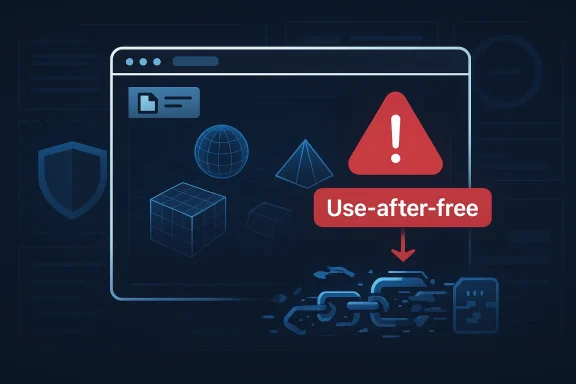 What CVE-2026-5285 Actually Is
At a technical level, use-after-free means the browser has kept using a memory object after it has already been released. In a browser engine, that kind of bug is dangerous because memory state is highly dynamic and attacker-controlled content can influence object lifetimes in subtle walassified as CWE-416, which is the canonical category for this class of memory-safety failure.The attack surface is WebGL, the browser interface that exposes GPU-accelerated 3D graphics and shader-based rendering to web content. That matters because graphics code tends to sit at the intersection of complex state machines, device drivers, and performance optimizations, which is exactly where lifetime bugs can hide. WebGL flaws are especially attractive to attackers because they are reachable through ordinary web content and often in rendering code that is harder to harden than higher-level application logic.
Why WebGL is such a high-value target
WebGL has long been a magnet for security research because it combines speed, complexity, and broad exposure. A page does not need a browser extension or local privilege to reach the vulnerable code path; it simply needs to load in the browser and invoke the relevant graphics operations. That makes get for remote exploitation, not just a theoretical one.- It is reachable from ordinary web pages.
- It sits close to GPU and rendering internals.
- It can be chained with other browser bugs for deeper compromise.
- It often involves complex object lifetimes and asynchronous cleanup.
- It is attractive for sandbox escape attempts when paired with other weaknesses.
Why the sandbox wording matters
Google’s description says the bug allowed code execution inside a sandbox, which is not the same as full system compromise. But in browser security, sandboxed code execution is still a serious milestone for an attacker because it can serve as the first stage in a multi-step exploit chain. Once an attacker has reliable execution in the browser sandbox, the next objective is often privilege escalation, data theft, vulnerability.That distinction is important for defenders. A sandbox is a mitigation, not a guarantee; it reduces blast radius, but it does not eliminate operational risk. In a real campaign, attackers rarely need to achieve absolute compromise on the first try. They need a dependable foothold, and browser memory corruption can provide exactly that. That is why advisories like this one are treated as urgent even when the initial payload i
What Google Disclosed and Why It Mattered
Google’s stable-channel release notes around March 2026 show a steady cadence of security remediation across the Chrome 146 branch. The release notes for March 13, 2026 show Chrome 146.0.7680.80 arriving with security fixes, while the broader March archive documents a series of security-driven updates across desktop, Android, and ChromeOS. That pattern matters because it shows the Chromium project’s operational model: fixes are pushed quickly, then rolled through channels as users catch up. (chromereleases.googleblog.com)Although the excerpted release note we could verify directly from Google does not list CVE-2026-5285 in the visible lines, the advisory data provided in the vulnerability record identifies the Chrome release note as the primary vendor reference for the fix. That is consistent with how Chromium CVEs are normally documented: the public-facing release notes often sum, while the vulnerability record maps the exact CVE to the corrected version.
Release engineering is part of the security story
The practical lesson is that patch speed is a security control. Chromium’s release pipeline does not just ship features; it is a fast-response mechanism for memory corruption, UI spoofing, policy bypasses, and sandbox boundary issues. The faster those patches land in stable, the smaller the window in which attackers can weaponize a public CVE. (chromereleases.googleblog.com)- Stable releases are where the majority of users get fixed.
- Security notes often lag behind the binary rollout slightly.
- Downstream browsers inherit the fix on their own cadence.
- Enterprises must verify version alignment, not just advisory awareness.
- A published CVE does not mean every install is immediately safe.
Why this is not “just another browser bug”
There is a temptation to treat browser advisories as routine, especially when the That would be a mistake here. WebGL bugs can be used in highly targeted attacks, in watering-hole campaigns, and in drive-by exploitation scenarios where the victim’s only mistake is visiting the wrong page. The browser itself becomes the attack surface.This is particularly relevant in enterprise environments where browsers are the primary access layer for identity providers, SaaS dashboards, and internal web apps. If the browser is compromised, the attacker may not need to defeat the network perimeter at all. They can work through the trusted application layer that employees already use every day. That is why browser CVEs often have outsized operational impact. (msrc.microsoft.com)
Microsoft’s Role in Downstream Visibility
Microsoft’s Security Update Guide is not just a catalog of Microsoft-authored flaws. It is also a downstream visibility layer for Chromium-based security issues that affect Microsoft Edge and other Microsoft-managed browser environments. Microsoft says its Security Update Guide exists to help customers manage security risks and keep systems protected, and that framing explains why Chromium CVEs show up there even when Google is the upstream vendor. (msrc.microsoft.com)That matters because many Windows enterprises use Microsoft tools to govern updates, not just vendor-specific browser dashboards. If a Chromium CVE appears in MSRC’s data, it can be used to map exposure across browser fleets, security baselines, and patch compliance workflows. In other words, Microsoft’s entry is often the operational bridge between upstream browser engineering and downstream enterprise administration. (msrc.microsoft.com)
Why the MSRC listing matters to Windows admins
The downstream listing helps administrators answer a simple but critical question: has the fix luild yet? That is especially useful in heterogeneous environments where Chrome, Edge, and Chromium-based embedded browsers may coexist. The MSRC record effectively tells administrators that the browser vulnerability is not merely a theoretical upstream issue; it is part of the real patch surface they must manage.- It confirms the issue is relevant to downstream Chromium consumers.
- It helps align browser patching with broader Microsoft security workflows.
- It reduces ambiguity when multiple browser channels are in use.
- It supports compliance reporting and vulnerability management.
- It shortens the time between vendor disclosure and enterprise action.
What the CVE does not mean
It does not mean Microsoft independently created the bug, and it does not necessarily mean Edge has the flaw for the same exact timeframe as Chrome. It means the upstream Chromium vulnerability is relevant to Microsoft’s ecosystem, and administrators should verify the downstream build status before assuming protection. That distinction is easy to miss, but it is central to how Chromium CVEs are tracked in Microsoft’s ecosystem. (msrc.microsoft.com)Risk to Enterpr, CVE-2026-5285 is a priority patch because it can be triggered through a crafted page and because browser security issues are often exploitable at scale. The presence of user interaction in the vector does not substantially reduce the urgency; users browse the web constantly, and social engineering lowers the threshold for exposure.
The biggest enterprise concern is not merely individual workstation compromise. It is the combination of browser compromise with identity sessions, SaaS tokens, and internal web applications that employees keep open throughout the day. A compromised browser session can become a stepping stone to cloud accounts, email, collaboration tools, and line-of-business applications. (msrc.microsoft.com)Patch management is the first control
The obvious response is also the correct one: confirm that C 146.0.7680.178 and that any downstream Chromium-based browsers have ingested the relevant fix. In managed Windows environments, that means checking policy-controlled update rings rather than waiting for end-user installation habits to do the work. Waiting is not a strategy when the attack surface is browser-delivered code execution.- Verify browser versions in inventory.
- Confirm update channels are healthy and unblocked.
- Check whether any pinned or enterprise-managed builds are lagging.
- Validate downstream Chromium consumers, not just Chrome itself.
- Monitor for suspicious browsing or crash behavior after disclosure.
The enterprise blast radius can be wider than expected
Browser bugs often affect VDI environments, shared workstations, kiosk setups, and remote support desktops more heavily than consumer laptops. Those are environments where browser use is tightly concentrated and where a successful exploit can have broad operational consequences. The more centralized the environment, the more important it is to patch every browser instance consistently. (msrc.microsoft.com)- Shared environments amplify risk.
- VDI fleets can lag if images are not refreshed quickly.
- Kiosk browsers may use locked-down update paths.
- Remote support tools can expose browser sessions unexpectedly.
- Compliance tools may underreport browser versions if inventory is incomplete.
Impact on Consumers
For consumeaway is simpler: update Chrome immediately. The vulnerable range ends before 146.0.7680.178, and the exploit path is a crafted HTML page, which means ordinary browsing behavior is enough to create exposure. Even users who consider themselves careful can be caught by a malicious ad, phishing message, or compromised website.Consumers also tend to underestimate browser-based risk because the browser feels like a container. But a browser is not a shield; it is a very large, very complex application that processes untrusted content all day long. Memory-safety bugs in that environment are not edge cases. They are core security events. (chromereleases.googleblog.com)
Why update prompts should not be delayed
Chrome updates are usually fast and low-friction, and that is part of the defense strategy. Delaying them creates a window where malicious pages can exploit unpatched installs, especially on systems where users routinely ignore update prompts or restart the browser infrequently. The safest assumption is that public browser CVEs will be operationalized quickly once they are known. (chromereleases.googleblog.com)- Restart browsers promptly after updates.
- Avoid postponing version upgrades on laptops and desktops.
- Be clinks, even if the browser seems stable.
- Keep secondary Chromium browsers updated too.
- Treat browser crashes after suspicious browsing as worth investigating.
Mobile and alternate Chromium builds
Even if a user does not run desktop Chrome, they may still be affected through other Chromium-derived products, browsers, or embedded web views. That is why update hygiene has to extend beyond the most visible browser icon on the taskbar. In the Chromium ecosystem, the vulnerability surface travels with the engine. (msrc.microsoft.com)How This Fits Chromium’s Broader Security Pattern
CVE-2026-5285 is part of a broader pattern in Chromium security: graphics and rendering code remain fertile ground for memory corruption flaws. Google’s March 2026 release stream contained multiple high-severity issues across the platform, reinforcing the reality that the browser engine is under continuous offensive and defensive pture-rich the browser becomes, the more places there are for lifetime bugs to hide. (chromereleases.googleblog.com)This pattern is not unique to WebGL, but WebGL is especially revealing because it combines complex state, GPU interaction, and untrusted content. The fact that the vulnerability is in a sandboxed browser context does not reduce its strategic importance; if anything, it underscores why browsers invest so heavily in layered mitigations. Attackers increasingly aim for the seams between those layers.
Browser security is a moving target
Chromium’s security model depends on a chain of mitigations: process isolation, sandboxing, aggressive patching, and constant fuzzing. Google’s release notes explicitly mention that many bugs are found through tooling such as AddressSanitizer, MemorySanitizer, UndefinedBehaviorSanitizer, Control Flow Integrity, libFuzzer, and AFL. That tells you something important: even sophisticated automation is still needed to keep up with the engine’s attack surface. (chromereleases.googleblog.com)- Browser code is too large for manual review alone.
- Fuzzing finds edge-case lifetime and state bugs.
- Sanitizers catch classes of memory misuse early.
- Fast release channels reduce attacker dwell time.
- Downstream vendors depend on thThe lesson for defenders is that browser security should be treated as a continuous program, not a periodic checkbox. A good patch score last month does not mean you are safe this month. Every browser cycle resets the exposure window. (chromereleases.googleblog.com)
Why sandboxed RCE still ranks high
A sandboxed remote code execution vulnerability may sound less dramatic than a kernel exploit, but the operational difference is often smaller than people think. Browser exploit chains frequently begin with content-rendering flaws and then use other bugs to escape isolation or steal data. From a risk-management perspective, the first bug still matters because it is the entry point.Strengths and Opportunities
The good news is that the ecosystem around Chromium vulnerability disclosure is mature, and that maturity gives defenders real leverage. Google patches quickly, Microsoft mirrors upstream exposure for enterprise visibility, and the broader security community has strong habits around version tracking and update compliance. That ecosystem does not eliminate risk, but it does create a workable defense model. (chromereleases.googleblog.com)- Fast upstream remediation reduces attacker dwell time.
- Microsoft’s downstream visibility helps enterprises map exposure.
- Clear version boundaries simplify compliance checks.
- WebGL scrutiny may improve future hardening.
- Patch telemetry can help identify lagging systems.
- Security advisories create a clean triggnse.
- Browser update automation can eliminate human delay.
Risks and Concerns
The biggest concern is that browser flaws are often underestimated because users are accustomed to the browser as a daily utility rather than as a critical security boundary. That mindset leads to delayed restarts, deferred updates, and incomplete inventory, all of which extend exposure. In the wrong hands, a single malicious page can become the first step in a larger compromise.Another concern is that enterprises may focus on the primary browser and overlook secondary Chromium builds. That is a common blind spot in fleets that include Edge, embedded web views, kiosk apps, or third-party browsers built on Chromium. If version management is not centralized, the patch gap can remain open longer than anyone expects. (msrc.microsoft.com)
- **Ull leaves plenty of room for exploitation.
- Downstream builds may lag the upstream fix.
- Shadow IT browsers can evade standard patch reporting.
- Crash telemetry may not be tied quickly to exploitation.
- Sandboxed execution can still enable multi-stage attacks.
- Social engineering lowers the bar for successful delivery.
- Delayed restarts can keep the vulnerable code in memory longer than policy assumes.
Looking Ahead
The next question is will continue to find high-severity browser bugs, but where the next one will appear. Graphics, media, identity, and developer-facing components have all proven to be productive targets, and the cadence of Chrome releases suggests that more fixes will follow quickly. The real differentiator will be how fast organizations can absorb those fixes into their own update pipelines. (chromereleases.googleblog.com)For Windows and enterprise teams, CVE-2026-5285 is a reminder to treat browser patching as part of broader endpoint hygiene, not a separate consumer IT task. Version verification, policy enforcement, inventory accuracy, and user restart behavior all matter. The organizations that do those things well tend to absorb browser CVEs with less drama. The ones that do not often find out only after an incident.
Items to watch next
- Whether additional Chromium-based products publish their own downstream advisories.
- Whether threat researchers begin to report exploitation in the wild.
- Whether managed browsers on Windows show slower-than-expected uptake.
- Whether Google issues follow-on hardening for WebGL.
- Whether Microsoft’s guidance is updated with additional deployment notes.
CVE-2026-5285 is not just another line in a vulnerability database. It is a case study in why browser engines continue to dominate the security agenda: they are universal, complex, and constantly exposed to hostile input. As long as the web remains the front door to work, identity, and entertainment, flaws like this will keep carrying an outsized impact, and the winners will be the organizations that patch fastest, verify most carefully, and assume the least.
Source: NVD / Chromium Security Update Guide - Microsoft Security Response Center
Last edited:
