

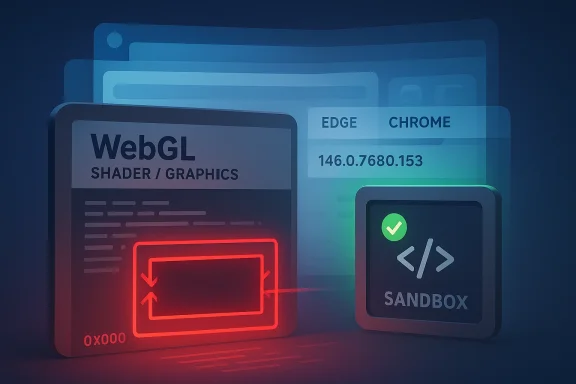
Chromium’s newly tracked CVE-2026-4440 is the sort of browser flaw that instantly commands attention because it sits in the WebGL attack surface, combines out-of-bounds read and write behavior, and is described as enabling arbitrary read/write through a crafted HTML page. Microsoft’s Security Update Guide is already surfacing the issue as a Chromium-origin vulnerability affecting Microsoft Edge because Edge inherits Chromium fixes downstream, and the advisory points to Google’s Chrome release note for the fix in versions before 146.0.7680.153. r security teams tend to treat memory-safety bugs in graphics paths as especially serious because they can bridge the gap between ordinary web content and deeper process compromise. In this case, the disclosure text for CVE-2026-4440 says a remote attacker could abuse a crafted page to trigger arbitrary read/write, which is more alarming than a simple crash or denial-of-service condition. That wording suggests a flaw with meaningful exploit potential, even though public writeups at this stage still leave some technical details undisclosed.
The timing matters ity cadence in early 2026 has already seen a steady stream of serious engine flaws, and this bug lands in that same broader pattern of rapid upstream fixes followed by downstream distribution in products such as Edge. Microsoft’s documentation of Chromium CVEs is not a separate patch stream; it is a signal to administrators and end users that a given Edge build has absorbed the upstream Chrome fix and no longer carries the vulnerable code path.
That distinction is important for Windoworganizations read Microsoft’s Security Update Guide as if it were a Microsoft-authored vulnerability catalog. It is not always that simple. In Chromium-based products, Microsoft often acts as a downstream tracker, translating Google’s engine-level fixes into enterprise-facing guidance so security teams can verify whether their deployed Edge versions are protected.
For CVE-2026-4440, the practical message is straightforward: rome, or a Chromium-based browser that has not yet consumed the fix, you should treat this as a high-priority update item. If you are managing Windows fleets with Edge, the question is less about panic and more about build verification, rollback readiness, and whether your browser update channel is actually keeping pace with the upstream Chromium train.
Chromium’s graphics stack has a long history of being security sits close to complex, hardware-accelerated code paths that are difficult to fuzz exhaustively. WebGL in particular is a classic pressure point: it exposes powerful graphics capabilities to the web while relying on tight validation between JavaScript, rendering logic, and driver-facing operations. When that validation slips, the result is often exactly the kind of memory corruption this CVE describes.
WebGL bugs are not new, and their significance is not merely academic. Historically, browser exploit chains have often combined a browser engine bug with a sandbox escape or privilege escalation to achieve full compromise. A flaw that offers both read and write primitives is especially valuable to an attacker because it can help defeat mitigations, leak addresses, corrupt objects, or lay the groundwork for code execution.
A browser bug that can be triggered by content alone typically receives high scrutiny because the browser is the front door for email links, advertisements, web apps,g pages. Even if the exploit requires precise conditions, the threat model remains broad: users simply need to load a page. That is why browser vendors aggressively patch this category and often keep bug details restricted until most users have updated.
That version boundary is more useful than the CVE label for day-to-day operations. Security teams should focus on what is actually installed on endpoints, because “we have Chrome 146” is not enough if the deployed fleet is on an is is one of those cases where minor revision numbers matter in a way that users often underestimate.
This is a common source of confusion for Windows administrators who monitor MSRC closely. Microsoft often republishes Chromium CVEs so its enterprise customers can track whether the Edge version they deploy has inherited the fix. The guide is therefore both a security reference and a patch-verification tool, especially in environments that standardize on Edge for managed browsing.
The current public description does not spell out whether the bug is already being exploited in the wild, and that absence should be treated carefully. No public exploitation claim is not the same as low risk; it often just means defenders are still in the window where they can patch before attackers scale the issue.
This distinction is especially important for organizations that rely on Windows Update but do not centrally manage browsers with equal rigor. A browser security issue can outpace patch governance if teams assume the operating system patch pipeline also protects the application stack. It does not.
The upside is predictable patch propagation. The downside is shared exposure. If a vulnerability lands in Chromium’s rendering or graphics layers, the blast radius is larger than in a fragmented browser world because so many products consume the same codebase. That is a market efficiency and a systemic risk at the same time.
Security teams should expect the usual follow-on questions: whether the bug was exploited before disclosure, whether other Chromium-based products need separate advisories, and whether vendors using embedded WebGL paths have inherited the same issue. Those answers may emerge gradually, but the immediate action does not change: confirm versions, update aggressively, and verify that your browser fsafe boundary.
Source: NVD / Chromium Security Update Guide - Microsoft Security Response Center
The timing matters ity cadence in early 2026 has already seen a steady stream of serious engine flaws, and this bug lands in that same broader pattern of rapid upstream fixes followed by downstream distribution in products such as Edge. Microsoft’s documentation of Chromium CVEs is not a separate patch stream; it is a signal to administrators and end users that a given Edge build has absorbed the upstream Chrome fix and no longer carries the vulnerable code path.
That distinction is important for Windoworganizations read Microsoft’s Security Update Guide as if it were a Microsoft-authored vulnerability catalog. It is not always that simple. In Chromium-based products, Microsoft often acts as a downstream tracker, translating Google’s engine-level fixes into enterprise-facing guidance so security teams can verify whether their deployed Edge versions are protected.
For CVE-2026-4440, the practical message is straightforward: rome, or a Chromium-based browser that has not yet consumed the fix, you should treat this as a high-priority update item. If you are managing Windows fleets with Edge, the question is less about panic and more about build verification, rollback readiness, and whether your browser update channel is actually keeping pace with the upstream Chromium train.
 Background
Chromium’s graphics stack has a long history of being security sits close to complex, hardware-accelerated code paths that are difficult to fuzz exhaustively. WebGL in particular is a classic pressure point: it exposes powerful graphics capabilities to the web while relying on tight validation between JavaScript, rendering logic, and driver-facing operations. When that validation slips, the result is often exactly the kind of memory corruption this CVE describes.WebGL bugs are not new, and their significance is not merely academic. Historically, browser exploit chains have often combined a browser engine bug with a sandbox escape or privilege escalation to achieve full compromise. A flaw that offers both read and write primitives is especially valuable to an attacker because it can help defeat mitigations, leak addresses, corrupt objects, or lay the groundwork for code execution.
Why WebGL Bugs Matter
WebGL lives at the junction of browser logic and graphics acceleration, and that makes it unusually exposed to implementation mistakes. A bug in this layer can be triggered from ordinary web content without user interaction beyond visiting a page, which is why the attack model for CVE-2026-4440 is so concerning. The disclosure’s reference to a crafted HTML page is the classic indicator of a drive-by web attack surface rather than a local-only issue.How Chromium Distributes Fixes
Chromium upstream fixes generally flow first into Google Chrome relhromium-based downstream browsers. That means security teams often have to watch multiple channels at once: Google’s release notes, Microsoft’s Edge guidance, and any vendor-specific advisories for embedded Chromium consumers. In practice, the upstream browser team is the source of truth for the code defect, while downstream vendors are the source of truth for whether their product build has incorporated the fix.The Enterprise Angle
For enterprises, that split matters because patch verification is operationally more important thaf. Administrators need to know whether their managed browser channel has already crossed the vulnerable version boundary, whether automatic updates are enabled, and whether any policy or offline deployment ring is delaying remediation. A browser CVE with potential arbitrary read/write behavior can move quickly from “interesting” to “incident” if update governance is weak.What the Vulnerability Means
The official description says out-of-bounds read and write in WebGL allowed a remote attacker to perforite via a crafted HTML page in Google Chrome prior to 146.0.7680.153**. In security terms, that combination is far more serious than a logic bug or a UI glitch because it implies direct memory corruption in a remotely reachable browser subsystem.A browser bug that can be triggered by content alone typically receives high scrutiny because the browser is the front door for email links, advertisements, web apps,g pages. Even if the exploit requires precise conditions, the threat model remains broad: users simply need to load a page. That is why browser vendors aggressively patch this category and often keep bug details restricted until most users have updated.
Memory Safety in Practice
The specific phrases out-of-bounds read and out-of-bounds write are worth unpacking. A read primitive can leak memory and defeat address randomizatimitive can alter control data, heap objects, or other in-process state. When both are present, the vulnerability may become significantly easier to weaponize, although the exact exploitability depends on the surrounding mitigations and the attacker’s control over heap layout.Why “Arbitrary” Is the Critical Word
The advisory’s language about arbitrary read/write signals more than just corruption. It hints that the attacker may be able to shape memory access enough to direct the reads and writes to chosen locations, which can dramatically increase exploit quality. That does not guarantee public exploitation, but it does explain why the Chromium security severity is labeled Critical.Web Attack Surface and User Exposure
This is the kind of issue that can hit both consumers and enterprises through the same mechanism: a malicious link. Consumer risk is often highest through phishing an enterprise risk typically comes from browsing authenticated internal portals, webmail, or third-party SaaS dashboards from managed endpoints. In both cases, the browser is a shared trust layer, which is why a vulnerable rendering engine can become a broad organizational exposure.- Remote trigger via a crafted HTML page
- Potentially meaningful exploit primitives: read plus write
- Affects the engine, not just a single website
- Likely relevant to both consumer browsing and enterprise web workflows
- Fix is tied to a specific Chromium build boundary, not a user-facing feature toggle
Google’s Fix and Version Boundary
Google’s release channel information points to a remediation in Chrome 146.0.7680.153 and later. The CVE record explicitly ties the vulnerability to versions prior to 146.0.7680.153, which means that build number is the practical dividing line between exposed and patched browsers.That version boundary is more useful than the CVE label for day-to-day operations. Security teams should focus on what is actually installed on endpoints, because “we have Chrome 146” is not enough if the deployed fleet is on an is is one of those cases where minor revision numbers matter in a way that users often underestimate.
Reading the Release Note Trail
Google’s Chrome Releases page is the key upstream source cited in the CVE change history. Microsoft’s guide also links to the Chromium issue tracker entry for the vulnerability, showing the familiar pattern: Google documents the fix, and downstream vendors mirror the relevant security status for their own product lines.Why Build Numbers Matter More Than Branding
Many users assume that “Chrome updated recently” is equivalent to “Chrome is safe.” That is not always true. Security fixes can land in a precise point release, and if a device misses that update becauoffline images, or manual update suppression, it remains vulnerable even though the browser version family sounds current. Exact build matching is the only reliable way to close that gap.Practical Update Implications
If you administer Chrome or Chromium-based browsers, the best practice is to confirm the installed version against the fixed build and not rely on the browser’s generic update banner. The difference between a vulnerable and a safe endpoint may be a single micro-release. In a critical browser exploit scenario, that margin can be the difference between routine patch management and a post-exploitation cleanup effort.Microsoft Edge and Downstream Tracking
Microsoft’s Security Update Guide entry exists because Microsoft Edge is Chromium-based, not because Microsoft independently rediscovered the bug. That means the Edge listing should be read as downstream security visibility: it tells customers when Microsoft has incorporated the upstream Chromium fix into Edge builds.This is a common source of confusion for Windows administrators who monitor MSRC closely. Microsoft often republishes Chromium CVEs so its enterprise customers can track whether the Edge version they deploy has inherited the fix. The guide is therefore both a security reference and a patch-verification tool, especially in environments that standardize on Edge for managed browsing.
What Edge Customers Should Do
The operational answer for Edge users is not complicated, but it does require discipline. First, confirm the deployed Edge version on managed devices. Second, compare it against Microsoft’s tracked status for the Chromium fix. Third, verify that your update channel is actually allowed to pull new stable builds without delay.Why This Matters in Enterprise Environments
Enterprise IT rarely fails because one update is missing. It usually fails because update policies, maintenance windows, image baselines, and exception lists create friction that leaves a subset of devices behind. For a critical browser bug, a small holdout population can still be enough to create risk, especially if those endpoints handle privileged work or are exposed to untrusted web content daily.The Edge-Hardening Checklist
- Confirm Edge is on a build that includes the Chromium fix
- Review whether auto-update policies are blocked or deferred
- Audit high-risk user groups such as finance, help desk, and executives
- Check virtual desktop and non-persistent image refresh cadence
- Ensure incident response playbooks include browser quarantine steps
Attack Surface and Exploitation Risk
The phrase crafted HTML page matters because it indicates that an attacker may not need a special file type, extension, or local access. A browser exploit delivered through ordinary web content is much easier to operationalize than one that depends on deep victim interaction. That is why these issues often become part of layered exploit chains in the real world.The current public description does not spell out whether the bug is already being exploited in the wild, and that absence should be treated carefully. No public exploitation claim is not the same as low risk; it often just means defenders are still in the window where they can patch before attackers scale the issue.
The Likely Exploit Path
A WebGL memory corruption bug could plausibly be used to break out of rendering constraints, leak process memory, or prepare the browser process for further compromise. Whether the flaw is directly weaponizable on day one depends on exact allocator behavior, sandbox boundaries, and the effectiveness of neighboring mitigations. Still, the presence of both read and write primitives suggests this is not a trivial crash-only defect.Who Is Most Exposed
Users who browse frequently to unknown sites are the obvious risk group, but that is not the full picture. Enterprises with heavy web application usage, managed browsers, or shared kiosk environments can be equally exposed if patch deployment lags. The browser is a privileged application in modern workflows, “web app” and “attack surface” is thinner than many security programs like to admit.Defensive Interpretation
Defenders should treat the CVE as an urgent hardening event, not just a version update. That means watching for unusual browser crashes, ensuring telemetry is enabled where appropriate, and increasing scrutiny of suspicious links and drive-by landing pages. Speed of patching is the most important control here, because exploit maturity can evolve faster than standard monthly cycles.- Potential for web-delivered attack chains
- Strong reason to tighten patch SLAs
- Important for both consumer and enterprise browsers
- Memory-corruption bugs often pair well with browser sandbox escape attempts
- Monitoring and isolation are useful, but not a substitute for updating
Impact on Windows Users
Windows users are affected through their browser choice, not through the Windows kernel itself. If the installed browser is Chrome, Edge, or another Chromium-derived product, the risk follows the browser engine version. That makes this a classic case where a Windows endpoint can be fully patched at the OS level and still remain vulnerable through outdated application software.This distinction is especially important for organizations that rely on Windows Update but do not centrally manage browsers with equal rigor. A browser security issue can outpace patch governance if teams assume the operating system patch pipeline also protects the application stack. It does not.
Consumer vs Enterprise Exposure
Consumers are moed through personal browsing habits, email links, and social engineering. Enterprises, by contrast, face a larger attack surface because employees spend the day inside browsers connected to sensitive systems, internal apps, and authenticated services. In both environments, the risk is amplified by the same behavior: clicking before verifying.Why Patch Lag Is Dangerous
If a security advisory says “prior to 146.0.7680.153,” then any endpoint below that line is a liability. Patch lag creates a false sense of safety because the browser may still appear current to the user. The real question is whether the engine build on the machine has crossed the vulnerable boundary.Admin Priorities
- Identify all Chromium-based browsers in the fleet.
- Verify current build numbers against the fixed version.
- Check update deferrals, ring settings, and offline images.
- Prioritize high-value user groups and internet-facing roles.
- Validate that browser updates are not being blocked by policy conflicts.
Competitive and Ecosystem Implications
Security like this is one reason the Chromium ecosystem continues to dominate browser strategy despite periodic criticism about monoculture risk. When Google ships a critical fix, the entire downstream ecosystem — including Edge, Brave, Opera, and various embedded web views — often has to ingest it quickly. That creates a powerful coordination advantage, but it also means a single upstream bug can ripple across an enormous installed base.The upside is predictable patch propagation. The downside is shared exposure. If a vulnerability lands in Chromium’s rendering or graphics layers, the blast radius is larger than in a fragmented browser world because so many products consume the same codebase. That is a market efficiency and a systemic risk at the same time.
What Rivals Must Do
Browser vendors competing on Chromium have limited room to differentiate at the engine layer when a critical security fix is required. Their differentiators become update speed, deployment policy, and security controls rather than unique engine behavior. In that sense, a CVE like this is a test of operational maturity as much as it is a code-quality problem.Why This Matters for Embedded Chromium Consumers
The broader Chromium ecosystem includes far more than standalone desktop browsers. WebView-based applications, productivity tools, and embedded browser shells can inherit the same engine-level risk if they are built on vulnerable Chromium branches. That makes the issue relevant well beyond the consumer browser market and are supply chains.Strategic Takeaway
The real story is not just “Chrome fixed a bug.” It is that one engine defect can ripple through an entire platform layer, making browser patch latency a first-class security metric. For organizations that standardize on Chromium-based software, update governance is product governance.- Shared codebase means shared exposure
- Faster upstream response helps downstream security
- Differentiation shifts to update orchestration
- Embedded consumers inherit the same operational urgency
- Engine bugs can affect many products at once
Strengths and Opportunities
The good news is that the security ecosystem around Chromium is mature enough to move fast when a critical bug appears, and this CVE appears to have a clear fixed version boundary. The presence of Google release notes and Microsoft’s downstream tracking also gives administrators multiple ways to validate remediation. That combination makes it possible to respond decisively, provided teams are actually paying attention.- Clear remediation target: 146.0.7680.153 and later
- Upstream and downstream documentation both exist
- The vulnerability is well-scoped to a known browser engine area
- Security teams can use build verification to measure exposure
- The issue reinforces the value of aggressive browser auto-update
- Microsoft’s tracking improves enterprise visibility
- Organizations can use this moment to audit broader Chromium usage
Risks and Concerns
The main concern is that the vulnerability appears to offer unusually strong exploitation potential for a web-delivered bug. If the advisory’s description is accurate, then a remote attacker may be able to achieve meaningful memory corruption through a page alone, and that is precisely the sort of flaw that attackers like to weaponize. The other concern is that patch lag in browsers is often hidden until it is too late.- Possible high exploit value because of read/write primitives
- Remote delivery through ordinary web content
- Risk extends to multiple Chromium-based products
- Enterprise update delays can create silent exposure
- Browser crashes may be misread as harmless instability
- Users may not notice they are on a vulnerable micro-release
- Downstream applications and embedded views can be overlooked
Looking Ahead
What matters now is whether the fixed build moves quickly through the channel stack and reaches every organization that depends on Chromium. Google’s upstream fix and Microsoft’s downstream tracking are useful, but neither helps if update policy, package management, or offline imaging keeps the vulnerable version in circulation. The next few weeks will show whether this becomes a routine patch event or a longer-tail enterprise hygiene problem.Security teams should expect the usual follow-on questions: whether the bug was exploited before disclosure, whether other Chromium-based products need separate advisories, and whether vendors using embedded WebGL paths have inherited the same issue. Those answers may emerge gradually, but the immediate action does not change: confirm versions, update aggressively, and verify that your browser fsafe boundary.
- Verify Chrome and Edge build numbers against the fixed release
- Watch for downstream advisories from other Chromium-based vendors
- Review enterprise update deferrals and offline image baselines
- Prioritize users with sensitive web access or elevated business impact
- Monitor whether exploit reports surface in the wild
Source: NVD / Chromium Security Update Guide - Microsoft Security Response Center
