

Google and Microsoft addressed CVE-2026-7943 in early May 2026 after Chrome 148.0.7778.96 fixed an ANGLE input-validation flaw that could let an attacker with a compromised renderer process perform arbitrary read and write operations through a crafted HTML page. The important part is not that this bug is “only” medium severity. The important part is that the browser’s GPU translation layer is again sitting at the seam where web content, graphics drivers, sandboxing, and enterprise patch cadences meet. For Windows admins, this is less a one-off Chrome note than a reminder that Chromium has become shared infrastructure.
CVE-2026-7943 is described as insufficient validation of untrusted input in ANGLE, the graphics abstraction layer Chromium uses to translate web graphics calls across different back ends and operating systems. In practical terms, ANGLE is one of the pieces that helps make WebGL and other graphics-heavy browser features behave consistently on Windows, macOS, Linux, and mobile platforms.
That sounds like plumbing, and in a sense it is. But browser plumbing is exactly where modern exploit chains often look for weak joints. A renderer compromise is not the end of the road in a hardened browser; it is a foothold that still has to be turned into something more useful.
The CVE description says an attacker would first need to have compromised the renderer process. That condition matters because it explains the medium severity rating: this is not being advertised as a simple click-and-own bug from a blank slate. Yet it also explains why security teams should not ignore it, because renderer bugs and renderer-adjacent primitives are often chained together.
The uncomfortable lesson is that a “medium” browser CVE can still matter if it improves the attacker’s position after the first break. In browser security, the most interesting bugs are not always the ones with the biggest individual score. Sometimes they are the ones that make the next step easier.
That bargain is powerful. It is also messy. Graphics code has to parse shader input, manage buffers, talk to drivers, juggle command streams, and do it all under intense performance pressure. It lives close enough to hardware acceleration to matter and close enough to web content to be exposed.
For Windows users, ANGLE is especially relevant because Chromium-based browsers have long depended on layers that smooth over differences among GPUs and drivers. The result is that a web page can push a surprising amount of work through the graphics stack without the user thinking about it. The browser makes it feel ordinary; attackers study the parts that make it possible.
This is why “insufficient validation of untrusted input” is such a bland but loaded phrase. It tells us little about the specific failing, because the underlying issue tracker is restricted, but it tells us enough about the class of mistake. Something that arrived from an untrusted context was not checked strictly enough before it reached code that could produce memory access consequences.
But the phrase should not be read as “safe unless already doomed.” In modern browser exploitation, the renderer is often the first stage. The attacker’s real goal is to escape constraints, read sensitive data, write into useful memory locations, or manipulate a second component into granting more capability.
CVE-2026-7943’s described impact — arbitrary read/write — is therefore important. Read/write primitives are the raw material of exploitation. They can turn an unstable crash into a controlled exploit, transform a partial compromise into a reliable chain, or help bypass mitigations that would otherwise stop a payload cold.
That does not mean this CVE is known to be exploited in the wild. The public record around this specific issue does not say that. The point is subtler: the severity label reflects one vulnerability in isolation, while defenders have to think in chains.
That context matters because CVE-2026-7943 did not arrive as a dramatic emergency bulletin on its own. It arrived inside the normal machinery of Chromium’s stable channel, where dozens or hundreds of vulnerabilities can be swept into a scheduled release. For consumers, the answer is simple: restart the browser. For enterprises, the answer is more complicated: validate, stage, ring-deploy, and verify.
The sheer number of fixes in a browser release also exposes a weakness in how many organizations talk about browser patching. They still treat Chrome, Edge, Brave, Vivaldi, and other Chromium-derived browsers as “applications” in the old sense. In 2026, they are closer to operating-system subsystems that happen to ship on a faster cadence.
That is especially true on Windows. Edge is built into the Microsoft desktop experience, WebView2 is embedded across applications, and Chrome remains widely deployed in business environments. A Chromium patch is not just a consumer browser event; it is a platform event.
That split is now routine. Some bugs are Chromium bugs that matter to every downstream browser using the affected code. Others are Edge-specific issues in Microsoft’s surrounding integration, services, management features, or platform glue. Admins have to track both streams.
This duality is where patch management often gets sloppy. A team may see a Chrome CVE and assume it is a Google-only problem, while a Microsoft bulletin later surfaces the same underlying Chromium exposure for Edge. Conversely, a Microsoft Edge release may say it incorporates Chromium fixes without restating every upstream detail in a way that maps neatly to an internal scanner’s expectations.
The result is a translation problem. Security teams need to translate CVEs into products, product versions, deployment channels, and installed instances. CVE-2026-7943 is a tidy example because the affected upstream product is clear, the fixed Chrome version is clear, and the Edge release followed quickly. But the operational work still lands on admins.
Still, this is where scanners, dashboards, and procurement checklists can mislead people. CPE matching is brittle. It depends on naming conventions, vendor/product strings, version boundaries, platform relationships, and enrichment work that often trails real-world vendor releases.
For CVE-2026-7943, the obvious affected software is Google Chrome before 148.0.7778.96. Microsoft Edge is also relevant because Microsoft shipped Edge 148.0.3967.54 with the latest Chromium security updates, but Edge uses a different product identity and version line. A scanner that only keys on the Google Chrome CPE will not necessarily represent Edge exposure correctly.
There is also Chromium itself, which complicates packaging on Linux distributions. Ubuntu’s security tracker, for example, treats its chromium-browser package in the context of distribution packaging and notes that modern Ubuntu releases use a snap-based path rather than a conventional Debian-style browser package. That does not make the upstream bug irrelevant; it means the packaging and affected-product story differs from a simple “install this CPE” model.
So, yes, there may be room for more ecosystem-specific product mappings depending on how a database chooses to represent Chrome, Chromium, Edge, and downstream packages. But no, admins should not wait for perfect CPE enrichment before acting. CPEs are inventory aids, not the source of truth for whether an exposed browser needs updating.
It is also the kind of score that can lull organizations into a false hierarchy. Many vulnerability-management programs are still built around numeric thresholds: patch criticals immediately, highs next, mediums when convenient. Browser bugs do not always respect that neat ordering.
A medium bug in a browser component exposed to web content can be more urgent than a high-scoring flaw in a service that does not exist in your environment. Conversely, a high score can be less pressing if the affected feature is disabled, unreachable, or mitigated by architecture. Scores are useful triage signals, not commands from the gods.
The better question is whether the bug sits in a component that attackers routinely reach and whether a fix is readily available. For CVE-2026-7943, both conditions push toward action. The component is inside a mainstream browser stack, and fixed releases are already available.
That progress is real. Browser vendors have spent years forcing attackers to chain bugs, break assumptions, and survive mitigations. The modern browser is far harder to exploit reliably than the plugin-riddled mess of the early 2010s.
But layered defenses also create layered failure modes. A renderer compromise may be contained, but if the attacker can combine it with a bug in graphics handling, IPC, shared memory, or a privileged process boundary, the containment story changes. CVE-2026-7943 explicitly sits after the renderer compromise in the chain, which is why its strategic value is not captured by the word “medium.”
This is the paradox of good sandboxing: it makes individual bugs less catastrophic, but it also makes chains the normal unit of serious attack. Defenders who only read CVEs one at a time are reading the attacker’s sentence word by word and missing the grammar.
In isolation, that may be constrained by process boundaries and mitigations. Inside an exploit chain, it can be the difference between a proof-of-concept crash and a working attack. Attackers prize read primitives because they can disclose addresses, secrets, object layouts, and mitigation state. They prize write primitives because they can corrupt control data, alter object fields, or steer execution.
Again, the public advisory does not provide the exploit details. Google routinely restricts Chromium bug details until most users have received a fix, and that is a sensible policy. But the lack of public detail should not be mistaken for lack of risk.
For defenders, the actionable fact is enough: the fixed version exists, the bug class is in a reachable browser component, and the described capability is useful to an attacker who has already crossed the renderer line.
That changes the patching model. It is not enough to update “the browser users open.” Admins need to know which Chromium-based runtimes exist on endpoints, which update channels they follow, and whether enterprise policy has slowed automatic updates in the name of compatibility.
Chrome’s auto-update system is excellent for unmanaged consumers. Enterprise fleets are different. Group Policy, update rings, VDI images, app control, change windows, and network egress restrictions can all delay a fix that technically shipped days earlier.
Edge adds another layer. Microsoft releases Edge on its own version track, and its version numbers do not match Chrome’s even when both are based on Chromium 148. That means a dashboard looking for Chrome 148.0.7778.96 will not tell the whole Edge story. The correct Edge question is whether the estate has received the May 7 Stable Channel update or later.
The organizations that do this well do not manage Chrome and Edge as isolated applications. They manage browser engines as shared attack surface.
Google shipped Chrome 148’s desktop stable update on May 5, 2026. Microsoft followed with Edge Stable 148.0.3967.54 on May 7. Neither date cares whether an organization’s monthly Windows cumulative update cycle is convenient.
This is not a criticism of Microsoft or Google. It is a description of how browser risk works. Web-exposed code is too high-volume, too frequently attacked, and too broadly deployed to wait for monthly bundling when fixes are ready.
The policy implication is straightforward: browser updates need their own service-level objectives. If a Chromium security release lands, organizations should already know how quickly Chrome, Edge, and embedded runtimes are expected to move through rings. If the answer is “next month,” the policy was written for another era.
This is where user experience collides with security. Browser vendors avoid forcibly disrupting sessions unless they must, because users live in tabs. Enterprises avoid surprise restarts because line-of-business apps and meetings are fragile. Attackers, however, do not care that someone has 47 tabs open and a half-written expense report.
Admins should distinguish between “update offered,” “update installed,” and “updated process running.” Those are not the same state. For browser vulnerabilities, the last one matters most.
This is also why communication still matters in an age of automatic updates. A short message asking users to relaunch Chrome and Edge after a security update can close more risk than another dashboard showing theoretical compliance.
That expansion is not inherently reckless. Users expect browser-based applications to behave like native software. Developers expect acceleration, low latency, and cross-platform APIs. Vendors have responded by turning browsers into operating environments.
Security is now catching up with that reality. The attack surface is not just HTML parsing and JavaScript engines. It is also codecs, font handling, GPU command validation, shader compilation, IPC, device APIs, and compatibility layers like ANGLE.
This is why browser hardening is not a single feature. Sandboxing, memory-safe rewrites, site isolation, exploit mitigations, fuzzing, bug bounty programs, driver blocklists, and rapid update mechanisms all work together. Remove one, or delay one, and the whole risk model shifts.
CVE-2026-7943 is therefore a small marker on a much larger map. It reminds us that the web’s graphical richness is implemented by code that must constantly decide whether untrusted input is safe enough to pass deeper into the stack.
This can frustrate defenders. Security teams like details: affected functions, exploitability notes, proof-of-concept behavior, mitigations, and telemetry indicators. Without those, they have to make decisions from sparse advisory language.
But the absence of detail is not a reason to delay. In fact, it argues for the opposite. If the vendor has fixed a browser bug with arbitrary read/write potential and is withholding the technical specifics during rollout, the defender’s best move is to reduce the number of vulnerable instances before the details inevitably spread.
There is a familiar rhythm here. First comes the terse advisory. Then the patch diff gets studied. Then researchers infer the bug. Then proof-of-concept work may appear. The safest place to be by that later stage is already patched.
Ubuntu’s notes around chromium-browser are a reminder that package names can mislead. A package may be a transitional wrapper, a snap installer, or a distribution-specific artifact rather than a traditional compiled browser package. Vulnerability scanners that only look for one package name can overstate or understate exposure.
For enterprise Linux desktops, kiosks, and VDI images, that matters. The practical question is not merely whether “Chromium” appears somewhere in a database. It is what executable users run, what channel updates it, what version is currently active, and whether the underlying build contains the upstream fix.
Windows admins should care about this too, because many organizations run mixed fleets. The Chromium security event is shared; the patch path is local.
But there is a dangerous habit of letting metadata uncertainty delay operational certainty. CVE-2026-7943 has enough clarity to act: Chrome before 148.0.7778.96 is the fixed boundary in Google’s line, and Edge 148.0.3967.54 incorporated the relevant Chromium security updates in Microsoft’s line. Waiting for every database to converge is not risk management; it is paperwork management.
The better approach is to separate inventory reconciliation from emergency hygiene. Patch the browsers and runtimes first. Then tune scanner logic, exception handling, and CPE mappings afterward.
This is especially true in environments where browser versions can be queried directly. Endpoint management tools, EDR inventories, Chrome Browser Cloud Management, Microsoft Intune, Configuration Manager, and software inventory agents can usually tell you the installed version more reliably than a generic CPE match.
A mature program uses CVEs to trigger the hunt, vendor releases to define the fixed state, and endpoint telemetry to prove the outcome. CPEs help connect those layers, but they should not be allowed to replace them.
For smaller environments, that may mean walking users through About Chrome and About Microsoft Edge. For larger ones, it means version reporting, update-policy review, and ring acceleration. The goal is not to produce a beautiful vulnerability report. The goal is to ensure the vulnerable code is no longer running.
If your scanners are confused by the CPE configuration, treat that as a separate ticket. It is worth fixing because bad metadata creates recurring pain. But the patch action should not wait on it.
Source: NVD / Chromium Security Update Guide - Microsoft Security Response Center
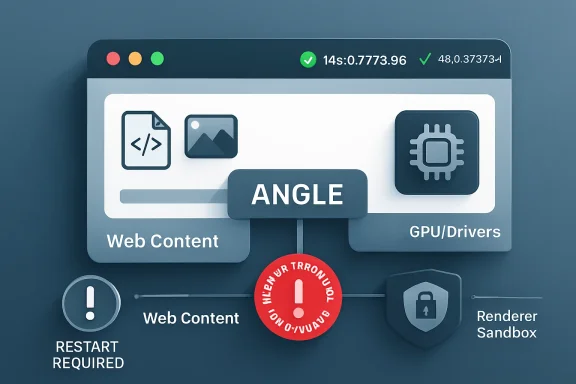 The Medium-Rated Bug That Points at a High-Value Boundary
CVE-2026-7943 is described as insufficient validation of untrusted input in ANGLE, the graphics abstraction layer Chromium uses to translate web graphics calls across different back ends and operating systems. In practical terms, ANGLE is one of the pieces that helps make WebGL and other graphics-heavy browser features behave consistently on Windows, macOS, Linux, and mobile platforms.That sounds like plumbing, and in a sense it is. But browser plumbing is exactly where modern exploit chains often look for weak joints. A renderer compromise is not the end of the road in a hardened browser; it is a foothold that still has to be turned into something more useful.
The CVE description says an attacker would first need to have compromised the renderer process. That condition matters because it explains the medium severity rating: this is not being advertised as a simple click-and-own bug from a blank slate. Yet it also explains why security teams should not ignore it, because renderer bugs and renderer-adjacent primitives are often chained together.
The uncomfortable lesson is that a “medium” browser CVE can still matter if it improves the attacker’s position after the first break. In browser security, the most interesting bugs are not always the ones with the biggest individual score. Sometimes they are the ones that make the next step easier.
ANGLE Is Not an Exotic Component Anymore
ANGLE began life as a compatibility technology, most famously associated with translating OpenGL ES calls into Direct3D on Windows. Over time, it became part of the broader cross-platform bargain Chromium makes with the modern web: developers write against web APIs, while the browser absorbs the complexity of hardware, drivers, operating systems, and graphics stacks.That bargain is powerful. It is also messy. Graphics code has to parse shader input, manage buffers, talk to drivers, juggle command streams, and do it all under intense performance pressure. It lives close enough to hardware acceleration to matter and close enough to web content to be exposed.
For Windows users, ANGLE is especially relevant because Chromium-based browsers have long depended on layers that smooth over differences among GPUs and drivers. The result is that a web page can push a surprising amount of work through the graphics stack without the user thinking about it. The browser makes it feel ordinary; attackers study the parts that make it possible.
This is why “insufficient validation of untrusted input” is such a bland but loaded phrase. It tells us little about the specific failing, because the underlying issue tracker is restricted, but it tells us enough about the class of mistake. Something that arrived from an untrusted context was not checked strictly enough before it reached code that could produce memory access consequences.
The Renderer Caveat Is a Guardrail, Not a Reassurance
The CVE’s key limiting condition is that the remote attacker must already have compromised the renderer process. That is a meaningful constraint. Chrome’s multi-process architecture exists precisely to isolate risky web content inside renderer sandboxes, limiting what a malicious page can do even after it exploits a bug in JavaScript, HTML parsing, media handling, or a related subsystem.But the phrase should not be read as “safe unless already doomed.” In modern browser exploitation, the renderer is often the first stage. The attacker’s real goal is to escape constraints, read sensitive data, write into useful memory locations, or manipulate a second component into granting more capability.
CVE-2026-7943’s described impact — arbitrary read/write — is therefore important. Read/write primitives are the raw material of exploitation. They can turn an unstable crash into a controlled exploit, transform a partial compromise into a reliable chain, or help bypass mitigations that would otherwise stop a payload cold.
That does not mean this CVE is known to be exploited in the wild. The public record around this specific issue does not say that. The point is subtler: the severity label reflects one vulnerability in isolation, while defenders have to think in chains.
Chrome 148 Was a Large Security Train, Not a Single Patch
Chrome 148’s stable-channel release for desktop landed as a substantial security update, with versions 148.0.7778.96 for Linux and 148.0.7778.96/97 for Windows and macOS. Reporting around the release noted that Google fixed well over 100 security issues in the update, including several higher-severity flaws unrelated to this ANGLE bug.That context matters because CVE-2026-7943 did not arrive as a dramatic emergency bulletin on its own. It arrived inside the normal machinery of Chromium’s stable channel, where dozens or hundreds of vulnerabilities can be swept into a scheduled release. For consumers, the answer is simple: restart the browser. For enterprises, the answer is more complicated: validate, stage, ring-deploy, and verify.
The sheer number of fixes in a browser release also exposes a weakness in how many organizations talk about browser patching. They still treat Chrome, Edge, Brave, Vivaldi, and other Chromium-derived browsers as “applications” in the old sense. In 2026, they are closer to operating-system subsystems that happen to ship on a faster cadence.
That is especially true on Windows. Edge is built into the Microsoft desktop experience, WebView2 is embedded across applications, and Chrome remains widely deployed in business environments. A Chromium patch is not just a consumer browser event; it is a platform event.
Microsoft’s Edge Update Shows the Chromium Supply Chain in Motion
Microsoft’s Security Response Center entry for CVE-2026-7943 points Windows admins toward the same underlying reality: Edge inherits a large portion of its security posture from Chromium. Microsoft’s May 7, 2026 Edge Stable Channel release, version 148.0.3967.54, incorporated the latest Chromium security updates and also listed several Edge-specific fixes.That split is now routine. Some bugs are Chromium bugs that matter to every downstream browser using the affected code. Others are Edge-specific issues in Microsoft’s surrounding integration, services, management features, or platform glue. Admins have to track both streams.
This duality is where patch management often gets sloppy. A team may see a Chrome CVE and assume it is a Google-only problem, while a Microsoft bulletin later surfaces the same underlying Chromium exposure for Edge. Conversely, a Microsoft Edge release may say it incorporates Chromium fixes without restating every upstream detail in a way that maps neatly to an internal scanner’s expectations.
The result is a translation problem. Security teams need to translate CVEs into products, product versions, deployment channels, and installed instances. CVE-2026-7943 is a tidy example because the affected upstream product is clear, the fixed Chrome version is clear, and the Edge release followed quickly. But the operational work still lands on admins.
The CPE Question Is Messier Than It Looks
The user-facing question — “Are we missing a CPE here?” — gets at a chronic problem in vulnerability management. The NVD change history for CVE-2026-7943 shows a Chrome application CPE with versions before 148.0.7778.96 and operating-system CPEs for Windows, Linux, and macOS in the configuration. That is a common way to express a vulnerable application running on supported platforms, not necessarily a claim that the operating systems themselves are vulnerable.Still, this is where scanners, dashboards, and procurement checklists can mislead people. CPE matching is brittle. It depends on naming conventions, vendor/product strings, version boundaries, platform relationships, and enrichment work that often trails real-world vendor releases.
For CVE-2026-7943, the obvious affected software is Google Chrome before 148.0.7778.96. Microsoft Edge is also relevant because Microsoft shipped Edge 148.0.3967.54 with the latest Chromium security updates, but Edge uses a different product identity and version line. A scanner that only keys on the Google Chrome CPE will not necessarily represent Edge exposure correctly.
There is also Chromium itself, which complicates packaging on Linux distributions. Ubuntu’s security tracker, for example, treats its chromium-browser package in the context of distribution packaging and notes that modern Ubuntu releases use a snap-based path rather than a conventional Debian-style browser package. That does not make the upstream bug irrelevant; it means the packaging and affected-product story differs from a simple “install this CPE” model.
So, yes, there may be room for more ecosystem-specific product mappings depending on how a database chooses to represent Chrome, Chromium, Edge, and downstream packages. But no, admins should not wait for perfect CPE enrichment before acting. CPEs are inventory aids, not the source of truth for whether an exposed browser needs updating.
CVSS Understates the Shape of Browser Risk
CISA’s ADP scoring for this issue uses a CVSS 3.1 base score of 4.2, with network attack vector, high attack complexity, no privileges required, user interaction required, unchanged scope, and low confidentiality and integrity impact. That is defensible if the vulnerability is scored as a single component flaw requiring a prior renderer compromise.It is also the kind of score that can lull organizations into a false hierarchy. Many vulnerability-management programs are still built around numeric thresholds: patch criticals immediately, highs next, mediums when convenient. Browser bugs do not always respect that neat ordering.
A medium bug in a browser component exposed to web content can be more urgent than a high-scoring flaw in a service that does not exist in your environment. Conversely, a high score can be less pressing if the affected feature is disabled, unreachable, or mitigated by architecture. Scores are useful triage signals, not commands from the gods.
The better question is whether the bug sits in a component that attackers routinely reach and whether a fix is readily available. For CVE-2026-7943, both conditions push toward action. The component is inside a mainstream browser stack, and fixed releases are already available.
The Browser Sandbox Has Changed the Meaning of “Compromise”
A decade ago, a browser memory-corruption bug might have been discussed mostly in terms of code execution. Today, the story is layered. The renderer sandbox, site isolation, GPU process boundaries, broker processes, and platform mitigations all change what an exploit needs to do.That progress is real. Browser vendors have spent years forcing attackers to chain bugs, break assumptions, and survive mitigations. The modern browser is far harder to exploit reliably than the plugin-riddled mess of the early 2010s.
But layered defenses also create layered failure modes. A renderer compromise may be contained, but if the attacker can combine it with a bug in graphics handling, IPC, shared memory, or a privileged process boundary, the containment story changes. CVE-2026-7943 explicitly sits after the renderer compromise in the chain, which is why its strategic value is not captured by the word “medium.”
This is the paradox of good sandboxing: it makes individual bugs less catastrophic, but it also makes chains the normal unit of serious attack. Defenders who only read CVEs one at a time are reading the attacker’s sentence word by word and missing the grammar.
Arbitrary Read/Write Is the Phrase That Should Slow Everyone Down
The CVE description’s most important phrase is not “crafted HTML page.” It is arbitrary read/write. That language usually indicates a primitive that can be used to inspect or modify memory in ways the program did not intend.In isolation, that may be constrained by process boundaries and mitigations. Inside an exploit chain, it can be the difference between a proof-of-concept crash and a working attack. Attackers prize read primitives because they can disclose addresses, secrets, object layouts, and mitigation state. They prize write primitives because they can corrupt control data, alter object fields, or steer execution.
Again, the public advisory does not provide the exploit details. Google routinely restricts Chromium bug details until most users have received a fix, and that is a sensible policy. But the lack of public detail should not be mistaken for lack of risk.
For defenders, the actionable fact is enough: the fixed version exists, the bug class is in a reachable browser component, and the described capability is useful to an attacker who has already crossed the renderer line.
Windows Shops Should Treat Chrome and Edge as One Patch Domain
The Windows desktop is no longer a monoculture, but Chromium comes close in the browser layer. Chrome dominates many business environments, Edge is present by default on Windows, and WebView2 gives Chromium reach inside applications that users may not think of as browsers at all.That changes the patching model. It is not enough to update “the browser users open.” Admins need to know which Chromium-based runtimes exist on endpoints, which update channels they follow, and whether enterprise policy has slowed automatic updates in the name of compatibility.
Chrome’s auto-update system is excellent for unmanaged consumers. Enterprise fleets are different. Group Policy, update rings, VDI images, app control, change windows, and network egress restrictions can all delay a fix that technically shipped days earlier.
Edge adds another layer. Microsoft releases Edge on its own version track, and its version numbers do not match Chrome’s even when both are based on Chromium 148. That means a dashboard looking for Chrome 148.0.7778.96 will not tell the whole Edge story. The correct Edge question is whether the estate has received the May 7 Stable Channel update or later.
The organizations that do this well do not manage Chrome and Edge as isolated applications. They manage browser engines as shared attack surface.
The Old “Wait for Patch Tuesday” Reflex Does Not Work Here
Windows administrators are understandably conditioned around Patch Tuesday. It is predictable, measurable, and deeply embedded in enterprise process. Browser security does not live on that calendar.Google shipped Chrome 148’s desktop stable update on May 5, 2026. Microsoft followed with Edge Stable 148.0.3967.54 on May 7. Neither date cares whether an organization’s monthly Windows cumulative update cycle is convenient.
This is not a criticism of Microsoft or Google. It is a description of how browser risk works. Web-exposed code is too high-volume, too frequently attacked, and too broadly deployed to wait for monthly bundling when fixes are ready.
The policy implication is straightforward: browser updates need their own service-level objectives. If a Chromium security release lands, organizations should already know how quickly Chrome, Edge, and embedded runtimes are expected to move through rings. If the answer is “next month,” the policy was written for another era.
The Real Exposure Window Is Between Release and Restart
For most users, Chrome and Edge download updates quietly. The vulnerable code often persists until the browser restarts. That creates a deceptively ordinary exposure window: the update is available, maybe even downloaded, but the process running on the user’s desktop is still old.This is where user experience collides with security. Browser vendors avoid forcibly disrupting sessions unless they must, because users live in tabs. Enterprises avoid surprise restarts because line-of-business apps and meetings are fragile. Attackers, however, do not care that someone has 47 tabs open and a half-written expense report.
Admins should distinguish between “update offered,” “update installed,” and “updated process running.” Those are not the same state. For browser vulnerabilities, the last one matters most.
This is also why communication still matters in an age of automatic updates. A short message asking users to relaunch Chrome and Edge after a security update can close more risk than another dashboard showing theoretical compliance.
The GPU Stack Keeps Becoming a Browser Security Story
ANGLE bugs draw attention because they sit near graphics, but the bigger trend is that the web platform keeps moving more capability into the browser. WebGL, WebGPU, video acceleration, canvas operations, machine-learning APIs, conferencing features, and remote-desktop workflows all increase the amount of complex native code reachable from web content.That expansion is not inherently reckless. Users expect browser-based applications to behave like native software. Developers expect acceleration, low latency, and cross-platform APIs. Vendors have responded by turning browsers into operating environments.
Security is now catching up with that reality. The attack surface is not just HTML parsing and JavaScript engines. It is also codecs, font handling, GPU command validation, shader compilation, IPC, device APIs, and compatibility layers like ANGLE.
This is why browser hardening is not a single feature. Sandboxing, memory-safe rewrites, site isolation, exploit mitigations, fuzzing, bug bounty programs, driver blocklists, and rapid update mechanisms all work together. Remove one, or delay one, and the whole risk model shifts.
CVE-2026-7943 is therefore a small marker on a much larger map. It reminds us that the web’s graphical richness is implemented by code that must constantly decide whether untrusted input is safe enough to pass deeper into the stack.
Restricted Bug Details Are a Feature, Not a Cover-Up
The Chromium issue associated with CVE-2026-7943 is permission-restricted. That is normal for newly fixed security bugs. Vendors often keep details private until a majority of users have updated, reducing the chance that a patch becomes a blueprint for attackers before the install base catches up.This can frustrate defenders. Security teams like details: affected functions, exploitability notes, proof-of-concept behavior, mitigations, and telemetry indicators. Without those, they have to make decisions from sparse advisory language.
But the absence of detail is not a reason to delay. In fact, it argues for the opposite. If the vendor has fixed a browser bug with arbitrary read/write potential and is withholding the technical specifics during rollout, the defender’s best move is to reduce the number of vulnerable instances before the details inevitably spread.
There is a familiar rhythm here. First comes the terse advisory. Then the patch diff gets studied. Then researchers infer the bug. Then proof-of-concept work may appear. The safest place to be by that later stage is already patched.
Linux Packaging Shows Why “Chromium” Is Not One Thing
The NVD entry’s platform framing also hints at a broader distribution problem. Chrome, Chromium, and Chromium-derived packages are not distributed the same way everywhere. On Windows and macOS, Google Chrome’s update path is relatively direct. On Linux, the answer depends on whether you use Google’s Chrome package, a distro-maintained Chromium build, a snap, a flatpak, or another downstream packaging route.Ubuntu’s notes around chromium-browser are a reminder that package names can mislead. A package may be a transitional wrapper, a snap installer, or a distribution-specific artifact rather than a traditional compiled browser package. Vulnerability scanners that only look for one package name can overstate or understate exposure.
For enterprise Linux desktops, kiosks, and VDI images, that matters. The practical question is not merely whether “Chromium” appears somewhere in a database. It is what executable users run, what channel updates it, what version is currently active, and whether the underlying build contains the upstream fix.
Windows admins should care about this too, because many organizations run mixed fleets. The Chromium security event is shared; the patch path is local.
The CPE Lag Should Not Become a Patch Lag
The CPE concern is legitimate because vulnerability management systems depend on structured product data. If the data is incomplete, scanners miss things. If it is too broad, teams chase false positives. If it models operating systems and applications awkwardly, dashboards become arguments instead of evidence.But there is a dangerous habit of letting metadata uncertainty delay operational certainty. CVE-2026-7943 has enough clarity to act: Chrome before 148.0.7778.96 is the fixed boundary in Google’s line, and Edge 148.0.3967.54 incorporated the relevant Chromium security updates in Microsoft’s line. Waiting for every database to converge is not risk management; it is paperwork management.
The better approach is to separate inventory reconciliation from emergency hygiene. Patch the browsers and runtimes first. Then tune scanner logic, exception handling, and CPE mappings afterward.
This is especially true in environments where browser versions can be queried directly. Endpoint management tools, EDR inventories, Chrome Browser Cloud Management, Microsoft Intune, Configuration Manager, and software inventory agents can usually tell you the installed version more reliably than a generic CPE match.
A mature program uses CVEs to trigger the hunt, vendor releases to define the fixed state, and endpoint telemetry to prove the outcome. CPEs help connect those layers, but they should not be allowed to replace them.
The May 2026 Browser Patch Tells Admins Exactly Where to Look
The concrete work from this advisory is not glamorous, but it is specific. Security teams should verify Chrome, verify Edge, check restart state, and make sure embedded Chromium runtimes are not hiding in plain sight.For smaller environments, that may mean walking users through About Chrome and About Microsoft Edge. For larger ones, it means version reporting, update-policy review, and ring acceleration. The goal is not to produce a beautiful vulnerability report. The goal is to ensure the vulnerable code is no longer running.
If your scanners are confused by the CPE configuration, treat that as a separate ticket. It is worth fixing because bad metadata creates recurring pain. But the patch action should not wait on it.
This ANGLE Bug Leaves a Short Checklist Behind
CVE-2026-7943 is a modestly scored bug with a useful attacker primitive in a widely deployed browser component. That combination calls for disciplined urgency rather than panic.- Chrome installations should be at 148.0.7778.96 or later on Linux and at the corresponding 148.0.7778.96/97 fixed line or later on Windows and macOS.
- Microsoft Edge installations should be at 148.0.3967.54 or later on the Stable Channel to pick up the latest Chromium security updates from the May 7 release.
- Admins should verify that browsers have actually restarted, because downloaded updates do not remove risk from already-running browser processes.
- Vulnerability teams should not rely solely on a Google Chrome CPE match to reason about Edge, Chromium packages, or embedded Chromium runtimes.
- The medium CVSS score should be weighed against the bug’s location in the browser attack surface and the advisory’s arbitrary read/write language.
Source: NVD / Chromium Security Update Guide - Microsoft Security Response Center
