

CVE-2026-7953 is a newly published Chromium vulnerability in Chrome’s Omnibox, disclosed on May 6, 2026, fixed in Chrome 148.0.7778.96 for Linux and 148.0.7778.96/97 for Windows and macOS, and tracked by Microsoft because Chromium-based Edge inherits the same upstream security exposure. The short answer is that the NVD entry is not necessarily “missing” a Chrome CPE, but it may not yet express the full downstream browser ecosystem that IT teams actually have to patch. That gap between database taxonomy and operational reality is where this medium-severity bug becomes more interesting than its score suggests.
The vulnerable component named in CVE-2026-7953 is the Omnibox, Chrome’s combined address bar, search box, navigation interface, and increasingly the browser’s first line of user intent interpretation. That matters because the Omnibox is not a passive text field. It consumes URLs, searches, suggestions, redirects, history hints, autocomplete output, protocol handlers, and network-influenced input that can arrive before the user fully understands what the browser is about to do.
Google’s description says the flaw involved insufficient validation of untrusted input and could allow a remote attacker to inject arbitrary scripts or HTML, a class of browser bug usually described as UXSS, or universal cross-site scripting. That is not the same as a garden-variety website XSS flaw. A normal XSS issue usually belongs to one site; a UXSS issue implies the browser itself has mishandled boundaries in a way that may let attacker-controlled content appear or execute in contexts where it should never have been trusted.
The Chromium severity is “Medium,” and the CISA ADP score is 6.1 under CVSS 3.1, with user interaction required and no availability impact. That score is not meaningless. It tells defenders that this is not being presented as a no-click remote code execution fire drill. But it also risks underselling the part that keeps browser engineers awake: the flaw lives in an interface that users are trained to trust.
The Omnibox is one of the few browser surfaces where human behavior, network data, and browser privilege all collide. Users look there for safety signals. They copy and paste into it. They trust its visible URL, its search suggestions, and its transition from typed text to loaded content. A validation bug in that layer is therefore not just a parsing mistake; it is a small crack in the browser’s identity system.
The published vector includes network attackability, low attack complexity, no required privileges, and required user interaction. In ordinary language, that means an attacker does not need an account on the victim system, does not need a complicated precondition, and does need the user to do something. For browser bugs, that “something” can often be as mundane as visiting a page, following a link, accepting a redirect chain, or interacting with content that looks routine.
The scope change in the vector is also worth noticing. Scope changed vulnerabilities are the ones where a bug in one component can affect a security authority outside its expected boundary. In a browser, that is the whole ballgame. Chromium’s architecture is built around containment: origins, processes, site isolation, sandboxing, permission prompts, and UI trust indicators. When a flaw is described as UXSS, the concern is not merely that some HTML appears in the wrong place; it is that the browser may have confused attacker-controlled content with something more privileged or more trusted.
There is no public indication in the supplied data that CVE-2026-7953 is being actively exploited in the wild. That distinction matters, especially after a run of emergency Chrome fixes earlier in 2026 where several exploited Chromium flaws forced faster-than-usual patch cycles. But defenders should avoid the opposite mistake as well. Waiting for exploitation confirmation is not a security strategy; it is often just a way of letting someone else’s incident become your prioritization signal.
Chrome 148 fixed far more than this one issue. The stable desktop release contains more than 100 security fixes, including several critical vulnerabilities elsewhere in Chromium. CVE-2026-7953 is therefore part of a much larger patch train. That makes the update decision easier: even if an organization is not especially worried about the Omnibox flaw in isolation, the aggregate risk in the 148 release line argues for moving quickly.
But enterprise reality does not stop at Google’s product boundary. Microsoft Edge, Brave, Opera, Vivaldi, Electron-based applications, embedded Chromium frameworks, and managed WebView surfaces all complicate the tidy mapping between upstream Chromium CVEs and downstream software inventory. Not every Chromium vulnerability affects every Chromium-derived product in exactly the same way, because vendors carry patches, feature flags, release branches, backports, disabled components, and platform-specific code. Still, the absence of a downstream product CPE in the first NVD analysis should never be read as proof of non-exposure.
Microsoft’s Security Response Center listing is a signal that this matters to Edge administrators. Microsoft routinely tracks Chromium CVEs through MSRC because Edge is Chromium-based and because Windows environments often patch browsers through different mechanisms than the base OS. The Microsoft Edge security release notes around May 6 said Microsoft was aware of recent Chromium security fixes and was working on a security fix. That is not the same as “all Edge builds are confirmed vulnerable in the same way,” but it is enough for administrators to watch Edge release channels closely rather than assuming Chrome-only exposure.
This is where CPE precision can become a trap. Vulnerability scanners are good at matching strings; they are less good at explaining software lineage. A scanner that only keys on the Chrome CPE may miss Edge until Microsoft publishes its own affected product mapping. A scanner that broadly tags all Chromium-based software may overstate exposure. The defensible position is neither panic nor complacency: treat upstream Chromium CVEs as a prompt to verify every Chromium consumer in your estate.
For WindowsForum’s audience, the practical edge case is Windows itself. Chrome is an application installed on Windows, but Edge is part of the default Windows experience and may be present even where Chrome is not. WebView2 can also be present on endpoints because applications depend on it. A vulnerability record that looks Chrome-shaped in NVD can still land inside a Windows management workflow.
That puts Microsoft in an awkward but familiar position. It must consume upstream Chromium fixes quickly, test them against Edge-specific integrations, ship them through Stable and Extended Stable channels, and communicate enough detail for enterprise admins without disclosing exploit primitives before users are patched. When the release note says Microsoft is aware of recent Chromium fixes and is actively working on a security fix, the message is really aimed at IT: keep your patch machinery ready, because the upstream clock has already started.
This dependency chain is one reason browser patching should not be treated like traditional monthly Windows patching. Chromium updates land on their own cadence. They can include ordinary bug fixes, emergency zero-day patches, and large batch releases like Chrome 148. Organizations that only think in Patch Tuesday terms will always be late to the browser fight.
Group Policy, Intune, Configuration Manager, WSUS-adjacent workflows, and third-party endpoint tools can all manage browser update posture, but they only help if administrators are monitoring browser channels as first-class assets. A fully patched Windows 11 machine running an outdated Chromium browser is not fully patched in the way users experience risk. The browser is the operating system for much of the workday.
Edge also introduces an inventory subtlety. Some admins keep Chrome tightly managed but assume Edge will take care of itself. Others freeze Edge updates to preserve compatibility with line-of-business applications. Both approaches can create blind spots during a Chromium security burst. If a CVE appears in MSRC but the corresponding Edge update has not yet reached every ring, the right question is not merely “Did Windows Update run?” but “Which browser runtime is actually present, and which channel owns it?”
Universal cross-site scripting is especially worrying because it suggests a bypass of origin assumptions. The web’s same-origin policy is the old, creaky, indispensable law that keeps one site from reading or altering another site’s data. Browser vendors have spent decades layering mitigations around it, because everyone knows attackers will try to punch through. A UXSS flaw says the browser itself has become part of the confusion.
The Omnibox adds another dimension: user perception. Browser vendors have trained users to inspect the address bar for HTTPS, domain names, permission chips, extension indicators, and warnings. If attacker-controlled HTML or script can be injected through a path involving malicious network traffic and insufficient input validation, even with user interaction required, defenders should think in terms of phishing augmentation, session confusion, and content spoofing as much as classic script theft.
The public bug tracker entry is restricted, which is normal for fresh Chromium vulnerabilities. Vendors often keep details private until a majority of users have received a fix. That creates frustration for defenders who want exploit-level clarity, but it is usually the right trade-off. Publishing a proof path before auto-update has done its work would mostly benefit attackers.
So administrators are left with a familiar asymmetry: enough information to know they should patch, not enough to build a perfect risk model. That is not a failure of disclosure. It is how browser security works at internet scale. The fix is to shorten the time between vendor release and fleet adoption, not to wait for a prettier advisory.
But patch trains should be read as bundles of risk. Attackers do not care which CVE persuaded you to delay. They care which unpatched path remains available. A desktop browser with dozens of known fixed vulnerabilities is a high-value target because it sits at the boundary between untrusted internet content and authenticated enterprise sessions.
The version numbers matter. Chrome 148.0.7778.96 is the fixed Linux version cited in the advisory, while Windows and macOS users are pointed to 148.0.7778.96 or 148.0.7778.97 depending on channel and packaging. Extended Stable for Windows and macOS also moved to a 148.0.7778.97 build. Those details are exactly the sort of minor-looking numbers that determine whether a scanner finds risk or a help desk closes the ticket too soon.
For unmanaged home users, the advice is simple: open the browser’s About page, let it update, and restart it. For managed Windows estates, the work is less charming. Browser updates may be staged, deferred, controlled by policy, held for compatibility testing, or blocked by users who never close their sessions. The “restart required” problem remains one of the least glamorous and most persistent security failures in desktop computing.
Admins should also remember that browser patch status is per channel. Stable, Extended Stable, Beta, Dev, and platform-specific builds do not all move identically. Kiosk devices, VDI images, classroom fleets, shared workstations, and lab machines are often the places where browsers drift from policy because nobody thinks of them as primary endpoints until an incident report says otherwise.
Start with the obvious browsers: Chrome and Edge on Windows, macOS, and Linux. Then add less obvious Chromium-based browsers installed by developers, executives, designers, or contractors. Then add Electron applications, which may bundle browser-like runtime behavior into chat clients, developer tools, password managers, productivity software, and internal apps. Then add WebView2, which quietly allows Windows applications to render web content through Microsoft’s Chromium-based runtime.
Not all of those surfaces are affected by CVE-2026-7953. The Omnibox specifically points to full browser UI, not every embedded renderer. But inventory thinking should not wait for a one-to-one match. The same organizational weakness that misses Chrome 148 will miss the next Chromium issue in V8, Blink, WebRTC, Skia, PDFium, WebAuthn, or WebView.
That is why vulnerability management teams should treat this CVE as a drill in lineage tracking. Can you answer which products depend on Chromium? Can you distinguish Edge Stable from Extended Stable? Can you see Chrome version distribution by operating system? Can you force a browser restart without waiting three weeks for user goodwill? Can you validate that your EDR, MDM, and scanner agree on installed versions?
The answer in many organizations is still “sort of.” That is not good enough for the software category that mediates email links, SaaS sessions, SSO tokens, admin portals, password managers, and file downloads.
For CVE-2026-7953, a reasonable enterprise response is fast but measured. There is no public signal here that every administrator should break glass as if a wormable RCE were loose. But there is also no good reason to sit on Chrome 147 or earlier when Chrome 148 bundles a large security release and the Omnibox bug touches a high-trust browser surface.
The priority should be to confirm fixed Chrome versions, monitor Edge release notes and MSRC status, and push updates through normal accelerated browser rings. Pilot groups should be small and short-lived. If a line-of-business application breaks because Chrome 148 changed behavior, that is useful to know quickly; it is not a reason for the entire fleet to linger on a vulnerable major release.
Consumer advice should remain boring because boring works. Update Chrome. Restart it. Update Edge when Microsoft ships the corresponding fixed build. Do not assume that closing the last tab is the same as restarting the browser. Do not assume the green check in a software portal means the process has actually relaunched.
For administrators, the best control may be the least dramatic one: enforce browser relaunch deadlines. Chrome and Edge both support enterprise policies that can notify users and require relaunch after updates. Those controls are sometimes unpopular because they interrupt work. So do incident response calls.
The Omnibox is a perfect symbol of this shift. It looks like a text field, but it is really a decision engine. It decides whether input is a search or a URL. It normalizes and displays origins. It handles suggestions and navigations. It sits in front of the user at the precise moment when intent becomes network activity.
That is why validation bugs in browser UI deserve more respect than their labels sometimes receive. The web has trained users to outsource judgment to browser chrome. When that chrome mishandles untrusted input, the problem is not merely code correctness. It is the erosion of the trust ceremony users perform thousands of times a week without naming it.
The likely future is not fewer Chromium CVEs. It is more frequent disclosure, faster patch trains, and more pressure on downstream vendors to keep pace. Google’s rapid release model is now part of the security architecture. Microsoft’s ability to ingest and ship those fixes is part of Windows security. Enterprise willingness to let browsers update quickly is part of endpoint resilience.
Source: NVD / Chromium Security Update Guide - Microsoft Security Response Center
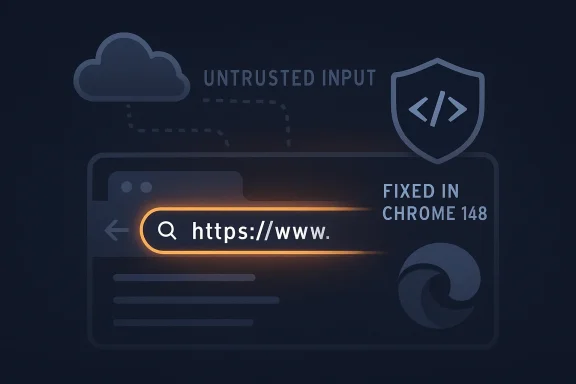 The Address Bar Is No Longer Just an Address Bar
The vulnerable component named in CVE-2026-7953 is the Omnibox, Chrome’s combined address bar, search box, navigation interface, and increasingly the browser’s first line of user intent interpretation. That matters because the Omnibox is not a passive text field. It consumes URLs, searches, suggestions, redirects, history hints, autocomplete output, protocol handlers, and network-influenced input that can arrive before the user fully understands what the browser is about to do.Google’s description says the flaw involved insufficient validation of untrusted input and could allow a remote attacker to inject arbitrary scripts or HTML, a class of browser bug usually described as UXSS, or universal cross-site scripting. That is not the same as a garden-variety website XSS flaw. A normal XSS issue usually belongs to one site; a UXSS issue implies the browser itself has mishandled boundaries in a way that may let attacker-controlled content appear or execute in contexts where it should never have been trusted.
The Chromium severity is “Medium,” and the CISA ADP score is 6.1 under CVSS 3.1, with user interaction required and no availability impact. That score is not meaningless. It tells defenders that this is not being presented as a no-click remote code execution fire drill. But it also risks underselling the part that keeps browser engineers awake: the flaw lives in an interface that users are trained to trust.
The Omnibox is one of the few browser surfaces where human behavior, network data, and browser privilege all collide. Users look there for safety signals. They copy and paste into it. They trust its visible URL, its search suggestions, and its transition from typed text to loaded content. A validation bug in that layer is therefore not just a parsing mistake; it is a small crack in the browser’s identity system.
A Medium Bug Can Still Be a High-Leverage Bug
Security severity labels are an attempt to compress exploitability, impact, and context into a word that procurement systems and dashboards can digest. They are useful until they become a substitute for judgment. CVE-2026-7953 is a good example of why “Medium” should not automatically mean “next maintenance window.”The published vector includes network attackability, low attack complexity, no required privileges, and required user interaction. In ordinary language, that means an attacker does not need an account on the victim system, does not need a complicated precondition, and does need the user to do something. For browser bugs, that “something” can often be as mundane as visiting a page, following a link, accepting a redirect chain, or interacting with content that looks routine.
The scope change in the vector is also worth noticing. Scope changed vulnerabilities are the ones where a bug in one component can affect a security authority outside its expected boundary. In a browser, that is the whole ballgame. Chromium’s architecture is built around containment: origins, processes, site isolation, sandboxing, permission prompts, and UI trust indicators. When a flaw is described as UXSS, the concern is not merely that some HTML appears in the wrong place; it is that the browser may have confused attacker-controlled content with something more privileged or more trusted.
There is no public indication in the supplied data that CVE-2026-7953 is being actively exploited in the wild. That distinction matters, especially after a run of emergency Chrome fixes earlier in 2026 where several exploited Chromium flaws forced faster-than-usual patch cycles. But defenders should avoid the opposite mistake as well. Waiting for exploitation confirmation is not a security strategy; it is often just a way of letting someone else’s incident become your prioritization signal.
Chrome 148 fixed far more than this one issue. The stable desktop release contains more than 100 security fixes, including several critical vulnerabilities elsewhere in Chromium. CVE-2026-7953 is therefore part of a much larger patch train. That makes the update decision easier: even if an organization is not especially worried about the Omnibox flaw in isolation, the aggregate risk in the 148 release line argues for moving quickly.
The CPE Tells You What NVD Knows, Not What You Run
The user-facing question buried in the NVD record is the right one: “Are we missing a CPE here?” In formal vulnerability management terms, the current NVD configuration for CVE-2026-7953 lists Google Chrome versions before 148.0.7778.96, with platform conditions for Windows, Linux, and macOS. That is a coherent CPE statement for Chrome itself. It says the affected application is Google Chrome, not every browser that consumes Chromium code.But enterprise reality does not stop at Google’s product boundary. Microsoft Edge, Brave, Opera, Vivaldi, Electron-based applications, embedded Chromium frameworks, and managed WebView surfaces all complicate the tidy mapping between upstream Chromium CVEs and downstream software inventory. Not every Chromium vulnerability affects every Chromium-derived product in exactly the same way, because vendors carry patches, feature flags, release branches, backports, disabled components, and platform-specific code. Still, the absence of a downstream product CPE in the first NVD analysis should never be read as proof of non-exposure.
Microsoft’s Security Response Center listing is a signal that this matters to Edge administrators. Microsoft routinely tracks Chromium CVEs through MSRC because Edge is Chromium-based and because Windows environments often patch browsers through different mechanisms than the base OS. The Microsoft Edge security release notes around May 6 said Microsoft was aware of recent Chromium security fixes and was working on a security fix. That is not the same as “all Edge builds are confirmed vulnerable in the same way,” but it is enough for administrators to watch Edge release channels closely rather than assuming Chrome-only exposure.
This is where CPE precision can become a trap. Vulnerability scanners are good at matching strings; they are less good at explaining software lineage. A scanner that only keys on the Chrome CPE may miss Edge until Microsoft publishes its own affected product mapping. A scanner that broadly tags all Chromium-based software may overstate exposure. The defensible position is neither panic nor complacency: treat upstream Chromium CVEs as a prompt to verify every Chromium consumer in your estate.
For WindowsForum’s audience, the practical edge case is Windows itself. Chrome is an application installed on Windows, but Edge is part of the default Windows experience and may be present even where Chrome is not. WebView2 can also be present on endpoints because applications depend on it. A vulnerability record that looks Chrome-shaped in NVD can still land inside a Windows management workflow.
Microsoft’s Role Is Not Secondary in a Chromium World
The modern browser monoculture has a strange consequence: Google may fix the upstream bug, but Microsoft administrators still have to wait for Microsoft packaging, Microsoft release channels, Microsoft policy controls, and Microsoft documentation. Edge is not “Chrome with a blue icon,” but it is close enough at the engine layer that Chromium security events have become Windows security events.That puts Microsoft in an awkward but familiar position. It must consume upstream Chromium fixes quickly, test them against Edge-specific integrations, ship them through Stable and Extended Stable channels, and communicate enough detail for enterprise admins without disclosing exploit primitives before users are patched. When the release note says Microsoft is aware of recent Chromium fixes and is actively working on a security fix, the message is really aimed at IT: keep your patch machinery ready, because the upstream clock has already started.
This dependency chain is one reason browser patching should not be treated like traditional monthly Windows patching. Chromium updates land on their own cadence. They can include ordinary bug fixes, emergency zero-day patches, and large batch releases like Chrome 148. Organizations that only think in Patch Tuesday terms will always be late to the browser fight.
Group Policy, Intune, Configuration Manager, WSUS-adjacent workflows, and third-party endpoint tools can all manage browser update posture, but they only help if administrators are monitoring browser channels as first-class assets. A fully patched Windows 11 machine running an outdated Chromium browser is not fully patched in the way users experience risk. The browser is the operating system for much of the workday.
Edge also introduces an inventory subtlety. Some admins keep Chrome tightly managed but assume Edge will take care of itself. Others freeze Edge updates to preserve compatibility with line-of-business applications. Both approaches can create blind spots during a Chromium security burst. If a CVE appears in MSRC but the corresponding Edge update has not yet reached every ring, the right question is not merely “Did Windows Update run?” but “Which browser runtime is actually present, and which channel owns it?”
UXSS Is a Trust-Boundary Story, Not a Pop-Up Story
The phrase “inject arbitrary scripts or HTML” may tempt some readers to think of nuisance pop-ups, fake login boxes, or page defacement. That framing is too small. In the browser security model, script execution is authority. The interesting question is not whether an attacker can show text; it is which origin, frame, document, or privileged UI surface that text is associated with.Universal cross-site scripting is especially worrying because it suggests a bypass of origin assumptions. The web’s same-origin policy is the old, creaky, indispensable law that keeps one site from reading or altering another site’s data. Browser vendors have spent decades layering mitigations around it, because everyone knows attackers will try to punch through. A UXSS flaw says the browser itself has become part of the confusion.
The Omnibox adds another dimension: user perception. Browser vendors have trained users to inspect the address bar for HTTPS, domain names, permission chips, extension indicators, and warnings. If attacker-controlled HTML or script can be injected through a path involving malicious network traffic and insufficient input validation, even with user interaction required, defenders should think in terms of phishing augmentation, session confusion, and content spoofing as much as classic script theft.
The public bug tracker entry is restricted, which is normal for fresh Chromium vulnerabilities. Vendors often keep details private until a majority of users have received a fix. That creates frustration for defenders who want exploit-level clarity, but it is usually the right trade-off. Publishing a proof path before auto-update has done its work would mostly benefit attackers.
So administrators are left with a familiar asymmetry: enough information to know they should patch, not enough to build a perfect risk model. That is not a failure of disclosure. It is how browser security works at internet scale. The fix is to shorten the time between vendor release and fleet adoption, not to wait for a prettier advisory.
Chrome 148 Is a Patch Train, Not a Single Patch
The Chrome 148 stable desktop release is bigger than CVE-2026-7953. Reports on the release note count 127 security fixes, including three critical issues. Those critical bugs involve dangerous classes such as integer overflow and use-after-free in major browser components. In that company, an Omnibox medium bug can look like a side note.But patch trains should be read as bundles of risk. Attackers do not care which CVE persuaded you to delay. They care which unpatched path remains available. A desktop browser with dozens of known fixed vulnerabilities is a high-value target because it sits at the boundary between untrusted internet content and authenticated enterprise sessions.
The version numbers matter. Chrome 148.0.7778.96 is the fixed Linux version cited in the advisory, while Windows and macOS users are pointed to 148.0.7778.96 or 148.0.7778.97 depending on channel and packaging. Extended Stable for Windows and macOS also moved to a 148.0.7778.97 build. Those details are exactly the sort of minor-looking numbers that determine whether a scanner finds risk or a help desk closes the ticket too soon.
For unmanaged home users, the advice is simple: open the browser’s About page, let it update, and restart it. For managed Windows estates, the work is less charming. Browser updates may be staged, deferred, controlled by policy, held for compatibility testing, or blocked by users who never close their sessions. The “restart required” problem remains one of the least glamorous and most persistent security failures in desktop computing.
Admins should also remember that browser patch status is per channel. Stable, Extended Stable, Beta, Dev, and platform-specific builds do not all move identically. Kiosk devices, VDI images, classroom fleets, shared workstations, and lab machines are often the places where browsers drift from policy because nobody thinks of them as primary endpoints until an incident report says otherwise.
The Real Missing CPE Is the One in Your Asset Inventory
The database may or may not eventually grow additional CPE mappings for downstream products. That will help scanners, auditors, and compliance reports. It will not solve the deeper problem: many organizations still do not know how many Chromium runtimes they operate.Start with the obvious browsers: Chrome and Edge on Windows, macOS, and Linux. Then add less obvious Chromium-based browsers installed by developers, executives, designers, or contractors. Then add Electron applications, which may bundle browser-like runtime behavior into chat clients, developer tools, password managers, productivity software, and internal apps. Then add WebView2, which quietly allows Windows applications to render web content through Microsoft’s Chromium-based runtime.
Not all of those surfaces are affected by CVE-2026-7953. The Omnibox specifically points to full browser UI, not every embedded renderer. But inventory thinking should not wait for a one-to-one match. The same organizational weakness that misses Chrome 148 will miss the next Chromium issue in V8, Blink, WebRTC, Skia, PDFium, WebAuthn, or WebView.
That is why vulnerability management teams should treat this CVE as a drill in lineage tracking. Can you answer which products depend on Chromium? Can you distinguish Edge Stable from Extended Stable? Can you see Chrome version distribution by operating system? Can you force a browser restart without waiting three weeks for user goodwill? Can you validate that your EDR, MDM, and scanner agree on installed versions?
The answer in many organizations is still “sort of.” That is not good enough for the software category that mediates email links, SaaS sessions, SSO tokens, admin portals, password managers, and file downloads.
The Patch Window Is Where Policy Meets Reality
The clean version of this story is that Google issued a fix, Microsoft is tracking the issue, and users should update. The messy version is that every organization has a different browser update culture. Some allow automatic updates to flow almost immediately. Others delay browser updates behind change-control rituals designed for server operating systems. A few still treat browsers like optional user software rather than attack surface.For CVE-2026-7953, a reasonable enterprise response is fast but measured. There is no public signal here that every administrator should break glass as if a wormable RCE were loose. But there is also no good reason to sit on Chrome 147 or earlier when Chrome 148 bundles a large security release and the Omnibox bug touches a high-trust browser surface.
The priority should be to confirm fixed Chrome versions, monitor Edge release notes and MSRC status, and push updates through normal accelerated browser rings. Pilot groups should be small and short-lived. If a line-of-business application breaks because Chrome 148 changed behavior, that is useful to know quickly; it is not a reason for the entire fleet to linger on a vulnerable major release.
Consumer advice should remain boring because boring works. Update Chrome. Restart it. Update Edge when Microsoft ships the corresponding fixed build. Do not assume that closing the last tab is the same as restarting the browser. Do not assume the green check in a software portal means the process has actually relaunched.
For administrators, the best control may be the least dramatic one: enforce browser relaunch deadlines. Chrome and Edge both support enterprise policies that can notify users and require relaunch after updates. Those controls are sometimes unpopular because they interrupt work. So do incident response calls.
The Signal Hidden in Chrome’s Update Drumbeat
There is a broader industry story here, and it is not that Chrome is uniquely defective. The browser is absorbing more responsibility every year: identity, payments, passkeys, enterprise SaaS, local device access, GPU acceleration, AI features, synchronization, extension ecosystems, and increasingly operating-system-like policy controls. The more the browser does, the more security-critical its smallest interfaces become.The Omnibox is a perfect symbol of this shift. It looks like a text field, but it is really a decision engine. It decides whether input is a search or a URL. It normalizes and displays origins. It handles suggestions and navigations. It sits in front of the user at the precise moment when intent becomes network activity.
That is why validation bugs in browser UI deserve more respect than their labels sometimes receive. The web has trained users to outsource judgment to browser chrome. When that chrome mishandles untrusted input, the problem is not merely code correctness. It is the erosion of the trust ceremony users perform thousands of times a week without naming it.
The likely future is not fewer Chromium CVEs. It is more frequent disclosure, faster patch trains, and more pressure on downstream vendors to keep pace. Google’s rapid release model is now part of the security architecture. Microsoft’s ability to ingest and ship those fixes is part of Windows security. Enterprise willingness to let browsers update quickly is part of endpoint resilience.
The Practical Reading of CVE-2026-7953 Is Written in Version Numbers
The useful lesson from this bug is not that every medium Chromium CVE deserves a crisis meeting. It is that browser security has become too central to be left to assumptions, especially when upstream advisories, NVD CPEs, and downstream vendor releases move on slightly different clocks.- Chrome versions earlier than 148.0.7778.96 should be treated as exposed to CVE-2026-7953, with Windows and macOS fixed builds appearing as 148.0.7778.96 or 148.0.7778.97 depending on channel.
- The flaw is in the Omnibox and is described as insufficient validation of untrusted input that could allow arbitrary script or HTML injection through malicious network traffic.
- The public severity is medium, with user interaction required, but the UXSS classification makes the bug more strategically important than a generic web-page scripting flaw.
- The current NVD CPE mapping for Chrome should not be mistaken for a complete map of every Chromium-derived product that administrators need to monitor.
- Microsoft’s MSRC tracking means Edge administrators should watch for the corresponding Edge security update rather than assuming Chrome-only relevance.
- The fastest defensive win is to verify browser versions across the fleet, enforce relaunch after update, and treat Chromium patch cadence as separate from the monthly Windows patch rhythm.
Source: NVD / Chromium Security Update Guide - Microsoft Security Response Center
