

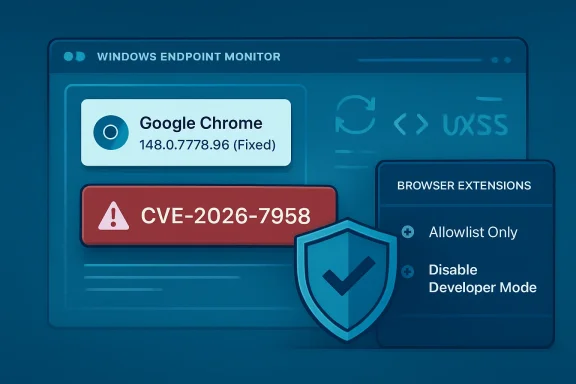
Google assigned CVE-2026-7958 on May 6, 2026, to a medium-severity Chrome ServiceWorker flaw fixed in Chrome 148.0.7778.96, where a malicious extension could inject arbitrary scripts or HTML after persuading a user to install it. That sounds narrower than the usual browser emergency: no drive-by webpage, no confirmed in-the-wild exploitation, and no standalone remote code execution claim. But the vulnerability sits exactly where modern browser risk increasingly lives — in the gray zone between “the user installed it” and “the browser should still have contained it.” The lesson for Windows admins is blunt: extension governance is now browser patch management, not a nice-to-have policy footnote.
Security teams are trained, often by necessity, to triage by severity labels. Critical flaws jump the queue, high-severity bugs get an emergency change window, and medium-severity entries are allowed to wait for the next maintenance cycle unless there is exploit chatter. CVE-2026-7958 is the sort of vulnerability that punishes that reflex.
The published description is short, but it says enough. The bug is an “inappropriate implementation” in ServiceWorker in Google Chrome before 148.0.7778.96. An attacker who convinces a user to install a malicious Chrome extension could inject arbitrary scripts or HTML, described as UXSS — universal cross-site scripting — through a crafted extension.
That dependency on a malicious extension is why the score lands in the middle of the pack. The CISA ADP CVSS 3.1 vector gives it a 5.4, with network attack vector, low complexity, no privileges required, user interaction required, and low confidentiality and integrity impact. In plain English: the bug is not a worm, but it is not academic either.
The key phrase is universal cross-site scripting. Ordinary XSS usually belongs to one website’s mistake. UXSS is uglier because the browser becomes the confused deputy, allowing script or HTML injection across boundaries that users and administrators expect the browser to enforce. When the precondition is “install a malicious extension,” the natural instinct is to blame the user. That is too easy, and it misses the point.
Extensions are not random executables downloaded from warez sites, at least not in how users experience them. They arrive through polished stores, carry icons and ratings, request permissions in language many users barely parse, and often begin life as useful software before changing hands or changing behavior. A vulnerability that turns that trust channel into a script-injection primitive deserves more attention than its medium label suggests.
That matters because organizations rarely patch one Chrome CVE at a time. They approve a browser build, test line-of-business apps, and push a version. In practice, CVE-2026-7958 is riding the same deployment wave as more obviously dangerous memory-safety issues.
This is where the enterprise browser story becomes uncomfortable. Chrome, Edge, Brave, Vivaldi, Opera, and other Chromium-based browsers share enough plumbing that a flaw in Chromium can ripple across the ecosystem, even though each vendor ships on its own schedule. Microsoft’s security guidance for Edge also tracks Chromium fixes, and as of May 6 Microsoft’s public Edge release notes said the company was aware of the recent Chromium security fixes and was actively working on a security fix.
That lag is not scandalous; it is the normal physics of a large downstream browser. But it means Windows shops cannot treat “Chrome patched” as synonymous with “Chromium risk gone.” A fleet with Chrome, Edge, WebView2-dependent applications, Electron apps, and unmanaged portable browsers is not one browser estate. It is a substrate.
And substrate risk is difficult to inventory. Traditional vulnerability management likes named products and version numbers. Chromium turns that into a family tree. A Chrome CVE may be immediately actionable in Google Chrome, soon actionable in Edge, relevant to Linux package maintainers, and indirectly interesting to applications that bundle their own browser engine.
The old mental model of the browser was simple: visit a site, load a page, close the tab, and the interaction ends. Service workers complicate that. They can persist beyond a visible page, wake for events, cache resources, and mediate network requests for their scope. The browser remains the security boundary, but the surface area is now deeper and more stateful.
Extensions add another layer. They are designed to alter browser behavior, inject content scripts, observe tabs, modify pages, and integrate with web APIs under permission rules. When a ServiceWorker implementation flaw intersects with extension capabilities, the result can be a permissions maze where the browser, the extension, and the page all think someone else is enforcing the boundary.
That is why “inappropriate implementation” is a maddening but familiar Chromium phrase. It usually does not tell defenders whether the underlying bug was a missing check, an incorrect assumption about origin, a lifecycle race, a permission boundary failure, or a mismatch between old and new extension architecture. Bug details are often restricted until enough users receive the fix, which is reasonable from an exploit-prevention standpoint but frustrating for people trying to model risk.
Even without the bug details, the shape of the issue is clear enough. If a crafted extension can use a ServiceWorker weakness to inject arbitrary script or HTML, the real impact depends on where that injection lands and what browser context it can influence. That is why UXSS is alarming even when the official confidentiality and integrity impacts are scored “low.”
A malicious-extension prerequisite does not make CVE-2026-7958 unimportant; it describes one of the most common ways browser security goes sideways. Attackers do not need every user to install a malicious extension. They need the right user, in the right environment, with the right session cookies, the right OAuth grants, the right SaaS access, or the right administrative console open in a tab.
Extensions also blur the distinction between consumer and enterprise exposure. A home user may install an extension on a personal Chrome profile that syncs into a work machine. A developer may install a JSON formatter that later gets acquired. A marketing employee may install a social-media helper with broad site access. A helpdesk technician may use a screen-capture extension with permission to read pages. Each case looks harmless until it is placed next to a browser flaw that weakens origin isolation or injection boundaries.
This is not theoretical in the general sense. The Chrome Web Store and other extension marketplaces have repeatedly had to deal with malicious extensions, abandoned extensions, copycat extensions, and extensions that turned hostile after update or ownership changes. Researchers have shown for years that store review, reputation, and antivirus detection do not eliminate the problem.
The uncomfortable part is that the extension model invites precisely the sort of social engineering that CVE-2026-7958 requires. Users are not being tricked into running
Microsoft’s MSRC entry for CVE-2026-7958 points users to the Chromium vulnerability because Edge inherits much of this class of risk from upstream Chromium. That is normal for Chromium-based Edge, and it is the bargain Microsoft made when it left its proprietary EdgeHTML engine behind. The upside was compatibility, faster standards alignment, and a stronger shared security ecosystem. The downside is that Microsoft now has to absorb Chromium patch cadence as part of Windows endpoint security reality.
This has operational consequences. Chrome may auto-update aggressively, but enterprises often pin versions, defer updates, or gate releases through testing rings. Edge may update through Microsoft’s own mechanisms and policies. Servers may have browsers installed for legacy workflows even when they should not. VDI images may be rebuilt less frequently than laptops. Golden images may contain stale browser versions that are rehydrated into production.
CVE-2026-7958 is not the kind of flaw that should cause panic. It is, however, the kind that exposes weak browser hygiene. If an organization cannot answer which Chromium-based browsers are installed, which versions are present, which extensions are allowed, and whether extension installs are governed by policy, it does not have a browser security program. It has a hope-based patching strategy.
The Windows angle is especially sharp because Edge is both a browser and a platform component. WebView2 has made Chromium a runtime for Windows applications. Not every Chromium CVE maps cleanly to every WebView2 scenario, but the broader lesson stands: the browser engine is no longer confined to the browser window.
Phishing requires user interaction. OAuth consent abuse requires user interaction. Malicious browser extensions require user interaction. Helpdesk social engineering requires user interaction. The fact that a human is involved does not mean the attack is unlikely; it means the attack has moved into the layer where organizations are traditionally weakest.
A user installing an extension is also not a single moment. It can be preceded by search-engine manipulation, fake support documentation, forum posts, sponsored ads, compromised developer accounts, clone listings, or a legitimate extension that later receives a malicious update. Once installed, an extension may update silently, and the user’s mental consent may be months or years old.
That is why defenders should be careful about downgrading “UI:R” findings too aggressively. The right question is not whether the exploit requires interaction. The right question is whether the required interaction resembles behavior users already perform as part of their work. Installing extensions, granting permissions, signing into browser profiles, and accepting prompts are routine in many environments.
The security industry sometimes talks about users as if they are external to the system. They are not. They are part of the system, and attackers design around them. CVE-2026-7958 is a medium-severity vulnerability in part because it assumes the attacker can enter through the extension channel. In many organizations, that channel is wide open.
But patching the browser only addresses the implementation flaw. It does not solve the extension problem that made the exploit path viable. A malicious extension remains malicious after the ServiceWorker bug is fixed; it merely loses this specific avenue for script or HTML injection.
The mature response is therefore two-track. First, deploy the fixed browser builds across Chrome and monitor Edge’s corresponding Chromium-based security update status. Second, audit extension policy as if extensions were endpoint software, because they are.
That means moving from allow-everything to allow-by-exception in high-risk environments. It means reviewing installed extensions by ID, publisher, permissions, update history, and business justification. It means disabling developer mode where it is not needed, blocking sideloading where possible, and treating broad host permissions as privileged access.
It also means paying attention to browser profile sync. A well-managed Windows endpoint can still inherit risky extensions if users sync personal browser state into work contexts. The line between personal and corporate browsing is often more porous than policy documents admit.
The browser is where identity lives. It holds active sessions to Microsoft 365, Google Workspace, Salesforce, GitHub, Azure, AWS consoles, ticketing systems, HR portals, password vaults, and internal dashboards. A browser extension that can read or alter pages sits next to the most valuable workflow surface in the company.
This is why extension permissions deserve the same seriousness as app permissions on a phone or OAuth scopes in a tenant. An extension that can read and change data on all websites is not a convenience. It is a standing delegation of trust to code that may update outside the organization’s normal software review process.
CVE-2026-7958 adds another reason to tighten that trust. Even if Chrome’s extension architecture intends to constrain what a malicious extension can do, browser implementation bugs can change the calculus. Defense-in-depth means assuming one layer may fail and making sure the next layer is not “we allowed every extension because blocking them annoyed people.”
There is a cultural problem here, too. Users often see extension restrictions as bureaucratic friction, while IT sees them as a support burden. Security teams need to explain the risk in concrete terms: browser extensions can sit between users and the web applications that run the business. That is not a theme setting. That is privileged software.
But “normal” should not mean “next quarter.” Browser updates have become too frequent and too security-relevant for long deferral cycles. Chrome 148’s broader patch set includes critical issues, and Chromium-based browsers remain a favorite target because they are universal, privileged, and constantly exposed to untrusted content.
The better posture is a standing browser update cadence measured in days, not months. Enterprises can still use rings: early IT pilot, security team validation, a broader technical cohort, and then general deployment. But the total cycle should be short enough that the phrase “majority of users are updated” applies to your organization quickly, not theoretically.
This also argues for better telemetry. Security teams should know which endpoints are below Chrome 148.0.7778.96, which Edge versions are awaiting the corresponding fix, and which users have extensions with broad injection permissions. Without that visibility, risk decisions become vibes.
The irony is that browser auto-update solved much of this for consumers before enterprises solved it for themselves. Home users often receive fixed builds with little ceremony. Corporate environments, supposedly more disciplined, can be the places where update deferrals, compatibility fears, and ownership ambiguity keep vulnerable browsers alive.
Service workers make the web persistent. Extensions make the browser customizable and programmable. Enterprise SaaS makes the browser the primary business runtime. Identity systems make browser sessions more valuable than local files. Put those together, and a medium-severity UXSS path can matter far more than its score suggests.
The attack described also reflects a broader shift from exploit purity to workflow abuse. An attacker does not need to defeat every sandbox if they can persuade a user to install something that the browser already permits to operate near sensitive pages. The vulnerability then becomes a force multiplier, expanding what the malicious extension can do or where it can do it.
That is why the appropriate response is not only “update Chrome.” It is “update Chrome, then ask why a malicious extension could get that far.” The first task belongs to patch management. The second belongs to security architecture.
For Windows administrators, the most practical mental model is to treat browsers like operating systems within the operating system. They have their own update channels, privilege models, app ecosystems, policy controls, and attack surfaces. If that sounds excessive, consider where users spend their workday. The browser is no longer an app. It is the desktop’s second kernel, at least from an attacker’s perspective.
Source: NVD / Chromium Security Update Guide - Microsoft Security Response Center
 The Dangerous Word Is Not “Medium”
Security teams are trained, often by necessity, to triage by severity labels. Critical flaws jump the queue, high-severity bugs get an emergency change window, and medium-severity entries are allowed to wait for the next maintenance cycle unless there is exploit chatter. CVE-2026-7958 is the sort of vulnerability that punishes that reflex.The published description is short, but it says enough. The bug is an “inappropriate implementation” in ServiceWorker in Google Chrome before 148.0.7778.96. An attacker who convinces a user to install a malicious Chrome extension could inject arbitrary scripts or HTML, described as UXSS — universal cross-site scripting — through a crafted extension.
That dependency on a malicious extension is why the score lands in the middle of the pack. The CISA ADP CVSS 3.1 vector gives it a 5.4, with network attack vector, low complexity, no privileges required, user interaction required, and low confidentiality and integrity impact. In plain English: the bug is not a worm, but it is not academic either.
The key phrase is universal cross-site scripting. Ordinary XSS usually belongs to one website’s mistake. UXSS is uglier because the browser becomes the confused deputy, allowing script or HTML injection across boundaries that users and administrators expect the browser to enforce. When the precondition is “install a malicious extension,” the natural instinct is to blame the user. That is too easy, and it misses the point.
Extensions are not random executables downloaded from warez sites, at least not in how users experience them. They arrive through polished stores, carry icons and ratings, request permissions in language many users barely parse, and often begin life as useful software before changing hands or changing behavior. A vulnerability that turns that trust channel into a script-injection primitive deserves more attention than its medium label suggests.
Chrome 148 Was a Big Patch Train, and This Was One Car on It
CVE-2026-7958 did not arrive alone. Google’s May 5, 2026 Stable Channel update promoted Chrome 148.0.7778.96 for Linux and 148.0.7778.96/97 for Windows and macOS, with more than a hundred security fixes reported by outside researchers and internal teams. The headline-grabbing items were the critical vulnerabilities: an integer overflow in Blink and use-after-free flaws in Mobile and Chromoting.That matters because organizations rarely patch one Chrome CVE at a time. They approve a browser build, test line-of-business apps, and push a version. In practice, CVE-2026-7958 is riding the same deployment wave as more obviously dangerous memory-safety issues.
This is where the enterprise browser story becomes uncomfortable. Chrome, Edge, Brave, Vivaldi, Opera, and other Chromium-based browsers share enough plumbing that a flaw in Chromium can ripple across the ecosystem, even though each vendor ships on its own schedule. Microsoft’s security guidance for Edge also tracks Chromium fixes, and as of May 6 Microsoft’s public Edge release notes said the company was aware of the recent Chromium security fixes and was actively working on a security fix.
That lag is not scandalous; it is the normal physics of a large downstream browser. But it means Windows shops cannot treat “Chrome patched” as synonymous with “Chromium risk gone.” A fleet with Chrome, Edge, WebView2-dependent applications, Electron apps, and unmanaged portable browsers is not one browser estate. It is a substrate.
And substrate risk is difficult to inventory. Traditional vulnerability management likes named products and version numbers. Chromium turns that into a family tree. A Chrome CVE may be immediately actionable in Google Chrome, soon actionable in Edge, relevant to Linux package maintainers, and indirectly interesting to applications that bundle their own browser engine.
Service Workers Made the Web More App-Like, and More Persistent
Service workers were one of the web platform’s great architectural bets. They gave websites a programmable network proxy of sorts: a script that can sit between a web app and the network, handle fetches, enable offline behavior, process push notifications, and make web applications feel less like pages and more like installed software. That power is exactly why ServiceWorker bugs carry outsized security meaning.The old mental model of the browser was simple: visit a site, load a page, close the tab, and the interaction ends. Service workers complicate that. They can persist beyond a visible page, wake for events, cache resources, and mediate network requests for their scope. The browser remains the security boundary, but the surface area is now deeper and more stateful.
Extensions add another layer. They are designed to alter browser behavior, inject content scripts, observe tabs, modify pages, and integrate with web APIs under permission rules. When a ServiceWorker implementation flaw intersects with extension capabilities, the result can be a permissions maze where the browser, the extension, and the page all think someone else is enforcing the boundary.
That is why “inappropriate implementation” is a maddening but familiar Chromium phrase. It usually does not tell defenders whether the underlying bug was a missing check, an incorrect assumption about origin, a lifecycle race, a permission boundary failure, or a mismatch between old and new extension architecture. Bug details are often restricted until enough users receive the fix, which is reasonable from an exploit-prevention standpoint but frustrating for people trying to model risk.
Even without the bug details, the shape of the issue is clear enough. If a crafted extension can use a ServiceWorker weakness to inject arbitrary script or HTML, the real impact depends on where that injection lands and what browser context it can influence. That is why UXSS is alarming even when the official confidentiality and integrity impacts are scored “low.”
The Extension Store Is a Supply Chain, Not a Convenience Shelf
The browser extension ecosystem has long lived in a convenient fiction: that extensions are small add-ons, not software supply-chain dependencies. Users install password helpers, coupon finders, grammar tools, screenshot utilities, tab managers, VPN companions, crypto wallets, and AI assistants as if they were browser decorations. Administrators inherit the risk after the fact.A malicious-extension prerequisite does not make CVE-2026-7958 unimportant; it describes one of the most common ways browser security goes sideways. Attackers do not need every user to install a malicious extension. They need the right user, in the right environment, with the right session cookies, the right OAuth grants, the right SaaS access, or the right administrative console open in a tab.
Extensions also blur the distinction between consumer and enterprise exposure. A home user may install an extension on a personal Chrome profile that syncs into a work machine. A developer may install a JSON formatter that later gets acquired. A marketing employee may install a social-media helper with broad site access. A helpdesk technician may use a screen-capture extension with permission to read pages. Each case looks harmless until it is placed next to a browser flaw that weakens origin isolation or injection boundaries.
This is not theoretical in the general sense. The Chrome Web Store and other extension marketplaces have repeatedly had to deal with malicious extensions, abandoned extensions, copycat extensions, and extensions that turned hostile after update or ownership changes. Researchers have shown for years that store review, reputation, and antivirus detection do not eliminate the problem.
The uncomfortable part is that the extension model invites precisely the sort of social engineering that CVE-2026-7958 requires. Users are not being tricked into running
malware.exe; they are being asked to install a browser feature. That distinction matters psychologically, and attackers know it.Microsoft’s Edge Problem Is Also Everyone’s Chromium Problem
For WindowsForum readers, the most relevant question is not whether Chrome itself has a patch. It does. The more practical question is what happens across a Windows fleet where Edge is present by default, Chrome is often installed by users or departments, and embedded Chromium components quietly power modern desktop applications.Microsoft’s MSRC entry for CVE-2026-7958 points users to the Chromium vulnerability because Edge inherits much of this class of risk from upstream Chromium. That is normal for Chromium-based Edge, and it is the bargain Microsoft made when it left its proprietary EdgeHTML engine behind. The upside was compatibility, faster standards alignment, and a stronger shared security ecosystem. The downside is that Microsoft now has to absorb Chromium patch cadence as part of Windows endpoint security reality.
This has operational consequences. Chrome may auto-update aggressively, but enterprises often pin versions, defer updates, or gate releases through testing rings. Edge may update through Microsoft’s own mechanisms and policies. Servers may have browsers installed for legacy workflows even when they should not. VDI images may be rebuilt less frequently than laptops. Golden images may contain stale browser versions that are rehydrated into production.
CVE-2026-7958 is not the kind of flaw that should cause panic. It is, however, the kind that exposes weak browser hygiene. If an organization cannot answer which Chromium-based browsers are installed, which versions are present, which extensions are allowed, and whether extension installs are governed by policy, it does not have a browser security program. It has a hope-based patching strategy.
The Windows angle is especially sharp because Edge is both a browser and a platform component. WebView2 has made Chromium a runtime for Windows applications. Not every Chromium CVE maps cleanly to every WebView2 scenario, but the broader lesson stands: the browser engine is no longer confined to the browser window.
“User Interaction Required” Is Doing Too Much Work
CVSS vectors are useful, but they sometimes compress the modern threat model into misleading categories. CVE-2026-7958 requires user interaction because the attacker must convince a user to install a malicious extension. That is an important constraint. It is also the same constraint that underpins huge portions of real-world compromise.Phishing requires user interaction. OAuth consent abuse requires user interaction. Malicious browser extensions require user interaction. Helpdesk social engineering requires user interaction. The fact that a human is involved does not mean the attack is unlikely; it means the attack has moved into the layer where organizations are traditionally weakest.
A user installing an extension is also not a single moment. It can be preceded by search-engine manipulation, fake support documentation, forum posts, sponsored ads, compromised developer accounts, clone listings, or a legitimate extension that later receives a malicious update. Once installed, an extension may update silently, and the user’s mental consent may be months or years old.
That is why defenders should be careful about downgrading “UI:R” findings too aggressively. The right question is not whether the exploit requires interaction. The right question is whether the required interaction resembles behavior users already perform as part of their work. Installing extensions, granting permissions, signing into browser profiles, and accepting prompts are routine in many environments.
The security industry sometimes talks about users as if they are external to the system. They are not. They are part of the system, and attackers design around them. CVE-2026-7958 is a medium-severity vulnerability in part because it assumes the attacker can enter through the extension channel. In many organizations, that channel is wide open.
The Patch Is Straightforward; the Remediation Is Not
The immediate fix is simple: move Chrome to 148.0.7778.96 or later, with Windows and macOS seeing 148.0.7778.96/97 in the Stable Channel update. For users, that means checking the browser’s About page and relaunching when prompted. For administrators, it means ensuring managed update policies are not holding fleets on vulnerable builds.But patching the browser only addresses the implementation flaw. It does not solve the extension problem that made the exploit path viable. A malicious extension remains malicious after the ServiceWorker bug is fixed; it merely loses this specific avenue for script or HTML injection.
The mature response is therefore two-track. First, deploy the fixed browser builds across Chrome and monitor Edge’s corresponding Chromium-based security update status. Second, audit extension policy as if extensions were endpoint software, because they are.
That means moving from allow-everything to allow-by-exception in high-risk environments. It means reviewing installed extensions by ID, publisher, permissions, update history, and business justification. It means disabling developer mode where it is not needed, blocking sideloading where possible, and treating broad host permissions as privileged access.
It also means paying attention to browser profile sync. A well-managed Windows endpoint can still inherit risky extensions if users sync personal browser state into work contexts. The line between personal and corporate browsing is often more porous than policy documents admit.
Enterprises Need to Stop Treating Browser Policy as User Preference
Group Policy, Intune, Chrome Enterprise policies, and Edge management templates all give administrators tools to manage extensions. Yet in many organizations, browser policy is less mature than endpoint detection, email security, identity governance, or mobile device management. That mismatch is increasingly indefensible.The browser is where identity lives. It holds active sessions to Microsoft 365, Google Workspace, Salesforce, GitHub, Azure, AWS consoles, ticketing systems, HR portals, password vaults, and internal dashboards. A browser extension that can read or alter pages sits next to the most valuable workflow surface in the company.
This is why extension permissions deserve the same seriousness as app permissions on a phone or OAuth scopes in a tenant. An extension that can read and change data on all websites is not a convenience. It is a standing delegation of trust to code that may update outside the organization’s normal software review process.
CVE-2026-7958 adds another reason to tighten that trust. Even if Chrome’s extension architecture intends to constrain what a malicious extension can do, browser implementation bugs can change the calculus. Defense-in-depth means assuming one layer may fail and making sure the next layer is not “we allowed every extension because blocking them annoyed people.”
There is a cultural problem here, too. Users often see extension restrictions as bureaucratic friction, while IT sees them as a support burden. Security teams need to explain the risk in concrete terms: browser extensions can sit between users and the web applications that run the business. That is not a theme setting. That is privileged software.
Medium Severity Still Means a Real Change Window
Should CVE-2026-7958 trigger an emergency weekend? Usually, no. There is no public indication in the supplied data that this vulnerability is being actively exploited, and the attack path requires malicious extension installation. Organizations with strong extension allowlists and rapid browser updates can handle it through normal expedited patching.But “normal” should not mean “next quarter.” Browser updates have become too frequent and too security-relevant for long deferral cycles. Chrome 148’s broader patch set includes critical issues, and Chromium-based browsers remain a favorite target because they are universal, privileged, and constantly exposed to untrusted content.
The better posture is a standing browser update cadence measured in days, not months. Enterprises can still use rings: early IT pilot, security team validation, a broader technical cohort, and then general deployment. But the total cycle should be short enough that the phrase “majority of users are updated” applies to your organization quickly, not theoretically.
This also argues for better telemetry. Security teams should know which endpoints are below Chrome 148.0.7778.96, which Edge versions are awaiting the corresponding fix, and which users have extensions with broad injection permissions. Without that visibility, risk decisions become vibes.
The irony is that browser auto-update solved much of this for consumers before enterprises solved it for themselves. Home users often receive fixed builds with little ceremony. Corporate environments, supposedly more disciplined, can be the places where update deferrals, compatibility fears, and ownership ambiguity keep vulnerable browsers alive.
The Real Signal Is the Shape of the Bug
There is a tendency to treat each CVE as a discrete event: one identifier, one score, one affected version, one patch. That framing is necessary for vulnerability management, but it hides the more important pattern. CVE-2026-7958 belongs to a class of bugs where browser internals, web platform features, and extension privileges collide.Service workers make the web persistent. Extensions make the browser customizable and programmable. Enterprise SaaS makes the browser the primary business runtime. Identity systems make browser sessions more valuable than local files. Put those together, and a medium-severity UXSS path can matter far more than its score suggests.
The attack described also reflects a broader shift from exploit purity to workflow abuse. An attacker does not need to defeat every sandbox if they can persuade a user to install something that the browser already permits to operate near sensitive pages. The vulnerability then becomes a force multiplier, expanding what the malicious extension can do or where it can do it.
That is why the appropriate response is not only “update Chrome.” It is “update Chrome, then ask why a malicious extension could get that far.” The first task belongs to patch management. The second belongs to security architecture.
For Windows administrators, the most practical mental model is to treat browsers like operating systems within the operating system. They have their own update channels, privilege models, app ecosystems, policy controls, and attack surfaces. If that sounds excessive, consider where users spend their workday. The browser is no longer an app. It is the desktop’s second kernel, at least from an attacker’s perspective.
Chrome 148 Turns an Extension Bug Into a Governance Test
The immediate facts are not complicated, but the operational consequences are easy to underplay. CVE-2026-7958 is fixed in Chrome 148.0.7778.96 and later, carries a medium CVSS 3.1 score from CISA ADP, and requires a malicious extension installation to reach the described UXSS outcome. That combination should produce urgency without hysteria.- Organizations should update Google Chrome to 148.0.7778.96 or later, with Windows and macOS systems receiving the 148.0.7778.96/97 Stable Channel builds.
- Microsoft Edge administrators should track Microsoft’s corresponding Chromium security update rather than assuming Google’s release automatically protects Edge users.
- Security teams should audit installed browser extensions, especially those with permissions to read or change data across broad sets of websites.
- Enterprises should prefer extension allowlists for privileged users, administrators, developers, finance staff, and anyone with access to sensitive SaaS consoles.
- Vulnerability teams should avoid treating “user interaction required” as a reason to ignore browser bugs, because extension installation is a normal user behavior attackers can exploit.
- Browser update telemetry should cover Chrome, Edge, and other Chromium-based browsers present on managed endpoints, not just the organization’s preferred browser.
Source: NVD / Chromium Security Update Guide - Microsoft Security Response Center
