

CVE-2026-7963 is a medium-severity Chromium ServiceWorker flaw fixed in Google Chrome 148.0.7778.96 for Linux and 148.0.7778.96/97 for Windows and macOS after disclosure on May 6, 2026, with Microsoft tracking the same issue for Chromium-based Edge through MSRC. The dry wording hides the more important point: this is not “just” another web-platform bug. It is a reminder that the browser sandbox is no longer a single wall but a stack of assumptions, and ServiceWorker remains one of the places where those assumptions are hardest to reason about. For Windows admins, the right response is not panic; it is disciplined browser patching, explicit inventory, and a refusal to let “medium” become a synonym for “later.”
The official description is concise: an inappropriate implementation in ServiceWorker in Google Chrome before 148.0.7778.96 allowed a remote attacker, after compromising the renderer process, to potentially perform a sandbox escape using a crafted HTML page. That sentence has three clauses that matter more than the severity badge: remote attacker, compromised renderer, sandbox escape.
Chromium’s own severity is listed as Medium, while CISA’s ADP scoring gives it a CVSS 3.1 base score of 8.3, which lands in High territory. That difference is not a clerical oddity. It reflects the way browser vendors and vulnerability databases often emphasize different parts of the exploit chain.
From Google’s perspective, a flaw requiring prior renderer compromise is not a clean one-click full-chain vulnerability. From an enterprise defender’s perspective, however, the phrase “sandbox escape” changes the temperature of the room. Renderer compromises are not theoretical in the browser world; they are the first half of many real exploitation chains.
The most useful way to read CVE-2026-7963 is therefore as a second-stage browser bug. It may not be the initial spark, but it can help turn a contained renderer compromise into something closer to host-level impact. That is why the bug deserves attention even if it arrived buried among 127 security fixes in Chrome 148.
A traditional web page comes and goes with a tab. A ServiceWorker can outlive the page that registered it, intercept fetches within its scope, coordinate cache behavior, and participate in application flows that are intentionally detached from the visible UI. That power is legitimate, but it also means the implementation has to police boundaries with unusual care.
When a vulnerability description says “inappropriate implementation in ServiceWorker,” it does not automatically tell us whether the defect was a state-management error, a policy mismatch, a lifetime bug, or a boundary-checking mistake. Google often restricts bug details until a majority of users are patched, and that restraint is sensible. But the category is still meaningful.
ServiceWorker is part of the machinery that makes the modern browser more than a document viewer. Bugs there are not just failures in a feature; they are failures in a substrate that many sites rely on for application-like behavior. The more the web becomes an operating environment, the more the plumbing starts to look like an operating-system attack surface.
But the phrase “had compromised the renderer process” is doing a lot of work. It means CVE-2026-7963 is not presented as the whole exploit by itself. An attacker would first need a way to compromise the renderer, then use this ServiceWorker issue as a possible escape route from the containment that should limit the damage.
That dependency is why some readers will be tempted to dismiss the issue. They should not. Browser exploitation has long been about chaining primitives: a memory corruption bug here, a type confusion there, a logic error in a brokered interface, a policy bypass in a feature that talks across process boundaries. One vulnerability opens the door; another finds the hallway.
This is the uncomfortable truth of browser defense in 2026: a “medium” bug can be strategically important when it attaches to the right point in the chain. The severity label describes the vulnerability in isolation. Attackers do not operate in isolation.
That volume matters. A browser release with more than a hundred security fixes is not a tidy patch for a single problem; it is an ecosystem maintenance event. It means security teams should avoid treating CVE-2026-7963 as a lonely CVE and instead see it as one entry in a broad refresh of Chromium’s attack surface.
The critical fixes in the same release drew predictable attention: an integer overflow in Blink, a use-after-free in Mobile, and a use-after-free in Chromoting. Those are headline-friendly bug classes because they map neatly onto familiar exploitation categories. ServiceWorker implementation flaws are less dramatic on paper, but they are often more interesting architecturally.
For WindowsForum readers, the practical lesson is straightforward. Chrome 148 is not a feature update you can wait to “shake out” for weeks while assuming the browser will remain safe enough. It is the security baseline now, and Edge administrators should watch Microsoft’s Chromium intake with the same urgency they apply to Chrome proper.
Microsoft tracks Chromium CVEs because Edge inherits much of Chromium’s security posture. That is a strength when fixes flow quickly and transparently. It is also a dependency that makes the browser supply chain larger than many patch dashboards admit.
For admins, the risk is not that Microsoft is somehow asleep at the wheel. The risk is that inventory often stops at the visible browser icon. If Chrome is patched but Edge is lagging, or Edge is current but a bundled Chromium runtime in a vendor product remains stale, the organization may still have exposed Chromium code in production.
This is where CPEs and vulnerability scanners become both useful and misleading. The NVD change history for CVE-2026-7963 shows CPE configuration work associating vulnerable Google Chrome versions before 148.0.7778.96 across Windows, Linux, and macOS. That is helpful, but it is not a complete map of where Chromium-derived attack surface lives.
The “are we missing a CPE?” prompt that appears in NVD entries is almost a running joke among defenders, but it points at a real problem. Browser code is packaged, repackaged, embedded, and redistributed. The CPE database is a snapshot; the estate is a moving target.
User interaction is part of the CVSS vector, but user interaction is not the same as user negligence. In a modern workplace, visiting web content is not a risky exception; it is the job. HR systems, help desks, payroll sites, shared documents, dashboards, vendor portals, and internal apps all ride the same browser substrate.
This is why “remote attacker plus crafted HTML page” remains such a stubbornly effective formula. The browser is the universal client, and the universal client is exposed to the universal threat model. Security awareness training can reduce obviously reckless behavior, but it cannot eliminate the need to render untrusted content.
The important distinction is that CVE-2026-7963 is not described as allowing a remote attacker to jump directly from a web page into the host. The attacker must already have renderer compromise. But once an attacker has that foothold, a sandbox escape class issue becomes exactly the kind of bug that can raise the stakes.
A product team may reasonably classify a bug as Medium because exploitation requires a renderer compromise. A vulnerability management team may reasonably escalate it because the resulting impact could include confidentiality, integrity, and availability losses across a changed scope. Both can be true at the same time.
This matters when a patch request hits the change advisory board. If the only argument is “Google says Medium,” the update may get batched into routine maintenance. If the argument is “this is a renderer-post-compromise sandbox escape candidate in the dominant browser engine, fixed in a release that also closes 126 other security issues,” the decision looks different.
Security severity is not a morality play. It is a prioritization instrument. The right question is not whether the label is Medium or High; the right question is what the bug can do when paired with the bugs attackers are already looking for.
ServiceWorker helped make web apps durable. That durability is valuable, especially for offline apps, progressive web applications, and fast repeat visits. It is also a reason defenders should be cautious about treating browser state as ephemeral.
A compromised or abused web application environment can have consequences beyond a single page view. The browser mediates storage, caches, permissions, background activity, and application identity. Each layer is designed with constraints, but each layer also increases the number of places where an implementation mistake can blur a boundary.
CVE-2026-7963 does not prove that ServiceWorker is uniquely dangerous. It does show that ServiceWorker remains a recurring enough part of the browser security conversation to deserve attention from people who normally think only in terms of extensions, downloads, and executable files.
The enterprise web is no longer “less privileged” in the way many older security programs still imply. It is privileged differently. The browser does not need to drop an EXE to become the place where risk concentrates.
Chrome’s automatic updater is good, but automatic does not mean instantaneous. Devices sleep. Users defer restarts. VDI images lag. Kiosks drift. Server-side browser installations used for automation are forgotten. Build agents run old browsers because “it only tests UI flows.” These are not edge cases; they are the sediment of real IT operations.
The same is true for Edge. Microsoft’s update plumbing is robust, but enterprises frequently slow, pin, stage, or otherwise manage browser updates. That control is understandable. It is also a responsibility. Once a Chromium security release lands, the organization owns the delay it introduces.
For CVE-2026-7963 specifically, the minimum question is simple: are deployed Chromium-based browsers at or beyond the fixed build? For Chrome desktop, that means 148.0.7778.96 or later on Linux and 148.0.7778.96/97 or later on Windows and macOS. For Edge, the answer requires checking Microsoft’s security update channel and deployed Edge build numbers rather than assuming parity.
That does not mean every Chromium CVE automatically applies to every embedded runtime in the same way. Feature exposure, sandbox configuration, compile-time options, update channels, and application architecture all matter. But it does mean inventory has to be more honest than “we patched Chrome.”
The hard cases are the apps that do not present themselves as browsers. A password manager helper window, a chat client, an admin console, or a monitoring tool may all render web content while hiding the engine from the user. If that engine is Chromium-derived, it belongs in the security conversation.
For sysadmins, the defensive move is not to overreact to CVE-2026-7963 as if every embedded component is instantly exploitable. The move is to use the CVE as a forcing function for better visibility. If you cannot answer which Chromium runtimes exist in your fleet, you cannot confidently answer whether a Chromium vulnerability is fixed.
Google’s restriction of bug details is standard practice and generally wise. The details that would help defenders understand the bug more deeply would also help attackers weaponize it faster. This creates an awkward interim period where admins must patch with incomplete information.
That is where the nature of the bug class matters. A sandbox escape candidate deserves faster handling than an isolated cosmetic spoofing issue, even if both carry the same vendor severity. The lack of known exploitation lowers urgency somewhat; it does not erase the strategic value of the bug.
Security programs that wait for proof of exploitation before patching browser sandbox issues are effectively outsourcing prioritization to attackers. By the time public exploitation is confirmed, the patch window has already become an incident window.
Attackers do not need every bug in the release. They need a viable chain. One renderer bug, one sandbox escape, one persistence or privilege move, one credential opportunity — that is enough to turn a browser visit into a larger compromise.
CVE-2026-7963 is interesting because it sits in the middle of that chain logic. It is not advertised as the initial renderer compromise. It is the sort of flaw that becomes more valuable when paired with another bug that gets code running where code should not be running.
This is also why browser security updates feel relentless. The modern browser is a just-in-time compiler, media engine, graphics stack, networking client, identity mediator, storage manager, PDF viewer, password surface, extension host, and application runtime. A single patch train can include memory safety bugs, policy enforcement bugs, validation bugs, and state-machine bugs because the browser is all of those things at once.
The correct response is not despair. It is operational maturity. Browser patching should be treated like OS patching, not like optional application maintenance.
A ServiceWorker can persist beyond the page that created it, and cached resources can influence what a user sees on return visits. In benign hands, that makes sites faster and more reliable. In hostile scenarios, it can complicate the question of what content was loaded, when, and from where.
This does not mean CVE-2026-7963 necessarily enables persistent malicious ServiceWorkers. The public description does not support that leap. The point is broader: ServiceWorker belongs to the category of web-platform features that makes browser state worth investigating, not merely clearing as an afterthought.
For Windows admins, practical incident response should include browser profile review, ServiceWorker registration inspection where appropriate, cache and storage clearing when containment requires it, and verification that the browser was updated before users resume normal activity. The browser profile is part of the endpoint, not a decorative folder under AppData.
The deeper lesson is that browsers have become infrastructure. They deserve the same asset visibility, compliance checking, staged rollout discipline, rollback planning, and emergency override paths that organizations apply to operating systems and endpoint agents. A browser that can be reached by any link is not a mere productivity tool.
That is especially true in Windows estates where Edge is part of the platform and Chrome is often installed by user demand, developer preference, or SaaS compatibility. The browser layer is now a multi-vendor control plane for work. It handles identity, documents, admin consoles, support portals, and internal apps that were once thick clients.
CVE-2026-7963 should therefore be handled as a browser-platform event rather than a single-CVE curiosity. Patch the fixed builds, confirm the deployment, and then ask what would have happened if the same bug had been marked actively exploited.
Source: NVD / Chromium Security Update Guide - Microsoft Security Response Center
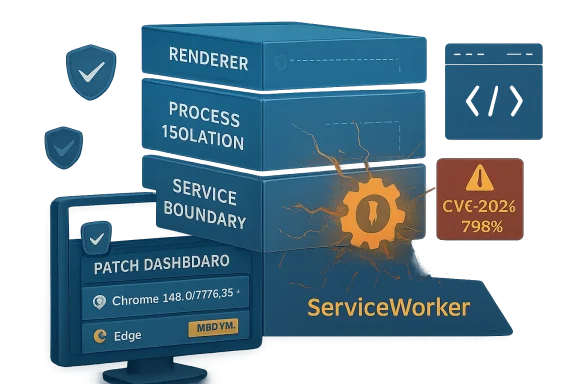 The Medium Label Undersells the Shape of the Bug
The official description is concise: an inappropriate implementation in ServiceWorker in Google Chrome before 148.0.7778.96 allowed a remote attacker, after compromising the renderer process, to potentially perform a sandbox escape using a crafted HTML page. That sentence has three clauses that matter more than the severity badge: remote attacker, compromised renderer, sandbox escape.Chromium’s own severity is listed as Medium, while CISA’s ADP scoring gives it a CVSS 3.1 base score of 8.3, which lands in High territory. That difference is not a clerical oddity. It reflects the way browser vendors and vulnerability databases often emphasize different parts of the exploit chain.
From Google’s perspective, a flaw requiring prior renderer compromise is not a clean one-click full-chain vulnerability. From an enterprise defender’s perspective, however, the phrase “sandbox escape” changes the temperature of the room. Renderer compromises are not theoretical in the browser world; they are the first half of many real exploitation chains.
The most useful way to read CVE-2026-7963 is therefore as a second-stage browser bug. It may not be the initial spark, but it can help turn a contained renderer compromise into something closer to host-level impact. That is why the bug deserves attention even if it arrived buried among 127 security fixes in Chrome 148.
ServiceWorker Is the Browser Feature That Refuses to Stay Boring
ServiceWorker was designed to make the web feel more like an application platform. It enables background scripts, offline behavior, caching strategies, push-style workflows, and the sort of persistent web-app machinery that modern sites depend on. In other words, it sits in exactly the wrong place for defenders who prefer simple mental models.A traditional web page comes and goes with a tab. A ServiceWorker can outlive the page that registered it, intercept fetches within its scope, coordinate cache behavior, and participate in application flows that are intentionally detached from the visible UI. That power is legitimate, but it also means the implementation has to police boundaries with unusual care.
When a vulnerability description says “inappropriate implementation in ServiceWorker,” it does not automatically tell us whether the defect was a state-management error, a policy mismatch, a lifetime bug, or a boundary-checking mistake. Google often restricts bug details until a majority of users are patched, and that restraint is sensible. But the category is still meaningful.
ServiceWorker is part of the machinery that makes the modern browser more than a document viewer. Bugs there are not just failures in a feature; they are failures in a substrate that many sites rely on for application-like behavior. The more the web becomes an operating environment, the more the plumbing starts to look like an operating-system attack surface.
The Sandbox Is a Chain, Not a Moat
Chrome’s security model is built around isolation. Site isolation, renderer sandboxing, process separation, and permission mediation are all intended to ensure that a hostile page cannot casually rummage around the system. The renderer is expected to deal with hostile content all day long; the sandbox exists because that expectation is realistic.But the phrase “had compromised the renderer process” is doing a lot of work. It means CVE-2026-7963 is not presented as the whole exploit by itself. An attacker would first need a way to compromise the renderer, then use this ServiceWorker issue as a possible escape route from the containment that should limit the damage.
That dependency is why some readers will be tempted to dismiss the issue. They should not. Browser exploitation has long been about chaining primitives: a memory corruption bug here, a type confusion there, a logic error in a brokered interface, a policy bypass in a feature that talks across process boundaries. One vulnerability opens the door; another finds the hallway.
This is the uncomfortable truth of browser defense in 2026: a “medium” bug can be strategically important when it attaches to the right point in the chain. The severity label describes the vulnerability in isolation. Attackers do not operate in isolation.
Chrome 148 Was a Security Release Wearing a Platform Release’s Jacket
Google promoted Chrome 148 to the stable channel for Windows, macOS, and Linux on May 5, 2026. The release brought version 148.0.7778.96 to Linux and 148.0.7778.96/97 to Windows and Mac, with rollout expected over the following days and weeks. It also carried 127 security fixes, including three critical vulnerabilities and a long tail of high-, medium-, and low-severity issues.That volume matters. A browser release with more than a hundred security fixes is not a tidy patch for a single problem; it is an ecosystem maintenance event. It means security teams should avoid treating CVE-2026-7963 as a lonely CVE and instead see it as one entry in a broad refresh of Chromium’s attack surface.
The critical fixes in the same release drew predictable attention: an integer overflow in Blink, a use-after-free in Mobile, and a use-after-free in Chromoting. Those are headline-friendly bug classes because they map neatly onto familiar exploitation categories. ServiceWorker implementation flaws are less dramatic on paper, but they are often more interesting architecturally.
For WindowsForum readers, the practical lesson is straightforward. Chrome 148 is not a feature update you can wait to “shake out” for weeks while assuming the browser will remain safe enough. It is the security baseline now, and Edge administrators should watch Microsoft’s Chromium intake with the same urgency they apply to Chrome proper.
Microsoft’s Edge Problem Is Really Chromium’s Governance Problem
The user-facing source here is Microsoft’s MSRC entry, not just Google’s Chrome release note. That matters because most Windows environments are not pure Chrome shops. They are a mixture of Microsoft Edge, Google Chrome, WebView2 runtimes, embedded Chromium components, Electron applications, and line-of-business software that quietly depends on browser technology.Microsoft tracks Chromium CVEs because Edge inherits much of Chromium’s security posture. That is a strength when fixes flow quickly and transparently. It is also a dependency that makes the browser supply chain larger than many patch dashboards admit.
For admins, the risk is not that Microsoft is somehow asleep at the wheel. The risk is that inventory often stops at the visible browser icon. If Chrome is patched but Edge is lagging, or Edge is current but a bundled Chromium runtime in a vendor product remains stale, the organization may still have exposed Chromium code in production.
This is where CPEs and vulnerability scanners become both useful and misleading. The NVD change history for CVE-2026-7963 shows CPE configuration work associating vulnerable Google Chrome versions before 148.0.7778.96 across Windows, Linux, and macOS. That is helpful, but it is not a complete map of where Chromium-derived attack surface lives.
The “are we missing a CPE?” prompt that appears in NVD entries is almost a running joke among defenders, but it points at a real problem. Browser code is packaged, repackaged, embedded, and redistributed. The CPE database is a snapshot; the estate is a moving target.
The Crafted HTML Page Is Still the Internet’s Oldest Trap
The attack vector described for CVE-2026-7963 is a crafted HTML page. That sounds almost quaint, as if the web has not spent decades training users to click links, authenticate into SaaS portals, open invoices, preview documents, join meetings, and trust identity-backed workflows that all terminate in a browser tab.User interaction is part of the CVSS vector, but user interaction is not the same as user negligence. In a modern workplace, visiting web content is not a risky exception; it is the job. HR systems, help desks, payroll sites, shared documents, dashboards, vendor portals, and internal apps all ride the same browser substrate.
This is why “remote attacker plus crafted HTML page” remains such a stubbornly effective formula. The browser is the universal client, and the universal client is exposed to the universal threat model. Security awareness training can reduce obviously reckless behavior, but it cannot eliminate the need to render untrusted content.
The important distinction is that CVE-2026-7963 is not described as allowing a remote attacker to jump directly from a web page into the host. The attacker must already have renderer compromise. But once an attacker has that foothold, a sandbox escape class issue becomes exactly the kind of bug that can raise the stakes.
The CVSS Split Tells Defenders How to Argue Internally
There is a useful organizational lesson in the difference between Chromium’s Medium and CISA-ADP’s High 8.3 score. Security teams often waste energy treating severity labels as if they are objective truth rather than structured opinions. CVE-2026-7963 is a clean example of why that approach fails.A product team may reasonably classify a bug as Medium because exploitation requires a renderer compromise. A vulnerability management team may reasonably escalate it because the resulting impact could include confidentiality, integrity, and availability losses across a changed scope. Both can be true at the same time.
This matters when a patch request hits the change advisory board. If the only argument is “Google says Medium,” the update may get batched into routine maintenance. If the argument is “this is a renderer-post-compromise sandbox escape candidate in the dominant browser engine, fixed in a release that also closes 126 other security issues,” the decision looks different.
Security severity is not a morality play. It is a prioritization instrument. The right question is not whether the label is Medium or High; the right question is what the bug can do when paired with the bugs attackers are already looking for.
ServiceWorker Bugs Are a Warning About Web-App Permanence
The web’s security model was easier to explain when pages were mostly documents. A site loaded, scripts executed, the tab closed, and the session ended. That model has been obsolete for years, but many security assumptions still carry its ghost.ServiceWorker helped make web apps durable. That durability is valuable, especially for offline apps, progressive web applications, and fast repeat visits. It is also a reason defenders should be cautious about treating browser state as ephemeral.
A compromised or abused web application environment can have consequences beyond a single page view. The browser mediates storage, caches, permissions, background activity, and application identity. Each layer is designed with constraints, but each layer also increases the number of places where an implementation mistake can blur a boundary.
CVE-2026-7963 does not prove that ServiceWorker is uniquely dangerous. It does show that ServiceWorker remains a recurring enough part of the browser security conversation to deserve attention from people who normally think only in terms of extensions, downloads, and executable files.
The enterprise web is no longer “less privileged” in the way many older security programs still imply. It is privileged differently. The browser does not need to drop an EXE to become the place where risk concentrates.
The Patch Window Is the Attack Surface
Google says stable releases roll out over days and weeks. That phrasing is normal, and for consumer machines it is usually acceptable. In managed environments, however, the difference between “available” and “installed everywhere” is the patch window attackers care about.Chrome’s automatic updater is good, but automatic does not mean instantaneous. Devices sleep. Users defer restarts. VDI images lag. Kiosks drift. Server-side browser installations used for automation are forgotten. Build agents run old browsers because “it only tests UI flows.” These are not edge cases; they are the sediment of real IT operations.
The same is true for Edge. Microsoft’s update plumbing is robust, but enterprises frequently slow, pin, stage, or otherwise manage browser updates. That control is understandable. It is also a responsibility. Once a Chromium security release lands, the organization owns the delay it introduces.
For CVE-2026-7963 specifically, the minimum question is simple: are deployed Chromium-based browsers at or beyond the fixed build? For Chrome desktop, that means 148.0.7778.96 or later on Linux and 148.0.7778.96/97 or later on Windows and macOS. For Edge, the answer requires checking Microsoft’s security update channel and deployed Edge build numbers rather than assuming parity.
Windows Shops Should Look Past the Browser Icon
Windows environments have a browser problem that is wider than Chrome versus Edge. WebView2 is now a standard way for Windows applications to host web content. Electron remains popular among cross-platform desktop apps. Vendor tools embed browser components for login flows, dashboards, help systems, and device management consoles.That does not mean every Chromium CVE automatically applies to every embedded runtime in the same way. Feature exposure, sandbox configuration, compile-time options, update channels, and application architecture all matter. But it does mean inventory has to be more honest than “we patched Chrome.”
The hard cases are the apps that do not present themselves as browsers. A password manager helper window, a chat client, an admin console, or a monitoring tool may all render web content while hiding the engine from the user. If that engine is Chromium-derived, it belongs in the security conversation.
For sysadmins, the defensive move is not to overreact to CVE-2026-7963 as if every embedded component is instantly exploitable. The move is to use the CVE as a forcing function for better visibility. If you cannot answer which Chromium runtimes exist in your fleet, you cannot confidently answer whether a Chromium vulnerability is fixed.
The Absence of Known Exploitation Is Not a Comfort Blanket
The public description of CVE-2026-7963 does not say it is exploited in the wild. That is good news, but it should not be oversold. Many browser bugs are patched before public exploitation is observed, and many exploitation chains remain invisible to victims.Google’s restriction of bug details is standard practice and generally wise. The details that would help defenders understand the bug more deeply would also help attackers weaponize it faster. This creates an awkward interim period where admins must patch with incomplete information.
That is where the nature of the bug class matters. A sandbox escape candidate deserves faster handling than an isolated cosmetic spoofing issue, even if both carry the same vendor severity. The lack of known exploitation lowers urgency somewhat; it does not erase the strategic value of the bug.
Security programs that wait for proof of exploitation before patching browser sandbox issues are effectively outsourcing prioritization to attackers. By the time public exploitation is confirmed, the patch window has already become an incident window.
The Real Risk Is Chaining, Not CVE-Counting
The Chrome 148 advisory is long enough to encourage CVE-counting. Three criticals, dozens of highs, a long list of mediums, and a scatter of lows: it looks like a spreadsheet begging to be sorted. That is useful for triage, but it is not how exploitation works.Attackers do not need every bug in the release. They need a viable chain. One renderer bug, one sandbox escape, one persistence or privilege move, one credential opportunity — that is enough to turn a browser visit into a larger compromise.
CVE-2026-7963 is interesting because it sits in the middle of that chain logic. It is not advertised as the initial renderer compromise. It is the sort of flaw that becomes more valuable when paired with another bug that gets code running where code should not be running.
This is also why browser security updates feel relentless. The modern browser is a just-in-time compiler, media engine, graphics stack, networking client, identity mediator, storage manager, PDF viewer, password surface, extension host, and application runtime. A single patch train can include memory safety bugs, policy enforcement bugs, validation bugs, and state-machine bugs because the browser is all of those things at once.
The correct response is not despair. It is operational maturity. Browser patching should be treated like OS patching, not like optional application maintenance.
ServiceWorker Also Complicates Incident Response
If a browser compromise is suspected, responders often focus on downloads, extensions, profile artifacts, cookies, and suspicious processes. Those remain important. But ServiceWorker and related web-app state deserve a place in the playbook.A ServiceWorker can persist beyond the page that created it, and cached resources can influence what a user sees on return visits. In benign hands, that makes sites faster and more reliable. In hostile scenarios, it can complicate the question of what content was loaded, when, and from where.
This does not mean CVE-2026-7963 necessarily enables persistent malicious ServiceWorkers. The public description does not support that leap. The point is broader: ServiceWorker belongs to the category of web-platform features that makes browser state worth investigating, not merely clearing as an afterthought.
For Windows admins, practical incident response should include browser profile review, ServiceWorker registration inspection where appropriate, cache and storage clearing when containment requires it, and verification that the browser was updated before users resume normal activity. The browser profile is part of the endpoint, not a decorative folder under AppData.
The Patch Management Lesson Is Smaller Than the Security Lesson
There is a temptation to end every browser CVE story with “update now.” That advice is correct, but it is too small. If the only lesson from CVE-2026-7963 is that Chrome should be at 148.0.7778.96 or later, the industry will learn the same lesson again next week.The deeper lesson is that browsers have become infrastructure. They deserve the same asset visibility, compliance checking, staged rollout discipline, rollback planning, and emergency override paths that organizations apply to operating systems and endpoint agents. A browser that can be reached by any link is not a mere productivity tool.
That is especially true in Windows estates where Edge is part of the platform and Chrome is often installed by user demand, developer preference, or SaaS compatibility. The browser layer is now a multi-vendor control plane for work. It handles identity, documents, admin consoles, support portals, and internal apps that were once thick clients.
CVE-2026-7963 should therefore be handled as a browser-platform event rather than a single-CVE curiosity. Patch the fixed builds, confirm the deployment, and then ask what would have happened if the same bug had been marked actively exploited.
The Useful Lesson Hiding in Chrome 148’s Long Advisory
The practical response to CVE-2026-7963 is not complicated, but it must be complete. This is the rare case where the mundane work — checking versions, closing update gaps, and mapping embedded runtimes — is exactly the strategic work.- Organizations should ensure Google Chrome is updated to 148.0.7778.96 or later on Linux and to 148.0.7778.96/97 or later on Windows and macOS.
- Microsoft Edge administrators should verify the Edge build that incorporates the Chromium fix rather than assuming that Chrome’s version number maps directly to Edge’s deployment state.
- Security teams should treat the bug as potentially chainable because the public description explicitly involves renderer compromise followed by possible sandbox escape.
- Vulnerability managers should not let Chromium’s Medium label override the higher operational concern raised by CISA-ADP’s 8.3 CVSS 3.1 score.
- Asset inventories should include embedded Chromium runtimes, WebView2-dependent applications, and Electron apps where browser-engine exposure may not be obvious to users.
- Incident response playbooks should treat browser profile state, including ServiceWorker registrations and cached web-app data, as endpoint evidence when browser compromise is suspected.
Source: NVD / Chromium Security Update Guide - Microsoft Security Response Center
