

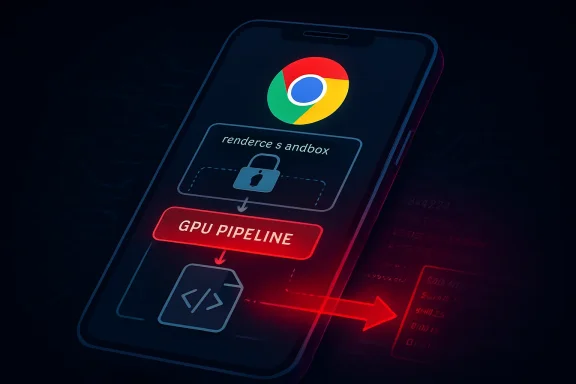
CVE-2026-6920 is not just another line item in Chrome’s fast-moving security ledger; it is a sharp reminder that browser GPU pipelines remain one of the most sensitive attack surfaces in modern computing. The flaw, described as an out-of-bounds read in the GPU component of Google Chrome on Android before version 147.0.7727.117, could allow an attacker who already compromised the renderer process to attempt a sandbox escape through a crafted HTML page. That precondition matters, but so does the outcome: in browser exploitation, escaping the sandbox is often the step that turns a contained compromise into a much more serious device-level incident.
Chrome’s security model has long depended on process isolation, aggressive sandboxing, frequent patching, and a global bug-reporting ecosystem that feeds vulnerabilities into stable-channel updates at a relentless pace. The browser is not a single application in the old desktop sense; it is a distributed system of processes that separately handle rendering, networking, graphics, extensions, storage, and platform integration. That architecture reduces blast radius, but it also creates complicated boundaries where bugs can become bridges.
The GPU process occupies a particularly tricky position in that design. Chrome must render rich web content quickly, handle video, accelerate canvas and WebGL workloads, and increasingly expose advanced graphics and compute features to web applications. On Android, those tasks interact with mobile graphics stacks, drivers, memory management, and device-specific behavior, which makes GPU security both essential and difficult to reason about.
CVE-2026-6920 was published in late April 2026 and tied to Chrome on Android versions prior to 147.0.7727.117. Google’s release notes for the corresponding stable update listed the issue as high severity and credited a Microsoft researcher, while NVD’s enrichment showed a CISA-ADP CVSS 3.1 score of 9.6 critical. That split between vendor severity and downstream scoring is not unusual, but it creates practical ambiguity for defenders who must prioritize thousands of advisories.
The most important wording is that exploitation requires a compromised renderer process. In plain English, this is not described as a one-click universal device takeover from a clean browser state. Instead, it is the kind of weakness that can become dangerous as part of a chained exploit, where one bug first gains code execution or memory corruption inside the renderer, and a second bug uses a privileged component such as GPU to move beyond the sandbox.
Out-of-bounds reads are sometimes dismissed as mere information disclosure, but in exploit development they can be powerful. Reading memory outside expected bounds may reveal pointers, object layouts, security tokens, or state needed to defeat mitigations. The read itself may not be the whole exploit; it may be the missing map.
For WindowsForum readers, the Android focus should not make the issue irrelevant. Chromium’s codebase is shared broadly, and even when a CVE is scoped to Android, the bug class teaches the same lesson across platforms: GPU-facing browser code is a high-value target because it sits near performance-critical, privileged, and hardware-adjacent pathways.
Key takeaways include:
The browser sandbox exists precisely because renderer compromise is plausible. Chrome’s architecture treats renderer code as untrusted and constrains it with operating-system controls, brokered access, and strict inter-process communication. When a GPU flaw allows that compromised renderer to reach further, it weakens the second line of defense.
This is why defenders should avoid downgrading the issue solely because it is not a single-stage exploit. Exploit chains are the norm in serious browser attacks, especially against mobile users, journalists, executives, administrators, and high-value enterprise targets. A vulnerability that looks conditional on paper may become the decisive link in a real campaign.
A typical chained scenario may look like this:
For vulnerability managers, this is not just pedantry. A one-build difference matters when enterprises use automated compliance tools to decide whether a device is vulnerable, remediated, or out of policy. If Android requires 147.0.7727.117 but a scanner treats 147.0.7727.116 as fixed, a real exposure could be missed.
The platform list also deserves careful interpretation. Chrome release trains often publish related desktop and Android builds close together, and Chromium advisories may surface in Microsoft’s update ecosystem because Edge shares Chromium foundations. Still, defenders should avoid assuming that every CPE combination perfectly reflects confirmed exploitability on every platform until vendor-specific release notes settle.
Practical metadata checks should include:
CVE-2026-6920 highlights that mobile browsers should be treated as tier-one enterprise software, not as background consumer apps. A corporate phone may hold authentication tokens, password-manager sessions, internal SaaS access, messaging history, and conditional-access credentials. If the browser becomes a stepping stone, the device can become a gateway.
For consumers, the advice is simpler but just as important: open the Play Store, check Chrome, and confirm the version after updating. Chrome may update automatically, but automatic does not always mean immediate. A staged rollout can still leave a vulnerable device exposed for days.
Mobile administrators should prioritize:
In this case, Google’s release note credited tatiwari of Microsoft for reporting CVE-2026-6920. That detail is important because it reflects the collaborative reality of browser security. Rival browser vendors compete fiercely on features and platform integration, but they also share an interest in hardening the open-source engine beneath much of the modern web.
The tricky part is product mapping. A CVE that says “Google Chrome on Android” should not automatically be read as “all Chromium browsers on all operating systems are equally affected.” At the same time, Chromium derivatives should not ignore the bug merely because the published wording names Chrome. The responsible posture is verify, patch, and monitor vendor channels.
For Windows and Edge administrators, the sensible position is:
In a GPU context, the consequences depend on where the read occurs and what data becomes visible. The vulnerable code might handle command buffers, shaders, textures, surfaces, inter-process messages, or driver-facing abstractions. Because GPU components bridge web APIs and platform graphics facilities, memory assumptions become especially consequential.
A read bug may help an attacker defeat address space layout randomization, infer object placement, or leak values needed to build a second-stage primitive. In some cases, an information leak is paired with a separate write bug; in others, the read may influence control flow indirectly through confused state. The public advisory does not provide those internal details, and Google’s bug access is restricted while users are still updating.
The defensive reading is straightforward:
The response should also include scanner tuning. If a vulnerability platform reports exposure based on the initial CPE configuration, compare its logic with the actual installed build and vendor language. Conversely, if the scanner clears 147.0.7727.116 on Android, consider whether the 147.0.7727.117 threshold should override that result until enrichment is corrected.
Incident response teams should not assume compromise from the presence of an old browser alone. However, they should consider targeted review for high-risk users who visited suspicious links or reported unexpected browser behavior. Browser exploitation artifacts can be subtle, and mobile telemetry is often thinner than desktop telemetry.
A practical sequence is:
That said, consumers should understand why mobile browser updates deserve urgency. The browser is where messaging links, QR codes, social feeds, email previews, banking sites, and work portals converge. A crafted HTML page is not exotic; it is the ordinary delivery format of the web.
Users who rely on alternative Chromium-based browsers should update those as well. Even when a CVE is specifically documented against Chrome, derivative browsers often absorb related Chromium patches on their own schedules. Waiting for a dramatic warning banner is not a security strategy.
Recommended user actions include:
Microsoft’s presence in this vulnerability story underlines a broader market reality. Browser competition in 2026 is less about rendering compatibility and more about security operations, enterprise manageability, identity integration, privacy posture, AI features, and update reliability. A browser that patches quickly but cannot prove fleet compliance still leaves administrators exposed.
Firefox and Safari face different architectures and update pipelines, but they are not exempt from the same strategic pressure. The more powerful web applications become, the more browser engines resemble operating systems inside operating systems. That makes security transparency a competitive feature, not merely an engineering chore.
The market pressure points are clear:
The apparent version discrepancy around 147.0.7727.116 versus 147.0.7727.117 is exactly where security operations teams need human review. Automation is essential at scale, but automation should not outrank primary vendor text when the difference changes remediation status. This is especially true during the first days after publication, when enrichment is still settling.
A mature program treats vulnerability data as living intelligence. It tracks initial publication, last-modified dates, product mappings, exploitability notes, and patch availability. The goal is not merely to close tickets; the goal is to reduce real exposure.
Good vulnerability management habits include:
Longer term, this CVE reinforces the need for better browser security observability on mobile. Enterprises have become relatively good at tracking Windows browser versions, but Android fleet assurance is often less mature. As passkeys, single sign-on, mobile device trust, and web-based productivity converge, the mobile browser becomes a security control point rather than a convenience app.
What to watch next:
Source: NVD / Chromium Security Update Guide - Microsoft Security Response Center
 Background
Chrome’s security model has long depended on process isolation, aggressive sandboxing, frequent patching, and a global bug-reporting ecosystem that feeds vulnerabilities into stable-channel updates at a relentless pace. The browser is not a single application in the old desktop sense; it is a distributed system of processes that separately handle rendering, networking, graphics, extensions, storage, and platform integration. That architecture reduces blast radius, but it also creates complicated boundaries where bugs can become bridges.The GPU process occupies a particularly tricky position in that design. Chrome must render rich web content quickly, handle video, accelerate canvas and WebGL workloads, and increasingly expose advanced graphics and compute features to web applications. On Android, those tasks interact with mobile graphics stacks, drivers, memory management, and device-specific behavior, which makes GPU security both essential and difficult to reason about.
CVE-2026-6920 was published in late April 2026 and tied to Chrome on Android versions prior to 147.0.7727.117. Google’s release notes for the corresponding stable update listed the issue as high severity and credited a Microsoft researcher, while NVD’s enrichment showed a CISA-ADP CVSS 3.1 score of 9.6 critical. That split between vendor severity and downstream scoring is not unusual, but it creates practical ambiguity for defenders who must prioritize thousands of advisories.
The most important wording is that exploitation requires a compromised renderer process. In plain English, this is not described as a one-click universal device takeover from a clean browser state. Instead, it is the kind of weakness that can become dangerous as part of a chained exploit, where one bug first gains code execution or memory corruption inside the renderer, and a second bug uses a privileged component such as GPU to move beyond the sandbox.
Why This GPU Bug Matters
The sandbox escape angle
The phrase sandbox escape is the key to understanding the severity of CVE-2026-6920. Chrome’s renderer sandbox is designed to assume that web content may be hostile, so it sharply limits what renderer code can do even after a memory corruption bug. A GPU bug that can be reached from a compromised renderer threatens that separation.Out-of-bounds reads are sometimes dismissed as mere information disclosure, but in exploit development they can be powerful. Reading memory outside expected bounds may reveal pointers, object layouts, security tokens, or state needed to defeat mitigations. The read itself may not be the whole exploit; it may be the missing map.
For WindowsForum readers, the Android focus should not make the issue irrelevant. Chromium’s codebase is shared broadly, and even when a CVE is scoped to Android, the bug class teaches the same lesson across platforms: GPU-facing browser code is a high-value target because it sits near performance-critical, privileged, and hardware-adjacent pathways.
Key takeaways include:
- Affected scope: Google Chrome on Android before 147.0.7727.117.
- Bug class: CWE-125 out-of-bounds read in the GPU component.
- Attack shape: crafted HTML plus an already compromised renderer process.
- Potential impact: movement beyond renderer sandbox boundaries.
- Operational priority: urgent validation of browser versions on managed Android fleets.
Understanding the Renderer Precondition
Why “compromised renderer” is not a comfort blanket
The advisory language makes clear that the attacker first needs control of the renderer process. That may sound reassuring, but modern browser exploits are often composed in stages. A renderer compromise might come from JavaScript engine memory corruption, a DOM implementation bug, a media parser flaw, or another web-exposed vulnerability.The browser sandbox exists precisely because renderer compromise is plausible. Chrome’s architecture treats renderer code as untrusted and constrains it with operating-system controls, brokered access, and strict inter-process communication. When a GPU flaw allows that compromised renderer to reach further, it weakens the second line of defense.
This is why defenders should avoid downgrading the issue solely because it is not a single-stage exploit. Exploit chains are the norm in serious browser attacks, especially against mobile users, journalists, executives, administrators, and high-value enterprise targets. A vulnerability that looks conditional on paper may become the decisive link in a real campaign.
A typical chained scenario may look like this:
- The victim visits a malicious or compromised web page.
- The page triggers a renderer-level vulnerability.
- The attacker gains limited execution or memory access inside the renderer.
- The attacker invokes GPU-exposed functionality from that compromised context.
- The GPU flaw helps bypass sandbox limits and expand control.
The CPE and Versioning Confusion
Why the metadata deserves scrutiny
One of the more interesting details around CVE-2026-6920 is the apparent mismatch between the description and the early CPE enrichment. The narrative description says Chrome on Android prior to 147.0.7727.117, while NVD’s initial configuration text indicated Google Chrome versions up to, but excluding, 147.0.7727.116, with Windows, Linux, and Android operating systems listed in the configuration. That is exactly the kind of discrepancy that can produce noisy scanner results.For vulnerability managers, this is not just pedantry. A one-build difference matters when enterprises use automated compliance tools to decide whether a device is vulnerable, remediated, or out of policy. If Android requires 147.0.7727.117 but a scanner treats 147.0.7727.116 as fixed, a real exposure could be missed.
The platform list also deserves careful interpretation. Chrome release trains often publish related desktop and Android builds close together, and Chromium advisories may surface in Microsoft’s update ecosystem because Edge shares Chromium foundations. Still, defenders should avoid assuming that every CPE combination perfectly reflects confirmed exploitability on every platform until vendor-specific release notes settle.
Practical metadata checks should include:
- Compare the CVE prose against scanner-detected CPE logic.
- Treat Android version 147.0.7727.117 as the safer remediation threshold for this CVE.
- Watch for NVD updates that reconcile version cutoffs and platform scope.
- Validate Microsoft Edge exposure separately through Microsoft’s own product listings.
- Document exceptions where scanner output conflicts with vendor advisories.
Android Exposure and the Mobile Fleet Problem
Why mobile patching still lags behind desktop controls
Android browser patching has improved dramatically, largely because Chrome updates arrive through the app ecosystem rather than waiting for full firmware releases. Even so, mobile fleet visibility remains uneven. Personal devices, work profiles, regional app-store rollout timing, battery-saving restrictions, and OEM management layers can all slow update adoption.CVE-2026-6920 highlights that mobile browsers should be treated as tier-one enterprise software, not as background consumer apps. A corporate phone may hold authentication tokens, password-manager sessions, internal SaaS access, messaging history, and conditional-access credentials. If the browser becomes a stepping stone, the device can become a gateway.
For consumers, the advice is simpler but just as important: open the Play Store, check Chrome, and confirm the version after updating. Chrome may update automatically, but automatic does not always mean immediate. A staged rollout can still leave a vulnerable device exposed for days.
Mobile administrators should prioritize:
- Inventorying Chrome versions across Android Enterprise-managed devices.
- Confirming update availability by region, device type, and management profile.
- Applying compliance rules that flag Chrome builds below 147.0.7727.117.
- Educating users not to postpone browser updates during active rollout windows.
Microsoft’s Role and the Chromium Ecosystem
Why a Chrome CVE appears in Microsoft workflows
The user-visible source for many Windows administrators is Microsoft’s Security Update Guide, even when the underlying bug originates in Chromium. That is not surprising. Microsoft Edge is Chromium-based, Microsoft researchers routinely report vulnerabilities into Chromium, and enterprise defenders often centralize CVE tracking through Microsoft tooling.In this case, Google’s release note credited tatiwari of Microsoft for reporting CVE-2026-6920. That detail is important because it reflects the collaborative reality of browser security. Rival browser vendors compete fiercely on features and platform integration, but they also share an interest in hardening the open-source engine beneath much of the modern web.
The tricky part is product mapping. A CVE that says “Google Chrome on Android” should not automatically be read as “all Chromium browsers on all operating systems are equally affected.” At the same time, Chromium derivatives should not ignore the bug merely because the published wording names Chrome. The responsible posture is verify, patch, and monitor vendor channels.
For Windows and Edge administrators, the sensible position is:
- Do not infer Edge exposure solely from Chrome Android wording.
- Do track Microsoft’s Security Update Guide for product-specific Edge entries.
- Do update Chromium-based browsers quickly when corresponding builds ship.
- Do separate vulnerability intelligence from scanner assumptions when the CPE appears immature.
Technical Anatomy of an Out-of-Bounds Read
The danger of reading past the line
An out-of-bounds read occurs when software reads memory beyond the region it was supposed to access. In safe code, array bounds, object lifetimes, and buffer sizes are checked or structurally enforced. In performance-sensitive browser components written in low-level languages, a small arithmetic mistake or validation gap can expose memory that should remain unreachable.In a GPU context, the consequences depend on where the read occurs and what data becomes visible. The vulnerable code might handle command buffers, shaders, textures, surfaces, inter-process messages, or driver-facing abstractions. Because GPU components bridge web APIs and platform graphics facilities, memory assumptions become especially consequential.
A read bug may help an attacker defeat address space layout randomization, infer object placement, or leak values needed to build a second-stage primitive. In some cases, an information leak is paired with a separate write bug; in others, the read may influence control flow indirectly through confused state. The public advisory does not provide those internal details, and Google’s bug access is restricted while users are still updating.
The defensive reading is straightforward:
- Out-of-bounds reads can enable exploitation, not merely crash collection.
- GPU bugs are attractive because they may cross process and privilege boundaries.
- Restricted bug details are normal during early patch adoption.
- Absence of public exploit code is not proof of low risk.
- Patch timing matters because technical details often emerge later.
Enterprise Response Playbook
Turning the advisory into action
Security teams should treat CVE-2026-6920 as a browser-chain risk rather than a standalone Android oddity. The most urgent task is to confirm Chrome versions on managed Android devices, but the broader task is to ensure that Chromium-based browsers are covered by rapid update policy. Browser patching should be measured in days, not monthly maintenance windows.The response should also include scanner tuning. If a vulnerability platform reports exposure based on the initial CPE configuration, compare its logic with the actual installed build and vendor language. Conversely, if the scanner clears 147.0.7727.116 on Android, consider whether the 147.0.7727.117 threshold should override that result until enrichment is corrected.
Incident response teams should not assume compromise from the presence of an old browser alone. However, they should consider targeted review for high-risk users who visited suspicious links or reported unexpected browser behavior. Browser exploitation artifacts can be subtle, and mobile telemetry is often thinner than desktop telemetry.
A practical sequence is:
- Inventory Chrome versions across Android, Windows, macOS, Linux, and ChromeOS where managed.
- Prioritize Android devices running Chrome below 147.0.7727.117.
- Force or prompt updates through enterprise mobility management where possible.
- Validate scanner logic against vendor wording and actual device versions.
- Monitor for follow-up advisories from Google, Microsoft, and Chromium-based browser vendors.
Consumer Impact: What Regular Users Should Do
The simple update still wins
For everyday Android users, the message is refreshingly direct: update Chrome and verify that the update completed. Most users do not need to understand renderer compromise, GPU memory boundaries, or CVSS vector changes to reduce risk. They need the fixed browser build.That said, consumers should understand why mobile browser updates deserve urgency. The browser is where messaging links, QR codes, social feeds, email previews, banking sites, and work portals converge. A crafted HTML page is not exotic; it is the ordinary delivery format of the web.
Users who rely on alternative Chromium-based browsers should update those as well. Even when a CVE is specifically documented against Chrome, derivative browsers often absorb related Chromium patches on their own schedules. Waiting for a dramatic warning banner is not a security strategy.
Recommended user actions include:
- Update Chrome from Google Play and reopen the browser afterward.
- Check the installed version if the device is used for work or sensitive accounts.
- Update other Chromium-based browsers installed on the same device.
- Avoid suspicious links during the patch window, especially from unsolicited messages.
- Restart the device if browser updates appear stuck or partially applied.
Competitive and Market Implications
Browser security as platform trust
Chrome’s rapid patch cadence is both a strength and a reputational burden. Google can fix and distribute browser security updates quickly, but the steady stream of high-severity bugs reminds users that the browser remains one of the most attacked pieces of software in the world. The same is true for Edge, Brave, Vivaldi, Opera, and any vendor that rides the Chromium release train.Microsoft’s presence in this vulnerability story underlines a broader market reality. Browser competition in 2026 is less about rendering compatibility and more about security operations, enterprise manageability, identity integration, privacy posture, AI features, and update reliability. A browser that patches quickly but cannot prove fleet compliance still leaves administrators exposed.
Firefox and Safari face different architectures and update pipelines, but they are not exempt from the same strategic pressure. The more powerful web applications become, the more browser engines resemble operating systems inside operating systems. That makes security transparency a competitive feature, not merely an engineering chore.
The market pressure points are clear:
- Enterprise buyers want verifiable patch status, not vague update promises.
- Mobile browser security now affects identity risk as much as web browsing risk.
- Chromium vendors must synchronize faster when upstream fixes land.
- Security researchers increasingly shape browser credibility through responsible disclosure.
- Platform owners must reduce metadata ambiguity that confuses vulnerability management.
Lessons for Vulnerability Management
Metadata can become operational risk
CVE-2026-6920 is a useful case study in how vulnerability data flows through the ecosystem. A vendor advisory publishes a short description, a CVE record appears, NVD enriches it, CISA-ADP may add scoring, Microsoft references it, scanners ingest it, and enterprise dashboards convert it into tickets. Each handoff can add clarity, but each handoff can also introduce mismatch.The apparent version discrepancy around 147.0.7727.116 versus 147.0.7727.117 is exactly where security operations teams need human review. Automation is essential at scale, but automation should not outrank primary vendor text when the difference changes remediation status. This is especially true during the first days after publication, when enrichment is still settling.
A mature program treats vulnerability data as living intelligence. It tracks initial publication, last-modified dates, product mappings, exploitability notes, and patch availability. The goal is not merely to close tickets; the goal is to reduce real exposure.
Good vulnerability management habits include:
- Preserve the original advisory language in the ticket.
- Record the minimum fixed version used for enforcement.
- Reconcile scanner findings when CPE logic seems too broad or too narrow.
- Retest after enrichment updates from NVD and vendor feeds.
- Segment mobile browser risk from desktop browser risk when platform scope differs.
Strengths and Opportunities
CVE-2026-6920 also shows the strengths of the modern browser security ecosystem. The bug was reported, assigned, documented, and tied to a stable-channel update quickly, while access to sensitive technical details remained restricted during rollout. That combination is imperfect but generally effective: disclose enough for defenders to act, withhold enough to slow copycat exploitation.- Rapid browser updates give defenders a realistic path to remediation.
- Cross-vendor research strengthens Chromium for Google, Microsoft, and downstream users.
- Sandbox architecture still limits many renderer-level compromises before escape bugs are added.
- CVSS enrichment helps prioritize high-impact chained-exploitation risks.
- Restricted bug details reduce immediate weaponization while patches propagate.
- Enterprise mobility management can enforce Android browser compliance more effectively than in past years.
- Public CVE tracking gives defenders a shared language for risk, even when metadata needs refinement.
Risks and Concerns
The concerns are equally real. The public description points to a sandbox escape condition, the CISA-ADP score is critical, and the affected platform is Android, where endpoint visibility can lag behind desktop monitoring. Even if exploitation requires a prior renderer compromise, that precondition fits how advanced browser attacks are commonly built.- Exploit chaining could turn a renderer bug and GPU bug into a more serious compromise path.
- CPE ambiguity may cause false positives, false negatives, or premature ticket closure.
- Staged mobile rollouts can delay patch arrival for some users and regions.
- Chromium dependency means downstream browsers must react quickly and clearly.
- Limited public details make independent risk assessment harder during the early patch window.
- Mobile telemetry gaps reduce confidence when investigating possible exploitation.
- User update fatigue can leave high-risk devices behind despite available fixes.
Looking Ahead
The next few days should bring greater clarity around product mappings, scanner behavior, and downstream Chromium-based browser updates. Administrators should pay special attention to whether vulnerability feeds revise the affected CPE configuration and whether Microsoft publishes additional product-specific notes for Edge. The most important operational question is simple: which installed browsers remain below the fixed build, and why?Longer term, this CVE reinforces the need for better browser security observability on mobile. Enterprises have become relatively good at tracking Windows browser versions, but Android fleet assurance is often less mature. As passkeys, single sign-on, mobile device trust, and web-based productivity converge, the mobile browser becomes a security control point rather than a convenience app.
What to watch next:
- NVD enrichment updates that clarify CPE platform scope and fixed-version thresholds.
- Google Chrome Android rollout completion for version 147.0.7727.117 and later.
- Microsoft Edge advisory changes if Chromium-derived exposure is mapped to Microsoft products.
- Scanner vendor plugin updates that may alter detection logic.
- Public technical analysis if Chromium bug details become available after broad patch adoption.
Source: NVD / Chromium Security Update Guide - Microsoft Security Response Center
