

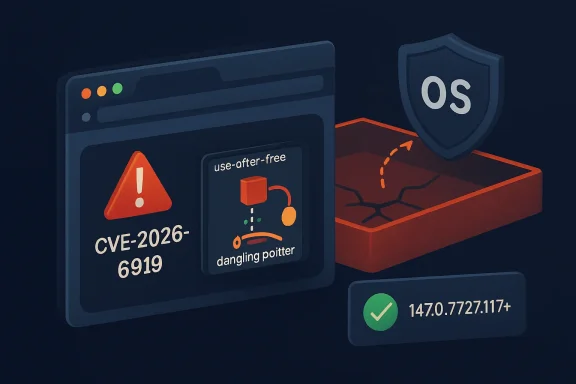
Chromium’s latest security alert, CVE-2026-6919, is a reminder that browser hardening is no longer just about JavaScript engines, media codecs, or extension permissions. The flaw is a use-after-free vulnerability in DevTools affecting Google Chrome versions before 147.0.7727.117, and it could allow a remote attacker who had already compromised the renderer process to attempt a sandbox escape through a crafted HTML page. Although Chromium rates the bug High, the CISA ADP CVSS 3.1 vector assigns it a 9.6 Critical score, reflecting how serious a successful renderer-to-sandbox-break chain can be in real-world attack scenarios.
Modern Chromium-based browsers are built around a layered security model. The renderer process handles risky web content, while the browser process, sandbox, site isolation, and operating-system controls are supposed to limit what malicious pages can do after initial code execution. When that model works, a browser bug may still be dangerous, but it remains contained inside a restricted process.
CVE-2026-6919 matters because it sits in the escalation stage of the attack chain. The official description says exploitation requires a compromised renderer process first, which means this is not a simple one-click remote-code-execution bug by itself. Instead, it is the kind of vulnerability attackers pair with another flaw to move from browser compromise to broader system impact.
The affected component, DevTools, is often misunderstood as merely a developer convenience. In Chromium, DevTools is a powerful inspection, debugging, profiling, and automation surface that interacts with page state, browser internals, protocol handlers, memory objects, and privileged debugging pathways. That makes a memory-safety flaw in this area especially interesting to exploit developers.
The publication timeline also deserves attention. The CVE was published on April 23, 2026, with NVD modification activity on April 24, 2026, and the relevant Chrome stable update was released through Google’s desktop channel. Microsoft’s security tracking also lists the vulnerability because Microsoft Edge is Chromium-based, meaning Edge inherits many upstream Chromium security fixes even when version numbers and release timing differ from Chrome.
The CVE wording is precise: an attacker would need a renderer compromise first. That detail should not make administrators complacent, because modern exploit chains often combine multiple vulnerabilities. A renderer bug plus a sandbox escape can become a practical drive-by compromise path when delivered through a malicious page.
Security teams should treat this as a chain-enabling vulnerability. The bug may not be the first step, but it can be the step that makes the first step matter.
Browsers are especially exposed to this class of bug because they handle untrusted, highly dynamic input. HTML, CSS, JavaScript, WebAssembly, graphics APIs, media streams, and debugging interfaces all create complicated object lifetimes. When one part of the browser frees an object while another still holds a reference, the result can become exploitable.
Chromium has invested heavily in hardening technologies, including partitioned memory allocators, MiraclePtr-style protections, fuzzing, and process isolation. Yet memory lifecycle bugs remain a persistent source of browser vulnerabilities. The reason is simple: browser code is large, fast-moving, and constantly balancing performance with safety.
A DevTools flaw may have several unusual characteristics:
That prerequisite lowers the probability of casual exploitation but increases the value of the bug to advanced attackers. Exploit chains are modular: one vulnerability gets code running in the renderer, another escapes the sandbox, and a third may elevate privileges or persist on the device. In that context, a sandbox escape can be the difference between a contained browser crash and a serious compromise.
This is why endpoint defenders should avoid reading “renderer compromise required” as reassuring. It means the bug is most relevant to attackers who already have sophisticated browser exploitation capability. Those are precisely the actors that enterprise security teams worry about most.
For WindowsForum readers, Microsoft Edge is the most important downstream case. Edge shares Chromium foundations, but Microsoft adds enterprise policies, account integration, SmartScreen, Copilot-related features, management hooks, and Windows platform integration. As a result, administrators should not assume that a Chrome version number maps directly to Edge.
Microsoft’s update guide tracks CVE-2026-6919 because Chromium vulnerabilities can affect Edge. The practical takeaway is straightforward: Chrome users should update to 147.0.7727.117 or later, while Edge administrators should verify the corresponding Microsoft Edge security release through Microsoft’s own release channels and management tools.
That complexity matters for vulnerability management. A scanner that only knows “Chrome before 147.0.7727.117” may not correctly interpret Edge, Brave, or Vivaldi builds. Conversely, a broad CPE entry may overstate or understate exposure if it lacks product-specific detail.
Defenders should validate using three signals:
This does not necessarily mean the database is wrong in a meaningful operational sense. NVD enrichment can lag vendor advisories, CPE entries may be adjusted after initial analysis, and product builds may differ by platform or release channel. Still, the safest interpretation is to follow the vendor-fixed version stated in the vulnerability description: 147.0.7727.117 or later for Chrome.
The user-facing question, “Are we missing a CPE here?” is reasonable. Chromium vulnerabilities often require careful product modeling because Chrome is not the only affected consumer of Chromium code. NVD may list Chrome directly, while Microsoft tracks Edge separately and Linux distributions track Chromium packages through their own advisories.
Windows administrators should prioritize this update alongside normal Patch Tuesday work, even though Chrome updates are outside the traditional Windows cumulative update model. Browser patching has become its own operational discipline, with separate deadlines, telemetry, restart enforcement, and exception handling. Edge reduces some of that complexity on Windows, but it does not eliminate the need to verify update completion.
The biggest enterprise risk is not that every user will be immediately attacked. The bigger risk is a long tail of devices that appear patched in management consoles but still have vulnerable browser processes running. Laptops in sleep mode, kiosk systems, VDI sessions, shared workstations, and rarely restarted developer machines are common offenders.
Home users should also remember that Chromium-based browsers are not all updated by Google. If someone uses Chrome, Edge, Brave, Vivaldi, Opera, or another Chromium browser, each product has its own update mechanism and timing. The correct answer is not merely “Chrome is patched,” but “my installed browser is patched.”
The exploit condition involves a compromised renderer process, which may sound remote from everyday life. In practice, malicious advertising, compromised websites, phishing links, and browser exploit kits have historically used multi-stage chains. Ordinary browsing can become the delivery path for sophisticated exploitation when attackers have the right vulnerabilities.
A DevTools vulnerability also raises questions for CI systems and test infrastructure. Headless browsers, automated UI tests, browser debugging protocols, and local preview environments may expose surfaces that ordinary users never touch. If those systems process untrusted pages, they deserve the same patch urgency as employee laptops.
This does not mean developers should stop using DevTools. It means development environments should be treated as high-value endpoints. Source code, credentials, tokens, package publishing rights, and cloud access often live on developer machines, making them attractive targets.
The downside is concentration risk. A serious Chromium flaw can ripple across multiple browsers and platforms, giving attackers a broad target set. Even if Chrome patches first, downstream adoption may lag, creating a window where attackers compare builds and hunt for vulnerable forks.
Firefox and WebKit-based browsers face their own security issues, but they offer engine diversity. In a world where enterprise fleets often standardize on Chromium, diversity becomes a strategic question rather than a mere preference. A monoculture is efficient until a shared vulnerability becomes urgent.
Browser exploitation rarely leaves a neat signature. Defenders may see crashes, abnormal process trees, suspicious command-line flags, unexpected child processes, credential access attempts, or EDR alerts involving browser processes. DevTools-specific exploitation may also interact with debugging protocols, though public details are insufficient to define a reliable detection rule.
The best defensive approach is layered. Patch quickly, validate completion, review high-risk endpoints, and enrich alerts with browser-version context. If an endpoint was running an affected version and also showed suspicious browser behavior, escalate the investigation.
A strong browser patch SLA should account for severity, exploit status, and attack-chain value. Even though Chromium labels this flaw High rather than Critical, the sandbox escape potential justifies accelerated deployment. The CISA ADP score reinforces that prioritization.
The operational challenge is user disruption. Browsers hold sessions, unsaved forms, web apps, and authentication state. Enterprises need policies that prompt, defer briefly, and then enforce relaunch when risk demands it.
The industry should also watch whether DevTools becomes a more frequent target. As browser sandboxes harden, attackers naturally look for complex privileged surfaces that interact with renderers. Debugging, automation, AI-assisted browsing features, local network access, and browser-integrated productivity tools all expand the areas that need careful memory-safety review.
Important follow-up items include:
For Windows users and administrators, the lesson is direct. Treat browsers as core operating-system attack surface, not optional applications. The browser is where identity, cloud data, productivity, software development, and everyday communication converge.
CVE-2026-6919 is not a reason to abandon Chromium-based browsers, but it is a reason to respect how complex they have become. The right response is fast patching, accurate inventory, enforced restarts, and sharper scrutiny of early vulnerability metadata. If organizations learn those lessons now, the next browser emergency will be less chaotic, less ambiguous, and less dangerous.
Source: NVD / Chromium Security Update Guide - Microsoft Security Response Center
 Background
Modern Chromium-based browsers are built around a layered security model. The renderer process handles risky web content, while the browser process, sandbox, site isolation, and operating-system controls are supposed to limit what malicious pages can do after initial code execution. When that model works, a browser bug may still be dangerous, but it remains contained inside a restricted process.CVE-2026-6919 matters because it sits in the escalation stage of the attack chain. The official description says exploitation requires a compromised renderer process first, which means this is not a simple one-click remote-code-execution bug by itself. Instead, it is the kind of vulnerability attackers pair with another flaw to move from browser compromise to broader system impact.
The affected component, DevTools, is often misunderstood as merely a developer convenience. In Chromium, DevTools is a powerful inspection, debugging, profiling, and automation surface that interacts with page state, browser internals, protocol handlers, memory objects, and privileged debugging pathways. That makes a memory-safety flaw in this area especially interesting to exploit developers.
The publication timeline also deserves attention. The CVE was published on April 23, 2026, with NVD modification activity on April 24, 2026, and the relevant Chrome stable update was released through Google’s desktop channel. Microsoft’s security tracking also lists the vulnerability because Microsoft Edge is Chromium-based, meaning Edge inherits many upstream Chromium security fixes even when version numbers and release timing differ from Chrome.
Why This Vulnerability Stands Out
A sandbox escape changes the risk calculation
A browser sandbox is designed to assume that web content may eventually break something in the renderer. That assumption is why the renderer has intentionally limited access to files, devices, credentials, and operating-system APIs. A sandbox escape is dangerous because it attacks the boundary that turns a browser bug into a system foothold.The CVE wording is precise: an attacker would need a renderer compromise first. That detail should not make administrators complacent, because modern exploit chains often combine multiple vulnerabilities. A renderer bug plus a sandbox escape can become a practical drive-by compromise path when delivered through a malicious page.
Security teams should treat this as a chain-enabling vulnerability. The bug may not be the first step, but it can be the step that makes the first step matter.
Key facts for defenders
- CVE ID: CVE-2026-6919
- Component: Chromium DevTools
- Bug class: Use after free
- Weakness mapping: CWE-416
- Affected Chrome versions: Prior to 147.0.7727.117
- Attack condition: Renderer process already compromised
- Potential outcome: Sandbox escape
- Chromium severity: High
- CISA ADP CVSS 3.1 score: 9.6 Critical
- User interaction: Required in the CVSS vector
Understanding Use-After-Free in Browser Security
The memory-safety problem
A use-after-free occurs when software continues to use a memory object after it has already been released. In a complex C++ codebase like Chromium, these bugs can create opportunities for memory corruption, object confusion, or controlled execution flow. Attackers try to replace the freed memory with data they control, then trigger the program to treat that attacker-controlled data as a legitimate object.Browsers are especially exposed to this class of bug because they handle untrusted, highly dynamic input. HTML, CSS, JavaScript, WebAssembly, graphics APIs, media streams, and debugging interfaces all create complicated object lifetimes. When one part of the browser frees an object while another still holds a reference, the result can become exploitable.
Chromium has invested heavily in hardening technologies, including partitioned memory allocators, MiraclePtr-style protections, fuzzing, and process isolation. Yet memory lifecycle bugs remain a persistent source of browser vulnerabilities. The reason is simple: browser code is large, fast-moving, and constantly balancing performance with safety.
Why DevTools is unusual
DevTools is not just a panel that developers open with F12. It is a framework for inspecting execution, modifying page behavior, tracing performance, evaluating scripts, and connecting to debugging protocols. That means it touches sensitive state that ordinary web pages should not be able to manipulate directly.A DevTools flaw may have several unusual characteristics:
- Complex object relationships between inspected pages and debugging agents
- Privileged protocol pathways that expose internal browser state
- Asynchronous events that can create lifetime-management mistakes
- Conditional exposure depending on browser state and feature availability
- Automation hooks used by testing tools, developers, and enterprise workflows
The Renderer Compromise Requirement
Not the first bug, but potentially the second
The phrase “who had compromised the renderer process” is central to understanding CVE-2026-6919. A remote attacker cannot necessarily visit this bug directly from a clean starting point. They first need a separate way to gain code execution or meaningful control inside the renderer.That prerequisite lowers the probability of casual exploitation but increases the value of the bug to advanced attackers. Exploit chains are modular: one vulnerability gets code running in the renderer, another escapes the sandbox, and a third may elevate privileges or persist on the device. In that context, a sandbox escape can be the difference between a contained browser crash and a serious compromise.
This is why endpoint defenders should avoid reading “renderer compromise required” as reassuring. It means the bug is most relevant to attackers who already have sophisticated browser exploitation capability. Those are precisely the actors that enterprise security teams worry about most.
How exploit chains typically unfold
- The user visits a malicious or compromised web page.
- The page triggers a separate renderer vulnerability.
- Attacker-controlled code runs inside the restricted renderer process.
- The attacker uses CVE-2026-6919 or a similar flaw to target the sandbox boundary.
- Successful exploitation gives access beyond the renderer’s intended restrictions.
Chrome, Edge, and the Chromium Supply Chain
One engine, many browsers
The Chromium project underpins Google Chrome, Microsoft Edge, Brave, Vivaldi, Opera, and many other browsers. When a Chromium vulnerability is fixed upstream, downstream vendors must integrate, test, and ship their own builds. That creates a security supply chain where the same underlying flaw can appear across multiple products, but the fixed version numbers may not match.For WindowsForum readers, Microsoft Edge is the most important downstream case. Edge shares Chromium foundations, but Microsoft adds enterprise policies, account integration, SmartScreen, Copilot-related features, management hooks, and Windows platform integration. As a result, administrators should not assume that a Chrome version number maps directly to Edge.
Microsoft’s update guide tracks CVE-2026-6919 because Chromium vulnerabilities can affect Edge. The practical takeaway is straightforward: Chrome users should update to 147.0.7727.117 or later, while Edge administrators should verify the corresponding Microsoft Edge security release through Microsoft’s own release channels and management tools.
Why version mapping gets messy
Chromium versioning can be confusing because Chrome, Edge, and other Chromium-based browsers use different build identifiers. A Chromium base version may be shared, while product-specific patch numbers differ. Enterprise packaging systems may also report application versions differently depending on whether the browser came from a standalone installer, operating-system channel, or managed deployment platform.That complexity matters for vulnerability management. A scanner that only knows “Chrome before 147.0.7727.117” may not correctly interpret Edge, Brave, or Vivaldi builds. Conversely, a broad CPE entry may overstate or understate exposure if it lacks product-specific detail.
Defenders should validate using three signals:
- Vendor advisory status for the specific browser
- Installed browser version from the product itself
- Management inventory data from Intune, SCCM, Jamf, MDM, EDR, or vulnerability scanners
- Release timing for downstream Chromium-based browsers
- Restart completion, because browser updates often wait for relaunch
The CPE Question and NVD Timing
Why the configuration deserves scrutiny
The NVD change history described an initial CPE configuration involving Google Chrome versions up to, but excluding, 147.0.7727.116, while the CVE description identifies Chrome prior to 147.0.7727.117 as affected. That kind of mismatch is exactly the sort of detail vulnerability managers should investigate. Even a one-build discrepancy can create false confidence or noisy scan results.This does not necessarily mean the database is wrong in a meaningful operational sense. NVD enrichment can lag vendor advisories, CPE entries may be adjusted after initial analysis, and product builds may differ by platform or release channel. Still, the safest interpretation is to follow the vendor-fixed version stated in the vulnerability description: 147.0.7727.117 or later for Chrome.
The user-facing question, “Are we missing a CPE here?” is reasonable. Chromium vulnerabilities often require careful product modeling because Chrome is not the only affected consumer of Chromium code. NVD may list Chrome directly, while Microsoft tracks Edge separately and Linux distributions track Chromium packages through their own advisories.
Practical CPE guidance
- Treat vendor-fixed versions as authoritative during the first days after disclosure.
- Do not rely solely on initial NVD CPE enrichment for patch decisions.
- Expect CPE and scanner logic to evolve after publication.
- Check whether downstream Chromium browsers are modeled separately.
- Suppress or tune scanner findings only after confirming installed versions and vendor status.
- Document any exception where a browser is Chromium-based but not actually exposed to the affected code path.
Enterprise Impact on Windows Environments
Managed browsers are infrastructure now
In many organizations, the browser is the primary application runtime. Employees use it for Microsoft 365, Google Workspace, Salesforce, ServiceNow, internal dashboards, identity workflows, remote access portals, and web-based line-of-business apps. A Chromium sandbox escape therefore affects more than casual browsing; it touches the front door of enterprise computing.Windows administrators should prioritize this update alongside normal Patch Tuesday work, even though Chrome updates are outside the traditional Windows cumulative update model. Browser patching has become its own operational discipline, with separate deadlines, telemetry, restart enforcement, and exception handling. Edge reduces some of that complexity on Windows, but it does not eliminate the need to verify update completion.
The biggest enterprise risk is not that every user will be immediately attacked. The bigger risk is a long tail of devices that appear patched in management consoles but still have vulnerable browser processes running. Laptops in sleep mode, kiosk systems, VDI sessions, shared workstations, and rarely restarted developer machines are common offenders.
Recommended enterprise response
- Confirm Chrome is updated to 147.0.7727.117 or later where Chrome is installed.
- Verify Edge status through Microsoft’s security release notes and enterprise inventory.
- Force browser restarts where policy allows.
- Check persistent VDI images and golden images, not only live endpoints.
- Review kiosk and shared-device update behavior.
- Monitor EDR telemetry for renderer crashes, suspicious browser child processes, and unusual DevTools protocol activity.
- Update vulnerability scanner plugins and rerun targeted scans after metadata stabilizes.
Consumer Impact and What Home Users Should Do
Automatic updates help, but restarts matter
For consumers, the fix is simple: update the browser and restart it. Chrome’s automatic updater generally handles download and installation in the background, but the patch does not fully protect the active session until the browser relaunches. Users who keep browsers open for weeks are more exposed than they may realize.Home users should also remember that Chromium-based browsers are not all updated by Google. If someone uses Chrome, Edge, Brave, Vivaldi, Opera, or another Chromium browser, each product has its own update mechanism and timing. The correct answer is not merely “Chrome is patched,” but “my installed browser is patched.”
The exploit condition involves a compromised renderer process, which may sound remote from everyday life. In practice, malicious advertising, compromised websites, phishing links, and browser exploit kits have historically used multi-stage chains. Ordinary browsing can become the delivery path for sophisticated exploitation when attackers have the right vulnerabilities.
Simple user checklist
- Open the browser’s About page and let it check for updates.
- Relaunch the browser after the update finishes.
- Repeat the process for every Chromium-based browser installed.
- Remove browsers you no longer use.
- Avoid leaving browser sessions open indefinitely.
- Keep Windows, graphics drivers, and security tools updated.
- Be cautious with unexpected links, even when sent through trusted platforms.
Why DevTools Bugs Matter to Developers
Developer tooling can become attack surface
Developers often run browsers in unusual configurations. They open DevTools constantly, attach local debugging targets, run experimental flags, test untrusted web content, disable security controls temporarily, and connect browsers to automation frameworks. That makes the DevTools security boundary especially relevant for software teams.A DevTools vulnerability also raises questions for CI systems and test infrastructure. Headless browsers, automated UI tests, browser debugging protocols, and local preview environments may expose surfaces that ordinary users never touch. If those systems process untrusted pages, they deserve the same patch urgency as employee laptops.
This does not mean developers should stop using DevTools. It means development environments should be treated as high-value endpoints. Source code, credentials, tokens, package publishing rights, and cloud access often live on developer machines, making them attractive targets.
Secure development implications
- Patch developer workstations early, not last.
- Avoid running outdated browser builds for compatibility testing unless isolated.
- Separate untrusted web testing from primary development environments.
- Limit exposed remote debugging ports.
- Audit automation systems that launch browsers with weakened sandbox settings.
- Rotate credentials if suspicious browser exploitation is suspected.
- Include browser versions in build-agent inventory.
Competitive and Ecosystem Implications
Chromium’s dominance cuts both ways
Chromium’s market dominance creates strong security benefits. Google, Microsoft, and the broader community invest enormous resources in fuzzing, bug bounties, sandboxing, exploit mitigation, and rapid patch delivery. A vulnerability found in one Chromium-based browser can often be fixed across the ecosystem faster than if every vendor maintained a completely separate engine.The downside is concentration risk. A serious Chromium flaw can ripple across multiple browsers and platforms, giving attackers a broad target set. Even if Chrome patches first, downstream adoption may lag, creating a window where attackers compare builds and hunt for vulnerable forks.
Firefox and WebKit-based browsers face their own security issues, but they offer engine diversity. In a world where enterprise fleets often standardize on Chromium, diversity becomes a strategic question rather than a mere preference. A monoculture is efficient until a shared vulnerability becomes urgent.
What rivals can learn
- Rapid update delivery is now a competitive security feature.
- Clear release notes reduce uncertainty for administrators.
- Browser diversity can reduce shared-engine risk.
- Enterprise controls must make restart enforcement easier.
- Security advisories should map upstream flaws to product-specific fixed versions.
- Developer tooling deserves the same hardening focus as rendering engines.
Detection, Telemetry, and Incident Response
Patching is first, investigation is second
For most organizations, the immediate response should be patching rather than deep forensic hunting. There is no public indication in the supplied details that CVE-2026-6919 is actively exploited in the wild. Still, because it could support sandbox escape after renderer compromise, security teams should review telemetry where exposure overlaps with suspicious browsing activity.Browser exploitation rarely leaves a neat signature. Defenders may see crashes, abnormal process trees, suspicious command-line flags, unexpected child processes, credential access attempts, or EDR alerts involving browser processes. DevTools-specific exploitation may also interact with debugging protocols, though public details are insufficient to define a reliable detection rule.
The best defensive approach is layered. Patch quickly, validate completion, review high-risk endpoints, and enrich alerts with browser-version context. If an endpoint was running an affected version and also showed suspicious browser behavior, escalate the investigation.
Triage workflow
- Identify all endpoints with affected Chromium-based browsers.
- Confirm whether the browser process was restarted after patch installation.
- Prioritize users exposed to suspicious links, malvertising, or high-risk browsing.
- Review browser crash telemetry and EDR events around the disclosure window.
- Look for unusual child processes spawned by browser processes.
- Check for remote debugging flags or unexpected DevTools protocol exposure.
- Reimage or isolate systems where exploitation indicators align with vulnerable versions.
Patch Management Lessons from CVE-2026-6919
Browser updates need their own SLA
Traditional monthly patch cycles are too slow for browsers. Chrome and Edge ship security updates frequently, and attackers often reverse-engineer patches quickly. Organizations that wait for the next routine maintenance window may leave a known browser vulnerability exposed for days or weeks.A strong browser patch SLA should account for severity, exploit status, and attack-chain value. Even though Chromium labels this flaw High rather than Critical, the sandbox escape potential justifies accelerated deployment. The CISA ADP score reinforces that prioritization.
The operational challenge is user disruption. Browsers hold sessions, unsaved forms, web apps, and authentication state. Enterprises need policies that prompt, defer briefly, and then enforce relaunch when risk demands it.
A practical deployment model
- Deploy updates automatically as soon as vendor packages are available.
- Notify users that a restart is required.
- Allow a short grace period for business continuity.
- Enforce relaunch after the grace period expires.
- Track devices that remain noncompliant.
- Exclude only documented critical systems, and patch them manually.
- Reconcile scanner data with actual browser process versions.
Strengths and Opportunities
The response to CVE-2026-6919 highlights several strengths in the modern browser security ecosystem. Disclosure moved quickly, the affected version boundary is clear for Chrome, and downstream vendors have established mechanisms for tracking Chromium-originated flaws. The opportunity now is to turn this incident into better operational muscle.- Clear vendor-fixed versioning gives Chrome administrators a concrete remediation target.
- Chromium’s shared security model allows many vendors to benefit from upstream fixes.
- Enterprise browser management tools can enforce update and restart behavior at scale.
- CISA ADP scoring helps defenders recognize the seriousness of sandbox-escape potential.
- Memory-safety investments continue to reduce exploit reliability even when bugs exist.
- Developer environment hardening can reduce risk to source code and cloud credentials.
- Better CPE hygiene can improve scanner accuracy during fast-moving disclosures.
Risks and Concerns
The main concern is not simply the vulnerability itself, but the ecosystem complexity around it. Chromium vulnerabilities move through multiple vendors, databases, scanners, and package channels. Each handoff can introduce delay, ambiguity, or mismatched version logic.- Exploit chaining could combine this flaw with a separate renderer vulnerability.
- CPE ambiguity may cause false negatives or false positives in vulnerability scans.
- Downstream browser lag can leave non-Chrome Chromium users exposed longer.
- Unrestarted browsers may continue running vulnerable code after updates download.
- Developer machines may have elevated exposure because of debugging workflows.
- Legacy compatibility testing can preserve old browser builds in unsafe environments.
- Public patch analysis may help attackers understand the bug before all users update.
Looking Ahead
What defenders should monitor
The next stage is metadata stabilization. NVD enrichment, scanner plugins, vendor advisories, and downstream browser release notes may continue to evolve after the initial publication. Administrators should watch for corrected CPE entries, Edge-specific fixed-version guidance, Linux distribution package updates, and any indication of exploitation in the wild.The industry should also watch whether DevTools becomes a more frequent target. As browser sandboxes harden, attackers naturally look for complex privileged surfaces that interact with renderers. Debugging, automation, AI-assisted browsing features, local network access, and browser-integrated productivity tools all expand the areas that need careful memory-safety review.
Important follow-up items include:
- NVD CPE updates that clarify the affected Chrome version range.
- Microsoft Edge security release notes mapping the Chromium fix into Edge builds.
- Scanner plugin revisions from major vulnerability management vendors.
- Chromium bug visibility changes once most users are patched.
- Reports of active exploitation, if any emerge after disclosure.
The broader browser-security trend
CVE-2026-6919 fits a familiar 2026 pattern: browser bugs are less about isolated crashes and more about chained compromise. Modern attackers want reliable paths from web content to operating-system access, and sandbox escapes remain a prized capability. That makes even conditional vulnerabilities strategically important.For Windows users and administrators, the lesson is direct. Treat browsers as core operating-system attack surface, not optional applications. The browser is where identity, cloud data, productivity, software development, and everyday communication converge.
CVE-2026-6919 is not a reason to abandon Chromium-based browsers, but it is a reason to respect how complex they have become. The right response is fast patching, accurate inventory, enforced restarts, and sharper scrutiny of early vulnerability metadata. If organizations learn those lessons now, the next browser emergency will be less chaotic, less ambiguous, and less dangerous.
Source: NVD / Chromium Security Update Guide - Microsoft Security Response Center
