

Microsoft’s latest Chromium security cycle has surfaced CVE-2026-5872, a use-after-free in Blink that affects Google Chrome prior to 147.0.7727.55 and can let a remote attacker execute code inside the browser sandbox through a crafted HTML page. Microsoft’s Security Update Guide now reflects the issue, and the record was received on April 8, 2026, which tells enterprise defenders this is not a theoretical advisory but a live patching item already being tracked in downstream ecosystem tooling. and Chromium security disclosures have followed a familiar pattern for years: the browser team identifies a flaw, assigns a CVE, rolls a fix into a specific stable build, and then downstream products such as Microsoft Edge inherit the repair once they ingest the upstream Chromium changes. CVE-2026-5872 fits that pattern exactly, but it still deserves attention because the bug class—use after free—remains one of the most reliable ways for attackers to convert malformed input into memory corruption and, potentially, arbitrary code execution.
Blink, the renderine, is especially sensitive territory because it handles the parsing and interpretation of web content that users encounter constantly. A flaw reachable through ordinary-looking HTML is more concerning than a niche crash in an obscure subsystem, because it expands the possible attack surface to drive-by web delivery, phishing lures, malvertising, and compromise chains that start with nothing more than a page load.
The fixed version matters here: **147.0. between vulnerable and remediated in Google Chrome’s stable channel. That build boundary is also how enterprise patch teams should think about the issue; it is not enough to know that “Chrome was updated in April.” Administrators need to confirm the exact browser build on managed endpoints, because Chromium security fixes are frequently rolled into staggered releases that may arrive on different dates across channels and platforms.
There is another reason this CVE stands out: Microsoft’s visibility into Chromium bugs through its update guidance has become part of modern browser operations. When Microsoft records a Chromium CVE in the Security Update Guide, it is effectively telling Windows and Edge administrators that the upstream issue matters in their environment too, even if the immediate exploitable surface is Chrome on the open web. That cross-vendor visibility has become essential because browser risk no longer stops at a single brand boundary.
At a technical level, a use-after-free happens when software continues to access memory after the object occupying that memory has already been released. In browser engines, that kind of bug can be catastrophic because the freed memory may be recycled for attacker-influenced data, turning a logic mistake into a primitive for corruption, information disclosure, or code execution. Blink has been a recurring target for this category of flaw precisely because it sits at the intersection of high-complexity parsing and extremely adversarial inputs.
For this specific CVE, Google’s description says a remote attacker could execute arbitrary code inside a sandbox using a crasandbox detail matters. It means the vulnerability does not automatically grant full system control, but it can still provide a powerful foothold inside the browser’s constrained process model, which is often enough to chain with a second weakness or a social-engineering step.
The presence of a specific version threshold—prior to 147.0.7727.55—is useful operationally because it gives IT teams a binary yes-or-no answer. If a machine is below that threshold, it is vulnerable. If it is at or above it, the particular issue is supposed to be closed, assuming the build is genuine and the update completed successfully.
Google’s release notes also show why administrators should not assume a single browser line is the whole story. Chrome for desktop, Android, iOS, and ChromeOS do not always move in lockstep, and a security record may be surfaced in one channel while another platform is still on an adjacent build train. That creates a patch-management problem, not just a browser problem.
The “inside a sandbox” language may reassure casual readers, but it should not reassure defenders too much. Sandbox confinement makes exploitation harder, not irrelevant, and browser exploit chains often rely on a first-stage memory corruption bug to gain code execution before attempting privilege escalation or data theft through separate avenues.
A realistic threat model would likely include:
The practical burden falls on patch management, inventory accuracy, and user compliance. It is not enough to deploy a policy that allows browser auto-update; organizations also need to ensure the new version actually lands, the app restarts cleanly, and the endpoints are not stuck behycles or stale packaging.
That makes this a strong case for letting Chrome update promptly and for reopening the browser after patch installation. Many consumer systems sit in a half-updated state because the user postpones restart prompts, assumes the update already “took,” or simply does not notice the browser version change. A CVE like this turns those habits into real exposure.
CVE-2026-5872 is not an isolated curiosity. Google’s 2026 release cadence has already included multiple memory-safety and browser-policy issues across Chromium components, which underscores how persistent the underlying problem space remains. The recurrence of use-after-free findings is a reminder that large, performance-sensitive codebases continue to wranagement under heavy adversarial testing.
That does not mean Chromium is uniquely broken. It means the browser threat model is unforgiving, and the most important surfaces—rendering, navigation, media, graphics, UI, and scripting—rts because they have to process the web’s messiest inputs at massive scale. The same architectural complexity that makes Chrome fast and capable also makes its bug surface enormous.
The best operationaone with verification layered on top. Security teams should not stop at “updates were pushed,” because browser fleets often drift due to offline laptops, suspended devices, users who postpone restart prompts, and software distribution quirks. The real test is whether the endpoints are actually running the fixed build.
There is also the usual concern that organizations will underestimate browser urgency compared with operating system patches. That is a mistake. Browsers are effectively operating systems for web content, and when their renderers or engines are exposed to code execution, the risk profile can be every bit as serious as a kernel-adjacent issue for many users.
Security teams should also watch for follow-on reporting from exploit ressponse teams, and browser telemetry vendors. Publicly disclosed browser memory bugs often lead to deeper technical write-ups after the first patch wave, and those later analyses can reveal whether the initial vulnerability was part of a broader exploit cluster or a more isolated implementation error.
CVE-2026-5872 is another reminder that browser security is won or lost in the details of release management, not just in the lab. A high-severity Blink use-after-free may sound like one more line item in a crowded advisory feed, but in practice it is a test of how quickly organizations can translate a vendor fix into real-world exposure reduction. The teams that move fastest on inventory, restart enforcement, and downstream validation will be the ones least likely to turn a patchable browser flaw into a meaningful security event.
Source: NVD / Chromium Security Update Guide - Microsoft Security Response Center
Blink, the renderine, is especially sensitive territory because it handles the parsing and interpretation of web content that users encounter constantly. A flaw reachable through ordinary-looking HTML is more concerning than a niche crash in an obscure subsystem, because it expands the possible attack surface to drive-by web delivery, phishing lures, malvertising, and compromise chains that start with nothing more than a page load.
The fixed version matters here: **147.0. between vulnerable and remediated in Google Chrome’s stable channel. That build boundary is also how enterprise patch teams should think about the issue; it is not enough to know that “Chrome was updated in April.” Administrators need to confirm the exact browser build on managed endpoints, because Chromium security fixes are frequently rolled into staggered releases that may arrive on different dates across channels and platforms.
There is another reason this CVE stands out: Microsoft’s visibility into Chromium bugs through its update guidance has become part of modern browser operations. When Microsoft records a Chromium CVE in the Security Update Guide, it is effectively telling Windows and Edge administrators that the upstream issue matters in their environment too, even if the immediate exploitable surface is Chrome on the open web. That cross-vendor visibility has become essential because browser risk no longer stops at a single brand boundary.
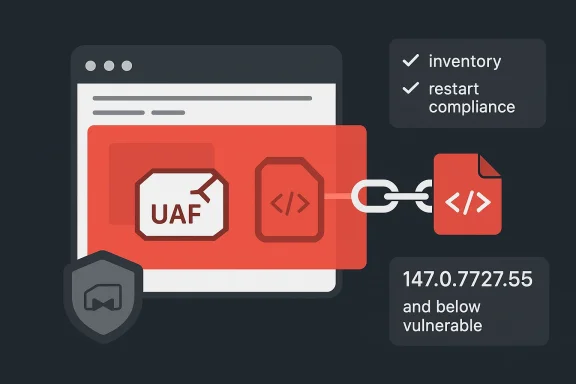 What CVE-2026-5872 Actually Means
At a technical level, a use-after-free happens when software continues to access memory after the object occupying that memory has already been released. In browser engines, that kind of bug can be catastrophic because the freed memory may be recycled for attacker-influenced data, turning a logic mistake into a primitive for corruption, information disclosure, or code execution. Blink has been a recurring target for this category of flaw precisely because it sits at the intersection of high-complexity parsing and extremely adversarial inputs.For this specific CVE, Google’s description says a remote attacker could execute arbitrary code inside a sandbox using a crasandbox detail matters. It means the vulnerability does not automatically grant full system control, but it can still provide a powerful foothold inside the browser’s constrained process model, which is often enough to chain with a second weakness or a social-engineering step.
Why the sandbox matters
Sandboxed code execution is not harmless just because it is sandboxed. In a modern browser architecture, sandbox escape ge objective, and even sandboxed execution can be enough to steal tokens, pivot into session abuse, or prepare a follow-on exploit if the attacker has other leverage. The practical question is not whether the browser sandbox exists; it is whether the sandbox blocks the attacker from reaching what they want next.- The attack is remote, not local.
- The trigger is a crafted HTML page, which lowers delivery friction.
- The impact is code execution inside a sandbox, not he bug class is memory safety, which historically maps to high exploit value.
- The fix boundary is a concrete version: 147.0.7727.55.
The Chrome Release Cycle Behind the Fix
Google’s Chrome Releases blog is the authoritative place to watch for stable-channel patch cadence, and the April 2026 update cycle shows the normal pattern of rapvulnerability disclosure. Chrome 147 was already moving through beta and early-stable waves in March, before the stable desktop release line reached the corrected build level that addresses the CVE. That release rhythm is one reason defenders should not treat browser updates as optional housekeeping.The presence of a specific version threshold—prior to 147.0.7727.55—is useful operationally because it gives IT teams a binary yes-or-no answer. If a machine is below that threshold, it is vulnerable. If it is at or above it, the particular issue is supposed to be closed, assuming the build is genuine and the update completed successfully.
Why version pinning still matters
Version pinning remains one of the most practical controls in browser security. It simplifies fleet auditing, makes compliance reporting easier, and creates a clean way to detect patch lag across managed and unmanaged devices. In here some users auto-update and others delay restarts, the exact version number becomes the difference between certainty and guesswork.Google’s release notes also show why administrators should not assume a single browser line is the whole story. Chrome for desktop, Android, iOS, and ChromeOS do not always move in lockstep, and a security record may be surfaced in one channel while another platform is still on an adjacent build train. That creates a patch-management problem, not just a browser problem.
- The fix is tied to a specific stable build.
- Stable and early-stable waves may differ by timing.
- Different Chrome platforms may land on different release trains.
- Enterprise dashboards should verify actual installed build numbers, not just “auto-update enabled.”
- Restart enforcement matters because browser updates often stage until reboot or relaunch.
Why Microsoft Is Tracking It
Microsoft’s inclusion of CVE-2026-5872 in the Security Update Guide is a signal that the issue matters beyond Google Chrome alone. Microsoft has long used the guide to map Chromium-origin vulnerabilities to Edge and related browser-adjacent components, which helps defenders understand whether an upstream Chrome issue is also relevant in Microsoft-managed environmentsracking is important because Microsoft Edge is Chromium-based. When Chromium fixes a browser-engine flaw, Edge eventually inherits the repair through its own update cadence. The Security Update Guide gives administrators a bridge between Google’s disclosure and Microsoft’s product ecosystem, which is especially useful in enterprises that standardize on Edge but still have Chrome in the fleet.The Edge administration angle
For enterprise patch teams, a Chromium CVE in Microsoft guidance should be treated as a coordination problem, not a brand-specific problem. If Chrome is present on endpoints, it needs to be updated. If Edge is present, administrators need to watch for the downstream build that incorporates the Chromium fix. If embedded browsers or WebView-based applications are in use, the same upstream fix chain may also matter there.- Chrome fleets need immediate version verification.
- Edge fleets need downstream patch confirmation.
- Shared workstations should be checked for both browsers.
- RMM and EDR tooling should flag outdated Chromium builds.
- Help desks should expect user confusion around browser restarts and version drift.
Exploitability and Threat Model
A crafted HTML page is the sort of delivery vector that security teams dislike because it is simple, scalable, and easy to disguise. It can be delivered through malicious links, embedded ads, compromised sites, or social engineering pages that look like ordinary business content. That is one reason the remote attacker wording deserves serious attention, even if the vulnerability is not yet associated with active exploitation in the sources reviewed here.The “inside a sandbox” language may reassure casual readers, but it should not reassure defenders too much. Sandbox confinement makes exploitation harder, not irrelevant, and browser exploit chains often rely on a first-stage memory corruption bug to gain code execution before attempting privilege escalation or data theft through separate avenues.
What attackers would likely try
Attackers generally prefer browser bugs that are reachable with minimal user interaction and broad compatibility across everyday browsing scenarios. A Blink use-after-free fits that profile better than a nicnearly every web user touches Blink through routine browsing. That broad reach is what makes high-severity browser vulnerabilities so valuable to both criminals and advanced threat actors.A realistic threat model would likely include:
- A lure page that loads automatically.
- Exploit code tailored to the vulnerable Blink behavior.
- A sandboxed payload that establishes a foothold.
- A second-stage technique for persistence, credential theft, or lateral movement.
Enterprise Impact
For enterprises, CVE-2026-5872 is tity that crosses from “browser issue” into “operational risk.” Browser zero-days and near-zero-days routinely expose endpoint fleets because the browser is one of the most heavily used applications on managed Windows devices, and it is often where users engage with email, SaaS, intern-party content.The practical burden falls on patch management, inventory accuracy, and user compliance. It is not enough to deploy a policy that allows browser auto-update; organizations also need to ensure the new version actually lands, the app restarts cleanly, and the endpoints are not stuck behycles or stale packaging.
What administrators should focus on
A disciplined enterprise response should begin with inventory. Security teams need to know which endpoints run Chrome, which run Edge, which are unmanaged, and which are also exposed to web content through embedded engines or remote work scenarios. Only then can patch status be mapped back to the actual threat surface.- Verify Chrome version 147.0.7727.55 or later across the fleet.
- Confirm Edge patch ingestion through Microsoft’s guidance.
- Hunt for unmanaged or BYOD machines that may lag behind policy.
- Review web filtering and phishing controls for malicious HTML delivery.
- Escalate restart compliance for endpoints with delayed browser relaunches.
Consumer Impact
Consumer users tend to think of browser updates as low-friction background maintenance, but CVE-2026-5872 is exactly the sort of issue that punishes delay. A malicious page only needs to be visited once, and the attack can happen without the user installing anything or granting obvious permissions.That makes this a strong case for letting Chrome update promptly and for reopening the browser after patch installation. Many consumer systems sit in a half-updated state because the user postpones restart prompts, assumes the update already “took,” or simply does not notice the browser version change. A CVE like this turns those habits into real exposure.
What home users should remember
Home users do not need to understand Blink internals to reduce risk. They do need to check whether the browseld, especially if Chrome is used for banking, shopping, password management, or work-from-home access. Security hygiene here is less about advanced configuration and more about not leaving a critical app one version behind.- Update Chrome immediately.
- Restart the browser after the update.
- Avoid clicking unknown HTML atus links.
- Keep other browsers and PDF tools updated too.
- Treat “sandboxed” as safer, not safe enough.
CVE-2026-5872 is not an isolated curiosity. Google’s 2026 release cadence has already included multiple memory-safety and browser-policy issues across Chromium components, which underscores how persistent the underlying problem space remains. The recurrence of use-after-free findings is a reminder that large, performance-sensitive codebases continue to wranagement under heavy adversarial testing.
That does not mean Chromium is uniquely broken. It means the browser threat model is unforgiving, and the most important surfaces—rendering, navigation, media, graphics, UI, and scripting—rts because they have to process the web’s messiest inputs at massive scale. The same architectural complexity that makes Chrome fast and capable also makes its bug surface enormous.
Why memory-safety bugs keep appearing
Memory-safety bugs persist because browsers combine enormous code volume with continuous feature expansion. New web capabilities, performance optimizations, and cross-platform abstractions all create opportunities for lifetime bugs to appear, especially in code that handles objects created and discarded as the page changes. The problem is not that the browser team is ignoring these flaws; it is that the attack surface evolves faster than any static hardening effort can fully eliminate.- Bigger codebase means more object lifecycle complexity.
- Faster release cycles compress testing windows.
- Web content is adversarial by default.
- Rendering engines must support many device and OS combinations.
- Security fixes often arrive after exploit research has already begun.
Patch Priority and Operational Response
From a remediation standpoint, CVE-2026-5872 should be treated as high priority. The combination of remote delivery, browser sandbox code execution, and a publicly identified fix threshold means the safest assumption is that the vulnerable state should be short-lived wherever possible. The key is to remove the exposure window, not merely to acknowledge it.The best operationaone with verification layered on top. Security teams should not stop at “updates were pushed,” because browser fleets often drift due to offline laptops, suspended devices, users who postpone restart prompts, and software distribution quirks. The real test is whether the endpoints are actually running the fixed build.
Practical response checklist
An effective response plan would usually include:- Validate Chrome builds against 147.0.7727.55 or later.
- Confirm whether Edge has already ingested the corresponding Chromium fix.
- Identify unmanaged devices with browser access to corporate resources.
- Tighten email and web filtering around HTML-based lures.
- Monitor for unusual browser crash telemetry or exploit-like behavior.
Strengths and Opportunities
The disclosure of ghlights some encouraging aspects of the modern browser security model. Google’s quick publication of a version-specific fix, combined with Microsoft’s downstream tracking, gives defenders clear artifacts to work with. That clarity is not a cure, but it improves response speed, which is often the deciding factor in real-world exposure.- The vulnerability hasion**.
- The attack vector is described plainly enough for rapid triage.
- Microsoft surfaces the issue for enterprise visibility.
- Chrome’s release cadence supports quick mass rollout.
- Security teams can automate build verification with inventory tools.
- Public disclosure helps defenders focus on the right component, Blink, instead of hunting blindly.
- The record’s linkage to NVD improves standardized tracking across toolchains.
Risks and Concerns
The biggest concern with CVE-2026-5872 is not just the bug itself, but the combination of web-scale reach and a memory-corruption primitive in a widely used browser engine. When the vulnerable path is reachable through a crafted page, the attacker does not need physical access, and that makes the exploit economics much more favorable.There is also the usual concern that organizations will underestimate browser urgency compared with operating system patches. That is a mistake. Browsers are effectively operating systems for web content, and when their renderers or engines are exposed to code execution, the risk profile can be every bit as serious as a kernel-adjacent issue for many users.
- Users may delay restart prompts and remain vulnerable longer than expected.
- Managed fleets may have mixed Chrome and Edge build states.
- Unmanaged personal devices can bypass enterprise controls entirely.
- ay still be enough for credential theft or staging.
- Public CVE visibility can accelerate exploit development.
- Enterprises may misjudge severity because the bug is “only in the browser.”
- Fragmented patch reporting can hide exposure in embedded web components.
Looking Ahead
The next thing to watch is whether Google’s fix line for 147.0.7727.55 becomes the baseline across all Chrome Microsoft’s downstream guidance settles any ambiguity for Edge and adjacent Chromium consumers. If additional advisory material appears, that could refine the understanding of reach, exploitability, or platform scope, but the current version boundary is already enough to drive action.Security teams should also watch for follow-on reporting from exploit ressponse teams, and browser telemetry vendors. Publicly disclosed browser memory bugs often lead to deeper technical write-ups after the first patch wave, and those later analyses can reveal whether the initial vulnerability was part of a broader exploit cluster or a more isolated implementation error.
What to watch next
- Additional Chromium release notes for related Blink hardening.
- Microsoft Edge build adoption after upstream Chromium ingestion.
- Any future exploit proof-of-concept discussion from the research community.
- Endpoint telemetry showing delayed updates or stalled restarts.
- Secondary advisories that broaden scope to embedded browser components.
CVE-2026-5872 is another reminder that browser security is won or lost in the details of release management, not just in the lab. A high-severity Blink use-after-free may sound like one more line item in a crowded advisory feed, but in practice it is a test of how quickly organizations can translate a vendor fix into real-world exposure reduction. The teams that move fastest on inventory, restart enforcement, and downstream validation will be the ones least likely to turn a patchable browser flaw into a meaningful security event.
Source: NVD / Chromium Security Update Guide - Microsoft Security Response Center
