

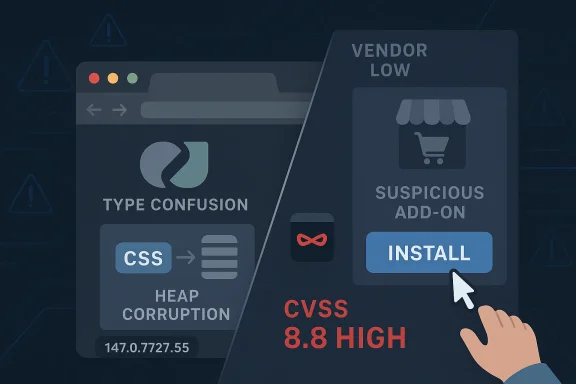
Type confusion bugs in browser engines rarely stay theoretical for long, and CVE-2026-5914 is another reminder that the most dangerous path into a modern browser is often not the web page itself, but the extension ecosystem wrapped around it. Google says the flaw affected Chrome prior to 147.0.7727.55, and that an attacker who persuaded a user to install a malicious extension could potentially trigger heap corruption through a crafted Chrome extension. Ubuntu’s advisory records the issue with a CVSS 3.1 score of 8.8 High, even though Chromium classifies the bug as Low severity, a gap that underscores how exploitability can look very different depending on the lens used. (ubuntu.com)
The timing matters. Google’s own release notes show that Chrome 147 entered early stable on April 1, 2026, reaching a small percentage of desktop users first, while the CVE itself was published on April 8, 2026 and updated by CISA-ADP on April 9, 2026. That means the vulnerable code was already in circulation inside the 147 branch before the specific fix level, and organizations that rely on staggered rollout policies may have spent several days in a gray zone where some users were protected and others were not. (chromereleases.googleblog.com)
Chrome’s security model has always been a balancing act between speed, compatibility, and the sprawling attack surface created by extensions, site rendering, and increasingly complex browser internals. CSS sounds harmless to many readers, but inside a browser engine it is part of a deeply interconnected pipeline that touches layout, styling, memory management, and execution paths that can become exploitable when assumptions break. A type confusion bug in that machinery can let one object be treated like another, and that kind of mismatch is one of the classic routes to memory corruption. (ubuntu.com)
What makes this case especially noteworthy is the extension angle. The public description says the attacker would need to convince a user to install a malicious extension, which means this is not a drive-by browser exploit in the purest sense. But it is also not a comforting limitation, because enterprise users, power users, and consumers alike still install extensions from confusing, copycat, or over-privileged packages. In other words, the exploit chain may begin with social engineering, yet it still ends inside a trusted browser process where heap corruption can matter far more than the initial lure. (ubuntu.com)
The broader Chrome 147 cycle provides important context. Google had already pushed an early stable update on April 1, then continued with regular release-channel activity as the April security landscape evolved. That cadence is common for Chromium, but it also means defenders must distinguish between a version that is merely “in the 147 line” and one that actually contains the relevant patch level. With security fixes, the build number is the line that matters, not the marketing version alone. (chromereleases.googleblog.com)
This disclosure also fits a pattern that Windows and Linux administrators know well: browser CVEs are increasingly a cross-platform management problem, not a single-vendor issue. Ubuntu already flags the Chrome issue in its own security tracking, which is a reminder that downstream package maintainers, enterprise hardening teams, and vulnerability scanners often surface the same flaw through different channels. The result is a patching ecosystem that is broader than Chrome itself and more operationally demanding than a simple browser update. (ubuntu.com)
The CWE-843 classification used in the record is also telling. CWE-843, “Access of Resource Using Incompatible Type,” is a well-known pattern in memory-safety research, and it tends to be a marker for bugs that can be more versatile than they first appear. If the wrong object is interpreted as the right one, almost any later operation can become a potential primitive for exploitation. That is why defenders should treat the technical label as more important than the cosmetic “Low” severity tag that Chromium attached to the issue. (ubuntu.com)
The presence of a user-installed malicious extension also narrows the delivery model in one sense and widens it in another. It narrows the attack because the user must cross an initial trust boundary. It widens the attack because browser extensions are routinely granted broad permissions, can run with persistent access, and may survive for long periods before review or removal. That is exactly the kind of foothold adversaries like to exploit. (ubuntu.com)
The release timing also highlights a familiar Chrome dynamic. Google often ships a new major version, then follows with incremental fixes as issues are discovered or validated. This creates a moving target for defenders, especially when multiple CVEs are being published across the same channel. In April 2026 alone, the Chrome release stream reflects a fast-moving patch environment rather than a single clean “safe” release date. (chromereleases.googleblog.com)
For security teams, the operational lesson is straightforward. You cannot assume that a browser fleet is protected just because the major version number looks modern. You need inventory, build-level visibility, and a clear policy for extensions as part of the same control plane. Without that, a flaw like CVE-2026-5914 can linger in exactly the places where employees are most likely to install helpful-looking but risky add-ons. That is the uncomfortable reality of browser security today. (ubuntu.com)
CVE-2026-5914 is therefore less about a single bad line of CSS code and more about the broader trust model around extensions. If an attacker can get a user to install the extension, the exploit may be much easier to stage than a traditional browser exploit that depends on spraying memory from a website. That makes user education, store vetting, and extension governance all part of the security control set. (ubuntu.com)
This also reinforces why security teams should care about extension inventories in the same way they care about installed software packages. An extension can be a shadow application, with its own permissions, update cadence, and risk profile. If a browser flaw can be triggered through crafted extension behavior, then every unknown extension becomes a potential threat multiplier. (ubuntu.com)
The user-interaction requirement is what likely kept Chromium’s own severity lower. But user interaction required does not mean safe. It simply means the attacker needs a lure, prompt, or installation step. In the world of browser attacks, that is often the easiest part, not the hardest. (ubuntu.com)
The takeaway for defenders is that severity labels should inform prioritization, not replace analysis. If your estate has extension sprawl, local admin abundance, or weak browser controls, the practical risk may be much closer to the high end than Chromium’s label suggests. Security teams should therefore use the CVSS data, the vendor’s description, and the enterprise context together rather than picking whichever number looks most convenient. (ubuntu.com)
This is especially true when a fix arrives in a point release like 147.0.7727.55. The gap between the branch rollout and the fixed dot release is precisely where residual exposure hides. A vulnerable machine can look modern, recent, and fully supported while still missing the specific patch that closes the issue. (ubuntu.com)
The upstream/downstream relationship also matters. Ubuntu’s security tracker has already recorded the CVE and marked its packaged Chromium status as not affected for the versions it lists, showing how distro maintainers map browser advisories into their own packaging reality. That kind of cross-checking is essential, because the browser version a user sees in the app interface is not always the same as the packaging lineage a platform vendor uses underneath. (ubuntu.com)
Another concern is version drift. Organizations that think they are on “Chrome 147” may still have devices below 147.0.7727.55, especially if policies slow updates or users are offline. In addition, the mixed severity signals can lead teams to under-prioritize the fix, particularly if they see Chromium’s Low label and ignore the external High CVSS assessment. That would be a risky mistake. (ubuntu.com)
Longer term, this CVE may push more organizations toward stricter allowlists, extension review workflows, and broader browser telemetry. Those controls are rarely popular with users, but they become easier to justify after a high-impact flaw lands in a familiar product line. The key is to treat the browser not as a simple application, but as a platform whose trust model is only as strong as its least-vetted extension. (ubuntu.com)
Source: NVD / Chromium Security Update Guide - Microsoft Security Response Center
The timing matters. Google’s own release notes show that Chrome 147 entered early stable on April 1, 2026, reaching a small percentage of desktop users first, while the CVE itself was published on April 8, 2026 and updated by CISA-ADP on April 9, 2026. That means the vulnerable code was already in circulation inside the 147 branch before the specific fix level, and organizations that rely on staggered rollout policies may have spent several days in a gray zone where some users were protected and others were not. (chromereleases.googleblog.com)
 Background
Chrome’s security model has always been a balancing act between speed, compatibility, and the sprawling attack surface created by extensions, site rendering, and increasingly complex browser internals. CSS sounds harmless to many readers, but inside a browser engine it is part of a deeply interconnected pipeline that touches layout, styling, memory management, and execution paths that can become exploitable when assumptions break. A type confusion bug in that machinery can let one object be treated like another, and that kind of mismatch is one of the classic routes to memory corruption. (ubuntu.com)What makes this case especially noteworthy is the extension angle. The public description says the attacker would need to convince a user to install a malicious extension, which means this is not a drive-by browser exploit in the purest sense. But it is also not a comforting limitation, because enterprise users, power users, and consumers alike still install extensions from confusing, copycat, or over-privileged packages. In other words, the exploit chain may begin with social engineering, yet it still ends inside a trusted browser process where heap corruption can matter far more than the initial lure. (ubuntu.com)
The broader Chrome 147 cycle provides important context. Google had already pushed an early stable update on April 1, then continued with regular release-channel activity as the April security landscape evolved. That cadence is common for Chromium, but it also means defenders must distinguish between a version that is merely “in the 147 line” and one that actually contains the relevant patch level. With security fixes, the build number is the line that matters, not the marketing version alone. (chromereleases.googleblog.com)
This disclosure also fits a pattern that Windows and Linux administrators know well: browser CVEs are increasingly a cross-platform management problem, not a single-vendor issue. Ubuntu already flags the Chrome issue in its own security tracking, which is a reminder that downstream package maintainers, enterprise hardening teams, and vulnerability scanners often surface the same flaw through different channels. The result is a patching ecosystem that is broader than Chrome itself and more operationally demanding than a simple browser update. (ubuntu.com)
What CVE-2026-5914 Actually Is
At its core, CVE-2026-5914 is a type confusion in CSS. The official description states that Chrome versions prior to 147.0.7727.55 were affected and that the issue could lead to potential heap corruption through a crafted Chrome extension. That combination of browser-engine confusion plus extension-delivered content is exactly the kind of bug security teams dislike, because it can sit dormant until the right object layout, memory state, and user action line up. (ubuntu.com)Why “type confusion” is serious
Type confusion means the program loses track of what kind of object it is handling. In a browser, that can lead to bad reads, bad writes, or both, and once memory is corrupted the attacker’s problem becomes one of reliability rather than merely triggering the flaw. A bug can be “Low” in an internal vendor severity scheme because it needs user interaction and a specific precondition, yet still map to a high-risk exploitation path once chained with social engineering and browser process abuse. (ubuntu.com)The CWE-843 classification used in the record is also telling. CWE-843, “Access of Resource Using Incompatible Type,” is a well-known pattern in memory-safety research, and it tends to be a marker for bugs that can be more versatile than they first appear. If the wrong object is interpreted as the right one, almost any later operation can become a potential primitive for exploitation. That is why defenders should treat the technical label as more important than the cosmetic “Low” severity tag that Chromium attached to the issue. (ubuntu.com)
The presence of a user-installed malicious extension also narrows the delivery model in one sense and widens it in another. It narrows the attack because the user must cross an initial trust boundary. It widens the attack because browser extensions are routinely granted broad permissions, can run with persistent access, and may survive for long periods before review or removal. That is exactly the kind of foothold adversaries like to exploit. (ubuntu.com)
- The flaw affects Chrome prior to 147.0.7727.55.
- The trigger involves a crafted Chrome Extension.
- The likely consequence is heap corruption.
- The weakness is categorized as CWE-843.
- The public record currently ties it to a user-installable malicious extension rather than a remote web page alone. (ubuntu.com)
The Versioning Story Matters More Than It Sounds
One of the most important practical details here is that 147.0.7727.55 is the threshold. Users and administrators often speak in broad terms like “Chrome 147,” but security patches are typically landed in later dot releases after the branch has already started rolling out. Google’s April 1 early-stable post confirms that the 147 branch was active before the CVE publication, which means patch management tools must check the precise build, not the headline version. (chromereleases.googleblog.com)Why build numbers are the real control point
Enterprise environments commonly have delayed or staged updates, especially when browser upgrades are wrapped in policy controls, compatibility testing, or change windows. That means a device can appear current to an end user while still missing the specific security fix. For a vulnerability like CVE-2026-5914, that distinction is not academic; it determines whether the code path is still exploitable. (ubuntu.com)The release timing also highlights a familiar Chrome dynamic. Google often ships a new major version, then follows with incremental fixes as issues are discovered or validated. This creates a moving target for defenders, especially when multiple CVEs are being published across the same channel. In April 2026 alone, the Chrome release stream reflects a fast-moving patch environment rather than a single clean “safe” release date. (chromereleases.googleblog.com)
For security teams, the operational lesson is straightforward. You cannot assume that a browser fleet is protected just because the major version number looks modern. You need inventory, build-level visibility, and a clear policy for extensions as part of the same control plane. Without that, a flaw like CVE-2026-5914 can linger in exactly the places where employees are most likely to install helpful-looking but risky add-ons. That is the uncomfortable reality of browser security today. (ubuntu.com)
- Verify the full Chrome build number, not just the major release.
- Confirm that auto-update actually completed on every endpoint.
- Audit extension permissions and trust posture.
- Treat staged rollouts as a security exposure window.
- Recheck managed devices after policy-based update freezes. (chromereleases.googleblog.com)
The enterprise wrinkle
Enterprise defenders may feel tempted to classify extension-based bugs as lower priority than remote code execution in a browser renderer. That would be a mistake. If a malicious extension can interact with the browser in a way that triggers memory corruption, the attacker may already have achieved the hardest part of the chain: persistent code execution inside a privileged client context. In many environments, that is enough to justify emergency remediation. (ubuntu.com)Chrome Extensions: The Weak Link Most Users Ignore
Extensions remain one of the most powerful and underappreciated parts of the browser attack surface. They are useful, often essential, and sometimes indispensable for productivity, but they also sit close to privileged browser capabilities and user data. That makes them a perfect target for attackers who are willing to trade technical elegance for distribution convenience. (ubuntu.com)Why malicious extensions are attractive to attackers
A malicious extension can masquerade as a legitimate utility, security tool, coupon helper, productivity add-on, or even a branded corporate plugin. Users are more willing to install an extension than they are to run an unknown executable, and browsers themselves encourage extension adoption through convenient onboarding. Once installed, the extension can persist, update, and interact with browsing sessions over time. (ubuntu.com)CVE-2026-5914 is therefore less about a single bad line of CSS code and more about the broader trust model around extensions. If an attacker can get a user to install the extension, the exploit may be much easier to stage than a traditional browser exploit that depends on spraying memory from a website. That makes user education, store vetting, and extension governance all part of the security control set. (ubuntu.com)
This also reinforces why security teams should care about extension inventories in the same way they care about installed software packages. An extension can be a shadow application, with its own permissions, update cadence, and risk profile. If a browser flaw can be triggered through crafted extension behavior, then every unknown extension becomes a potential threat multiplier. (ubuntu.com)
- Review extensions with broad host permissions.
- Remove extensions from unknown or untrusted publishers.
- Restrict sideloading where policy allows.
- Monitor for extensions that request persistent access.
- Treat support tickets about “useful browser tools” with skepticism when the source is unclear. (ubuntu.com)
Consumer impact versus enterprise impact
For consumers, the main risk is simple deception. Users may install a fake utility because it promises ad blocking, shopping coupons, privacy controls, or performance improvements. For enterprises, the risk is broader: one rogue extension may be enough to create a repeatable foothold across many endpoints if deployment controls are weak or if users sync their browser profiles. That is why the same CVE can be a nuisance at home and a governance issue at work. (ubuntu.com)Why the Severity Numbers Don’t Tell the Whole Story
Chromium’s security severity label for CVE-2026-5914 is Low, but the public CVSS enrichment from CISA-ADP lists 8.8 High. That discrepancy is not unusual, yet it is easy to misread. Vendor severity often reflects internal product prioritization and exploit preconditions, while CVSS attempts to score impact and exploitability from a broader external framework. (ubuntu.com)Interpreting the CVSS vector
The vector shown in the Ubuntu record is CVSS:3.1/AV:N/AC:L/PR:N/UI:R/S:U/C:H/I:H/A:H. In plain English, the attack can be launched over the network, requires low complexity, needs no privileges, but does require user interaction, and the potential impact spans confidentiality, integrity, and availability. That is a substantial risk profile even if the actual exploit path begins with a social-engineering step. (ubuntu.com)The user-interaction requirement is what likely kept Chromium’s own severity lower. But user interaction required does not mean safe. It simply means the attacker needs a lure, prompt, or installation step. In the world of browser attacks, that is often the easiest part, not the hardest. (ubuntu.com)
The takeaway for defenders is that severity labels should inform prioritization, not replace analysis. If your estate has extension sprawl, local admin abundance, or weak browser controls, the practical risk may be much closer to the high end than Chromium’s label suggests. Security teams should therefore use the CVSS data, the vendor’s description, and the enterprise context together rather than picking whichever number looks most convenient. (ubuntu.com)
- Vendor severity reflects product-team judgment.
- CVSS reflects impact and exploitability from a formal framework.
- User interaction lowers convenience for attackers, not necessarily real-world risk.
- Extension-heavy environments should treat this as high priority.
- A “Low” browser tag can still mask a serious operational concern. (ubuntu.com)
The real-world exploitation question
There is no public indication in the material reviewed here that CVE-2026-5914 is being actively exploited in the wild. That matters, because patch urgency for a confirmed in-the-wild exploit is different from urgency for a credible but still theoretical attack chain. Even so, the combination of browser memory corruption and a malicious extension delivery path is enough to justify prompt patching in managed environments. (ubuntu.com)The Patch Landscape Around April 2026
The Chrome 147 timeline shows a busy security period. Google’s April 1 early-stable release established the branch on desktop, and by April 8 the CVE record for CVE-2026-5914 had been published. In the surrounding weeks, Chrome release posts also show multiple security fixes landing across nearby versions, reinforcing that browser patch management in 2026 is still a continuous process rather than a quarterly event. (chromereleases.googleblog.com)How organizations should read the release cadence
A browser update stream can create false confidence if teams assume “the update was pushed” means “the update was applied everywhere.” Chrome’s staged rollout model is designed to reduce disruption, but it also means not every machine lands on the same day or the same build. That is why security responders should verify end-user versions directly instead of relying on update announcements alone. (chromereleases.googleblog.com)This is especially true when a fix arrives in a point release like 147.0.7727.55. The gap between the branch rollout and the fixed dot release is precisely where residual exposure hides. A vulnerable machine can look modern, recent, and fully supported while still missing the specific patch that closes the issue. (ubuntu.com)
The upstream/downstream relationship also matters. Ubuntu’s security tracker has already recorded the CVE and marked its packaged Chromium status as not affected for the versions it lists, showing how distro maintainers map browser advisories into their own packaging reality. That kind of cross-checking is essential, because the browser version a user sees in the app interface is not always the same as the packaging lineage a platform vendor uses underneath. (ubuntu.com)
- Expect staged rollout lag between announcement and full protection.
- Confirm the fix in the actual browser binary on each endpoint.
- Do not rely on marketing version labels alone.
- Check platform-specific trackers as well as Google’s release notes.
- Reassess after each browser branch promotion. (chromereleases.googleblog.com)
Numbered response priorities
- Update Chrome to 147.0.7727.55 or later.
- Inventory installed extensions and remove untrusted ones.
- Force a version compliance check across managed devices.
- Reopen incident triage if anomalous extension behavior appears.
- Educate users about fake or opportunistic extension prompts. (ubuntu.com)
Strengths and Opportunities
The upside here is that the vulnerability is straightforward to explain, relatively straightforward to patch, and already tied to a specific fixed build. That gives defenders a clean remediation target and an opportunity to tighten broader extension policy at the same time, rather than treating this as an isolated browser issue. It also creates a chance to audit whether the organization’s Chrome update process is truly working end to end. (ubuntu.com)- The fix point is clear and actionable.
- The issue highlights extension governance gaps.
- Security teams can use it to validate patch compliance.
- Users benefit from renewed attention to browser hygiene.
- Managed environments can improve software inventory accuracy.
- The CVE may justify broader reviews of browser permission policy.
- It is a chance to harden against social-engineering-based installs. (ubuntu.com)
Risks and Concerns
The biggest concern is not merely the bug itself, but the way extension-based attacks blur the line between user error and software failure. If a user is tricked into installing a malicious add-on, the browser may become the vehicle for heap corruption, and the resulting incident can look like an ordinary productivity tool gone wrong. That creates detection challenges for IT teams and raises the chance of delayed response. (ubuntu.com)Another concern is version drift. Organizations that think they are on “Chrome 147” may still have devices below 147.0.7727.55, especially if policies slow updates or users are offline. In addition, the mixed severity signals can lead teams to under-prioritize the fix, particularly if they see Chromium’s Low label and ignore the external High CVSS assessment. That would be a risky mistake. (ubuntu.com)
- Users may trust malicious-looking-but-plausible extensions.
- Patch compliance can be uneven across a staged rollout.
- Misread severity scores may delay remediation.
- Extension sprawl complicates incident response.
- Memory corruption can be chained into more serious outcomes.
- Security teams may underestimate the risk because the exploit requires user interaction.
- Browsers often remain on endpoints longer than the security team expects. (ubuntu.com)
Looking Ahead
The immediate question is whether CVE-2026-5914 remains a one-off extension-triggered memory-safety issue or whether it becomes part of a broader April 2026 Chrome security pattern. Google’s release cadence suggests that browser hardening is continuing aggressively, and the market response will likely be shaped by how quickly enterprises can validate the fixed build and enforce extension discipline. If anything, the bug reinforces the trend that browser security is now inseparable from endpoint policy. (chromereleases.googleblog.com)Longer term, this CVE may push more organizations toward stricter allowlists, extension review workflows, and broader browser telemetry. Those controls are rarely popular with users, but they become easier to justify after a high-impact flaw lands in a familiar product line. The key is to treat the browser not as a simple application, but as a platform whose trust model is only as strong as its least-vetted extension. (ubuntu.com)
- Watch for additional Chrome point releases after 147.0.7727.55.
- Recheck whether any enterprise extensions require special approval.
- Monitor for changes in vendor severity or exploit status.
- Validate that update controls reach remote and hybrid workers.
- Look for downstream advisories from platform vendors and distro maintainers. (chromereleases.googleblog.com)
Source: NVD / Chromium Security Update Guide - Microsoft Security Response Center
