

On May 6, 2026, CVE-2026-7901 entered the vulnerability databases as a high-severity use-after-free flaw in ANGLE affecting Google Chrome on macOS before version 148.0.7778.96, allowing remote code execution inside Chrome’s sandbox through a crafted HTML page. The dry wording hides the more interesting story: this is not merely a Chrome-for-Mac bug, and it is not merely another entry in the never-ending spreadsheet of browser CVEs. It is a reminder that the modern browser’s attack surface is no longer just JavaScript and HTML parsing, but a sprawling hardware-accelerated graphics stack shared across operating systems, browser brands, and enterprise fleets. For WindowsForum readers, the practical question is whether Microsoft Edge and other Chromium-based browsers inherit enough of the same risk to deserve the same urgency — and the answer is yes, even when the database language appears narrower than the real-world exposure.
The National Vulnerability Database entry for CVE-2026-7901 describes the affected product as Google Chrome on Mac prior to 148.0.7778.96. That is precise as far as the published CVE text goes, but precision in a CVE description is not the same thing as a complete enterprise risk model. A database row tells you what the vendor submitted, what NVD has enriched, and what CISA’s automated enrichment has inferred; it does not tell you whether every downstream Chromium consumer has fully absorbed the fix.
The apparent narrowness matters because administrators tend to prioritize by affected platform. A vulnerability labeled “Chrome on Mac” naturally falls behind a bug labeled “Chrome on Windows, macOS, and Linux,” especially in Windows-heavy environments. But ANGLE is not a decorative component bolted onto Chrome for one platform. It is a core part of Chromium’s graphics translation machinery, and Chromium’s graphics pipeline is one of the least forgiving places to leave memory safety bugs unpatched.
ANGLE, short for Almost Native Graphics Layer Engine, translates graphics API calls so that WebGL and related browser graphics workloads can run across different hardware and operating systems. That makes it a compatibility engine, but also a trust boundary adapter. When an attacker can reach a memory bug in that layer from crafted web content, the issue sits uncomfortably close to the line between ordinary browsing and GPU-accelerated native code paths.
The CVE’s impact language is also worth reading carefully. It says arbitrary code execution inside a sandbox, not full system compromise. That distinction is real, and it matters. But in browser exploitation, sandboxed code execution is often the first rung of the ladder, not the end of the attack.
That is why “inside a sandbox” should not lull anyone into complacency. If an attacker can run arbitrary code in a renderer or related sandboxed process after luring a user to a crafted page, the attacker has already crossed a major threshold. From there, the game becomes escaping the sandbox, abusing exposed interfaces, stealing what the browser process can see, or waiting for a second vulnerability to complete the chain.
The user-interaction requirement in the CVSS vector is similarly easy to misread. “UI:R” does not necessarily mean the user must download malware, approve a warning, or perform some elaborate ritual. In browser vulnerability scoring, it can mean the user views a malicious page, opens a link, or lands on compromised content through an ad network or poisoned search result. That is a low bar in a world where the browser is the operating system for much of the workday.
The assigned CVSS 3.1 score of 8.8 reflects that reality. Network reachability, low attack complexity, no privileges required, and high confidentiality, integrity, and availability impact produce a score that belongs in the first wave of patching, not the “watch and wait” column. Even without public exploit details, the shape of the bug is familiar enough to demand respect.
The simplicity of the concept is deceptive. In a large C++ codebase like Chromium, object lifetimes are complex, asynchronous, and often threaded through callbacks, GPU command queues, rendering updates, and platform abstractions. A component like ANGLE has to coordinate browser-side expectations with graphics driver behavior and API translation. That is fertile ground for lifetime mismatches.
The industry has spent years trying to reduce this class of bug through safer languages, better fuzzing, hardened allocators, MiraclePtr-style mitigations, partitioned heaps, and increasingly aggressive exploit defenses. Those efforts matter. They raise costs, break old exploit techniques, and turn many bugs into crashes instead of compromises.
But CVE-2026-7901 is another data point in the larger lesson: memory safety debt is not gone merely because the platform has become better at surviving it. The web platform is too valuable a target, the browser is too complex a broker of untrusted input, and graphics acceleration remains too close to vendor drivers and native code for defenders to assume these bugs are yesterday’s problem.
Web graphics are no longer niche. Productivity suites, design tools, video conferencing, mapping applications, AI interfaces, games, dashboards, CAD viewers, and data visualization tools all lean on GPU-backed browser capabilities. The browser now brokers workloads that once belonged to thick clients. That shift has turned graphics plumbing into a mainstream attack surface.
ANGLE exists to make that world portable. It helps Chromium speak the graphics language available on the device without forcing every web application to care whether the machine underneath is using Metal, Direct3D, OpenGL, Vulkan, or some driver-specific variation. That abstraction is good engineering and good product strategy. It also means a defect in the abstraction layer can be reachable from ordinary web content.
For enterprise IT, the most important point is not that every ANGLE bug affects every platform equally. It is that graphics stack vulnerabilities deserve more attention than they used to receive. If a browser bug lives in a component that parses or translates attacker-influenced graphics commands, it belongs in the same mental category as other web-reachable native code vulnerabilities.
This is where vulnerability management tools can produce both false comfort and false alarms. A scanner that keys strictly on the NVD CPE may flag only Chrome-on-macOS assets. A scanner that broadly maps Chromium CVEs to all Chromium-derived browsers may over-report until each vendor ships and documents its own update. Both approaches are understandable. Neither is a substitute for knowing your browser estate.
Microsoft’s Edge release notes are a useful reminder of the downstream lag that sometimes exists in Chromium land. Microsoft commonly states that Edge stable updates incorporate the latest security updates from Chromium, but the timing is not always identical to Google Chrome’s stable release. Around this Chrome 148 cycle, Microsoft’s public release notes indicated awareness of recent Chromium security fixes and work toward a security fix, rather than instantly declaring that every relevant fix had already landed in Edge stable.
That phrasing matters for Windows administrators. It means the operational answer is not “the CVE says Mac, so ignore it.” The answer is “verify the Edge version, verify Microsoft’s release note for the corresponding Chromium security pickup, and make sure unmanaged Chromium browsers are not silently outside your patch process.” In a Windows environment, the CPE may look like a Mac problem while the patch choreography remains very much a Windows problem.
That context changes the prioritization conversation. If CVE-2026-7901 were the only issue, an organization might be tempted to treat it as a narrow Mac graphics bug and move on. But Chrome 148 is a broad security release with fixes across multiple components, including critical memory safety issues. The aggregate risk is larger than any one CVE description.
There is also a timing lesson. Chrome and Chromium-derived browsers do not wait for Patch Tuesday. Their security cadence is continuous, and serious fixes can land on any weekday. This has been true for years, but it still clashes with organizations that have built their patch governance around monthly operating system cycles.
Browser updates now deserve their own operational lane. They are high-frequency, high-impact, internet-facing patches for software that almost every employee uses. Treating them as ordinary desktop application updates is increasingly hard to defend.
For WindowsForum readers, this is the center of gravity. A Chrome CVE can show up first in Google’s advisory, appear in Microsoft’s Security Update Guide, and then be consumed by scanners and endpoint tools on slightly different schedules. During that gap, admins are left reconciling Chrome version numbers, Edge version numbers, Chromium milestones, and sometimes incomplete CVE metadata.
CVE-2026-7901 is a good example because the published description is Chrome-on-Mac specific, while the broader release affects desktop Chrome across platforms and the underlying component is cross-platform Chromium graphics infrastructure. That does not prove every Chromium browser on Windows is exploitable in the same way. It does prove that a Windows shop should not stop reading at the word “Mac.”
The practical Edge question is simple: has your Edge channel incorporated the Chromium fixes associated with Chrome 148, and are your managed devices actually running that build? If Microsoft has not yet released the corresponding stable update, then the organization should know that and track it. If Microsoft has released it, the organization should verify installation rather than assume silent update compliance.
That supply chain has obvious benefits. A bug found by a researcher and fixed upstream can protect a large part of the ecosystem. Shared testing, fuzzing, and security engineering raise the floor for everyone. Users of smaller Chromium-derived browsers benefit from work they could never fund at Google scale.
But shared foundations also mean shared blast radius. A memory safety bug in a widely used component can ripple outward faster than advisory pages can keep up. Some vendors will ship quickly, some will lag, and some products will hide their Chromium version deeply enough that administrators need inventory tooling to see it.
This is especially awkward for applications built on embedded Chromium frameworks. The user may not think of a chat client, launcher, management console, or desktop SaaS wrapper as a browser. But if it embeds web content through a Chromium runtime, its security posture may depend on the same upstream class of fixes. CVE-2026-7901 is formally about Google Chrome, but the defensive habit it teaches is broader: know where Chromium lives.
Managed environments should therefore treat browser security updates as something to accelerate deliberately. Chrome’s enterprise policies, Edge update policies, software deployment tools, and endpoint management platforms all exist so administrators can move faster than consumer defaults. The goal is not reckless instant deployment to every mission-critical device. The goal is to shrink the period in which known web-reachable bugs remain exposed across the fleet.
For CVE-2026-7901 specifically, the minimum Chrome version called out is 148.0.7778.96 on Mac. But the security release also includes Windows and Linux Chrome builds, and administrators should look at the full Chrome 148 security update rather than the single CVE line. On Edge, the relevant check is the Microsoft Edge stable or extended stable version that incorporates the corresponding Chromium security updates.
This is where asset management becomes security engineering. If you cannot answer which Chrome, Edge, Brave, Vivaldi, Opera, and embedded Chromium versions are present across your endpoints, you cannot confidently answer whether CVE-2026-7901 or its sibling fixes matter to you. The browser inventory is now as important as the operating system inventory.
Even careful users can land on compromised pages. Legitimate sites get injected, ad networks get abused, search results get poisoned, and phishing links increasingly imitate normal enterprise workflows. A vulnerability reachable through a crafted HTML page should be treated as internet-exposed once a browser is in daily use.
The right mitigation is not telling users to be smarter. Training helps at the margins, but memory safety bugs in browser graphics code are not solved by better vibes around clicking. They are solved by patching quickly, reducing unnecessary attack surface, isolating risky browsing, limiting extension sprawl, and maintaining endpoint controls that assume the browser may occasionally lose.
This is particularly true for privileged users. Developers, administrators, finance staff, executives, and help desk personnel often have access tokens and internal reach that make their browsers especially valuable targets. If a sandboxed renderer compromise can steal session-adjacent data or become part of a larger exploit chain, the role of the user matters as much as the CVE score.
This creates an information asymmetry that security teams have to manage. The public knows the component, the bug class, the severity, the affected version boundary, and the broad attack condition. The public does not necessarily know the proof-of-concept details, exploit reliability, heap grooming technique, or platform-specific constraints. That is enough to prioritize patching, but not enough to perform deep compensating-control analysis.
The temptation is to wait for more information. That is usually the wrong move for browser vulnerabilities. By the time exploit details are public, the defenders who waited have traded patch uncertainty for exposure certainty.
A better posture is to patch on the published signal and investigate only where patching is blocked. If a business unit cannot move Chrome, Edge, or another Chromium browser quickly, then the organization can justify temporary controls: tighter web filtering, isolation for high-risk browsing, disabling unnecessary features where feasible, and monitoring for unusual browser child processes or crash patterns. But those are bridges, not destinations.
The Extended Stable channel complicates this slightly. Extended Stable exists to reduce feature churn, not to provide a slower security response. Security fixes are backported into Extended Stable, but administrators must still verify that the Extended Stable build includes the relevant Chromium fixes. The channel is not a permission slip to ignore urgent browser advisories.
Edge adds another translation step. Microsoft Edge has its own versioning, release notes, and update pipeline. An Edge version does not map visually to Chrome’s version number, so administrators must use Microsoft’s security release notes or management tooling rather than eyeballing Chrome’s build boundary. This is a nuisance, but it is the cost of a browser ecosystem that shares upstream code while shipping as separate products.
The same principle applies to third-party Chromium browsers. If they have not announced incorporation of the Chrome 148 security fixes, assume there is a lag until proven otherwise. If they have announced it, verify the installed version. Browser security is one of the few places where “trust but verify” can be shortened to “verify.”
This is especially important in mixed environments. Many enterprises have Windows desktops, Mac developer machines, Linux build systems, cloud workstations, unmanaged contractor laptops, and mobile devices all touching the same identity and SaaS perimeter. A CVE scoped to one platform can still become a fleet management problem if the same browser family exists everywhere.
The sharper point is that attackers do not care about your asset categories. They care about reachable users, vulnerable components, and valuable tokens. If the vulnerable browser is on a Mac used by a developer with production access, the fact that the help desk is mostly Windows is not comforting.
For WindowsForum readers, the lesson is not to panic over every Chrome CVE. It is to develop a muscle memory around Chromium advisories: read the component, read the version boundary, check Edge’s status, check alternate Chromium browsers, and update the inventory. The Mac label is a starting point, not a stopping point.
Source: NVD / Chromium Security Update Guide - Microsoft Security Response Center
 The Mac-Only Label Is Comforting, but It Is Not the Whole Story
The National Vulnerability Database entry for CVE-2026-7901 describes the affected product as Google Chrome on Mac prior to 148.0.7778.96. That is precise as far as the published CVE text goes, but precision in a CVE description is not the same thing as a complete enterprise risk model. A database row tells you what the vendor submitted, what NVD has enriched, and what CISA’s automated enrichment has inferred; it does not tell you whether every downstream Chromium consumer has fully absorbed the fix.The apparent narrowness matters because administrators tend to prioritize by affected platform. A vulnerability labeled “Chrome on Mac” naturally falls behind a bug labeled “Chrome on Windows, macOS, and Linux,” especially in Windows-heavy environments. But ANGLE is not a decorative component bolted onto Chrome for one platform. It is a core part of Chromium’s graphics translation machinery, and Chromium’s graphics pipeline is one of the least forgiving places to leave memory safety bugs unpatched.
ANGLE, short for Almost Native Graphics Layer Engine, translates graphics API calls so that WebGL and related browser graphics workloads can run across different hardware and operating systems. That makes it a compatibility engine, but also a trust boundary adapter. When an attacker can reach a memory bug in that layer from crafted web content, the issue sits uncomfortably close to the line between ordinary browsing and GPU-accelerated native code paths.
The CVE’s impact language is also worth reading carefully. It says arbitrary code execution inside a sandbox, not full system compromise. That distinction is real, and it matters. But in browser exploitation, sandboxed code execution is often the first rung of the ladder, not the end of the attack.
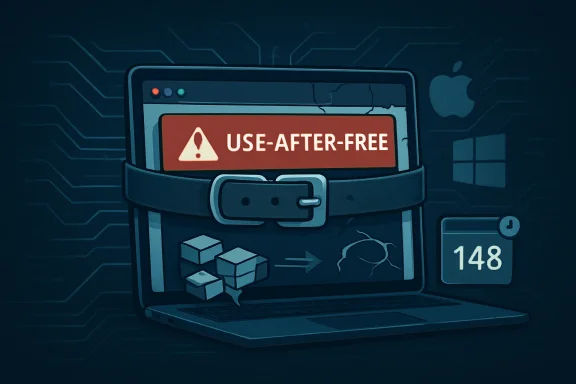
A Browser Sandbox Is a Seatbelt, Not a Force Field
Chrome’s sandbox has been one of the great security success stories of the modern web. It limits what compromised renderer processes can do, forces attackers to chain bugs, and has made simple drive-by compromise dramatically harder than it was in the early browser wars. But a sandbox is a containment strategy, not a cure for remote code execution.That is why “inside a sandbox” should not lull anyone into complacency. If an attacker can run arbitrary code in a renderer or related sandboxed process after luring a user to a crafted page, the attacker has already crossed a major threshold. From there, the game becomes escaping the sandbox, abusing exposed interfaces, stealing what the browser process can see, or waiting for a second vulnerability to complete the chain.
The user-interaction requirement in the CVSS vector is similarly easy to misread. “UI:R” does not necessarily mean the user must download malware, approve a warning, or perform some elaborate ritual. In browser vulnerability scoring, it can mean the user views a malicious page, opens a link, or lands on compromised content through an ad network or poisoned search result. That is a low bar in a world where the browser is the operating system for much of the workday.
The assigned CVSS 3.1 score of 8.8 reflects that reality. Network reachability, low attack complexity, no privileges required, and high confidentiality, integrity, and availability impact produce a score that belongs in the first wave of patching, not the “watch and wait” column. Even without public exploit details, the shape of the bug is familiar enough to demand respect.
Use-After-Free Bugs Keep Winning Because Software Keeps Remembering Wrong
Use-after-free vulnerabilities are among the oldest and most stubborn classes of memory corruption. The basic idea is simple: software frees a chunk of memory, then later continues using a pointer to that memory as if the original object still exists. If an attacker can influence what occupies that memory afterward, stale trust becomes executable danger.The simplicity of the concept is deceptive. In a large C++ codebase like Chromium, object lifetimes are complex, asynchronous, and often threaded through callbacks, GPU command queues, rendering updates, and platform abstractions. A component like ANGLE has to coordinate browser-side expectations with graphics driver behavior and API translation. That is fertile ground for lifetime mismatches.
The industry has spent years trying to reduce this class of bug through safer languages, better fuzzing, hardened allocators, MiraclePtr-style mitigations, partitioned heaps, and increasingly aggressive exploit defenses. Those efforts matter. They raise costs, break old exploit techniques, and turn many bugs into crashes instead of compromises.
But CVE-2026-7901 is another data point in the larger lesson: memory safety debt is not gone merely because the platform has become better at surviving it. The web platform is too valuable a target, the browser is too complex a broker of untrusted input, and graphics acceleration remains too close to vendor drivers and native code for defenders to assume these bugs are yesterday’s problem.
ANGLE Sits Where Web Convenience Meets Hardware Reality
Most users think of the browser as pages, tabs, passwords, and extensions. Administrators think of policies, profiles, certificates, identity, and update channels. Attackers often think in components: V8, Blink, Skia, WebRTC, GPU, IPC, sandbox, and everything that connects them. ANGLE belongs in that last mental model.Web graphics are no longer niche. Productivity suites, design tools, video conferencing, mapping applications, AI interfaces, games, dashboards, CAD viewers, and data visualization tools all lean on GPU-backed browser capabilities. The browser now brokers workloads that once belonged to thick clients. That shift has turned graphics plumbing into a mainstream attack surface.
ANGLE exists to make that world portable. It helps Chromium speak the graphics language available on the device without forcing every web application to care whether the machine underneath is using Metal, Direct3D, OpenGL, Vulkan, or some driver-specific variation. That abstraction is good engineering and good product strategy. It also means a defect in the abstraction layer can be reachable from ordinary web content.
For enterprise IT, the most important point is not that every ANGLE bug affects every platform equally. It is that graphics stack vulnerabilities deserve more attention than they used to receive. If a browser bug lives in a component that parses or translates attacker-influenced graphics commands, it belongs in the same mental category as other web-reachable native code vulnerabilities.
The CPE Question Exposes the Limits of Vulnerability Databases
The user-facing NVD text asks whether a CPE is missing, and in this case that question is more than clerical. NVD’s enriched configuration reportedly combines a Google Chrome application CPE up to, but excluding, version 148.0.7778.96 with an Apple macOS operating system CPE. That reflects the CVE description’s Mac-specific wording. It does not necessarily answer whether Microsoft Edge, Brave, Vivaldi, Opera, Electron-based applications, or embedded Chromium runtimes are already fixed.This is where vulnerability management tools can produce both false comfort and false alarms. A scanner that keys strictly on the NVD CPE may flag only Chrome-on-macOS assets. A scanner that broadly maps Chromium CVEs to all Chromium-derived browsers may over-report until each vendor ships and documents its own update. Both approaches are understandable. Neither is a substitute for knowing your browser estate.
Microsoft’s Edge release notes are a useful reminder of the downstream lag that sometimes exists in Chromium land. Microsoft commonly states that Edge stable updates incorporate the latest security updates from Chromium, but the timing is not always identical to Google Chrome’s stable release. Around this Chrome 148 cycle, Microsoft’s public release notes indicated awareness of recent Chromium security fixes and work toward a security fix, rather than instantly declaring that every relevant fix had already landed in Edge stable.
That phrasing matters for Windows administrators. It means the operational answer is not “the CVE says Mac, so ignore it.” The answer is “verify the Edge version, verify Microsoft’s release note for the corresponding Chromium security pickup, and make sure unmanaged Chromium browsers are not silently outside your patch process.” In a Windows environment, the CPE may look like a Mac problem while the patch choreography remains very much a Windows problem.
Chrome 148 Was Not a One-Bug Release
CVE-2026-7901 arrived as part of a much larger Chrome 148 security update. Google’s stable-channel update for desktop promoted Chrome 148.0.7778.96 for Linux and 148.0.7778.96/97 for Windows and macOS, with more than a hundred security fixes in the release. Reporting around the update highlighted 127 security fixes and several critical vulnerabilities elsewhere in the browser stack.That context changes the prioritization conversation. If CVE-2026-7901 were the only issue, an organization might be tempted to treat it as a narrow Mac graphics bug and move on. But Chrome 148 is a broad security release with fixes across multiple components, including critical memory safety issues. The aggregate risk is larger than any one CVE description.
There is also a timing lesson. Chrome and Chromium-derived browsers do not wait for Patch Tuesday. Their security cadence is continuous, and serious fixes can land on any weekday. This has been true for years, but it still clashes with organizations that have built their patch governance around monthly operating system cycles.
Browser updates now deserve their own operational lane. They are high-frequency, high-impact, internet-facing patches for software that almost every employee uses. Treating them as ordinary desktop application updates is increasingly hard to defend.
The Microsoft Edge Angle Is About Inheritance, Not Branding
Microsoft Edge is not Google Chrome with a different icon, but it is built on Chromium. That means a meaningful share of Chrome security fixes become Edge security concerns, even when the final exposure depends on build configuration, platform support, feature flags, and Microsoft-specific code. The inheritance model is powerful because it gives Edge the benefit of Chromium’s security work. It is also unforgiving because Chromium’s bug velocity becomes Edge’s patch velocity problem.For WindowsForum readers, this is the center of gravity. A Chrome CVE can show up first in Google’s advisory, appear in Microsoft’s Security Update Guide, and then be consumed by scanners and endpoint tools on slightly different schedules. During that gap, admins are left reconciling Chrome version numbers, Edge version numbers, Chromium milestones, and sometimes incomplete CVE metadata.
CVE-2026-7901 is a good example because the published description is Chrome-on-Mac specific, while the broader release affects desktop Chrome across platforms and the underlying component is cross-platform Chromium graphics infrastructure. That does not prove every Chromium browser on Windows is exploitable in the same way. It does prove that a Windows shop should not stop reading at the word “Mac.”
The practical Edge question is simple: has your Edge channel incorporated the Chromium fixes associated with Chrome 148, and are your managed devices actually running that build? If Microsoft has not yet released the corresponding stable update, then the organization should know that and track it. If Microsoft has released it, the organization should verify installation rather than assume silent update compliance.
Enterprise Browsers Are Now a Supply Chain
The old enterprise browser model was tidy. Microsoft shipped the browser with Windows, Google shipped Chrome separately, and administrators could decide which one to bless. The Chromium era made that model more efficient but also more interdependent. Browser security is now a supply chain that begins in upstream open-source code and ends in dozens of branded products, embedded runtimes, and application shells.That supply chain has obvious benefits. A bug found by a researcher and fixed upstream can protect a large part of the ecosystem. Shared testing, fuzzing, and security engineering raise the floor for everyone. Users of smaller Chromium-derived browsers benefit from work they could never fund at Google scale.
But shared foundations also mean shared blast radius. A memory safety bug in a widely used component can ripple outward faster than advisory pages can keep up. Some vendors will ship quickly, some will lag, and some products will hide their Chromium version deeply enough that administrators need inventory tooling to see it.
This is especially awkward for applications built on embedded Chromium frameworks. The user may not think of a chat client, launcher, management console, or desktop SaaS wrapper as a browser. But if it embeds web content through a Chromium runtime, its security posture may depend on the same upstream class of fixes. CVE-2026-7901 is formally about Google Chrome, but the defensive habit it teaches is broader: know where Chromium lives.
Patch Management Has to Beat the Rollout Window
Google often says stable updates roll out over days or weeks. That staged rollout protects the ecosystem from catastrophic regressions, but it is not the same as enterprise risk reduction. A browser that will update eventually is still vulnerable now. Attackers do not wait for a rollout percentage to reach a comfortable number.Managed environments should therefore treat browser security updates as something to accelerate deliberately. Chrome’s enterprise policies, Edge update policies, software deployment tools, and endpoint management platforms all exist so administrators can move faster than consumer defaults. The goal is not reckless instant deployment to every mission-critical device. The goal is to shrink the period in which known web-reachable bugs remain exposed across the fleet.
For CVE-2026-7901 specifically, the minimum Chrome version called out is 148.0.7778.96 on Mac. But the security release also includes Windows and Linux Chrome builds, and administrators should look at the full Chrome 148 security update rather than the single CVE line. On Edge, the relevant check is the Microsoft Edge stable or extended stable version that incorporates the corresponding Chromium security updates.
This is where asset management becomes security engineering. If you cannot answer which Chrome, Edge, Brave, Vivaldi, Opera, and embedded Chromium versions are present across your endpoints, you cannot confidently answer whether CVE-2026-7901 or its sibling fixes matter to you. The browser inventory is now as important as the operating system inventory.
User Interaction Is the Weakest Mitigation We Pretend Is Strong
The CVSS vector for CVE-2026-7901 includes required user interaction, and that is technically accurate. The attacker needs the user to encounter crafted web content. But modern web delivery makes that a weak mitigation in practice. Users spend the day clicking links, opening shared documents, joining meetings, authenticating through web portals, reading webmail, and navigating third-party SaaS tools.Even careful users can land on compromised pages. Legitimate sites get injected, ad networks get abused, search results get poisoned, and phishing links increasingly imitate normal enterprise workflows. A vulnerability reachable through a crafted HTML page should be treated as internet-exposed once a browser is in daily use.
The right mitigation is not telling users to be smarter. Training helps at the margins, but memory safety bugs in browser graphics code are not solved by better vibes around clicking. They are solved by patching quickly, reducing unnecessary attack surface, isolating risky browsing, limiting extension sprawl, and maintaining endpoint controls that assume the browser may occasionally lose.
This is particularly true for privileged users. Developers, administrators, finance staff, executives, and help desk personnel often have access tokens and internal reach that make their browsers especially valuable targets. If a sandboxed renderer compromise can steal session-adjacent data or become part of a larger exploit chain, the role of the user matters as much as the CVE score.
The Public Bug Is Locked, and That Is Normal
The Chromium issue tracker entry associated with CVE-2026-7901 requires permission, which is not unusual. Google and the Chromium project routinely restrict bug details until enough users have received fixes. That frustrates defenders who want exploit mechanics, indicators, and exact affected code paths. It also denies attackers a ready-made diff-to-exploit roadmap while the update is still rolling out.This creates an information asymmetry that security teams have to manage. The public knows the component, the bug class, the severity, the affected version boundary, and the broad attack condition. The public does not necessarily know the proof-of-concept details, exploit reliability, heap grooming technique, or platform-specific constraints. That is enough to prioritize patching, but not enough to perform deep compensating-control analysis.
The temptation is to wait for more information. That is usually the wrong move for browser vulnerabilities. By the time exploit details are public, the defenders who waited have traded patch uncertainty for exposure certainty.
A better posture is to patch on the published signal and investigate only where patching is blocked. If a business unit cannot move Chrome, Edge, or another Chromium browser quickly, then the organization can justify temporary controls: tighter web filtering, isolation for high-risk browsing, disabling unnecessary features where feasible, and monitoring for unusual browser child processes or crash patterns. But those are bridges, not destinations.
The Version Number Is the Security Boundary
For end users, the fix is deceptively boring: update the browser. For administrators, the boring answer needs sharp edges. “Chrome is up to date” is not a feeling; it is a version number. For this issue, Chrome on Mac must be at least 148.0.7778.96 to clear the specific CVE boundary, while the broader Chrome 148 desktop release also covers Windows and Linux security fixes in the same train.The Extended Stable channel complicates this slightly. Extended Stable exists to reduce feature churn, not to provide a slower security response. Security fixes are backported into Extended Stable, but administrators must still verify that the Extended Stable build includes the relevant Chromium fixes. The channel is not a permission slip to ignore urgent browser advisories.
Edge adds another translation step. Microsoft Edge has its own versioning, release notes, and update pipeline. An Edge version does not map visually to Chrome’s version number, so administrators must use Microsoft’s security release notes or management tooling rather than eyeballing Chrome’s build boundary. This is a nuisance, but it is the cost of a browser ecosystem that shares upstream code while shipping as separate products.
The same principle applies to third-party Chromium browsers. If they have not announced incorporation of the Chrome 148 security fixes, assume there is a lag until proven otherwise. If they have announced it, verify the installed version. Browser security is one of the few places where “trust but verify” can be shortened to “verify.”
Windows Shops Should Treat Mac CVEs as Early Warning Signals
A Windows-centric organization may have only a small macOS population, or none at all. But Mac-specific Chrome CVEs can still be operationally useful because they highlight vulnerable code paths, upstream release timing, and the urgency of a Chromium security train. The platform label tells you where the vendor has confirmed impact. It does not tell you that the rest of the ecosystem is irrelevant.This is especially important in mixed environments. Many enterprises have Windows desktops, Mac developer machines, Linux build systems, cloud workstations, unmanaged contractor laptops, and mobile devices all touching the same identity and SaaS perimeter. A CVE scoped to one platform can still become a fleet management problem if the same browser family exists everywhere.
The sharper point is that attackers do not care about your asset categories. They care about reachable users, vulnerable components, and valuable tokens. If the vulnerable browser is on a Mac used by a developer with production access, the fact that the help desk is mostly Windows is not comforting.
For WindowsForum readers, the lesson is not to panic over every Chrome CVE. It is to develop a muscle memory around Chromium advisories: read the component, read the version boundary, check Edge’s status, check alternate Chromium browsers, and update the inventory. The Mac label is a starting point, not a stopping point.
The Small Print That Should Drive This Week’s Browser Checks
This is the part of the story that turns from analysis into action. CVE-2026-7901 is not the loudest browser vulnerability of the year, and there is no public indication in the supplied advisory text that it is being exploited in the wild. But its combination of web reachability, memory corruption, graphics-stack placement, and Chromium ecosystem inheritance makes it a useful test of whether an organization’s browser patch process is actually working.- Chrome on macOS should be updated to at least 148.0.7778.96 to address the CVE-2026-7901 boundary described in the advisory.
- Chrome on Windows and Linux should also be moved onto the Chrome 148 stable security release because the same release train fixed many other vulnerabilities.
- Microsoft Edge administrators should verify the Edge release that incorporates the recent Chromium security fixes rather than assuming Chrome’s version number applies directly.
- Vulnerability scanners that rely on NVD CPE data may understate the operational relevance of a Chromium component bug when the CVE description is platform-specific.
- Third-party Chromium browsers and embedded Chromium runtimes should be inventoried because upstream fixes do not protect downstream products until those products ship patched builds.
- User-interaction requirements should not be treated as meaningful comfort for browser bugs that can be triggered by crafted web pages.
Source: NVD / Chromium Security Update Guide - Microsoft Security Response Center
