

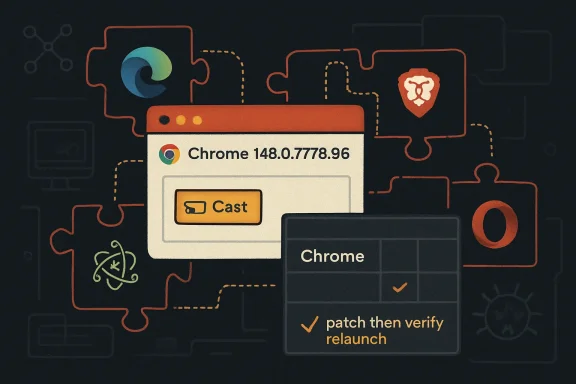
CVE-2026-8009 is a low-severity Chromium Cast vulnerability fixed in Google Chrome 148.0.7778.96 for Linux and 148.0.7778.96/97 for Windows and macOS, with NVD adding a Chrome application CPE constrained by Windows, Linux, and macOS platform CPEs on May 7, 2026. The answer to the narrow CPE question is: probably not for Google Chrome itself. The larger story is that this modest Cast bug exposes how awkward Chromium vulnerability tracking has become now that one browser engine feeds Chrome, Edge, Brave, Opera, Vivaldi, Electron apps, and enterprise compliance dashboards that still want neat product boxes.
Security teams like CPEs because CPEs make vulnerability management feel deterministic. A scanner sees a product, matches a version, compares it to a CVE record, and returns a result that looks reassuringly binary: vulnerable or not vulnerable. CVE-2026-8009 is the kind of entry that tempts administrators into asking whether something has been left out, because the affected technology is Chromium, the reporting source is Chrome, and the user-facing impact may appear in more than one Chromium-based product.
For the NVD record as described, the CPE configuration is not obviously incomplete for the vendor advisory it is modeling. It names Google Chrome as the vulnerable application and constrains that application to Windows, Linux, and macOS platforms. That is the conventional CPE shape for a Chrome desktop vulnerability: the vulnerable product is Chrome, not Windows, not Linux, and not macOS.
The confusion comes from the ecosystem. Microsoft Edge is Chromium-based, and Microsoft’s security portal tracks Chromium CVEs that apply to Edge. But that does not mean NVD’s Chrome CPE should automatically include Edge, or Brave, or every downstream browser. In CPE terms, those are separate products with separate version trains, separate release engineering, and separate vendor advisories, even when the root cause comes from Chromium.
That distinction matters because vulnerability databases are not just encyclopedias. They are inputs to patch SLAs, cyber-insurance evidence, federal reporting, software bills of materials, and angry Monday morning dashboards. A sloppy extra CPE can create false positives across fleets; a missing downstream product mapping can create false negatives. CVE-2026-8009 sits precisely at that uncomfortable boundary.
That gap between “low” and “medium” is not a scandal. Chromium’s severity language and CVSS scoring are measuring related but different things. Chromium is often judging the exploit primitive in the context of its browser security architecture; CVSS is trying to express a generalized impact score that vulnerability management systems can consume.
The most important phrase in the description is not “remote attacker.” It is “who had compromised the renderer process.” In modern browser security, a renderer compromise is already a meaningful foothold. The browser sandbox is designed around the assumption that rendering untrusted web content is dangerous, so a second-stage bug that weakens restrictions after renderer compromise may be less dramatic than a one-click remote code execution flaw, but it still matters in chained exploitation.
This is how many browser compromises actually work. Attackers do not always need a single Hollywood-grade vulnerability that does everything. They combine renderer bugs, sandbox escapes, policy bypasses, navigation tricks, and social engineering until the browser’s layered defenses begin to look less like a wall and more like a sequence of doors.
Cast is also not an obscure corner for many users. It is a feature family that touches media routing, device discovery, and the bridge between the browser and living-room or conference-room hardware. Even when a flaw is technically narrow, anything involving cross-device behavior tends to make defenders more attentive because the trust boundaries are less intuitive than a tab rendering a static web page.
That context should shape how administrators prioritize the update. If CVE-2026-8009 were the only issue in the release, some organizations might be tempted to treat it as routine hygiene. But browser updates are cumulative risk events. The package matters more than the least frightening CVE in the package.
This is the trap in CVE-by-CVE triage. A fleet manager sees “Cast,” “navigation restrictions,” “renderer already compromised,” and “low severity,” then mentally files the issue under “not urgent.” Meanwhile, the same release may also contain memory corruption bugs, renderer vulnerabilities, or other primitives that make the Cast flaw more useful as part of a chain.
The sane operational answer is boring: move Chrome to the fixed branch and verify that the update actually landed. Chrome’s auto-update machinery is good, but enterprise environments routinely slow it down with maintenance windows, network controls, frozen golden images, VDI templates, and users who never relaunch. The patch is only theoretical until the process restarts into the fixed version.
That does not mean Microsoft Windows is vulnerable because Windows contains the bug. It means Chrome running on Windows is in scope. The same logic applies to Linux and macOS. Platform CPEs in an NVD configuration can confuse readers because they appear beside the application, but they are often there to restrict applicability rather than to identify the vulnerable code owner.
So, are we missing a CPE? For the Google Chrome advisory, no obvious missing CPE jumps out. A Chrome application CPE plus the desktop platform constraints captures the vendor’s published affected software. If Chrome for Android, ChromeOS, or other product lines receive separate affected-version statements, those may warrant their own mappings, but the desktop advisory alone does not prove that.
For Microsoft Edge, the answer is different. Edge should not be jammed into the Chrome CPE configuration simply because both share Chromium. Microsoft tracks Edge vulnerabilities through MSRC and ships Edge updates on its own version cadence. A scanner or security team should look for the Edge-specific advisory and Edge version data rather than expecting the Chrome CPE to serve as a universal Chromium placeholder.
That separation is not pedantry. Edge may take a Chromium patch and ship it under a different browser version. It may include Microsoft-specific mitigations, lag by a small interval, or package the fix with other Edge changes. Treating Chrome’s CPE as a proxy for Edge can be operationally convenient, but it is not the same thing as accurate vulnerability attribution.
That creates a mismatch. CVE records often describe a flaw in a Chromium component, but asset inventories know about installed products. A security team does not patch “Cast” in the abstract. It patches Chrome, Edge, Electron-based apps, managed browsers, or operating-system packages that bundle Chromium libraries.
This is why CPE debates around Chromium CVEs become strangely philosophical. The vulnerable code may exist upstream in Chromium, the exploitability may depend on product integration, and the patch may arrive through multiple vendors. A single CVE can therefore be technically shared but operationally fragmented.
Security teams should resist two bad instincts. The first is to assume that every Chromium CVE automatically applies to every Chromium-derived product in the same way. The second is to assume that if a downstream product is not listed in the first visible CPE, it is safe. Both errors come from treating vulnerability metadata as the entire truth rather than as a routing layer for investigation.
The better model is layered. Start with the upstream CVE and vendor advisory, then map the affected component to the products in your estate, then verify each vendor’s patched version. In a Chromium world, the CVE is the beginning of the workflow, not the end of it.
But Microsoft’s presence does not automatically rewrite the NVD CPE record for Chrome. It tells defenders that the vulnerability has Microsoft ecosystem relevance, not that the Google Chrome product CPE should be expanded to include Microsoft Edge. The correct place for Edge applicability is Microsoft’s own product and version metadata.
This distinction is easy to miss because vulnerability portals blur together in daily operations. A CVE page may show NVD enrichment, CISA ADP scoring, Google references, Microsoft links, scanner plugin output, and third-party advisories. They all point at the same CVE identifier, but they are not all making the same product claim.
For WindowsForum readers, the practical implication is straightforward. If you manage Chrome, check Chrome against the 148.0.7778.96/97 fixed line. If you manage Edge, check Microsoft’s Edge update status for the corresponding Chromium fix. If your tooling only alerts on the Google Chrome CPE, do not assume that covers Edge. If your tooling alerts on Edge solely because it saw a Chrome CPE, inspect the logic before filing a panic ticket.
But in browser exploitation, preconditions are not always comforting. Renderer compromise is a common first stage. If an attacker has a renderer bug, they then look for ways to escape, persist, navigate, spoof, exfiltrate, or weaken browser-enforced boundaries. A navigation restriction bypass may be useful precisely because it helps turn one limited primitive into a more convincing attack path.
The CVSS vector reinforces the mixed picture. Network attack vector means the attack can be delivered remotely. High attack complexity and required user interaction reduce the practical likelihood. Low confidentiality, integrity, and availability impacts suggest limited direct damage. The result is a middle score that tells administrators not to ignore the issue, but also not to confuse it with a mass exploitation emergency absent evidence of active abuse.
There is no public indication in the provided description that CVE-2026-8009 is being actively exploited in the wild. That matters. Browser zero-days under active exploitation should cut through change-control hesitation. This bug, as currently described, belongs in the “patch promptly as part of the Chrome 148 security update” category rather than the “wake the incident commander” category.
Still, the absence of public exploitation is not a reason to defer indefinitely. Chrome security details are often restricted until a majority of users are updated, and attackers reverse-engineer patches. The window between patch publication and reliable exploit understanding is one of the reasons browser updates deserve faster treatment than many ordinary application updates.
Every one of those features creates policy decisions. Which page may talk to which device? Which navigation is allowed? Which origin owns which action? Which user gesture counts as consent? These are not glamorous memory-safety questions, but they are exactly where “inappropriate implementation” bugs live.
Security teams tend to rank memory corruption bugs above logic flaws, and often for good reason. But logic flaws in browser feature boundaries can be powerful because they violate assumptions that users and developers cannot see. A navigation restriction is a promise about where web content can take the user or what context it can influence. A bypass means the browser’s mental model and the attacker’s opportunity have diverged.
That is why low-severity bugs in feature components deserve more respect than their label sometimes earns. They may not independently deliver code execution, but they can erode the guardrails that make other browser defenses meaningful. In chained attacks, a small policy bypass can be the hinge.
That split versioning is ordinary for Chrome but annoying for compliance reporting. A Windows endpoint on 148.0.7778.96 may be fixed; another may report 148.0.7778.97 depending on channel and packaging. A Linux fleet should be looking for 148.0.7778.96 or later. The important point is not to flatten all platforms into one visible number without checking how Google published the release.
Enterprise administrators should also remember that Chrome’s displayed version is not the same as update readiness. A browser may download an update but not apply it until relaunch. Shared workstations, kiosk systems, remote users, and long-running VDI sessions can remain exposed after the update has technically been staged.
This is where browser management policies earn their keep. Relaunch notifications, update deadlines, reporting through endpoint management, and exception handling for critical web apps are not bureaucratic overhead. They are the difference between “we released the patch” and “our fleet is actually running the patch.”
The same discipline applies to Edge. Edge’s Chromium base does not remove the need to verify Edge’s own fixed version. In mixed-browser environments, a Chrome dashboard alone is not enough.
Tenable and other scanners quickly map Chrome stable releases into vulnerability checks. NVD adds CPEs. CISA enrichment adds CVSS data. Microsoft posts MSRC tracking. Each layer helps, but each layer also gives tools another way to disagree.
A vulnerability manager may see Chrome flagged on Windows endpoints, Edge mentioned in Microsoft’s portal, Linux packages pending in a repository, and macOS machines waiting on user relaunches. None of those states necessarily contradict the others. They reflect the messy lifecycle of a shared upstream fix moving through different delivery systems.
The answer is not to distrust scanners. The answer is to understand what they are actually matching. A scanner that keys on the Chrome executable version is making a different claim than a scanner that keys on installed packages, browser user-agent strings, registry entries, or an SBOM component name. When the CPE question arises, the next question should be: what asset, product, and version did the tool actually observe?
That observation-first mindset prevents both overreaction and complacency. It keeps a Chrome CVE from being blindly expanded to every Chromium product, while also preventing Edge, Electron, and embedded Chromium exposures from vanishing behind a too-narrow interpretation.
For home users, this is a quick trip to the browser’s About page and a relaunch. For sysadmins, it is a reporting exercise: confirm fixed versions across Chrome channels, Edge channels, managed Linux repositories, macOS deployment tools, and any application allowlists that might block browser restarts. For vulnerability analysts, it is a metadata hygiene exercise: do not demand that the Chrome CPE carry the entire Chromium ecosystem on its back.
This bug also argues for a more mature way to discuss “low severity.” Low does not mean irrelevant. It means limited in isolation. In browsers, isolation is often an artificial analytical convenience, because attackers compose primitives and defenders patch bundles.
The most defensible posture is to treat Chrome 148 as the security boundary, not CVE-2026-8009 alone. The Cast flaw may be modest, but it shipped in a release that closed a large set of browser vulnerabilities. When the update bundle is large, the weakest individual CVE is rarely the right basis for delaying deployment.
Source: NVD / Chromium Security Update Guide - Microsoft Security Response Center
 The Missing CPE Is Really a Missing Mental Model
Security teams like CPEs because CPEs make vulnerability management feel deterministic. A scanner sees a product, matches a version, compares it to a CVE record, and returns a result that looks reassuringly binary: vulnerable or not vulnerable. CVE-2026-8009 is the kind of entry that tempts administrators into asking whether something has been left out, because the affected technology is Chromium, the reporting source is Chrome, and the user-facing impact may appear in more than one Chromium-based product.For the NVD record as described, the CPE configuration is not obviously incomplete for the vendor advisory it is modeling. It names Google Chrome as the vulnerable application and constrains that application to Windows, Linux, and macOS platforms. That is the conventional CPE shape for a Chrome desktop vulnerability: the vulnerable product is Chrome, not Windows, not Linux, and not macOS.
The confusion comes from the ecosystem. Microsoft Edge is Chromium-based, and Microsoft’s security portal tracks Chromium CVEs that apply to Edge. But that does not mean NVD’s Chrome CPE should automatically include Edge, or Brave, or every downstream browser. In CPE terms, those are separate products with separate version trains, separate release engineering, and separate vendor advisories, even when the root cause comes from Chromium.
That distinction matters because vulnerability databases are not just encyclopedias. They are inputs to patch SLAs, cyber-insurance evidence, federal reporting, software bills of materials, and angry Monday morning dashboards. A sloppy extra CPE can create false positives across fleets; a missing downstream product mapping can create false negatives. CVE-2026-8009 sits precisely at that uncomfortable boundary.
A Low-Severity Cast Bug Still Deserves Serious Reading
The bug itself is not a browser apocalypse. CVE-2026-8009 is described as an inappropriate implementation in Cast that allowed a remote attacker, after compromising the renderer process, to bypass navigation restrictions using a crafted HTML page. Chromium rated it low severity, while CISA’s ADP enrichment assigned a CVSS 3.1 score of 5.0, which lands in medium territory.That gap between “low” and “medium” is not a scandal. Chromium’s severity language and CVSS scoring are measuring related but different things. Chromium is often judging the exploit primitive in the context of its browser security architecture; CVSS is trying to express a generalized impact score that vulnerability management systems can consume.
The most important phrase in the description is not “remote attacker.” It is “who had compromised the renderer process.” In modern browser security, a renderer compromise is already a meaningful foothold. The browser sandbox is designed around the assumption that rendering untrusted web content is dangerous, so a second-stage bug that weakens restrictions after renderer compromise may be less dramatic than a one-click remote code execution flaw, but it still matters in chained exploitation.
This is how many browser compromises actually work. Attackers do not always need a single Hollywood-grade vulnerability that does everything. They combine renderer bugs, sandbox escapes, policy bypasses, navigation tricks, and social engineering until the browser’s layered defenses begin to look less like a wall and more like a sequence of doors.
Cast is also not an obscure corner for many users. It is a feature family that touches media routing, device discovery, and the bridge between the browser and living-room or conference-room hardware. Even when a flaw is technically narrow, anything involving cross-device behavior tends to make defenders more attentive because the trust boundaries are less intuitive than a tab rendering a static web page.
Chrome 148 Was a Large Security Drop, Not a One-CVE Event
CVE-2026-8009 arrived as part of the Chrome 148 stable desktop update, not as an isolated emergency patch. Google’s stable channel release for early May 2026 moved desktop users to Chrome 148.0.7778.96 on Linux and 148.0.7778.96/97 on Windows and macOS. Reporting around the release noted more than 100 security fixes, including several critical vulnerabilities elsewhere in the browser.That context should shape how administrators prioritize the update. If CVE-2026-8009 were the only issue in the release, some organizations might be tempted to treat it as routine hygiene. But browser updates are cumulative risk events. The package matters more than the least frightening CVE in the package.
This is the trap in CVE-by-CVE triage. A fleet manager sees “Cast,” “navigation restrictions,” “renderer already compromised,” and “low severity,” then mentally files the issue under “not urgent.” Meanwhile, the same release may also contain memory corruption bugs, renderer vulnerabilities, or other primitives that make the Cast flaw more useful as part of a chain.
The sane operational answer is boring: move Chrome to the fixed branch and verify that the update actually landed. Chrome’s auto-update machinery is good, but enterprise environments routinely slow it down with maintenance windows, network controls, frozen golden images, VDI templates, and users who never relaunch. The patch is only theoretical until the process restarts into the fixed version.
NVD’s CPE Entry Looks Right for Chrome, but It Is Not the Whole Ecosystem
The CPE configuration described in the NVD change history follows a familiar pattern: Google Chrome versions before 148.0.7778.96, combined with operating-system platform CPEs for Windows, Linux, and macOS. In plain English, NVD is saying that desktop Chrome before the fixed version is affected on those operating systems.That does not mean Microsoft Windows is vulnerable because Windows contains the bug. It means Chrome running on Windows is in scope. The same logic applies to Linux and macOS. Platform CPEs in an NVD configuration can confuse readers because they appear beside the application, but they are often there to restrict applicability rather than to identify the vulnerable code owner.
So, are we missing a CPE? For the Google Chrome advisory, no obvious missing CPE jumps out. A Chrome application CPE plus the desktop platform constraints captures the vendor’s published affected software. If Chrome for Android, ChromeOS, or other product lines receive separate affected-version statements, those may warrant their own mappings, but the desktop advisory alone does not prove that.
For Microsoft Edge, the answer is different. Edge should not be jammed into the Chrome CPE configuration simply because both share Chromium. Microsoft tracks Edge vulnerabilities through MSRC and ships Edge updates on its own version cadence. A scanner or security team should look for the Edge-specific advisory and Edge version data rather than expecting the Chrome CPE to serve as a universal Chromium placeholder.
That separation is not pedantry. Edge may take a Chromium patch and ship it under a different browser version. It may include Microsoft-specific mitigations, lag by a small interval, or package the fix with other Edge changes. Treating Chrome’s CPE as a proxy for Edge can be operationally convenient, but it is not the same thing as accurate vulnerability attribution.
Chromium’s Shared Engine Keeps Breaking Product-Centric Security Tools
The deeper problem is that CPE was built for a world of products, while modern software risk increasingly lives in shared components. Chromium is not merely a browser. It is a platform substrate used by browsers, embedded web views, desktop applications, kiosks, collaboration tools, and enterprise agents.That creates a mismatch. CVE records often describe a flaw in a Chromium component, but asset inventories know about installed products. A security team does not patch “Cast” in the abstract. It patches Chrome, Edge, Electron-based apps, managed browsers, or operating-system packages that bundle Chromium libraries.
This is why CPE debates around Chromium CVEs become strangely philosophical. The vulnerable code may exist upstream in Chromium, the exploitability may depend on product integration, and the patch may arrive through multiple vendors. A single CVE can therefore be technically shared but operationally fragmented.
Security teams should resist two bad instincts. The first is to assume that every Chromium CVE automatically applies to every Chromium-derived product in the same way. The second is to assume that if a downstream product is not listed in the first visible CPE, it is safe. Both errors come from treating vulnerability metadata as the entire truth rather than as a routing layer for investigation.
The better model is layered. Start with the upstream CVE and vendor advisory, then map the affected component to the products in your estate, then verify each vendor’s patched version. In a Chromium world, the CVE is the beginning of the workflow, not the end of it.
Microsoft’s Role Is a Signal, Not a Substitute
The user-provided source is Microsoft’s Security Update Guide entry for CVE-2026-8009, which is exactly where Windows administrators would expect Edge-related Chromium tracking to surface. That matters because Microsoft has spent years making Edge’s Chromium dependency visible in its vulnerability management ecosystem. For a Windows shop, MSRC is often the authoritative place to determine whether a Chromium CVE is relevant to Edge.But Microsoft’s presence does not automatically rewrite the NVD CPE record for Chrome. It tells defenders that the vulnerability has Microsoft ecosystem relevance, not that the Google Chrome product CPE should be expanded to include Microsoft Edge. The correct place for Edge applicability is Microsoft’s own product and version metadata.
This distinction is easy to miss because vulnerability portals blur together in daily operations. A CVE page may show NVD enrichment, CISA ADP scoring, Google references, Microsoft links, scanner plugin output, and third-party advisories. They all point at the same CVE identifier, but they are not all making the same product claim.
For WindowsForum readers, the practical implication is straightforward. If you manage Chrome, check Chrome against the 148.0.7778.96/97 fixed line. If you manage Edge, check Microsoft’s Edge update status for the corresponding Chromium fix. If your tooling only alerts on the Google Chrome CPE, do not assume that covers Edge. If your tooling alerts on Edge solely because it saw a Chrome CPE, inspect the logic before filing a panic ticket.
The Renderer Compromise Requirement Lowers Urgency but Raises Chain Risk
The renderer-process precondition is the key technical qualifier. A vulnerability that requires the attacker to have already compromised the renderer is not the same as a fresh remote code execution bug from a clean browser state. That is why Chromium can call the issue low severity even though the vulnerability is reachable through web content.But in browser exploitation, preconditions are not always comforting. Renderer compromise is a common first stage. If an attacker has a renderer bug, they then look for ways to escape, persist, navigate, spoof, exfiltrate, or weaken browser-enforced boundaries. A navigation restriction bypass may be useful precisely because it helps turn one limited primitive into a more convincing attack path.
The CVSS vector reinforces the mixed picture. Network attack vector means the attack can be delivered remotely. High attack complexity and required user interaction reduce the practical likelihood. Low confidentiality, integrity, and availability impacts suggest limited direct damage. The result is a middle score that tells administrators not to ignore the issue, but also not to confuse it with a mass exploitation emergency absent evidence of active abuse.
There is no public indication in the provided description that CVE-2026-8009 is being actively exploited in the wild. That matters. Browser zero-days under active exploitation should cut through change-control hesitation. This bug, as currently described, belongs in the “patch promptly as part of the Chrome 148 security update” category rather than the “wake the incident commander” category.
Still, the absence of public exploitation is not a reason to defer indefinitely. Chrome security details are often restricted until a majority of users are updated, and attackers reverse-engineer patches. The window between patch publication and reliable exploit understanding is one of the reasons browser updates deserve faster treatment than many ordinary application updates.
Cast Is a Reminder That Browser Features Are Security Boundaries
The Cast component is worth dwelling on because it represents the modern browser’s sprawl. A browser is no longer just a document viewer with a JavaScript engine. It is a media controller, password vault, identity broker, payment surface, USB and Bluetooth mediator, notification platform, file handler, remote desktop participant, and sometimes a thin operating system pretending to be an app.Every one of those features creates policy decisions. Which page may talk to which device? Which navigation is allowed? Which origin owns which action? Which user gesture counts as consent? These are not glamorous memory-safety questions, but they are exactly where “inappropriate implementation” bugs live.
Security teams tend to rank memory corruption bugs above logic flaws, and often for good reason. But logic flaws in browser feature boundaries can be powerful because they violate assumptions that users and developers cannot see. A navigation restriction is a promise about where web content can take the user or what context it can influence. A bypass means the browser’s mental model and the attacker’s opportunity have diverged.
That is why low-severity bugs in feature components deserve more respect than their label sometimes earns. They may not independently deliver code execution, but they can erode the guardrails that make other browser defenses meaningful. In chained attacks, a small policy bypass can be the hinge.
Version Numbers Are the Only Safe Shortcut
For administrators, the fixed version is the cleanest operational fact. Chrome prior to 148.0.7778.96 is the vulnerable line described in the CVE. The stable desktop release lists 148.0.7778.96 for Linux and 148.0.7778.96/97 for Windows and macOS.That split versioning is ordinary for Chrome but annoying for compliance reporting. A Windows endpoint on 148.0.7778.96 may be fixed; another may report 148.0.7778.97 depending on channel and packaging. A Linux fleet should be looking for 148.0.7778.96 or later. The important point is not to flatten all platforms into one visible number without checking how Google published the release.
Enterprise administrators should also remember that Chrome’s displayed version is not the same as update readiness. A browser may download an update but not apply it until relaunch. Shared workstations, kiosk systems, remote users, and long-running VDI sessions can remain exposed after the update has technically been staged.
This is where browser management policies earn their keep. Relaunch notifications, update deadlines, reporting through endpoint management, and exception handling for critical web apps are not bureaucratic overhead. They are the difference between “we released the patch” and “our fleet is actually running the patch.”
The same discipline applies to Edge. Edge’s Chromium base does not remove the need to verify Edge’s own fixed version. In mixed-browser environments, a Chrome dashboard alone is not enough.
Scanner Noise Will Be the Real Aftershock
CVE-2026-8009 is unlikely to be remembered for its exploit drama. It is more likely to show up as scanner noise, compliance drift, and product-mapping arguments. That is how many Chromium CVEs live in the enterprise: not as dramatic breach headlines, but as thousands of endpoint findings that must be explained, suppressed, remediated, or escalated.Tenable and other scanners quickly map Chrome stable releases into vulnerability checks. NVD adds CPEs. CISA enrichment adds CVSS data. Microsoft posts MSRC tracking. Each layer helps, but each layer also gives tools another way to disagree.
A vulnerability manager may see Chrome flagged on Windows endpoints, Edge mentioned in Microsoft’s portal, Linux packages pending in a repository, and macOS machines waiting on user relaunches. None of those states necessarily contradict the others. They reflect the messy lifecycle of a shared upstream fix moving through different delivery systems.
The answer is not to distrust scanners. The answer is to understand what they are actually matching. A scanner that keys on the Chrome executable version is making a different claim than a scanner that keys on installed packages, browser user-agent strings, registry entries, or an SBOM component name. When the CPE question arises, the next question should be: what asset, product, and version did the tool actually observe?
That observation-first mindset prevents both overreaction and complacency. It keeps a Chrome CVE from being blindly expanded to every Chromium product, while also preventing Edge, Electron, and embedded Chromium exposures from vanishing behind a too-narrow interpretation.
The Practical Answer for WindowsForum Readers Is Patch, Then Map
The immediate action is not exotic. Update Chrome to the fixed release, verify relaunch, and check whether any Chromium-based browsers in the estate have separate vendor advisories or fixed builds. Treat the CPE entry as a useful Chrome mapping, not as a universal Chromium inventory.For home users, this is a quick trip to the browser’s About page and a relaunch. For sysadmins, it is a reporting exercise: confirm fixed versions across Chrome channels, Edge channels, managed Linux repositories, macOS deployment tools, and any application allowlists that might block browser restarts. For vulnerability analysts, it is a metadata hygiene exercise: do not demand that the Chrome CPE carry the entire Chromium ecosystem on its back.
This bug also argues for a more mature way to discuss “low severity.” Low does not mean irrelevant. It means limited in isolation. In browsers, isolation is often an artificial analytical convenience, because attackers compose primitives and defenders patch bundles.
The most defensible posture is to treat Chrome 148 as the security boundary, not CVE-2026-8009 alone. The Cast flaw may be modest, but it shipped in a release that closed a large set of browser vulnerabilities. When the update bundle is large, the weakest individual CVE is rarely the right basis for delaying deployment.
The CPE Record Is Not the Risk Register
Here is the concise read for teams trying to turn this CVE into action without overfitting the metadata:- The current Chrome CPE mapping described for CVE-2026-8009 appears appropriate for Google Chrome desktop versions before 148.0.7778.96 on Windows, Linux, and macOS.
- Microsoft Edge should be tracked through Microsoft’s Edge and MSRC metadata, not by forcing Edge into Google Chrome’s CPE entry.
- The vulnerability is less urgent than a standalone renderer remote-code-execution flaw because it requires a prior renderer compromise and user interaction.
- The bug still matters because browser attacks are often chained, and navigation restriction bypasses can become useful after an attacker gains a renderer foothold.
- The safest operational target is to verify Chrome 148.0.7778.96/97 or later on desktop systems and separately confirm fixed builds for other Chromium-based browsers.
- Scanner findings should be validated against the observed product and version, because Chromium CVEs routinely expose gaps between component-level risk and product-level CPE matching.
Source: NVD / Chromium Security Update Guide - Microsoft Security Response Center
