

Microsoft’s CVE title and the CVSS Attack Vector are answering two different — but complementary — questions: the CVE headline “Remote Code Execution” signals attacker origin and impact, while the CVSS Attack Vector value AV:L (Local) documents where the vulnerable code is executed at the moment the exploit triggers. The apparent contradiction is therefore not a mistake but an intentional split between operational alarm and mechanistic scoring.
Microsoft published CVE-2026-20957 as an Excel vulnerability described in the common shorthand used for Office security advisories: Remote Code Execution (RCE). That headline immediately tells defenders the worst-case outcome: an attacker operating off-host can cause arbitrary code to run on a target machine if the exploitation chain completes. At the same time, the published CVSSv3.1 vector for many Excel document-parsing issues — including this class of bugs — often includes AV:L (Attack Vector: Local), PR:N (Privileges Required: None), and UI:R (User Interaction required). That CVSS combination describes the technical mechanics: the vulnerable parser runs inside the local Excel process when it parses a malicious file, and a user action (open or preview) is required to reach the buggy code path. This article explains the difference between the CVE title and CVSS metrics, walks through the common exploit chain for Excel document vulnerabilities, explores the important server-side exception that legitimately changes AV:L to AV:N, and gives clear, practical triage and mitigation advice for administrators responsible for Windows and Office fleets.
Examples where AV:N applies:
If any specific metric, vector string, or per-product KB number cannot be retrieved programmatically from the interactive vendor page, that single-item fact should be flagged as requiring manual verification. In other words: rely on CVSS and vendor text but confirm the exact CVSS string and product listings directly from the interactive MSRC advisory or your enterprise patch catalog when performing final scheduling.
Defenders should therefore read both the CVE/advisory headline and the CVSS vector to form a complete picture: an attacker can deliver malicious files from off-host (the reason the vendor uses “Remote”), but exploitation typically requires the vulnerable parser to run locally (the reason CVSS shows AV:L). Treat document-parsing RCEs as high priority: patch quickly, verify whether server-side parsing places you at AV:N risk, and apply layered mitigations (Protected View, mail gateway controls, EDR tuning, least privilege) to reduce exposure during the window between disclosure and patch deployment.
If specific CVSS vector strings, product KB numbers, or patch URIs are required for compliance or automated remediation workflows, view the interactive Microsoft Security Response Center advisory for CVE-2026-20957 in a browser (MSRC pages are JavaScript-rendered) or consult your vendor-specific enterprise patch catalog to capture the exact per-product patch identifiers.
Source: MSRC Security Update Guide - Microsoft Security Response Center
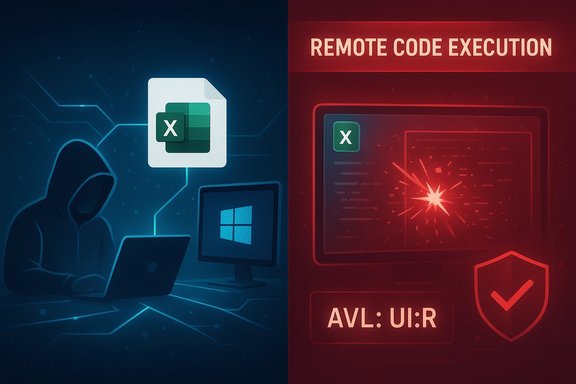 Background / Overview
Microsoft published CVE-2026-20957 as an Excel vulnerability described in the common shorthand used for Office security advisories: Remote Code Execution (RCE). That headline immediately tells defenders the worst-case outcome: an attacker operating off-host can cause arbitrary code to run on a target machine if the exploitation chain completes. At the same time, the published CVSSv3.1 vector for many Excel document-parsing issues — including this class of bugs — often includes AV:L (Attack Vector: Local), PR:N (Privileges Required: None), and UI:R (User Interaction required). That CVSS combination describes the technical mechanics: the vulnerable parser runs inside the local Excel process when it parses a malicious file, and a user action (open or preview) is required to reach the buggy code path. This article explains the difference between the CVE title and CVSS metrics, walks through the common exploit chain for Excel document vulnerabilities, explores the important server-side exception that legitimately changes AV:L to AV:N, and gives clear, practical triage and mitigation advice for administrators responsible for Windows and Office fleets.Why the CVE title says “Remote Code Execution” while CVSS shows AV:L
Two different questions, two different audiences
- CVE/advisory headline answers: What can an attacker achieve and from where can they try? The short phrase Remote Code Execution signals operational reach and impact — a remote attacker can, through some delivery channel, cause code to run on the victim’s device. This is a triage shorthand that communicates urgency to system administrators and security teams.
- CVSS Attack Vector answers: Where must the vulnerable code be executing when the exploit triggers? CVSS is a standardized scoring framework that breaks exploitability into discrete, mechanistic metrics so vulnerabilities can be compared consistently. If the vulnerability triggers inside a local application process (e.g., Excel parsing a document opened by the user), CVSS records AV:L (Local) even when the malicious bytes were delivered to the host over the network earlier. The CVSS guidance intentionally separates delivery from the trigger to avoid “double-counting” the network step.
The typical Excel exploit chain: remote delivery, local trigger
To make the abstraction concrete, here’s the canonical attack flow for document-parsing RCEs in Office:- Attacker crafts a malicious Excel workbook (XLSX, XLSB or embedded object) that manipulates Excel’s native parsing logic to cause memory corruption (use-after-free, heap overflow, out-of-bounds write/read).
- Attacker delivers the file from off-host — common channels are spear-phishing email attachments, shared cloud links, or public downloads.
- Victim opens the workbook in Excel (or an automated preview handler renders it), invoking Excel’s local parser.
- The parser hits the malformed structure, triggers memory corruption, and attacker-controlled payload executes inside the Excel process with the logged-on user’s privileges.
CVSS semantics: what AV:L really means
The CVSS specification defines Attack Vector (AV) deliberately to capture the context in which exploitation is possible. The four AV values are:- AV:N (Network) — the vulnerable component is bound to the network stack and can be exploited across network boundaries.
- AV:A (Adjacent) — exploitation requires adjacency (same subnet or physical/logical adjacency).
- AV:L (Local) — the vulnerable component is not bound to the network stack; the attack relies on local access or user interaction to invoke the vulnerable code.
- AV
 (Physical) — physical access is required.
- User Interaction (UI) captures whether the victim must perform an action (e.g., open a file). For many Excel RCEs, UI:R is appropriate.
- Privileges Required (PR) documents whether attacker needs elevated privileges prior to exploitation. For typical Excel parsing bugs PR:N is common.
- The resulting base score remains high if confidentiality, integrity and availability impacts are all high (C:H / I:H / A:H), even when AV:L is present. This is why many Office RCE advisories have AV:L but still land in the High severity band.
The server-side exception: when AV becomes Network (AV:N)
There is a materially important operational exception: if the vulnerable parser is executed by a network-accessible service — for example, an email gateway that generates attachment previews, Office Online Server, or a document-conversion service — then the vulnerable code runs in a network-bound process. In that scenario, the correct CVSS Attack Vector becomes AV:N (Network) because an attacker can trigger the vulnerable code remotely without per-victim user interaction. Vendors explicitly call out this case because it dramatically changes exposure and remediation priority.Examples where AV:N applies:
- A mail gateway or intrusion prevention appliance that parses attachments to create previews or perform content inspection, and that parsing is implemented by the vulnerable library.
- A cloud or on-prem Office Online Server instance that renders uploaded documents for users.
- Any web or collaboration service that invokes the same native parser inside a service process reachable over the network.
Why vendors use the RCE label: operational triage and urgency
From a communications perspective, vendor advisories and CVE titles aim to get attention quickly. Labeling a bug Remote Code Execution accomplishes three operational goals:- It flags that a remote actor can reach victims (phishing, cloud links, shared drives), which is a crucial triage signal.
- It gives an immediate classification of impact: arbitrary code execution is one of the highest-impact outcomes.
- It aligns with historical shorthand so incident responders put the issue near the top of patch/mitigation queues.
Practical implications for defenders — AV:L is not “low risk”
A Local Attack Vector should not be interpreted as low priority. Several real-world factors keep Excel/Office document RCEs highly dangerous:- Ubiquity: Excel is widely deployed across enterprises, making potential reach vast.
- Low-friction delivery: Email, cloud collaboration platforms, and shared drives make distribution easy and scalable.
- Social engineering efficacy: Phishing remains a highly effective way to induce users to open attachments or click links.
- Preview/thumbnail exposure: Preview panes and service-side rendering can reduce the need for explicit user action or can cause parsing to occur automatically.
- Data-only exploits: These vulnerabilities often target native parsing logic (not macros) and can execute without script or macro support, bypassing macro-restrictive controls.
Verification and cross-checking of technical claims
To ensure technical claims are accurate and verifiable:- The CVSS specification and user guide (first.org) define AV and the meaning of Local versus Network, and they explicitly show that document-parsing vulnerabilities where a local application performs the parsing should be scored AV:L.
- Vendor advisories and security databases consistently pair RCE headlines with AV:L / UI:R for Excel parsing defects; independent vulnerability listings and writeups (security vendors, NVD summaries) demonstrate the same pattern and scoring strings for prior Office CVEs.
If any specific metric, vector string, or per-product KB number cannot be retrieved programmatically from the interactive vendor page, that single-item fact should be flagged as requiring manual verification. In other words: rely on CVSS and vendor text but confirm the exact CVSS string and product listings directly from the interactive MSRC advisory or your enterprise patch catalog when performing final scheduling.
Recommended triage and mitigation checklist
Administrators should treat an Excel RCE like CVE-2026-20957 as high-priority. Practical steps, in priority order:- Patch first
- Apply Microsoft’s security update for the affected Excel/Office builds as soon as practical.
- For managed enterprises, schedule automated deployment but stage in representative environments first to catch potential compatibility issues.
- Assess server-side exposure
- Identify any server-side components that parse Office files: mail gateways, DLP systems, preview services, Office Online Server, and cloud conversion services.
- If the same vulnerable parser runs on a network-exposed service, treat the vulnerability as network-exploitable (AV:N) and escalate patching for those services immediately.
- Reduce attack surface while patching
- Enforce Protected View for files originating from the Internet and untrusted locations.
- Limit automatic preview rendering in mail clients and collaboration platforms where possible.
- Block or sandbox file types known to be high-risk at mail gateways and upload points.
- Hardening & least privilege
- Confirm users run with least privilege (non-admin) to limit impact of successful compromises.
- Ensure EDR/endpoint controls are configured to detect anomalous process injection and suspicious Excel child processes.
- Increase detection and response readiness
- Tune EDR and SIEM rules for suspicious Excel behavior, unusual child processes, and unexpected network connections originating from user sessions.
- Prepare rollback and containment plans (isolate endpoints, disconnect from network) for fast incident response.
- User awareness
- Run targeted communications reminding users to be suspicious of unexpected attachments and links.
- Use simulated phishing campaigns to validate controls and user resilience.
- Inventory and reporting
- Maintain an accurate inventory of Office/Excel versions across the enterprise to prioritize patching cadence and track mitigation coverage.
Frequently observed misunderstandings and clarifications
- Misunderstanding: “AV:L means the vulnerability is only exploitable by someone physically present.”
- Clarification: AV:L does not mean physical access is required. AV:L covers cases where the vulnerable code is executed locally — including when a remote attacker delivers a malicious file and relies on user interaction to trigger the vulnerability. CVSS separates delivery (how data reached the host) from trigger (where the vulnerable code runs).
- Misunderstanding: “If CVE says Remote, then the exploit is AV:N.”
- Clarification: The CVE title uses plain English to communicate attacker origin and impact, not the CVSS-defined execution locality. The CVSS AV metric should be trusted for mechanistic scoring and automation. The two are complementary.
- Misunderstanding: “AV:L reduces urgency.”
- Clarification: AV:L often accompanies UI:R but can still yield a high base score (for example, CVSS 7.8 or similar) because the impact (C/I/A) is high. Treat document-parsing RCEs as high-risk due to ubiquity and easy delivery vectors.
When to change your CVSS-derived priorities
Your internal patch and risk prioritization should consider both the CVSS vector and your environment:- If you have server-side rendering, previews, or gateway services that parse Office files, escalate to AV:N handling: immediate action is required because exposure is broader.
- If your environment has strong email isolation, file-sandboxing, and effective user education, you can use CVSS UI and PR metrics to adjust scheduling — but do not delay patching indefinitely.
- Consider compensating controls (mail gateway blocks for suspicious attachments, sandboxing of attachments, strict Protected View policies) to reduce exposure during the patch window.
Conclusion
The label “Remote Code Execution” in Microsoft’s CVE title is an operational shorthand that signals the attacker’s origin and the worst-case impact. The CVSS Attack Vector AV:L documents the execution context — the vulnerable Excel parsing code runs locally inside the Excel process at the moment the exploit triggers. The two descriptions answer different questions and are intentionally complementary.Defenders should therefore read both the CVE/advisory headline and the CVSS vector to form a complete picture: an attacker can deliver malicious files from off-host (the reason the vendor uses “Remote”), but exploitation typically requires the vulnerable parser to run locally (the reason CVSS shows AV:L). Treat document-parsing RCEs as high priority: patch quickly, verify whether server-side parsing places you at AV:N risk, and apply layered mitigations (Protected View, mail gateway controls, EDR tuning, least privilege) to reduce exposure during the window between disclosure and patch deployment.
If specific CVSS vector strings, product KB numbers, or patch URIs are required for compliance or automated remediation workflows, view the interactive Microsoft Security Response Center advisory for CVE-2026-20957 in a browser (MSRC pages are JavaScript-rendered) or consult your vendor-specific enterprise patch catalog to capture the exact per-product patch identifiers.
Source: MSRC Security Update Guide - Microsoft Security Response Center
