

Paul Thurrott’s early chapter on “De‑Enshittify Windows 11: Microsoft Edge” is blunt but necessary: Microsoft Edge is not just a browser you can ignore — it’s an infrastructural vector that shapes privacy, defaults, and the behavior of many Windows 11 components, and getting Edge configured (or contained) is a core step in reclaiming a private, predictable desktop. rview
Windows 11 ships with a growing set of web‑powered surfaces — widgets, news feeds, Copilot/Bing integrations and in‑box apps — that render content using the same Chromium-based rendering engine Microsoft ships with Edge. That embedded engine is exposed to third‑party and in‑box apps through WebView2, a Microsoft control that lets developers embed a modern browser engine inside native applications. WebView2 is explicitly based on Microsoft Edge (Chromium) and therefore brings Edge’s runtime into many places that users assume respect their default browser choice.
Paul’s argument is straightforward: even if you prefer Firefox, Brave, or Chrome as your daily browser, Windows 11’s reliance on Edge technologies and Microsoft’s UX choices mean that Edge still shapes the platform experience. He outlines practical steps and tools to either neutralize Edge’s t replace the problematic behaviors with community tools and safer configurations.
What makes Thurrott’s approach credible is its combination of actionable tools, an emphasis on testing and rollback, and a recognition that defenders need practical options. The community tools he cites — Win11Debloat, Tiny11 Builder and redirectors like MSEdgeRedirect — are legitimate engineering responses: they don’t “break” Windows for the average task when used carefully, and they restore control to the user without pretending to be a permanent fork of the platform.
At the same time, readers must accept the maintenance cost. De‑enshittifying Windows 11 is not a one‑time trick; it’s an operational posture that requires periodic validation. Microsoft’s product decisions, regulatory changes in different regions, and feature updates will all influence what’s safe and effective. A conservative, well‑documented approach keeps the benefits while minimizing the downside.
If you value privacy, predictability, and a quieter desktop, taking the time to de‑enshittify Edge and Windows 11 is both practical and responsible — provided you follow conservative, safety‑first steps and maintain an update testing regime.
Source: Thurrott.com De-Enshittify Windows 11: Microsoft Edge
Windows 11 ships with a growing set of web‑powered surfaces — widgets, news feeds, Copilot/Bing integrations and in‑box apps — that render content using the same Chromium-based rendering engine Microsoft ships with Edge. That embedded engine is exposed to third‑party and in‑box apps through WebView2, a Microsoft control that lets developers embed a modern browser engine inside native applications. WebView2 is explicitly based on Microsoft Edge (Chromium) and therefore brings Edge’s runtime into many places that users assume respect their default browser choice.
Paul’s argument is straightforward: even if you prefer Firefox, Brave, or Chrome as your daily browser, Windows 11’s reliance on Edge technologies and Microsoft’s UX choices mean that Edge still shapes the platform experience. He outlines practical steps and tools to either neutralize Edge’s t replace the problematic behaviors with community tools and safer configurations.
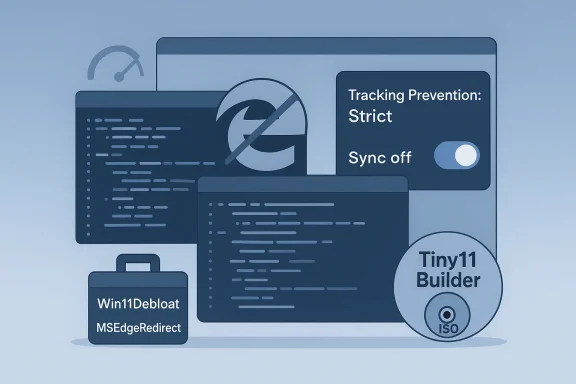 Why Microsoft Edge matters more than you think
Edge as a platform, not just a browser
Edge today is both an application and a platform. Through WebView2, Microsoft surfaces web content inside multiple Windows components and apps, so web content delivered by Microsoft services often runs on Edge technology even when your default browser is different. That matters because the runtime’s default behaviors — telemetry, search provider defaults, sync options, and so on — can influence how those embedded surfaces behave.Default‑choice friction and in‑OS behavior
Windows 11 has a long history of nudging users toward built‑in services. Even after Microsoft made some concessions in markets with regulatory pressure, the OS still triggers Edge for certain actions: some widgets, system search results, and in‑box links have historically invoked Edge or Bing‑backed handlers instead of the user’s selected browser. This is the practical problem Thurrott warns readers not to ignore: default choices in Settings are sometimes insufficient to stop system surfaces from using Edge.Tracking by design (and dark patterns)
Thurrott describes how Edge’s initial setup and default New Tab content are engineered to favor Microsoft’s services, using dark‑pattern UI and opt‑outs that steer users toward more telemetry and personalized content. Those UX nudges, coupled with global sync features and cross‑surface data sharing, make Edge a significant telemetry vector for the broader Windows platform — even for users who don’t browse in Edge directly.The practical problems Thurrott highlights
- Online tracking via Edge — Edge collects browsing data, and when users sign into a Microsoft account or enable correlated with other Microsoft services. Thurrott warns about the default choices that maximize that data collection.
- Edge’s runtime inside other apps — Because WebView2 is widely used, many apps load web content inside a WebView2 control that uses Edge’s engine, creating background surfaces that may rely on or surface Microsoft services.
- Windows ignoring the default browser — Certain system links (Widgets, Search highlights, Copilot, in‑box app links) have been observed to open in Edge regardless of the usetting — a practice that frustrates users and undermines choice.
- Persistent nudges and UI coercion — Edge continually prompts users to adopt Microsoft‑recommended settings, sometimes resetting customizations or nudging users to re‑enable tracking features.
Tools and community responses you should know
Thurrott and the Windows community point to a set of mature, widely used tools and techniques that together form a pragmatic “de‑enshittify” toolkit. Here are the most important items and how they fit together.- Win11Debloat (PowerShell scripts) — A modular, actively maintained PowerShell project that automates removal of inbox apps, disables many telemetry channels, and applies privacy‑first tweaks. It’s widely used and convenient for post‑install cleanup, but it requires care: scripts run with elevated privileges and can break expected functionality if used aggressively without testing.
- Tiny11 / Tiny11 Builder — Community builders that take official Microsoft ISOs and produce trimmed, smaller images by removing selected inbox apps and cloud components. These builders are useful when you want a fresh, minimal install from the start; they trade convenience for the risk of reduced serviceability if core servicing components are stripped. Recent Tiny11 updates explicitly remove Copilot, Outlook, Teams, and other heavy inbox elements for leaner images.
- MSEdgeRedirect and similar redirectors — Lightweight tools that intercept attempts to open the microsoft-edge: protocol (or other Edge‑forced handlers) and redirect them to the system default browser. They are a practical patch for the problem of Windows surfaces opening Edge directly. MSEdgeRedirect is actively maintained and is explicitly designed to redirect news, widgets, and similar links to your preferred browser.
- ExplorerPatcher and UX restore tools — These restore older Explorer behaviors and taskbar options; they’re part of a UX restoration toolkit that complements privacy-focused changes. Thurrott recommends these to recover the classic Windows experience many users prefer.
A responsible, step‑by‑step approach to “De‑Enshittifying” Edge
Thurrott is clear that the goal is practical, safe reclamation of control, not brittle hacking. Below is a conservative, reproducible sequence — adapted from Thurrott’s chapter and community best practices — thatns with maintainability.- Inventory and backup first
- Create a full disk image or system image backup before making sweeping changes.
- Record installed apps, Windows version and update history so you can reproduce a working state if needed.
- Choose the right surface for change
- If you can reinstall, consider building a serviceable Tiny11 image (not an ultra‑aggressive core build) so future updates remain possible.
- If you cannot reinstall, plan to run Win11Debloat in lite or custom mode and validate each change on a test machine.
- Lock down Edge’s obvious privacy leaks (if you keep Edge)
- Set Tracking Prevention to Strict.
- Turn off Sync for sensitive caistory) and disable “Share browsing data with other Windows features.”
- Audit Profiles → Sync and Privacy, Search, and Services settings before you sign into a Microsoft account in Edge.
- Stop system‑level Edge hijacks
- Install a tested redirector such as MSEdgeRedirect to catch microsoft-edge: links and surface them in your default browser. This addresses many widget/search/link behaviors without invasive changes.
- Remove or neutralize embedded telemetry where safe
- Use Win11Debloat or similar tools in conservative modes to disable telemetry tasks, advertising ID, and tailored experiences.
- Keep a rollback plan (restore image or system restore point) in case anything breaks.
- Harden core platform telemetry
- Convert the Microsoft Account to a local account only after reviewing thrive autosync, credential sync).
- Disable optional diagnostic data if desired, but be aware of the tradeoff with device‑health telemetry that helps in troubleshooting and security incidents.
- Maintain an update test plan
- Keep ative updates so you can test whether debloat steps or Tiny11 builds break feature updates.
- Be prepared to reapply or adapt tweaks after major Windows feature updates.
Strengths of Thurroctical and tool‑centric**: The chapter is focused on executable steps and mature community tools rather than vague rhetoric. It’s a hands‑on playbook.
- Balanced risk model: Thurrott recommends “serviceable” builds andor in‑place scripts, acknowledging tradeoffs between minimalism and maintainability. That nuance matters for long‑term stability.
- Clear rollback emphasis: Backups, ted rollback plans feature prominently. Good operational hygiene reduces the real risks of community tooling.
- Community validation: The suggested tools — Win11Debloat, Tiny11 Builder and MSEdgeRedirect — are widely used and actively maintained, which reduces the chance of hidden or abandoned code issues.
Risks, blind spots, and things to watch
- Update and support fragility: Aggressive removals can break terprise management tooling. If you rely on corporate provisioning or vendor support, test in pilot rings before broad adoption.
- Security tradeoffs: Stripping components or disabling telemetry without adding compensating EDR/antivirus solutions can reduce vis Any guide recommending telemetry toggles should concurrently recommend hardening and alternate monitoring.
- Trust and provenance: Community tools are maintained by volunteers. Prefer projects with an active issue trackeogs, and a visible maintainer community; avoid one‑off binaries from unknown sources.
- Partial fixes and arms race: Microsoft’s product decisions change over time — regulatory pressure (for example in the EEA) has forced Microsoft to soften certain default behaviors, but platform vendors continue to iterate. Expect continuing back‑and‑forth and maintain an update strategy. Recent regulatory changes have improved behavior in some regions, but platform nudges and embedded content remain a general problem.
Practical checklist (conservative) — minimum set for most ustem image and create a recovery USB.
- Switch Edge Tracking Prevention to Strict and disable sync for History/Passwords in Edge if you keep it.
- Install MSEdgeRedirect (or similar) to route forced Edge links to your default browser.
- Run Win11Debloat in lite or custom mode after reviewing the script’s actions; avoid forceful removal of core servicing components unless you understand the consequences.
- If reinstalling, prefy11 build rather than a core image to preserve update compatibility. Test in a VM first.
- Keep an update test VM and a changelog of actions you applied so you can reapply or revert changes after feature updates.
Final analysis: pragmatic empowerment, not paranoia
Thurrott’s chapter is a useful practical counterweight to the current Windows 11 experience. It accepts an important reality: Windows has evolved into a platform where web content, AI surfaces, and cloud services are deeply integrated, and that integration cannot be ignored. The real choice for users is not binary (tolerate everything or leave the platform) — it’s about deliberate configuration.What makes Thurrott’s approach credible is its combination of actionable tools, an emphasis on testing and rollback, and a recognition that defenders need practical options. The community tools he cites — Win11Debloat, Tiny11 Builder and redirectors like MSEdgeRedirect — are legitimate engineering responses: they don’t “break” Windows for the average task when used carefully, and they restore control to the user without pretending to be a permanent fork of the platform.
At the same time, readers must accept the maintenance cost. De‑enshittifying Windows 11 is not a one‑time trick; it’s an operational posture that requires periodic validation. Microsoft’s product decisions, regulatory changes in different regions, and feature updates will all influence what’s safe and effective. A conservative, well‑documented approach keeps the benefits while minimizing the downside.
Conclusion
Microsoft Edge is no longer an optional “extra” in Windows 11 — it’s a platform tile that influences system behavior, telemetry, and the default‑behavior surface across the OS. Paul Thurrott’s early chapter cuts through platitudes and gives readers a tested, pragmatic way to reclaim control: audit, back up, use conservative debloat steps or serviceable custom ISOs, and patch Edge‑forced behaviors with redirectors when necessary. The community tools he references are mature and useful, but they require the same discipline an IT pro would use: testing, documentation, and a rollback plan.If you value privacy, predictability, and a quieter desktop, taking the time to de‑enshittify Edge and Windows 11 is both practical and responsible — provided you follow conservative, safety‑first steps and maintain an update testing regime.
Source: Thurrott.com De-Enshittify Windows 11: Microsoft Edge
