

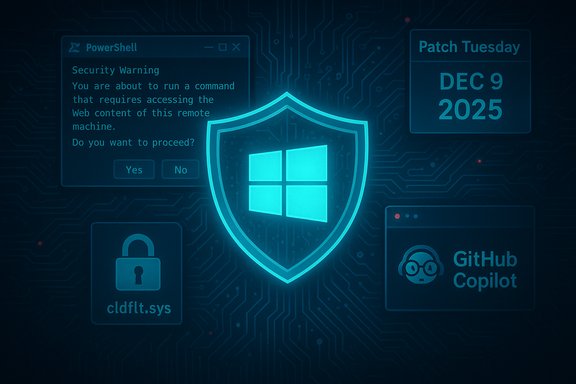
Microsoft pushed a high-priority December 9, 2025 Patch Tuesday that closes several dangerous holes — including a PowerShell command-injection flaw that now forces a confirmation prompt, a Windows Cloud Files Mini Filter Driver bug actively used for local privilege escalation, and a command-injection issue in the GitHub Copilot plugin for JetBrains — making this update one you should install as soon as you reasonably can.
Microsoft’s Patch Tuesday for December 9, 2025 is a broad release that addresses dozens of vulnerabilities across Windows client and server builds, PowerShell, Office, and third‑party integrations. This month’s collection includes multiple high‑severity and publicly disclosed issues, some of which have practical exploit paths that can lead to remote or local code execution and privilege escalation. The company published targeted KB articles and hotpatch packages describing behavioral changes and fixes for specific components. In plain terms: this isn’t a routine quality rollup. Several fixes alter runtime behavior (PowerShell’s web cmdlet), remediate kernel‑level errors (Cloud Files Mini Filter Driver), and close insecure integration vectors in developer tooling (GitHub Copilot for JetBrains). Those three categories — scripting engines, kernel drivers, and AI/IDE integrations — are high‑value attack surfaces for both opportunistic and targeted actors.
Source: SlashGear Why You Should Install Windows 11's December 2025 Patch ASAP - SlashGear
 Background
Microsoft’s Patch Tuesday for December 9, 2025 is a broad release that addresses dozens of vulnerabilities across Windows client and server builds, PowerShell, Office, and third‑party integrations. This month’s collection includes multiple high‑severity and publicly disclosed issues, some of which have practical exploit paths that can lead to remote or local code execution and privilege escalation. The company published targeted KB articles and hotpatch packages describing behavioral changes and fixes for specific components. In plain terms: this isn’t a routine quality rollup. Several fixes alter runtime behavior (PowerShell’s web cmdlet), remediate kernel‑level errors (Cloud Files Mini Filter Driver), and close insecure integration vectors in developer tooling (GitHub Copilot for JetBrains). Those three categories — scripting engines, kernel drivers, and AI/IDE integrations — are high‑value attack surfaces for both opportunistic and targeted actors.What this Patch Actually Fixes
PowerShell: Invoke‑WebRequest now prompts before parsing web content
One of the most attention‑grabbing changes is to PowerShell 5.1’s Invoke‑WebRequest (the curl alias). After you apply the December updates, executing Invoke‑WebRequest in interactive PowerShell sessions will present a Security Warning and require explicit confirmation before performing the older DOM‑style parsing that could execute scripts embedded in retrieved web content. This behavioral change is intended specifically to mitigate CVE‑2025‑54100 — a command‑injection / script‑execution issue tied to how web content could be parsed and executed. Microsoft documents the change and pairs it with guidance to use the safer -UseBasicParsing switch for non‑interactive or automation scenarios. Why this matters:- The change prevents silent execution of scripts that might be embedded in web pages returned by Invoke‑WebRequest.
- Interactive users see a clear prompt and can cancel suspicious requests; automation must be updated to use explicit parameters.
- The update is delivered as a hotpatch in some channels and via normal Windows Update in others; multiple KB entries list the affected OS builds.
Windows Cloud Files Mini Filter Driver: local privilege escalation (kernel exploit)
Multiple advisories and vendor analyses from this Patch Tuesday point to a high‑risk vulnerability in the Windows Cloud Files Mini Filter Driver component (cldflt.sys). This class of driver runs at kernel level, sits in the file stack for cloud sync integrations, and — when vulnerable — can be used by a local attacker to escalate privileges to SYSTEM. Microsoft assigned a CVE to the issue and published updates that close specific memory‑safety and TOCTOU/use‑after‑free conditions that attackers could weaponize. Several security vendors flagged this bug as actively exploited in the wild, elevating its priority for enterprise deployments. Why this matters:- Kernel‑level faults are powerful: local code or malware that gets a foothold as a regular user can pivot to full system compromise.
- Cloud sync drivers are common on endpoints; many users have these components loaded even if they don’t consciously interact with them.
- The presence of an active exploit in the wild makes rapid patching more urgent for organizations and high‑risk endpoints.
GitHub Copilot for JetBrains: command injection / remote code execution risk
As AI coding assistants become more tightly coupled with IDEs, a new class of attack has emerged that leverages cross‑prompt injection and poorly validated terminal interactions. December’s update includes a remediation for CVE‑2025‑64671, a command‑injection vulnerability in the GitHub Copilot plugin for JetBrains products. Researchers described how a malicious file or an untrusted Model Context Protocol (MCP) server could inject commands that get appended to allowed terminal inputs, potentially running unwanted commands without a clear second prompt. The vulnerability was publicly disclosed and assigned a high severity score; Microsoft and security vendors have advised users to apply updates and consider temporary mitigations in sensitive environments. Why this matters:- Developer machines often have elevated access to credentials, build systems, and source control.
- A compromised IDE or plugin can be used to exfiltrate secrets, alter code, or run arbitrary toolchain commands.
- The problem highlights how AI assistants change the threat model for development workflows.
The Practical Risk: Why Install ASAP
- Active exploitation and public disclosure increase risk. When a vulnerability is marked as "exploited" or "publicly disclosed," the typical window to patch safely drops from weeks or months to days. The Cloud Files driver vulnerability shows signs of being used by attackers, and Copilot/PowerShell issues were publicly demonstrated or disclosed prior to the patch. That means exploit code or proof‑of‑concepts are likely to spread quickly.
- These vulnerabilities cover multiple attack paths. Whether the attacker aims for remote trickery (via malicious web content or injected IDE prompts) or local escalation after an initial foothold, the combined set of fixes closes both entry and post‑exploitation techniques.
- The PowerShell behavioral change directly improves interactive safety. For humans using PowerShell interactively, the new confirmation prompt is a real safety win — it reduces the chance of accidentally parsing and running embedded web‑script content. For automation, it’s a clear signal that scripts must be audited and updated.
- Developer tooling vulnerabilities are a strategic threat. Developer workstations are high‑value targets because they often hold keys, tokens, and privileged access to production systems. Fixing Copilot/IDE plugin issues reduces the attack surface that targets those credentials and builds.
- It’s Patch Tuesday — windows patch management tools will distribute updates through normal channels. Microsoft’s rollout includes both hotpatch options for eligible servers and normal Windows Update distribution. The combination of automated distribution and high severity makes prompt installation both practical and recommended.
Who Needs to Prioritize This Update
- Enterprise Windows administrators should treat this update as high priority for all endpoint and server builds that receive cumulative/quality updates.
- Dev teams and engineers who run JetBrains IDEs with GitHub Copilot enabled must install the Copilot plugin patch quickly and audit any automatic terminal approval settings.
- Security teams and SOCs should ensure the Cloud Files driver patch is rolled out to prevent local privilege escalation and look for indicators of compromise surrounding cldflt.sys usage.
- PowerShell users and automation owners must review scripts that use Invoke‑WebRequest and update them to include -UseBasicParsing or refactor to avoid DOM parsing of untrusted content.
- Home users should not ignore these updates — while exploitation may be skewed toward corporate targets, common scripting and cloud sync components are present across consumer devices as well.
Step‑by‑Step: How to Install and Validate the December Patch
- Inventory and plan
- Identify Windows versions and builds in your environment.
- Note machines running PowerShell 5.1 and any servers/workstations with cloud sync drivers and JetBrains IDEs.
- Test in a controlled subset
- Apply the update to a small canary group (workstations and a staging server) and validate critical workloads.
- For CI pipelines and scheduled jobs that call Invoke‑WebRequest, run integration tests to confirm that the new confirmation behavior doesn’t block automation.
- Update automation scripts
- Modify scripts that call Invoke‑WebRequest to use -UseBasicParsing or replace the usage with alternative HTTP clients (for example, built‑in .NET HttpClient or PowerShell’s Invoke‑RestMethod with explicit handling).
- If you rely on DOM parsing for form scraping, migrate to explicit parsing logic or toolchains that run in isolated environments.
- Deploy broadly
- Use your usual patch management (WSUS, SCCM/MECM, Intune, or equivalent endpoints management tools) to push the December updates.
- For hotpatch‑eligible servers, check vendor guidance for applying hotpatches to minimize reboots where possible.
- Verify and monitor
- Confirm OS build numbers and KBs installed on endpoints (the Microsoft support articles list relevant KB IDs and build numbers).
- Monitor logs and EDR/SIEM detections for suspicious uses of cldflt.sys, PowerShell web cmdlets, and unexpected IDE behavior.
Admins: Technical Notes and Best Practices
PowerShell automation — what to change
- Add -UseBasicParsing to Invoke‑WebRequest in non‑interactive scripts to avoid the confirmation prompt.
- For scripts that relied on legacy DOM parsing, consider explicit HTML parsing via HtmlAgilityPack or other trusted libraries and run parsing in sandboxed jobs.
- Where possible, migrate to PowerShell 7+ for automation; PowerShell 7’s web cmdlets already use safer parsing behaviors by default.
Handling the Cloud Files driver fix
- Ensure the patch is installed on all endpoints with cloud sync clients (OneDrive and other providers that install mini‑filter drivers).
- Restrict access to device control interfaces and monitor calls to DeviceIoControl against cldflt.sys.
- If you run a hardened environment, consider limiting use of cloud sync drivers on high‑risk endpoints until the patch is applied and validated.
Mitigations for GitHub Copilot/IDE risks
- Disable or remove the Copilot plugin on developer machines that handle sensitive credentials until patched.
- Audit terminal auto‑approve settings and restrict auto‑approval on machines used for production builds or secret handling.
- Encourage secure development practices: secrets in environment variables or secure vaults, not in plain files; code review on changes from AI‑assisted output.
Compatibility and Side Effects: Testing Tips
- The PowerShell prompt is an intentional behavioral change — not a bug. Interactive sessions will see a prompt that requires human confirmation by default; this can break scripts that aren’t updated.
- Hotpatch behavior differs by channel and OS build. Some servers may receive a hotpatch that requires no immediate reboot, while others will need a standard reboot to finalize the update. Verify KB entries for the exact packaging and reboot guidance.
- JetBrains plugin updates may require IDE restarts and plugin version pinning in enterprise repositories to ensure all dev machines receive the fixed plugin.
Critical Analysis: Strengths, Tradeoffs, and Risks
Strengths of Microsoft’s response
- The December rollout shows a pragmatic approach: combine behavioral mitigations (PowerShell prompt) with code fixes (driver patches, plugin updates). This multi‑prong approach reduces both immediate attack vectors and long‑term exposure.
- Hotpatch options for some builds reduce downtime for critical servers, enabling faster mitigation without the usual maintenance windows.
- The vendor ecosystem (security vendors, open vulnerability databases, and independent researchers) moved quickly to analyze and explain the issues, giving defenders actionable context.
Tradeoffs and potential downsides
- The PowerShell confirmation prompt is a double‑edged sword: it improves safety for interactive users but forces script changes in automation pipelines. Organizations that don’t proactively update scripts may see broken jobs, failed deployments, or silent automation hangs.
- Fixing development‑tool vulnerabilities requires coordination across IDEs, plugins, and developer teams — a potentially slow process. Developers who keep AI assistants enabled on privileged machines raise risk until mitigations are uniformly deployed.
- Kernel fixes often require careful testing. On rare occasions, driver updates can interact poorly with third‑party filter drivers or specialized endpoint protection tools; thorough testing is still essential.
Unverifiable or uncertain claims to watch
- Some reporting states specific exploit code is circulating publicly. While disclosures and PoCs have appeared in research channels, definitive claims about mass exploitation should be treated cautiously until confirmed by multiple telemetry sources. Security teams must rely on their EDR telemetry and vendor guidance rather than rumor.
- Severity and exploitability assessments vary: Microsoft’s initial assessment of "Exploitation Less Likely" for some CVEs may differ from threat intel providers that mark them as "Detected" in limited incidents. Treat these differences as input for tailored risk prioritization rather than binary truth.
Quick Reference: What to Do Right Now (Priority Checklist)
- Patch endpoints and servers with December 2025 updates (apply hotpatches where supported).
- Update PowerShell scripts: add -UseBasicParsing for non‑interactive HTTP requests or refactor parsing logic.
- Patch JetBrains IDEs and the GitHub Copilot plugin; disable Copilot on machines that handle secrets until validated.
- Scan logs and EDR telemetry for suspicious cldflt.sys activity and any unusual PowerShell web requests.
- Communicate to developers and IT staff about the behavioral changes and expected script updates; provide test guidance and a rollback plan for automation failures.
Longer‑Term Lessons and Developer Guidance
- Treat developer tooling as part of the attack surface. AI assistants are powerful, but they also introduce new channels for injection and automated misconfiguration. Secure development environments require policies, plugin controls, and vetting of AI components.
- Automation hygiene matters now more than ever. Explicit parameterization and dependency isolation make scripts resilient to runtime behavioral changes.
- Kernel‑level components and sync drivers deserve elevated monitoring. Cloud‑sync drivers are convenient but often under‑monitored; treating them like any network‑facing component reduces surprise.
- Adopt a staged rollout strategy for major security updates: test, patch, monitor, then expand. This balances speed with operational stability.
Conclusion
The December 9, 2025 Patch Tuesday is notable not just for the number of fixes but for the type of risks it addresses: scripting‑level parsing that can execute web content, kernel‑level drivers enabling privilege escalation, and AI/IDE integration flaws that can be manipulated to run arbitrary commands. The combination of active exploitation reports and public disclosure makes this release one to prioritize. Install the updates, audit and update automation that uses Invoke‑WebRequest, patch development IDEs and plugins, and monitor your telemetry closely. Doing so significantly reduces the window of opportunity for attackers and protects both individual endpoints and high‑value developer workstations from emerging threats.Source: SlashGear Why You Should Install Windows 11's December 2025 Patch ASAP - SlashGear
