

Dell’s recent push—framed in headlines such as “AI at the Core: Dell AI PCs That Combine Speed, Smarts, and Staying Power”—is more than marketing flourish: it stitches together client devices, on‑device NPUs, deskside AI nodes, and managed services into a concrete enterprise‑grade proposition that IT teams and power users can evaluate today.
Dell’s message is straightforward: build PCs with silicon and system designs that accelerate AI where it matters—on the endpoint for daily productivity and at the desk or rack for development—while wrapping those devices in storage, protection, and integration services to make real deployments manageable. That strategy spans three visible pillars:
But the broader industry outcome depends on three vital pieces falling into place:
Source: Indiatimes AI at the Core: Dell AI PCs That Combine Speed, Smarts, and Staying Power
 Background / Overview
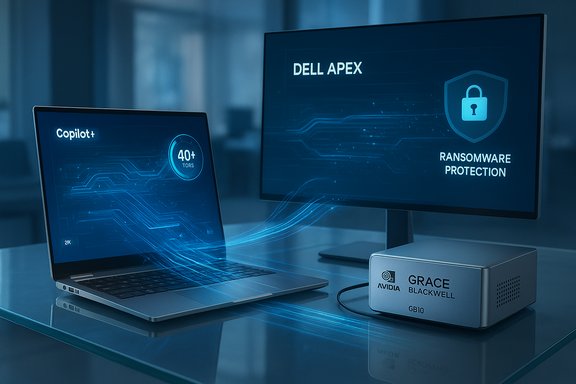
Dell’s message is straightforward: build PCs with silicon and system designs that accelerate AI where it matters—on the endpoint for daily productivity and at the desk or rack for development—while wrapping those devices in storage, protection, and integration services to make real deployments manageable. That strategy spans three visible pillars:- Copilot+ and “Plus” notebooks that ship with Intel Core Ultra, AMD Ryzen AI, or other qualifying silicon and on‑package NPUs aimed at Windows Copilot experiences.
- Pro Max deskside systems built around NVIDIA’s GB10 Grace Blackwell Superchip for local model development and inference workloads.
- Dell APEX and Accelerator Services offering managed file storage, ransomware resilience, and deployment support to bridge endpoints and cloud infrastructure.
What Dell is shipping — the hardware in plain sight
Copilot+ laptops and the “Plus” family
Dell’s “Plus” family, exemplified by the Dell 14 Plus 2‑in‑1, targets mainstream and mobile professional users with a mix of modern CPU choices, soldered LPDDR5X memory, NVMe storage, and NPUs that qualify specific SKUs for Microsoft’s Copilot+ experiences. Retail and OEM pages list configurations with both AMD Ryzen AI 300‑series processors and Intel Core Ultra 200V‑series processors, with NPUs rated in the tens of TOPS depending on the silicon. Key practical specifications visible on Dell’s product listings and independent reviews include:- 14.0‑inch 16:10 touch displays (2K/1920×1200 in many SKUs), typically ~300 nits for mainstream models.
- Memory and storage: LPDDR5X soldered memory (commonly 16 GB, optional 32 GB in higher SKUs) and PCIe NVMe SSDs starting at 512 GB.
- Battery: 64 Whr integrated battery with 65 W USB‑C charging on many SKUs; battery life varies widely by workload and display choice.
- Connectivity: Wi‑Fi 7 and practical port mixes (USB‑C with DP/PD, USB‑A, HDMI variants, and Thunderbolt 4 in selected Intel SKUs).
Pro Max: GB10 Grace Blackwell at deskside scale
On the heavier end, Dell’s Pro Max systems bring NVIDIA’s Grace Blackwell GB10 architecture into a compact deskside appliance intended for developers, researchers, and regulated workloads that must remain on premises. Vendor and trade reporting list the headline technical claims:- 128 GB of unified LPDDR5x memory, coherently shared between CPU and GPU domains to minimize host‑device bottlenecks.
- Up to 1 petaflop of FP4 throughput (advertised as ~1,000 TFLOPS of FP4 compute) — a metric aimed at AI tensor throughput rather than classic double‑precision FLOPS.
- Support for very large models in the hundreds of billions of parameters (practical capacity depends on precision, sparsity, and framework memory optimizations).
Verifying the headline claims (what checks out, what needs nuance)
The most load‑bearing claims to verify are the Copilot+ NPU thresholds, the GB10 desk node numbers, and battery/runtime promises.- Microsoft’s Copilot+ platform documentation confirms the practical requirement of NPUs capable of 40+ TOPS for flagship on‑device experiences and lists AMD Ryzen AI 300 and Intel Core Ultra 200V series among qualifying silicon families. This is corroborated by independent coverage and developer guidance that repeatedly point to the 40+ TOPS figure as a practical baseline.
- Dell’s public product pages for the 14 Plus 2‑in‑1 and other Copilot+‑eligible machines list specific CPU/NPU pairings and regionally varying SKUs; independent reviews from reputable outlets (TechRadar, PCWorld, TechRadar Pro) echo those specifications and provide hands‑on confirmation of the soldered memory, display brightness, I/O, and battery capacity. These sources align with Dell’s marketing claims for SKUs available today.
- The GB10 Pro Max claims—128 GB unified memory and petaflop‑class FP4 throughput—are repeated across Dell announcements and trade press, but the practical ceiling for model training/inference depends heavily on software support, precision choices (FP4 vs FP16), and framework memory optimizations. Multiple independent outlets repeat the model‑size guidance (roughly up to 200B parameters depending on precision and optimization), but actual model throughput and runtime limits will vary by workload and are not a single universal number. Treat the GB10 throughput and model‑size statements as validated vendor figures with operational caveats.
- Battery life and “all‑day” claims are common marketing figures typically derived from standardized playback and web tests. Independent reviews report real‑world mixed‑use battery life for AI‑capable laptops that ranges widely (commonly 8–15 hours under realistic workloads for mainstream SKUs), and lab numbers are best used for apples‑to‑apples comparisons rather than guaranteed user experience. Exercise caution when translating vendor “up to” runtime marketing into purchase expectations.
Strengths: Where Dell’s proposition genuinely helps users and IT
- Meaningful on‑device AI acceleration for everyday tasks. Copilot+‑capable NPUs allow low‑latency, private features—transcription, webcam enhancements, image super‑resolution, and local assistants—that reduce cloud dependency and egress costs. Microsoft’s design for Copilot+ explicitly targets exactly these kinds of features, and vendor SKUs are built to meet that threshold.
- A practical deskside option for regulated or latency‑sensitive AI work. The Pro Max GB10’s unified memory and high tensor throughput give organizations an option to prototype, test, and even fine‑tune large models without moving sensitive data to public clouds. For regulated industries (healthcare, finance, government), on‑prem deskside nodes reduce compliance friction.
- End‑to‑end thinking: combining Copilot+ endpoints with Dell APEX file services and protection tooling addresses two enterprise impediments: moving large datasets and protecting them from ransomware. These services lower integration friction for organizations looking to operationalize AI in hybrid deployments.
- Choice of silicon and transparent SKU differentiation. Dell offers Intel and AMD options across many Plus SKUs, giving customers the chance to avoid early ARM compatibility issues that affected some OEM Copilot+ launches, while still gaining on‑device NPU power where they need it.
Risks, limitations, and the practical tradeoffs IT teams must weigh
- Numbers don’t equate to outcomes. TOPS and petaflop figures are synthetic metrics. Real application performance hinges on software runtimes, model formats, and optimized kernels. A device with a high TOPS NPU will still underperform for specific tasks if vendor drivers, ONNX runtime kernels, or the AI framework aren’t fully optimized for the hardware. Independent guidance and reviews consistently caution that software maturity is the gating factor for expected gains.
- Thermals and sustainment of performance. Thin‑and‑light laptop shells are constrained by thermal budgets; NPUs and GPUs may be able to spike to advertised peaks but sustain lower throughput under prolonged workloads. For extended model fine‑tuning, deskside or rack systems remain the practical choice.
- Platform fragmentation and SKU confusion. “Copilot+” is a class label that applies only to qualifying SKUs. Not every laptop that shares a family name will support the same on‑device features. Enterprises must verify exact SKU part numbers and NPU figures rather than assume device family marketing implies Copilot+ capability.
- Upgradeability and repair tradeoffs. Many Copilot+ laptops use soldered LPDDR5X memory and integrated storage in mainstream SKUs. Buyers cannot easily upgrade RAM later, which raises the stakes of initial configuration choices for long upgrade cycles. Verify serviceability and plan refresh cycles accordingly.
- Cost and procurement complexity. Pro Max deskside machines and top Copilot+ laptops can be expensive. Organizations should avoid reflexively refreshing large device fleets solely for AI features unless a demonstrable ROI exists for the targeted workflows. Pilot programs and persona‑based rollouts are recommended.
Practical buying guidance and deployment checklist
For IT leaders planning a pilot (recommended approach)
- Identify representative workloads (e.g., meeting transcription, media editing, inference for a 70B model).
- Select one Copilot+ laptop SKU and one Pro Max GB10 node to measure throughput, latency, and power under the actual software stack you intend to run.
- Validate framework support (PyTorch/TensorFlow/ONNX) and vendor runtimes—ensure your toolchain can target the NPU or unified memory effectively.
- Measure end‑to‑end operational impacts: data movement, backup strategies, and recovery times in the event of ransomware or data loss. Use Dell APEX or equivalent services to simulate production flows.
Who should buy what (short, practical)
- Copilot+ laptops (Plus / Premium SKUs): knowledge workers who will benefit daily from low‑latency features—meeting summaries, local image editing, and privacy‑sensitive transcription. Prioritize 16 GB minimum (prefer 32 GB if heavy multitasking or large local models are expected).
- Pro Max GB10 deskside systems: AI development teams needing low‑latency inference or local fine‑tuning on sensitive datasets, and organizations requiring on‑prem compute for compliance. Confirm software stack support for GB10 before purchase.
- Budget or general productivity buyers: a modern Intel/AMD laptop without NPU emphasis still delivers years of useful performance; don’t overspend for speculative AI features if workflows won’t use them.
Deployment and governance: security, compliance, and lifecycle concerns
- Security baseline: Copilot+ devices commonly ship with hardware‑level protections, including Microsoft Pluton and Secured‑Core options on many enterprise SKUs. Those features help protect encryption keys and credentials at the chip level, but they do not replace good identity, access management, and endpoint detection practices.
- Data governance for on‑device models: Local inference and fine‑tuning reduce cloud egress but do not absolve teams from model provenance, audit trails, or governance controls. The presence of an on‑prem desk node lowers one class of risk while introducing others (local storage protection, access controls). Dell’s APEX Protection Services and CyberSense‑style tooling aim to shorten dwell and recovery times but require integration and testing.
- Patch, driver, and lifecycle management: AI endpoints depend on regular driver and runtime updates. IT must plan for more frequent updates to NPUs and Nvidia/Intel runtimes, test them against critical apps, and include them in MDM patch cycles. A governance plan should include rollback procedures for runtime regressions.
Where the market goes from here — strategic implications
Dell’s play matters because it treats the AI desktop/laptop as an integrated stack: silicon that can accelerate local AI, devices engineered to deliver practical battery and port balances, and managed services to make deployment and recovery less painful. That combination is appealing to organizations balancing latency, cost, and compliance.But the broader industry outcome depends on three vital pieces falling into place:
- Software and vendor runtime maturity. Without optimized kernels and robust ONNX/Runtime support, the potential of NPUs and unified memory remains latent. Early adoption will face friction for uncommon models and precision formats.
- Clarity and consistency in SKU messaging. Vendors must avoid confusing family‑level names; enterprise procurement needs precise part numbers and validated feature lists before large rollouts.
- Sensible procurement approaches. CIOs will benefit most from staged pilots, persona mapping, and conservative fleet upgrades that favor proven ROI over headline features.
Conclusion
Dell’s AI‑first positioning—highlighted in coverage such as “AI at the Core”—is a coherent, pragmatic response to a market that needs both on‑device responsiveness and on‑premise model development options. Copilot+ laptops with 40+ TOPS NPUs genuinely enable a new class of local features for knowledge workers, while Pro Max GB10 deskside nodes bring data‑center capabilities to the desktop for development and regulated workloads. Those are real advances, but their value is conditional: software maturity, thermal design, SKU clarity, and governance frameworks will determine whether the promise becomes measurable productivity gains or another wave of overhyped hardware claims. For IT leaders and power users, the right course is clear—pilot deliberately, validate thoroughly, and budget for software and lifecycle costs rather than chasing raw TOPS alone.Source: Indiatimes AI at the Core: Dell AI PCs That Combine Speed, Smarts, and Staying Power
