

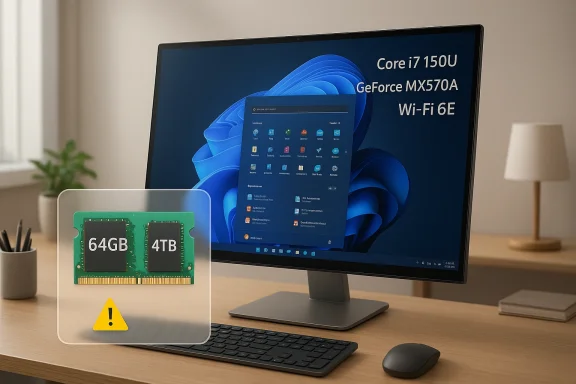
The Dell Inspiron 7730 27-inch all-in-one is being marketed as a tidy, high-spec Windows desktop for buyers who want a single-screen setup without giving up workstation-class memory or storage. But the headline specs in the listing deserve a closer look: Dell’s own documentation shows the Inspiron 27 7730 with an Intel Core 7 processor 150U, NVIDIA GeForce MX570A, Wi‑Fi 6E, and support for up to 64GB of memory, while its official storage design tops out at 1TB on the internal M.2 SSD. That means the 4TB SSD in the listing is almost certainly an aftermarket upgrade rather than a factory configuration, which is a crucial distinction for buyers comparing value, warranty implications, and serviceability.
The all-in-one desktop market has always lived in a tension between elegance and expandability. Buyers want the clean desk footprint of an integrated display and PC, but they also expect enough performance for office productivity, content consumption, light creative work, and long-term reliability. The Inspiron 27 7730 sits squarely in that middle ground, offering a modern Intel mobile-class processor, discrete graphics, and a 27-inch touch display in a form factor that is far less intimidating than a traditional tower. Dell’s official spec sheet confirms that the system was designed around a 27-inch all-in-one chassis with both touch and non-touch variants, discrete MX570A graphics, and modern wireless connectivity.
What makes this retail configuration interesting is not the base hardware itself, but the aggressive upgrade package. The advertised 64GB of RAM and 4TB SSD go far beyond what Dell ships from the factory in this model line. Dell documents the Inspiron 27 7730 with memory configurations up to 32GB in its standard spec tables, while a third-party compatibility reference notes that the platform can support 64GB. That is an important nuance: the chassis may physically support the capacity, but the upgrade is still a custom build choice, not a baseline Dell SKU.
The processor choice is also worth unpacking. The Core 7 150U is part of Intel’s efficiency-focused mobile family, with 10 cores and 12 threads, and Dell rates it at 15W base power in this platform. That makes it a smart fit for an all-in-one that prioritizes quiet operation, thermals, and thin design over raw sustained CPU throughput. Intel’s product materials and Dell’s own spec tables line up on the processor class, although retail marketing sometimes plays fast and loose with turbo claims and implied performance tiers.
The port selection is especially important for home-office buyers. Dell lists three USB 3.2 Gen 1 ports, one USB-C Gen 2, one USB 3.2 Gen 2 with PowerShare, HDMI-in 1.4b, HDMI-out 1.4b, a global headset jack, and Ethernet. That HDMI-in feature can turn the all-in-one into a monitor for a console or laptop, which is one of the better reasons to buy an AIO instead of a separate desktop and panel.
This is also the kind of processor that benefits from a generous memory configuration. With 64GB installed, the system can keep more browser tabs, collaboration apps, and locally cached data in memory, which may reduce stutters in real-world multitasking more than a faster chip would. For office workers who live in Teams, browser-based CRM tools, email clients, and spreadsheets, memory often becomes the most visible upgrade.
For casual users, the MX570A is likely to matter most when the system is driving multiple displays, handling video playback, or dealing with accelerated UI features. For creative users, it may offer enough headroom for light Adobe work, browser-based design tools, and basic media manipulation. That said, the limited 2GB VRAM ceiling makes it a supporting actor, not a centerpiece.
That said, memory capacity and memory behavior are not the same thing. Dell’s documentation shows that the system supports multiple memory configurations, but the real-world performance of 64GB depends on the module layout, channel configuration, and firmware support. In a system like this, the practical reward is less about benchmark heroics and more about reducing paging, enabling larger working sets, and improving reliability under pressure.
That does not automatically make the system worse. In fact, for users with photo libraries, video files, VM images, or large local project folders, 4TB can be the most useful upgrade in the whole package. But it does mean the buyer should mentally separate Dell’s official product from the seller’s custom assembly, because support outcomes may differ.
Still, resolution matters. At 1920 x 1080, the panel is roomy but not razor-sharp by premium desktop standards. On a 27-inch screen, FHD is acceptable for productivity and general consumption, but it is not the pixel density one gets from higher-resolution creator displays. That trade-off is common in mainstream all-in-ones, and it keeps the product from pricing itself into a higher class.
The inclusion of Wi‑Fi 6E and Bluetooth 5.3 also keeps the system current on wireless basics. In many homes and offices, those standards are now less about peak speed and more about congestion management and device compatibility. Dell’s specs show that the wireless card is an Intel AX211 class solution, which is a reassuringly mainstream choice.
This distinction matters because support, warranty, and parts replacement are all affected by who performed the upgrade and how it was documented. A carefully assembled custom configuration can deliver tremendous value. A poorly documented one can create headaches later if a buyer assumes Dell itself validated every installed component.
The real question is not whether this particular configuration is fast enough for most people. It almost certainly is. The better question is whether the buyer values the convenience of a neatly packaged all-in-one more than the long-term serviceability of a tower, and whether the upgraded components were installed with the same care Dell would use in a native high-end SKU. In this case, the answer will determine whether the machine feels like a smart desktop bargain or an expensive convenience purchase.
Source: kliksolonews.com https://kliksolonews.com/Touchscreen-Desktop-Intel-Core-7-150U-64GB-RAM-4TB-SSD-826385/
 Overview
The all-in-one desktop market has always lived in a tension between elegance and expandability. Buyers want the clean desk footprint of an integrated display and PC, but they also expect enough performance for office productivity, content consumption, light creative work, and long-term reliability. The Inspiron 27 7730 sits squarely in that middle ground, offering a modern Intel mobile-class processor, discrete graphics, and a 27-inch touch display in a form factor that is far less intimidating than a traditional tower. Dell’s official spec sheet confirms that the system was designed around a 27-inch all-in-one chassis with both touch and non-touch variants, discrete MX570A graphics, and modern wireless connectivity.What makes this retail configuration interesting is not the base hardware itself, but the aggressive upgrade package. The advertised 64GB of RAM and 4TB SSD go far beyond what Dell ships from the factory in this model line. Dell documents the Inspiron 27 7730 with memory configurations up to 32GB in its standard spec tables, while a third-party compatibility reference notes that the platform can support 64GB. That is an important nuance: the chassis may physically support the capacity, but the upgrade is still a custom build choice, not a baseline Dell SKU.
The processor choice is also worth unpacking. The Core 7 150U is part of Intel’s efficiency-focused mobile family, with 10 cores and 12 threads, and Dell rates it at 15W base power in this platform. That makes it a smart fit for an all-in-one that prioritizes quiet operation, thermals, and thin design over raw sustained CPU throughput. Intel’s product materials and Dell’s own spec tables line up on the processor class, although retail marketing sometimes plays fast and loose with turbo claims and implied performance tiers.
What the Dell Spec Sheet Actually Says
The first thing serious shoppers should do is separate Dell’s official platform from reseller embellishment. Dell’s Inspiron 27 7730 page lists the Core 7 150U, MX570A 2GB GDDR6, Windows 11 Home or Pro, and the usual all-in-one conveniences such as HDMI-in, HDMI-out, USB-C, USB-A, an SD card slot, and an RJ-45 Ethernet port. It also shows that the touchscreen model weighs about 15.27 pounds starting weight and can go up to 15.60 pounds, which underscores that this is still very much a desktop, not a portable monitor with a CPU bolted on.The port selection is especially important for home-office buyers. Dell lists three USB 3.2 Gen 1 ports, one USB-C Gen 2, one USB 3.2 Gen 2 with PowerShare, HDMI-in 1.4b, HDMI-out 1.4b, a global headset jack, and Ethernet. That HDMI-in feature can turn the all-in-one into a monitor for a console or laptop, which is one of the better reasons to buy an AIO instead of a separate desktop and panel.
The storage story matters
Dell’s official storage documentation says the Inspiron 27 7730 supports an M.2 2230 SSD as the primary storage device, with up to 1TB listed in the manual. That makes the advertised 4TB SSD impossible as a stock Dell configuration on this model, even if the reseller has successfully upgraded it after opening the chassis. In practical terms, that is not necessarily a bad thing, but buyers should understand that the upgrade is aftermarket and may affect how they think about support and parts replacement.Memory support is broader than the base configuration
Dell’s official retail listings show configurations with 8GB, 16GB, and 32GB memory options, but Crucial’s compatibility reference identifies 64GB maximum memory on the Inspiron 27 7730 platform. That suggests the board and memory slots can accept higher-capacity modules than Dell’s base catalog offers. For power users, that is good news; for shoppers, it is also a reminder that upgrade sellers are often selling platform potential, not factory-bundled reality.Why the Core 7 150U Is a Sensible Fit
The Core 7 150U is not a desktop-class monster, and that is precisely why it makes sense here. Dell’s spec says it is a 10-core, 12-thread, 15W part with turbo clocks up to 5.5GHz, which is ideal for bursty productivity workloads such as document editing, web apps, conferencing, and photo sorting. In an all-in-one, thermal efficiency is as important as headline speed, because the CPU sits directly behind the display with much tighter airflow constraints than a tower.This is also the kind of processor that benefits from a generous memory configuration. With 64GB installed, the system can keep more browser tabs, collaboration apps, and locally cached data in memory, which may reduce stutters in real-world multitasking more than a faster chip would. For office workers who live in Teams, browser-based CRM tools, email clients, and spreadsheets, memory often becomes the most visible upgrade.
Where it shines
The platform is a strong fit for tasks that are responsive rather than computationally brutal. It can handle daily creative workflows, modest media editing, and standard business apps without fanfare. It is also a sensible fit for users who value quiet operation, low power draw, and a cleaner desk setup over brute-force rendering performance.- Office productivity and multitasking
- Video calls and collaboration
- Web-heavy workflows
- Light photo editing
- General family use and schoolwork
Where it is less compelling
This is not the kind of processor platform that invites buyers to think of the machine as a creator workstation or gaming rig. If your workload depends on long sustained CPU loads, repeated exports, or virtualization-heavy scenarios, the 15W class will eventually show its limits. That is normal for this category, but it is still a limitation buyers should recognize before paying for premium upgrades.The MX570A Is the Quiet Wild Card
Dell’s inclusion of the NVIDIA GeForce MX570A is a meaningful step up from integrated graphics, even if it is not a gaming GPU in any meaningful enthusiast sense. The 2GB GDDR6 frame buffer will not turn this into a ray-tracing machine, but it can still offload some graphics tasks, accelerate certain creative apps, and improve overall system responsiveness in ways that integrated graphics often cannot. Dell clearly positions the chip as a discrete option alongside Intel graphics in the same chassis.For casual users, the MX570A is likely to matter most when the system is driving multiple displays, handling video playback, or dealing with accelerated UI features. For creative users, it may offer enough headroom for light Adobe work, browser-based design tools, and basic media manipulation. That said, the limited 2GB VRAM ceiling makes it a supporting actor, not a centerpiece.
Practical performance expectations
It is best to think of the MX570A as a quality-of-life upgrade rather than a performance revolution. The card should reduce dependence on the CPU’s integrated graphics engine, which can make the overall system feel smoother in everyday use. But shoppers should resist the temptation to equate “dedicated graphics” with “gaming desktop,” because that expectation would be misleading here.- Better than integrated graphics for many desktop tasks
- Helpful for light creative workloads
- Useful for display acceleration and media playback
- Limited by 2GB of VRAM
- Not a substitute for a true gaming GPU
Consumer versus enterprise impact
For consumers, the MX570A is mostly about convenience and light media work. For small businesses, it can be a nice boost for presentations, multi-monitor setups, and video conferencing. The card does not redefine the product, but it helps the Inspiron 27 7730 land in a more flexible middle tier than a pure integrated-graphics all-in-one.The 64GB RAM Upgrade Changes the Conversation
If there is one part of this listing that shifts the machine from “nice desktop” to “serious workhorse,” it is the 64GB RAM upgrade. Memory is one of the few all-in-one components that can dramatically extend the usable life of the system, especially when modern browsers, cloud apps, and collaboration tools all fight for space at once. Crucial’s compatibility data explicitly lists 64GB as the maximum supported memory on the Inspiron 27 7730 platform.That said, memory capacity and memory behavior are not the same thing. Dell’s documentation shows that the system supports multiple memory configurations, but the real-world performance of 64GB depends on the module layout, channel configuration, and firmware support. In a system like this, the practical reward is less about benchmark heroics and more about reducing paging, enabling larger working sets, and improving reliability under pressure.
Why buyers care
For a family desktop, 64GB is arguably overkill. For a small business owner, developer, data-heavy office user, or content organizer, it can be a smart hedge against future software bloat. The important point is that this upgrade is capacity insurance as much as it is speed.The hidden value in memory
A lot of consumers focus on the processor and skip the memory conversation, which is backwards for an all-in-one sold as a productivity hub. More RAM means smoother tab management, less swapping, and a better experience when several apps are open at once. In that sense, the 64GB upgrade may be more noticeable than the processor label on the box.The 4TB SSD Is a Seller Upgrade, Not a Dell Factory Standard
The seller’s 4TB SSD claim is the most aggressive spec in the listing, and also the one most likely to confuse buyers. Dell’s own manual says the Inspiron 27 7730 supports an M.2 2230 PCIe Gen4 x4 SSD with up to 1TB capacity in the documented configuration. If the machine arrives with 4TB, that capacity is the result of a replacement or expanded drive path performed by the reseller.That does not automatically make the system worse. In fact, for users with photo libraries, video files, VM images, or large local project folders, 4TB can be the most useful upgrade in the whole package. But it does mean the buyer should mentally separate Dell’s official product from the seller’s custom assembly, because support outcomes may differ.
What 4TB changes in practice
The upgrade mostly changes convenience and longevity. Instead of relying on cloud storage or external drives, the user can keep large datasets local and still have room to spare. That is particularly appealing in an all-in-one, where the clean setup loses some of its elegance once external storage starts piling up around the display.- Large media libraries become easier to manage
- Fewer external drives are needed on the desk
- Project files can stay local for faster access
- Future storage pressure is reduced
- Backup planning still matters
The support caveat
Buyers should be careful not to treat “upgraded” as synonymous with “factory validated.” Dell’s own support pages are based on the platform as shipped by Dell, not necessarily on every third-party modification a reseller performs. That is not a reason to avoid the machine, but it is a reason to read the fine print.Display, Touch, and the All-in-One Experience
The 27-inch Full HD touchscreen is one of the core selling points of this machine, and it is probably the feature that most clearly separates it from a laptop-plus-dock setup. Dell’s retail page describes the display as a 27-inch integrated panel, and the touchscreen model is built to make Windows navigation feel direct and intuitive. In day-to-day use, touch can be especially useful for zooming, scrolling, media control, and casual family interactions.Still, resolution matters. At 1920 x 1080, the panel is roomy but not razor-sharp by premium desktop standards. On a 27-inch screen, FHD is acceptable for productivity and general consumption, but it is not the pixel density one gets from higher-resolution creator displays. That trade-off is common in mainstream all-in-ones, and it keeps the product from pricing itself into a higher class.
Touchscreen value proposition
Touch on a desktop is one of those features that looks optional until you have used it for a while. It makes the device feel more approachable for non-technical users and more flexible for presentations or shared spaces. For some buyers, it is a convenience feature; for others, it is the reason to choose an all-in-one in the first place.Design and placement
Dell’s all-in-one chassis is compact enough to reduce cable clutter, but it still occupies the footprint of a proper desktop workstation. That makes it best suited to desks, kitchen counters, dorm rooms, small offices, and reception areas where space economy matters. It is not a minimalist machine in the sense of being tiny; it is a consolidation play.Connectivity and Ports Are Better Than the Category Average
One of the reasons the Inspiron 27 7730 looks compelling on paper is that Dell did not strip away the useful ports to chase thinness. The official configuration includes USB-C, multiple USB-A ports, HDMI-in, HDMI-out, Ethernet, a global headset jack, and an SD card slot. That is a meaningful mix for users who still rely on wired accessories, cameras, or external display sources.The inclusion of Wi‑Fi 6E and Bluetooth 5.3 also keeps the system current on wireless basics. In many homes and offices, those standards are now less about peak speed and more about congestion management and device compatibility. Dell’s specs show that the wireless card is an Intel AX211 class solution, which is a reassuringly mainstream choice.
Why HDMI-in matters
HDMI-in is one of the most underappreciated all-in-one features. It lets the Inspiron function as a monitor for another device, which can stretch the value of the panel well beyond Windows alone. For households with consoles, streaming boxes, or work laptops, that makes the machine more versatile than a standard desktop tower-and-monitor pairing.Practical use cases
- Home-office desktop plus laptop display
- Console gaming monitor alternative
- SD card ingestion for photographers
- Wired networking for stable work connections
- Wireless accessory support through Bluetooth
The Reseller Angle and Why It Matters
The wording of the listing strongly suggests a reseller-modified system rather than a pure Dell retail box. The product description notes that the original seal was opened for testing and installation, which is standard language for shops that add memory or storage before shipping. That can be perfectly legitimate, but it should be viewed as a custom PC build based on Dell hardware, not an untouched factory SKU.This distinction matters because support, warranty, and parts replacement are all affected by who performed the upgrade and how it was documented. A carefully assembled custom configuration can deliver tremendous value. A poorly documented one can create headaches later if a buyer assumes Dell itself validated every installed component.
What savvy buyers should verify
Before purchasing, it is wise to confirm three things: whether the memory is installed in a dual-channel-friendly configuration, whether the SSD is a reputable PCIe NVMe part, and whether the seller provides clear warranty coverage for the upgraded parts. These are boring questions, but they are the ones that determine whether the premium configuration actually behaves like a premium machine.One numbered checklist for buyers
- Confirm the exact SSD model and capacity.
- Check whether the 64GB RAM is covered by seller warranty.
- Ask whether the machine is new, renewed, or modified after manufacture.
- Verify the return policy for custom-configured desktops.
- Review whether the operating system license is legitimately assigned and properly activated.
Strengths and Opportunities
The Inspiron 27 7730 stands out because it blends mainstream Dell design with unusually ambitious user upgrades. For the right customer, the result is a compact workstation-style desktop that feels far more future-proof than a base all-in-one. It also occupies a sweet spot between basic family PCs and expensive creator towers, which is exactly where a lot of buyers shop.- Large memory headroom for heavy multitasking
- Massive local storage for media and project files
- Touchscreen convenience for everyday use
- Dedicated graphics for smoother UI and light creative work
- Strong port selection for a category that often cuts corners
- Wi‑Fi 6E and Bluetooth 5.3 for modern wireless support
- Space-saving form factor that fits small offices and home desks
Risks and Concerns
The biggest concern is not the Dell platform itself, but the gap between the official machine and the reseller’s upgraded configuration. Buyers can easily overestimate what they are getting if they assume 64GB and 4TB are native Dell specs. In truth, the value proposition depends heavily on the quality of the custom build and the clarity of the warranty.- 4TB SSD is not a standard Dell factory spec for this model
- 64GB RAM exceeds Dell’s listed retail configurations
- 15W CPU class limits sustained heavy workloads
- MX570A with 2GB VRAM is modest, not a gaming powerhouse
- 1080p on 27 inches is adequate but not premium
- Aftermarket upgrades may complicate support expectations
- Touchscreen all-in-ones can be harder to service than towers
Looking Ahead
The Inspiron 27 7730 is a good example of how the all-in-one category is evolving in 2026: not by chasing extreme performance, but by offering more flexible configurations that feel closer to a small productivity hub than a simple family PC. That trend favors buyers who want clean setups, integrated webcams, and minimal cable clutter, while still demanding enough horsepower to keep the machine relevant for years. It also gives resellers room to create more compelling premium packages by pushing memory and storage beyond factory defaults.The real question is not whether this particular configuration is fast enough for most people. It almost certainly is. The better question is whether the buyer values the convenience of a neatly packaged all-in-one more than the long-term serviceability of a tower, and whether the upgraded components were installed with the same care Dell would use in a native high-end SKU. In this case, the answer will determine whether the machine feels like a smart desktop bargain or an expensive convenience purchase.
- Confirm the upgrade provenance before buying
- Compare the total cost against a tower-plus-monitor build
- Check whether the SSD and RAM brands are disclosed
- Decide whether touch input will genuinely improve daily use
- Evaluate whether you need 64GB/4TB or simply want them
- Consider support implications if the unit is reseller-modified
Source: kliksolonews.com https://kliksolonews.com/Touchscreen-Desktop-Intel-Core-7-150U-64GB-RAM-4TB-SSD-826385/
