

Dell’s blunt numbers — spoken on a recent earnings call — pulled the curtain back on a messy reality: roughly 500 million PCs that technically meet Windows 11’s requirements are refusing to upgrade, and another 500 million machines are simply too old to run Microsoft’s current desktop OS. Those figures, delivered by Dell’s COO during a Q3 investor call, reshape the narrative around Windows 11 adoption, Windows 10’s end‑of‑support calendar, and the vendor-driven push for so‑called “AI PCs.” The result is a billion‑device bottleneck that reveals as much about buyer behavior and procurement friction as it does about hardware compatibility rules and marketing spin.
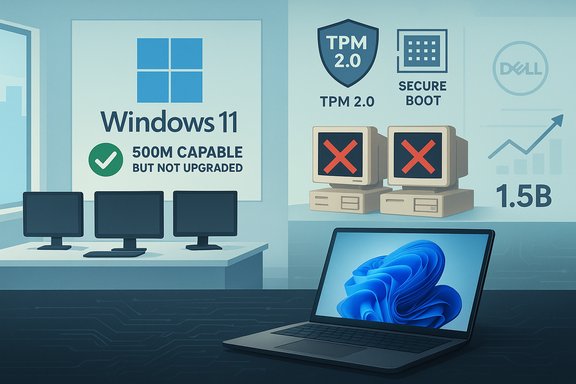
Jeffrey Clarke, Dell’s chief operating officer, told investors that the installed Windows PC base is roughly 1.5 billion units and that “about 500 million” of those can run Windows 11 but haven’t been upgraded. He added that another 500 million devices are about four years old and cannot meet Windows 11’s hardware gate. Dell framed this split as both a constraint and an opportunity — a durable installed base that could justify future refresh cycles and AI‑oriented PC sales, yet one that is proving stubborn in the near term.
At the same time, Microsoft has publicly used scale language around Windows 11 — most notably describing the platform as approaching or supporting nearly a billion people. That marketing shorthand conveys momentum, but it is also ambiguous: “nearly a billion” does not announce whether Microsoft refers to monthly active devices, licensed seats, or some composite metric. The tension between Dell’s field‑level numbers and Microsoft’s platform framing is what turned a routine earnings remark into a headline.
But the same numbers also create friction for Microsoft. Vendor and enterprise skepticism about Windows 11’s benefits, paired with Microsoft’s insistence on stricter security baselines, produced a migration calculus where many buyers don’t see a clear enough ROI to justify immediate upgrades.
Many OEMs and IT teams can enable TPM/fTPM or Secure Boot on machines where the firmware supports it but shipped with defaults off. However, the most consequential exclusions come from processor lists and CPU microcode support — mid‑cycle chips and older server/workstation lines frequently fall out of scope. The net effect is a structural split between upgradeable and replacement‑required machines.
The practical consequences for organizations that continue on Windows 10 without ESU or compensating controls include:
That pitch will resonate with high‑value knowledge‑worker segments, but it misses the heart of the holdout population:
Microsoft’s risk is two‑fold. First, the perception that Windows 11 adoption lags can undermine the narrative that the platform is the default standard for new enterprise software. Second, if a sizable installed base resists migration, Microsoft must either provide long‑term support or tolerate fragmented security across its ecosystem — both politically and operationally costly outcomes.
Microsoft’s “nearly a billion” language serves marketing and partner alignment purposes but does not negate the operational friction Dell described. The industry will likely see a sustained era of incremental refreshes, targeted ESU purchases, selective cloud desktop adoption, and a robust secondary market for refurbished machines.
For OEMs and the channel, the next 18–36 months are an opportunity to deliver migration services, sustainability programs, and demonstrable AI value — but success depends on convincing buyers that the benefits of an upgrade meaningfully exceed the costs. For Microsoft, clarity in metrics and demonstrable, administratively simple security benefits will be essential to turn marketing momentum into real, durable adoption.
The headline numbers matter because they force an important recalculation: a billion‑device problem is not only about hardware or software; it’s about procurement cycles, risk tolerance, and whether the promise of on‑device AI, security, and productivity is compelling enough — right now — to move organizations that have decided “good enough” is still good enough.
Source: The Tech Buzz https://www.techbuzz.ai/articles/500m-pcs-refuse-windows-11-upgrade-despite-compatibility/
 Background: the headline from Dell and the marketing counterpoint
Jeffrey Clarke, Dell’s chief operating officer, told investors that the installed Windows PC base is roughly 1.5 billion units and that “about 500 million” of those can run Windows 11 but haven’t been upgraded. He added that another 500 million devices are about four years old and cannot meet Windows 11’s hardware gate. Dell framed this split as both a constraint and an opportunity — a durable installed base that could justify future refresh cycles and AI‑oriented PC sales, yet one that is proving stubborn in the near term.At the same time, Microsoft has publicly used scale language around Windows 11 — most notably describing the platform as approaching or supporting nearly a billion people. That marketing shorthand conveys momentum, but it is also ambiguous: “nearly a billion” does not announce whether Microsoft refers to monthly active devices, licensed seats, or some composite metric. The tension between Dell’s field‑level numbers and Microsoft’s platform framing is what turned a routine earnings remark into a headline.
Overview: what the numbers actually mean
A quick unpacking of the Dell figures shows why they matter.- The installed base: Dell referenced an installed base of roughly 1.5 billion Windows devices. That’s the universe economists, OEMs, and software vendors watch to estimate upgrade demand.
- The “500M can, but won’t” cohort: These are PCs that meet Microsoft’s Windows 11 system requirements — meaning they have the necessary UEFI/secure‑boot firmware, TPM 2.0 (or firmware TPM), supported CPU generation, and the basic storage/RAM minimums — but remain on Windows 10 by choice or logistical inertia.
- The “500M can’t” cohort: These are machines — often four years old or older — that fail at least one of the critical Windows 11 checks (TPM 2.0, Secure Boot, or CPU compatibility) and therefore require hardware replacement or a validated OEM/firmware intervention to upgrade.
Why Dell’s framing is strategically important
For OEMs and channel partners, the framing matters because it converts upgrade friction into a sales narrative. Dell’s message to investors was explicit: while near‑term unit growth will be “roughly flat,” the aggregate replacement opportunity tied to Windows 10’s sunset and the push to AI‑ready hardware gives OEMs a multi‑year runway for monetizing refreshes, trade‑ins, and migration services.But the same numbers also create friction for Microsoft. Vendor and enterprise skepticism about Windows 11’s benefits, paired with Microsoft’s insistence on stricter security baselines, produced a migration calculus where many buyers don’t see a clear enough ROI to justify immediate upgrades.
Technical gatekeeping: what Windows 11 requires — and why it excludes so many devices
Windows 11 intentionally raised the bar compared to Windows 10. The stated minimums include:- A compatible 64‑bit processor with required extensions and a minimum clock/core baseline.
- UEFI firmware with Secure Boot capability.
- Trusted Platform Module (TPM) version 2.0 — discrete or firmware/fTPM.
- At least 4 GB RAM and 64 GB storage (practical deployments generally recommend more).
- DirectX 12–compatible graphics with a WDDM 2.0 driver.
Many OEMs and IT teams can enable TPM/fTPM or Secure Boot on machines where the firmware supports it but shipped with defaults off. However, the most consequential exclusions come from processor lists and CPU microcode support — mid‑cycle chips and older server/workstation lines frequently fall out of scope. The net effect is a structural split between upgradeable and replacement‑required machines.
Behavioural and economic drivers of upgrade resistance
Hardware compatibility explains part of the story. The other, equally powerful factor is human economics:- Upgrade fatigue: Enterprises and consumers have endured multiple major OS transitions over the last decade. After pandemic‑era refreshes and longer device lifespans, many organizations prefer to defer upgrades until a device hits end‑of‑life or performance degradation forces replacement.
- Low perceived incremental value: Features such as UI polish, window management, and integrated AI assistants (Copilot features) are valuable, but many IT decision‑makers judge that they don’t justify the downtime, validation, and retraining costs across fleets.
- Application compatibility and validation windows: Large enterprises require vendor certifications and lengthy test cycles before approving a new desktop OS. These cycles lengthen migration timelines even when hardware is compatible.
- Capital planning and macroeconomics: Budget cycles, cost control, and other capital priorities (servers, network upgrades, cloud migrations) can push endpoint refreshes down the list.
Microsoft’s messaging vs. marketplace reality
Microsoft’s public messaging — the “nearly a billion” figure for Windows 11 scale — is powerful marketing. It signals the platform’s breadth to ISVs and OEMs and sets expectation anchors for partners. But marketing shorthand and install base reality are different things.- Ambiguity in metrics: Terms like “rely on,” “active devices,” and “approaching a billion” are malleable unless Microsoft publishes a specific device KPI (monthly active devices, monthly active users, or distinct licensed devices). Without a clear definition, comparisons with OEM field data will always leave room for dispute.
- Perception management: Microsoft’s narrative privileges momentum and platform advantage. Dell’s investor call privileged immediate upgrade economics for hardware sales and services. Both narratives can be true in parallel — but they speak to different audiences with different objectives.
Security, compliance, and risk: what staying on Windows 10 actually costs
Windows 10’s end‑of‑support milestone (October 14, 2025) materially changes the calculus for organizations that delay migration. After end of support, routine security and quality updates for the typical Windows 10 channel stop — although Microsoft offered time‑boxed Extended Security Update (ESU) options to provide breathing room.The practical consequences for organizations that continue on Windows 10 without ESU or compensating controls include:
- Increased exposure to unpatched zero‑days and exploit frameworks.
- Heightened regulatory and audit risk for industries subject to compliance standards.
- Potential loss of vendor support for critical applications that will move forward with Windows 11 as the supported platform.
The environmental and social costs of a forced refresh
A potential flood of hardware replacements raises immediate environmental considerations. Replacing hundreds of millions of devices is not neutral:- E‑waste burden: Rapid device turnover increases recycling and disposal needs, straining downstream reclamation infrastructures and raising lifecycle carbon impact.
- Equity implications: Regions and user groups with tighter budgets will find the hardware bar exclusionary, potentially widening a digital divide.
- Sustainability economics: OEMs can soften the blow with trade‑in, refurbish-and‑resell programs, or device lifecycle services — but these require scale, logistics, and transparent reporting to be credible.
The rise of “AI PCs” and why the pitch may miss the holdouts
OEMs and Microsoft are positioning Windows 11 as the conduit for on‑device AI experiences: Copilot integrations, NPU/MPU optimizations, and improved local model inference. Dell explicitly mentioned AI PCs and NPUs as long‑term drivers.That pitch will resonate with high‑value knowledge‑worker segments, but it misses the heart of the holdout population:
- Many of the 500M “can but won’t” users are indifferent to AI features; their priorities are cost, stability, and compatibility.
- A large subset of the “can’t” cohort could achieve adequate AI experience with cloud‑backed desktops or inexpensive edge accelerators — but that requires architecture changes and recurring costs, not one‑time upgrades.
- For AI features that truly require local NPU hardware, replacement is the only path; for others, Microsoft and OEMs must prove measurable productivity gains to overcome resistance.
The enterprise playbook: practical steps CIOs and IT leaders should adopt
The migration window is not a single event; it’s a multi‑quarter program that needs discipline. A practical, prioritized playbook includes:- Inventory and classify
- Run an authoritative hardware and firmware audit across the fleet.
- Classify endpoints: upgrade‑eligible (firmware toggles only), upgradeable with vendor firmware updates, and replacement‑required.
- Risk‑based prioritization
- Replace or isolate devices that support sensitive workloads or remote access first.
- Defer low‑risk endpoints to later tranches where ESU or other mitigations can cover interim risk.
- Use ESU strategically
- Buy ESU coverage only where budget or application timelines require it. Treat ESU as a targeted bridge, not a permanent plan.
- Pilot AI‑PC value
- Run narrow Copilot+/AI‑PC pilots where measurable KPIs (time saved, tasks automated) can be quantified before broader rollouts.
- Consider hybrid desktop models
- For constrained budgets, evaluate Windows 365 Cloud PC or VDI to give users Windows 11 experiences without rip-and‑replace.
- Build a sustainability plan
- Include trade‑in, refurbishment, and certified recycling in procurement contracts and report outcomes to governance stakeholders.
Risks and second‑order effects for Microsoft, OEMs, and the channel
The Dell numbers and the broader adoption friction create strategic risks:- Fragmentation risk: If large numbers of users run unsupported installs, patching complexity and telemetry noise undermine ecosystem security.
- Reputational risk: Heavy‑handed upgrade nagging or poorly handled feature gating can erode trust among consumers.
- Channel distortion: OEMs may pursue short‑term refresh promotions that accelerate device churn without delivering long‑term customer value.
- Unofficial workarounds: A portion of the installed base will seek registry hacks or unsupported installers to run Windows 11. Those installs move outside normal support ecosystems and complicate telemetry and security posture for everyone.
What Dell gains — and what Microsoft risks
Dell’s positioning is straightforward: slow migration equals an addressable replacement market. The company can monetize migration services, device bundles, and AI infrastructure sales linked to an eventual refresh wave.Microsoft’s risk is two‑fold. First, the perception that Windows 11 adoption lags can undermine the narrative that the platform is the default standard for new enterprise software. Second, if a sizable installed base resists migration, Microsoft must either provide long‑term support or tolerate fragmented security across its ecosystem — both politically and operationally costly outcomes.
Recommendations for consumers and enthusiasts
- Check compatibility: Use vendor tools to confirm TPM 2.0, Secure Boot, and CPU compatibility before investing in a new device.
- Evaluate real needs: If you don’t need on‑device AI or Copilot features, a well‑configured Windows 10 device under ESU (if chosen) or Linux conversion may be sensible short‑term paths.
- Consider refurbished options: Certified refurbished Windows 11 machines can bridge cost gaps while reducing environmental impact.
- Avoid unsupported hacks: Installing Windows 11 via unofficial workarounds may remove vendor updates or later compatibility support; it’s a risky path for mission‑critical devices.
Final analysis: a messy middle ground, not a cliff
Dell’s earnings‑call framing — 500 million capable holdouts and 500 million hardware‑blocked devices — is a blunt and useful reality check. The contemporary Windows upgrade cycle is not a single migration event; it is a multi‑year program shaped by hardware compatibility gates, economic priorities, and buyer psychology.Microsoft’s “nearly a billion” language serves marketing and partner alignment purposes but does not negate the operational friction Dell described. The industry will likely see a sustained era of incremental refreshes, targeted ESU purchases, selective cloud desktop adoption, and a robust secondary market for refurbished machines.
For OEMs and the channel, the next 18–36 months are an opportunity to deliver migration services, sustainability programs, and demonstrable AI value — but success depends on convincing buyers that the benefits of an upgrade meaningfully exceed the costs. For Microsoft, clarity in metrics and demonstrable, administratively simple security benefits will be essential to turn marketing momentum into real, durable adoption.
The headline numbers matter because they force an important recalculation: a billion‑device problem is not only about hardware or software; it’s about procurement cycles, risk tolerance, and whether the promise of on‑device AI, security, and productivity is compelling enough — right now — to move organizations that have decided “good enough” is still good enough.
Source: The Tech Buzz https://www.techbuzz.ai/articles/500m-pcs-refuse-windows-11-upgrade-despite-compatibility/
