

Microsoft’s Copilot just added a quietly default‑on switch that lets the assistant harvest cross‑product usage signals — including searches and browsing activity from Edge, Bing, and MSN — to populate its Memory and personalize replies, and you should check and consider turning this off now if you care about privacy or corporate compliance.
Microsoft has steadily woven Copilot into Windows, Edge, Bing and the broader Microsoft ecosystem. The company describes Copilot as a family of generative‑AI experiences that use conversation history and other signals to provide personalized assistance. As part of that personalization, Copilot exposes a Memory feature intended to remember user preferences, past requests and context so the assistant feels less repetitive and more useful over time. Microsoft’s privacy documentation confirms Copilot can use product and account signals to tailor responses, and notes different data flows are governed by product‑specific controls.
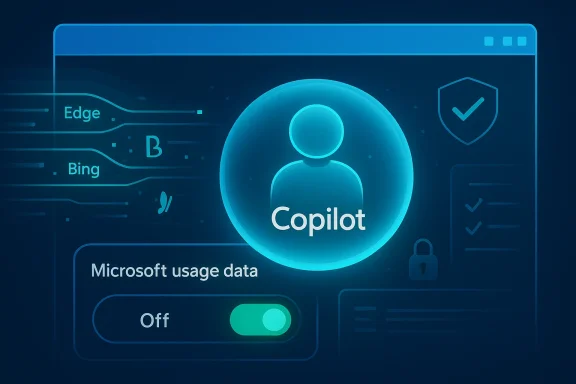
In mid‑February 2026 independent testers and reporting outlets discovered a new toggle in Copilot’s Settings → Memory labeled along the lines of “Microsoft usage data” or “Allow Copilot to use data from Bing, MSN, Edge, and other Microsoft products you’ve used.” Several outlets verified the control and reported it appears to be enabled by default in many accounts. That default‑on state means many users who never inspect Copilot’s privacy menus may already be seeding cross‑product signals into Copilot’s memory without realizing it.
This revelation triggered a wave of coverage and community concern because the setting broadens the scope of what Copilot can take into account when generating answers — and because the on‑screen wording is a high‑level description, not a field‑by‑field inventory of the exact attributes that will be imported. That ambiguity matters: product‑usage signals can be behavioral and contextual (search queries, visited topics, app usage) but industry reporting has speculated that browser history and other rich signals could be included. Microsoft says this usage data is used for personalization and is not used to train its foundational models, but the company’s public documentation also differentiates conversational/training opt‑outs from Memory/personalization controls, so there are multiple, separate switches and policies administrators and users must check.
This is an operational reality: even when you disable a client‑level toggle, future updates can change where or how settings are surfaced. Regularly auditing privacy settings and having documented device hardening playbooks is the practical path forward.
Conclusion
Copilot’s expanded Memory ingestion across Microsoft products is a convenience with an immediate governance cost. The right move for anyone who is privacy‑conscious or responsible for compliance is to turn the Microsoft usage data toggle off, delete any memory you don’t want retained, and then monitor account and tenant behaviors. Microsoft provides tools to opt out, but it hasn’t yet removed the need for vigilance — and that is a responsibility every user and admin should accept now.
Source: Inbox.lv It's Dangerous: This Windows Feature Should Be Disabled Immediately
 Background / Overview
Microsoft has steadily woven Copilot into Windows, Edge, Bing and the broader Microsoft ecosystem. The company describes Copilot as a family of generative‑AI experiences that use conversation history and other signals to provide personalized assistance. As part of that personalization, Copilot exposes a Memory feature intended to remember user preferences, past requests and context so the assistant feels less repetitive and more useful over time. Microsoft’s privacy documentation confirms Copilot can use product and account signals to tailor responses, and notes different data flows are governed by product‑specific controls.In mid‑February 2026 independent testers and reporting outlets discovered a new toggle in Copilot’s Settings → Memory labeled along the lines of “Microsoft usage data” or “Allow Copilot to use data from Bing, MSN, Edge, and other Microsoft products you’ve used.” Several outlets verified the control and reported it appears to be enabled by default in many accounts. That default‑on state means many users who never inspect Copilot’s privacy menus may already be seeding cross‑product signals into Copilot’s memory without realizing it.
This revelation triggered a wave of coverage and community concern because the setting broadens the scope of what Copilot can take into account when generating answers — and because the on‑screen wording is a high‑level description, not a field‑by‑field inventory of the exact attributes that will be imported. That ambiguity matters: product‑usage signals can be behavioral and contextual (search queries, visited topics, app usage) but industry reporting has speculated that browser history and other rich signals could be included. Microsoft says this usage data is used for personalization and is not used to train its foundational models, but the company’s public documentation also differentiates conversational/training opt‑outs from Memory/personalization controls, so there are multiple, separate switches and policies administrators and users must check.
What the new Copilot setting actually is
The visible control
- Location: Copilot web UI (copilot.microsoft.com) and in some Copilot clients (Edge sidebar, Windows Copilot app) under Settings → Memory (or Personalization depending on the client).
- Label (typical on‑screen copy): something along the lines of “Let Copilot use data from Bing, MSN, Edge, and other Microsoft products you’ve used.”
- Default: Reported turned on by default for many accounts and rollouts.
What Microsoft says it does
Microsoft’s product statements and privacy materials describe the setting as allowing Copilot to surface cross‑product usage data to make answers more relevant to you — for example by remembering preferences or leveraging prior searches. The company emphasizes the usage signals are for personalization and, according to the product messaging around this toggle, are not used to train Microsoft’s base AI models. However, Microsoft’s privacy documentation also notes that conversational data and other categories can be used for model improvement in some markets unless the user opts out separately, so the relationship between different controls is important to understand.What remains ambiguous or unverified
- Microsoft’s UI language is high level and does not publish a complete, field‑level inventory. Reporting and community tests say the toggle invites Copilot to use signals from Edge, Bing and MSN, but Microsoft has not released a public breakdown that lists exactly whether items like cookies, complete URL histories, full cookie stores, or third‑party cookie values are imported into Memory. Multiple outlets have speculated browsing activity could be part of the signals, but that specific claim is not fully verified by Microsoft’s public documentation. Treat any claims about precise fields (e.g., “Copilot is ingesting cookies”) as plausible but not conclusively documented.
Why this matters — risks, tradeoffs, and concrete examples
Privacy and personal data exposure
The Memory feature is designed to store personal preferences and context. If Copilot can now absorb cross‑product signals, that increases the surface area of what the assistant knows about you. Potential problematic examples:- A history of searches about medical symptoms or a visited health portal could bias Copilot’s personalized responses or inadvertently expose sensitive context in subsequent chats.
- Browsing patterns captured by Edge (topics, news interests, visited sites) could change what Copilot suggests or remembers about you.
- If a user signs in with a Microsoft account that’s used across personal and work contexts, the mixing of signals can create accidental data blending.
Corporate compliance and data governance
Enterprises and IT admins must treat this change as a governance issue. Memory items created by Copilot in Microsoft 365 contexts can be subject to tenant retention and discovery policies; conversely, consumer Copilot memories live in account‑scoped stores. Admins should verify whether tenant policies, data loss prevention (DLP) rules and eDiscovery obligations are sufficient to prevent sensitive corporate data from being accidentally absorbed into consumer‑style personalization stores. Community reporting and forum conversations reflect that admins are already asking for and testing removal and kill‑switch options.Security and attack surface
Any system that aggregates cross‑product signals can be abused if attackers gain account access. Aggregated memories could help a social engineering attack by revealing user preferences, writing styles, or common queries. The feature also raises potential concerns for shared devices, multi‑user machines, and any context where a Microsoft account is shared or reused.Usability tradeoffs
Turning the toggle off will reduce cross‑product personalization and may make Copilot feel less tailored or helpful. Microsoft and testers both note disabling this feature can reduce the assistant’s ability to recall past facts and preferences — a classic privacy/usability tradeoff. That said, many users will prefer conservative privacy settings over marginal personalization gains.How to check and disable the setting (step‑by‑step)
If you want to stop new cross‑product signals from flowing into Copilot’s Memory, follow this two‑step process. The UI text can vary slightly by client; these steps use the Copilot web UI as the canonical location where the control appears.- Sign in to Copilot:
- Open Copilot in your browser (sign in with the Microsoft account you use for Copilot).
- Open Settings:
- Click your profile avatar and choose Settings.
- Open Memory/Personalization:
- Select the Memory (or Personalization) tab where Copilot lists memory features.
- Toggle off “Microsoft usage data”:
- Find the switch phrased like “Let Copilot use data from Bing, MSN, Edge, and other Microsoft products you’ve used” and switch it Off to stop future ingestion.
- Purge existing memory (optional but recommended if you want a clean slate):
- Click Delete all memory (or similarly named delete/purge control). Turning the toggle off does not always erase what Copilot has already stored — deletion is usually a separate action. Confirm the deletion if prompted.
- Repeat for each account and client:
- If you sign in with multiple Microsoft accounts or use Copilot in different clients (mobile, Edge, Windows app), repeat the check per account and per client. Some apps expose the same control in slightly different locations.
Hardening steps for privacy‑minded users and IT teams
Turning off the toggle is the immediate action for individuals. For a more comprehensive approach, consider the following layered mitigations.- Individual user steps:
- Disable Microsoft usage data in Copilot Memory and then Delete all memory to purge stored personalization signals.
- Review the Microsoft privacy dashboard (account privacy settings) and check other product sync settings (Edge sync, Bing history). Clearing synced browsing history in Edge can reduce cross‑product signals.
- Use separate Microsoft accounts for personal and work activities. Avoid using a single account across sensitive professional applications and general browsing.
- If you prefer heavy isolation, consider disabling Copilot at the device level (Edge panel or Copilot app) or removing the Copilot front end where possible. Community tools and scripts exist that expose and toggle Copilot features, and Microsoft has started offering admin controls to remove or limit the consumer Copilot app in managed environments.
- IT and enterprise actions:
- Review Microsoft 365 tenant Copilot governance docs and the admin controls for Copilot memory, connected experiences, and retention. Make sure DLP and eDiscovery policies are correctly scoped to prevent accidental leakage into consumer‑style personalization stores.
- Consider applying Group Policy or provisioning controls where available. Microsoft has published targeted admin options and, in Insider builds, a Group Policy (RemoveMicrosoftCopilotApp) that can remove the consumer Copilot front end under specific conditions. Use supported governance controls rather than undocumented hacks.
- Audit sign‑in and sync policies for Edge and associated services. Restrict browser sync on high‑risk or managed endpoints to reduce cross‑product signals being associated with corporate accounts.
Detection and monitoring: what defenders should watch for
- Review logs for unexpected Copilot activity: In enterprise contexts, watch tenant logs and audit trails for Copilot auth events, memory deletions, and connected app links. Memory ingestion events may not be surfaced as explicit telemetry in all products, so require combined auditing of account sign‑ins, Edge sync events, and Copilot admin logs.
- Monitor account linking and cross‑product consent statuses: Automated detection that flags when users enable cross‑product sharing can surface widespread opt‑ins that might violate policy.
- Include Copilot Memory in tabletop exercises: Simulate scenarios where sensitive data ends up in Copilot memory and verify deletion and retention behaviors to ensure legal and regulatory obligations are satisfied.
Assessing Microsoft’s assurances
Microsoft’s public privacy materials and product statements state that product usage data collected for personalization is not used to train foundational AI models and that users have controls to opt out. Those are meaningful assurances, but two practical caveats matter:- There are separate controls for Memory/personalization versus model‑training opt‑outs. Turning off Memory ingestion does not necessarily toggle off other uses of conversational data; users may need to adjust additional settings on the privacy dashboard if they want broader protections.
- The company’s UI language is intentionally high level. Microsoft has not published a field‑by‑field spec that enumerates exactly which telemetry attributes are eligible for Memory ingestion under the “Microsoft usage data” toggle. That leaves ambiguity for privacy auditors and security teams. Until Microsoft provides a precise inventory, assume the setting can import behavioral and contextual signals — and treat fine‑grained claims like “Copilot ingests cookies” as plausible but not conclusively proven.
Community context and operational quirks
The Copilot rollout history contains user pushback, occasional re‑enablement reports, and a chorus of community tools aiming to expose and remediate Copilot integrations. Windows and IT communities have already discussed instances where Copilot options reappear, and admins have been asking for more deterministic controls to manage or remove the consumer Copilot front end on managed fleets. Microsoft has started to respond by adding admin‑facing controls in Insider channels, but many enterprise customers want clearer, permanent policy gates.This is an operational reality: even when you disable a client‑level toggle, future updates can change where or how settings are surfaced. Regularly auditing privacy settings and having documented device hardening playbooks is the practical path forward.
Practical decision matrix — when to turn it off (and when you might keep it on)
- Turn it off if:
- You handle sensitive personal data (health, finance) and want to minimize cross‑product profile building.
- Your Microsoft account is used for both work and personal tasks, and you want strict separation.
- You’re an admin responsible for compliance, legal discovery obligations, or DLP regimes that require tightened controls.
- Consider leaving it on if:
- You rely heavily on Copilot’s personalization (saved preferences, recurring tasks) and accept the privacy tradeoff.
- You use a separate, dedicated Microsoft account for casual personal use and are comfortable with tailored suggestions.
- In all cases:
- Be aware that turning the toggle off is only part of the story — use Delete all memory if you want to purge what Copilot has already ingested.
What Microsoft should do (and what users should demand)
- Publish a precise, field‑level schema of what “Microsoft usage data” can include so privacy officers can make informed decisions.
- Offer a single, clearly labeled privacy dashboard page that shows per‑product contributions to Copilot Memory and allows selective deletion.
- Give enterprise admins a central reporting and enforcement API for Copilot memory and connected experiences, plus a supported, simple kill‑switch for consumer Copilot on managed fleets.
- Clarify the relationship between Memory/personalization toggles and model‑training opt‑outs in plain language and put both controls in the same privacy flow for transparency.
Final verdict and recommended next steps
Microsoft’s Copilot Memory toggle that imports cross‑product usage is an important convenience feature for people who want hyper‑personalized AI assistance. But because it is reported to be default‑on and because the UI language is broad rather than field‑specific, it represents a substantive change to the data Copilot can use. For individuals who value privacy, and for compliance‑sensitive organizations, the prudent immediate steps are clear:- Check Copilot Settings → Memory in every Microsoft account you use. If you don’t want cross‑product personalization, toggle Microsoft usage data to Off.
- If you want past items removed, use Delete all memory after disabling the toggle.
- Review Edge sync, Bing history and your Microsoft privacy dashboard and reduce or segregate account usage where necessary.
- IT admins: review tenant Copilot governance controls, consider Group Policy or supported removal options where available, and build an audit process to detect unexpected cross‑product opt‑ins.
Conclusion
Copilot’s expanded Memory ingestion across Microsoft products is a convenience with an immediate governance cost. The right move for anyone who is privacy‑conscious or responsible for compliance is to turn the Microsoft usage data toggle off, delete any memory you don’t want retained, and then monitor account and tenant behaviors. Microsoft provides tools to opt out, but it hasn’t yet removed the need for vigilance — and that is a responsibility every user and admin should accept now.
Source: Inbox.lv It's Dangerous: This Windows Feature Should Be Disabled Immediately
