

Microsoft’s advisory for a spoofing vulnerability affecting Dynamics 365 Field Service (online) is terse, dynamically rendered in the Microsoft Security Update Guide, and — as currently available in public mirrors — leaves important technical details unconfirmed; administrators must treat the vendor page as canonical, prioritize verification of the exact CVE/KB mapping in an interactive browser, and apply recommended updates or compensating controls immediately while assuming a realistic risk model for UI‑level spoofing and social‑engineering-assisted exfiltration.
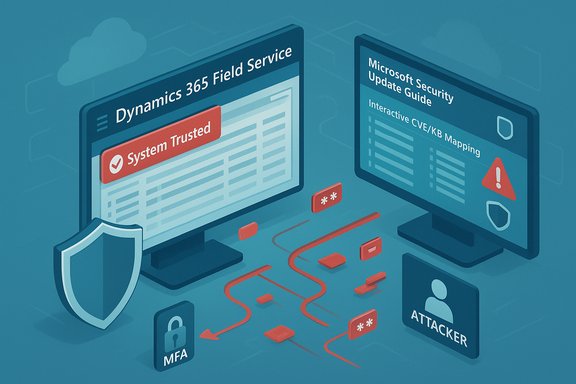
Dynamics 365 and its Field Service offering are mission‑critical SaaS components for many enterprises, combining CRM, scheduling, and remote device telemetry in a cloud service. The reported vulnerability has been classified by vendor and community feeds as a spoofing / presentation‑layer issue — a class of flaws where attacker‑controlled content or metadata is rendered in a way that appears legitimate to end users or automation, enabling credential harvesting, approval of malicious actions, or abuse of automation connectors. Public advisories and community mirrors emphasize the need to treat the Microsoft Security Response Center (MSRC) entry as the authoritative source for the precise CVE/KB mapping and patch artifacts because the MSRC update guide is delivered as a JavaScript app and can appear incomplete when scraped.
Spoofing vulnerabilities do not typically permit remote code execution by themselves, but they are dangerous because they exploit human and automation trust. The practical consequences often include targeted phishing, fraudulent approval of connector operations, exposure of tokens or configuration artifacts, and rapid escalation when combined with other weaknesses. Several community advisories note that presentation‑layer issues are low‑technical‑barrier attack primitives with high operational leverage.
Cautionary note: some mirrored trackers and community summaries show inconsistent CVE identifiers and terse technical notes; verify any numeric CVE or KB mapping directly in Microsoft’s advisory before proceeding with change control actions. If you discover environment‑specific indicators of compromise or uncertainty about patch applicability, treat the situation as a potential incident: isolate affected hosts, preserve full logs and forensic images, rotate exposed credentials, and escalate through legal/compliance channels as required.
Source: MSRC Security Update Guide - Microsoft Security Response Center
 Background / Overview
Dynamics 365 and its Field Service offering are mission‑critical SaaS components for many enterprises, combining CRM, scheduling, and remote device telemetry in a cloud service. The reported vulnerability has been classified by vendor and community feeds as a spoofing / presentation‑layer issue — a class of flaws where attacker‑controlled content or metadata is rendered in a way that appears legitimate to end users or automation, enabling credential harvesting, approval of malicious actions, or abuse of automation connectors. Public advisories and community mirrors emphasize the need to treat the Microsoft Security Response Center (MSRC) entry as the authoritative source for the precise CVE/KB mapping and patch artifacts because the MSRC update guide is delivered as a JavaScript app and can appear incomplete when scraped.Spoofing vulnerabilities do not typically permit remote code execution by themselves, but they are dangerous because they exploit human and automation trust. The practical consequences often include targeted phishing, fraudulent approval of connector operations, exposure of tokens or configuration artifacts, and rapid escalation when combined with other weaknesses. Several community advisories note that presentation‑layer issues are low‑technical‑barrier attack primitives with high operational leverage.
What the public records actually confirm
Verifiable facts IT teams should rely on
- The vendor’s Security Update Guide entry is the canonical advisory to confirm the CVE identifier, affected product/service SKUs, and exact KB/patch identifiers. Because the MSRC page is a dynamic web app, administrators should open it interactively from a secure workstation to capture the KB-to-CVE mapping. Automated scrapers and third‑party mirrors sometimes show mismatched CVE tokens or incomplete data.
- Multiple independent community trackers and summaries describe this family of Dynamics/Copilot/assistant vulnerabilities as presentation‑layer spoofing or information‑disclosure issues in the broader Dynamics 365 product family. These aggregators align on the risk posture (spoofing enabling social engineering and token/PII exposure) even when numeric CVE mapping shows discrepancies in third‑party feeds. Treat the MSRC advisory as authoritative while cross‑checking NVD or CVE mirrors once the MSRC entry is stably indexed.
- Vendor guidance, where present, emphasizes apply updates and follow vendor remediation steps as the definitive mitigation. If a vendor patch exists for the environment, apply in test and then stage to production following normal change control. If vendor updates are not yet available for an environment, use compensating controls (IP allow‑lists, WAF, restricted access to management interfaces and connectors) until the patch can be applied.
What is not (yet) publicly verifiable
- Public entries examined in the mirrored/aggregated files do not include a detailed technical root‑cause, step‑by‑step exploit, or publicly disclosed proof‑of‑concept for this specific Dynamics Field Service (online) spoofing item. Where published CVE descriptions are intentionally terse, do not assume there is an easily automated exploit; instead, assume the practical risk stems from deceptive outputs that trick users or automated processes. This is a common vendor posture to limit weapons‑grade detail until most customers can patch.
Technical analysis — how spoofing attacks work in Dynamics/Field Service contexts
Attack surface and primitives
Spoofing in web and cloud management surfaces typically relies on one or more of the following primitives:- Content provenance confusion: the UI shows a “source” or “trusted” label that can be influenced by attacker‑controlled inputs, leading users to trust a malicious instruction.
- Malformed or crafted payloads that cause a dashboard, alert, or assistant to display attacker content with visual trust markers (e.g., “system” banners, internal links).
- Automation or connector abuse: a spoofed message prompts an operator to approve a connector, paste a configuration snippet, or follow a link that triggers a downstream automated action. Spoofing accelerates these flows because the operator believes the prompt is legitimate.
Common exploitation chains in practice
- Attacker injects malicious content into a location the assistant or dashboard ingests (shared repo, attachment, URL).
- The assistant/dashboardsummarizes or displays that content with apparent provenance or internal trust indicators.
- An operator follows the suggested action — clicks a link, copies a snippet, approves an automation — which either exfiltrates credentials or triggers privileged automation.
- The attacker uses harvested tokens or the automated action to escalate access or move laterally.
Affected components and scope — what to check in your environment
Dynamics 365 Field Service (online) considerations
- Confirm whether your tenant uses Field Service modules with any custom connectors, Power Automate flows, or automation that executes actions on behalf of users or service principals. These connectors are the typical amplification vector for spoofed UI content. If a Field Service instance has external content ingestion points (attachments, third‑party integration, schedule/import templates), prioritize those for inspection.
- Because the MSRC update guide may map different CVE tokens for cloud and on‑prem branches and community mirrors have shown mismatches in past disclosures, verify the service‑channel mapping (online SaaS vs on‑premises build numbers) in the MSRC advisory before applying any on‑premises KBs. Do not assume an on‑premises KB applies to a tenant‑hosted online service or vice versa.
Inventory checklist (priority order)
- Identify Field Service tenants, add‑ons, and admin accounts with approval rights.
- List all Power Automate flows, connectors, and service principals that can act on Field Service data.
- Tag any content ingestion endpoints (file shares, uploaded attachments, third‑party integrations).
- Determine whether Field Service dashboards or assistants render external content as clickable artifacts or “trusted” links.
- Note whether automation workflows are configured to run on single-click approvals or tenant‑wide triggers.
Mitigation and remediation — immediate and longer‑term steps
Immediate (0–72 hours)
- Verify the MSRC Security Update Guide entry interactively and map the CVE to the relevant KB/package for your environment. Capture the KB number and package details for your change control records. Because MSRC pages render dynamically, use a secure admin workstation and copy the vendor’s KB text directly.
- If a vendor patch is available, apply it in a test environment first, exercise integrations and customizations, then stage to production. Confirm patch applicability against your tenant/build.
- If a patch is not yet available or rollout will be delayed, implement compensating controls:
- Restrict management UI access by IP allow‑lists or VPN.
- Place a Web Application Firewall (WAF) in front of external endpoints and tune rules to block suspicious long/encoded payloads and repetitive enumeration patterns.
- Enforce MFA on admin, service, and privileged accounts; reduce session token lifetimes where practical.
- Temporarily tighten approval workflows: require out‑of‑band verification for connector approvals or configuration changes.
Detection and hunting (practical guidance)
- Search logs for repeated, small‑delta substring queries, long encoded query strings, or unusual export jobs. Enumeration patterns often manifest as a sequence of incremental substring queries (e.g., startswith attempts).
- Feed IIS, application, and connector logs into your SIEM and create rules for:
- Unusual spikes in read operations for sensitive entities (contacts, notes, tokens).
- Repeated requests from a single client targeted at specific fields or entities.
- Outbound connections originating from application runtime contexts that are atypical.
- Preserve forensic evidence (full images, logs) if you detect suspicious activity during the vulnerable window. Rotate potentially exposed tokens and credentials immediately and document rotation actions for compliance.
Longer term (weeks → months)
- Harden UI provenance: prefer UX designs that explicitly cryptographically bind content to verified origins where possible and show clear provenance indicators that are not trivially spoofable by text content.
- Reduce automation blast radius: minimize single-click privileged actions; require multi-party approval for flows that change configuration or run privileged connectors.
- Review sample/fasttrack artifacts for accidental secrets; remove hardcoded example tokens or keys from templates and repositories. Rotate any secrets that may have been reused from sample artifacts.
Practical incident‑response playbook (condensed, operational)
- Confirm advisory on MSRC and map KB/package.
- Inventory affected tenants, connectors, and automation.
- Apply vendor patch in test; validate integrations and customizations.
- If patch delayed, apply compensating controls (WAF, IP allow‑lists, MFA, stricter approvals).
- Hunt logs for enumerative patterns and unusual exports; preserve evidence.
- Rotate affected secrets, notify stakeholders, and prepare notifications as required by regulation.
Strengths, limitations, and risk tradeoffs in the public record
Notable strengths in vendor and community response
- Microsoft’s Security Update Guide remains the authoritative source for KB/package mappings and platform coverage; vendor advisories typically accompany fixes or mitigations and are the correct place to get exact remediation artifacts. Several community writeups correctly emphasize verifying MSRC entries interactively rather than relying on scraped mirrors.
- The community has provided practical hunting and mitigation advice that aligns around the same mitigations (patch quickly, restrict exposure, harden automation approvals), giving defenders a consistent operational path even when technical details are sparse.
Significant limitations and operational risks
- The vendor’s terse advisory posture leaves gaps for defenders: no published exploit recipe, and multiple third‑party mirrors show CVE token mismatches when MSRC’s dynamic page is scraped. This increases confusion and risks misapplied patches (for example, applying an on‑prem KB to a cloud tenant). Administrators must confirm the mapping interactively.
- Spoofing vulnerabilities are especially hazardous because they target human trust and automation flows — low‑skill attackers can achieve outsized results if they successfully trick operators or automation. The bar for exploitation is low compared to memory‑corruption bugs, and the scale is high because a single deceptive UI can reach many users or trigger tenant‑wide automations.
- Public metadata and CVSS vectors in third‑party feeds sometimes disagree; this is often a function of incomplete scraping or mirrored content. Where precision matters (regulatory notifications, patch schedules), vendors’ KB texts and update catalogs should be used to resolve ambiguities.
What defenders must not assume
- Do not assume an absence of a public PoC equals low risk. Spoofing leverages human behavior; even without a technical exploit, attackers can weaponize deceptive outputs at scale. Treat the lack of public PoCs as an information‑gap rather than safety.
- Do not apply patches indiscriminately across service types without verifying the MSRC‑to‑KB mapping. Cloud (online) vs on‑premises servicing often require different remediation artifacts. Confirm build numbers and KB applicability before mass deployment.
Conclusion — pragmatic posture for WindowsForum readers
Treat the Dynamics 365 Field Service (online) spoofing advisory as an urgent operational priority: verify the MSRC Security Update Guide entry interactively, map the correct KB/package for your environment, and either apply the vendor patch or harden your tenant with compensating controls (WAF, IP allow‑lists, MFA, stricter approval controls) while you validate the update in a test environment. Hunt proactively for signs of enumeration, unusual exports, or connector misuse, rotate any suspect secrets, and document decisions for compliance and incident reporting. The vendor‑driven, cautious disclosure style means defenders must act on operational assumptions — that spoofing is low‑cost to attackers and high‑impact in practice — rather than awaiting granular exploit details.Cautionary note: some mirrored trackers and community summaries show inconsistent CVE identifiers and terse technical notes; verify any numeric CVE or KB mapping directly in Microsoft’s advisory before proceeding with change control actions. If you discover environment‑specific indicators of compromise or uncertainty about patch applicability, treat the situation as a potential incident: isolate affected hosts, preserve full logs and forensic images, rotate exposed credentials, and escalate through legal/compliance channels as required.
Source: MSRC Security Update Guide - Microsoft Security Response Center
