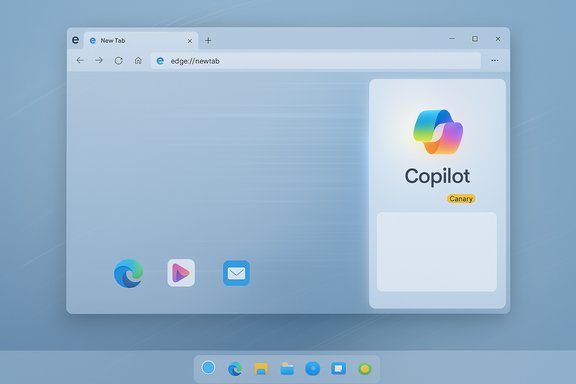
Microsoft’s latest test in Edge Canary quietly signals a shift in the browser’s sidebar strategy: the “Sidebar app list” — the small, convenient launcher that let users pin websites and mini‑apps like Instagram, Spotify and Facebook — is being retired in favor of a Copilot‑centred experience, while Microsoft keeps built‑in tools such as Copilot and Outlook available.
Microsoft introduced the Edge sidebar as a lightweight productivity surface: a narrow column beside the main tab strip that functioned as both a mini app launcher and a hub for built‑in utilities. Early versions let users pin third‑party sites and web apps (effectively Progressive Web Apps, or PWAs) to the sidebar for one‑click access without switching tabs. That behavior gradually merged with native integrations — Bing Chat evolved into Copilot, Office previews appeared, and the sidebar took on a broader role as a productivity dashboard.
The change now visible in Canary appears as an in‑browser notice when users click the “+” button to add sidebar apps: a short message telling users the Sidebar app list is being retired, that new apps can no longer be added, and that the quick‑access list will be removed across future updates — but that Copilot itself is not affected. This notice is currently observed in experimental Canary builds and is rolling out through preview channels before any stable release decision.
Microsoft’s official documentation already gives administrators granular controls over the sidebar — including policies to block or allow sidebar apps and the ability to list built‑in app URLs — which shows the company treats the sidebar as both a user feature and an administrable surface for managed environments. Those policy knobs remain important as the UI evolves.
That model brings real productivity gains when the assistant is reliable, privacy‑respecting and well governed. But the shift also escalates the stakes: mistakes in permissions, brittle automations, or heavy‑handed nudging can quickly erode trust. Microsoft’s engineering will need to balance rapid iteration with careful, transparent controls — especially for enterprise adopters and privacy‑conscious users.
For now, the change is visible in Canary and Dev channels; the final Stable behaviour, exact timelines, and enterprise enablement details remain subject to Microsoft’s staged rollout. Users and IT teams should treat Canary observations as early signals: prepare migration plans, pilot Copilot in controlled groups, and use policy controls where consistency and compliance are required.
Source: Windows Report Microsoft to Retire Sidebar App List in Edge, Focuses on Copilot
 Background
Microsoft introduced the Edge sidebar as a lightweight productivity surface: a narrow column beside the main tab strip that functioned as both a mini app launcher and a hub for built‑in utilities. Early versions let users pin third‑party sites and web apps (effectively Progressive Web Apps, or PWAs) to the sidebar for one‑click access without switching tabs. That behavior gradually merged with native integrations — Bing Chat evolved into Copilot, Office previews appeared, and the sidebar took on a broader role as a productivity dashboard.The change now visible in Canary appears as an in‑browser notice when users click the “+” button to add sidebar apps: a short message telling users the Sidebar app list is being retired, that new apps can no longer be added, and that the quick‑access list will be removed across future updates — but that Copilot itself is not affected. This notice is currently observed in experimental Canary builds and is rolling out through preview channels before any stable release decision.
Microsoft’s official documentation already gives administrators granular controls over the sidebar — including policies to block or allow sidebar apps and the ability to list built‑in app URLs — which shows the company treats the sidebar as both a user feature and an administrable surface for managed environments. Those policy knobs remain important as the UI evolves.
What’s being removed — and what’s staying
Sidebar app list: what it was
- The sidebar app list let users pin websites and web apps to the sidebar for persistent, side‑by‑side access.
- It made multitasking easier by giving quick access to messaging, music, calendar and other frequently used web services without switching the active tab.
What Microsoft says is staying
- Built‑in sidebar tools — Copilot, Outlook, Calculator and other Microsoft‑supplied utilities — remain available in the sidebar. Microsoft has explicitly noted Copilot will not be affected by the retirement of the custom app list; the shift is positioned as simplification to let the team focus on Copilot improvements.
What’s being removed
- The user‑addable quick list — the + / pin flow that let you add arbitrary web pages as sidebar apps — will be disabled for new additions and the existing quick‑access list will be phased out. Users will lose the one‑click in‑sidebar opening of third‑party sites.
Why Microsoft is doing this: product logic and strategy
Microsoft’s moves reflect a persistent strategic thread: make Copilot the primary assistant and discovery surface across Windows, Office and Edge. Several factors explain the motivation:- Distribution and engagement: Shipping Copilot as a first‑class surface in Edge increases daily exposure and creates more opportunities to surface Microsoft services and ecosystem integrations. Edge is, after all, the preinstalled browser on Windows and a natural vector for system‑level features.
- Simplification and telemetry: Reducing UI permutations (few apps vs many user‑added shortcuts) simplifies testing and telemetry for the engineering team and accelerates iterative improvement of the Copilot experience. Canary/Dev channels are actively used to test these trade‑offs.
- Feature consolidation: Microsoft appears to be consolidating overlapping entry points (sidebar apps, Edge Bar, pinned tabs, PWAs) in favour of a smaller number of maintainable, instrumentable surfaces — with Copilot as the anchor. This supports richer, cross‑app features like multi‑tab synthesis and agentic actions that depend on a consistent assistant surface.
What users lose — and alternatives Microsoft recommends
Losing the sidebar app list affects workflows that relied on the sidebar as a quick, always‑visible launch pad. Typical impacts include:- Extra clicks to open commonly used sites that used to live in the sidebar.
- Reduced ability to monitor live web apps (e.g., chat, social feeds, music controls) side‑by‑side with browsing.
- A change in muscle memory for people who used the sidebar as a lightweight app launcher.
- Edge Bar: A separate floating desktop bar that can host pinned apps and websites. It preserves the convenience of a desktop side surface for quick glances and multitasking. Microsoft’s support pages describe how Edge Bar works and how it retains your pinned items across the profile.
- Pinned tabs: Pinning a tab keeps it compact and available within the main browsing UI but consumes tab real estate and is not as unobtrusive as a sidebar lane.
- PWAs: Installing a site as a PWA creates an app‑like window that can be launched from Start or taskbar and behaves like a standalone app. PWAs are the most flexible alternative for replicating app‑like behavior and are cross‑platform friendly. Installing a PWA in Edge is handled through the browser’s apps or address‑bar install affordance.
Practical guidance: how to migrate your sidebar apps today
If you rely on the sidebar app list, here are clear, tested steps to prepare and migrate workflows. These steps work today and will survive the phased retirement.- Install the site as a PWA (best choice for app‑like behavior)
- Open the website in Edge.
- Click the three‑dot menu → Apps → Install this site as an app (or use the install icon in the address bar).
- Pin the installed PWA to taskbar or Start for one‑click access.
- Use Edge Bar to maintain a desktop side surface
- Open Edge → Settings → Sidebar → Enable Edge Bar.
- Move pinned sites to the Edge Bar so they remain available on the desktop even when Edge is minimized.
- Pin tabs for ongoing web services
- Right‑click a tab → Pin. Pinned tabs stay compact and persist across sessions in your profile.
- Export or document your pinned sidebar list
- If you have many pinned sidebar links, create a simple bookmarks folder: open each pinned item and Save → Bookmark → Folder. That folder can become the source-of-truth to rebuild in PWAs or the Edge Bar.
Enterprise and admin implications
The retirement is not purely a consumer UX change — it has measurable effects on managed fleets and compliance:- Group Policy and MDM: Microsoft’s enterprise documentation exposes policies to control whether the sidebar is enabled, and which apps can be opened within it; administrators can block sidebar apps by URL or ID. Those policies remain the authoritative way to manage exposure on managed endpoints. If IT needs to ensure consistent behavior across corporate machines, rely on these controls rather than per‑user toggle instructions.
- Governance of Copilot capabilities: Copilot’s expansion in Edge (including possible keyboard remaps such as F1 opening Copilot in some test builds) increases the governance surface: admins have to consider where Copilot can access page context, how session memory is retained, and how agent‑driven actions should be audited in regulated environments. Early reporting and forum testing show Microsoft is rolling out enterprise‑grade controls, but these are evolving — plan for pilot testing.
- DLP and data flows: When assistants can read page content or act on behalf of users (Copilot Actions), enterprises must confirm DLP rules and logging capture those flows. If your organization prohibits sending internal pages to external services, validate retention, transmission, and opt‑out toggles before enabling Copilot features at scale.
- Audit existing sidebar usage across user groups.
- Identify critical web apps that must remain accessible and assess PWA suitability.
- Update Group Policy/MDM templates: Block or allow sidebar apps by URL or extension ID as required.
- Pilot Copilot behaviour on a controlled fleet and measure telemetry, support impact and data‑loss risks.
Strengths and potential upsides of the change
- Focused investment: By simplifying the sidebar surface and doubling down on Copilot, Microsoft can concentrate engineering efforts on the assistant’s reliability, multi‑tab reasoning and agentic flows that do require a consistent integration surface. Early Canary testing shows features like Copilot Actions and Journeys rely on a stable assistant host to work effectively.
- Reduced UI fragmentation: Removing a customizable app list reduces variant testing and support complexity; Microsoft can iterate faster on Copilot first‑class features while exposing a smaller set of supported access patterns (Edge Bar, PWAs, pinned tabs).
- Better enterprise manageability: With official policies to block or allow sidebar apps (and store built‑in app URLs centrally via sidebar internals), administrators get clearer, supported controls for managed devices.
Risks, trade‑offs and unanswered questions
- Loss of convenience and discoverability: For many users the sidebar app list was a low‑friction way to keep important web apps available. Removing it without a one‑to‑one replacement may frustrate users who relied on the sidebar’s always‑visible nature. The Edge Bar and PWAs are functional alternatives, but neither is an exact UX match.
- Perception of coercion: Pushing Copilot to the forefront risks user perception issues around “nudging” — earlier experiments that surface Copilot in multiple places (address bar, F1, NTP) have raised concerns about over‑surfacing first‑party services. Users who prefer alternate assistants or a minimal browser may interpret the change as coercive.
- Fragmentation across channels: Canary‑only experiments may not reflect final behaviour, but they can become confusing when rolling to Beta and Stable channels. Admins and users should not assume experimental behavior will ship identically.
- Reliability and brittleness of agentic features: Features that let Copilot take multi‑step actions (filling forms, scraping pages) can be brittle on complex pages and require robust permission, confirmation and abort flows. Enterprises that plan to adopt agentic automations must validate reliability and error handling in pilot programs.
- Unverified specifics: The precise rollout timeline, the final stable‑channel behaviour and the full wording of any in‑product notices or migration prompts are not yet uniformly documented by Microsoft. Observations so far come from Canary builds, independent hands‑on reports and community testing; treat early notices as provisional until Microsoft publishes formal release notes.
Recommendations — practical next steps for different users
For casual users
- Use Edge Bar or pin tabs for fast access. If you relied on sidebar apps, try enabling Edge Bar immediately and pin favorite sites to it.
For power users and enthusiasts
- Convert frequently used sidebar pages to PWAs for persistent app‑like behaviour and taskbar/Start presence. Keep a bookmarks folder as a migration snapshot.
For IT administrators
- Inventory sidebar usage across groups.
- Apply Group Policy to control sidebar exposure where required and prepare a migration playbook for users.
- Pilot Copilot features and agentic flows in a controlled environment; validate DLP, auditing and retention for Copilot interactions.
For developers and extension authors
- If you publish a web service that users rely on via the sidebar, prepare a PWA manifest and ensure a smooth install path so customers can continue using your service in a first‑class way after the sidebar list disappears.
The bigger picture: Copilot as a platform bet
Microsoft’s push to center Copilot across shell and browser surfaces is consistent with its broader cloud + AI strategy: unify discovery, instrument usage and provide richer cross‑app automation. The retirement of a minor UI element like the sidebar app list is a small but telling step in a larger migration from scattered shortcuts to a centralized assistant model.That model brings real productivity gains when the assistant is reliable, privacy‑respecting and well governed. But the shift also escalates the stakes: mistakes in permissions, brittle automations, or heavy‑handed nudging can quickly erode trust. Microsoft’s engineering will need to balance rapid iteration with careful, transparent controls — especially for enterprise adopters and privacy‑conscious users.
Conclusion
The retirement of Edge’s Sidebar app list signals a deliberate simplification: Microsoft is pruning a user‑customizable launcher in order to concentrate attention on Copilot and a smaller set of supported access surfaces. The move is defensible from an engineering and product‑strategy view — it reduces fragmentation, speeds iteration on Copilot features, and funnels user journeys onto surfaces Microsoft can instrument more reliably. But it is not without trade‑offs: users who valued the lightweight, always‑visible app lane will need to rebuild workflows using PWAs, pinned tabs or the Edge Bar, and administrators must reassess governance for Copilot features that will remain prominent.For now, the change is visible in Canary and Dev channels; the final Stable behaviour, exact timelines, and enterprise enablement details remain subject to Microsoft’s staged rollout. Users and IT teams should treat Canary observations as early signals: prepare migration plans, pilot Copilot in controlled groups, and use policy controls where consistency and compliance are required.
Source: Windows Report Microsoft to Retire Sidebar App List in Edge, Focuses on Copilot