

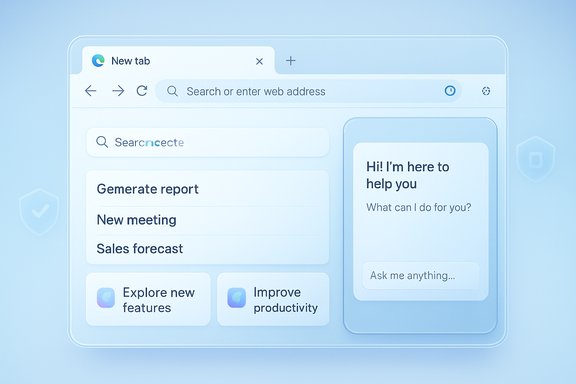
Microsoft is quietly dialing back one of the most persistent UI irritants in Edge: users will soon be able to hide the Copilot icon from the browser toolbar, and a set of related Copilot and Microsoft 365 changes—ranging from a modern New Tab Page to faster PDF review tools and tenant‑level guards—are scheduled to roll out across late 2025 and early 2026.
Overview
Microsoft’s recent updates show two clear tracks: (1) surface Copilot more deeply in the Windows and Edge experiences, and (2) give organisations the controls they need to manage visibility and cross‑tenant data flow. The net result is a push for broader Copilot adoption while providing user and admin controls to pare back exposures and unwanted prompts. Multiple message‑center entries and roadmap items published through 2025 document a wave of Copilot‑centric features — many already in Canary and preview channels — while Microsoft’s admin policy documentation and tenant restriction guidance make it possible for IT teams to set firm boundaries.What’s changing in Edge: hide the Copilot icon, modern New Tab Page, and Canary experiments
You’ll be able to hide the Copilot icon (user and admin controls)
Edge will offer an explicit way to hide the Copilot toolbar icon: the UI path reported is to right‑click the Copilot icon, select “Hide Copilot”, which opens Edge Settings where you can toggle the icon’s visibility. For organisations, the visibility can be controlled centrally using the Microsoft365CopilotChatIconEnabled policy — a clear admin knob that applies to Entra ID Edge profiles and works starting in recent Edge versions. Why this matters:- User hygiene: Many users prefer a minimal toolbar; giving them a supported, consistent way to remove the icon reduces friction and confusion.
- Enterprise control: Admins can prevent Copilot from appearing for managed profiles, avoiding inconsistent experiences across employee machines.
- Policy clarity: The documented policy behavior (enabled = icon visible, disabled = icon hidden, not configured = user toggle available) simplifies planning for IT.
New Tab Page: a “modern” Copilot‑inspired NTP and Canary experiments
Microsoft is testing a redesigned New Tab Page (NTP) in the Edge Canary channel that centers Copilot experiences — a cleaner, Copilot‑first layout with a chat box, suggested searches and “Copilot suggestions” cards. These changes reflect a broader strategy to make Copilot an entry point for search, summaries and tasks directly from the browser start surface. The redesign is available to insiders and is being trialed in Canary before any wide release. Practical notes:- The redesigned NTP can be toggled via Copilot Mode settings in Edge; Microsoft continues to provide opt‑outs for users who prefer the classic NTP.
- Several Canary flags and early builds expose the experimental NTP and additional Copilot suggestions; users who want to try them should expect UI churn and iterative updates.
Microsoft 365 Copilot: file, image and Pages improvements, plus mobile shortcuts
Faster, context‑aware PDF reviews
Microsoft has announced Copilot‑assisted PDF review features that add an “Explain this” context menu and AI actions to speed document review workflows. The rollout described in message‑center summaries stages this capability across OneDrive/SharePoint and Copilot Chat, with targeted rollouts beginning in late 2025 and expected completion in early 2026 in many tenants. The feature lets Copilot explain selected text in natural language and supports custom prompts to refine results without leaving the document. Benefits:- Faster triage: Researchers and reviewers get plain‑language explanations without copy‑pasting.
- Custom prompts: Teams can customize the follow‑up prompt to bias answers toward a role (legal, technical, communications) or output format (bullet list, executive summary).
Image editing and lighting enhancements in Copilot/Create experiences
Microsoft’s roadmap and product updates show a steady expansion of image editing controls inside Windows and Microsoft 365 tools: the Photos app has a new Relight feature (positionable lights, color, intensity) on Copilot+ devices, while Microsoft 365 Copilot roadmap entries list image effects and brand‑aware visual controls for Copilot generated images and visuals. Expect lighting and image‑enhancement primitives to migrate into Copilot Create/Chat experiences, allowing users to edit and enhance lighting of uploaded or generated images without leaving the AI canvas. Why that matters:- Designers and content creators can iterate faster and produce consistent visuals inside Copilot workflows.
- Brand and style enforcement via Copilot’s brand kit features reduce round trips to external editors.
Pages editing and mobile Copilot Shortcuts
Microsoft is expanding Copilot’s reach into Pages (the collaborative Page experience in SharePoint/Loop). Roadmap notes show:- iOS: the ability to edit Pages documents through Copilot Chat.
- Android: new Copilot Shortcuts for Pages to speed mobile editing tasks.
Enterprise hardening: Tenant Restrictions v2 and admin policy moves
Tenant Restrictions v2 (TRv2) for Edge for Business
Microsoft has advanced a new Tenant Restrictions v2 (TRv2) capability intended to block access to unauthorized Microsoft 365 tenants at the browser level. TRv2 is described as a system‑wide guardrail that prevents accidental or malicious cross‑tenant data access from within Edge, helping organisations avoid data leakage across tenant boundaries. The technical documentation explains limitations and deployment considerations for TRv2 and notes that the feature is supported across clouds with a set of caveats for platform SSO and proxy scenarios. Operational impact:- Stronger boundaries: TRv2 enforces tenant access decisions earlier in the request path, reducing risk where multiple tenants and external collaboration are common.
- Compatibility considerations: Some authentication flows and admin tooling (notably certain Entra admin pages and macOS Platform SSO scenarios) may require feature flags or alternate config when TRv2 is enabled.
Admin policy: Microsoft365CopilotChatIconEnabled and the power it gives IT
The Microsoft365CopilotChatIconEnabled policy is the formal control for the Copilot Chat toolbar entry in Edge for Business. The policy applies to Entra ID profiles and is supported in Edge 139 and later; it lets IT teams lock the toolbar icon on or off or leave it unconfigured so users can toggle the icon themselves. This policy clarifies the earlier, sometimes confusing policy landscape where sidebar and Copilot visibility were affected by different legacy flags. Recommended admin steps:- Review current Edge policies and determine whether Copilot should be visible by default for managed profiles.
- If the environment requires consistent UI (for training, compliance, or user experience reasons), set Microsoft365CopilotChatIconEnabled to enabled or disabled as appropriate.
- Communicate changes to users: hiding the icon does not necessarily remove functional access routes (e.g., keyboard shortcuts, sidebars) unless additional settings are changed.
Timeline reality check: what’s confirmed, what’s reported, and what’s uncertain
There’s a mix of official documentation, roadmap entries, and journalistic reporting behind the features described above. To help readers separate firm facts from early reports:- Confirmed / documented:
- The Microsoft365CopilotChatIconEnabled policy exists and controls Copilot icon visibility for Entra ID profiles in Edge version 139+.
- Tenant Restrictions v2 documentation and guidance is published in Microsoft Entra docs; TRv2 is an established engineering direction.
- Roadmap items and message‑center posts detail Copilot image effects, PDF review actions, and Copilot features for Pages and SharePoint; these items document feature intent and staged rollouts.
- Reported / less definitive:
- Specific consumer‑facing rollout months (for example, the claim that certain Edge and Copilot toolbar changes will roll out in February 2026) appear in press reporting and community dashboards and may be tied to Microsoft’s phased availability plan. Timelines are subject to change and can vary by tenant, region and cloud instance. Treat published month claims as planning targets unless confirmed in the Microsoft 365 Message Center for your tenant.
- Unverifiable or evolving:
- Any exact date for a global rollout (down to a day) should be treated cautiously. Microsoft frequently stages rollouts, and Microsoft 365 features are often deployed over weeks or months with tenant‑by‑tenant variation. Where a specific month or week is referenced in third‑party posts, cross‑check with the Message Center or the Copilot release notes for tenant‑level scheduling.
Practical guidance for users and admins
For end users who want a cleaner toolbar
- Right‑click the Copilot icon in the Edge toolbar and choose Hide Copilot (this opens settings where you can toggle visibility). If your toggle is greyed out, your profile may be managed by your organisation and governed by the Microsoft365CopilotChatIconEnabled policy.
- Try the right‑click hide flow first.
- If the option is unavailable, check edge://settings/sidebar or edge://settings/appearance for the Copilot toggle.
- If controls are blocked, contact IT to confirm whether a policy enforces Copilot visibility.
For IT admins planning rollouts and governance
- Evaluate whether Copilot should be visible by default for managed profiles and use Microsoft365CopilotChatIconEnabled to enforce your choice.
- Test Tenant Restrictions v2 in a pilot environment before broad deployment; be aware of platform SSO limitations and admin console quirks (the Entra admin center may need feature flags for access under TRv2).
- Monitor the Microsoft 365 Message Center and the new Copilot release notes page to align messaging and training with feature availability for your tenant. Roadmap entries and third‑party reports are helpful for planning but should be validated against your tenant’s Message Center notices.
Security, privacy and governance considerations
The deeper Copilot gets embedded into Edge and Microsoft 365, the more admins must balance convenience against data protection:- Cross‑tenant leakage risk: TRv2 aims to block unauthorized tenant access from the browser, but its deployment can change authentication dynamics; validate SSO and admin console access after enabling TRv2.
- Surface area for AI prompts: New Copilot entry points (NTP, address bar, taskbar widgets) increase the frequency of AI prompts; organisations should train users on what Copilot can and cannot access and adjust retention/purview policies accordingly.
- Policy sprawl: Multiple legacy flags and newer policies sometimes overlap; Microsoft’s consolidation (for example, moving toward Microsoft365CopilotChatIconEnabled) helps, but IT should audit policies to avoid surprises.
Strengths, risks and the practical bottom line
Notable strengths
- User choice where possible: The addition of a supported “hide” control respects individual preferences for a cleaner UI.
- Enterprise controls: Microsoft is exposing explicit admin policies and tenant enforcement that enterprises need to govern Copilot presence and cross‑tenant data flow.
- Productivity lifts: The PDF review context menu, image effects and Pages editing via Copilot increase the number of tasks users can do without switching apps, which can meaningfully speed reviews and creative workflows.
Potential risks and shortcomings
- Rollout uncertainty: Public reporting and roadmap entries provide signals, but exact tenant timings vary. Organisations should not assume uniform availability by a calendar month without tenant Message Center confirmations.
- Policy complexity and compatibility: Enabling TRv2 and other guardrails can have unforeseen impacts on SSO and admin console access; pilot and validate before broad deployment.
- Privacy tradeoffs: Deeper integration increases the surface for contextual data exposure; ensure retention, web‑grounding and data training settings are aligned to risk appetite.
What to watch next
- Check your tenant Message Center for scheduled Copilot and Edge updates and the Copilot release notes page for GA confirmations. Roadmap items and message center posts are the most reliable way to pin down exact tenant timing.
- If you manage Edge at scale, test Microsoft365CopilotChatIconEnabled in a controlled OU or configuration profile and document the behaviour for your helpdesk and user training materials.
- For users: if you see a new NTP or toolbar icon in Canary or Beta, expect iterative changes; the final stable UI will likely be more conservative and will include explicit settings to revert the Copilot‑centric surfaces.
Conclusion
Microsoft’s approach in late 2025 and into early 2026 is pragmatic: double down on Copilot as a cross‑surface assistant while adding explicit controls to reduce unwanted visibility and manage cross‑tenant risk. The addition of a built‑in “hide Copilot” affordance plus a clear admin policy gives both users and IT teams practical levers to tune their environments. Meanwhile, Copilot’s expanding capabilities — faster PDF reviews, image effects, and Pages editing on mobile — promise clear productivity gains, provided organisations plan their governance and pilot deployments carefully.Expect the next few months to bring visible UI changes in Edge Canary and targeted Copilot rollouts across Microsoft 365; validate dates against your tenant’s Message Center and plan pilots for policy changes such as TRv2 before broad rollouts.
Source: Windows Report Microsoft Edge Will Soon Let You Hide Copilot Icon from Toolbar
