

Microsoft’s Edge browser is poised to change the macOS compatibility map this year — and if recent reporting is correct, the move will leave a sizable group of Mac users with a simple but urgent choice: upgrade macOS, switch browsers, or accept that future Edge builds (and the security and feature updates they bring) may not arrive.
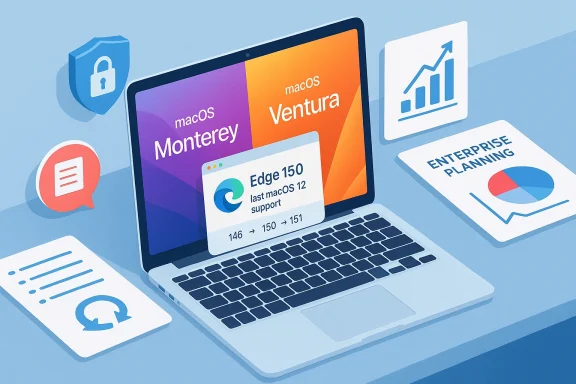
In recent coverage, technology outlets reported that Microsoft’s Edge Beta Channel (currently on version 146 in early 2026) includes language indicating that Edge version 150 will be the last major release to support macOS 12 (Monterey). Under the plan described in those reports, Edge 151 and later would require macOS 13 (Ventura) or newer, which would align Edge’s macOS minimum with Apple’s more recent platform releases. That announcement — published as part of Beta channel discussion around the Edge 146 builds — is notable because Microsoft previously ended Edge support for macOS 11 (Big Sur) in a prior release cycle (Big Sur was supported only through Edge 138). At the same time, Microsoft’s own supported operating systems documentation currently shows macOS 12 as the minimum for certain Edge versions, so there is a tension between the Beta-channel wording reported by the press and the published Microsoft support page.
This article explains what those changes mean, validates the key claims against Microsoft’s documentation and other industry reporting, and lays out practical advice for both consumers and enterprise admins who need to plan for compatibility, security, and migration risk.
Key takeaways:
Conclusion
Whether you’re a single-user Mac owner or an IT admin responsible for hundreds of devices, the prospect of Microsoft narrowing Edge’s supported macOS range should be taken seriously. Start with an inventory, test your critical workflows on the target macOS and Edge versions, and prioritize devices that handle sensitive tasks. If the reported plan becomes official Microsoft policy, the organizations and users that prepared will move seamlessly; those that don’t will face the familiar — and avoidable — headaches of last-minute upgrades, compatibility breakages, and security gaps.
Source: Neowin Microsoft is ending Edge support on one operating system this year
 Background / Overview
In recent coverage, technology outlets reported that Microsoft’s Edge Beta Channel (currently on version 146 in early 2026) includes language indicating that Edge version 150 will be the last major release to support macOS 12 (Monterey). Under the plan described in those reports, Edge 151 and later would require macOS 13 (Ventura) or newer, which would align Edge’s macOS minimum with Apple’s more recent platform releases. That announcement — published as part of Beta channel discussion around the Edge 146 builds — is notable because Microsoft previously ended Edge support for macOS 11 (Big Sur) in a prior release cycle (Big Sur was supported only through Edge 138). At the same time, Microsoft’s own supported operating systems documentation currently shows macOS 12 as the minimum for certain Edge versions, so there is a tension between the Beta-channel wording reported by the press and the published Microsoft support page.This article explains what those changes mean, validates the key claims against Microsoft’s documentation and other industry reporting, and lays out practical advice for both consumers and enterprise admins who need to plan for compatibility, security, and migration risk.
What was reported — the key claims
- Microsoft pushed Edge 146 to the Beta channel (builds in the mid-3856.x series), and the release notes or changelog visible to Insiders included a note stating that Edge version 150 is planned to be the last release that supports macOS 12 (Monterey).
- After that, Edge 151+ would require macOS 13 (Ventura) or later — meaning Macs that cannot be upgraded to Ventura would no longer receive feature or security updates for Edge beyond Edge 150.
- The reporting also summarized other changes in Edge 146 Beta: a reworked new-tab page for enterprise users, tightened tracking prevention behavior in InPrivate windows, and a tweak to the browser’s “Delete all data” action so it no longer removes saved passwords alongside history and cookies.
- For historical context, Microsoft previously dropped macOS 11 (Big Sur) support at Edge version 138. On the Windows side, while Windows 10 consumer support timelines have changed, Microsoft has publicly stated there are no immediate plans to discontinue Edge support for Windows 10 devices (noting exceptions and lifecycle nuances for specific Windows 10 releases).
Verification: what Microsoft’s documentation shows today
To separate the confirmed from the reported, we verified Microsoft’s official documentation and the Edge release cadence:- Microsoft’s official “Microsoft Edge supported Operating Systems” documentation lists the macOS support policy and historically records when older macOS versions were dropped. As of the most recently published Microsoft documentation, macOS 11 (Big Sur) was supported from Edge 129 through 138, and macOS 12 (Monterey) or later is required for Microsoft Edge 139 and newer. That page is the authoritative Microsoft position on supported operating systems and is updated periodically to reflect policy changes.
- Microsoft’s release cadence for Edge follows an approximate four-week major-release cycle in the Stable channel, with Beta staying one version ahead of Stable and Dev/Canary updated weekly/daily. That cadence means that versions numbered in the 140s will progress to 150 within a few months — making the timing (Edge 150 arriving in mid-year) reasonable under the current schedule.
- The Beta-channel release notes and web-platform notes for Edge 146 confirm a range of feature changes and developer-facing updates; however, the formal “supported operating systems” page is the canonical source for compatibility policy.
Why Microsoft would drop macOS 12 support now (the technical and product rationale)
There are multiple valid reasons a browser vendor like Microsoft would increase the minimum supported macOS version:- Security and platform API evolution: Newer macOS releases introduce updated system libraries, code-signing, sandboxing behaviors, and cryptography APIs. Maintaining compatibility with older macOS builds requires extra engineering and testing effort, and older OS releases sometimes lack security-relevant features that browsers prefer to rely on.
- Build and testing cost: Supporting additional OS versions multiplies the build matrix and QA surface. For a rapidly-evolving browser with frequent feature updates, simplifying the matrix enables faster development and reduces regression risk.
- Hardware and architecture considerations: Apple’s shifts in CPU and platform features (Apple Silicon vs Intel variations) sometimes make older OS releases harder to support efficiently. Vendors prefer to target macOS versions that cover the majority of active user base and still receive Apple security updates.
- Alignment with other vendors: Browsers such as Chrome and Firefox periodically raise minimum supported macOS versions; with major vendors doing the same, Microsoft’s move would align Edge with the industry trend and reduce fragmentation.
Who will be affected — scope and scale
- Consumers on older Macs: Any user running macOS 12 (Monterey) on a Mac that is incapable of upgrading to macOS 13 (Ventura) — typically older Intel Macs — would be unable to run Edge 151+ once support stops. They would still have a working browser but would stop receiving security patches and feature updates.
- Enterprise fleets: Organizations with managed Mac fleets must track browser compatibility for security baselines, web app compatibility, and SSO/device management workflows. A cutover in browser platform support can affect internal apps, management tooling, and compliance policies.
- Developers and IT professionals: Internal testing matrices and supported client lists will need revision if the minimum macOS for the majority browser shifts. Web developers may see a de facto narrowing of minimum TLS/cipher or Web API compatibility guarantees.
- Alternative browser users: Users who rely on other browsers (Chrome, Firefox, Safari) will need to follow each vendor’s own support lifecycles. Notably, Chrome has also announced versioned support changes for older macOS versions in the same timeframe, which compounds the risk for users on older macOS releases.
Practical timeline and migration planning
Given Microsoft’s four-week Stable cadence, a rough timeline is reasonable to construct:- Edge releases move approximately one major version per month in Stable. Beta is typically one version ahead.
- If Edge 146 is in Beta in February 2026, Edge 150 would typically land in Stable around June or July 2026 (allowing for the usual month-per-version progression).
- If Microsoft follows the plan described in Beta notes, Edge 150 would be the final release compatible with macOS 12, and Edge 151 (arriving roughly a month later) would require macOS 13+.
- Check whether your Mac is eligible to upgrade to macOS 13 (Ventura). Apple’s compatibility list for Ventura includes many 2017–2019 models and later, but very old machines may be stuck on Monterey or earlier.
- For Macs that can upgrade: schedule and test the macOS upgrade in a controlled window. Confirm that your critical apps (including VPN, MDM, and productivity tools) function correctly after upgrading.
- For Macs that cannot upgrade: plan a strategy. Options include:
- Continue using Edge up to the last supported build (accepting that no new security updates will arrive after the vendor stops support).
- Switch to a browser that will continue to support your macOS version for longer (but beware — other vendors may also drop support).
- Replace or refurbish hardware where feasible.
- For enterprises: start compatibility testing of internal web apps on the target macOS and Edge versions now; consider staging upgrades and update Group Policy/MDM policies accordingly.
Security implications — why this matters
Browsers are a primary attack surface. When a browser vendor stops shipping security patches for a platform, the risk window expands:- Unpatched vulnerabilities accumulate. Attackers often automate exploitation for unpatched CVEs; missing monthly fixes leaves devices exposed.
- Web platform mitigations and sandbox improvements introduced in newer OS builds won’t be available to older OS users.
- Enterprises that fail to remediate or upgrade risk non-compliance with internal security policies and with external regulations that require patched software.
Alternatives and mitigations
If you’re on macOS Monterey and cannot upgrade immediately, consider these options:- Harden the device:
- Use network-level protections (VPN with threat filtering, secure DNS, browser isolation where available).
- Enforce least-privilege and reduce exposure to risky browsing.
- Use an alternative browser that still supports your macOS version (but verify each vendor’s roadmap carefully).
- Use a virtual machine or a secondary, supported device for high-risk tasks (banking, admin consoles).
- In enterprise contexts, consider a managed browser policy that freezes a vetted Edge build while you complete a migration plan — but recognize frozen builds still lack new vulnerability fixes.
Enterprise considerations — policy, deployment, and testing
Enterprises should follow a structured plan:- Inventory: Identify all Macs running macOS 12 and list which systems cannot be upgraded to Ventura.
- Prioritize: Determine which devices handle mission-critical tasks and need rapid upgrades or replacement.
- Test: Validate internal web applications and SSO flows against Edge 150 and Edge 151 builds in a staged environment.
- Update policies: If an organization uses Microsoft Edge for Business features, update the enterprise new tab page, Copilot, SSO, and other policies to align with supported versions.
- Communicate: Give users clear timelines and instructions to prepare for macOS or hardware upgrades; provide options for help and timelines for decommissioning older devices.
Assessing the reporting: strengths and caveats
Strengths of the reporting:- The claim is plausible and consistent with prior Microsoft behavior (dropping support for older macOS builds in earlier Edge releases).
- The Edge Beta channel is the typical place where planned obsolescence and policy changes are first visible to insiders and admins.
- The projected timing matches Edge’s established release cadence, making the June/July window reasonable.
- Microsoft’s authoritative supported-OS documentation is the final word; at the time of reporting the core “supported Operating Systems” page had not been updated to explicitly show a cutover at Edge 151. That mismatch signals that the reported change may be a Beta-channel plan that still needs to be published to the canonical docs, or it could still be adjusted before reaching Stable.
- Beta release notes sometimes include planned or tentative language that may be refined before a Stable release. Treat Beta-channel statements about future supported platforms as advance notice, not a binding contract.
- Vendor roadmaps sometimes change due to customer feedback, security considerations, or engineering constraints. Expect Microsoft to formalize the change through the official Microsoft Docs page and enterprise communication channels before the Stable cutover.
Step-by-step checklist for Mac users (consumer and IT)
- Determine your macOS version: Open System Settings → General → About (or About This Mac on older macOS UIs).
- Check upgrade eligibility for macOS Ventura (macOS 13). If eligible, schedule the upgrade after backing up (Time Machine or other backup).
- If your Mac is not eligible for Ventura:
- Decide whether to replace hardware or switch browsers.
- If you keep the Mac, apply mitigations (isolate high-risk browsing, restrict admin privileges, use network protections).
- For enterprise admins:
- Audit macOS versions fleet-wide.
- Plan a staggered upgrade or hardware refresh.
- Test internal applications on Edge 150 and Edge 151 in a pilot group.
- Update MDM/GPOs and security baselines to reflect the new minimum supported OS once Microsoft confirms it.
Final assessment and recommendation
Microsoft’s reported plan to end Edge support for macOS 12 after Edge 150 would be an unsurprising next step in platform lifecycle management — but there’s an important distinction between Beta-channel announcements and the formal supported-OS policy. The prudent course for both consumers and organizations is to treat the reporting as a prompt to act: audit systems, test compatibility, and prepare upgrades or mitigations now so you’re not rushed into reactive decisions later.Key takeaways:
- Do not ignore the possibility that Edge will require macOS 13 in a near-term major update. Prepare accordingly.
- Prioritize security: remaining on an unsupported browser build increases exposure to serious vulnerabilities.
- Verify vendor documentation before making irreversible deployment decisions: Microsoft’s official supported operating systems page and release notes are the authoritative sources.
- If you manage Macs, start testing now — compatibility problems are far easier to resolve in a planned migration than during a forced, last-minute scramble.
Conclusion
Whether you’re a single-user Mac owner or an IT admin responsible for hundreds of devices, the prospect of Microsoft narrowing Edge’s supported macOS range should be taken seriously. Start with an inventory, test your critical workflows on the target macOS and Edge versions, and prioritize devices that handle sensitive tasks. If the reported plan becomes official Microsoft policy, the organizations and users that prepared will move seamlessly; those that don’t will face the familiar — and avoidable — headaches of last-minute upgrades, compatibility breakages, and security gaps.
Source: Neowin Microsoft is ending Edge support on one operating system this year
