

Microsoft’s browser battleground has acquired a new skirmish line: OpenAI’s ChatGPT Atlas is being positioned as a potential Windows competitor, and evidence suggests Microsoft Edge is already testing the plumbing to intercept installs and nudge users toward Edge via Bing — a replay of years‑long defaults playbooks that mix UI persuasion, reward incentives, and OS‑level distribution muscle.
The arrival of ChatGPT Atlas shifted the conversation about browsers from rendering engines to assistant surfaces. Atlas launched as an AI‑first, Chromium‑based browser with a persistent ChatGPT sidecar and an Agent Mode that can, with user permission, open tabs, navigate sites, fill forms, and attempt multi‑step tasks for subscribers. Early coverage positioned Atlas as a standalone approach to the AI browser concept, designed to centralize ChatGPT as the contextual assistant layered over web pages. Microsoft’s strategic answer has not been a new browser product but an evolution of Edge into a first‑class AI assistant through Copilot Mode and related features (Copilot Actions, Journeys, multi‑tab reasoning). That integration lets Microsoft fold agentic capabilities into the browser that ships with Windows, preserving a distribution advantage that OpenAI lacks on Windows out of the box. The competitive tension is straightforward: a standalone Atlas with a strong distribution route could take attention and sessions away from Copilot‑enabled Edge, and Microsoft appears to be preparing countermeasures inside Edge Canary and its Bing flow.
Caveat and verification: the presence of experimental flags in a Canary build is an early indicator, not a final product policy. Flags appear and disappear, often used for internal experiments, A/B tests, or stale code. Windows Latest’s discovery is actionable intelligence — it merits attention — but it has not been followed by an official Microsoft disclosure at the time of reporting, and independent confirmation outside that single report is limited. Treat the flag names as a strong signal rather than definitive proof of a broad rollout.
Important verification note: the exact user‑facing behavior (text, visual treatment, whether it blocks navigation or simply prompts) depends on the experimental treatment and the build. Canary flags alone do not guarantee global rollout or a particular phrasing.
Microsoft, by embedding Copilot into Edge and Windows, protects that funnel. Allowing Atlas to reach millions of Windows users through straightforward discovery on ChatGPT.com or via download pages could divert attention and transactions away from Copilot. Intercept experiments are a defensive measure: preserve session continuity in Microsoft’s ecosystem and reduce churn to third‑party assistants.
Source: Windows Latest If ChatGPT Atlas browser lands on Windows 11, Microsoft Edge already looks ready to “intercept” it with Edge/Bing upsell
 Background
The arrival of ChatGPT Atlas shifted the conversation about browsers from rendering engines to assistant surfaces. Atlas launched as an AI‑first, Chromium‑based browser with a persistent ChatGPT sidecar and an Agent Mode that can, with user permission, open tabs, navigate sites, fill forms, and attempt multi‑step tasks for subscribers. Early coverage positioned Atlas as a standalone approach to the AI browser concept, designed to centralize ChatGPT as the contextual assistant layered over web pages. Microsoft’s strategic answer has not been a new browser product but an evolution of Edge into a first‑class AI assistant through Copilot Mode and related features (Copilot Actions, Journeys, multi‑tab reasoning). That integration lets Microsoft fold agentic capabilities into the browser that ships with Windows, preserving a distribution advantage that OpenAI lacks on Windows out of the box. The competitive tension is straightforward: a standalone Atlas with a strong distribution route could take attention and sessions away from Copilot‑enabled Edge, and Microsoft appears to be preparing countermeasures inside Edge Canary and its Bing flow.What Windows Latest found — and what it implies
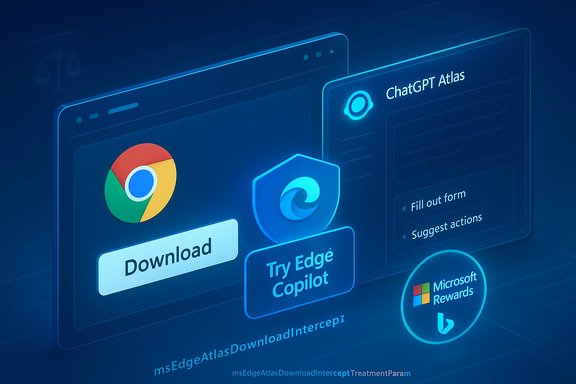
A recent Windows Latest report highlights a trio of experimental Edge Canary flags whose names point explicitly at ChatGPT Atlas: msEdgeAtlasDownloadBingReferrerHideIntercept, msEdgeAtlasDownloadIntercept, and msEdgeAtlasDownloadInterceptTreatmentParam. The story says these flags were discovered in Canary by scanning update metadata and suggests they are the logical counterpart to existing Edge flags that intercept Chrome download flows and surface Edge/Bing upsells. Those flag names are telling because they follow naming conventions Microsoft has used for similar interception experiments (for Chrome), and they conceptually map to a strategy that developers have already observed: detect visits or download intent for a competing browser and surface an Edge/Bing‑branded nudge, sometimes offering Microsoft Rewards, feature comparisons, or in‑browser prompts to “Try Copilot.” The pattern is not new; Microsoft has used it previously to push Edge when users search for Chrome.Caveat and verification: the presence of experimental flags in a Canary build is an early indicator, not a final product policy. Flags appear and disappear, often used for internal experiments, A/B tests, or stale code. Windows Latest’s discovery is actionable intelligence — it merits attention — but it has not been followed by an official Microsoft disclosure at the time of reporting, and independent confirmation outside that single report is limited. Treat the flag names as a strong signal rather than definitive proof of a broad rollout.
Why the “intercept” pattern matters
Edge’s historical behavior around Chrome downloads and Bing results shows the mechanics Microsoft favors when defending its installed‑base advantage:- Surface targeted UI nudges inside Edge when users search for competitors.
- Use comparison cards and feature claims (built on Chromium, built‑in VPN, Microsoft Rewards, Copilot tie‑ins) to reduce the incentive to switch.
- Offer loyalty incentives (Microsoft Rewards points) to make experimenting with Edge economically attractive.
Technical anatomy: what the flags — if real — could do
If the flagged functionality follows the Chrome‑intercept precedent, here’s what the mechanism would likely encompass:- Detection: Edge detects page loads or referrers associated with a ChatGPT Atlas download page or domain.
- Interception logic: Instead of letting the user proceed directly to the download action, Edge can inject an in‑chrome UI affordance or interstitial that highlights Edge features and prompts the user to stay.
- Treatment parameters: An A/B experiment layer (treatment param) controls what message the user sees — a soft nudge, a Rewards offer, or a blocking overlay.
- Bing referrer manipulation: Hide or alter the referrer metadata surfaced to the target download site in certain flows, potentially transforming analytics or the download experience.
Important verification note: the exact user‑facing behavior (text, visual treatment, whether it blocks navigation or simply prompts) depends on the experimental treatment and the build. Canary flags alone do not guarantee global rollout or a particular phrasing.
Feature comparison: ChatGPT Atlas vs Edge (Copilot Mode)
Both Atlas and Edge now occupy the “AI browser” category, but they differ in product strategy, distribution, and ecosystem tie‑ins.Core distinctions
- ChatGPT Atlas
- Standalone, ChatGPT‑first browser with a persistent ChatGPT sidecar.
- Agent Mode for multi‑step automation, gated to paid tiers initially.
- Memory features and per‑site privacy controls tied to OpenAI accounts.
- Launched first on macOS with Windows and mobile versions promised.
- Microsoft Edge (Copilot Mode)
- Integrated into an existing mainstream browser with a large installed base on Windows.
- Copilot Actions, Journeys, multi‑tab reasoning, and voice controls fold into Edge and Microsoft 365.
- Enterprise controls, DLP, and admin policies for managed environments.
- Distribution via Windows updates and existing Edge installs offers immediate scale.
Practical implications for users
- Atlas can experiment freely with UI and agent UX without legacy constraints; its success depends on persuading users to install a new browser.
- Edge’s approach lowers adoption friction: users already have Edge on Windows, and a toggle or prompt can expose Copilot Mode without a separate install.
- If Edge intercepts Atlas downloads, Microsoft’s distribution advantage could blunt Atlas’s adoption curve unless OpenAI secures robust, independent distribution routes.
Distribution strategy — why Microsoft would want to “intercept”
The economics are plain: agentic browsers change where tasks start and where engagement-based revenue flows. An assistant that opens tabs, compares options, and completes bookings can steer affiliate revenue, publisher impressions, and ad outcomes. Whoever owns the assistant layer captures the first‑order user intent and the downstream transaction flow.Microsoft, by embedding Copilot into Edge and Windows, protects that funnel. Allowing Atlas to reach millions of Windows users through straightforward discovery on ChatGPT.com or via download pages could divert attention and transactions away from Copilot. Intercept experiments are a defensive measure: preserve session continuity in Microsoft’s ecosystem and reduce churn to third‑party assistants.
Privacy, security, and UX risks with agentic browsers
Agentic browsers — whether Atlas or Copilot Actions in Edge — change the threat model:- Expanded attack surface: Agents that click, fill, and transact on behalf of users can be manipulated by malicious pages (prompt injection, deceptive UIs), enabling new phishing and fraud vectors.
- Automation brittleness: Early hands‑on reviews for both Atlas and Edge agentic features show fragility on complex, script‑heavy pages. Misaligned selectors, dynamic content, or CAPTCHAs break workflows and can create misleading success signals.
- Consent complexity: Memory and “Page Context” access require clear, granular consent. Users routinely accept prompts without reading details; agentic permissions compound the risk of unintended data sharing.
- Telemetry and model training: Vendor statements about whether browsing content is used for model training differ and can be ambiguous. Enterprises should insist on contractual guarantees and logging if agentic features are enabled on managed devices.
Regulatory and antitrust considerations
Microsoft’s history of bundling defaults and nudging users toward Edge and Bing has already drawn attention from critics and regulators. The Digital Markets Act in Europe and other regional regulatory frameworks sharpen the legal lens on:- Whether OS or browser‑level prompts effectively lock users into first‑party services.
- If rewards or other incentive programs distort competition by materially reducing user experimentation with third‑party options.
- Whether automations that reroute commerce create unfair capture of affiliate or advertising revenue.
Practical guidance for Windows users and IT administrators
For home users:- Treat Edge’s in‑browser prompts as product marketing: read the small print and use the system default workflows if you prefer a different browser.
- If you want to try Atlas or another browser, be prepared to follow direct download links or use a different machine/browser to avoid potential interception nudges.
- For sensitive tasks (banking, medical records), avoid agentic automation until the feature proves reliable and auditable.
- Map Copilot and agentic features to your governance policies. Use Microsoft 365 and Edge admin controls to restrict Page Context, memory features, and telemetry where necessary.
- Require explicit logging and audit trails for agentic actions performed on managed devices.
- Consider enterprise rollout plans that include staged testing, red‑teaming agentic workflows, and user training on what agents can and cannot do.
Weighing Microsoft’s motives: protection, competition, or heavy‑handed persuasion?
Microsoft’s incentive to protect Edge’s growth is rational: its platform position is a strategic asset. However, where promotional nudges tip into persistent default steering they risk eroding user trust and inviting regulatory action. The current evidence — Canary flags and historical patterns — suggests Microsoft is exploring a range of interventions, from gentle prompts to experimentally gated treatments. That experimentation is standard product practice, but transparency and clear opt‑outs will determine whether users see it as helpful or coercive.What we can verify — and what remains uncertain
Verified:- ChatGPT Atlas launched as an AI‑centric browser with Agent Mode and sidecar ChatGPT capabilities; initial coverage confirms macOS first and Windows planned.
- Microsoft has been actively adding agentic features to Edge (Copilot Mode, Copilot Actions, Journeys) and has used in‑browser nudges and Rewards offers in the past to promote Edge over Chrome.
- The specific Edge Canary flags reported by Windows Latest point directly at Atlas interception. While the flags are plausible and consistent with Microsoft’s naming conventions and prior behaviors, independent confirmation beyond the Windows Latest discovery is limited at the moment; the functionality and rollout plans have not been publicly affirmed by Microsoft. Treat the flag discovery as credible but provisional intelligence.
A path forward for healthy competition and user control
The browser is evolving into a strategic battleground where assistants mediate intent, commerce, and content discovery. To preserve user choice and fair competition while enabling innovation, three practical guardrails should guide vendors and policymakers:- Transparent defaults: explicit opt‑in for assistant features that materially change browsing behavior, with persistent, discoverable toggles.
- Granular consent & audit trails: visible indicators when agents access pages or take actions; logs for administrators and users showing what actions were taken and why.
- Fair distribution practices: allow competing browsers and assistants reasonable parity in discoverability mechanisms, and resist in‑OS mechanics that systematically degrade third‑party access without a clear user benefit.
Conclusion
The Windows Latest report that Edge Canary contains Atlas‑targeted interception flags is an important early data point in a fast‑moving competition between agentic browsers. Microsoft has good product reasons to protect Edge’s newly agentic future, and the techniques it has used to date — nudges, Rewards, and in‑browser prompts — offer a clear template for how it might respond if ChatGPT Atlas arrives on Windows at scale. That said, flags are experiments, not finished features. The more consequential debate will not be whether Microsoft tests such code in Canary, but how it chooses to deploy it: does it prioritize user choice, consent, and transparent controls, or does it lean into default steering that nudges users toward a single ecosystem? As AI assistants increasingly act on behalf of users, preserving the integrity of choice in the browser — the last common surface on the web — will be essential for consumers, enterprises, and the open web alike.Source: Windows Latest If ChatGPT Atlas browser lands on Windows 11, Microsoft Edge already looks ready to “intercept” it with Edge/Bing upsell
