

Microsoft Edge is quietly phasing out the user‑addable Sidebar app list in Canary builds — the tiny, always‑visible lane many users relied on for pinning sites and web apps — and Microsoft’s Copilot is effectively being given the real estate the Sidebar once occupied.
The Edge Sidebar has been one of those modest but indispensable features that power users and multitaskers fall back on without thinking: a narrow panel beside the browser that supports built‑in tools (Calculator, Outlook previews, Edge Drop) and a quick list where you could pin websites, messaging services, music players, and mini‑web apps. Its appeal was pragmatic — glanceable content, persistent presence, and minimal interruption to the main browsing surface — and it filled a unique niche between a pinned tab and a full‑blown Progressive Web App (PWA).
Over the past year Microsoft has aggressively embedded Copilot into Edge and Windows: omnibox prompts, a toolbar presence, right‑click helpers, the New Tab Page, and Copilot Mode for multi‑tab synthesis. That strategy aims to make Copilot the centralized assistant for discovery and automation across Microsoft’s ecosystem — a consolidation that explains why the Sidebar’s small corner of UI suddenly looks like a contested piece of real estate.
The question this change surfaces is fundamental: should operating systems and browsers privilege an AI assistant as the default path for productivity, or should they remain neutral canvases where users assemble their own toolkits? Microsoft is choosing the former; many users still prefer the latter.
Microsoft can still find a balanced path — one that preserves power‑user choice while enabling Copilot to flourish. Until then, the Sidebar’s slow fade is a reminder that in the rush to center AI, small, pragmatic features that people quietly rely on can be the first casualties.
Source: Windows Central https://www.windowscentral.com/soft...avorite-edge-feature-and-copilot-is-to-blame/
 Background
The Edge Sidebar has been one of those modest but indispensable features that power users and multitaskers fall back on without thinking: a narrow panel beside the browser that supports built‑in tools (Calculator, Outlook previews, Edge Drop) and a quick list where you could pin websites, messaging services, music players, and mini‑web apps. Its appeal was pragmatic — glanceable content, persistent presence, and minimal interruption to the main browsing surface — and it filled a unique niche between a pinned tab and a full‑blown Progressive Web App (PWA).Over the past year Microsoft has aggressively embedded Copilot into Edge and Windows: omnibox prompts, a toolbar presence, right‑click helpers, the New Tab Page, and Copilot Mode for multi‑tab synthesis. That strategy aims to make Copilot the centralized assistant for discovery and automation across Microsoft’s ecosystem — a consolidation that explains why the Sidebar’s small corner of UI suddenly looks like a contested piece of real estate.
What changed (the facts)
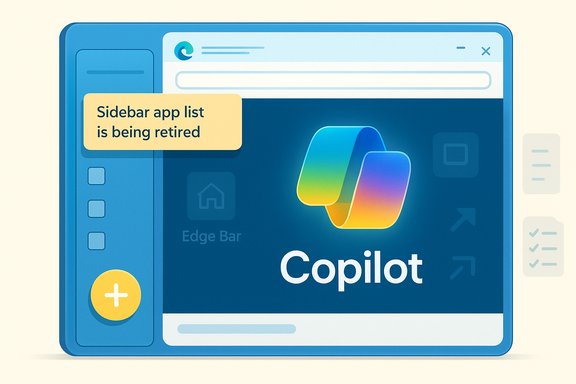
- In Edge Canary, clicking the Sidebar’s “+” control now surfaces an in‑product notice stating: “Sidebar app list is being retired. New apps can no longer be added, and the quick access list will be removed gradually in future updates. Copilot is not affected — this helps us focus on making it even better.” That message is visible to Canary testers and has been reproduced by multiple independent observers.
- Built‑in sidebar tools — including Copilot and Microsoft’s own utilities — remain available. What’s being deprecated is the user‑addable quick list: the small lane where you could pin arbitrary third‑party pages to open side‑by‑side with your browsing.
- The change is currently visible in early preview channels (Canary and Dev). Microsoft has not published final Stable release notes with a definitive timeline; as with many experiments in Edge, behavior could change before general availability. Early‑channel observations should be treated as signals, not finished policy.
Why Microsoft is doing this — product logic and strategy
Microsoft’s move is consistent with a broader product decision logic: consolidate multiple, fragmented entry points for functionality into a smaller set of instrumentable surfaces — with Copilot as the anchor. There are several defensible product and engineering reasons for this:- Reduced complexity and faster iteration. Maintaining many permutations of user‑added sidebar apps fragments telemetry, testing, and QA. Removing the ad‑hoc element allows the Edge team to iterate faster on Copilot features that require a predictable host.
- Stronger distribution and engagement. Edge ships with Windows and reaches a massive daily audience. Making Copilot the prominent assistant surface in that preinstalled browser drives adoption of Microsoft’s AI platform — a commercial and ecosystem play as much as a UX one.
- Preparation for agentic flows. Features like multi‑tab synthesis, Journeys, and Copilot Actions rely on consistent assistant hosting and predictable permissions. A leaner Sidebar surface reduces variance that could break those new agentic scenarios.
What users will actually lose (and what they won’t)
Users who relied on the Sidebar app list will feel this change in practical terms:- Loss of one‑click access to many small web services in a compact vertical pane.
- The disappearance of an always‑visible, glanceable lane for chat, music controls, reference sites, and other live pages that users kept side‑by‑side with primary tabs.
- Muscle‑memory disruption and small workflow friction for people who converted the Sidebar into a daily launcher.
- Copilot and Microsoft’s built‑in Sidebar tools will continue to appear in the sidebar.
- Alternatives like pinning tabs, installing sites as PWAs, and Edge Bar (a floating widget variant) remain available as Microsoft‑recommended replacements.
Migration playbook: preserve your workflows before Canary hits Stable
If you value the Sidebar’s quick‑list behavior, treat this Canary notice as a migration signal. Below is a practical checklist to preserve or rebuild your workflows.- Inventory: Make a short list of every site or web app you currently open from the Sidebar.
- Convert to PWA: For services you use repeatedly (Telegram Web, Slack, Gmail), install them as Progressive Web Apps (via edge://apps or the page menu) so they have their own windows and taskbar presence.
- Pin tabs: For glanceable dashboards (weather, stocks, feeds), create a bookmarks folder and pin those tabs in the tab strip or use a dedicated browser window that stays side‑by‑side.
- Use Edge Bar: Enable Edge Bar for a floating mini‑window when you need persistent glanceability without a full app install.
- Export shortcuts: Save a bookmarks HTML export or keep a list in your password manager so you can quickly rebind items to the Start menu or a quick‑launch folder.
- For devs: Provide a PWA manifest and test Web App Install Banners to ensure your users can migrate from a pinned Sidebar entry to a native‑like app.
Enterprise and admin implications
IT teams must treat the change as an operational signal, not an immediate mandate:- Audit: Inventory who relies on Sidebar pinned sites as part of daily workflows; some business processes may assume that always‑visible lane.
- Pilot: Test Copilot features in a controlled pilot to validate privacy, DLP, and retention settings before wider exposure. Copilot’s cross‑app capabilities increase attachment to cloud services and may require additional governance.
- Policy controls: Microsoft already offers admin policies for sidebar behavior; confirm whether your org’s group policies will preserve or block relevant elements as Edge evolves. If you need deterministic behavior, hold Canary observations as early warnings and wait for official admin documentation before mass deployment.
The UX trade‑offs: consolidation vs. user agency
There’s a clear tension in Microsoft’s approach: consolidation simplifies engineering and enables richer AI experiences, but it also centralizes control and reduces user agency. Specific UX trade‑offs include:- Convenience vs. Choice. The Sidebar app list was a lightweight customization that respected user choice. Replacing that with a Copilot‑centric surface prioritizes discovery and centralized capabilities over granular personalization.
- Predictability vs. Flexibility. For agentic AI features to work reliably, Copilot needs predictable hosting and permissions. That predictability comes at the expense of user‑driven, ad‑hoc workflows that created delightful edge cases.
- Telemetry and monetization. Centralizing around Copilot opens doors for richer telemetry and potential commercial upsell (e.g., integration with Microsoft 365 tiers). Users sensitive to privacy and lock‑in should note this implication.
Privacy, security, and governance risks
Moving from a local, simple Sidebar list to an assistant‑centric model elevates several risks that should be assessed:- Data exposure and context sharing. Copilot’s power depends on contextual access (open tabs, session content). Organizations must verify how contextual signals are captured, stored, and used, and whether they conform to internal data handling policies.
- Auditability and retention. Copilot interactions may be logged and routed through Microsoft services. IT teams should insist on clear retention and audit controls before enabling Copilot broadly.
- Surface area for supply‑chain risk. Replacing independent, simple web pins with agentic assistants increases the software stack that needs scrutiny — from OAuth scopes to cloud compute dependencies.
- Enterprise licensing complexity. Some Copilot features tie to commercial Microsoft 365 tiers; consolidation around Copilot can create feature fragmentation across license types, surprising users who expect parity with free Sidebar utilities.
How Microsoft might have balanced both — and missed the middle ground
There are design alternatives Microsoft could have pursued to preserve user choice while advancing Copilot:- Offer a persistent split mode: both Copilot and the user app list can coexist, with a compact toggle to switch between them.
- Allow user remapping of the Sidebar zone via settings and policies so organizations and power users can preserve the classic behavior.
- Provide a migration wizard that automatically converts a user’s Sidebar pins into PWAs or pinned tabs on first detection of the deprecation message.
Practical recommendations for readers
- If you depend on the Sidebar: convert critical pins to PWAs today and export a bookmarks snapshot. Don’t wait for a Stable build to force the transition.
- For privacy‑sensitive users: audit Copilot permissions and consider disabling Copilot features until your risk assessment is complete. Be mindful that Copilot’s icon and presence may remain even if some functionality is toggled off.
- For admins: treat Canary as an early warning. Run targeted pilots, snapshot current Sidebar usage, and prepare communications to affected employees. Leverage Group Policy and Edge management controls to preserve consistent behavior during the rollout.
Broader implications: a microcosm of Microsoft’s AI pivot
The Sidebar deprecation is small in scope but symbolically large. It exemplifies Microsoft’s pivot toward making Copilot the primary face of discovery, assistance, and automation across Windows and Edge. That pivot has real benefits — richer, context‑aware assistance, tighter cross‑app automation, and an easier path to ship advanced AI features — but it also concentrates control, telemetry, and commercial leverage in a way that changes the relationship between users and the platform.The question this change surfaces is fundamental: should operating systems and browsers privilege an AI assistant as the default path for productivity, or should they remain neutral canvases where users assemble their own toolkits? Microsoft is choosing the former; many users still prefer the latter.
Conclusion
Microsoft’s Canary notice that the Sidebar app list is being retired signals a deliberate trade‑off: give Copilot a cleaner, more instrumentable home in Edge in exchange for retiring a lightweight, user‑driven customization. The move makes sense from an engineering and AI‑platform view — it simplifies surface area, speeds iteration, and aligns with Copilot’s rising centrality — but it also removes a beloved multitasking pattern and raises valid concerns about privacy, governance, and user agency. For anyone who relied on the Sidebar, the sensible immediate steps are clear: inventory your pinned sites, convert the most valuable ones to PWAs or pinned tabs, and prepare an admin plan if you manage devices. Watch Canary and Dev for additional signals, but plan proactively: UI experiments become defaults quickly in major platforms, and rebuilding workflows later is always harder than migrating deliberately now.Microsoft can still find a balanced path — one that preserves power‑user choice while enabling Copilot to flourish. Until then, the Sidebar’s slow fade is a reminder that in the rush to center AI, small, pragmatic features that people quietly rely on can be the first casualties.
Source: Windows Central https://www.windowscentral.com/soft...avorite-edge-feature-and-copilot-is-to-blame/
