

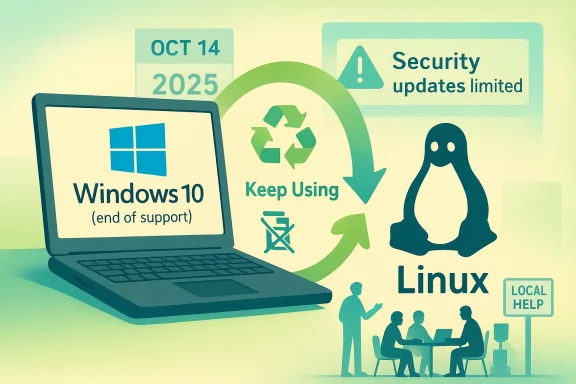
Microsoft’s Windows 10 deadline has finally moved from a theoretical industry milestone to an operational reality, and the End of 10 campaign is making a simple, disruptive argument: don’t throw away a working PC just because Microsoft wants you to buy a new one. Instead, migrate that hardware to Linux, keep it in service longer, and avoid the cost, waste, and support churn that typically accompany a forced operating system transition. The pitch is part sustainability, part cost control, and part digital independence — and it arrives at exactly the moment when millions of Windows 10 devices are running out of free support. Microsoft confirms that Windows 10 support ended on October 14, 2025, while the consumer ESU option only extends security coverage to October 13, 2026, leaving the broader hardware question unresolved.
Windows end-of-support events are nothing new, but Windows 10 is different because of the scale of the installed base and the stubborn quality of the hardware still in circulation. Microsoft’s own support language is blunt: after October 14, 2025, Windows 10 no longer gets free security updates, feature updates, or technical assistance. For users who cannot move to Windows 11, the company’s guidance narrows to either a paid ESU subscription or a device replacement.
That guidance is where the real tension begins. Windows 11’s minimum hardware requirements are materially stricter than Windows 10’s, including TPM 2.0, UEFI Secure Boot, 4 GB of RAM, and a supported processor class. Microsoft positions these as security and platform requirements, not optional preferences, which means many otherwise-functional PCs are disqualified on paper even if they still feel perfectly serviceable in day-to-day use.
The End of 10 initiative launched in May 2025 as a global open-source project meant to steer users away from a binary choice between “pay Microsoft more” and “buy new hardware.” Its own launch materials frame the issue around e-waste, affordability, privacy, and the argument that the cheapest and most environmentally friendly computer is the one you already own. The campaign also emphasizes that it does not push a single Linux distribution, instead focusing on support, educational material, and local help networks.
What makes the campaign especially relevant now is timing. Microsoft has now ended free support for Windows 10, while its ESU program only buys limited breathing room, and in practice that means organizations still need a real migration strategy. Linux has become one of the most credible alternatives because it can keep older hardware useful without forcing a platform refresh cycle that might otherwise be dictated by Windows 11’s requirements.
The broader context is that Linux desktop adoption has long been constrained less by technical capability than by user familiarity, application compatibility, and support habits. End of 10 is interesting because it tries to attack those barriers directly with local events, tutorials, migration tools, and community support. That is a different pitch from the usual “try Linux because it is open source” message; it is a practical recovery plan for aging Windows 10 PCs.
The hard truth is that Windows 10 still “works” after support ends, but “works” is not the same as “safe.” Microsoft explicitly warns that unsupported devices are more exposed to malware and viruses, and that support, software updates, and security fixes will no longer arrive for mainstream editions. That turns a familiar PC into a liability over time, especially in environments that handle sensitive information.
There is also a procurement issue here. If a fleet refresh is forced by OS policy rather than by hardware failure, organizations can be trapped in a purchase cycle that bundles unnecessary spend with avoidable environmental impact. That is why End of 10’s message resonates: the device is not obsolete just because the software vendor has moved on.
A few practical consequences follow from that reality:
The project’s official framing is intentionally broad. It highlights free support, tutorials, troubleshooting guides, events, and community groups, and it encourages both individuals and organizations to treat Linux as a way to preserve value in existing hardware. It also points users to local help, which is a smart move because desktop Linux adoption often succeeds when somebody nearby can answer the first awkward questions.
This is why local events and hands-on workshops matter so much. They lower the psychological barrier that has always haunted Linux on the desktop: the fear that moving away from Windows means losing access to familiar workflows. When support is visible and local, Linux becomes less abstract and more operational.
Key goals emphasized by the campaign include:
The platform also has a long history of running well on older hardware. The End of 10 campaign leans on that fact heavily, arguing that Linux can keep a 10- to 20-year-old computer useful. That is not marketing fluff: lower resource requirements are one of the most enduring reasons Linux remains relevant on aging machines.
The list of common distributions highlighted in End of 10-style discussions reflects this variety:
The harder cases are the Windows-only line-of-business applications that organizations depend on because they were built around a Windows stack years ago. Here the options become more complex: Windows virtual machines, containers, compatibility layers like Wine, or a temporary dual-platform strategy. None of those are frictionless, but they are also not unique to Linux migration; any major desktop platform change has its compatibility pain.
Still, app compatibility testing is not optional. IT teams need to map every critical workflow, identify the few genuinely Windows-dependent cases, and decide whether those stay on Windows in a VM, get replaced, or justify keeping a small ESU-covered fleet. That sort of segmentation is often more practical than trying to convert every workstation at once.
Here are the main compatibility paths:
For businesses, the calculation is especially nuanced. If a company has old PCs that can still perform office work, switch to cloud apps, or serve niche functions, Linux can be a low-cost way to extend asset life. But if the organization relies on a deep Windows ecosystem with heavy vendor lock-in, then Linux may be best deployed selectively rather than as a universal replacement.
Enterprises, by contrast, are really buying predictability. They need stable update channels, support contracts, device management, and a credible response to auditors or security teams. In that sense, distributions like Ubuntu LTS, RHEL, Rocky Linux, AlmaLinux, and openSUSE Leap can make Linux feel less like a hobby and more like a lifecycle-managed platform.
In practical terms, a migration plan often looks like this:
Ubuntu remains the most obvious starting point for many people because it is broadly known, widely documented, and available in desktop, server, and cloud form factors. Linux Mint is often the more comfortable answer for users who want a traditional desktop feel, while Fedora appeals to those who prefer a more current software stack.
Consumer teams often care more about the “feel” of the desktop than the package manager. A distribution that looks and behaves more like Windows can reduce training costs and make the first week less stressful, which in turn improves the odds that users will actually stick with the change. That is where Linux Mint and similar newcomer-friendly distros do valuable work.
Useful selection criteria include:
This is more than a feel-good talking point. If a computer is still fast enough for browsing, office work, media, or light development, then replacing it simply because the OS vendor has tightened requirements is an expensive form of planned obsolescence. Linux offers a way to break that cycle without sacrificing basic security hygiene.
There is also a cultural point here: once users understand that they can maintain older hardware with a modern OS, the idea of “refreshing” a whole fleet every few years becomes less inevitable. That shift could matter as much to procurement teams as it does to environmental advocates. It turns waste reduction into a policy option rather than a personal virtue.
The sustainability upside is strongest when:
For enterprises, the near-term question is whether Linux becomes a selective refuge or a broader workstation strategy. In many environments, the answer will be selective: a mix of Windows, Linux, cloud apps, and virtualization, each used where it makes the most sense. That hybrid model may prove more realistic than a sweeping desktop revolution, and it may be exactly what makes Linux adoption sustainable.
What to watch next:
Source: TechTarget The End of 10: How Linux could help Windows 10 PCs live on | TechTarget
 Background
Windows end-of-support events are nothing new, but Windows 10 is different because of the scale of the installed base and the stubborn quality of the hardware still in circulation. Microsoft’s own support language is blunt: after October 14, 2025, Windows 10 no longer gets free security updates, feature updates, or technical assistance. For users who cannot move to Windows 11, the company’s guidance narrows to either a paid ESU subscription or a device replacement.That guidance is where the real tension begins. Windows 11’s minimum hardware requirements are materially stricter than Windows 10’s, including TPM 2.0, UEFI Secure Boot, 4 GB of RAM, and a supported processor class. Microsoft positions these as security and platform requirements, not optional preferences, which means many otherwise-functional PCs are disqualified on paper even if they still feel perfectly serviceable in day-to-day use.
The End of 10 initiative launched in May 2025 as a global open-source project meant to steer users away from a binary choice between “pay Microsoft more” and “buy new hardware.” Its own launch materials frame the issue around e-waste, affordability, privacy, and the argument that the cheapest and most environmentally friendly computer is the one you already own. The campaign also emphasizes that it does not push a single Linux distribution, instead focusing on support, educational material, and local help networks.
What makes the campaign especially relevant now is timing. Microsoft has now ended free support for Windows 10, while its ESU program only buys limited breathing room, and in practice that means organizations still need a real migration strategy. Linux has become one of the most credible alternatives because it can keep older hardware useful without forcing a platform refresh cycle that might otherwise be dictated by Windows 11’s requirements.
The broader context is that Linux desktop adoption has long been constrained less by technical capability than by user familiarity, application compatibility, and support habits. End of 10 is interesting because it tries to attack those barriers directly with local events, tutorials, migration tools, and community support. That is a different pitch from the usual “try Linux because it is open source” message; it is a practical recovery plan for aging Windows 10 PCs.
Why Windows 10’s End Matters
The end of support for Windows 10 is not merely a date on a calendar. It changes the economics of the desktop, especially for households, schools, nonprofits, and small businesses that depend on older machines and do not have an easy budget line for wholesale hardware replacement. Once security updates stop, the cost of staying on Windows rises in the form of risk, not just subscription fees.The hard truth is that Windows 10 still “works” after support ends, but “works” is not the same as “safe.” Microsoft explicitly warns that unsupported devices are more exposed to malware and viruses, and that support, software updates, and security fixes will no longer arrive for mainstream editions. That turns a familiar PC into a liability over time, especially in environments that handle sensitive information.
The hidden cost of staying put
For some organizations, ESU looks like a neat bridge. In practice, it is a temporary patch, not a permanent answer, and Microsoft describes it that way: a last-resort option for legacy systems past end of support. That means the real choice is usually between replacing hardware soon, or extracting more life from it through another OS.There is also a procurement issue here. If a fleet refresh is forced by OS policy rather than by hardware failure, organizations can be trapped in a purchase cycle that bundles unnecessary spend with avoidable environmental impact. That is why End of 10’s message resonates: the device is not obsolete just because the software vendor has moved on.
A few practical consequences follow from that reality:
- More support pressure on help desks and local repair communities.
- Higher replacement costs for organizations with large fleets.
- Greater exposure if users ignore the deadline and keep running unsupported systems.
- More landfill risk if usable PCs are discarded early.
- More interest in alternative operating systems that can extend hardware life.
What End of 10 Is Trying to Do
End of 10 is not trying to sell a single Linux product. Instead, it positions itself as a coordination layer for support, education, and local assistance — the kind of scaffolding that can make a migration feel less like a gamble. That design matters because the hardest part of switching operating systems is rarely the installer; it is the uncertainty around apps, peripherals, settings, and user confidence.The project’s official framing is intentionally broad. It highlights free support, tutorials, troubleshooting guides, events, and community groups, and it encourages both individuals and organizations to treat Linux as a way to preserve value in existing hardware. It also points users to local help, which is a smart move because desktop Linux adoption often succeeds when somebody nearby can answer the first awkward questions.
Community support as the real product
The most underrated feature of End of 10 is not Linux itself but the support ecosystem around it. A polished installer is useful, but a nearby repair café, volunteer install session, or small-business consultant who has done this migration before can be the difference between a successful conversion and a frustrated rollback.This is why local events and hands-on workshops matter so much. They lower the psychological barrier that has always haunted Linux on the desktop: the fear that moving away from Windows means losing access to familiar workflows. When support is visible and local, Linux becomes less abstract and more operational.
Key goals emphasized by the campaign include:
- Reducing e-waste by preserving working hardware.
- Reducing costs by avoiding premature replacement.
- Improving privacy by moving away from telemetry-heavy defaults.
- Providing free educational resources for users and IT teams.
- Creating a bridge from Windows habits to Linux workflows.
Why Linux Is the Obvious Alternative
Linux is attractive in this context because it is not a single product but a platform family. Distributions can be tuned for desktops, servers, cloud, security testing, or enterprise use, which means there is no need to force every Windows 10 PC into the same mold. That flexibility is one of Linux’s biggest strengths, and it matters more when the goal is reuse rather than novelty.The platform also has a long history of running well on older hardware. The End of 10 campaign leans on that fact heavily, arguing that Linux can keep a 10- to 20-year-old computer useful. That is not marketing fluff: lower resource requirements are one of the most enduring reasons Linux remains relevant on aging machines.
Desktop and server, same core logic
One reason Linux migrations are easier than they used to be is that the distinction between desktop convenience and server-grade stability has narrowed. A distribution can offer a beginner-friendly GUI on one machine, a lean command line on another, and consistent package management across both. That reduces the cognitive gap for users who are accustomed to Windows but willing to learn a different interface.The list of common distributions highlighted in End of 10-style discussions reflects this variety:
- Ubuntu for broad support and a familiar path.
- Fedora for newer software and a fast-moving desktop.
- RHEL for enterprise support and stability.
- Rocky Linux and AlmaLinux for RHEL-compatible server environments.
- Linux Mint for a Windows-friendly desktop feel.
- openSUSE for stable and rolling-release choices.
- Kali Linux for security and penetration testing use cases.
The Windows-to-Linux Compatibility Question
Compatibility is the real obstacle to any Linux migration, and it should be treated honestly. The good news is that many everyday tools already work on Linux, especially browser-based services, cloud apps, open-source productivity suites, and widely used collaboration tools. Microsoft 365 can be accessed in a browser, LibreOffice and OnlyOffice handle Office formats reasonably well, and tools like Zoom, Slack, Mattermost, Visual Studio Code, OpenVPN, and WireGuard all have Linux support.The harder cases are the Windows-only line-of-business applications that organizations depend on because they were built around a Windows stack years ago. Here the options become more complex: Windows virtual machines, containers, compatibility layers like Wine, or a temporary dual-platform strategy. None of those are frictionless, but they are also not unique to Linux migration; any major desktop platform change has its compatibility pain.
Application reality, not ideology
A useful way to think about Linux migration is to separate apps that are truly platform-bound from apps that merely feel that way because nobody has tested them elsewhere. Many organizations are surprised by how much of their workflow now lives in browsers and SaaS platforms, which removes the OS as a hard dependency. That can make Linux a much easier landing zone than older IT planning assumptions suggest.Still, app compatibility testing is not optional. IT teams need to map every critical workflow, identify the few genuinely Windows-dependent cases, and decide whether those stay on Windows in a VM, get replaced, or justify keeping a small ESU-covered fleet. That sort of segmentation is often more practical than trying to convert every workstation at once.
Here are the main compatibility paths:
- Browser-first apps stay mostly platform-neutral.
- Open-source office suites replace many local document workflows.
- Native Linux apps cover common communication and development tasks.
- Windows VMs or containers handle legacy line-of-business software.
- Wine and similar layers can bridge selected Windows programs.
Migration Isn’t One-Size-Fits-All
The migration story looks very different in a household than it does in an enterprise. A consumer may care most about cost, simplicity, and preserving a favorite laptop, while a business has to think about identity management, patch policy, device compliance, and user retraining. End of 10 works because it acknowledges those differences without requiring users to become Linux experts overnight.For businesses, the calculation is especially nuanced. If a company has old PCs that can still perform office work, switch to cloud apps, or serve niche functions, Linux can be a low-cost way to extend asset life. But if the organization relies on a deep Windows ecosystem with heavy vendor lock-in, then Linux may be best deployed selectively rather than as a universal replacement.
Consumer and enterprise differ in different ways
Consumers usually care about a simpler set of trade-offs: interface familiarity, browser access, printing, media playback, and whether a distro feels “normal” enough to live with every day. Linux Mint and Ubuntu are often attractive because they reduce the perception of risk without requiring a command-line lifestyle.Enterprises, by contrast, are really buying predictability. They need stable update channels, support contracts, device management, and a credible response to auditors or security teams. In that sense, distributions like Ubuntu LTS, RHEL, Rocky Linux, AlmaLinux, and openSUSE Leap can make Linux feel less like a hobby and more like a lifecycle-managed platform.
In practical terms, a migration plan often looks like this:
- Inventory the hardware and software.
- Identify systems blocked from Windows 11.
- Separate browser-based apps from legacy desktop apps.
- Test a Linux pilot group or live USB deployment.
- Decide where VMs, Wine, or replacement apps are needed.
The Distro Landscape Matters More Than Most People Think
One of the quiet strengths of the End of 10 message is that it avoids distro absolutism. That matters because different Linux distributions solve different problems, and a Windows user who lands on the wrong one can walk away with the false impression that Linux is too complicated. The best migration is often the one that matches the user’s expectations, not the one that impresses other Linux users.Ubuntu remains the most obvious starting point for many people because it is broadly known, widely documented, and available in desktop, server, and cloud form factors. Linux Mint is often the more comfortable answer for users who want a traditional desktop feel, while Fedora appeals to those who prefer a more current software stack.
Stability versus novelty
Enterprise teams tend to care less about which desktop looks prettiest and more about whether the distribution has a sane support model. Ubuntu’s LTS cadence and Canonical’s long-term support posture make it attractive for that reason, and RHEL-compatible options appeal to organizations that already understand Red Hat’s ecosystem.Consumer teams often care more about the “feel” of the desktop than the package manager. A distribution that looks and behaves more like Windows can reduce training costs and make the first week less stressful, which in turn improves the odds that users will actually stick with the change. That is where Linux Mint and similar newcomer-friendly distros do valuable work.
Useful selection criteria include:
- How much support the distribution offers.
- How often updates are released.
- Whether the desktop feels familiar to Windows users.
- How strong the documentation and community are.
- Whether vendor support contracts are available.
Sustainability Is Not a Side Argument
The environmental case for End of 10 is easy to dismiss as a slogan until you look at the lifecycle math. End of 10 and its supporters argue that extending the life of a device avoids the manufacturing footprint of a replacement machine, and that is the part that matters most. The campaign explicitly frames older hardware as something that can remain useful rather than become e-waste.This is more than a feel-good talking point. If a computer is still fast enough for browsing, office work, media, or light development, then replacing it simply because the OS vendor has tightened requirements is an expensive form of planned obsolescence. Linux offers a way to break that cycle without sacrificing basic security hygiene.
Privacy and data control as part of sustainability
Privacy is often bundled into sustainability because both are ultimately about reducing unnecessary extraction. Linux generally avoids the advertising and telemetry defaults that frustrate many Windows users, and that makes it appealing to organizations and individuals who want tighter control over their systems. The privacy argument is not the only argument, but it strengthens the overall case.There is also a cultural point here: once users understand that they can maintain older hardware with a modern OS, the idea of “refreshing” a whole fleet every few years becomes less inevitable. That shift could matter as much to procurement teams as it does to environmental advocates. It turns waste reduction into a policy option rather than a personal virtue.
The sustainability upside is strongest when:
- Hardware is still functional but Windows 11 blocks it.
- Workloads are modest and do not need cutting-edge specs.
- Browser-based tools dominate the workflow.
- Organizations want to delay capital spending without losing supportability.
- Repair culture and reuse are part of the operating model.
Strengths and Opportunities
The strongest thing about End of 10 is that it is practical rather than ideological. It takes a real policy deadline, a real hardware constraint, and a real cost problem, then offers a path that preserves value instead of destroying it. That approach gives Linux one of its best desktop openings in years, especially for users who were never emotionally attached to Windows in the first place.- Extends device life without waiting for a hardware refresh.
- Reduces immediate capital spending for consumers and businesses.
- Supports better privacy defaults than many users associate with Windows.
- Leverages browser-first software, which is increasingly platform-neutral.
- Makes community support visible, lowering the barrier to first-time Linux use.
- Offers multiple distro choices, improving fit for different needs.
- Aligns with sustainability goals, which can matter in procurement decisions.
Risks and Concerns
Linux is not a universal answer, and the campaign’s optimism should not obscure that. Some users will hit app compatibility issues, others will struggle with peripheral support, and many organizations will discover that migration costs are front-loaded even if long-term costs improve. Those are solvable problems, but they are not imaginary ones.- Legacy Windows applications may not translate cleanly.
- User retraining can be expensive and slow.
- Printer and peripheral quirks can frustrate first-time switchers.
- IT teams may need new support skills and documentation.
- Some vendors still prioritize Windows in support and validation.
- Partial migrations can create split environments that are harder to manage.
- ESU may look easier in the short term, even if it is only temporary.
Looking Ahead
The next phase of the End of 10 story will not be decided by slogans. It will be decided by whether ordinary users can install Linux, keep using their favorite apps, and feel confident enough to stay. If community projects can make that experience smoother, Windows 10’s end of support may become remembered less as a forced upgrade and more as a quiet rebirth for thousands of older computers.For enterprises, the near-term question is whether Linux becomes a selective refuge or a broader workstation strategy. In many environments, the answer will be selective: a mix of Windows, Linux, cloud apps, and virtualization, each used where it makes the most sense. That hybrid model may prove more realistic than a sweeping desktop revolution, and it may be exactly what makes Linux adoption sustainable.
What to watch next:
- Local install events and repair cafés that help first-time users switch.
- Growth in beginner-friendly distros marketed to Windows refugees.
- Enterprise pilots that test Linux on non-critical workstation groups.
- More browser-based workflows that reduce OS dependence.
- Vendor support expansion for Linux-friendly enterprise software.
Source: TechTarget The End of 10: How Linux could help Windows 10 PCs live on | TechTarget
