

Since generative AI moved from novelty to everyday utility, the question for CIOs and CEOs is no longer whether to invest — it’s how to stop an opportunity that improves productivity from becoming the single largest operational risk in your estate. Microsoft and LinkedIn’s 2024 Work Trend Index found that three in four knowledge workers were already using generative AI at work, a tide that doubled adoption in months and has only accelerated since; that scale means AI no longer lives in a boardroom slide, it lives in every document, inbox, and shared folder your business still hasn’t tidied.
Generative AI started as a separate app people tried in private, but it quickly embedded itself into the software your teams use every day — email, chat, document stores, project trackers. That change, marked for many by the commercial roll‑out of Microsoft’s Copilot experiences, pushed AI from experimental to infrastructural: assistants that summarise, draft, and search now do so with the exact permissions and messy data hygiene your organisation already has.
That shift matters because modern copilots aren’t just answering questions; they are becoming workers. Agent-style capabilities — tools that browse, click, log in, and take actions across apps — turn an assistant into a substitute employee that inherits every access, permission, and accidental share it encounters. Microsoft’s Copilot Studio recently added a “computer use” capability that lets agents operate websites and desktop apps the way a human would, widening the range of useful automation and, simultaneously, the attack surface.
Microsoft’s Security Response Center outlines the precise mechanics: an attacker can craft inputs that cause the assistant to summarize or reveal pieces of user data, then exfiltrate those pieces through web requests or tool invocations that look legitimate. This is not theoretical — researchers have demonstrated zero‑click prompt injection exploits in production systems and described practical chains that led to high‑severity data exfiltration. Those case studies show the vulnerabilities are both real and consequential.
The primary weakness is structural: AI inherits your estate’s historical failures — stale permissions, orphaned accounts, and duplicate records — and magnifies them into business risk. Vendor analyses in 2025 showed how that combination leads to large‑scale exposure metrics and a new class of operational risk that crosses legal, security, and compliance boundaries.
The immediate opportunity is operational: tidy your estate, enforce least privilege, and treat agents as first‑class production entities. The immediate threat is adversarial: prompt injections, covert exfiltration channels, and agent abuse are not just research problems — they are active attack vectors in the wild. Security teams must assume adversaries will target AI paths and build layered mitigations accordingly.
The tools are useful. The risks are real. The difference between a successful AI transformation and a costly incident will be who owns the plumbing, and how quickly your organisation turns shared intent into operational controls.
Source: TechRadar AI isn’t just a focus for your CEO now – here’s why everyone from your CISO to your security guard should be getting involved
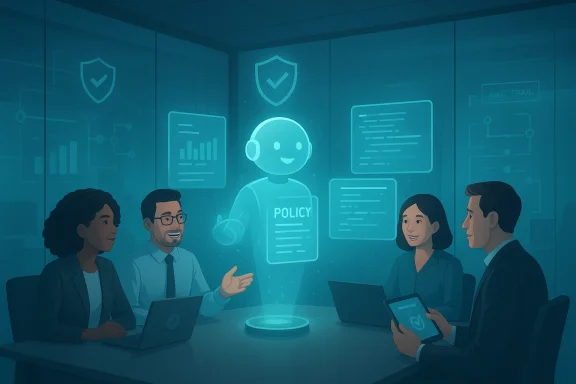 Background: why AI stopped being a point product and became infrastructure
Generative AI started as a separate app people tried in private, but it quickly embedded itself into the software your teams use every day — email, chat, document stores, project trackers. That change, marked for many by the commercial roll‑out of Microsoft’s Copilot experiences, pushed AI from experimental to infrastructural: assistants that summarise, draft, and search now do so with the exact permissions and messy data hygiene your organisation already has.That shift matters because modern copilots aren’t just answering questions; they are becoming workers. Agent-style capabilities — tools that browse, click, log in, and take actions across apps — turn an assistant into a substitute employee that inherits every access, permission, and accidental share it encounters. Microsoft’s Copilot Studio recently added a “computer use” capability that lets agents operate websites and desktop apps the way a human would, widening the range of useful automation and, simultaneously, the attack surface.
Overview: scale, permissions, and the new attack surface
AI in the enterprise amplifies three long‑running problems:- Permission sprawl — decades of permissive sharing and orphaned accounts mean the assistant often has implicit access to far more than a single user intended.
- Data sprawl — duplicate, stale, and unowned documents make it impossible to guarantee what “the assistant saw” when it produced an output.
- Operational gaps — managers and frontline staff adopt tools faster than IT, legal, and security can set boundaries or logging.
Why “access” is not the same as “breach” — and why it still matters
It’s crucial to be precise: when reports say an assistant “accessed” millions of sensitive records they typically mean the model had the ability to read or was invoked in contexts that included those records, not that the records were leaked externally. That distinction matters legally and operationally, but it doesn’t change the risk calculus: each access is a probability event. More reads, more interactions, more opportunities for accidental exposure, derivative sensitive outputs, or attacker‑leveraged misuse.The security angle: evolving threat models and real exploit classes
Generative AI introduces new instrumented attack patterns that did not exist in the pre‑LLM era. Two classes are especially salient.Prompt‑injection and covert exfiltration
Prompt injection — the art of hiding malicious instructions inside inputs so the model follows them — has become a top concern. Security teams have documented multiple practical techniques where an assistant’s output can be coaxed into leaking data (for example, by encoding secret content into image URLs or tool calls), or into performing unintended actions on behalf of a user. The UK’s NCSC and leading security groups have called prompt injection one of the most persistent, hard‑to‑eliminate risks for LLM-based systems.Microsoft’s Security Response Center outlines the precise mechanics: an attacker can craft inputs that cause the assistant to summarize or reveal pieces of user data, then exfiltrate those pieces through web requests or tool invocations that look legitimate. This is not theoretical — researchers have demonstrated zero‑click prompt injection exploits in production systems and described practical chains that led to high‑severity data exfiltration. Those case studies show the vulnerabilities are both real and consequential.
Agent abuse and automation‑level attacks
When agents can operate GUIs and web pages, the risk escalates from data leakage to actionable misuse. An agent given permission to “fill forms and send emails” can be tricked into sending phishing messages that appear to come from trusted internal addresses, or an attacker might abuse agent automation to issue commands inside an application, creating fraudulent transactions or changing records at scale. The faster and more autonomous the agent, the more damage an adversary can do, often invisibly within normal activity logs.Why AI must be owned across the organization — not only by the CEO
When AI behaves like a new workforce layer, ownership can’t rest only with executive sponsorship. To deploy safely and effectively, you need shared responsibilities that align with existing governance boundaries and extend them into AI‑specific territory.Roles that must be actively involved
- CEO / Executive leadership — set mandate and appetite for AI adoption, balance ROI vs. risk.
- CISO / Security leadership — define threat model, enforce least‑privilege, run adversarial testing and incident playbooks that include prompt‑injection scenarios.
- IT & Identity teams — control authentication, entitlement, and service principals agents use; instrument logging and alerting.
- Legal & Compliance — translate regulatory obligations (data residency, record retention, sector rules) into enforceable controls for AI outputs and prompts.
- HR & Learning & Development — create mandatory training on what not to paste, how to review AI outputs, and how to treat AI-generated artifacts as records.
- Finance & Procurement — centralise subscriptions, approve metered agent consumption, avoid shadow procurement of unmanaged AI tools.
- Communications & Brand — define where AI may produce public‑facing content, and how approvals must flow.
- Frontline staff and contractors — included in training, recognised as risk vectors (for example, receptionists or retail staff can face advanced impersonation attempts amplified by AI).
Practically getting everyone involved — a playbook for IT and security leaders
Culture change is essential, but the technical plumbing is what makes change durable. Below is a practical sequence your organisation can implement in the next 90–180 days.- Map and scope: inventory where copilots and agent features are enabled and which user groups can access them. Treat agents like apps that require registration.
- Harden identity and access: enforce conditional access, MFA, and strict application permissions; create short‑lived tokens for agent actions and prefer admin‑approved service principals.
- Lock down agent surfaces: use allow‑lists for computer‑use features and define a clear agent policy about which sites and apps agents may interact with. Microsoft’s computer use preview explicitly supports allow‑lists and hosted browser controls — use them.
- Clean the estate: identify and retire dead documents, collapse duplicate repositories, and designate single sources of truth for critical data. This reduces the denominator of sensitive content an AI can touch. Vendor research shows massive duplication and stale records materially increase exposure.
- Data classification and automated labeling: deploy content classification and sensitivity labels; integrate those labels with Copilot/agent grounding rules so agents decline to use labeled data unless explicitly authorized.
- Monitoring and provenance: log every agent action and maintain traceability of which documents informed an output; where feasible, record a hash or snapshot of source material so you can reconstruct outputs for compliance reviews.
- Train the workforce: mandate role‑based AI safety training for all staff, not optional courses. Focus on what not to paste, how to validate outputs, and how to treat AI artifacts as evidence in audits.
- Procurement and metering: centralise Copilot Studio and agent subscriptions, meter agent consumption, and require security review for any new agent built outside approved templates.
- Incident playbooks: augment IR runbooks with AI‑specific scenarios (prompt injection, agent misuse, unintended credential use) and rehearse tabletop exercises quarterly.
- Executive reporting: provide concise, KPI‑driven updates to the board — number of agents in production, risky allow‑list changes, and incidents tied to AI.
Governance and policy design: what good looks like
Policy often fails because it’s written as an aspiration rather than an operational control. Effective AI governance must be concrete and enforceable:- Define permitted AI actions — not just “allowed” or “disallowed” but precise action lists (e.g., “Agents may read public site analytics dashboards but may not access HR records.”)
- Make default deny the global posture — any new agent or skill requires an explicit admin approval with documented purpose and scope.
- Require documentation for all agent builds — owner, knowledge sources, retention windows, and fallback human approvals.
- Treat prompts as records — store prompts and model outputs as part of the retention and eDiscovery policy where business‑critical data is involved.
- Operationalize privacy — apply automated filters for PII, PCI, and regulated content before an agent can return or transform content.
The agent era: tangible benefits and the new responsibilities they bring
Agents will save time and perform tedious cross‑app tasks far faster than humans. Use cases with high ROI include:- Automated invoice processing and reconciliation across ERP and email.
- Cross‑document summarisation for M&A or legal due diligence.
- Scheduled monitoring agents that gather market intel from public dashboards.
- Treat agents like service accounts that must be rotated, monitored, and revoked when ownership changes.
- Limit agent autonomy for high‑impact tasks; require human‑in‑the‑loop for financial writes, legal notices, or regulatory actions.
- Maintain auditable trails of agent decisions and the data they used to form them.
Two case examples: governance worked — and where it failed
- Successful deployment: a midsize professional services firm created a Knowledge Agent over curated, labeled contract templates; they limited the agent to five sources, required manager approval before sharing generated summaries externally, and achieved a 30% time saving on contract drafting while keeping confidential clauses out of AI‑produced outputs. The key was tight scope and traceability.
- Where it failed: an organization that enabled Copilot across broad user groups without tightening permissions found the assistant accessing legacy HR spreadsheets and inadvertently including employee PII in generated outputs used in a vendor pitch. The issue was permission sprawl and lack of training; it became a costly compliance remediation. Aggregated vendor telemetry shows this pattern at scale: permissive defaults plus data sprawl equals systemic exposure.
Practical checklist for security teams (operational items)
- Implement allow‑lists for any agent that uses computer automation.
- Require admin approval for Copilot Studio agent creation beyond a small set of sandboxed templates.
- Enforce sensitivity labeling and integrate labels into agent grounding logic.
- Add prompt‑injection detection to your app security testing regimen and include LLM‑specific threat models in pentests.
- Instrument telemetry to capture which files influenced AI outputs and for which user actions.
- Run quarterly tabletop exercises for AI‑centric incidents (zero‑click injections, agent misuse).
- Centralise subscriptions to avoid shadow AI and to ensure metering and billing permissions align with security posture.
The human factor: training, incentives, and culture
Technical controls can reduce risk, but organisational culture decides whether those controls are used. Good organisations pair policy with:- Mandatory, role‑based training on AI risks and acceptable use.
- Manager scorecards that reward safe adoption metrics — not just raw usage.
- Clear escalation paths for employees who detect questionable AI outputs.
- Regular communication from the C‑suite that frames AI as a shared responsibility, not a productivity silver bullet.
The tradeoffs: central control vs. innovation speed
There’s no binary answer. Heavy‑handed blocking slows innovation and drives shadow AI. Loose governance speeds productivity but increases exposure. The pragmatic middle path:- Allow rapid experimentation in controlled sandboxes with dedicated logging and review cycles.
- Move proven patterns into the enterprise catalogue with hardened templates and automated guardrails.
- Meter and cost these templates back to teams to make conscious adoption decisions part of project planning.
Final analysis: strengths, weaknesses, and the road ahead
Generative AI is a force multiplier for knowledge work — boosting output, reducing drudgery, and enabling new workflows. The strength of today’s copilot-era tools is their integration: they meet users where they already work, which accelerates value.The primary weakness is structural: AI inherits your estate’s historical failures — stale permissions, orphaned accounts, and duplicate records — and magnifies them into business risk. Vendor analyses in 2025 showed how that combination leads to large‑scale exposure metrics and a new class of operational risk that crosses legal, security, and compliance boundaries.
The immediate opportunity is operational: tidy your estate, enforce least privilege, and treat agents as first‑class production entities. The immediate threat is adversarial: prompt injections, covert exfiltration channels, and agent abuse are not just research problems — they are active attack vectors in the wild. Security teams must assume adversaries will target AI paths and build layered mitigations accordingly.
Conclusion: operationalise AI governance now
AI is no longer a CEO priority alone — it’s an enterprise infrastructure challenge that touches security, legal, HR, procurement, frontline operations, and every manager who delegates work. Treat your copilots and agents like employees: give them owners, privileges, retirement plans, and audit trails. Start by cleaning the estate, locking down access, and defining clear, enforceable policies. Combine that technical work with mandatory training and executive reporting. Do those things and you’ll capture the productivity benefits AI promises while keeping the new, agent‑driven attack surface under control.The tools are useful. The risks are real. The difference between a successful AI transformation and a costly incident will be who owns the plumbing, and how quickly your organisation turns shared intent into operational controls.
Source: TechRadar AI isn’t just a focus for your CEO now – here’s why everyone from your CISO to your security guard should be getting involved
