

Microsoft’s enterprise Copilot is no longer a lab experiment put on a lab VM: it is part of corporate productivity infrastructure, and organizations that roll it out at scale are already confronting messy, high‑stakes questions about what counts as electronically stored information (ESI), how to preserve and collect it, and who — inside or outside the company — will carry the legal and ethical burden if something goes wrong. ]
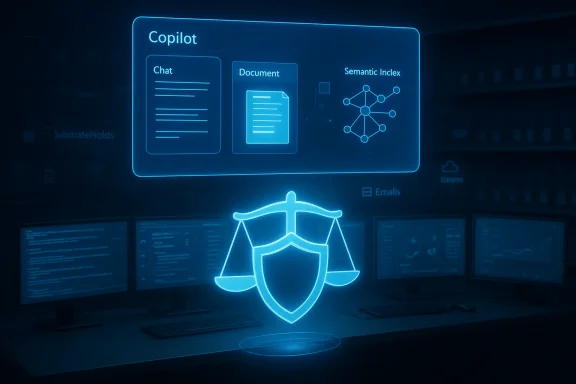
Enterprise copilots — most visibly Microsoft 365 Copilot — synthesize user prompts, documents, email, calendar items, chat transcripts, and other tenant content to produce summaries, drafts, and action items. That synthesis is driven by the Microsoft Graph and a tenant‑specific semantic index that gives the model context and grounding. The result is not a single derivative file but a web of generated artifacts, links to cloud attachments, and backend copies that Micreams can surface for investigations.
Legal and information‑governance professionals have begun to treat Copilot outputs as a new class of ESI with its own storage locations and retention semantics. Microsoft documents explain that Copilot interactions — prompts and responses — are retained in backend locations tied to user mailboxes and can be searched using Copilot‑specific ItemClass metadata (for example, values that start with IPM.SkypeTeams.Message.Copilot.*). Administrators can include those interactions in legal holds, retention policies, and eDiscovery searches.
Those technical design choices are the reason the conversation that Legalweek speaker Noah Koerner and others se counsel, information‑governance teams, and outside counsel is urgent: Copilot introduces novel sources of discoverable material, and firms that treat it as a “black box” risk sanctions, privilege exposure, and malpractice claims.
The practical takeaway for litigators is stark: if you use generative AI to prepare legal research or drafts, you must personally verify each authority and citation. Courts have treated failures to do so as reckless under Rule 11 and analogous state rules. The sanctions spectrum ranges from modest fines to r referrals, and even suspension in the most serious cases.
Noah Koerner and other speakers at Legalweek emphasize that these are not purely theoretical risks; firms are redesigning staffing models, adding AI verifiers, and rethinking how junior associates are supervised when AI is used in substantive legal work. The verification burden is real and it shifts who does the substantive checking inside firms.
Put simply: Copilot can be a force multiplier for legal teams, but only if governance keeps pace with adoption. Firms and corporate legal departments that fail to update legal hold procedures, to demand contractual protections from vendors and co‑counsel, and to require attested human verification face not just reputational risk but real legal exposure. The courts are already signaling that using AI is not a shield from accountability — and that reality should be the organizing principle for every Copilot rollout.
Source: Law.com Organization’s Copilot Use Sparks Tricky Legal, E-Discovery Questions: A Chat With Legalweek Speaker Noah Koerner | Law.com
 Background
Enterprise copilots — most visibly Microsoft 365 Copilot — synthesize user prompts, documents, email, calendar items, chat transcripts, and other tenant content to produce summaries, drafts, and action items. That synthesis is driven by the Microsoft Graph and a tenant‑specific semantic index that gives the model context and grounding. The result is not a single derivative file but a web of generated artifacts, links to cloud attachments, and backend copies that Micreams can surface for investigations.Legal and information‑governance professionals have begun to treat Copilot outputs as a new class of ESI with its own storage locations and retention semantics. Microsoft documents explain that Copilot interactions — prompts and responses — are retained in backend locations tied to user mailboxes and can be searched using Copilot‑specific ItemClass metadata (for example, values that start with IPM.SkypeTeams.Message.Copilot.*). Administrators can include those interactions in legal holds, retention policies, and eDiscovery searches.
Those technical design choices are the reason the conversation that Legalweek speaker Noah Koerner and others se counsel, information‑governance teams, and outside counsel is urgent: Copilot introduces novel sources of discoverable material, and firms that treat it as a “black box” risk sanctions, privilege exposure, and malpractice claims.
How Copilot changes the ESI map
What Copilot actually generates — and where it lives
- prompt and response pair is recorded as an interaction. Those interactions may include links to the original documents and can reference multiple source files that the semantic index used to ground the answer.
- Cloud attachments: When Copilot cites or links to a document, Purview can be configured to retain the specific version of that file used during the interaction. That matters for preservation of factual context.
- Hidden retention stores: Microsoft stores AI app message copies in hidden folders tied to Exchange mailboxes. The backend retention lifecycle uses a folder sometimes referred to as SubstrateHolds where items awaiting deletion or processed under retention policies may temporarily reside and remain searchable by eDiscovery tools. (learn.microsoft.com)
- Metadata flags: Copilot artifacts can be identified via ItemClass values (e.g., IPM.SkypeTeams.Message.Copilot.*), enabling targeted search and export.
Why that complexity matters in litigation
- Preservation: Legal holds must now account for Copilot interactions and the versions of cloud attachments referenced by those interactions. A retention policy that ignores Copilot leaves a hole in defensible preservation. ([learn.microsoft.com](Learn about retention for Copilot and AI apps content can exist in unexpected back‑end stores and hidden folders that standard discovery playbooks may miss. Exporting a "Teams chat" may not capture Copilot responses unless the eDiscovery case explicitly searches ItemClass values for Copilot interactions.
- Authenticity and provenance: Because Copilot synthesizes, the provenance trail can include multiple source documents and retrieval signals from the semantic index — making it harder to reconstruct why a particular phrasing or conclusion was returned without robust telemetry and logs.
Ethics, malpractice risk, and court reality
Courts are already policing AI‑driven filings
Recent years have produced a string of sanctions and disciplinary actions tied to unverified AI output in court filings. Federal and state courts have fined attorneys, ordered training, removed counsel, and in some cases referred matters to bar authorities after filings relied on fabricated authorities or quotations produced by generative models. Those rulings emphasize that ethical duties of candor and verification do not evaporate because counsel used AI.The practical takeaway for litigators is stark: if you use generative AI to prepare legal research or drafts, you must personally verify each authority and citation. Courts have treated failures to do so as reckless under Rule 11 and analogous state rules. The sanctions spectrum ranges from modest fines to r referrals, and even suspension in the most serious cases.
The privilege and confidentiality problem
Copilot’s convenience — the ability to paste client facts and ask for a memo — is also its greatest hazard. Vendor copilots and RAG pipelines that are poorlyend prompts to models outside a tenant’s control can create leakage and confidentiality exposure. Microsoft’s guidance is explicit: do not place privileged or identifying client data into open prompts and use Purview DLP and sensitivity labels to prevent Copilot from processing or returning protected data unless tenant policies explicitly permit it.Noah Koerner and other speakers at Legalweek emphasize that these are not purely theoretical risks; firms are redesigning staffing models, adding AI verifiers, and rethinking how junior associates are supervised when AI is used in substantive legal work. The verification burden is real and it shifts who does the substantive checking inside firms.
Practical governance checklist: what organizations should do now
Below are concrete controls and operational steps that IT, legal, and compliance teams should implement immediately when Copilot is in scope for the enterprise.- Inventory and classify Copilot surfaces
- Identify all places Copilot runs (Teams, Outlook, SharePoint, Office apps, Viva, Fabric).
- Map where Copilot ned and which mailboxes/hidden folders are involved.
- Update legal holdoks
- Add Copilot interactions to legal hold definitions.
- Use ItemClass searches (IPM.SkypeTeams.Message.Copilot.*) to ensure eDiscovery captures Copilot artifacts.
- Enforce prompt hygiene via DLP and sensitivity labels
- Configure Purview DLP and retention labels to block sensitive promptn referenced cloud attachments at the version used during an interaction.
- Preserve telemetry and prompt logs
- Collect prompt logs, retrieval traces, and semantic index indicators; these records materially help establish provenance and the reasoning trail behind an AI output.
- Contract guardrails with vendors and external counsel
- Negorain, and logging guarantees where possible.
- Require vendors to maintain audit logs and to provide confirmable data‑handling commitments.
- Define human‑in‑the‑loop verification roles
- Assign senior reviewers (AI verifiers) who attest to the accuracy of AI‑assisted drafts.
- Institute mandatory verification steps for any authority or factual assertion produced by Copilot.
- Create a RAG governance function (knowledge engineers and prompt architects) to maintain th the prompts used for high‑risk tasks.
- Train ethically and document the use
- Maintain written use policies and training logs. If an attorney uses Copilot to collaborate with outside counsel, require a written agreement that spells out mutual obligations — a point legal‑ethics counsel Jennifer Ellis emphasized in recent interviews: attorneys are obligated both to know what tech they use and to ensure any co‑counsel they work with are appropriate and bound to the same controls.
Vendor and liability considerations: whmatter
When firms bring in associated counsel or third‑party vendors, the governance risk multiplies. Jennifer Ellis’s admonition is practical and procedural: a written agreement should document who is responsible for:- data segregation and tenant grounding,
- prompt logging and retention,
- verification and sign‑off processes,
- who owns the risk if an AI hal sanction or malpractice claim.
- no‑retrain clauses that prevent vendors from uetrain models without consent,
- audit rights for compliance and eDiscovery,
- data deletion guarantees and proof of deletion,
- clear indemnities where the vendor’s negligence in handling Copilot artifacts increases legal risk.
The upside: why organizations still rush to Copilot
It’s important to be clear-eyed about why organizations adopt Copilot despite the governance and discovery headaches.- Productivity gains: Administrative automation (meeting recaps, email triage) and first‑draft generation accelerate routine work and free lawyers to focus on higher‑value tasks.
- Knowledge reuse: Tenant‑grounded copilots can surface firm‑specific precedents and playbooks, increasing consistency and reducing duplication.
- New operational roles: Rather than eliminating lawyers, many firms report hiring more mid‑level reviewers and knowledge engineers who manage verification and RAG systems. That staffing can create a higher‑quality review pipeline when implemented correctly.
Critical analysis: strengths, g fall short
Strengths
- Built‑in discoverability: Microsoft’s decision to expose Copilot interactions to Purview eDiscovery (via ItemClass and retention settings) is good — it makes compliance possible rather than impossible. Organizations with robust Purview deopilot into the fold with fewer blind spots.
- Policy primitives exist: Microsoft provides retention labels, DLP integration, and the ability to retain referenced cloud attachments. Those primitives enable defensible preservation strategies when configured correctly.
Gaps and risks
- Operational complexity: The technical architecture — semantic indexes, cross‑service grounding, hidden mailbox folders — creates operational gaps that standard eDiscovery playbooks do not covereases the chance of an incomplete preservation or an unintended privilege waiver.
- Vendor disclosure limitations: Not all vendors provide sufficient auditability or contractual assurances around model retraining and logging. Where those guarantees are absent, organizations need to augment contracts or avoid placing privileged data into prompts.
- Human factors: Overreliance on Copilot to draft legal arguments or research without robust verification workflows has already produced sanctions. The problem is as much cultural and supervisory as it is technological.
Unverifiable or evolving claatements about Copilot’s internal indexing and retention behaviors are updated frequently. Where vendor guidance is ambiguous, enterprises should assume that retention and delee verification via eDiscovery exports and independent audit before relying on any verbal vendor assurances. If a claim cannot be confirmed by an exportable artifact or documented audit trail, treat it as unverifiable and document that risk.
Action plan for IT and legal leaders (90‑day checklist)
- Conduct a rapid‑response inventory of all Copilot surfaces and enable Purview logging for Copilot interactions.
- Update legal hold processes to include Copilot ItemClass searches and test an export to confirm captures of prompts/responses.
- Apply DLP rules and sensitivity labels to block privileged prompts; train users on prompt hygiene and the prohibition on entering privileged client data into open prompts.
- Amend outside‑counsel and vendor engagement letters to require audit logs, no‑retrain guarantees, and indemnities for data mishandling.
- Stand up an AI verification function: designate senior reviewers, create mandatory sign‑off checklists, and integrate verification steps into billing and matter workflows.
Conclusion
The arrival of enterprise copilots like Microsoft 365 Copilot forces a rethinking of ESI, legal holds, and professional responsibility. The vendor tooling exists to make Copilot defensible in litigation — retention labels, ItemClass searchability, and hidden‑folder retention mechanisms make preservation possible — but they do not make it automatic. The determinative factor will be how organizations translate vendor primitives into disciplined operational playbooks, enforce prompt hygiene, and subject AI‑assisted outputs to rigorous human verification.Put simply: Copilot can be a force multiplier for legal teams, but only if governance keeps pace with adoption. Firms and corporate legal departments that fail to update legal hold procedures, to demand contractual protections from vendors and co‑counsel, and to require attested human verification face not just reputational risk but real legal exposure. The courts are already signaling that using AI is not a shield from accountability — and that reality should be the organizing principle for every Copilot rollout.
Source: Law.com Organization’s Copilot Use Sparks Tricky Legal, E-Discovery Questions: A Chat With Legalweek Speaker Noah Koerner | Law.com
