

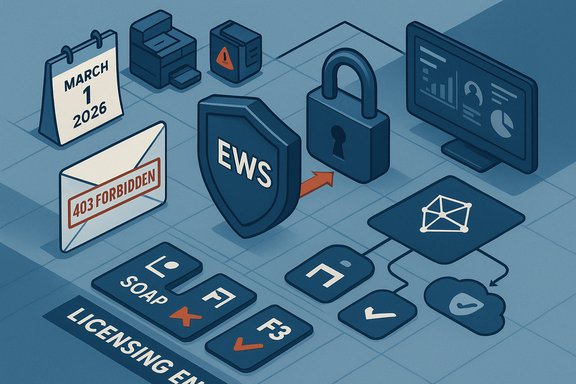
Microsoft’s Exchange team has quietly sharpened the enforcement blade on Exchange Web Services (EWS): starting March 1, 2026, EWS calls against mailboxes that carry only frontline or kiosk-class licenses will be blocked with HTTP 403 errors, and the broader deprecation plan still culminates in a global EWS cutoff in October 2026.
Exchange Web Services (EWS) is the long‑standing SOAP-based API that gave applications programmatic access to Exchange mailboxes — mail, calendar, contacts, folder operations and administrative hooks. Microsoft stopped adding new EWS features years ago and formally set an end‑of‑life timetable for EWS in Exchange Online: the service will be disabled for Exchange Online tenants beginning October 1, 2026. That retirement decision was originally announced years earlier and reinforced in Microsoft’s deprecation guidance. Microsoft has been closing the gap between EWS and the modern Microsoft Graph API and introducing controls to let administrators manage and monitor EWS usage. Those steps have not been purely academic: security incidents — notably the January 2024 “Midnight Blizzard” compromise that exposed Microsoft corporate mailboxes — accelerated the urgency to remove legacy, broad mailbox access patterns. Microsoft specifically linked that incident to EWS usage and widened the deprecation scope from third‑party apps to include Microsoft’s own applications. The new enforcement action announced in early December 2025 changes the calculus for many organizations: some low‑cost frontline/ kiosk licenses never included EWS in their service descriptions, but Microsoft did not previously enforce that clause. Now it will, starting March 1, 2026.
Administrators should treat March 1, 2026 as a hard milestone for license‑based enforcement, and October 1, 2026 as the final end‑state. Prioritize discovery now, mitigate the most critical failures with controlled re‑licensing or licensed service accounts, and invest in a migration program that replaces SOAP‑era EWS flows with Graph‑centric, least‑privilege, event‑driven architectures.
Source: theregister.com Microsoft sharpens blocking axe for Exchange Web Services
 Background / Overview
Exchange Web Services (EWS) is the long‑standing SOAP-based API that gave applications programmatic access to Exchange mailboxes — mail, calendar, contacts, folder operations and administrative hooks. Microsoft stopped adding new EWS features years ago and formally set an end‑of‑life timetable for EWS in Exchange Online: the service will be disabled for Exchange Online tenants beginning October 1, 2026. That retirement decision was originally announced years earlier and reinforced in Microsoft’s deprecation guidance. Microsoft has been closing the gap between EWS and the modern Microsoft Graph API and introducing controls to let administrators manage and monitor EWS usage. Those steps have not been purely academic: security incidents — notably the January 2024 “Midnight Blizzard” compromise that exposed Microsoft corporate mailboxes — accelerated the urgency to remove legacy, broad mailbox access patterns. Microsoft specifically linked that incident to EWS usage and widened the deprecation scope from third‑party apps to include Microsoft’s own applications. The new enforcement action announced in early December 2025 changes the calculus for many organizations: some low‑cost frontline/ kiosk licenses never included EWS in their service descriptions, but Microsoft did not previously enforce that clause. Now it will, starting March 1, 2026. What Microsoft announced (the nuts and bolts)
The short version — dates and behavior
- Starting March 1, 2026: EWS access will be blocked for mailboxes licensed exclusively with:
- Exchange Online Kiosk
- Microsoft 365 / Office 365 F1
- Microsoft 365 / Office 365 F3
Attempts using EWS against these mailboxes will return HTTP 403 Forbidden responses. - By October 1, 2026: EWS will be disabled globally for all Exchange Online organizations as part of the previously announced retirement schedule. Microsoft has repeatedly signaled that the October 2026 date is the final disabling milestone.
Licensing and the practical workaround
Microsoft emphasizes that the service descriptions for frontline and kiosk SKUs did not grant EWS mailbox access; the practical effect until now was permissive — the product behavior didn’t enforce the limitation. Starting March 1, 2026, that limit becomes technical policy: to retain mailbox-level EWS access, affected users must be assigned a license that explicitly includes EWS rights (examples Microsoft cites include Exchange Online Plan 1, Exchange Online Plan 2, Microsoft 365 E3, or Microsoft 365 E5). Administrators should plan license remediation or migration before the enforcement date.Evolution of EWS controls in 2024–2026
This licensing enforcement step is one in a string of recent EWS hardening moves:- April 1, 2025: Microsoft changed EWSEnabled logic so EWS is allowed only if both organization-level and user-level EWSEnabled flags are true, tightening tenant-wide control.
- February–March 2025: Microsoft deprecated RBAC ApplicationImpersonation and blocked app impersonation modes, requiring app-only OAuth patterns for many automated scenarios.
- 2025 (ongoing): Microsoft published EWS usage reports, an EWS Analyzer tool and migration guidance to help administrators find and remediate EWS dependencies.
Why Microsoft is doing this — security, control and consolidation
Security is the headline driver
EWS provides broad, programmatic mailbox access — an attractive vector in post‑compromise data exfiltration chains. Microsoft says the Midnight Blizzard incident elevated the priority of the EWS deprecation effort; the attack demonstrated how legacy tokens, permissive service accounts and apps with broad mailbox access can be abused. Tightening EWS access reduces the avenues available to threat actors and brings mailbox access under modern authentication and conditional access controls.Alignment with published service descriptions and licensing
Service descriptions for certain low-cost SKUs have long excluded EWS access. By enforcing those entitlements technically, Microsoft is aligning runtime behavior with contractual descriptions — a move that improves clarity for auditors and compliance teams, but that also forces operational remediation for customers that relied on the permissive reality.Platform consolidation — Graph as the pivot
Microsoft’s strategy is to consolidate mailbox programmatic access on Microsoft Graph, which supports modern OAuth flows, richer telemetry, conditional access, and integration with Microsoft 365 security controls. Microsoft is working to close parity gaps between Graph and EWS, but it admits there are still feature areas where Graph does not fully replace EWS today. Those gaps include archive access, some import/export scenarios, public folders, event delta for recurring events, user configuration, and certain administrative surfaces. That partial parity explains why many organizations are still reliant on EWS.Who and what will break — real world scenarios
The March 1, 2026 enforcement is targeted, but the impact chains are broader.- Devices and appliances that use frontline mailboxes as credentials (scan‑to‑email on printers, multifunction copiers, legacy networked devices) will begin to fail if those mailboxes are only Kiosk/F1/F3 licensed.
- Small scripts and in‑house tools that authenticate with frontline mailbox credentials and call EWS will start returning HTTP 403 immediately when license checks occur.
- Third‑party ISV integrations designed around frontline users or small license footprints may stop working unless vendors migrate to Graph or customers relicense the involved accounts.
- Shared or delegated access patterns that use frontline mailboxes as service principals may be affected depending on exact license assignments and the “most superior license” evaluation logic Microsoft uses.
Parity gaps and migration complexity
Microsoft has published a prioritized list of EWS features where Graph still lacks full parity. The missing or partial Graph capabilities that tend to cause the most migration friction include:- Import/export of mailboxes and public folders (some previews exist, but gaps remain)
- Archive mailbox programmatic access
- Event delta semantics for recurring events
- Certain administrative APIs (accepted domain, mailbox folder permissions, mailbox endpoints)
- Folder-associated information and user configuration scenarios
Immediate detection and triage steps (what to run right now)
Administrators should take an inventory-driven approach, prioritize based on business criticality, and apply quick mitigations where migration will take longer.- Run the EWS Usage Reports in the Microsoft 365 admin center to enumerate applications, app IDs, user agents, and mailbox access volumes. Use the EWS Analyzer tool to scan codebases for direct EWS calls.
- Review Azure AD sign-in logs and Exchange audit logs for OAuth tokens, app‑only sign‑ins, or service principal activity targeting EWS endpoints; correlate AppID and IP addresses against known vendors/devices.
- Query per-user license assignments and generate a list of mailboxes that currently hold only kiosk/F1/F3 licenses. Cross reference the EWS usage report against that list — those mailboxes are high‑risk for immediate disruption.
- Check the EWSEnabled flags at both tenant and mailbox level. Remember the changed behavior: as of April 1, 2025, EWS is allowed only when both the organization and user EWSEnabled flags are true. That behavior can stop EWS regardless of license assignments if tenant or mailbox flags are toggled.
- Engage vendor support for third‑party appliances and ask explicitly whether they have a Microsoft Graph path or recommended mitigation. Get timelines in writing.
Short‑term mitigations (fast, reversible)
- Reassign a complementary license to the mailbox that includes EWS rights (for example, grant an Exchange Online Plan 1/2 or E3/E5 temporarily). Microsoft’s license logic uses the most “superior” active license to evaluate mailbox capabilities; adding an EWS-capable license restores access. Be sure to document business justification and cost implications.
- Consolidate programmatic access to a small set of properly‑licensed service accounts instead of re‑licensing thousands of frontline users. This lowers licensing cost but creates concentrated risk that must be mitigated with hardening (MFA, conditional access, privileged identity management).
- Convert devices that support it to SMTP submission over OAuth (modern authenticated SMTP) or vendor-provided connectors rather than EWS mailbox scraping.
- Use shared mailboxes or delegated access patterns where supported by the vendor — but verify that the sharing pattern actually preserves the required functionality and that EWS access is permitted for the configured account types.
Medium‑ and long‑term remediation (the modernization path)
- Migrate application logic to Microsoft Graph using the mappings Microsoft provides; use app‑only permissions and resource‑scoped RBAC to limit access. Expect re‑architecture for EWS patterns that made heavy use of server‑side subscription and folder‑level operations.
- Where Graph parity is incomplete for a scenario, evaluate these alternates:
- Use the Exchange Online Admin API preview for administrative surfaces that EWS exposed and that Graph lacks. This new REST admin layer can replace some EWS admin calls while retaining cmdlet‑style semantics.
- For import/export or public folder operations, follow Microsoft’s guidance on preview features or plan for staged migrations when the Graph or Admin API features reach GA.
- Rebuild critical integrations as event-driven services using Microsoft Graph webhooks and Azure Functions or Logic Apps. This reduces the need for long‑running mailbox polling and helps adopt least‑privilege design.
- Harden and monitor the small set of service accounts that remain: implement conditional access policies, token lifetime management, privileged identity controls and just‑in‑time authorization for elevated operations.
Costs, licensing policy and procurement considerations
- Upgrading frontline users to enterprise SKUs at scale can be expensive. Before mass re‑licensing, consider consolidating programmatic duties to a limited number of well‑managed service accounts that receive the necessary license coverage. That approach reduces license spend but must be aligned with Microsoft licensing terms and with legal/procurement counsel.
- Any re‑licensing plan should be coordinated with finance and procurement and validated with your Microsoft account team for licensing compliance and potential volume discounts.
- Document business justification and retention policies for any licenses assigned purely to maintain legacy EWS integrations. Microsoft’s enforcement moves can be used in license‑review conversations, but auditors will still expect rigorous documentation.
Risks, tradeoffs and cautionary notes
- Consolidating access into a small number of service accounts can create single points of failure and single points of attack. Those accounts must be hardened (MFA, conditional access, limited network access) and monitored with high fidelity.
- Vendor readiness varies. Some ISVs and embedded device vendors have Graph‑ready updates, others do not. If a vendor cannot migrate to Graph by October 2026, organizations must decide between replacement, custom integration work, or long‑term licensing workarounds.
- Parity gaps mean some EWS features will require creative solutions (PowerShell bridges, admin API calls, or temporary hybrid approaches). Microsoft has said it is actively working to close gaps but acknowledges some areas remain incomplete; plan migrations with that uncertainty in mind and escalate feature requests where necessary.
- There may be tenant‑specific message center notices with earlier or slightly different timings; always treat Message Center posts and the admin center as the authoritative tenant‑specific source for operational windows. Microsoft’s MC1191578 message points admins to review their tenants and act before the enforcement date.
- If you see odd 403s post‑March 1, 2026, confirm the effective license set for the mailbox and the tenant/user EWSEnabled flags before chasing connectivity or vendor bugs. Often the cause will be entitlement or policy—not a product defect.
Practical, ordered action plan for IT teams (30/60/90)
- Immediate (days)
- Run EWS Usage Reports and pull Azure AD sign‑in logs; enumerate EWS client AppIDs and mailboxes.
- Produce a prioritized inventory mapping of critical workloads that use EWS and identify the mailbox license types for each.
- Near term (2–4 weeks)
- For business‑critical workloads that cannot migrate quickly, assign a suitable EWS‑capable license to the involved mailbox or move the workload to a licensed service account. Document approvals and compliance rationale.
- Test vendor updates or new Graph‑based connectors in a staging tenant.
- If you have broad, device-dependent EWS usage (printers/scanners), contact vendors for OAuth/SMTP alternatives and schedule firmware updates.
- Mid term (1–3 months)
- Begin re‑implementing code paths using Microsoft Graph; focus first on the highest‑volume or highest‑risk workloads.
- Introduce event‑driven webhook patterns to reduce polling and to modernize integrations.
- Validate administrative scenarios that require EWS and pivot to the Exchange Online Admin API or PowerShell automation where appropriate.
- Ongoing (3–12 months)
- Remove legacy EWS scripts, decommission unused service accounts, reduce scope of licenses assigned purely as workarounds, and refine security posture around retained accounts.
- Keep tracking Microsoft parity roadmap updates and roadmap previews for admin API and archive/import/export features.
What vendors and software makers need to do
- If you provide integrations that use EWS, publish a migration timeline to Microsoft Graph — include specifics of missing features and realistic go‑live dates.
- Provide test tenants or migration guides for customers to validate Graph replacements.
- Where parity gaps exist, document workarounds and expected changes in functional behavior — customers will need clear replacement timelines to budget and plan procurement.
Conclusion: the clock is real — plan now, migrate thoughtfully
Microsoft’s March 1, 2026 license enforcement makes visible what many administrators suspected: the permissive behavior that allowed frontline and kiosk mailboxes to be used by third‑party tools will not survive the EWS deprecation process. The broader EWS retirement on October 1, 2026 remains unchanged and requires a more complete migration away from EWS for those who rely on Exchange Online. The path forward is practical but not free: it combines inventory and discovery, tactical licensing or consolidation for critical services, and a longer program to modernize integrations on Microsoft Graph or alternative, supported APIs. Security benefits are clear — fewer broad access vectors and better governance — but the operational and cost implications are significant for organizations that built lightweight solutions around low‑cost frontline SKUs.Administrators should treat March 1, 2026 as a hard milestone for license‑based enforcement, and October 1, 2026 as the final end‑state. Prioritize discovery now, mitigate the most critical failures with controlled re‑licensing or licensed service accounts, and invest in a migration program that replaces SOAP‑era EWS flows with Graph‑centric, least‑privilege, event‑driven architectures.
Source: theregister.com Microsoft sharpens blocking axe for Exchange Web Services
